lock DODGE CHARGER SRT 2007 6.G Workshop Manual
[x] Cancel search | Manufacturer: DODGE, Model Year: 2007, Model line: CHARGER SRT, Model: DODGE CHARGER SRT 2007 6.GPages: 350, PDF Size: 5.51 MB
Page 164 of 350

5. Select DONE to exit from the clock setting mode. Press
ENTER to save your changes. If you press CANCEL or
NAV then your changes will not be saved.
User Defined Clock
If you wish to set the clock to a time different than the
system clock, you can manually adjust the time by
choosing the ªUser Defined Clockº option.
1. At theClock Setupscreen highlight ªDisplayed
Clock: User Defined Clockº.2. To increase the clock by hours, make sure ªHR +º is
highlighted and press ENTER. Press ENTER again to
increase the clock by another hour. You will see on the
ªUser Defined Timeº display the number of hours you
have increased the clock by.
3. To decrease the clock by one hour, use the Select
Encoder to highlight the ª-º sign. Press ENTER. Press
ENTER again to decrease the clock by another hour.
4. To increase the clock by minutes, make sure ªMIN +º
is highlighted and press ENTER. Press ENTER again to
increase the clock by another minute.
5. To decrease the clock by minutes, use the Select
Encoder to highlight the ª-ª sign. Press ENTER. Press
ENTER again to decrease the clock by another minute.
6. Select ªDONEº to exit from the clock setting mode.
Press ENTER to save your changes. If you press CAN-
CEL or NAV then your changes will not be saved.
164 UNDERSTANDING YOUR INSTRUMENT PANEL
Page 165 of 350

Audio Clock Display
Select this option to change the size of the clock on the
audio screens.
1. When you are at an audio screen, quickly press the
TIME button on the navigation faceplate.
2. In this example the large clock appears on the screen.
3. To switch the clock to the small clock, quickly press
TIME again.4. To toggle back to the large clock, simply press TIME.
UNDERSTANDING YOUR INSTRUMENT PANEL 165
4
Page 169 of 350

Selecting Satellite Mode in REF, RAQ, and RAK
Radios
Selecting Satellite Mode Ð REF Radio
Press the MODE button repeatedly until the word9SAT9
appears in the display.
A CD may remain in the radio while in the Satellite radio
mode.
Selecting Satellite Mode Ð RAQ and RAK Radio
Press the MODE button repeatedly until the word9SAT9
appears in the display.
These radios will also display the current station name
and program type. For more information, such as song
title and artist press the MSG or INFO button.
A CD or tape may remain in the radio while in the
Satellite radio mode.
Selecting a Channel
Press and release the SEEK or TUNE knob to search for
the next channel. Press the top of the button to search upand the bottom of the button to search down. Holding the
TUNE button causes the radio to bypass channels until
the button is released.
Press and release the SCAN button (if equipped) to
automatically change channels every 7 seconds. The
radio will pause on each channel for 7 seconds before
moving on to the next channel. The word9SCAN9will
appear in the display between each channel change. Press
the SCAN button a second time to stop the search.
NOTE:Channels that may contain objectionable con-
tent can be blocked. Contact Sirius Customer Care at
888-539-7474 to discuss options for channel blocking or
unblocking. Please have your ESN/SID information
available.
Storing and Selecting Pre-Set Channels
In addition to the 12 AM and 12 FM pre-set stations, you
may also commit 12 satellite stations to push button
memory. These satellite channel pre-set stations will not
erase any AM or FM pre-set memory stations. Follow the
memory pre-set procedures that apply to your radio.
UNDERSTANDING YOUR INSTRUMENT PANEL 169
4
Page 170 of 350

Using the PTY (Program Type) Button (if
equipped)
Follow the PTY button instructions that apply to your
radio.
PTY Button(SCAN(
When the desired program type is obtained, press the
9SCAN9button within five seconds. The radio will play 7
seconds of the selected channel before moving to the next
channel of the selected program type. Press the9SCAN9
button a second time to stop the search.
NOTE:Pressing the9SEEK9or9SCAN9button, while
performing a music type scan, will change the channel by
one and stop the search. Pressing a pre-set memory
button during a music type scan, will call up the memory
channel and stop the search.
PTY Button(SEEK(
When the desired program is obtained, press the9SEEK9
button within five seconds. The channel will change to
the next channel that matches the program type selected.
Satellite Antenna
To ensure optimum reception, do not place items on the
roof around the rooftop antenna location. Metal objects
placed within the line of sight of the antenna will cause
decreased performance. Larger luggage items should be
placed as far forward as possible. Do not place items
directly on or above the antenna.
Reception Quality
Satellite reception may be interrupted due to one of the
following reasons.
²The vehicle is parked in an underground parking
structure or under a physical obstacle.
²Dense tree coverage may interrupt reception in the
form of short audio mutes.
²Driving under wide bridges or along tall buildings can
cause intermittent reception.
²Placing objects over or too close to the antenna can
cause signal blockage.
170 UNDERSTANDING YOUR INSTRUMENT PANEL
Page 171 of 350

REMOTE SOUND SYSTEM CONTROLS
The remote sound system controls are located on the
surface of the steering wheel at the 3 and 9 o'clock
positions.
Vehicles equipped with steering wheel mounted buttons
are also equipped with the Electronic Vehicle Information
Center (EVIC). The EVIC features a driver-interactive
display. This is located in the instrument cluster below
the speedometer.The VOLUME button controls the sound level
of the sound system. Press the top of the
VOLUME button to increase the sound level.
Press the bottom of the VOLUME button to
decrease the sound level.
Press the AUDIO MODE button to select the
Compass/Temp/Audio screen. This screen
displays radio station frequencies, any one of
twelve radio station preset frequencies, CD
disc number, CD track number, tape, or any
one of 200 Satellite radio channels depending
on which radio is in the vehicle.
If Compass/Temp/Audio is already displayed when the
AUDIO MODE button is pressed, then the radio mode
will change from AM to FM, to Tape, to CD, or to Satellite
(SAT) accordingly.
Electronic Vehicle Information Center
VOL-
UME
Button
AUDIO
MODE
Button
UNDERSTANDING YOUR INSTRUMENT PANEL 171
4
Page 176 of 350

NOTE:To improve fuel economy, leave in defrost only
when necessary.
²Defrost/Floor
Air flows through the front and rear floor
outlets and the outlets at the base of the
windshield. Air is also directed to the front
door windows through the side window demister
grilles.
²
Floor
Air flows through the floor outlets located
under the instrument panel and into the rear
seating area through vents under the front seats.
²
Bi-Level
Air flows through the outlets located in the
instrument panel and through the outlets lo-
cated on the floor. Air flows through the registers in
the back of the center console to the rear seat
passengers. These registers can be closed to par-
tially block airflow.²
Panel
Air flows through the outlets located in the
instrument panel. Air flows through the regis-
ters in the back of the center console to the rear seat
passengers. These registers can be closed to block
airflow.
²
Recirculation Control
The mode control knob also controls the
recirculation feature. You can choose Bi-
Level Recirculation air outlets, Panel Re-
circulation air outlets, or a mix or both
while in this mode. Normally, air enters from out-
side the vehicle. However, when in Recirculation
mode air inside the vehicle is re-used. Use this
mode to cool the inside of the vehicle rapidly. The
Recirculation mode can also be used to temporarily
block out outside odors, smoke, and dust.
Air Conditioning Control
Press this button to turn on and turn off the air
conditioning. When the air conditioning is turned
on, cool dehumidified air will flow through the
outlets selected with the mode control. Press this button
176 UNDERSTANDING YOUR INSTRUMENT PANEL
Page 181 of 350

The operator can override the AUTO mode setting to
change airflow distribution by rotating the Mode Control
knob (on the right) to one of the following positions.
²Defrost
Air is directed to the windshield through the
outlets at the base of the windshield. Air is
also directed to the front door windows through the
side window demister grilles.
²
Defrost/Floor
Air flows through the front and rear floor
outlets and the outlets at the base of the
windshield. Air is also directed to the front
door windows through the side window demister
grilles.
²
Floor
Air flows through the floor outlets located
under the instrument panel and into the rear
seating area through vents under the front seats.²
Bi-Level
Air flows through the outlets located in the
instrument panel and through the outlets lo-
cated on the floor. Air flows through the registers in
the back of the center console to the rear seat
passengers. These registers can be closed to block
airflow.
²
Panel
Air flows through the outlets located in the
instrument panel. Air flows through the regis-
ters in the back of the center console to the rear seat
passengers. These registers can be closed to block
airflow.
²
Air Conditioning Control
Press this button to turn on the air condition-
ing during manual operation only. When the
air conditioning is turned on, cool dehumidi-
fied air will flow through the outlets selected with
the Mode control dial. Press this button a second
time to turn off the air conditioning. An LED in the
button illuminates when manual compressor opera-
tion is selected.
UNDERSTANDING YOUR INSTRUMENT PANEL 181
4
Page 182 of 350

NOTE:To control the air conditioning manually, the
mode selector must be moved out of the AUTO position.
²Recirculation Control
This button can be used to block out smoke,
odors, dust, high humidity, or if rapid cooling
is desired. The recirculation mode should only
be used temporarily. An LED in the button
illuminates when the recirculation mode is active. You
may use this feature separately.
NOTE:Extended use of recirculation may cause the
windows to fog. If the interior of the windows begins to
fog, press the Recirculation button to return to outside
air. Some temp/humidity conditions will cause captured
interior air to condense on windows and hamper visibil-
ity. For this reason, the system will not allow Recircula-
tion to be selected while in defrost or defrost/floor mode.
Attempting to use the recirculation while in these modes
will cause the LED in the control button to blink and then
turn off.
Operating Tips
NOTE:
Refer to the chart at the end of this section for
suggested control settings for various weather condi-
tions.
Summer Operation
The engine cooling system in air-conditioned vehicles
must be protected with a high-quality antifreeze coolant
to provide proper corrosion protection and to protect
against engine overheating. A 50% solution of ethylene
glycol antifreeze coolant in water is recommended. Refer
to ªMaintenance Proceduresº in Section 7 of this manual
for proper coolant selection.
Winter Operation
Use of the air Recirculation mode during winter months
is not recommended because it may cause window
fogging.
Vacation Storage
Anytime you store your vehicle, or keep it out of service
(i.e. vacation) for two weeks or more, run the air condi-
tioning system at idle for about five minutes in the fresh
air and high blower setting. This will insure adequate
182 UNDERSTANDING YOUR INSTRUMENT PANEL
Page 187 of 350
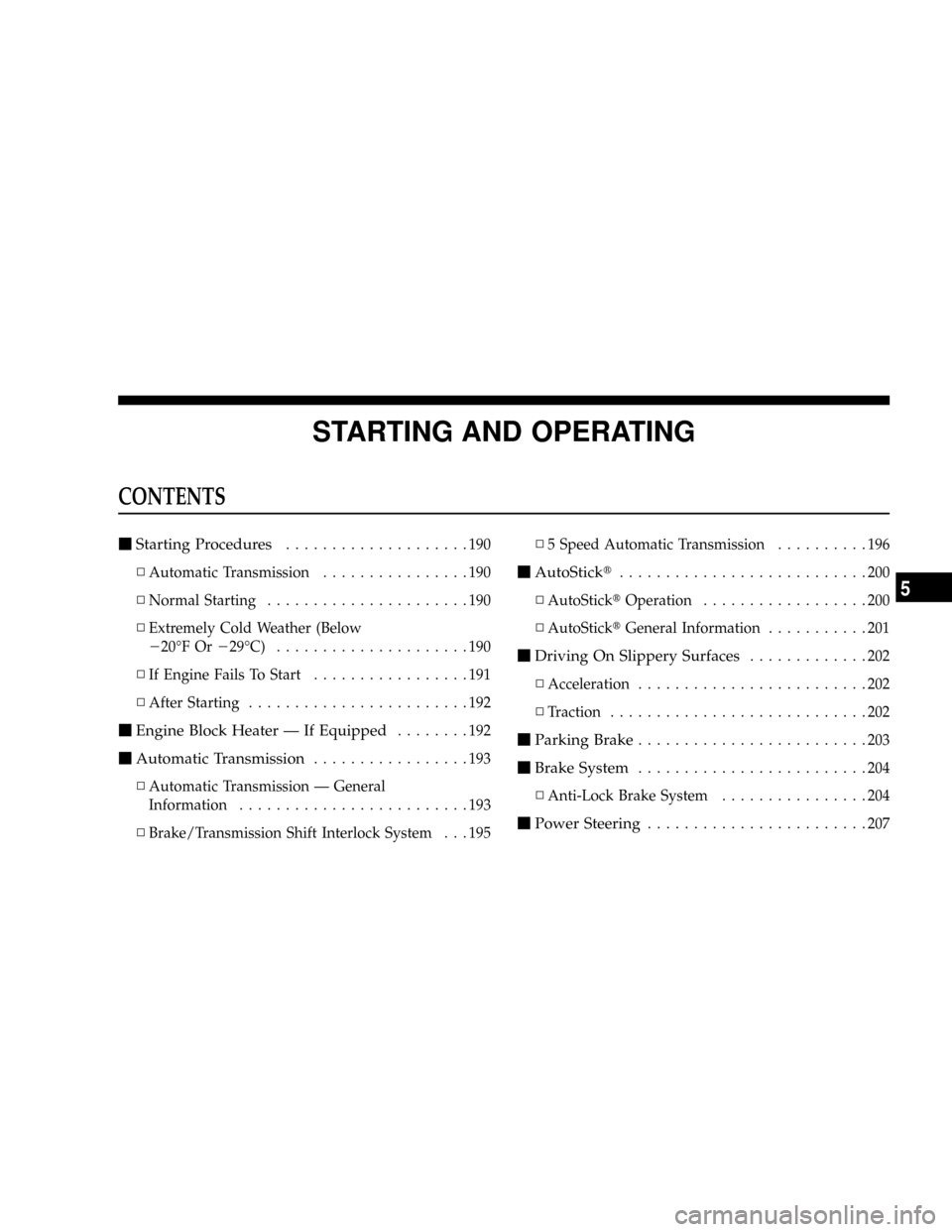
STARTING AND OPERATING
CONTENTS
mStarting Procedures....................190
NAutomatic Transmission................190
NNormal Starting......................190
NExtremely Cold Weather (Below
220ÉF Or229ÉC).....................190
NIf Engine Fails To Start.................191
NAfter Starting........................192
mEngine Block Heater Ð If Equipped........192
mAutomatic Transmission.................193
NAutomatic Transmission Ð General
Information.........................193
NBrake/Transmission Shift Interlock System . . . 195N5 Speed Automatic Transmission..........196
mAutoStickt...........................200
NAutoSticktOperation..................200
NAutoSticktGeneral Information...........201
mDriving On Slippery Surfaces.............202
NAcceleration.........................202
NTraction............................202
mParking Brake.........................203
mBrake System.........................204
NAnti-Lock Brake System................204
mPower Steering........................207
5
Page 188 of 350

mElectronic Brake Control System...........208
NABS (Anti-Lock Brake System)............208
NTCS (Traction Control System)............208
NBAS (Brake Assist System)...............209
NESP (Electronic Stability Program).........209
NSynchronizing ESP....................212
NESP/BAS Malfunction Indicator Light And
ESP/TCS Indicator Light................213
mTire Safety Information..................213
NTire Markings........................213
NTire Identification Number (TIN)..........216
NTire Loading And Tire Pressure...........217
mTires Ð General Information..............221
NTire Pressure.........................221
NTire Inflation Pressures.................222
NRadial-Ply Tires......................224NTire Spinning........................224
NTread Wear Indicators..................225
NLife Of Tire.........................225
NReplacement Tires.....................226
NAlignment And Balance.................227
mTire Chains...........................227
mSnow Tires...........................228
mTire Rotation Recommendations...........229
NTire Rotation Ð Standard Tires............229
NTire Rotation Ð All Season Tires..........230
mTire Pressure Monitor System (TPMS) Ð If
Equipped
............................230
NBase System Ð If Equipped..............232
NPremium System Ð If Equipped..........234
NGeneral Information...................237
mFuel Requirements.....................237
188 STARTING AND OPERATING