automatic transmission DODGE CHARGER SRT 2015 7.G User Guide
[x] Cancel search | Manufacturer: DODGE, Model Year: 2015, Model line: CHARGER SRT, Model: DODGE CHARGER SRT 2015 7.GPages: 595, PDF Size: 16.43 MB
Page 376 of 595
After Starting
The idle speed is controlled automatically and it will
decrease as the engine warms up.
ENGINE BLOCK HEATER — IF EQUIPPED
The engine block heater warms the engine, and permits
quicker starts in cold weather. Connect the cord to a
standard 110-115 Volt AC electrical outlet with a
grounded, three-wire extension cord.
The engine block heater must be plugged in at least one
hour to have an adequate warming effect on the engine.
The engine block heater cord is routed under the hood on
the driver side of the vehicle. It has a removable cap that
is located near the air box.
WARNING!
Remember to disconnect the engine block heater
cord before driving. Damage to the 110-115 Volt
electrical cord could cause electrocution.
AUTOMATIC TRANSMISSION
WARNING!
•It is dangerous to shift out of PARK or NEUTRAL
if the engine speed is higher than idle speed. If
your foot is not firmly pressing the brake pedal, the
vehicle could accelerate quickly forward or in re-
verse. You could lose control of the vehicle and hit
someone or something. Only shift into gear when
the engine is idling normally and your foot is
firmly pressing the brake pedal.
(Continued)
374 STARTING AND OPERATING
Page 379 of 595
Eight-Speed Automatic Transmission
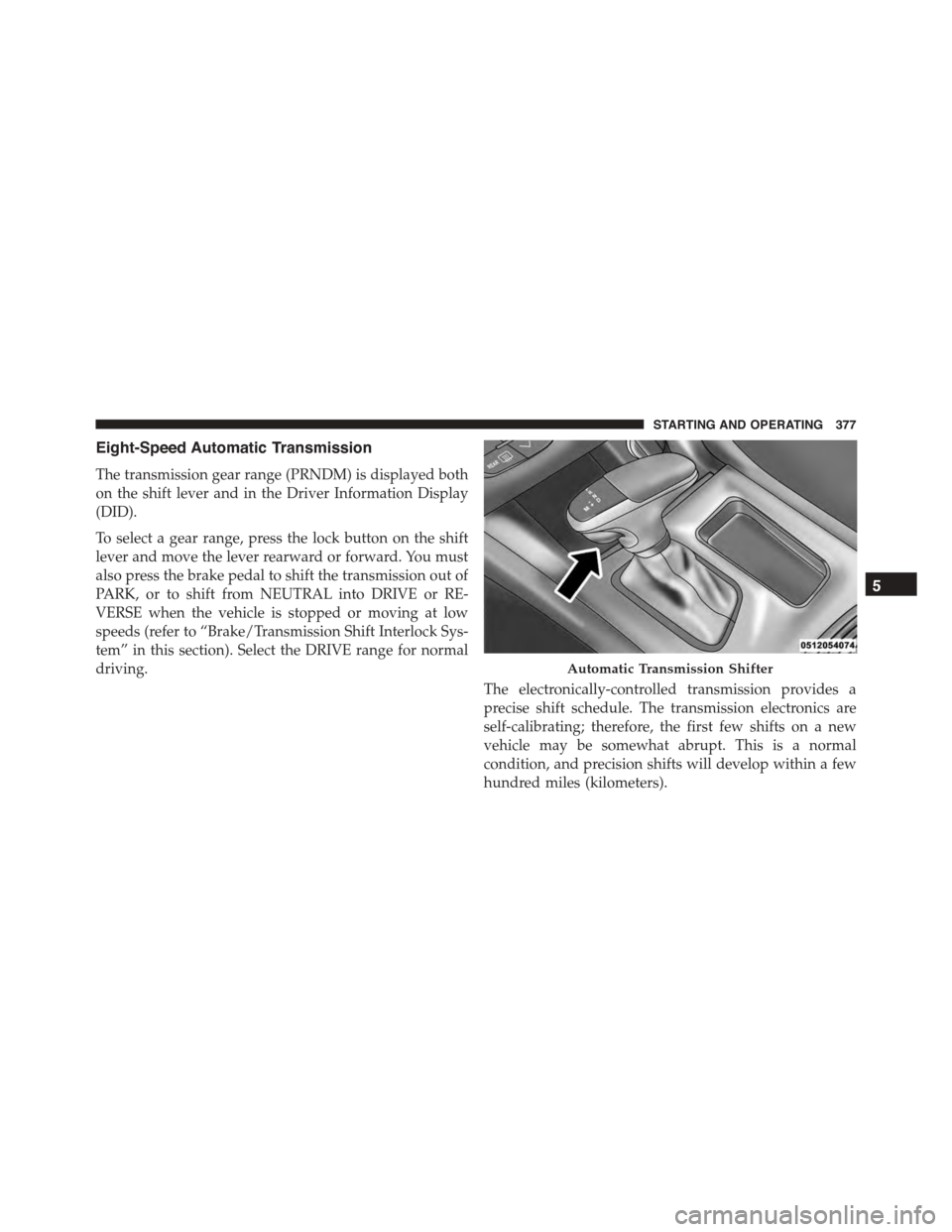
The transmission gear range (PRNDM) is displayed both
on the shift lever and in the Driver Information Display
(DID).
To select a gear range, press the lock button on the shift
lever and move the lever rearward or forward. You must
also press the brake pedal to shift the transmission out of
PARK, or to shift from NEUTRAL into DRIVE or RE-
VERSE when the vehicle is stopped or moving at low
speeds (refer to “Brake/Transmission Shift Interlock Sys-
tem” in this section). Select the DRIVE range for normal
driving.
The electronically-controlled transmission provides a
precise shift schedule. The transmission electronics are
self-calibrating; therefore, the first few shifts on a new
vehicle may be somewhat abrupt. This is a normal
condition, and precision shifts will develop within a few
hundred miles (kilometers).
Automatic Transmission Shifter
5
STARTING AND OPERATING 377
Page 384 of 595
WARNING!
Do not coast in NEUTRAL and never turn off the
ignition to coast down a hill. These are unsafe
practices that limit your response to changing traffic
or road conditions. You might lose control of the
vehicle and have a collision.
CAUTION!
Towing the vehicle, coasting, or driving for any other
reason with the transmission in NEUTRAL can cause
severe transmission damage. Refer to “Recreational
Towing” in “Starting And Operating” and “Towing A
Disabled Vehicle” in “What To Do In Emergencies”
for further information.
DRIVE (D)
This range should be used for most city and highway
driving. It provides the smoothest upshifts and down-
shifts, and the best fuel economy. The transmission
automatically upshifts through all forward gears. The
DRIVE position provides optimum driving characteris-
tics under all normal operating conditions.
When frequent transmission shifting occurs (such as
when operating the vehicle under heavy loading condi-
tions, in hilly terrain or traveling into strong head winds),
use the AutoStick shift control (refer to#AutoStick#in this
section for further information) to select a lower gear.
Under these conditions, using a lower gear will improve
performance and extend transmission life by reducing
excessive shifting and heat buildup.
382 STARTING AND OPERATING
Page 387 of 595
Operation
When the shift lever is in the DRIVE (D) position, the
transmission will operate automatically, shifting between
the eight available gears. To activate AutoStick, move the
shift lever into the MANUAL (M) position (beside the
DRIVE position). The current transmission gear will be
displayed in the instrument cluster, along with a high-
lighted#M#(Manual) indication. When the shift lever is
in the MANUAL (M) position, tap the shift lever forward
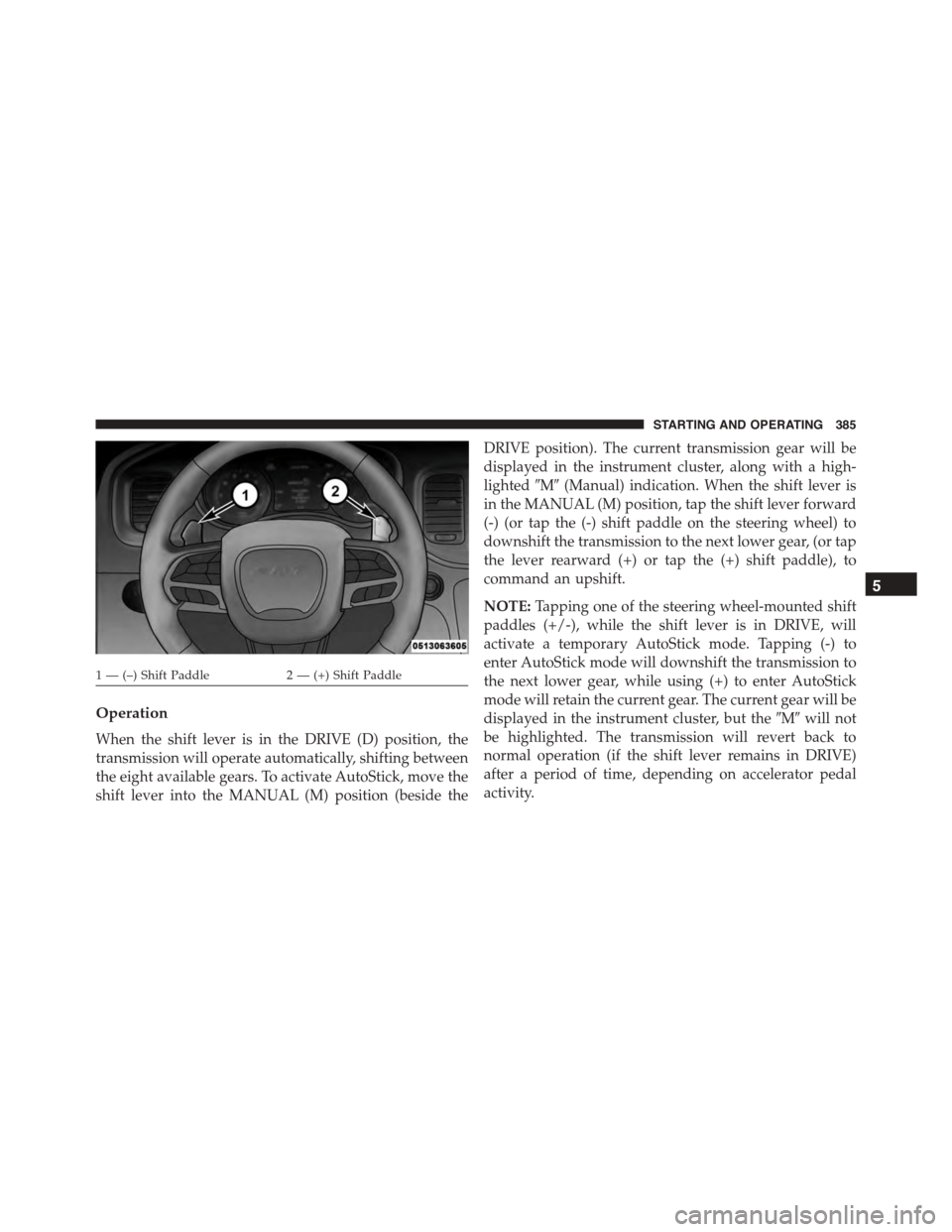
(-) (or tap the (-) shift paddle on the steering wheel) to
downshift the transmission to the next lower gear, (or tap
the lever rearward (+) or tap the (+) shift paddle), to
command an upshift.
NOTE:Tapping one of the steering wheel-mounted shift
paddles (+/-), while the shift lever is in DRIVE, will
activate a temporary AutoStick mode. Tapping (-) to
enter AutoStick mode will downshift the transmission to
the next lower gear, while using (+) to enter AutoStick
mode will retain the current gear. The current gear will be
displayed in the instrument cluster, but the#M#will not
be highlighted. The transmission will revert back to
normal operation (if the shift lever remains in DRIVE)
after a period of time, depending on accelerator pedal
activity.
1 — (–) Shift Paddle2 — (+) Shift Paddle
5
STARTING AND OPERATING 385
Page 388 of 595
In AutoStick mode, the transmission will shift up or
down when (+/-) is manually selected by the driver
(using the shift lever, or the shift paddles), unless an
engine lugging or overspeed condition would result. It
will remain in the selected gear until another upshift or
downshift is chosen, except as described below.
•In temporary AutoStick mode (shift lever in DRIVE),
the transmission will automatically shift up when
maximum engine speed is reached. Lack of accelerator
pedal activity will cause the transmission to revert to
automatic operation.
•If normal AutoStick mode is engaged (shift lever in
MANUAL position), manual gear selection will be
maintained until the shift lever is returned to DRIVE,
or as described below. The transmission will not
upshift automatically at redline in this mode, nor will
downshifts be obtained if the accelerator pedal is
pressed to the floor.
•The transmission will automatically downshift as the
vehicle slows (to prevent engine lugging) and will
display the current gear.
•The transmission will automatically downshift to first
gear when coming to a stop. After a stop, the driver
should manually upshift (+) the transmission as the
vehicle is accelerated.
•You can start out, from a stop, in first or second gear.
Tapping (+) (at a stop) will allow starting in second
gear. Starting out in second gear can be helpful in
snowy or icy conditions.
•If a requested downshift would cause the engine to
over-speed, that shift will not occur.
•The system will ignore attempts to upshift at too low
of a vehicle speed.
386 STARTING AND OPERATING
Page 389 of 595
•Holding the (-) paddle depressed, or holding the shift
lever in the (-) position, will downshift the transmis-
sion to the lowest gear possible at the current speed.
•Transmission shifting will be more noticeable when
AutoStick is engaged.
•The system may revert to automatic shift mode if a
fault or overheat condition is detected.
To disengage AutoStick mode, return the shift lever to the
DRIVE position, or press and hold the (+) shift paddle (if
the shift lever is already in DRIVE) until “D” is once
again indicated in the instrument cluster. You can shift in
or out of the AutoStick mode at any time without taking
your foot off the accelerator pedal.
WARNING!
Do not downshift for additional engine braking on a
slippery surface. The drive wheels could lose their
grip and the vehicle could skid, causing a collision or
personal injury.
DRIVE MODES
Your SRT vehicle is equipped with a SRT Drive Mode
feature. This feature gives the driver control over the
systems in the vehicle which affect its performance,
enabling the driver to tune it for desired driving sce-
narios. Below are the modes of operation:
NOTE:Refer to “Uconnect® Settings” in “Understanding
Your Instrument Panel” for further descriptions of these
modes.
5
STARTING AND OPERATING 387
Page 394 of 595
•The vehicle will restart with VALET active if VALET
was active when the vehicle was last shut down.
•Eco (Automatic Transmission only) — Eco modifies
the vehicle’s engine and transmission settings to pro-
vide improved fuel economy at a trade-off with accel-
eration performance. Increased engine exhaust noise
and/or vibration may be noticed while Eco is active,
this is normal and will not damage the vehicle.
NOTE:Changing the Drive Mode will deactivate Eco.
Launch Mode — If Equipped
This vehicle is equipped with a Launch Control system
that is designed to allow the driver to achieve maximum
vehicle acceleration in a straight line. Launch Control is a
form of traction control that manages tire slip while
launching the vehicle. This feature is intended for use
during race events on a closed course where consistent
quarter mile and zero to sixty times are desired. The
system is not intended to compensate for lack of driver
experience or familiarity with the race track. Use of this
feature in low traction (cold, wet, gravel, etc.) conditions
may results in excess wheel slip outside this systems
control resulting in an aborted launch.
NOTE:Launch mode is not available within the first 500
miles of engine break-in.
Preconditions:
•Launch control should not be used on public roads.
Always check track conditions and the surrounding
area.
•Launch Control is not available for the first 500 miles
of the vehicle’s life.
•Launch Control should only be used when the engine
and transmission are at operating temperature.
392 STARTING AND OPERATING
Page 481 of 595
WARNING!
•Take care to avoid the radiator cooling fan when-
ever the hood is raised. It can start anytime the
ignition switch is ON. You can be injured by
moving fan blades.
•Remove any metal jewelry such as watch bands or
bracelets that might make an inadvertent electrical
contact. You could be seriously injured.
•Batteries contain sulfuric acid that can burn your
skin or eyes and generate hydrogen gas which is
flammable and explosive. Keep open flames or
sparks away from the battery.
1. Set the parking brake, shift the automatic transmission
into PARK and place the ignition in the OFF position.
2. Turn off the heater, radio, and all unnecessary electri-
cal accessories.
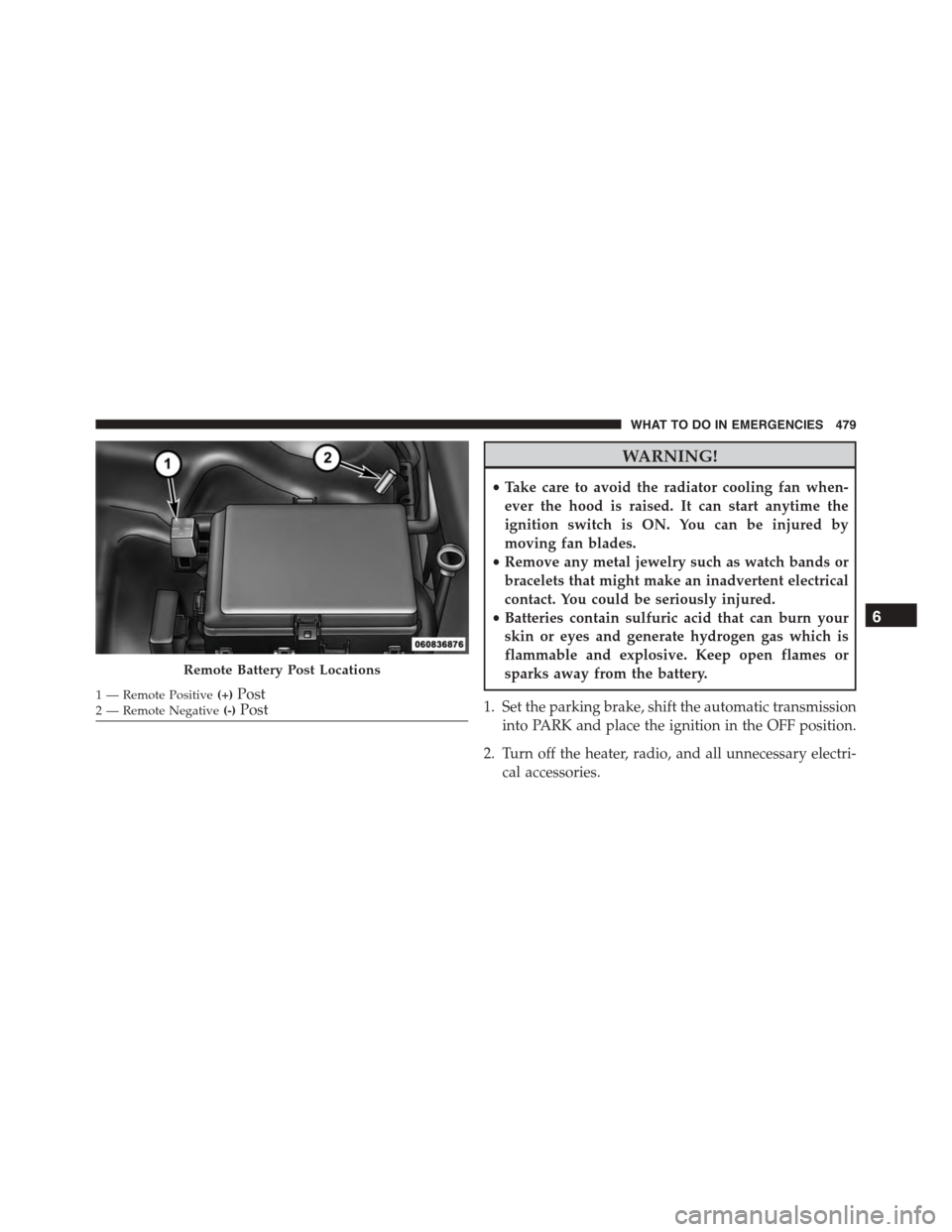
Remote Battery Post Locations
1 — Remote Positive(+)Post2—RemoteNegative(-)Post
6
WHAT TO DO IN EMERGENCIES 479
Page 488 of 595

2. Rotate the Manual Park Release lever forward and
down, to its original position, until the locking tab
snaps into place to secure the lever.
3. Pull up gently on the tether strap to confirm that the
lever is locked in its stowed position.
4. Tuck the tether strap into the base of the console.
Reinstall the console storage bin.
TOWING A DISABLED VEHICLE
This section describes procedures for towing a disabled
vehicle using a commercial towing service.
Towing ConditionWheels OFF The Ground AUTOMATIC TRANSMISSION
Flat TowNONEIf transmission is operable:
•Transmission inNEUTRAL
•30 mph (48 km/h)maxspeed
•30 miles (48 km)maxdistance
Wheel Lift or Dolly TowFrontNOT RECOMMENDED (but, if
used, same limitations as above)
RearNOT RECOMMENDED
FlatbedALLBEST METHOD
486 WHAT TO DO IN EMERGENCIES
Page 492 of 595
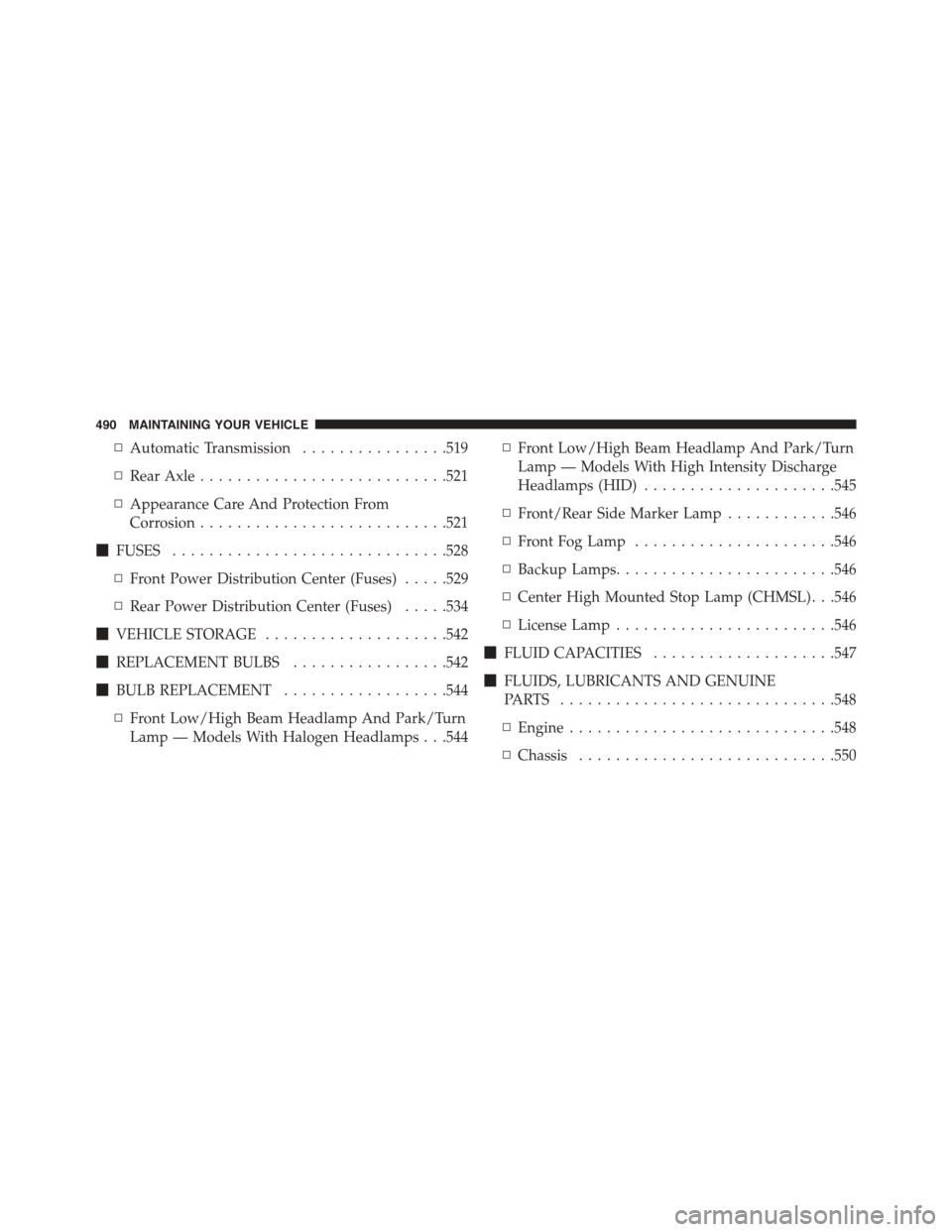
▫Automatic Transmission................519
▫Rear Axle...........................521
▫Appearance Care And Protection From
Corrosion...........................521
!FUSES..............................528
▫Front Power Distribution Center (Fuses).....529
▫Rear Power Distribution Center (Fuses).....534
!VEHICLE STORAGE....................542
!REPLACEMENT BULBS.................542
!BULB REPLACEMENT..................544
▫Front Low/High Beam Headlamp And Park/Turn
Lamp — Models With Halogen Headlamps . . .544
▫Front Low/High Beam Headlamp And Park/Turn
Lamp — Models With High Intensity Discharge
Headlamps (HID).....................545
▫Front/Rear Side Marker Lamp............546
▫Front Fog Lamp......................546
▫Backup Lamps........................546
▫Center High Mounted Stop Lamp (CHMSL) . . .546
▫License Lamp........................546
!FLUID CAPACITIES....................547
!FLUIDS, LUBRICANTS AND GENUINE
PA R T S . . . . . . . . . . . . . . . . . . . . . . . . . . . . ..548
▫Engine.............................548
▫Chassis............................550
490 MAINTAINING YOUR VEHICLE