light DODGE CHARGER SRT 2015 7.G Owner's Manual
[x] Cancel search | Manufacturer: DODGE, Model Year: 2015, Model line: CHARGER SRT, Model: DODGE CHARGER SRT 2015 7.GPages: 595, PDF Size: 16.43 MB
Page 103 of 595
UNDERSTANDING THE FEATURES OF YOUR VEHICLE
CONTENTS
!MIRRORS............................108
▫Inside Day/Night Mirror — If Equipped . . . .108
▫Automatic Dimming Mirror — If Equipped . . .108
▫Outside Mirrors......................115
▫Outside Mirrors Folding Feature —
If Equipped.........................116
▫Driver’s Outside Automatic Dimming Mirror —
If Equipped..........................116
▫Outside Mirrors Approach Light — If
Equipped...........................116
▫Tilt Mirrors In Reverse — If Equipped.......116
▫Power Mirrors.......................117
▫Heated Mirrors — If Equipped............118
▫Illuminated Vanity Mirrors — If Equipped . . .118
▫“Slide-On-Rod” And Extender Features Of Sun
Visor..............................119
!BLIND SPOT MONITORING (BSM) — IF
EQUIPPED...........................120
▫Rear Cross Path.......................125
▫Modes Of Operation...................126
▫General Information....................127
3
Page 104 of 595
!SEATS . . . . . . . . . . . . . . . . . . . . . . . . . . . . ..128
▫Power Seats — If Equipped..............128
▫Power Lumbar — If Equipped............130
▫Heated Seats — If Equipped.............131
▫Front Ventilated Seats — If Equipped.......134
▫Head Restraints......................134
▫Folding Rear Seat.....................138
!DRIVER MEMORY SEAT — IF EQUIPPED . . . .139
▫Programming The Memory Feature.........140
▫Linking And Unlinking The Remote Keyless
Entry Transmitter To Memory.............141
▫Memory Position Recall.................142
▫Easy Entry/Exit Seat...................142
!TO OPEN AND CLOSE THE HOOD.........144
!LIGHTS.............................145
▫Headlight Switch.....................145
▫Automatic Headlights — If Equipped.......146
▫Headlights On With Wipers (Available With
Automatic Headlights Only).............146
▫Automatic High Beam Headlamp Control —
If Equipped.........................147
▫Headlight Time Delay..................148
▫Daytime Running Lights (DRL) —
If Equipped.........................149
▫Lights-On Reminder...................149
▫Fog Lights — If Equipped...............149
▫Multifunction Lever...................150
102 UNDERSTANDING THE FEATURES OF YOUR VEHICLE
Page 105 of 595
▫Turn Signals.........................150
▫Lane Change Assist...................151
▫High/Low Beam Switch................151
▫Flash-To-Pass........................151
▫Front Map/Reading Lights — If Equipped . . .152
▫Courtesy Lights.......................153
▫Ambient Light — If Equipped............153
▫Interior Lights.......................154
!WINDSHIELD WIPERS AND WASHERS......155
▫Intermittent Wiper System...............156
▫Wiper Operation......................156
▫Windshield Washers...................157
▫Heated Windshield Washer Nozzles........158
▫Mist Feature.........................158
▫Headlights On With Wipers (Available With
Automatic Headlights Only).............158
▫Rain Sensing Wipers — If Equipped........159
!POWER TILT/TELESCOPING STEERING
COLUMN — IF EQUIPPED...............160
!HEATED STEERING WHEEL —
IF EQUIPPED.........................162
!ADJUSTABLE PEDALS — IF EQUIPPED......163
!ELECTRONIC SPEED CONTROL —
IF EQUIPPED.........................165
▫To Activate..........................166
▫To Set A Desired Speed.................166
▫To Deactivate........................167
3
UNDERSTANDING THE FEATURES OF YOUR VEHICLE 103
Page 107 of 595
▫Changing FCW And Active Braking Status. . . .199
▫FCW Limited Warning..................200
▫Service FCW Warning..................200
!LANESENSE — IF EQUIPPED.............201
▫LaneSense Operation...................201
▫Turning LaneSense ON Or OFF............202
▫LaneSense Warning Message..............202
▫Changing LaneSense Status..............206
!PARKSENSE® REAR PARK ASSIST — IF
EQUIPPED...........................206
▫ParkSense® Sensors....................207
▫ParkSense® Warning Display.............207
▫ParkSense® Display....................207
▫Enabling And Disabling ParkSense®........213
▫Service The ParkSense® Rear Park Assist
System.............................214
▫Cleaning The ParkSense® System..........214
▫ParkSense® System Usage Precautions.......215
!PARKVIEW® REAR BACK UP CAMERA — IF
EQUIPPED...........................216
!OVERHEAD CONSOLE..................219
▫Front Map/Reading Lights — If Equipped . . .219
▫Courtesy Lights.......................220
▫Sunglasses Bin Door...................221
!GARAGE DOOR OPENER — IF EQUIPPED . . .221
▫Before You Begin Programming HomeLink® . .222
▫Programming A Rolling Code.............223
3
UNDERSTANDING THE FEATURES OF YOUR VEHICLE 105
Page 110 of 595
MIRRORS
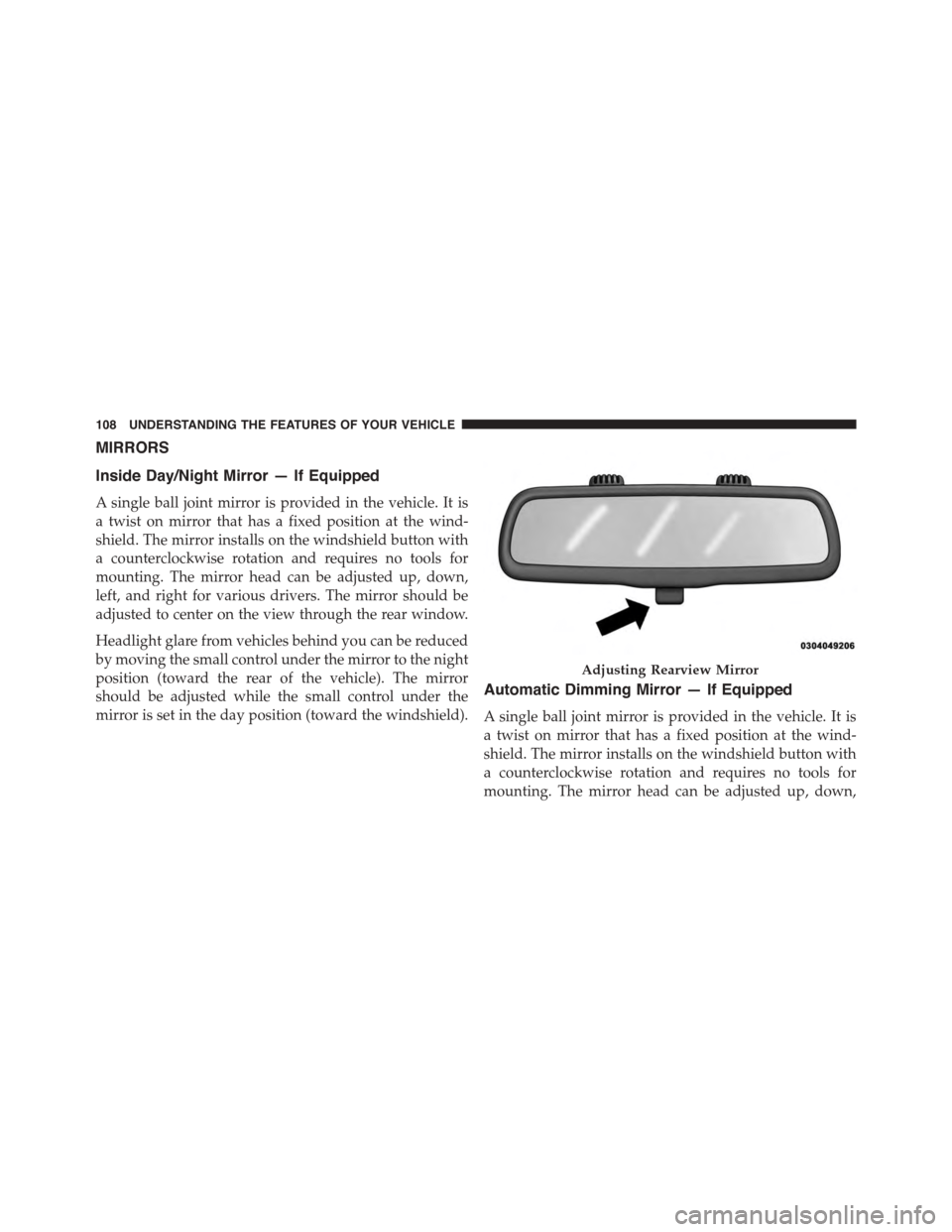
Inside Day/Night Mirror — If Equipped
A single ball joint mirror is provided in the vehicle. It is
a twist on mirror that has a fixed position at the wind-
shield. The mirror installs on the windshield button with
a counterclockwise rotation and requires no tools for
mounting. The mirror head can be adjusted up, down,
left, and right for various drivers. The mirror should be
adjusted to center on the view through the rear window.
Headlight glare from vehicles behind you can be reduced
by moving the small control under the mirror to the night
position (toward the rear of the vehicle). The mirror
should be adjusted while the small control under the
mirror is set in the day position (toward the windshield).
Automatic Dimming Mirror — If Equipped
A single ball joint mirror is provided in the vehicle. It is
a twist on mirror that has a fixed position at the wind-
shield. The mirror installs on the windshield button with
a counterclockwise rotation and requires no tools for
mounting. The mirror head can be adjusted up, down,
Adjusting Rearview Mirror
108 UNDERSTANDING THE FEATURES OF YOUR VEHICLE
Page 111 of 595
left, and right for various drivers. The mirror should be
adjusted to center on the view through the rear window.
This mirror automatically adjusts for headlight glare
from vehicles behind you.
NOTE:
•The Automatic Dimming Mirror feature is disabled
when the vehicle is in reverse gear to improve rear
view viewing.
•The Automatic Dimming Mirror feature can be turned
on or off using the Uconnect® System. Refer to
“Uconnect® Settings” in “Understanding Your Instru-
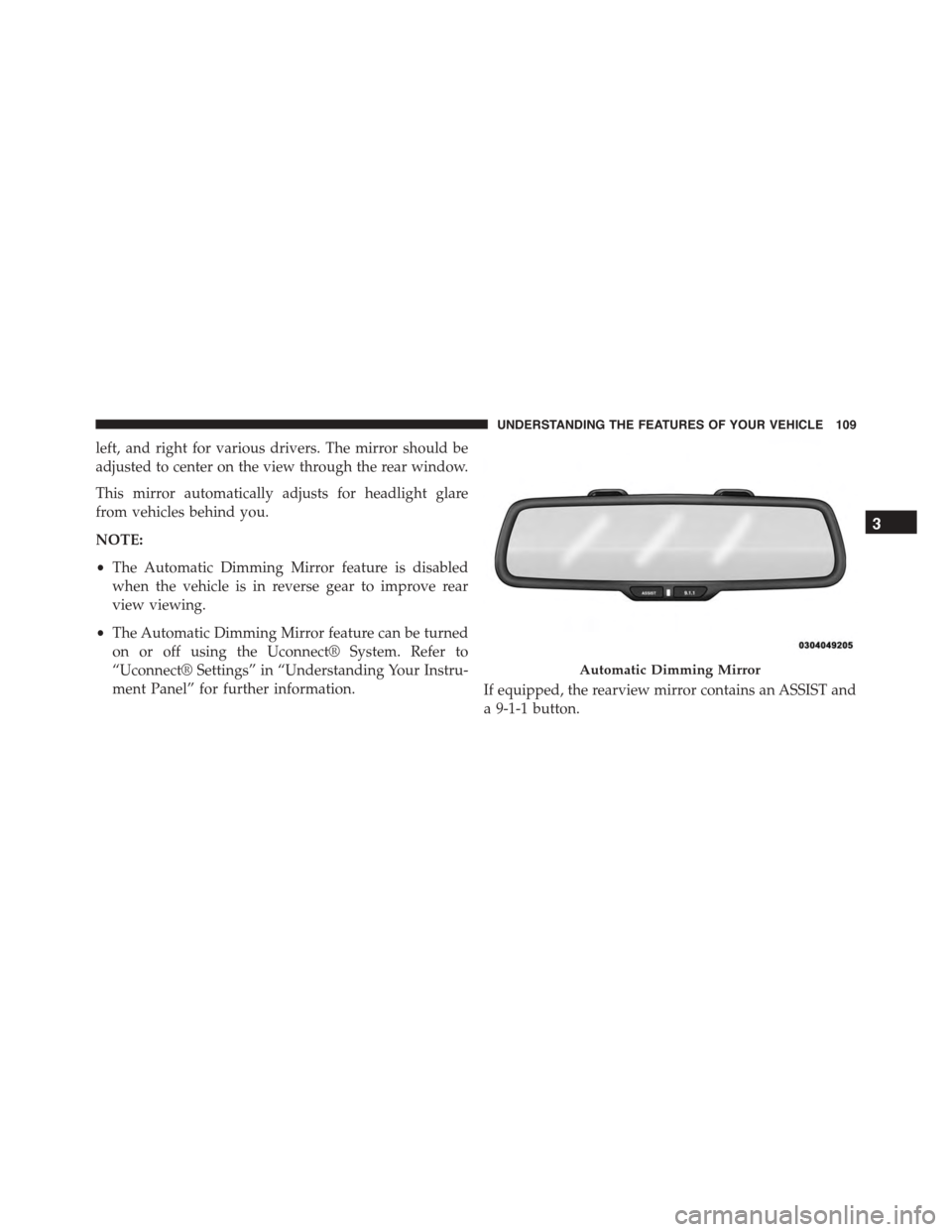
ment Panel” for further information.If equipped, the rearview mirror contains an ASSIST and
a 9-1-1 button.
Automatic Dimming Mirror
3
UNDERSTANDING THE FEATURES OF YOUR VEHICLE 109
Page 112 of 595
NOTE:The ASSIST and 9–1–1 features operate through
the Uconnect® Access service. These buttons will only
operate as long as your Uconnect® Access service is
active. Refer to your “Uconnect® System supplement
manual” for further information.
ASSIST Call
The ASSIST Button is used to automatically connect you
to any one of the following support centers:
•Roadside Assistance – If you get a flat tire, or need a
tow, just push the Assist button and you’ll be con-
nected to someone who can help. Roadside Assistance
will know what vehicle you’re driving and its location.
Additional fees may apply for roadside Assistance.
•Uconnect® Access Customer Care – In-vehicle support
for Uconnect® Access and Uconnect® Access Via
Mobile features.
•Vehicle Customer Care – Total support for all other
vehicle issues.
9-1-1 Call
1. Push the 9-1-1 Call button on the Rearview Mirror.
NOTE:In case the 9-1-1 Call button is pushed in error,
there will be a 10 second delay before the 9-1-1 Call
system initiates a call to a 9-1-1 operator. To cancel the
9-1-1 Call connection, push the 9-1-1 Call button on the
Rearview Mirror or push the cancellation button on the
Phone Screen. Termination of the 9-1-1 Call will turn the
green LED light on the Rearview Mirror off.
2. The LED light located between the Assist and 9-1-1
buttons on the Rearview Mirror will turn green once a
connection to a 9-1-1 operator has been made.
11 0 U N D E R S TA N D I N G T H E F E AT U R E S O F Y O U R V E H I C L E
Page 115 of 595
WARNING!(Continued)
•Modifications to any part of the 9-1-1 Call system
could cause the air bag system to fail when you
need it. You could be injured if the air bag system
is not there to help protect you.
9-1-1 Call System Limitations
Vehicles sold in Canada and MexicoDO NOThave 9-1-1
Call system capabilities.
9-1-1 or other emergency line operators in Canada and
Mexico may not answer or respond to 9-1-1 system calls.
If the 9-1-1 Call system detects a malfunction, any of the
following may occur at the time the malfunction is
detected, and at the beginning of each ignition cycle:
•The Rearview Mirror light located between the Assist
and 9-1-1 buttons will continuously be illuminated
red.
•The Phone Screen will display the following message
“Vehicle phone requires service. Please contact your
dealer.”
•An In-Vehicle Audio message will state “Vehicle phone
requires service. Please contact your dealer.”
WARNING!
•Ignoring the Rearview Mirror light could mean you
will not have 9-1-1 Call services. If the Rearview
Mirror light is illuminated, have an authorized
dealer service the 9-1-1 Call system immediately.
(Continued)
3
UNDERSTANDING THE FEATURES OF YOUR VEHICLE 113
Page 116 of 595
WARNING!(Continued)
•The Occupant Restraint Control module turns on
the Air Bag Warning Light on the instrument panel
if a malfunction in any part of the system is
detected. If the Air Bag Warning Light is illumi-
nated, the air bag system may not be working
properly and the 9-1-1 system may not be able to
send a signal to a 9-1-1 operator. If the Air Bag
Warning Light is illuminated, have an authorized
dealer service the ORC system immediately.
Even if the 9-1-1 Call system is fully functional, factors
beyond Chrysler Group LLC’s control may prevent or
stop the 9-1-1 Call system operation. These include, but
are not limited to, the following factors:
•Delayed accessories mode is active.
•The ignition is in the OFF position.
•The vehicle’s electrical systems are not intact.
•The 9-1-1 Call system software and/or hardware are
damaged during a crash.
•The vehicle battery loses power or becomes discon-
nected during a vehicle crash.
•Wireless and/or Global Positioning Satellite signals
are unavailable or obstructed.
•Equipment malfunction at the 9-1-1 operator facility.
•Operator error by the 9-1-1 operator.
•Wireless network congestion.
•Weather.
•Buildings, structures, geographic terrain, or tunnels.
11 4 U N D E R S TA N D I N G T H E F E AT U R E S O F Y O U R V E H I C L E
Page 117 of 595
NOTE:Never place anything on or near the vehicle’s
wireless and GPS antennas. You could prevent wireless and
GPS signal reception, which can prevent your vehicle from
placing an emergency call. Wireless and GPS signal reception
is required for the 9-1-1 Call system to function properly.
General Information
This device complies with Part 15 of the FCC Rules.
Operation is subject to the following two conditions: (1)
This device may not cause harmful interference, and (2)
this device must accept any interference received, includ-
ing interference that may cause undesired operation.
CAUTION!
To avoid damage to the mirror during cleaning, never
spray any cleaning solution directly onto the mirror.
Apply the solution onto a clean cloth and wipe the
mirror clean.
Outside Mirrors
To receive maximum benefit, adjust the outside mirror(s)
to center on the adjacent lane of traffic and a slight
overlap of the view obtained from the inside mirror.
NOTE:The passenger side convex outside mirror will
give a much wider view to the rear, and especially of the
lane next to your vehicle.
WARNING!
Vehicles and other objects seen in the passenger side
convex mirror will look smaller and farther away
than they really are. Relying too much on your
passenger side convex mirror could cause you to
collide with another vehicle or other object. Use your
inside mirror when judging the size or distance of a
vehicle seen in the passenger side convex mirror.
3
UNDERSTANDING THE FEATURES OF YOUR VEHICLE 115