buttons DODGE CHARGER SRT 2015 7.G Uconnect 8.4A
[x] Cancel search | Manufacturer: DODGE, Model Year: 2015, Model line: CHARGER SRT, Model: DODGE CHARGER SRT 2015 7.GPages: 429, PDF Size: 4.01 MB
Page 174 of 429
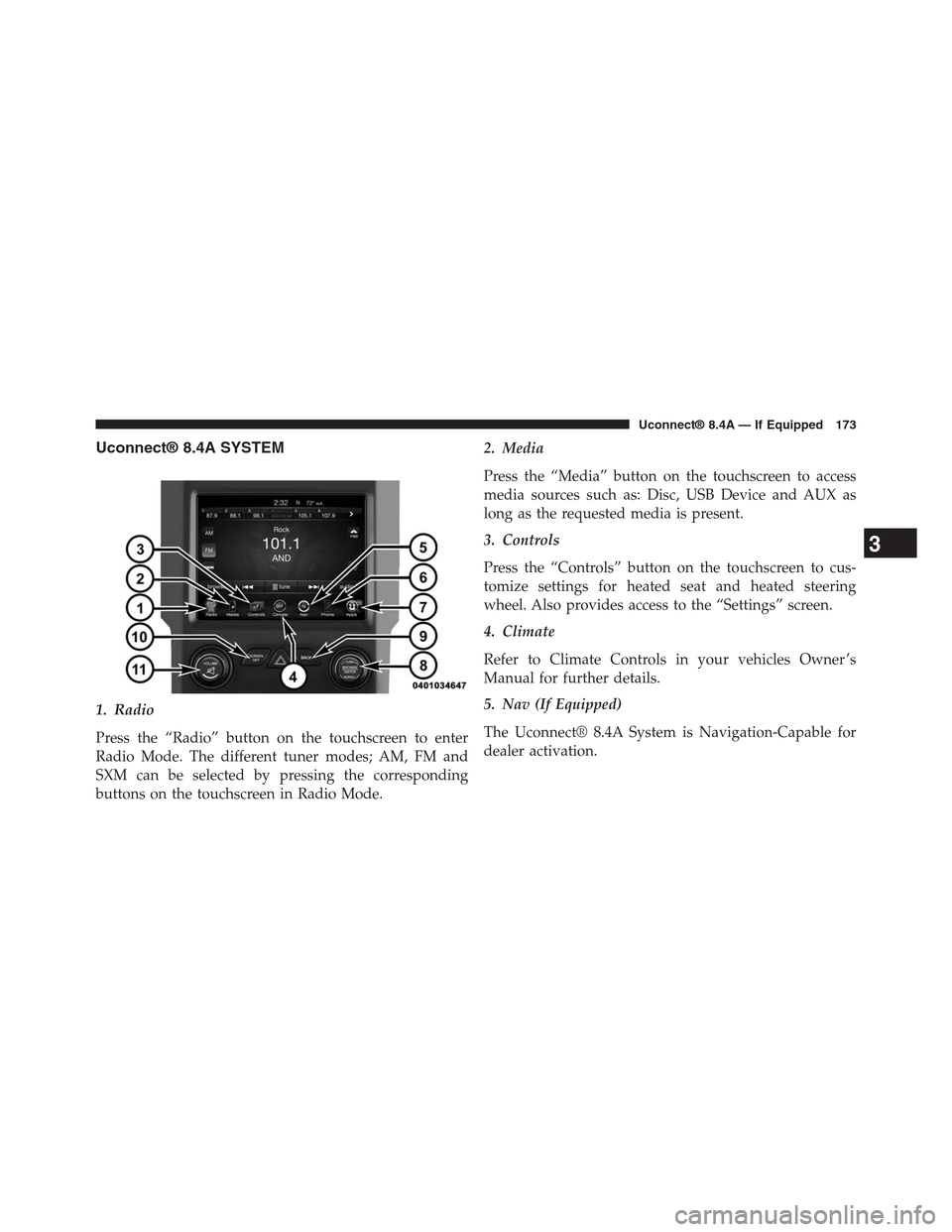
Uconnect® 8.4A SYSTEM
1. Radio
Press the “Radio” button on the touchscreen to enter
Radio Mode. The different tuner modes; AM, FM and
SXM can be selected by pressing the corresponding
buttons on the touchscreen in Radio Mode.
2. Media
Press the “Media” button on the touchscreen to access
media sources such as: Disc, USB Device and AUX as
long as the requested media is present.
3. Controls
Press the “Controls” button on the touchscreen to cus-
tomize settings for heated seat and heated steering
wheel. Also provides access to the “Settings” screen.
4. Climate
Refer to Climate Controls in your vehicles Owner ’s
Manual for further details.
5. Nav (If Equipped)
The Uconnect® 8.4A System is Navigation-Capable for
dealer activation.
3
Uconnect® 8.4A — If Equipped 173
Page 175 of 429
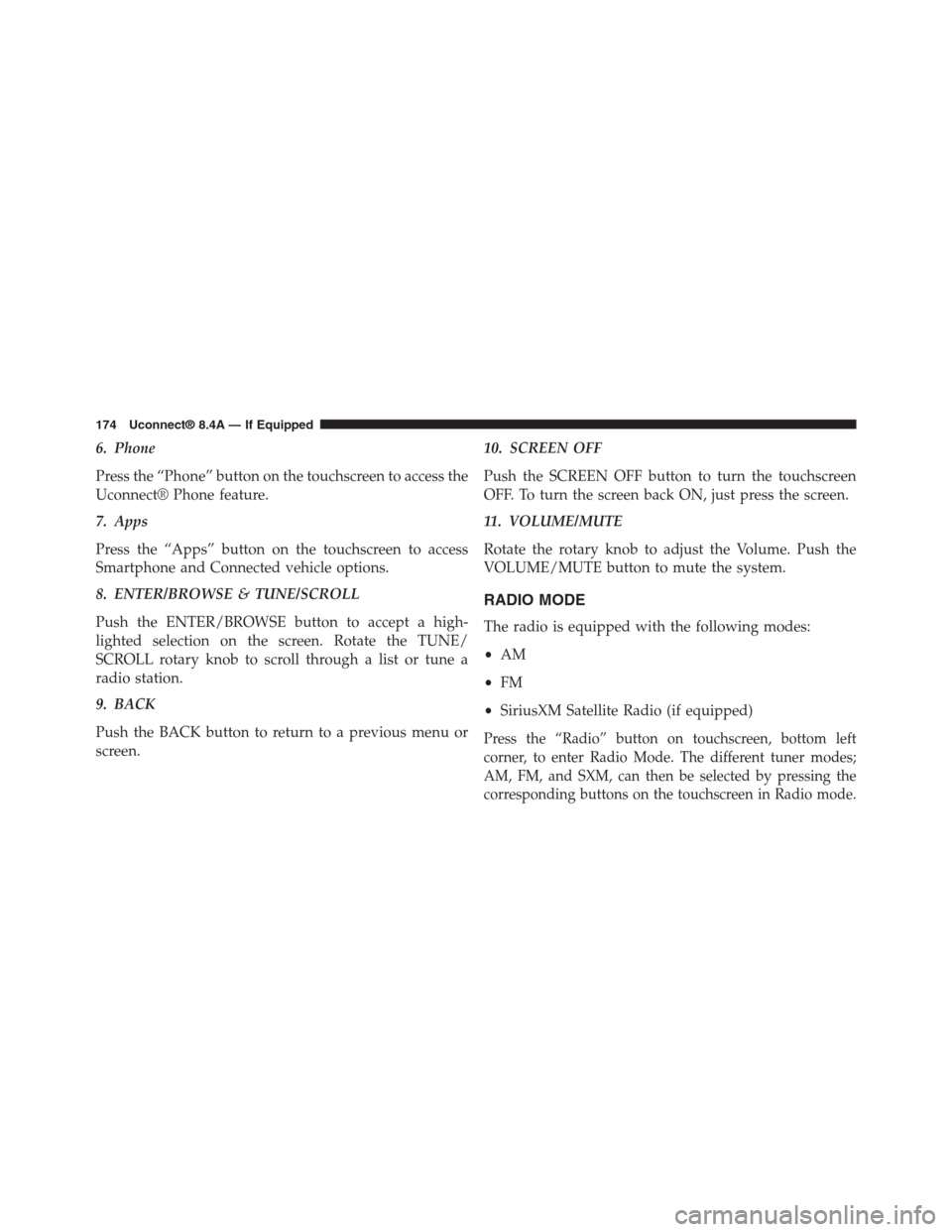
6. Phone
Press the “Phone” button on the touchscreen to access the
Uconnect® Phone feature.
7. Apps
Press the “Apps” button on the touchscreen to access
Smartphone and Connected vehicle options.
8. ENTER/BROWSE & TUNE/SCROLL
Push the ENTER/BROWSE button to accept a high-
lighted selection on the screen. Rotate the TUNE/
SCROLL rotary knob to scroll through a list or tune a
radio station.
9. BACK
Push the BACK button to return to a previous menu or
screen.
10. SCREEN OFF
Push the SCREEN OFF button to turn the touchscreen
OFF. To turn the screen back ON, just press the screen.
11. VOLUME/MUTE
Rotate the rotary knob to adjust the Volume. Push the
VOLUME/MUTE button to mute the system.
RADIO MODE
The radio is equipped with the following modes:
•AM
•FM
•SiriusXM Satellite Radio (if equipped)
Press the “Radio” button on touchscreen, bottom left
corner, to enter Radio Mode. The different tuner modes;
AM, FM, and SXM, can then be selected by pressing the
corresponding buttons on the touchscreen in Radio mode.
174 Uconnect® 8.4A — If Equipped
Page 176 of 429
VOLUME/MUTE Control
Push the VOLUME/MUTE control knob to mute the
radio. Push the VOLUME/MUTE control knob a second
time to unmute the radio.
The electronic volume control turns continuously (360
degrees) in either direction, without stopping. Turning
the Volume control knob clockwise increases the volume,
and counter-clockwise decreases it.
TUNE/SCROLL Control
When the audio system is turned on, the sound will be
set at the same volume level as last played.
Turn the rotary TUNE/SCROLL control knob clockwise
to increase or counterclockwise to decrease the radio
station frequency. Press the ENTER/BROWSE button to
choose a selection.
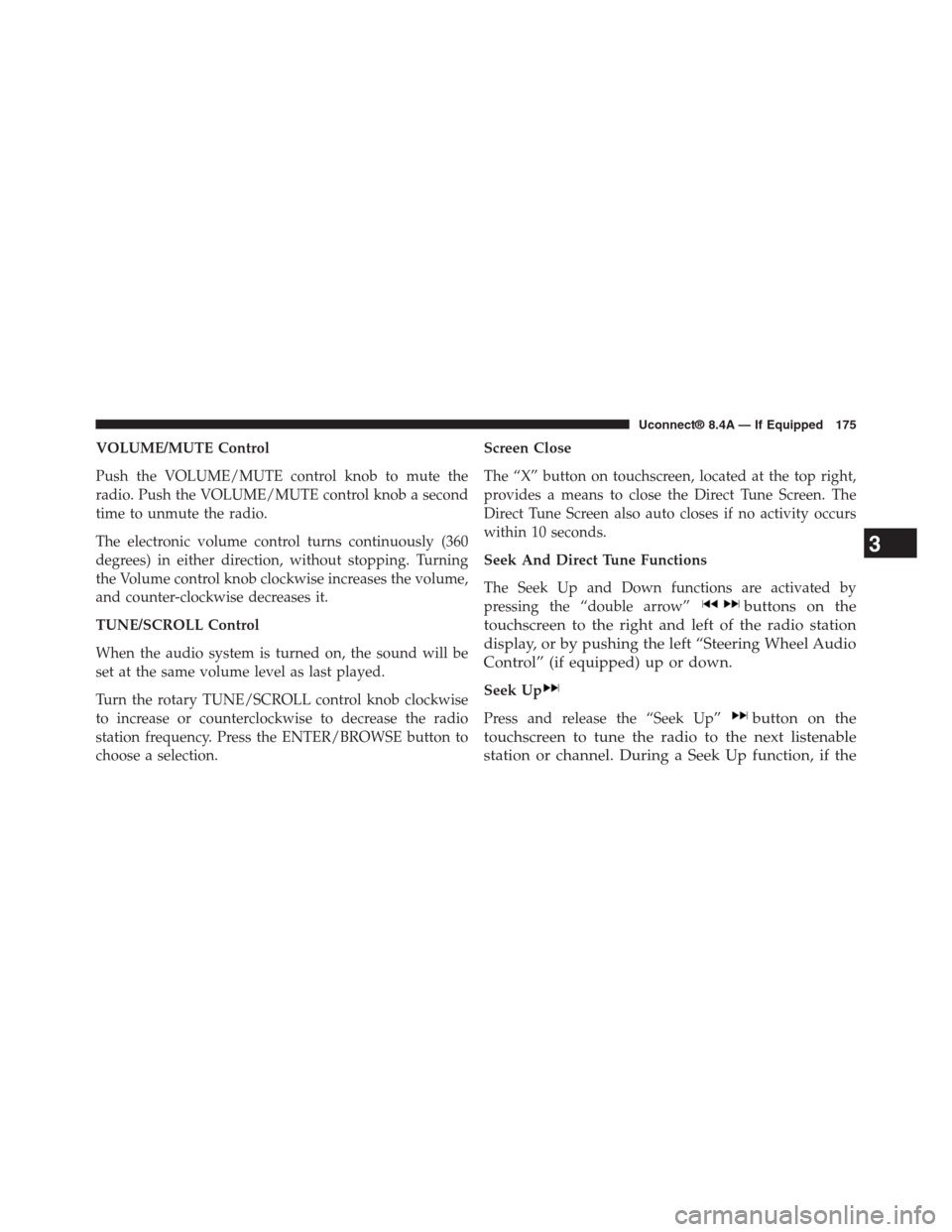
Screen Close
The “X” button on touchscreen, located at the top right,
provides a means to close the Direct Tune Screen. The
Direct Tune Screen also auto closes if no activity occurs
within 10 seconds.
Seek And Direct Tune Functions
The Seek Up and Down functions are activated by
pressing the “double arrow”buttons on the
touchscreen to the right and left of the radio station
display, or by pushing the left “Steering Wheel Audio
Control” (if equipped) up or down.
Seek Up
Press and release the “Seek Up”button on the
touchscreen to tune the radio to the next listenable
station or channel. During a Seek Up function, if the
3
Uconnect® 8.4A — If Equipped 175
Page 178 of 429
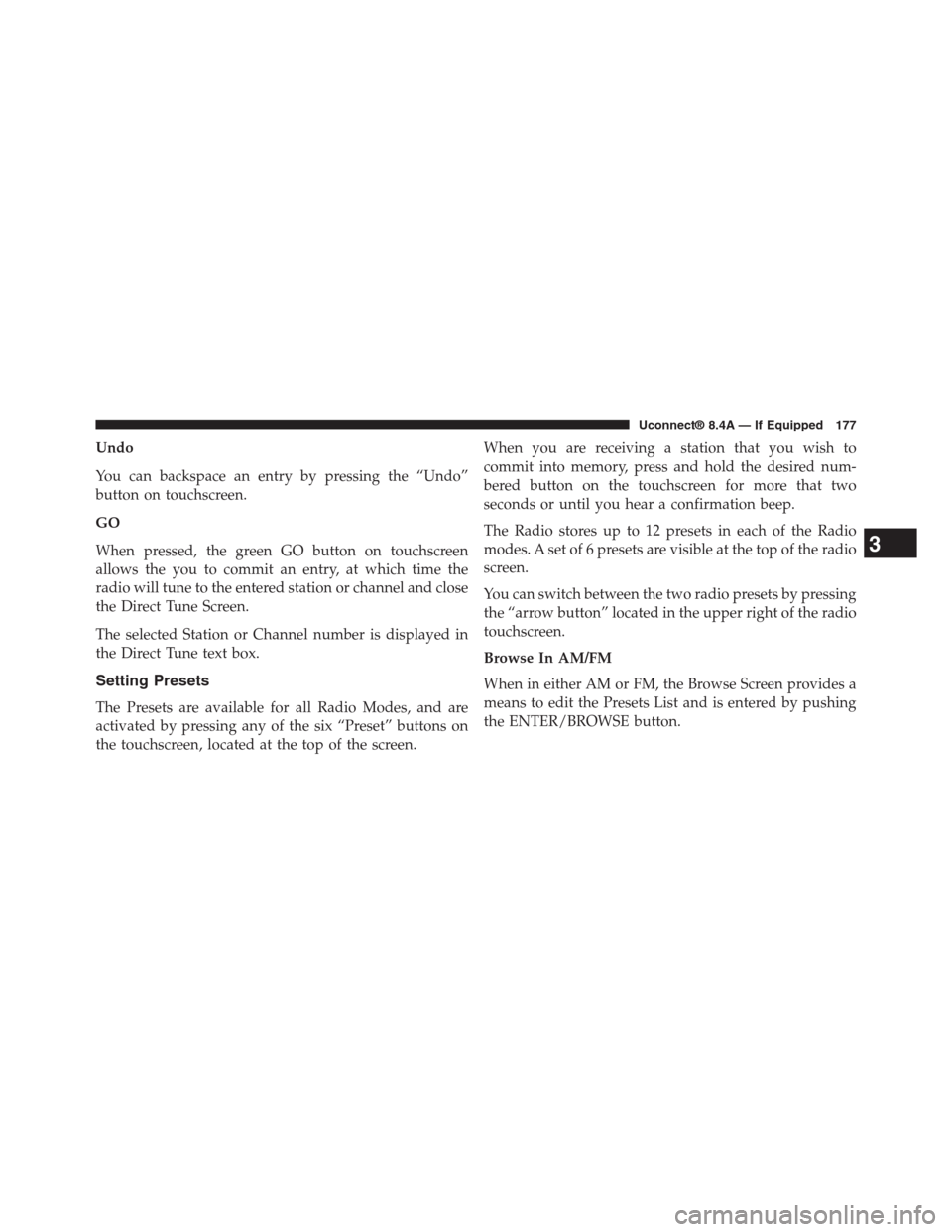
Undo
You can backspace an entry by pressing the “Undo”
button on touchscreen.
GO
When pressed, the green GO button on touchscreen
allows the you to commit an entry, at which time the
radio will tune to the entered station or channel and close
the Direct Tune Screen.
The selected Station or Channel number is displayed in
the Direct Tune text box.
Setting Presets
The Presets are available for all Radio Modes, and are
activated by pressing any of the six “Preset” buttons on
the touchscreen, located at the top of the screen.
When you are receiving a station that you wish to
commit into memory, press and hold the desired num-
bered button on the touchscreen for more that two
seconds or until you hear a confirmation beep.
The Radio stores up to 12 presets in each of the Radio
modes. A set of 6 presets are visible at the top of the radio
screen.
You can switch between the two radio presets by pressing
the “arrow button” located in the upper right of the radio
touchscreen.
Browse In AM/FM
When in either AM or FM, the Browse Screen provides a
means to edit the Presets List and is entered by pushing
the ENTER/BROWSE button.
3
Uconnect® 8.4A — If Equipped 177
Page 181 of 429
Acquiring SiriusXM Subscription
To activate the SiriusXM Satellite Radio subscription, call
1-800-643-2112 for U.S. residents and 1-877-438-9677 for
Canadian residents. You will need to provide the Sirius
ID (RID) located at the bottom of the Channel 0 screen.
The Satellite Mode is activated by a press of the “SXM”
button on the touchscreen.
When in Satellite mode:
•The SXM button on the touchscreen is highlighted.
•The SiriusXM Presets are displayed at the top of the
screen.
•The Genre is displayed below the Presets Bar.
•The SiriusXM Channel Number is displayed in the
center.
•The Program Information is displayed at the bottom of
the Channel Number.
•The SiriusXM function buttons on the touchscreens are
displayed below the Program Information.
Tuning is done by operating the TUNE/SCROLL knob or
by Direct Tune, similar to other Radio Bands, see Presets,
Browse, TUNE/SCROLL knob and Direct Tune.
In addition to the tuning Operation functions common to
all Radio modes, the replay, Traffic/Weather Jump, and
fav button functions are available in SiriusXM Mode.
Replay
The replay function provides a means to store and replay
up to 22 minutes of music audio and 48 minutes of talk
radio. Once the channel is switched, content in replay
memory is lost.
Press the “Replay” button on the touchscreen. The play/
pause, rewind/forward and live buttons will display at
the top of the screen, along with the replay time.
180 Uconnect® 8.4A — If Equipped
Page 186 of 429
Alert Settings
Press the “Alert Setting” tab at the top of the screen. The
Alert Settings menu allows you to choose from “Alert me
to on-air games upon start” or “Alert upon score update”
or both when one or more of your selections is airing on
any of the SiriusXM channels.
Audio
Press of the “Audio” button on the touchscreen to
activate the Audio settings screen to adjust
Balance\Fade, Equalizer, and Speed Adjusted Volume.
You can return to the Radio screen by pressing the “X”
located at the top right.
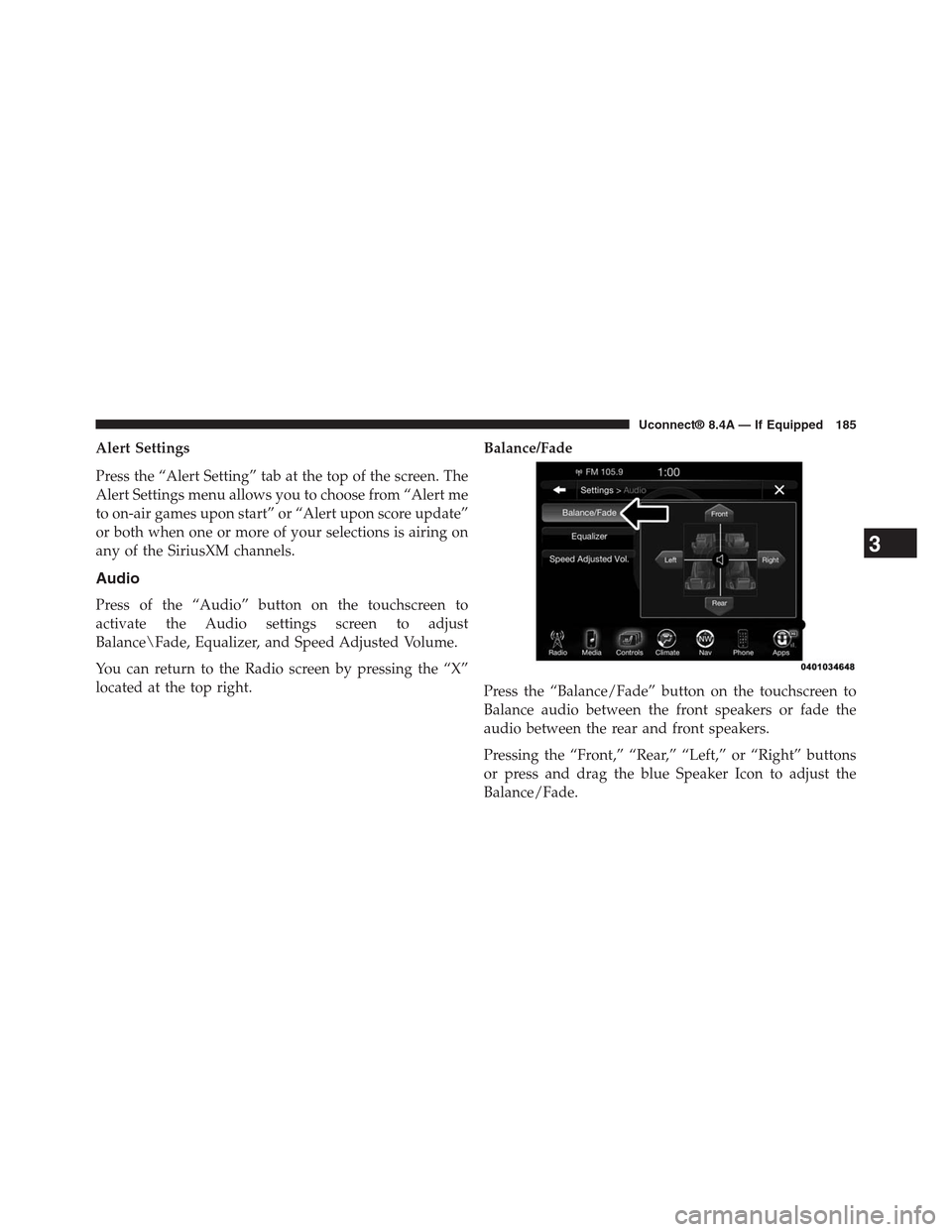
Balance/Fade
Press the “Balance/Fade” button on the touchscreen to
Balance audio between the front speakers or fade the
audio between the rear and front speakers.
Pressing the “Front,” “Rear,” “Left,” or “Right” buttons
or press and drag the blue Speaker Icon to adjust the
Balance/Fade.
3
Uconnect® 8.4A — If Equipped 185
Page 187 of 429
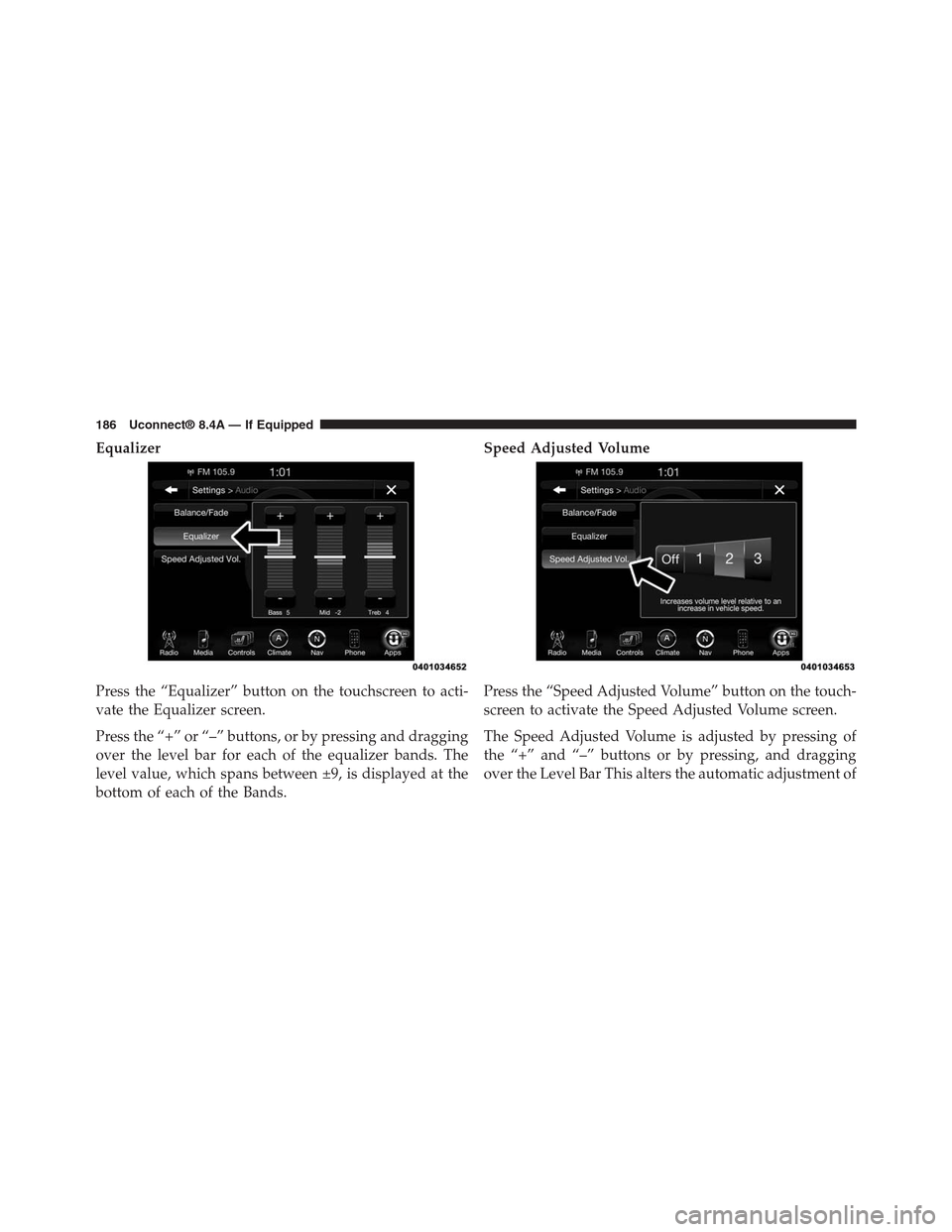
Equalizer
Press the “Equalizer” button on the touchscreen to acti-
vate the Equalizer screen.
Press the “+” or “–” buttons, or by pressing and dragging
over the level bar for each of the equalizer bands. The
level value, which spans between ±9, is displayed at the
bottom of each of the Bands.
Speed Adjusted Volume
Press the “Speed Adjusted Volume” button on the touch-
screen to activate the Speed Adjusted Volume screen.
The Speed Adjusted Volume is adjusted by pressing of
the “+” and “–” buttons or by pressing, and dragging
over the Level Bar This alters the automatic adjustment of
186 Uconnect® 8.4A — If Equipped
Page 189 of 429
shows items and it’s sub-functions, which can be scrolled
by pressing the “Up” and “Down” buttons to the right.
The TUNE/SCROLL knob can also be used to scroll.
Media Mode
Press the “Media” button on the touchscreen to select the
desired audio source: Disc.
Repeat
Press the “Repeat” button on the touchscreen to toggle
the repeat functionality. The Repeat button on the touch-
screen is highlighted when active. The Radio will con-
tinue to play the current track, repeatedly, as long as the
repeat is active.
Shuffle
Press the “Shuffle” button on the touchscreen to play the
selections on the compact disc in random order to
provide an interesting change of pace. Press the button
on the touchscreen a second time to turn this feature off.
Info
Press the “Info” button on the touchscreen to display the
current track information. Press the “Info” button on the
touchscreen a second time to cancel this feature.
Tracks
Press the “trks” button on the touchscreen to display a
pop up with the Song List. The currently playing song is
indicated by an arrow and lines above and below the
song title. When in the Tracks List screen you can rotate
the TUNE/SCROLL knob to highlight a track (indicated
by the line above and below the track name) and then
push the ENTER/BROWSE knob to start playing that
track.
Pressing the “trks” button on the touchscreen while the
pop up is displayed will close the pop up.
188 Uconnect® 8.4A — If Equipped
Page 190 of 429
USB/iPod® Mode
Overview
USB/iPod® Mode is entered by either inserting a USB
device or iPod® and cable into the USB Port or press the
“iPod®” button on the left side of the display.
Seek Up/Seek Down
Press and release the Seek Upbutton on the touch-
screen for the next selection on the USB device/iPod®.
Press and release the Seek Downbutton on the
touchscreen to return to the beginning of the current
selection, or to return to the beginning of the previous
selection if the USB device/iPod® is within the first
three seconds of the current selection.
Browse
Press the “Browse” button on the touchscreen to display
the browse window. The left side of the browse window
displays a list of ways you can browse through the
contents of the USB device/iPod®. If supported by the
device, you can browse by Folders, Artists, Playlists,
Albums, Songs, etc. Press the desired button on the left
side of the screen. The center of the browse window
shows items and it’s sub-functions, which can be scrolled
by pressing the “Up” and “Down” buttons to the right.
The TUNE/SCROLL knob can also be used to scroll.
Media Mode
Press the “Media” button on the touchscreen to select the
desired audio source: USB.
Repeat
Press the “Repeat” button on the touchscreen to toggle
the repeat functionality. The Repeat button on the touch-
screen is highlighted when active. The Radio will con-
tinue to play the current track, repeatedly, as long as the
repeat is active.
3
Uconnect® 8.4A — If Equipped 189
Page 193 of 429
Browse
Press the “Browse” button on the touchscreen to display
the browse window. The left side of the browse window
displays a list of ways you can browse through the
contents of the SD Card. If supported by the device, you
can browse by Folders, Artists, Playlists, Albums, Songs,
etc. Press the desired button on the left side of the screen.
The center of the browse window shows items and it’s
sub-functions, which can be scrolled by pressing the
“Up” and “Down” buttons to the right. The TUNE/
SCROLL knob can also be used to scroll.
Media Mode
Press the “Media” button on the touchscreen to select the
desired audio source: SD Card
Repeat
Press the “Repeat” button on the touchscreen to toggle
the repeat functionality. The Repeat button on the touch-
screen is highlighted when active. The Radio will con-
tinue to play the current track, repeatedly, as long as the
repeat is active.
Shuffle
Press the “Shuffle” button on the touchscreen to play the
selections on the SD Card device in random order to
provide an interesting change of pace. Press the “Shuffle”
button on the touchscreen a second time to turn this
feature off.
Info
Press the “Info” button on the touchscreen to display the
current track information. Press the “Info” button on the
touchscreen a second time to cancel this feature.
192 Uconnect® 8.4A — If Equipped