lock DODGE DAKOTA 2004 3.G Owner's Manual
[x] Cancel search | Manufacturer: DODGE, Model Year: 2004, Model line: DAKOTA, Model: DODGE DAKOTA 2004 3.GPages: 300, PDF Size: 5.23 MB
Page 37 of 300
WARNING!
Deployed airbags can't protect you in another colli-
sion. Have the airbags replaced by an authorized
dealer as soon as possible.
Enhanced Accident Response System
If the airbags deploy after an impact and the electrical
system remains functional, vehicles equipped with
power door locks will unlock automatically. In addition,
approximately 10 seconds after the vehicle has stopped
moving, the interior lights will light until the ignition
switch is turned off.
Maintaining Your Airbag Systems
WARNING!
²Modifications to any part of the airbag system
could cause it to fail when you need it. You could
be injured because the airbags are not there to
protect you. Do not modify the components or
wiring, including adding any kind of badges or
stickers to the steering wheel hub trim cover or
the upper right side of the instrument panel. Do
not modify the front bumper, vehicle body struc-
ture, or frame.
²You need proper knee impact protection in a
collision. Do not mount or locate any aftermarket
equipment on or behind the knee bolster.
²It is dangerous to try to repair any part of the
airbag system yourself. Be sure to tell anyone who
works on your vehicle that it has airbags.
THINGS TO KNOW BEFORE STARTING YOUR VEHICLE 37
2
Page 38 of 300

Airbag Light
You will want to have the airbags ready to inflate for your
protection in an impact. While the airbag system is
designed to be maintenance free, if any of the following
occurs, have an authorized dealer service the system
promptly:
²The airbag light does not come on or flickers during
the 6 to 8 seconds when the ignition switch is first
turned on.
²The light remains on or flickers after the 6 to 8 second
interval.
²The light flickers or comes on and remains on while
driving.
NOTE:If the speedometer, tachometer or any engine
related gauges are not working, the airbag control mod-
ule may also be disabled. The airbags may not be ready
to inflate for your protection. Promptly check fuse num-
bers 18 and 19 in the fuse block. See your dealer if the
fuse is good.
Child Restraint
Everyone in your vehicle needs to be buckled up all the
time Ð babies and children, too. Every state in the United
States and all Canadian provinces require that small
children ride in proper restraint systems. This is the law,
and you can be prosecuted for ignoring it.
Children 12 years and under should ride properly buck-
led up in a rear seat, if available. According to crash
statistics, children are safer when properly restrained in
the rear seats rather than in the front.
WARNING!
In a collision, an unrestrained child, even a tiny
baby, can become a missile inside the vehicle. The
force required to hold even an infant on your lap can
become so great that you could not hold the child, no
matter how strong you are. The child and others
could be badly injured. Any child riding in your
vehicle should be in a proper restraint for the child's
size.
38 THINGS TO KNOW BEFORE STARTING YOUR VEHICLE
Page 40 of 300

with a front shield and are held in the vehicle by the
lap portion.) For further information refer to
www.seatcheck.org.
WARNING!
²Improper installation can lead to failure of an
infant or child restraint. It could come loose in a
collision. The child could be badly injured or
killed. Follow the manufacturers directions ex-
actly when installing an infant or child restraint.
²A rearward facing child restraint should only be
used in a rear seat, or in the front seat if the
passenger's front airbag is Off. If the airbag is left
On, a rearward facing child restraint in the front
seat may be struck by a deploying passenger
airbag which may cause severe or fatal injury to
the infant.
Here are some tips for getting the most out of your child
restraint:
²Before buying any restraint system, make sure that it
has a label certifying that it meets all applicable Safety
Standards. We also recommend that you make sure
that you can install the child restraint in the vehicle
where you will use it before you buy it.
²The restraint must be appropriate for your child's
weight and height. Check the label on the restraint for
weight and height limits.
²Carefully follow the instructions that come with the
restraint. If you install the restraint improperly, it may
not work when you need it.
²The passenger seat belts are equipped with cinching
latch plates, which are designed to keep the lap portion
tight around the child restraint so that it is not neces-
sary to use a locking clip. Pulling up on the shoulder
portion of the lap/shoulder belt will tighten the belt.
The cinching latch plate will keep the belt tight, how-
ever, any seat belt system will loosen with time, so
check the belt occasionally and pull it tight if necessary.
40 THINGS TO KNOW BEFORE STARTING YOUR VEHICLE
Page 54 of 300

Safety Checks You Should Make Inside The
Vehicle
Seat Belts
Inspect the belt system periodically, checking for cuts,
frays and loose parts. Damaged parts must be replaced
immediately. Do not disassemble or modify the system.
Seat belt assemblies must be replaced after an accident if
they have been damaged (bent retractor, torn webbing,
etc.). If there is any question regarding belt or retractor
condition, replace the belt.
Defrosters
Check operation by selecting the defrost mode and place
the blower control on high speed. You can feel the air
directed against the windshield.
Safety Checks You Should Make Outside The
Vehicle:
Tires
Examine tires for tread wear or uneven wear patterns.
Check for stones, nails, glass or other objects lodged in
the tread.
Inspect for tread cuts or sidewall cracks. Check wheel
nuts for tightness and tires for proper pressure.
Lights
Have someone observe the operation of exterior lights as
you turn them on. Check turn signal and high beam
indicator lights on the instrument panel.
Door Latches
Check for positive closing, latching and locking.
Fluid Leaks
Check the area under vehicle after overnight parking for
fuel, water, oil, or other fluid leaks. Also, if gasoline
fumes are detected, the cause should be located and
corrected.
54 THINGS TO KNOW BEFORE STARTING YOUR VEHICLE
Page 63 of 300

6 - Way Power Seat Adjuster Ð Driver's Side
Only
The 6-way power seat adjuster switch is on the outboard
side of the driver's seat. Use this switch to move the seat
up or down, forward or rearward, recline or tilt.
Lumbar Support Adjustment Ð Power Seats Only
Vehicles equipped with the power bucket seat or the
40/20/40 split bench power are equipped with an adjust-
able lumbar support on the driver's seat. Rotating the
lever on the left side of the driver's seatback increases or
decreases the lumbar support.
Seatback Releases Ð Bench Seat
The seatback is equipped with inertia latching mecha-
nisms that automatically lock and prevent the seatback
from folding forward during periods of high decelera-
tion, such as hard braking.
This type of latch mechanism eliminates the need to
actuate a release lever to fold the seat forward. In some
situations, such as when parked on a steep hill, the inertia
latch may lock and manual release of the lock will be
necessary.
UNDERSTANDING THE FEATURES OF YOUR VEHICLE 63
3
Page 64 of 300

Seatback ReleasesÐBucket And Split Bench
Both seats have a position latch release. To release the
seatback if you are on the outside of the vehicle, lift up on
the recliner lever located on the outboard side of the seat.
From the rear seat, lift the lever located on the rear of the
seatback.
Club Cab Easy Entry System
To allow easier access to the rear seat, the front passenger
seat will move to its full forward position when the
seatback is folded down. To fold the seatback forward if
you are on the outside of the vehicle, lift up on therecliner lever located on the outboard side of the seat.
From the rear seat, pull the cloth pull-tab located on the
rear or the seat cushion rearward until the latch releases,
and then push the seat forward. The seat will lock in
place when the back is returned to an upright position
and will need to be reset. However, the seat may be slid
rearward before returning the seatback to the upright
position to minimize the amount of readjustment re-
quired.
NOTE:Power seats are available with the Club or Quad
Cab models only.
CAUTION!
When operating the folding front seat, use care in
repositioning seat to its normal position. This will
prevent shoulder belt harness from being caught
behind seat or tangled in the seatback latching
mechanism.
64 UNDERSTANDING THE FEATURES OF YOUR VEHICLE
Page 67 of 300
WARNING!
If the hood is not fully latched, it could fly up when
the vehicle is moving and block your forward vision.
Be sure all hood latches are fully latched before
driving.
LIGHTSInterior Lights
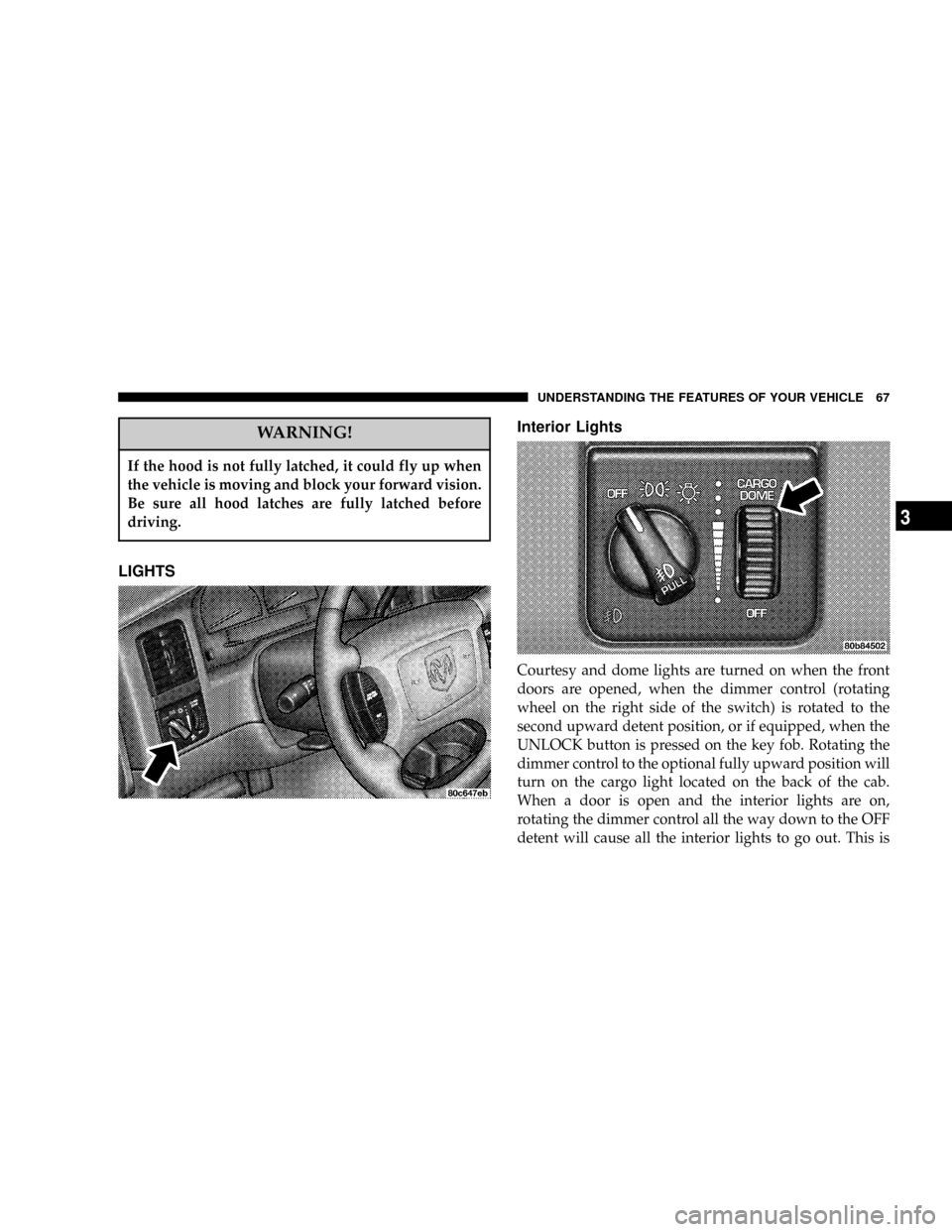
Courtesy and dome lights are turned on when the front
doors are opened, when the dimmer control (rotating
wheel on the right side of the switch) is rotated to the
second upward detent position, or if equipped, when the
UNLOCK button is pressed on the key fob. Rotating the
dimmer control to the optional fully upward position will
turn on the cargo light located on the back of the cab.
When a door is open and the interior lights are on,
rotating the dimmer control all the way down to the OFF
detent will cause all the interior lights to go out. This is
UNDERSTANDING THE FEATURES OF YOUR VEHICLE 67
3
Page 70 of 300

when the switch is pressed in, when the headlight switch
is rotated to the OFF position or the high beam is
selected.
CARGO Light Ð If Equipped
The cargo lights are turned on by rotating the dimmer
control to the optional fully upward position. The interior
lights will also turn on when the cargo lights are on. The
cargo lights will also turn on for 30 seconds when a key
fob Unlock is pressed, as part of the illuminated entry
feature.
MULTIFUNCTION CONTROL LEVER
The multifunction control lever is located on the left side
of the steering column.
Turn Signals
Move the lever up or down to signal a right-hand or
left-hand turn.
The arrow on either side of the instrument cluster flashes
to indicate the direction of the turn, and proper operation
of the front and rear turn signal lights. If either indicator
flashes at a faster rate, check for a defective outside lightbulb. If an indicator fails to light when the lever is
moved, it would suggest that the fuse or indicator bulb is
defective.
You can signal a lane change by moving the lever
partially up or down.
Passing Light
You can signal another vehicle with your headlights by
partially pulling the multifunction lever toward the steer-
ing wheel. This will cause the high beam headlights to
turn on until the lever is released.
70 UNDERSTANDING THE FEATURES OF YOUR VEHICLE
Page 73 of 300
previously selected. If the knob is pushed while in the
OFF position, the wiper will wipe approximately three
wipes, after the wash knob is released.
To prevent freeze-up of your windshield washer system
in cold weather, select a solution or mixture that meets or
exceeds the temperature range of your climate. This
rating information can be found on most washer fluid
containers.
TILT STEERING COLUMN Ð IF EQUIPPED
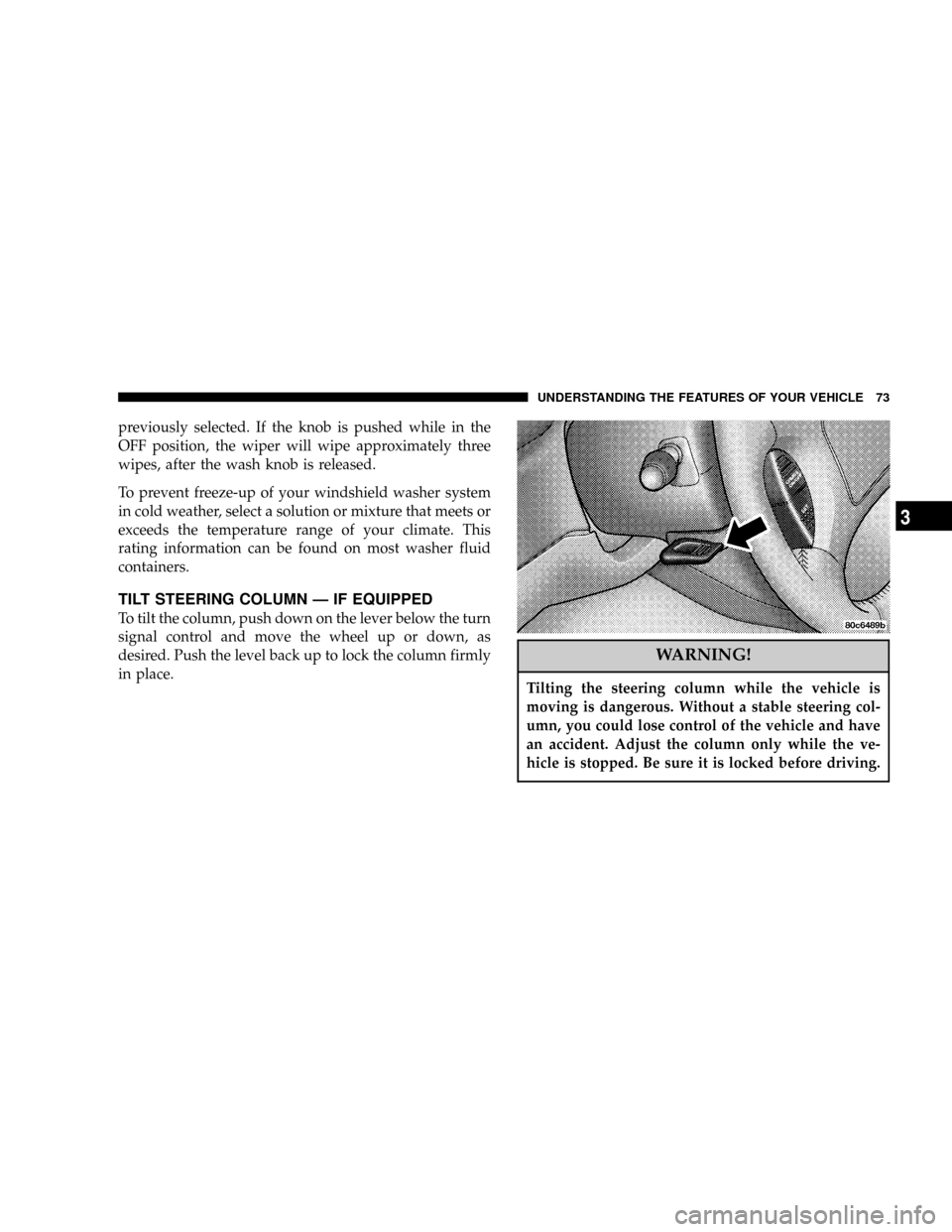
To tilt the column, push down on the lever below the turn
signal control and move the wheel up or down, as
desired. Push the level back up to lock the column firmly
in place.
WARNING!
Tilting the steering column while the vehicle is
moving is dangerous. Without a stable steering col-
umn, you could lose control of the vehicle and have
an accident. Adjust the column only while the ve-
hicle is stopped. Be sure it is locked before driving.
UNDERSTANDING THE FEATURES OF YOUR VEHICLE 73
3
Page 75 of 300

To Resume Speed
To resume a previously set speed, push and release the
RESUME button. Resume can be used at any speed above
50 km/h (30 mph).
To Vary The Speed Setting
When the speed control is on, speed can be increased by
pressing and holding the ACCEL button. When the
button is released, a new set speed will be established.
Tapping the ACCEL button once will result ina2mph
(3.2 km/h) speed increase. Each time the button is
tapped, speed increases so that tapping the button three
times will increase speed by 6 mph (9.6 km/h), etc.
Tapping the COAST button once will result ina1mph
(1.6 km/h) speed decrease. Each time the button is
tapped, speed will decrease. For example, tapping the
button 3 times will decrease the speed by 3 mph (4.8
km/h), etc.
To decrease speed while the speed control is on, press
and hold the COAST button. Release the button when the
desired speed is reached, and the new speed will be set.
To Accelerate For Passing
Depress the accelerator as you would normally. When the
pedal is released, the vehicle will return to the set speed.
NOTE:When driving uphill, at elevations above 2,000
feet (610 Meters), or when the vehicle is heavily loaded
(especially when towing) the vehicle may slow below the
SET speed. If the vehicle speed drops below 30 mph (48
km/h), the speed control will automatically disengage. If
this happens, you can push down on the accelerator
pedal to maintain the desired speed.
Vehicles equipped with a 5±speed manual transmission
should be operated in 4th gear under the above condi-
tions.
Vehicles equipped with a 4±speed automatic transmis-
sion may exhibit several 4-3 downshifts under the above
conditions. To reduce the frequency of the downshifts
and to improve vehicle performance, it is advisable to
lock out overdrive by pressing the O/D OFF button
located at the end of the gear shifter.
UNDERSTANDING THE FEATURES OF YOUR VEHICLE 75
3