light DODGE DURANGO 2005 2.G Workshop Manual
[x] Cancel search | Manufacturer: DODGE, Model Year: 2005, Model line: DURANGO, Model: DODGE DURANGO 2005 2.GPages: 416, PDF Size: 14.25 MB
Page 167 of 416
11. Liftgate Open
The Gate Open light will illuminate when the liftgate is
not properly closed.
12. Security Light
This light will flash rapidly for approximately 15 seconds
when the vehicle theft alarm is arming. The light will
flash at a slower speed continuously after the alarm is set.
The security light will also come on for about three
seconds when the ignition is first turned on.
13. ABS Warning Light
This light monitors the Anti-Lock Brake System
which is described elsewhere in this manual.
This light will come on when the ignition key is
turned to the ON position and may stay on for
approximately 3 seconds. If this light remains on or
comes on during driving, it indicates that the Anti-Lockportion of the brake system is not functioning and that
service is required. See your authorized dealer immedi-
ately.
14. Engine Oil Pressure Indicator Light
This light indicates that the engine oil pressure has
become too low. For a bulb check, this light will
come on momentarily when the ignition is turned On. If
the light turns on while driving, stop the vehicle and shut
off the engine as soon as possible. Immediate service
should be obtained. (See page 311 for more information.)
15. Tachometer
This gauge measures engine revolutions-per-minute
(rpm x 1000).
16. Gear Selector
The electronic gear selector display is self-contained
within the instrument cluster. It displays the position of
the automatic transmission shift lever, and the relation of
each position to all other positions. For a good signal the
INSTRUMENT PANEL AND CONTROLS 167
4
Page 169 of 416
The Traction Control indicator will turn ON if:
20. Transmission Temperature Indicator
This light indicates that there is excessive transmission
fluid temperature that might occur with severe usage
such as trailer towing. If this light comes on, stop the
vehicle and run the engine at idle or faster, with the
transmission in NEUTRAL until the light goes off.
21. Electronic Throttle Control (ETC)
This light informs you of a problem with the
Electronic Throttle Control system. If a prob-
lem is detected the light will come on while the
engine is running. If the light remains lit with
the engine running your vehicle will usually be drivable,
however, see your dealer for service as soon as possible.
If the light is flashing when the engine is running,
immediate service is required and you may experience
reduced performance, an elevated/rough idle or engine
stall and your vehicle may require towing. The light willcome on when the ignition is first turned on and remain
on for 15 seconds as a bulb check. If the light does not
come on during starting, have the system checked by an
authorized dealer.
22. Door Ajar
The Door Ajar light will illuminate when any door is
open.
NOTE:A chime will sound if the vehicle is rolling and
a door has been opened.
23. BRAKE System Warning Light
This light will light when the ignition key is turned to the
ON position and will remain on for a few seconds. If the
light stays on, it may be an indication that the parking
brake has not been released, or there is a low brake fluid
level. If the light remains on when the parking brake has
been disengaged, and the fluid level is at the full mark on
the master cylinder reservoir, it indicates a possible brake
hydraulic system malfunction. In this case, the light will
INSTRUMENT PANEL AND CONTROLS 169
4
Page 170 of 416
remain on until the condition has been corrected. If the
parking brake is applied, the light will flash when the
gear position is out of park for automatic transmissions.
If brake failure is indicated, immediate repair is neces-
sary. Operating the vehicle in this condition is danger-
ous!
24. Low Washer Fluid Indicator
This light comes on when the washer fluid level falls
below approximately 1/4 full. The light will remain on
until fluid is added and ignition switch is cycled.
25. HeadLights On Indicator
Indicate when your headlights are on.
26. Malfunction Indicator Light
This light is part of an onboard diagnostic system
which monitors the emissions and engine control
system. If the vehicle is ready for emissions
testing the light will come on when the ignition is firstturned on and remain on, as a bulb check, until the
engine is started. If the vehicle is not ready for emissions
testing the light will come on when the ignition is first
turned on and remain on for 15 seconds, then blink for 10
seconds, and remain on until the vehicle is started. If the
bulb does not come on during starting, have the condi-
tion investigated promptly.
If this light comes on and remains on while driving, it
suggests a potential engine control problem and the need
for system service.
Although your vehicle will usually be drivable and not
need towing, see your dealer for service as soon as
possible.
170 INSTRUMENT PANEL AND CONTROLS
Page 171 of 416
CAUTION!
Prolonged driving with the MIL on could cause
damage to the engine control system. It also could
affect fuel economy and driveability.
If the MIL is flashing, severe catalytic converter
damage and power loss will soon occur. Immediate
service is required.
27. Airbag Indicator
The indicator lights and remains lit for 6 to 8
seconds when the ignition is first turned ON. If
the light does not come on when the ignition is
first turned on, or the light stays on or comes
on while driving, have the airbag system checked by an
authorized dealer.
28. 4LO Indicator
Indicates when transfer case is in 4LO position.29. SVC (Service) 4WD Indicator
The SVC 4WD lights will come on when the ignition key
is turned to the ON position and will stay on for 2
seconds. If the light stays on or comes on during driving,
it means that the 4WD system is not functioning properly
and that service is required.
30. Cruise Light (Speed Control)
This indicator lights when the electronic speed control
system is turned on.
31. TOW/HAUL
The TOW/HAUL button is located at the end of the gear
shift lever. This light will illuminate when the TOW/
HAUL button has been selected.
32. 4LOCK Indicator
Indicates transfer case is in 4LOCK position.
INSTRUMENT PANEL AND CONTROLS 171
4
Page 196 of 416
will go to the beginning of the current track or to the
beginning of the previous track if it is within one second
after the current track begins to play.
If you press the switch up or down twice it plays the
second track, three times, it will play the third, etc.
The button in the center of the left hand switch changes
CD’s on the 6–Disc in-dash CD changer radio. This
button does not function for all other radios.
COMPACT DISC MAINTENANCE
To keep the compact discs in good condition, take the
following precautions:
1. Handle the disc by its edge; avoid touching the
surface.
2. If the disc is stained, clean the surface with a soft cloth,
wiping from center to edge.3. Do not apply paper or tape to the disc; avoid scratch-
ing the disc.
4. Do not use solvents such as benzine, thinner, cleaners,
or antistatic sprays.
5. Store the disc in its case after playing.
6. Do not expose the disc to direct sunlight.
7. Do not store the disc where temperatures may become
too high.
NOTE:If you experience difficulty in playing a particu-
lar disc, it may be damaged (i.e. scratched, reflective
coating removed, a hair, moisture or dew on the disc)
oversized, or have theft protection encoding. Try a
known good disc before considering disc player service.
196 INSTRUMENT PANEL AND CONTROLS
Page 198 of 416
Air Conditioning Operation
To turn the air conditioning On or Off perform the
following steps:
•Position the mode control button to the desired airflow
setting.
•Set the front blower control to any desired speed.
•Press the Snowflake (A/C) button which is located to
the right of the temperature control slide. An indicator
light on the Snowflake (A/C) button shows that the air
conditioning is On.
•Press the Snowflake (A/C) button a second time to
turn the air conditioning Off.
NOTE:The compressor will not engage until the engine
has been running for several seconds. Slight changes inengine speed or power may be noticed when the com-
pressor is on. This is a normal occurrence since the
compressor will cycle on and off to maintain comfort and
improve fuel economy.
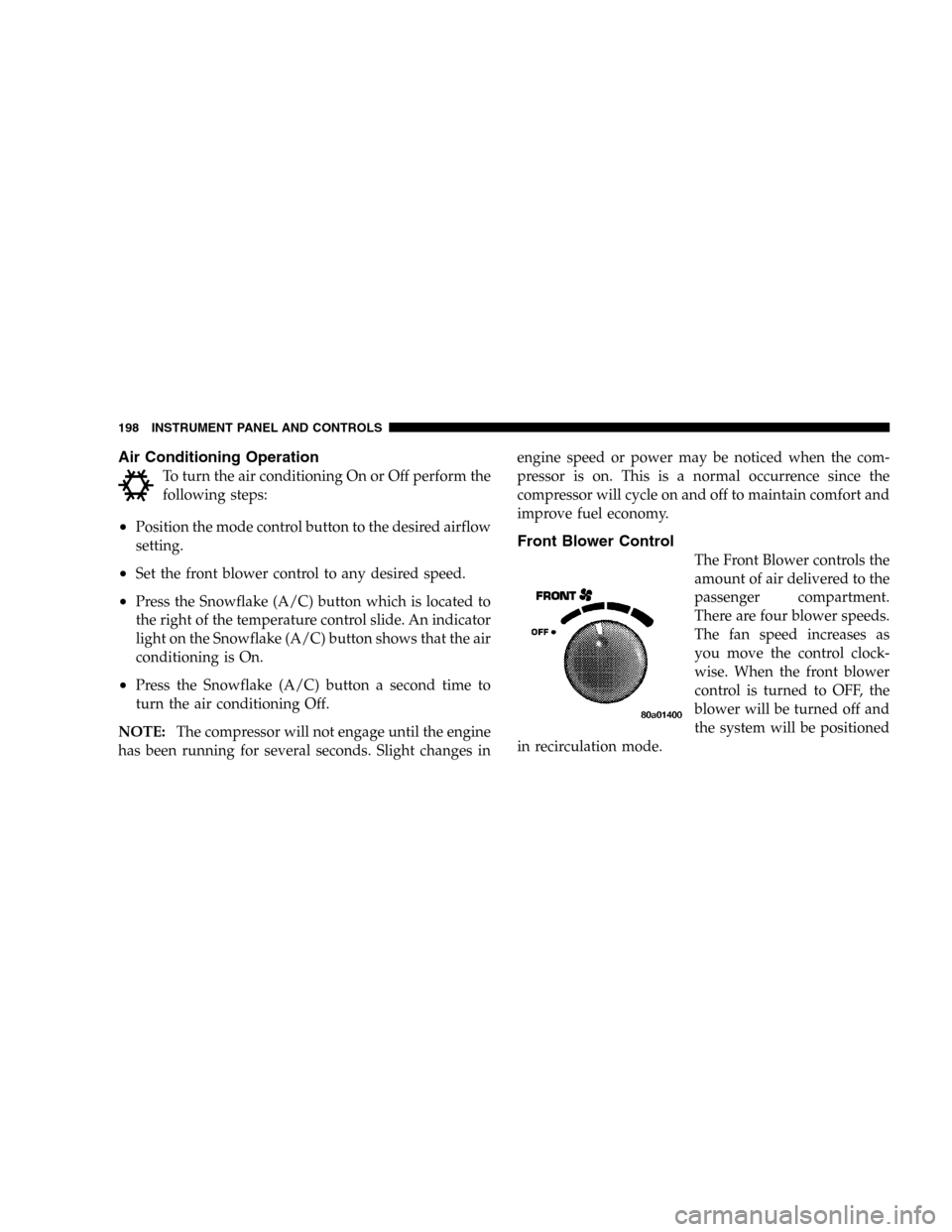
Front Blower Control
The Front Blower controls the
amount of air delivered to the
passenger compartment.
There are four blower speeds.
The fan speed increases as
you move the control clock-
wise. When the front blower
control is turned to OFF, the
blower will be turned off and
the system will be positioned
in recirculation mode.
198 INSTRUMENT PANEL AND CONTROLS
Page 204 of 416
Manual Control (ATC)
You also may choose to customize your comfort by
selecting the fan speed and mode manually. Pressing the
fan speed button or any mode button places the system
into manual operation.
While in manual operation there are six fan speeds
available and the choice of any mode. The airflow
temperature is adjusted automatically to maintain the
desired comfort level. You can adjust the temperature by
pressing the + or – TEMP rocker switch.
FAN Control
Use this button to regulate the amount of air deliv-
ered through the system in any mode you select.
Press the + or – side of the button to increase or decrease
fan speed.
Air Conditioning Operation
Press this button to turn on the air conditioning
compressor. A snow flake symbol in the displayshows that the compressor is on. Compressor operation is
automatic when you press the AUTO button and no
snowflake is shown.
The compressor can operate at any temperature above
32°F (0°C).
NOTE:The compressor will not engage until the engine
has been running for several seconds. Slight changes in
engine speed or power may be noticed when the com-
pressor is on. This is a normal occurrence since the
compressor will cycle on and off to maintain comfort and
improve fuel economy.
Recirculate Button
Press this button to recirculate the air inside the
vehicle. Outside air is prevented from entering
the vehicle. Use this mode to temporarily block
out any outside odors, smoke, dust or when
rapid cooling of the interior is required.
204 INSTRUMENT PANEL AND CONTROLS
Page 210 of 416
and blower speed to maintain comfort. Interior fogging
on the windshield can be quickly removed by selecting
the defrost mode.
Regular cleaning of the inside of the windows with a
non-filming cleaning solution (vinegar and water works
very well) will help prevent contaminates (cigarette
smoke, perfumes, etc.) from sticking to the windows.
Contaminates increase the rate of window fogging.
Summer Operation
Air conditioned vehicles must be protected with a high
quality antifreeze coolant during summer to provide
proper corrosion protection and to raise the boiling point
of the coolant for protection against overheating. A 50 %
concentration is recommended.
When using the air conditioner in extremely heavy traffic
in hot weather especially when towing a trailer, addi-
tional engine cooling may be required. If this situation is
encountered, operate the transmission in a lower gear.When stopped in heavy traffic, it may be necessary to
shift into NEUTRAL and press the accelerator slightly for
fast idle operation.
Winter Operation
When operating the system during the winter months,
make sure the air intake, located directly in front of the
windshield, is free of ice, slush, snow, or other obstruc-
tions.
210 INSTRUMENT PANEL AND CONTROLS
Page 213 of 416
If the rear wiper is operating when the ignition is turned
off, the wiper will automatically return to the “Park”
position. When the vehicle is restarted, the wiper will
resume operation.
Rear Window Defrosting
A push-button type switch is located in the climate
control panel. Press the switch and the rear win-
dow defroster and electric remote control heated mirrors
(if equipped) will turn On. An amber indicator on the
push-button will light when the defroster is turned On.
An symbol will be displayed when the defroster is turned
on with an ATC control. Push again to turn Off prior to
time-out. The defroster will automatically turn Off after
fifteen minutes. For ten more minutes of operation, push
the button again. To prevent excessive battery drain, use
the defroster only when the engine is operating.
CAUTION!
Use care when washing the inside of the rear win-
dow to prevent damage to heating elements. Use a
soft cloth and a mild washing solution, wiping
parallel to the heating elements. Also, keep all
objects a safe distance from the window to prevent
damaging the heating elements.
INSTRUMENT PANEL AND CONTROLS 213
4
Page 224 of 416
•transmission has reached normal operating tempera-
ture.
NOTE:If the vehicle is started in extremely cold tem-
peratures, the transmission may not shift into Overdrive
and will automatically select the most desirable gear for
operation at this temperature. Normal operation will
resume when the transmission fluid temperature has
risen to a suitable level. Refer also to the Note under
torque converter clutch, later in this section.
If the transmission temperature gets extremely hot, the
transmission will automatically select the most desirable
gear for operation at this temperature. If the transmission
temperature becomes hot enough the TRANS TEMP light
may illuminate and the transmission may downshift out
of Overdrive until the transmission cools down. After
cooldown, the transmission will resume normal opera-
tion.The transmission will downshift from Overdrive to Drive
if the accelerator pedal is fully depressed at vehicle
speeds above approximately 35 mph (56 km/h).
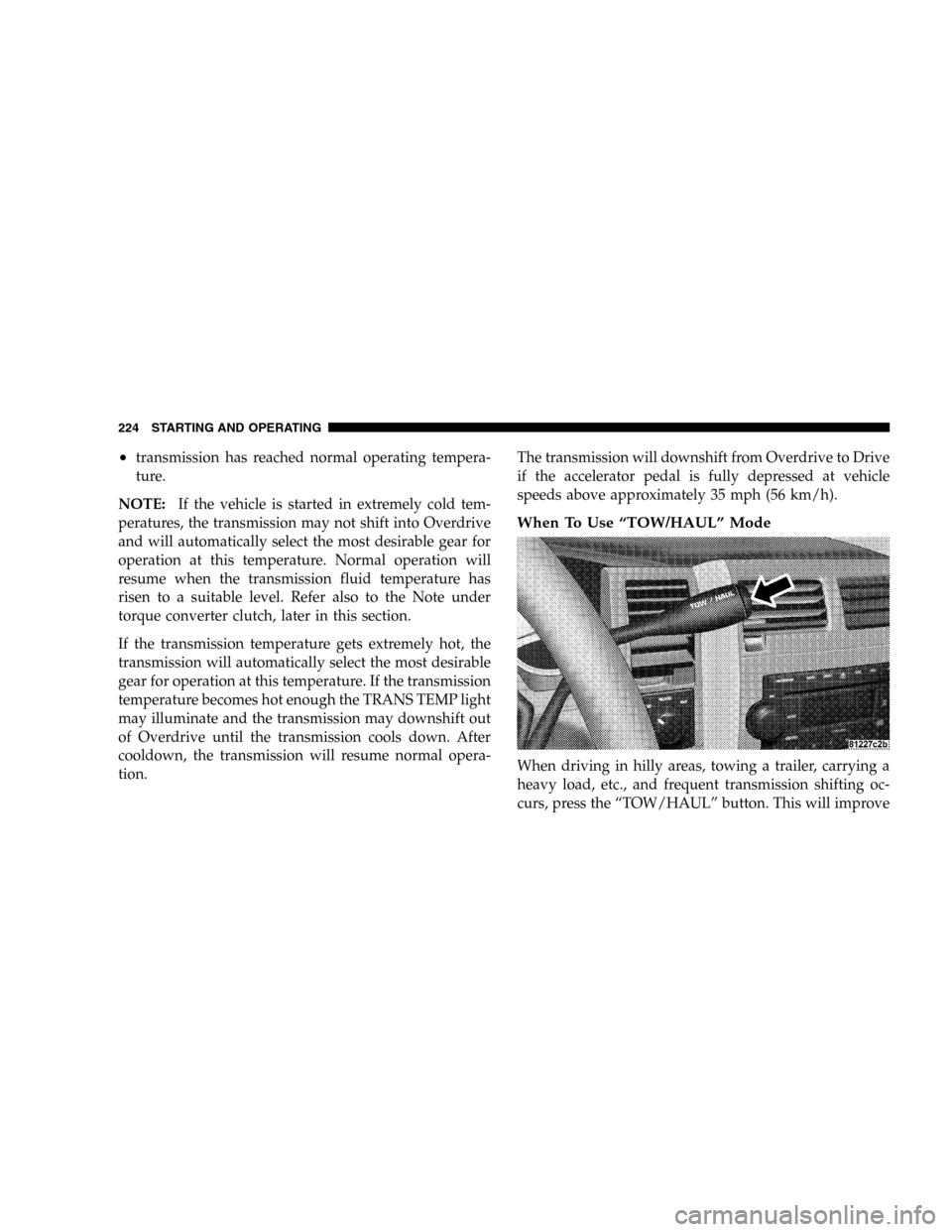
When To Use “TOW/HAUL” Mode
When driving in hilly areas, towing a trailer, carrying a
heavy load, etc., and frequent transmission shifting oc-
curs, press the “TOW/HAUL” button. This will improve
224 STARTING AND OPERATING