fuel fill door release DODGE DURANGO 2020 Owners Manual
[x] Cancel search | Manufacturer: DODGE, Model Year: 2020, Model line: DURANGO, Model: DODGE DURANGO 2020Pages: 464, PDF Size: 22.14 MB
Page 7 of 464

5
SPEED CONTROL — IF EQUIPPED ................... 205 To Activate .................................................206
To Set A Desired Speed ............................206
To Vary The Speed Setting .......................206
To Accelerate For Passing ........................ 207To Resume Speed ..................................... 207To Deactivate ............................................207
ADAPTIVE CRUISE CONTROL (ACC) —
IF EQUIPPED ..................................................... 208
Adaptive Cruise Control (ACC)
Operation ....................................................209 Activating Adaptive Cruise Control
(ACC) ...........................................................210 To Activate/Deactivate .............................. 210
To Set A Desired ACC Speed .....................210To Cancel ....................................................211
To Turn Off .................................................. 211To Resume .................................................211
To Vary The Speed Setting .......................212
Setting The Following Distance In ACC.....213
Overtake Aid ...............................................214ACC Operation At Stop ...............................214
Adaptive Cruise Control (ACC) Menu ........214Display Warnings And Maintenance.........215
Precautions While Driving With ACC .........217
General Information ..................................219Normal (Fixed Speed) Cruise Control
Mode...........................................................219 PARKSENSE REAR PARK ASSIST —
IF EQUIPPED ...................................................... 221
ParkSense Sensors ................................... 222
ParkSense Display ..................................... 222
ParkSense Warning Display ...................... 224
Enabling And Disabling ParkSense .......... 225Operation With A Trailer ............................ 225
Service The ParkSense Rear Park Assist
System ........................................................ 225 Cleaning The ParkSense System.............. 226
ParkSense System Usage Precautions .... 226
PARKSENSE FRONT AND REAR PARK
ASSIST — IF EQUIPPED .....................................227
ParkSense Sensors ................................... 228
ParkSense Display ..................................... 228
ParkSense Warning Display ...................... 231
Enabling And Disabling ParkSense .......... 231Operation With A Trailer ............................ 231
Service The ParkSense Park Assist
System ........................................................ 232 Cleaning The ParkSense System.............. 232
ParkSense System Usage Precautions .... 233
LANESENSE — IF EQUIPPED ............................ 234
LaneSense Operation................................ 234
Turning LaneSense On Or Off ................... 234
LaneSense Warning Message .................. 235Changing LaneSense Status..................... 237 PARKVIEW REAR BACK UP CAMERA ............ 237
REFUELING THE VEHICLE ................................. 238
Emergency Fuel Filler Door Release ........ 240
VEHICLE LOADING ............................................. 240
Gross Vehicle Weight Rating (GVWR) ...... 240
Payload....................................................... 240
Gross Axle Weight Rating (GAWR) ............ 240
Tire Size ...................................................... 240Rim Size ..................................................... 241
Inflation Pressure ...................................... 241
Curb Weight ............................................... 241
Loading....................................................... 241
TRAILER TOWING ............................................. 241
Common Towing Definitions ..................... 241
Trailer Hitch Classification ........................ 243
Trailer Towing Weights (Maximum
Trailer Weight Ratings) — Non SRT .......... 244 Trailer Towing Weights (Maximum
Trailer Weight Ratings) — SRT .................. 245 Trailer Hitch Receiver Cover Removal —
If Equipped ................................................. 246 Trailer And Tongue Weight ....................... 246Towing Requirements .............................. 247
Towing Tips ............................................... 251
SNOW PLOW ...................................................... 252
20_WD_OM_EN_USC_t.book Page 5
Page 240 of 464
238STARTING AND OPERATING
The following table shows the approximate
distances for each zone:
NOTE:
If snow, ice, mud, or any foreign substance
builds up on the camera lens, clean the lens,
rinse with water, and dry with a soft cloth. Do
not cover the lens.
Rear Camera — Viewing At Speed When the vehicle is in PARK,
NEUTRAL or DRIVE, the Rear View
Camera can be activated with the
“Backup Camera” button in the
Controls menu. This feature allows the customer to monitor the
area directly behind the vehicle (or trailer, if
equipped) for up to 10 seconds while driving. If
the vehicle speed remains below 8 mph
(13 km/h), the Rear View Camera image will be
displayed continuously until deactivated via the
“X” button on the touchscreen.
REFUELING THE VEHICLE
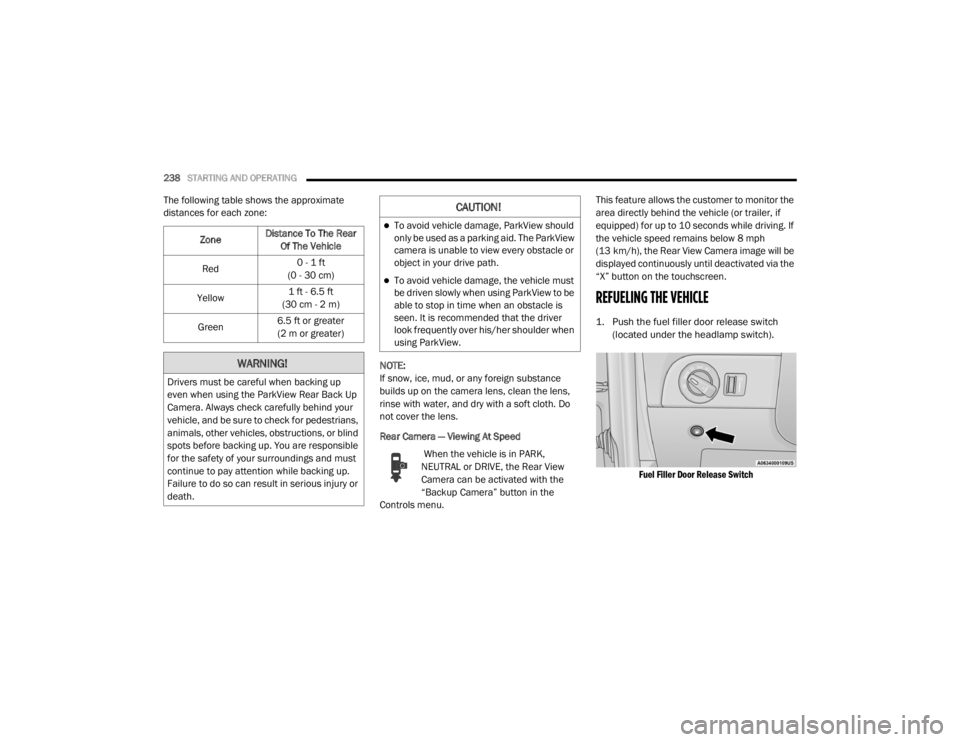
1. Push the fuel filler door release switch
(located under the headlamp switch).
Fuel Filler Door Release Switch
Zone
Distance To The Rear
Of The Vehicle
Red 0 - 1 ft
(0 - 30 cm)
Yellow 1 ft - 6.5 ft
(30 cm - 2 m)
Green 6.5 ft or greater
(2 m or greater)
WARNING!
Drivers must be careful when backing up
even when using the ParkView Rear Back Up
Camera. Always check carefully behind your
vehicle, and be sure to check for pedestrians,
animals, other vehicles, obstructions, or blind
spots before backing up. You are responsible
for the safety of your surroundings and must
continue to pay attention while backing up.
Failure to do so can result in serious injury or
death.
CAUTION!
To avoid vehicle damage, ParkView should
only be used as a parking aid. The ParkView
camera is unable to view every obstacle or
object in your drive path.
To avoid vehicle damage, the vehicle must
be driven slowly when using ParkView to be
able to stop in time when an obstacle is
seen. It is recommended that the driver
look frequently over his/her shoulder when
using ParkView.
20_WD_OM_EN_USC_t.book Page 238
Page 241 of 464
STARTING AND OPERATING239
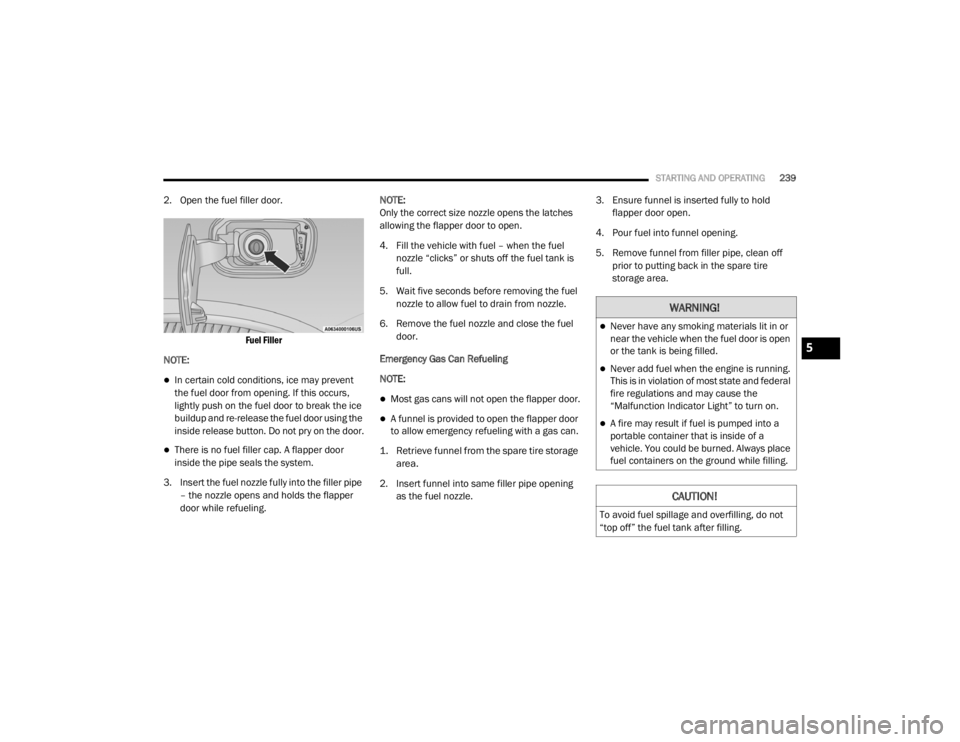
2. Open the fuel filler door.
Fuel Filler
NOTE:
In certain cold conditions, ice may prevent
the fuel door from opening. If this occurs,
lightly push on the fuel door to break the ice
buildup and re-release the fuel door using the
inside release button. Do not pry on the door.
There is no fuel filler cap. A flapper door
inside the pipe seals the system.
3. Insert the fuel nozzle fully into the filler pipe – the nozzle opens and holds the flapper
door while refueling. NOTE:
Only the correct size nozzle opens the latches
allowing the flapper door to open.
4. Fill the vehicle with fuel – when the fuel
nozzle “clicks” or shuts off the fuel tank is
full.
5. Wait five seconds before removing the fuel nozzle to allow fuel to drain from nozzle.
6. Remove the fuel nozzle and close the fuel door.
Emergency Gas Can Refueling
NOTE:
Most gas cans will not open the flapper door.
A funnel is provided to open the flapper door
to allow emergency refueling with a gas can.
1. Retrieve funnel from the spare tire storage area.
2. Insert funnel into same filler pipe opening as the fuel nozzle. 3. Ensure funnel is inserted fully to hold
flapper door open.
4. Pour fuel into funnel opening.
5. Remove funnel from filler pipe, clean off prior to putting back in the spare tire
storage area.
WARNING!
Never have any smoking materials lit in or
near the vehicle when the fuel door is open
or the tank is being filled.
Never add fuel when the engine is running.
This is in violation of most state and federal
fire regulations and may cause the
“Malfunction Indicator Light” to turn on.
A fire may result if fuel is pumped into a
portable container that is inside of a
vehicle. You could be burned. Always place
fuel containers on the ground while filling.
CAUTION!
To avoid fuel spillage and overfilling, do not
“top off” the fuel tank after filling.
5
20_WD_OM_EN_USC_t.book Page 239
Page 242 of 464
240STARTING AND OPERATING
EMERGENCY FUEL FILLER DOOR
R
ELEASE
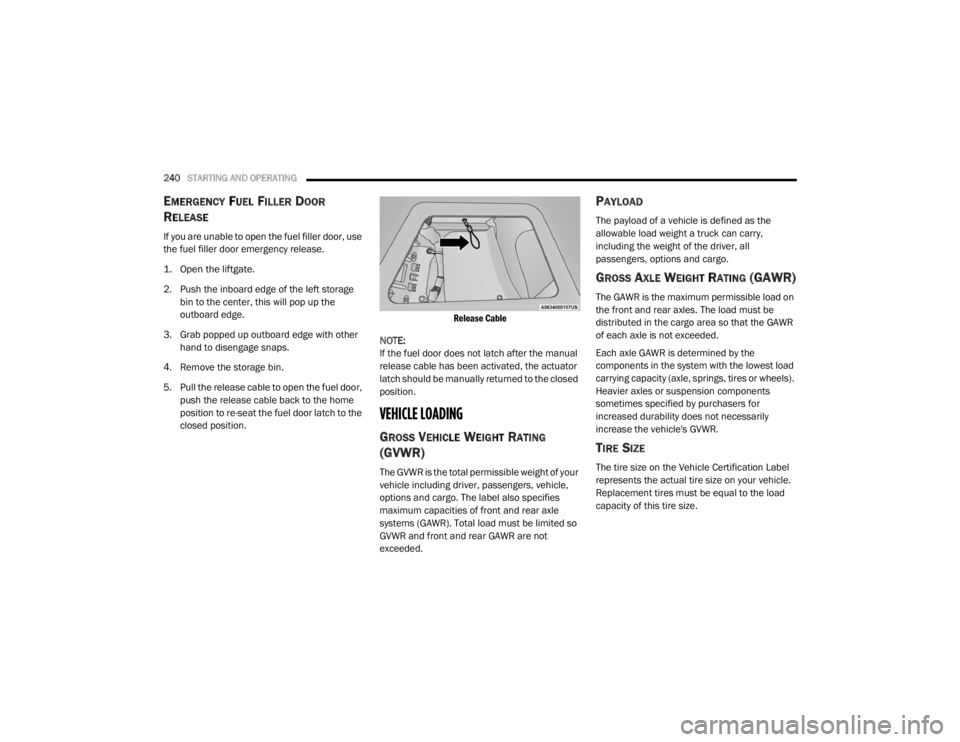
If you are unable to open the fuel filler door, use
the fuel filler door emergency release.
1. Open the liftgate.
2. Push the inboard edge of the left storage
bin to the center, this will pop up the
outboard edge.
3. Grab popped up outboard edge with other hand to disengage snaps.
4. Remove the storage bin.
5. Pull the release cable to open the fuel door, push the release cable back to the home
position to re-seat the fuel door latch to the
closed position.
Release Cable
NOTE:
If the fuel door does not latch after the manual
release cable has been activated, the actuator
latch should be manually returned to the closed
position.
VEHICLE LOADING
GROSS VEHICLE WEIGHT RATING
(GVWR)
The GVWR is the total permissible weight of your
vehicle including driver, passengers, vehicle,
options and cargo. The label also specifies
maximum capacities of front and rear axle
systems (GAWR). Total load must be limited so
GVWR and front and rear GAWR are not
exceeded.
PAYLOAD
The payload of a vehicle is defined as the
allowable load weight a truck can carry,
including the weight of the driver, all
passengers, options and cargo.
GROSS AXLE WEIGHT RATING (GAWR)
The GAWR is the maximum permissible load on
the front and rear axles. The load must be
distributed in the cargo area so that the GAWR
of each axle is not exceeded.
Each axle GAWR is determined by the
components in the system with the lowest load
carrying capacity (axle, springs, tires or wheels).
Heavier axles or suspension components
sometimes specified by purchasers for
increased durability does not necessarily
increase the vehicle's GVWR.
TIRE SIZE
The tire size on the Vehicle Certification Label
represents the actual tire size on your vehicle.
Replacement tires must be equal to the load
capacity of this tire size.
20_WD_OM_EN_USC_t.book Page 240