transmission oil DODGE DURANGO 2022 Owners Manual
[x] Cancel search | Manufacturer: DODGE, Model Year: 2022, Model line: DURANGO, Model: DODGE DURANGO 2022Pages: 332, PDF Size: 19.82 MB
Page 6 of 332
4
LIFTGATE ................................................................. 73 Power Liftgate — If Equipped ...........................73
Cargo Area Features .......................................74
ROOF LUGGAGE RACK — IF EQUIPPED .............. 76
Deploying The Crossbars .................................76
Stowing The Crossbars ....................................77
GETTING TO KNOW YOUR
INSTRUMENT PANEL
INSTRUMENT CLUSTER ........................................ 80Instrument Cluster Descriptions .....................81
INSTRUMENT CLUSTER DISPLAY ........................ 81
Location And Controls ......................................82
Engine Oil Life Reset .......................................84
Display And Messages .....................................85
Instrument Cluster Display Menu Items ........86
Battery Saver On/Battery Saver Mode
Message — Electrical Load Reduction
Actions — If Equipped ....................................88
WARNING LIGHTS AND MESSAGES ................... 89
Red Warning Lights ..........................................89
Yellow Warning Lights ......................................92
Yellow Indicator Lights .....................................95
Green Indicator Lights......................................95
White Indicator Lights ......................................96
Blue Indicator Lights ........................................96 ONBOARD DIAGNOSTIC SYSTEM — OBD II.........97
Onboard Diagnostic System (OBD II)
Cybersecurity ....................................................97
EMISSIONS INSPECTION AND MAINTENANCE
PROGRAMS .........................................................98
STARTING AND OPERATING
STARTING THE ENGINE .........................................99
Automatic Transmission ..................................99
Normal Starting ................................................99
AutoPark ........................................................ 100 Extended Park Starting ................................. 101
If Engine Fails To Start ................................ 102Cold Weather Operation
(Below –22°F Or −30°C) ............................ 102
After Starting ................................................. 102
ENGINE BREAK-IN RECOMMENDATIONS ........ 102
PARKING BRAKE ................................................. 103
AUTOMATIC TRANSMISSION ............................. 104
Ignition Park Interlock ................................... 105Brake Transmission Shift Interlock (BTSI)
System ........................................................... 105
Fuel Economy (ECO) Mode ........................... 1058-Speed Automatic Transmission ................ 105 SPORT MODE — IF EQUIPPED............................ 109
ALL-WHEEL DRIVE OPERATION ......................... 109
Single-Speed Operating Instructions
Precautions — If Equipped............................ 109
Electronically Shifted Transfer Case —
If Equipped .................................................... 109
Shifting Procedure ........................................ 111
TOW N GO — IF EQUIPPED ................................. 112
Guidelines For Track Use.............................. 113
FUEL SAVER TECHNOLOGY 5.7L ONLY —
IF EQUIPPED ......................................................... 114
POWER STEERING............................................... 114
STOP/START SYSTEM — IF EQUIPPED ............. 114 Autostop Mode .............................................. 115
Possible Reasons The Engine Does Not
Autostop......................................................... 115
To Start The Engine While In Autostop
Mode .............................................................. 115
To Manually Turn Off The Stop/Start
System ........................................................... 116
To Manually Turn On The Stop/Start
System ........................................................... 116
System Malfunction ...................................... 116
22_WD_OM_EN_USC_t.book Page 4
Page 8 of 332
6
OCCUPANT RESTRAINT SYSTEMS .................... 196 Occupant Restraint Systems Features ........ 196
Important Safety Precautions....................... 197
Seat Belt Systems ........................................ 197
Supplemental Restraint Systems (SRS) ...... 203
Child Restraints ........................................... 216
SAFETY TIPS ......................................................... 231
Transporting Passengers .............................. 231Transporting Pets ....................................... 232
Connected Vehicles....................................... 232
Safety Checks You Should Make
Inside The Vehicle ........................................ 232
Periodic Safety Checks You Should
Make Outside The Vehicle ............................ 233
Exhaust Gas ................................................... 234Carbon Monoxide Warnings ......................... 234
IN CASE OF EMERGENCY
HAZARD WARNING FLASHERS ......................... 235
SOS AND ASSIST MIRROR — IF EQUIPPED...... 235
JACKING AND TIRE CHANGING.......................... 239 Preparations For Jacking .............................. 239Jack Location ................................................. 240
Spare Tire Stowage ....................................... 240
Spare Tire Removal ....................................... 241
Jacking Instructions ...................................... 242 JUMP STARTING ................................................. 246
Preparations For Jump Start ........................ 246
Jump Starting Procedure .............................. 247
REFUELING IN EMERGENCY –
IF EQUIPPED ........................................................ 248
IF YOUR ENGINE OVERHEATS ........................... 249
MANUAL PARK RELEASE ................................... 250
FREEING A STUCK VEHICLE .............................. 252
TOWING A DISABLED VEHICLE ........................ 253
Rear Wheel Drive Models ............................. 254
All Wheel Drive Models ................................. 254
ENHANCED ACCIDENT RESPONSE SYSTEM
(EARS) .................................................................. 254
EVENT DATA RECORDER (EDR) ........................ 254
SERVICING AND MAINTENANCE
SCHEDULED SERVICING..................................... 255
Maintenance Plan ......................................... 256
ENGINE COMPARTMENT .................................... 259
3.6L Engine ................................................... 259
5.7L Engine ................................................... 260
Checking Oil Level ......................................... 261
Adding Washer Fluid .................................... 261
Maintenance-Free Battery ........................... 261Pressure Washing ......................................... 262 VEHICLE MAINTENANCE ..................................... 262
Engine Oil ...................................................... 262
Engine Oil Filter ............................................ 263
Engine Air Cleaner Filter ............................... 263
Air Conditioner Maintenance ....................... 264
Accessory Drive Belt Inspection ................... 267Body Lubrication .......................................... 267Windshield Wiper Blades ............................. 268Exhaust System ............................................ 271
Cooling System.............................................. 272
Brake System ............................................... 274Automatic Transmission ............................... 275
Front/Rear Axle Fluid ................................... 276
Transfer Case ............................................... 276Fuses.............................................................. 277
Bulb Replacement ...................................... 284
TIRES ..................................................................... 286
Tire Safety Information ................................. 286
Tires — General Information ......................... 293
Tire Types....................................................... 296Spare Tires — If Equipped ............................ 297
Wheel And Wheel Trim Care ........................ 299Snow Traction Devices ................................ 300Tire Rotation Recommendations ................ 302
22_WD_OM_EN_USC_t.book Page 6
Page 13 of 332
11
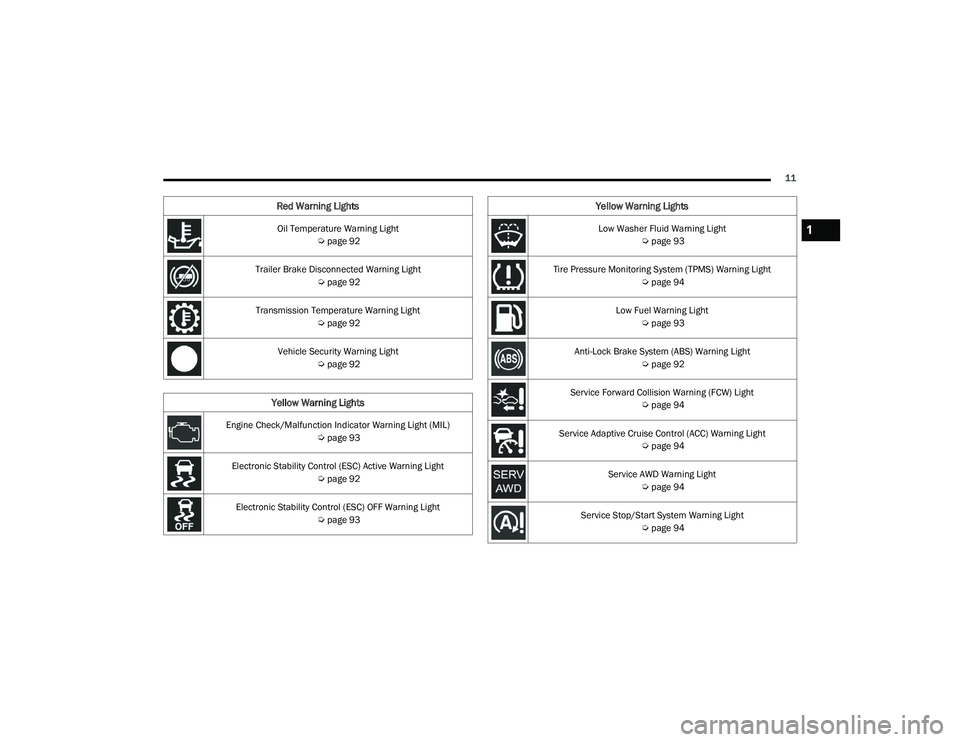
Oil Temperature Warning Light Úpage 92
Trailer Brake Disconnected Warning Light Úpage 92
Transmission Temperature Warning Light Úpage 92
Vehicle Security Warning Light Úpage 92
Yellow Warning Lights
Engine Check/Malfunction Indicator Warning Light (MIL)
Úpage 93
Electronic Stability Control (ESC) Active Warning Light Úpage 92
Electronic Stability Control (ESC) OFF Warning Light Úpage 93
Red Warning Lights
Low Washer Fluid Warning Light
Úpage 93
Tire Pressure Monitoring System (TPMS) Warning Light Úpage 94
Low Fuel Warning Light Úpage 93
Anti-Lock Brake System (ABS) Warning Light Úpage 92
Service Forward Collision Warning (FCW) Light Úpage 94
Service Adaptive Cruise Control (ACC) Warning Light Úpage 94
Service AWD Warning Light Úpage 94
Service Stop/Start System Warning Light Úpage 94
Yellow Warning Lights
1
22_WD_OM_EN_USC_t.book Page 11
Page 87 of 332
GETTING TO KNOW YOUR INSTRUMENT PANEL85
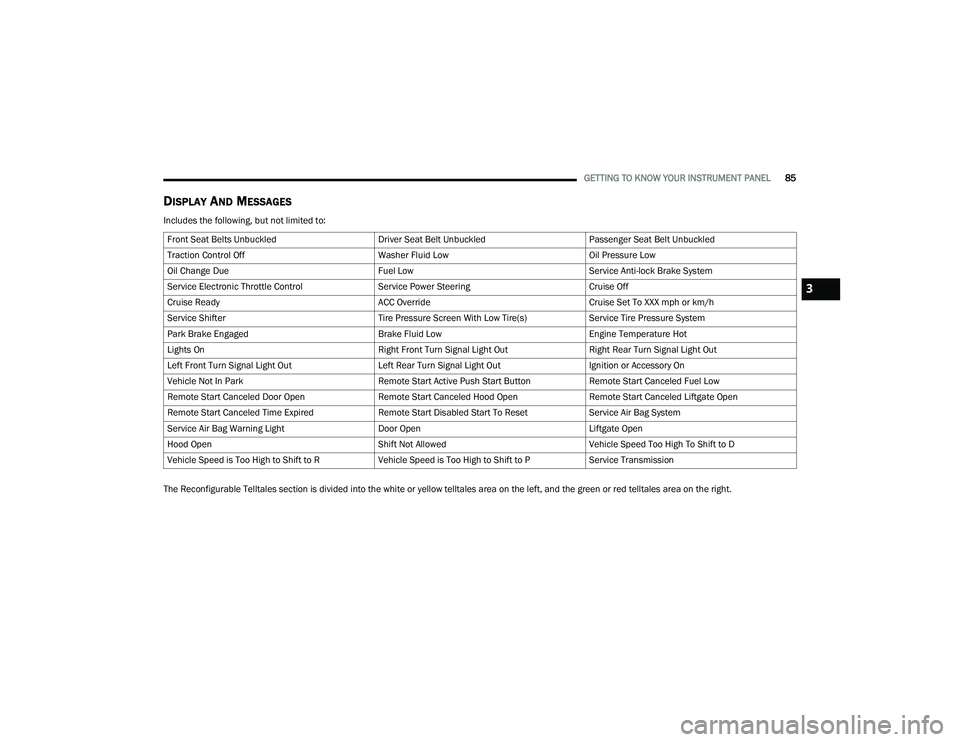
DISPLAY AND MESSAGES
Includes the following, but not limited to:
The Reconfigurable Telltales section is divided into the white or yellow telltales area on the left, and the green or red telltales area on the right.Front Seat Belts Unbuckled
Driver Seat Belt UnbuckledPassenger Seat Belt Unbuckled
Traction Control Off Washer Fluid LowOil Pressure Low
Oil Change Due Fuel LowService Anti-lock Brake System
Service Electronic Throttle Control Service Power SteeringCruise Off
Cruise Ready ACC OverrideCruise Set To XXX mph or km/h
Service Shifter Tire Pressure Screen With Low Tire(s)Service Tire Pressure System
Park Brake Engaged Brake Fluid LowEngine Temperature Hot
Lights On Right Front Turn Signal Light OutRight Rear Turn Signal Light Out
Left Front Turn Signal Light Out Left Rear Turn Signal Light OutIgnition or Accessory On
Vehicle Not In Park Remote Start Active Push Start ButtonRemote Start Canceled Fuel Low
Remote Start Canceled Door Open Remote Start Canceled Hood OpenRemote Start Canceled Liftgate Open
Remote Start Canceled Time Expired Remote Start Disabled Start To ResetService Air Bag System
Service Air Bag Warning Light Door OpenLiftgate Open
Hood Open Shift Not AllowedVehicle Speed Too High To Shift to D
Vehicle Speed is Too High to Shift to R Vehicle Speed is Too High to Shift to PService Transmission
3
22_WD_OM_EN_USC_t.book Page 85
Page 88 of 332
86GETTING TO KNOW YOUR INSTRUMENT PANEL
INSTRUMENT CLUSTER DISPLAY MENU
I
TEMS
The instrument cluster display can be used to view
the main menu items for several features. Use the
up and down arrow buttons to scroll through
the driver interactive display menu options until
the desired menu is reached.
NOTE:Depending on the vehicle’s options, feature
settings may vary.
Main Menu
Speedometer
Push and release the up or down arrow
button until the main gauge menu icon is displayed
in the instrument cluster display. Push and release
the left or right arrow button to select the
analog or digital type speedometer display. Push
and release the OK button to toggle units (mph or
km/h) of the speedometer.
Vehicle Info
Push and release the up or down arrow
button until the Vehicle Info icon/title is highlighted
in the instrument cluster display. Push the left
or right arrow button to scroll through the
information submenus. Tire Pressure Monitor System
If tire pressure is
OK for all tires a vehicle icon is
displayed with tire pressure values in each
corner of the icon.
If one or more tires have low pressure, “Inflate
Tire To XX” is displayed with the vehicle icon and
the tire pressure values in each corner of the
icon with the pressure value of the low tire are
displayed in a different color than the other tire
pressure value.
If the Tire Pressure system requires service,
“Service Tire Pressure System” is displayed.
Tire Pressure is an information only function, and
cannot be reset Ú page 193.
Transmission Temperature
Displays the actual transmission temperature.
Oil Temperature
Displays the actual oil temperature.
Oil Pressure
Displays the actual oil pressure.
Oil Life
Displays the current oil life of the vehicle.
Battery Voltage
Displays the current voltage level of the battery.
Driver Assist — If Equipped
Push and release the up or down arrow
button until the Driver Assist display icon/title is
highlighted in the instrument cluster display
Ú page 118.
Fuel Economy
Push and release the up or down arrow
button until the Fuel Economy Menu icon/title is
highlighted. Push the left or right arrow
button to scroll the submenus, one with current
fuel economy display and one without it.
Range
Current MPG, L/100 km, or km/L
Average MPG, L/100 km, or km/L
Press the OK button to reset the average fuel
economy
NOTE:The Range feature is not able to be reset through
the instrument cluster display controls.
22_WD_OM_EN_USC_t.book Page 86
Page 93 of 332
GETTING TO KNOW YOUR INSTRUMENT PANEL91
Electric Power Steering (EPS) Fault
Warning Light
This warning light will turn on when
there's a fault with the EPS system
Úpage 114.
Electronic Throttle Control (ETC) Warning
Light
This warning light will illuminate to
indicate a problem with the ETC system.
If a problem is detected while the vehicle
is running, the light will either stay on or
flash depending on the nature of the problem.
Cycle the ignition when the vehicle is safely and
completely stopped and the transmission is placed
in the PARK (P) position. The light should turn off.
If the light remains on with the vehicle running,
your vehicle will usually be drivable; however, see
an authorized dealer for service as soon as
possible.
NOTE:This light may turn on if the accelerator and brake
pedals are pressed at the same time.
If the light continues to flash when the vehicle is
running, immediate service is required and you
may experience reduced performance, an
elevated/rough idle, or engine stall and your
vehicle may require towing. The light will come on
when the ignition is placed in the ON/RUN or ACC/
ON/RUN position and remain on briefly as a bulb
check. If the light does not come on during starting,
have the system checked by an authorized dealer.
Engine Coolant Temperature Warning
Light
This warning light warns of an
overheated engine condition. If the
engine coolant temperature is too high,
this indicator will illuminate and a single
chime will sound. If the temperature reaches the
upper limit, a continuous chime will sound for four
minutes or until the engine is able to cool,
whichever comes first.
If the light turns on while driving, safely pull over
and stop the vehicle. If the Air Conditioning (A/C)
system is on, turn it off. Also, shift the transmission
into NEUTRAL (N) and idle the vehicle. If the
temperature reading does not return to normal,
turn the engine off immediately and call for service
Ú page 249.
Hood Open Warning Light
This warning light will illuminate when the
hood is left open and not fully closed.
NOTE:If the vehicle is moving, there will also be a single
chime.
Liftgate Open Warning Light
This warning light will illuminate when the
liftgate is open.
NOTE:If the vehicle is moving, there will also be a single
chime.
Oil Pressure Warning Light
This warning light will illuminate to
indicate low engine oil pressure. If the
light turns on while driving, stop the
vehicle, shut off the engine as soon as
possible, and contact an authorized dealer.
A chime will sound when this light turns on.
Do not operate the vehicle until the cause is
corrected. This light does not indicate how much oil
is in the engine. The engine oil level must be
checked under the hood.
WARNING!
Continued operation with reduced assist could
pose a safety risk to yourself and others. Service
should be obtained as soon as possible.3
22_WD_OM_EN_USC_t.book Page 91
Page 94 of 332
92GETTING TO KNOW YOUR INSTRUMENT PANEL
Oil Temperature Warning Light
This warning light will illuminate to
indicate the engine oil temperature is
high. If the light turns on while driving,
stop the vehicle and shut off the engine
as soon as possible. Wait for oil temperature to
return to normal levels.
Trailer Brake Disconnected Warning Light
This warning light will illuminate when the
Trailer Brake has been disconnected
Ú page 144.
Transmission Temperature Warning Light
This warning light will illuminate to warn
of a high transmission fluid temperature.
This may occur with strenuous usage
such as trailer towing. If this light turns
on, stop the vehicle and run the engine at idle or
slightly faster, with the transmission in PARK (P) or
NEUTRAL (N), until the light turns off. Once the light
turns off, you may continue to drive normally.
Vehicle Security Warning Light —
If Equipped
This light will flash at a fast rate for
approximately 15 seconds when the
vehicle security system is arming, and
then will flash slowly until the vehicle is
disarmed.
YELLOW WARNING LIGHTS
Anti-Lock Brake System (ABS) Warning
Light
This warning light monitors the ABS. The
light will turn on when the ignition is
placed in the ON/RUN or ACC/ON/RUN
position and may stay on for as long as
four seconds.
If the ABS light remains on or turns on while
driving, then the Anti-Lock portion of the brake
system is not functioning and service is required as
soon as possible. However, the conventional
brake system will continue to operate normally,
assuming the Brake Warning Light is not also on. If the ABS light does not turn on when the ignition
is placed in the ON/RUN or ACC/ON/RUN position,
have the brake system inspected by an authorized
dealer.
Electronic Stability Control (ESC) Active
Warning Light
This warning light will indicate when the
ESC system is Active. The ESC Indicator
Light in the instrument cluster will come
on when the ignition is placed in the ON/
RUN or ACC/ON/RUN position, and when ESC is
activated. It should go out with the engine running.
If the ESC Indicator Light comes on continuously
with the engine running, a malfunction has been
detected in the ESC system. If this warning light
remains on after several ignition cycles, and the
vehicle has been driven several miles (kilometers)
at speeds greater than 30 mph (48 km/h), see an
authorized dealer as soon as possible to have the
problem diagnosed and corrected.
The ESC OFF Indicator Light and the ESC Indi -
cator Light come on momentarily each time the
ignition is placed in the ON/RUN or ACC/ON/
RUN position.
The ESC system will make buzzing or clicking
sounds when it is active. This is normal; the
sounds will stop when ESC becomes inactive.
This light will come on when the vehicle is in an
ESC event.
WARNING!
If you continue operating the vehicle when the
Transmission Temperature Warning Light is
illuminated you could cause the fluid to boil over,
come in contact with hot engine or exhaust
components and cause a fire.
CAUTION!
Continuous driving with the Transmission
Temperature Warning Light illuminated will
eventually cause severe transmission damage
or transmission failure.
22_WD_OM_EN_USC_t.book Page 92
Page 104 of 332
102STARTING AND OPERATING
(Continued)
4. If the engine fails to start after eight attempts,
allow the starter to cool for at least
10 minutes, then repeat the procedure.
IF ENGINE FAILS TO START
If the engine fails to start after you have followed
the “Normal Starting” procedure and the vehicle
has not experienced an extended park condition
as defined previously, it may be flooded. Push the
accelerator pedal all the way to the floor and hold
it there while the engine is cranking. This should
clear any excess fuel in case the engine is flooded.
The starter motor will engage automatically, run for
10 seconds, and then disengage. Once this occurs,
release the accelerator pedal and brake pedal,
wait 10 to 15 seconds, then repeat the “Normal
Starting” procedure.
COLD WEATHER OPERATION
(BELOW –22°F OR −30°C)
To ensure reliable starting at these temperatures,
use of an externally powered electric engine block
heater (available from an authorized dealer) is
recommended.
AFTER STARTING
The idle speed is controlled automatically, and it
will decrease as the engine warms up.
ENGINE BREAK-IN RECOMMENDATIONS
A long break-in period is not required for the engine
and drivetrain (transmission and axle) in your
vehicle.
Drive moderately during the first 300 miles
(500 km). After the initial 60 miles (100 km),
speeds up to 50 or 55 mph (80 or 90 km/h) are
desirable.
Brief full-throttle acceleration within the limits of
local traffic laws contributes to a good break-in.
Wide-open throttle acceleration in low gear can be
detrimental and should be avoided.
The engine oil installed in the engine at the factory
is a high-quality energy conserving type lubricant.
Oil changes should be consistent with anticipated
climate conditions under which vehicle operations
will occur. For the recommended viscosity and
quality grades see Ú page 312.
CAUTION!
To prevent damage to the starter, do not crank
continuously for more than 10 seconds at a
time. Wait 10 to 15 seconds before trying again.
WARNING!
Never pour fuel or other flammable liquid into
the throttle body air inlet opening in an
attempt to start the vehicle. This could result
in flash fire causing serious personal injury.
Do not attempt to push or tow your vehicle to
get it started. Vehicles equipped with an auto -
matic transmission cannot be started this
way. Unburned fuel could enter the catalytic
converter and once the engine has started,
ignite and damage the converter and vehicle.
If the vehicle has a discharged battery,
booster cables may be used to obtain a start
from a booster battery or the battery in
another vehicle. This type of start can be
dangerous if done improperly Ú page 246.
CAUTION!
To prevent damage to the starter, do not
continuously crank the engine for more than
10 seconds at a time. Wait 10 to 15 seconds
before trying again.
WARNING!
CAUTION!
Never use Non-Detergent Oil or Straight Mineral
Oil in the engine or damage may result.
22_WD_OM_EN_USC_t.book Page 102
Page 105 of 332
STARTING AND OPERATING103
(Continued)
NOTE:A new engine may consume some oil during its first
few thousand miles (kilometers) of operation. This
should be considered a normal part of the break-in
and not interpreted as a problem. Please check
your oil level with the engine oil indicator often
during the break-in period. Add oil as required.
PARKING BRAKE
Before leaving the vehicle, make sure that the
parking brake is fully applied and place the gear
selector in the PARK (P) position.
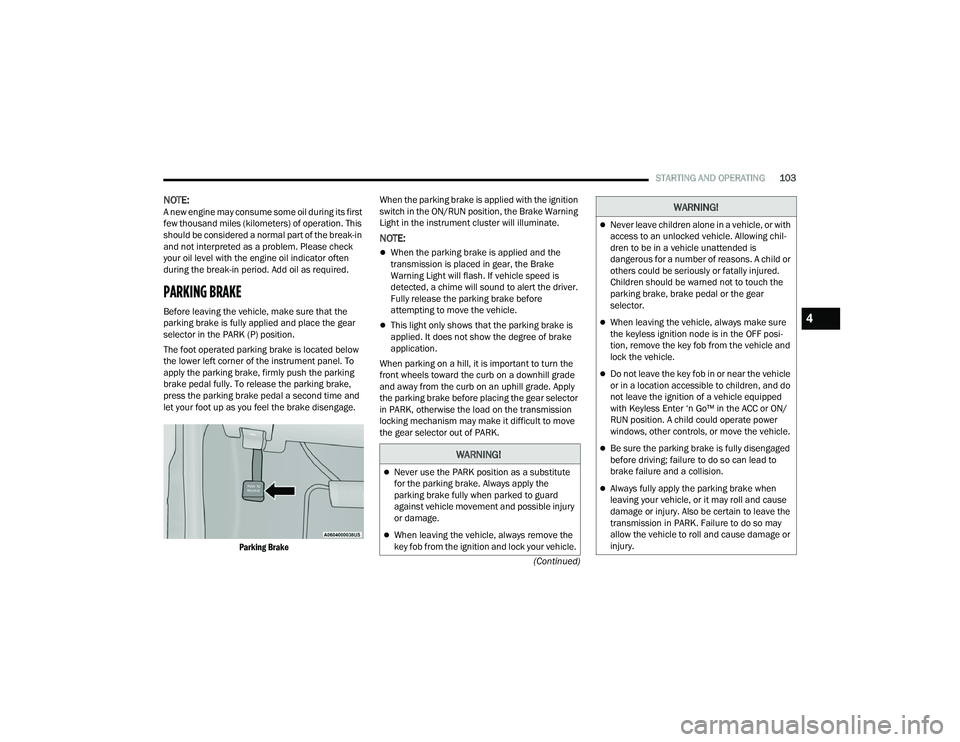
The foot operated parking brake is located below
the lower left corner of the instrument panel. To
apply the parking brake, firmly push the parking
brake pedal fully. To release the parking brake,
press the parking brake pedal a second time and
let your foot up as you feel the brake disengage.
Parking Brake
When the parking brake is applied with the ignition
switch in the ON/RUN position, the Brake Warning
Light in the instrument cluster will illuminate.
NOTE:
When the parking brake is applied and the
transmission is placed in gear, the Brake
Warning Light will flash. If vehicle speed is
detected, a chime will sound to alert the driver.
Fully release the parking brake before
attempting to move the vehicle.
This light only shows that the parking brake is
applied. It does not show the degree of brake
application.
When parking on a hill, it is important to turn the
front wheels toward the curb on a downhill grade
and away from the curb on an uphill grade. Apply
the parking brake before placing the gear selector
in PARK, otherwise the load on the transmission
locking mechanism may make it difficult to move
the gear selector out of PARK.
WARNING!
Never use the PARK position as a substitute
for the parking brake. Always apply the
parking brake fully when parked to guard
against vehicle movement and possible injury
or damage.
When leaving the vehicle, always remove the
key fob from the ignition and lock your vehicle.
Never leave children alone in a vehicle, or with
access to an unlocked vehicle. Allowing chil -
dren to be in a vehicle unattended is
dangerous for a number of reasons. A child or
others could be seriously or fatally injured.
Children should be warned not to touch the
parking brake, brake pedal or the gear
selector.
When leaving the vehicle, always make sure
the keyless ignition node is in the OFF posi -
tion, remove the key fob from the vehicle and
lock the vehicle.
Do not leave the key fob in or near the vehicle
or in a location accessible to children, and do
not leave the ignition of a vehicle equipped
with Keyless Enter ‘n Go™ in the ACC or ON/
RUN position. A child could operate power
windows, other controls, or move the vehicle.
Be sure the parking brake is fully disengaged
before driving; failure to do so can lead to
brake failure and a collision.
Always fully apply the parking brake when
leaving your vehicle, or it may roll and cause
damage or injury. Also be certain to leave the
transmission in PARK. Failure to do so may
allow the vehicle to roll and cause damage or
injury.
WARNING!
4
22_WD_OM_EN_USC_t.book Page 103
Page 156 of 332
154STARTING AND OPERATING
Flowing Water
If the water is swift flowing and rising (as in storm
run-off), avoid crossing until the water level
recedes and/or the flow rate is reduced. If you
must cross flowing water avoid depths in excess of
9 inches (23 cm). The flowing water can erode the
streambed, causing your vehicle to sink into
deeper water. Determine exit point(s) that are
downstream of your entry point to allow for drifting.
Standing Water
Avoid driving in standing water deeper than
20 inches (51 cm), and reduce speed
appropriately to minimize wave effects. Maximum
speed in 20 inches (51 cm) of water is less than
5 mph (8 km/h).
Maintenance
After driving through deep water, inspect your
vehicle fluids and lubricants (engine oil,
transmission oil, axle, transfer case) to ensure the
fluids have not been contaminated. Contaminated
fluid (milky, foamy in appearance) should be
flushed/changed as soon as possible to prevent
component damage.
Driving In Snow, Mud And Sand
In heavy snow, when pulling a load, or for
additional control at slower speeds, shift the
transmission to a low gear and shift the transfer
case to AWD Low if necessary Ú page 109. Only
shift into a lower gear to maintain forward motion.
Over-revving the engine can spin the wheels and
traction will be lost.
Avoid abrupt downshifts on icy or slippery roads,
because engine braking may cause skidding and
loss of control.
Hill Climbing
NOTE:Before attempting to climb a hill, determine the
conditions at the crest and/or on the other side.
Before climbing a steep hill, shift the transmission
to a lower gear and shift the transfer case to AWD
Low. Use FIRST gear and AWD Low for very steep
hills.
If you stall or begin to lose forward motion while
climbing a steep hill, allow your vehicle to come to
a stop and immediately apply the brakes. Restart
the engine, and shift into REVERSE. Back slowly
down the hill, allowing the compression braking of
the engine to help regulate the speed. If the brakes
are required to control vehicle speed, apply them
lightly and avoid locking or skidding the tires. Remember, never drive diagonally across a hill;
always drive straight up or down.
If the wheels start to slip as you approach the crest
of a hill, ease off the accelerator and maintain
forward motion by turning the front wheels slowly.
This may provide a fresh “bite” into the surface and
will usually provide traction to complete the climb.
Traction Downhill
Shift the transmission into a low gear, and the
transfer case into AWD Low. Let the vehicle go
slowly down the hill with all four wheels turning
against engine compression drag. This will permit
you to control the vehicle speed and direction.
When descending mountains or hills, repeated
braking can cause brake fade with loss of braking
control. Avoid repeated heavy braking by
downshifting the transmission whenever possible.
WARNING!
If the engine stalls, you lose forward motion, or
cannot make it to the top of a steep hill or grade,
never attempt to turn around. To do so may
result in tipping and rolling the vehicle. Always
back carefully straight down a hill in REVERSE
gear. Never back down a hill in NEUTRAL using
only the brake.
22_WD_OM_EN_USC_t.book Page 154