tow DODGE GRAND CARAVAN 2009 5.G User Guide
[x] Cancel search | Manufacturer: DODGE, Model Year: 2009, Model line: GRAND CARAVAN, Model: DODGE GRAND CARAVAN 2009 5.GPages: 535, PDF Size: 18.61 MB
Page 116 of 535
uconnecttallows you to transfer calls between the sys-
tem and your cellular phone as you enter or exit your
vehicle and enables you to mute the system’s microphone
for private conversation.
The uconnectt phone is driven through your Bluetootht
“Hands-Free Profile” cellular phone. uconnectt features
Bluetootht technology - the global standard that enables
different electronic devices to connect to each other
without wires or a docking station, so uconnectt phone
works no matter where you stow your cellular phone (be
it your purse, pocket, or briefcase), as long as your phone
is turned on and has been paired to the vehicle’s
uconnectt phone. The uconnectt phone allows up to
seven cellular phones to be linked to the system. Only
one linked (or paired) cellular phone can be used with the
system at a time. The system is available in English,
Spanish, or French languages. Phone Button
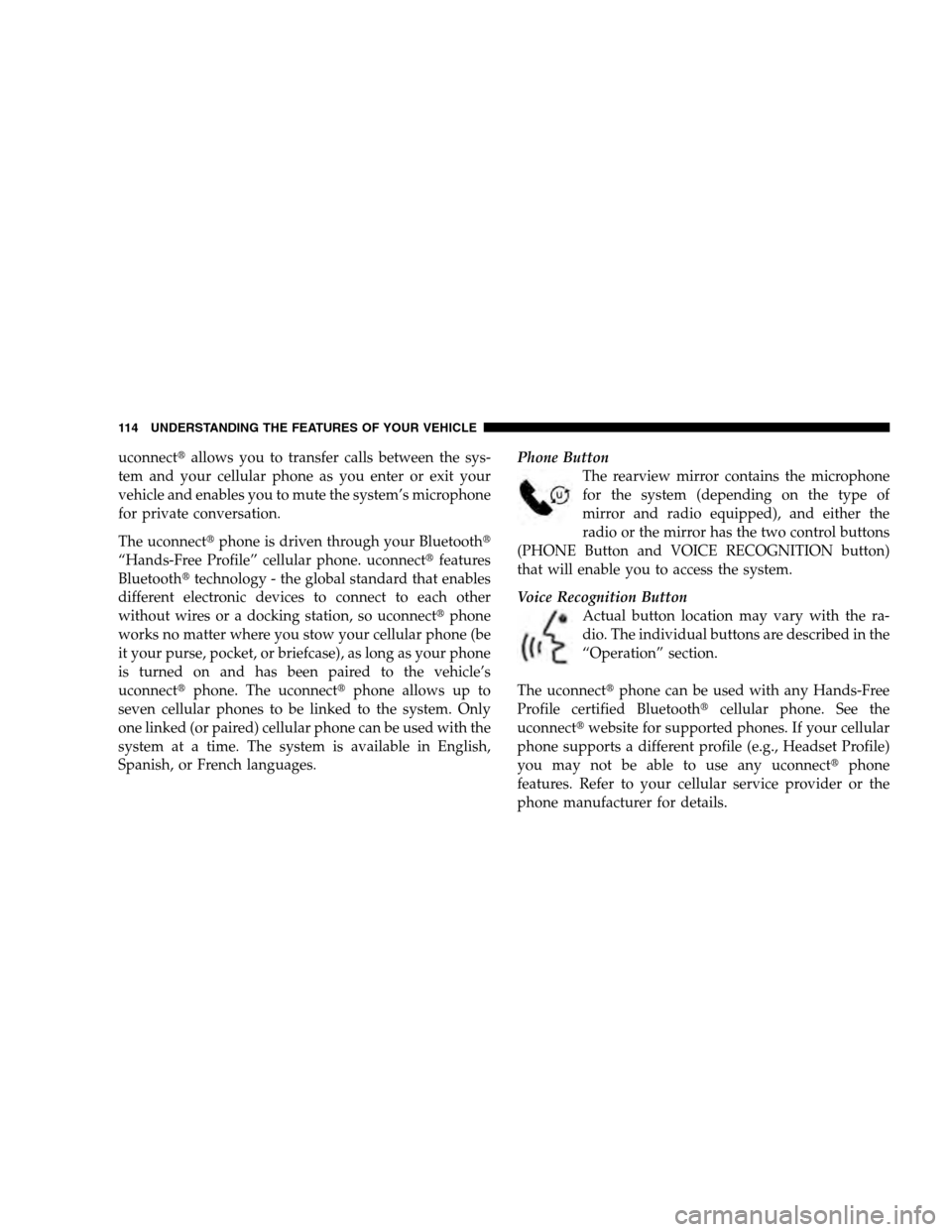
The rearview mirror contains the microphone
for the system (depending on the type of
mirror and radio equipped), and either the
radio or the mirror has the two control buttons
(PHONE Button and VOICE RECOGNITION button)
that will enable you to access the system.
Voice Recognition Button
Actual button location may vary with the ra-
dio. The individual buttons are described in the
“Operation” section.
The uconnectt phone can be used with any Hands-Free
Profile certified Bluetootht cellular phone. See the
uconnectt website for supported phones. If your cellular
phone supports a different profile (e.g., Headset Profile)
you may not be able to use any uconnectt phone
features. Refer to your cellular service provider or the
phone manufacturer for details. 114 UNDERSTANDING THE FEATURES OF YOUR VEHICLE
Page 129 of 535
After the
9Ready9prompt and the following beep, say
9Emergency9 and the uconnectt phone will instruct
the paired cellular phone to call the emergency num-
ber. This feature is supported in the U.S., Canada, and
Mexico.
NOTE:
The emergency number dialed is based on the country
where the vehicle is purchased (911 for the U.S. and
Canada and 060 for Mexico). The number dialed may
not be applicable with the available cellular service
and area.
If supported, this number may be programmable on
some systems. To do this, press the PHONE button
and say ‘Setup’, followed by ‘Emergency’.
The uconnectt phone does slightly lower your chances
of successfully making a phone call as to that for the
cellular phone directly. WARNING!
Your phone must be turned on and paired to the
uconnectt
phone to allow use of this vehicle feature
in emergency situations, when the cellular phone has
network coverage and stays paired to the uconnectt
phone.
Towing Assistance
If you need towing assistance:
Press the PHONE button to begin.
After the 9Ready9prompt and the following beep, say
9Towing Assistance.9
UNDERSTANDING THE FEATURES OF YOUR VEHICLE 127 3
Page 130 of 535
NOTE:
The towing assistance number dialed is based on the
country where the vehicle is purchased (1-800-528-
2069 for the U.S., 1-877-213-4525 for Canada, 55-14-
3454 for Mexico City and 1-800-712-3040 for outside
Mexico City in Mexico).
If supported, this number may be programmable on
some systems. To do this, press the PHONE button
and say “Setup”, followed by “Towing Assistance”.
Paging
To learn how to page, refer to9Working with Automated
Systems.9 Paging works properly except for pagers of
certain companies, which time out a little too soon to
work properly with the uconnectt phone.
Voice Mail Calling
To learn how to access your voice mail, refer to 9Working
with Automated Systems.9
Working with Automated Systems
This method is used in instances where one generally has
to press numbers on the cellular phone keypad while
navigating through an automated telephone system.
You can use your uconnectt phone to access a voice mail
system or an automated service, such as a paging service
or automated customer service line. Some services re-
quire immediate response selection. In some instances,
that may be too quick for use of the uconnectt phone.
When calling a number with your uconnectt phone that
normally requires you to enter in a touch-tone sequence
on your cellular phone keypad, you can press the VOICE
RECOGNITION button and say the sequence you wish
to enter, followed by the word 9Send.9For example, if
required to enter your PIN followed with a pound, (3 7 4
6 #), you can press the VOICE RECOGNITION button
and say, 93 7 4 6 # Send.9 Saying a number, or sequence of
numbers, followed by 9Send,9is also to be used for
128 UNDERSTANDING THE FEATURES OF YOUR VEHICLE
Page 142 of 535
Voice Commands
Primary Alternate(s)
language
list names
list phones
mobile
mute
mute off
new entry
no
pager
pair a phone
phone pairing pairing
phonebook phone book
previous
record again
redialVoice Commands
Primary Alternate(s)
return to main menu return or main menu
select phone select
send
set up phone settings or phone
set up
towing assistance
transfer call
uconnectt Tutorial
try again
voice training
work
yes
140 UNDERSTANDING THE FEATURES OF YOUR VEHICLE
Page 155 of 535
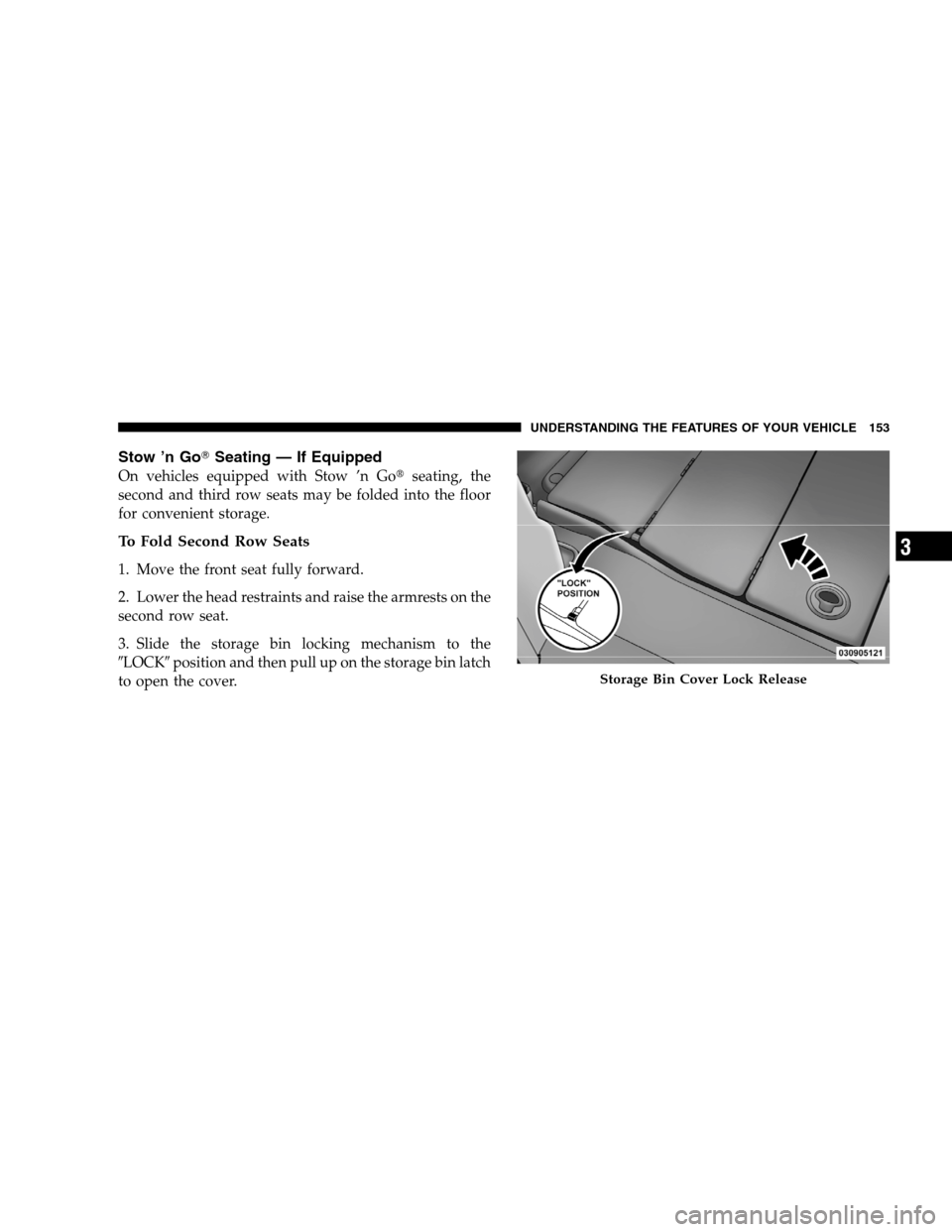
Stow ’n GoT
Seating — If Equipped
On vehicles equipped with Stow ’n Got seating, the
second and third row seats may be folded into the floor
for convenient storage.
To Fold Second Row Seats
1. Move the front seat fully forward.
2. Lower the head restraints and raise the armrests on the
second row seat.
3. Slide the storage bin locking mechanism to the
9LOCK9 position and then pull up on the storage bin latch
to open the cover. Storage Bin Cover Lock Release
UNDERSTANDING
THE FEATURES OF YOUR VEHICLE 153 3
Page 158 of 535
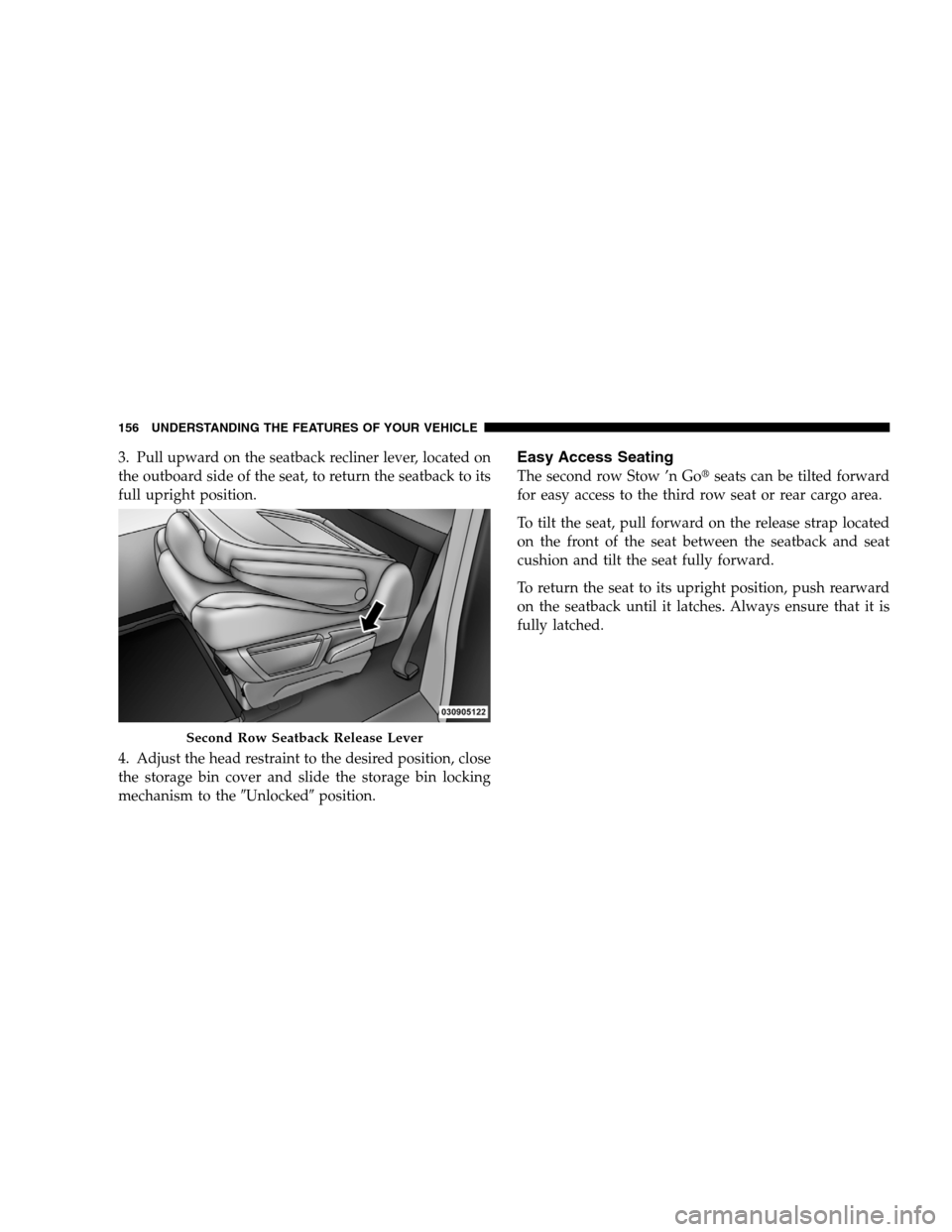
3. Pull upward on the seatback recliner lever, located on
the outboard side of the seat, to return the seatback to its
full upright position.
4. Adjust the head restraint to the desired position, close
the storage bin cover and slide the storage bin locking
mechanism to the9Unlocked9position.Easy Access Seating
The second row Stow ’n Got seats can be tilted forward
for easy access to the third row seat or rear cargo area.
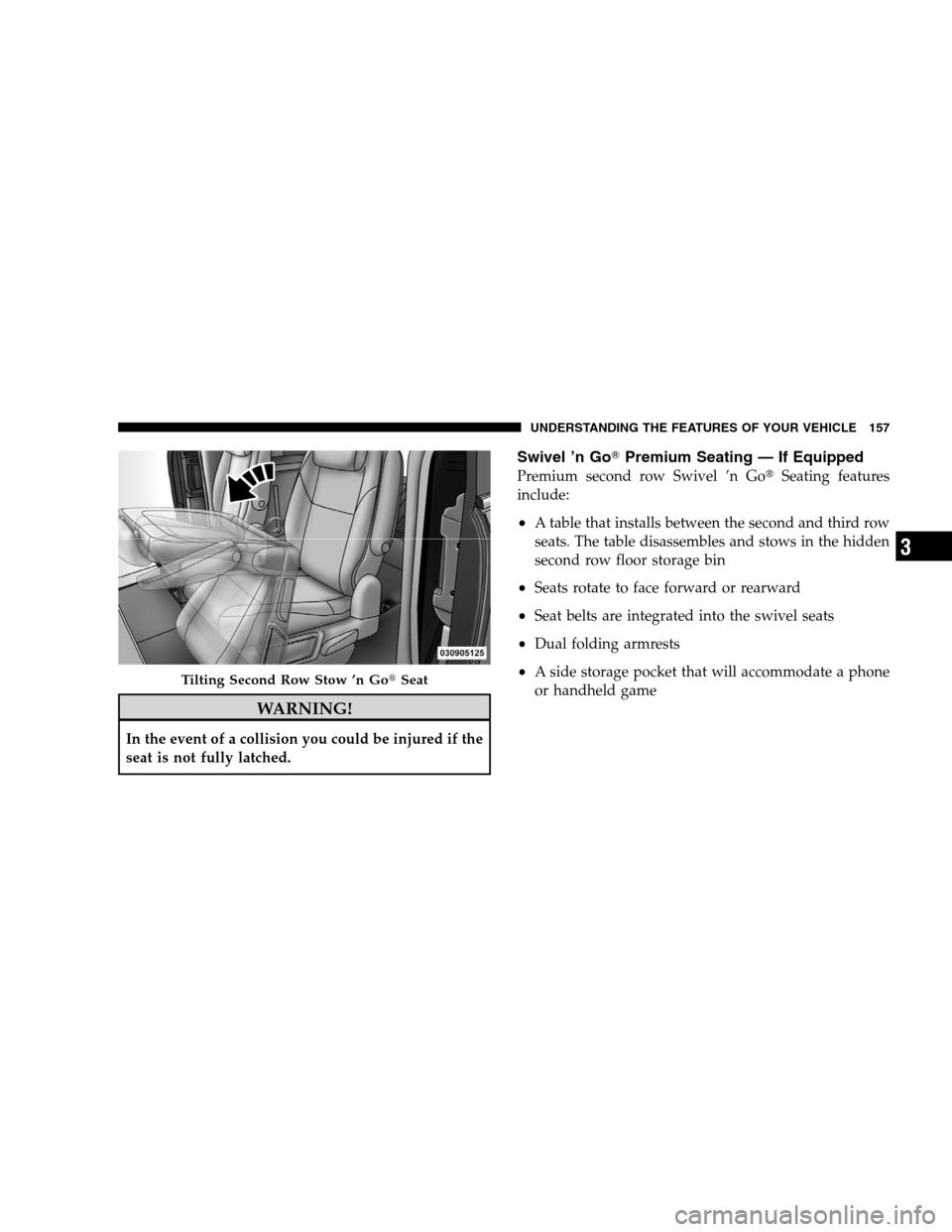
To tilt the seat, pull forward on the release strap located
on the front of the seat between the seatback and seat
cushion and tilt the seat fully forward.
To return the seat to its upright position, push rearward
on the seatback until it latches. Always ensure that it is
fully latched. Second Row Seatback Release Lever
156 UNDERST
ANDING THE FEATURES OF YOUR VEHICLE
Page 159 of 535
WARNING!In the event of a collision you could be injured if the
seat is not fully latched.
Swivel ’n GoT
Premium Seating — If Equipped
Premium second row Swivel ’n Got Seating features
include:
A table that installs between the second and third row
seats. The table disassembles and stows in the hidden
second row floor storage bin
Seats rotate to face forward or rearward
Seat belts are integrated into the swivel seats
Dual folding armrests
A side storage pocket that will accommodate a phone
or handheld game Tilting Second Row Stow ’n Got
SeatUNDERSTANDING THE FEATURES OF YOUR VEHICLE 157 3
Page 162 of 535
Removing Swivel ’n Got
Premium Seating — If
Equipped
1. Remove any obstructions from the floor behind the
seat, and stow the third row seat.
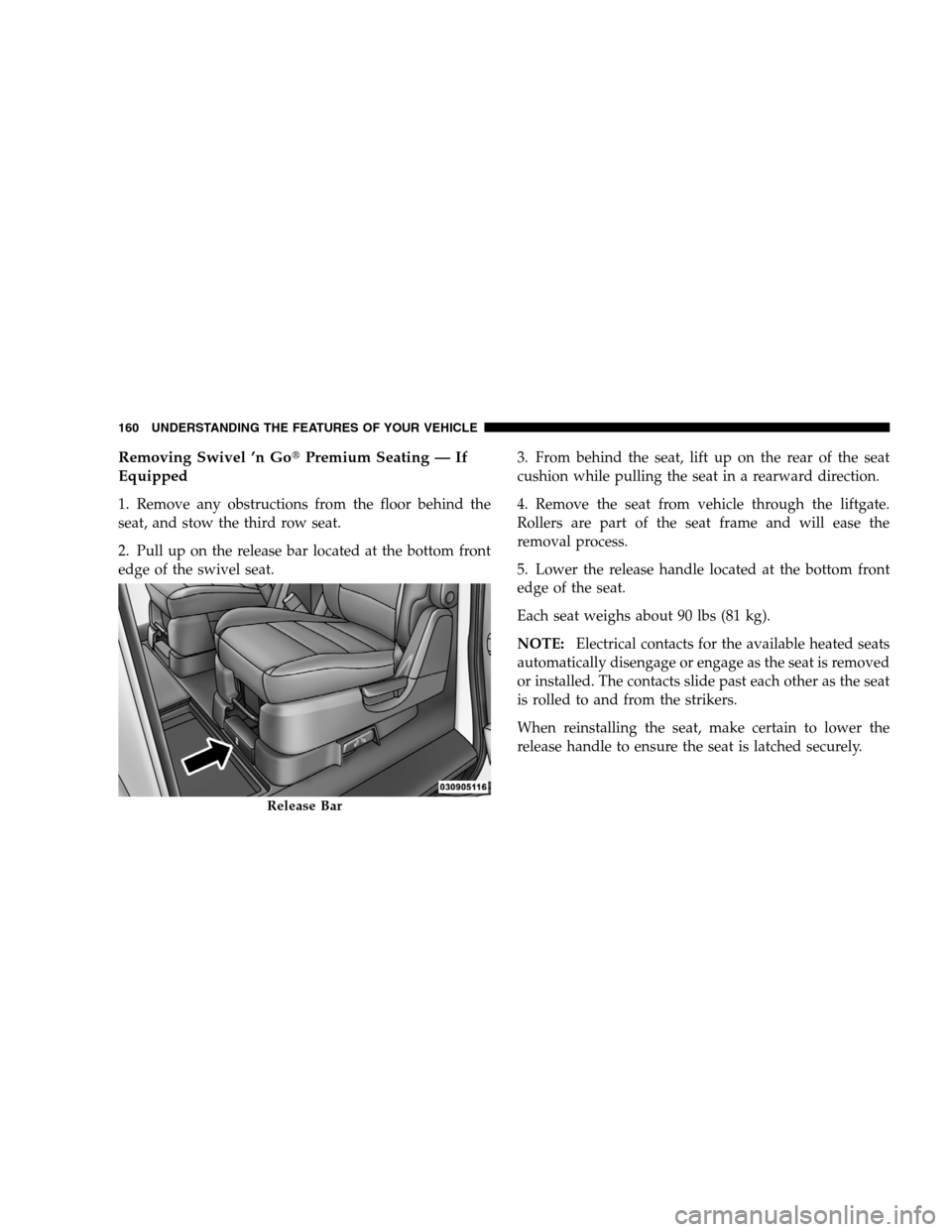
2. Pull up on the release bar located at the bottom front
edge of the swivel seat. 3. From behind the seat, lift up on the rear of the seat
cushion while pulling the seat in a rearward direction.
4. Remove the seat from vehicle through the liftgate.
Rollers are part of the seat frame and will ease the
removal process.
5. Lower the release handle located at the bottom front
edge of the seat.
Each seat weighs about 90 lbs (81 kg).
NOTE:
Electrical contacts for the available heated seats
automatically disengage or engage as the seat is removed
or installed. The contacts slide past each other as the seat
is rolled to and from the strikers.
When reinstalling the seat, make certain to lower the
release handle to ensure the seat is latched securely. Release Bar
160 UNDERST
ANDING THE FEATURES OF YOUR VEHICLE
Page 167 of 535
Plastic Grocery Bag Retainer HooksRetainer hooks which will hold plastic grocery bag
handles are built into the seatbacks of all rear seats and
some front seats. The floor supports the partial weight of
the bagged goods.
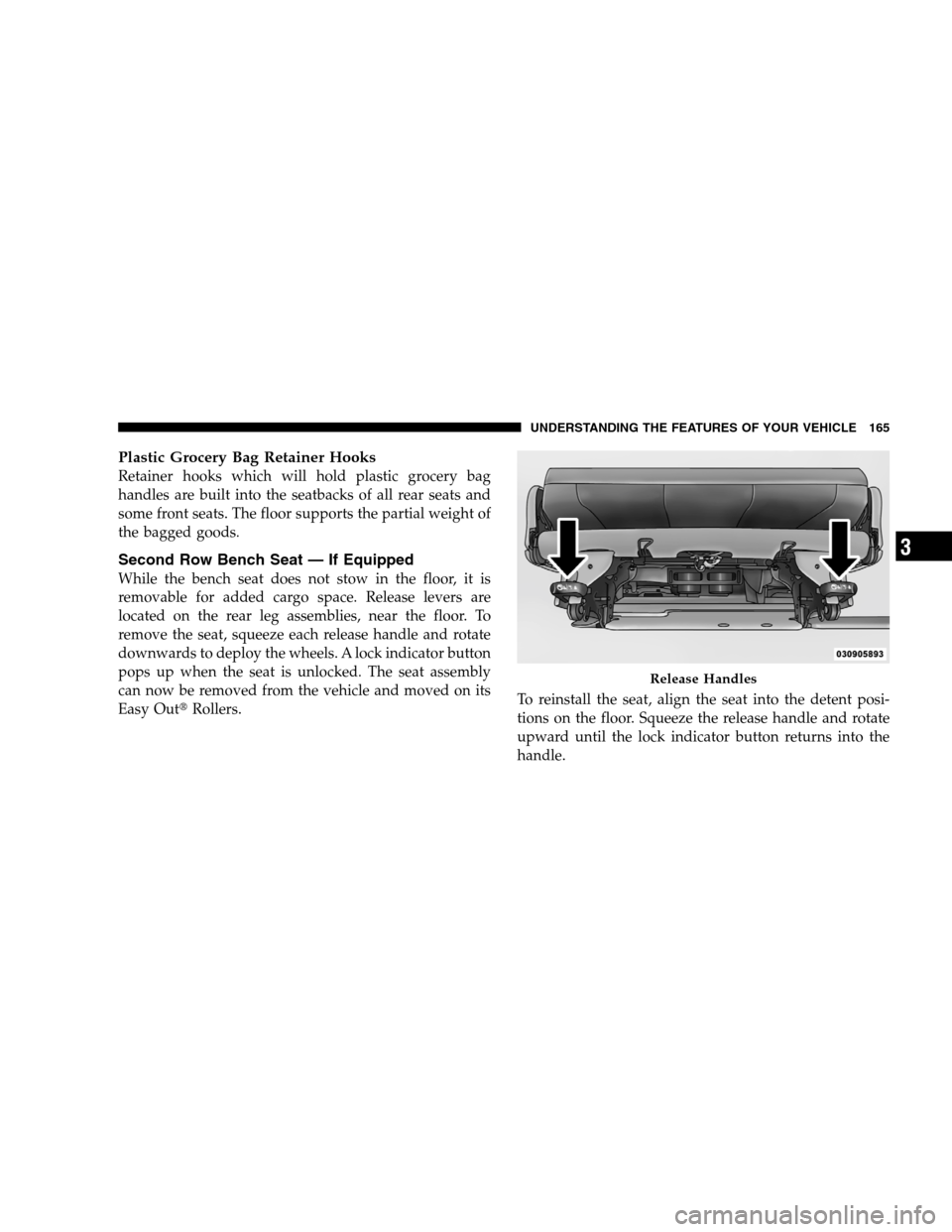
Second Row Bench Seat — If Equipped
While the bench seat does not stow in the floor, it is
removable for added cargo space. Release levers are
located on the rear leg assemblies, near the floor. To
remove the seat, squeeze each release handle and rotate
downwards to deploy the wheels. A lock indicator button
pops up when the seat is unlocked. The seat assembly
can now be removed from the vehicle and moved on its
Easy Outt
Rollers. To reinstall the seat, align the seat into the detent posi-
tions on the floor. Squeeze the release handle and rotate
upward until the lock indicator button returns into the
handle. Release Handles
UNDERSTANDING
THE FEATURES OF YOUR VEHICLE 165 3
Page 168 of 535
WARNING!If not properly latched, the bench seats could become
loose. Personal injuries could result. After reinstall-
ing these seats, be sure the red indicator button on
the release handles return into the handles.
Third Row Power Seat — If Equipped
The third row power seat offers the following features:
The seatbacks can be folded forward for additional
cargo space if needed.
Head restraints can be stowed with the seat.
Tailgate mode flips the seat rearward to face out the
tailgate.
The power recline feature, located on the side of the seat
cushion, adjusts the seatback angle forward/rearward
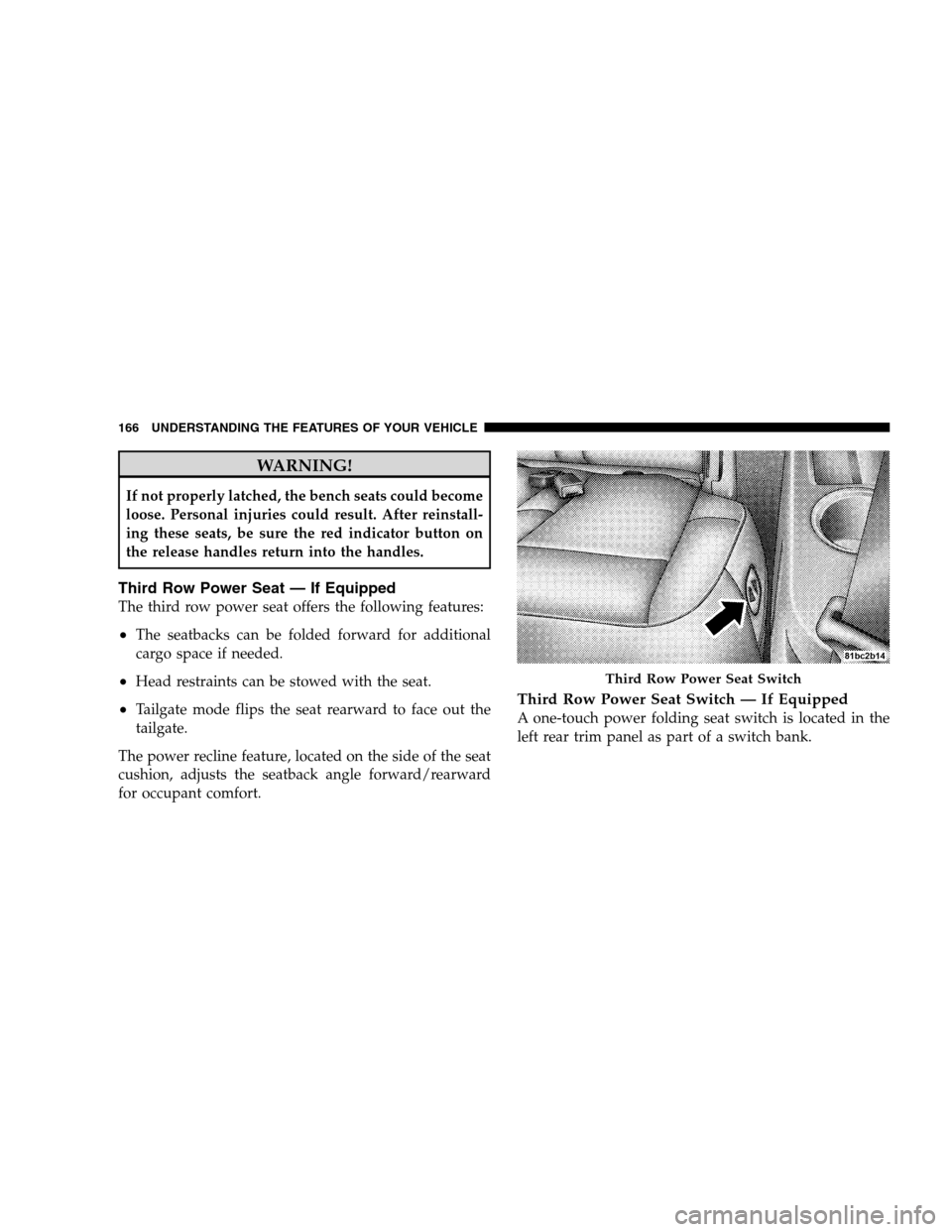
for occupant comfort.Third Row Power Seat Switch — If Equipped
A one-touch power folding seat switch is located in the
left rear trim panel as part of a switch bank. Third Row Power Seat Switch
166 UNDERST
ANDING THE FEATURES OF YOUR VEHICLE