warning DODGE GRAND CARAVAN 2009 5.G Repair Manual
[x] Cancel search | Manufacturer: DODGE, Model Year: 2009, Model line: GRAND CARAVAN, Model: DODGE GRAND CARAVAN 2009 5.GPages: 535, PDF Size: 18.61 MB
Page 168 of 535
WARNING!If not properly latched, the bench seats could become
loose. Personal injuries could result. After reinstall-
ing these seats, be sure the red indicator button on
the release handles return into the handles.
Third Row Power Seat — If Equipped
The third row power seat offers the following features:
The seatbacks can be folded forward for additional
cargo space if needed.
Head restraints can be stowed with the seat.
Tailgate mode flips the seat rearward to face out the
tailgate.
The power recline feature, located on the side of the seat
cushion, adjusts the seatback angle forward/rearward
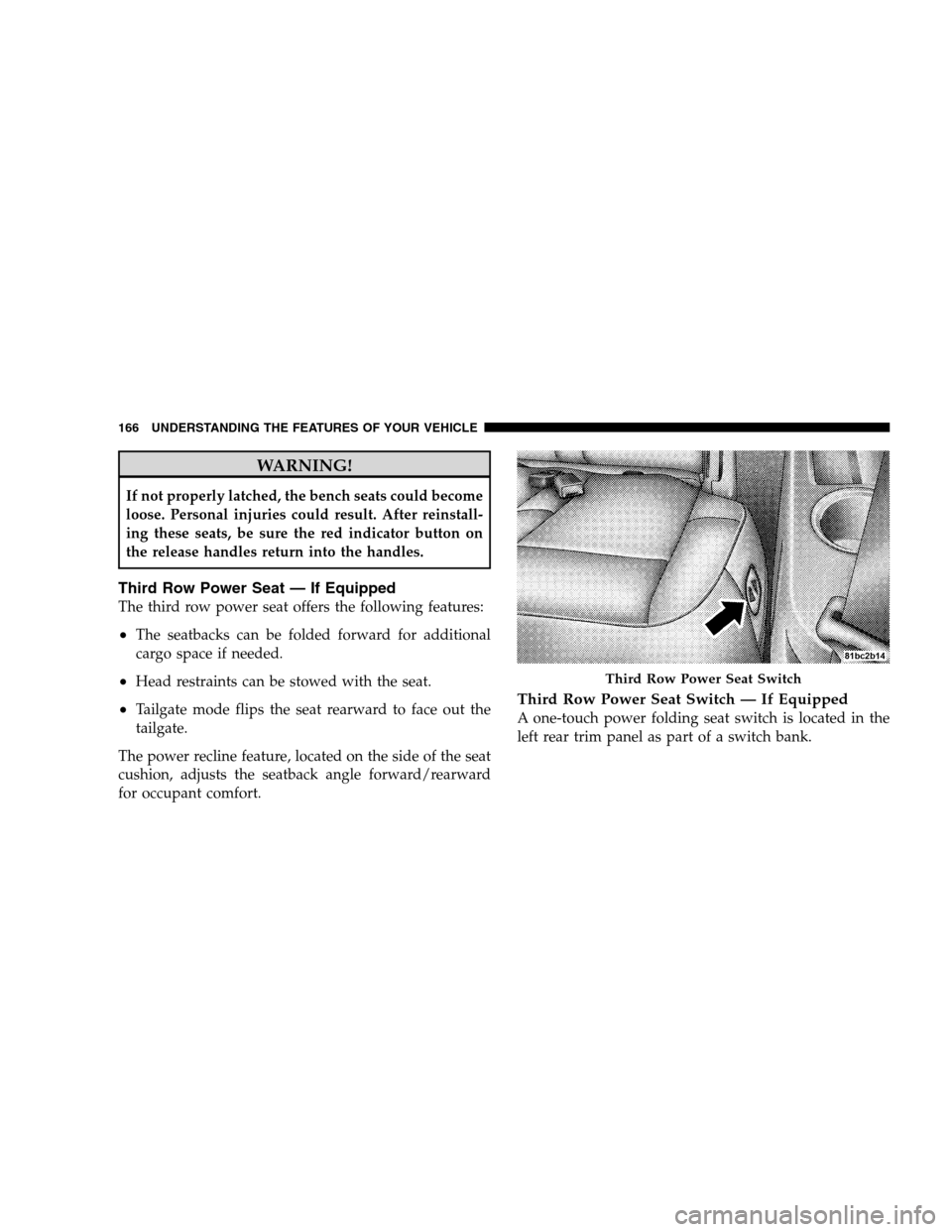
for occupant comfort.Third Row Power Seat Switch — If Equipped
A one-touch power folding seat switch is located in the
left rear trim panel as part of a switch bank. Third Row Power Seat Switch
166 UNDERST
ANDING THE FEATURES OF YOUR VEHICLE
Page 171 of 535
To Unfold Third Row Seats1. Pull up on the assist strap to lift the seat out of the
storage bin and push the seat forward until the anchors
latch.
2. Pull release strap marked “1” to unlock the recliner.
3. Pulling strap “3” releases the seatback to return to its
full upright position.
4. Adjust the head restraint to the desired position.
WARNING!
In a collision, you or others in your vehicle could be
injured if seats are not properly latched to their floor
attachments. Always be sure the seats are fully
latched.
Tailgate Mode
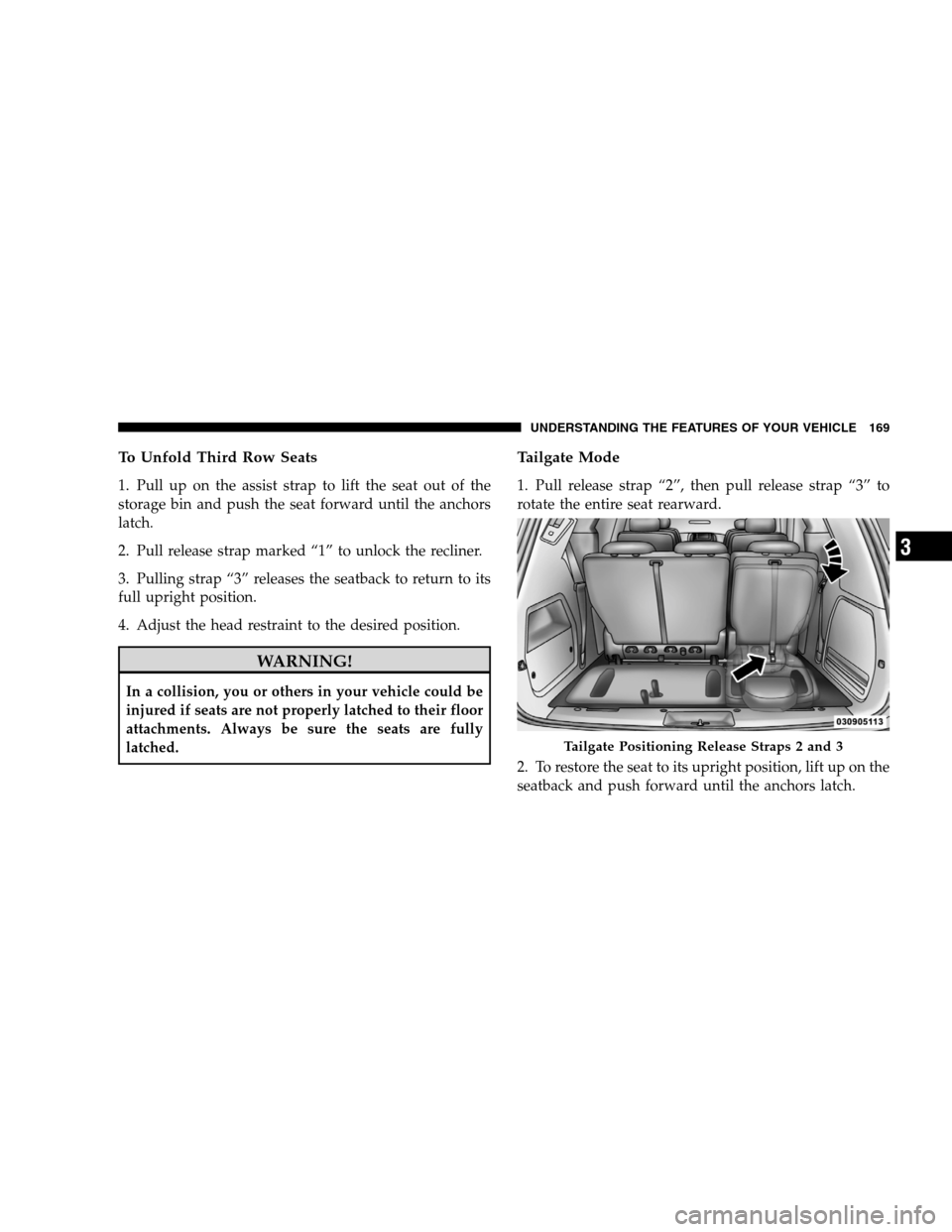
1. Pull release strap “2”, then pull release strap “3” to
rotate the entire seat rearward.
2. To restore the seat to its upright position, lift up on the
seatback and push forward until the anchors latch.
Tailgate Positioning Release Straps 2 and 3
UNDERSTANDING
THE FEATURES OF YOUR VEHICLE 169 3
Page 172 of 535
WARNING!To avoid serious injury or death, NEVER operate the
vehicle with occupants in the third row seat while in
the tailgate mode.
DRIVER MEMORY SEAT — IF EQUIPPED
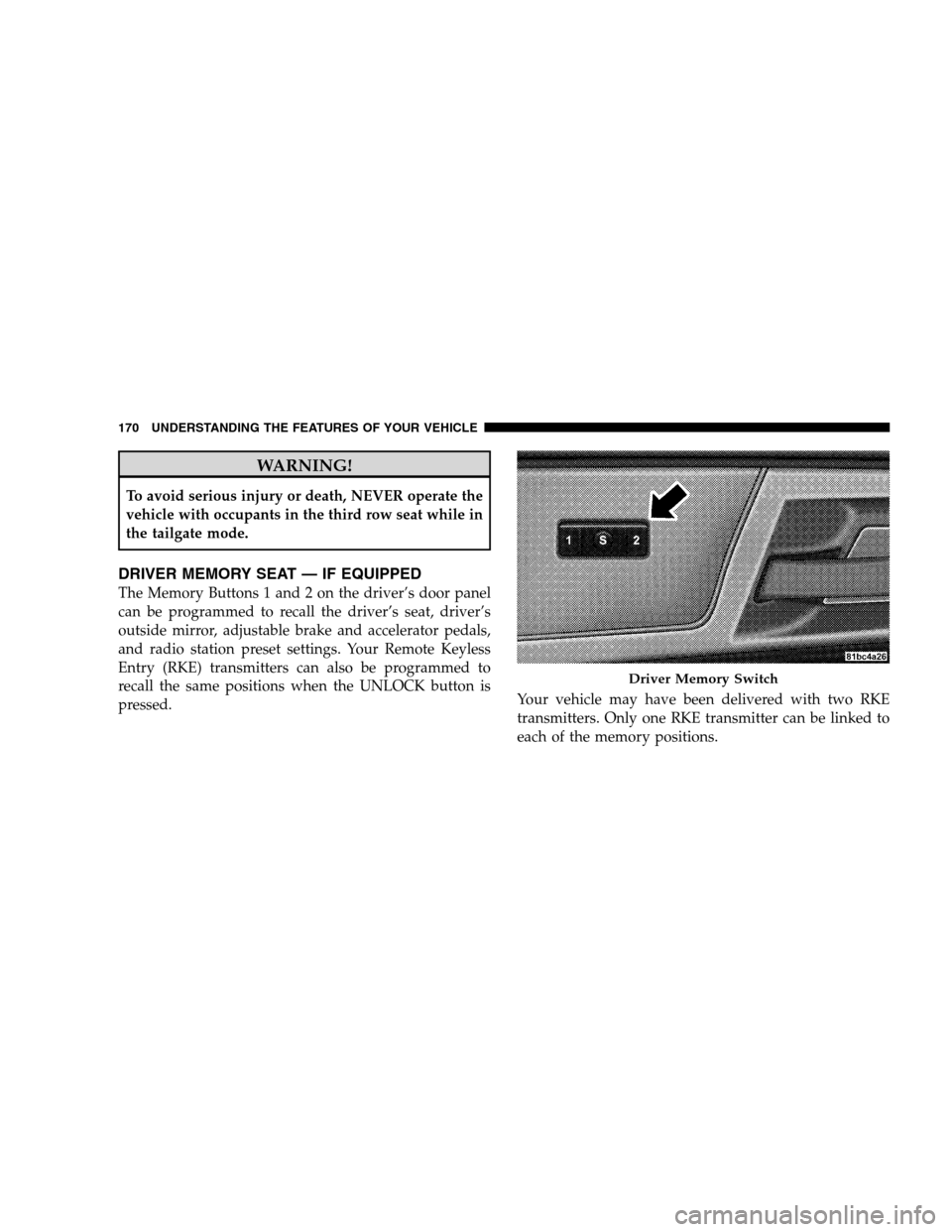
The Memory Buttons 1 and 2 on the driver’s door panel
can be programmed to recall the driver’s seat, driver’s
outside mirror, adjustable brake and accelerator pedals,
and radio station preset settings. Your Remote Keyless
Entry (RKE) transmitters can also be programmed to
recall the same positions when the UNLOCK button is
pressed.
Your vehicle may have been delivered with two RKE
transmitters. Only one RKE transmitter can be linked to
each of the memory positions. Driver Memory Switch
170 UNDERST
ANDING THE FEATURES OF YOUR VEHICLE
Page 178 of 535
CAUTION!To prevent possible damage, do not slam the hood to
close it. Lower the hood until it is open approxi-
mately 12 in (30 cm) and then drop it. This should
secure both latches. Never drive your vehicle unless
the hood is fully closed, with both latches engaged.
WARNING!
If the hood is not fully latched, it could open when
the vehicle is moving and block your forward vision.
You could have a collision. Be sure all hood latches
are fully latched before driving.
LIGHTS
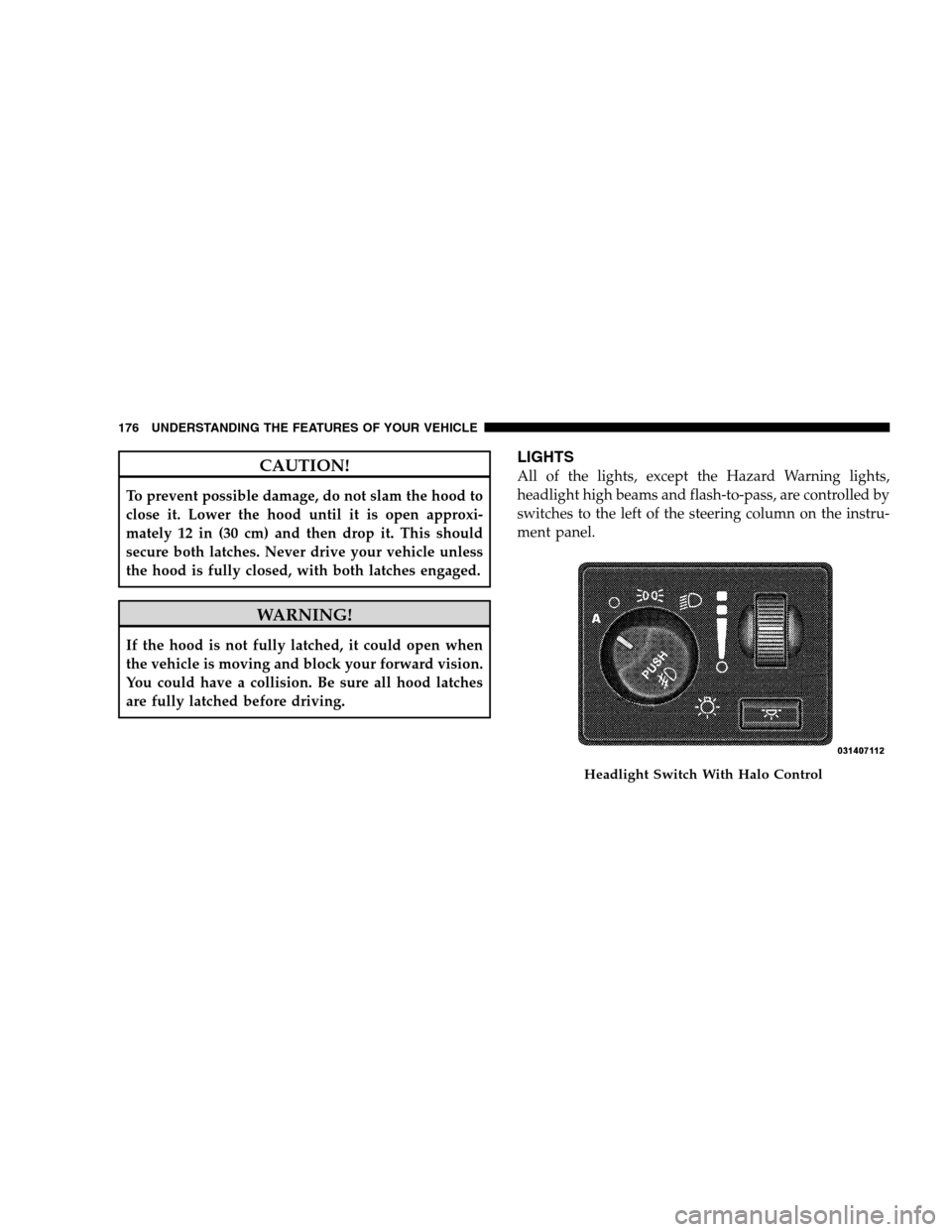
All of the lights, except the Hazard Warning lights,
headlight high beams and flash-to-pass, are controlled by
switches to the left of the steering column on the instru-
ment panel.
Headlight Switch With Halo Control
176 UNDERST
ANDING THE FEATURES OF YOUR VEHICLE
Page 185 of 535
Turn Signal WarningIf the vehicle electronics sense that the vehicle has
traveled at over 18 mph (29 km/h) for about 1 mile
(1.6 km) with the turn signals on, a chime will sound to
alert the driver.
Lane Change Assist
Tap the lever up or down once, without moving beyond
the detent, and the turn signal (right or left) will flash
three times then automatically turn off.
High Beam/Low Beam Select Switch
When the headlights are turned on, pushing the multi-
function lever toward the instrument panel will switch
from low beams to high beams. Pulling back to the
neutral position returns the headlights to the low beam
operation.
Flash-To-Pass
You can signal another vehicle with your headlights by
lightly pulling the multifunction lever toward you. This
will cause the headlights to turn on at high beam and
remain on until the lever is released.
WINDSHIELD WIPER AND WASHERS
The wipers and washers are operated by a switch within
the multifunction lever. Rotate the end of the multifunc-
tion lever to select the desired wiper speed.
UNDERSTANDING THE FEATURES OF YOUR VEHICLE 183
3
Page 187 of 535
2. Intermittent, Low and High Speed Wipers
Use the intermittent wipers when weather conditions
make a single wiping cycle, with a variable pause be-
tween cycles, desirable. Rotate the end of the multifunc-
tion lever to the first detent position, then turn the end of
the multifunction lever to select the desired delay inter-
val. The delay can be regulated from approximately two
seconds, to a maximum of 20 seconds between cycles.
The time delay will be doubled if the vehicle speed is less
than 10 mph (16 km/h).
Low-speed is achieved by rotating the multifunction
lever past the intermittent settings, to the first detent.
High-speed is achieved by rotating the multifunction
lever past the intermittent settings, to the second detent.
3. Rear Wiper and Washer
Rotating the rotary ring to the first detent activates the
rear intermittent wipers. To activate the washers, rotatethe rotary ring fully forward and the washers will spray
until the ring is released, and then resume the intermit-
tent interval.
NOTE:
Rear window wipers function in the intermittent
wiper speed only. WARNING!
Sudden loss of visibility through the windshield
could lead to an accident. You might not see other
vehicles or other obstacles. To avoid sudden icing of
the windshield during freezing weather, warm the
windshield with the defroster before and during
windshield washer use.
TILT STEERING COLUMN — IF EQUIPPED
This feature allows you to tilt the steering column
upward or downward. The tilt control lever is located on
the steering column, below the steering wheel.
UNDERSTANDING THE FEATURES OF YOUR VEHICLE 185 3
Page 188 of 535
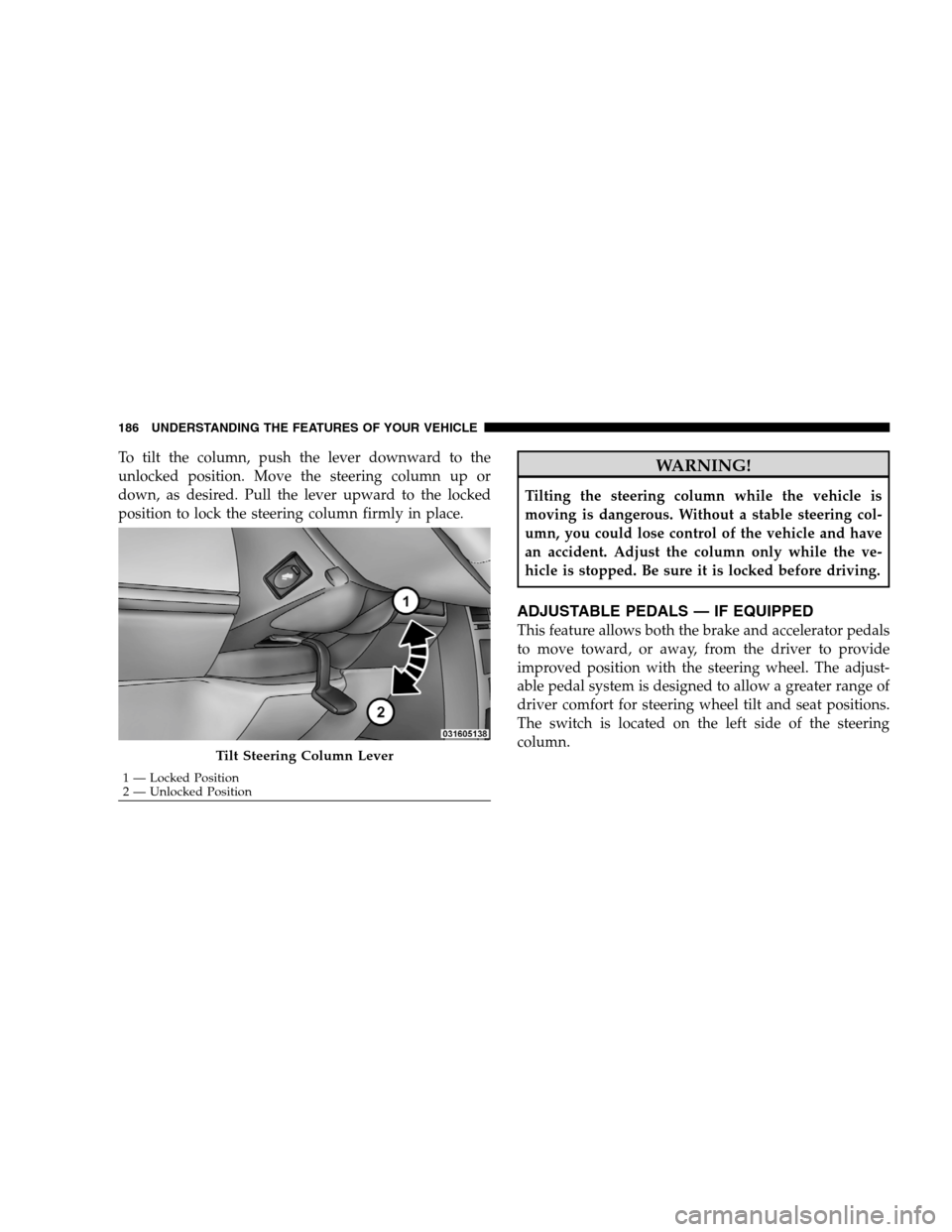
To tilt the column, push the lever downward to the
unlocked position. Move the steering column up or
down, as desired. Pull the lever upward to the locked
position to lock the steering column firmly in place.WARNING!
Tilting the steering column while the vehicle is
moving is dangerous. Without a stable steering col-
umn, you could lose control of the vehicle and have
an accident. Adjust the column only while the ve-
hicle is stopped. Be sure it is locked before driving.
ADJUSTABLE PEDALS — IF EQUIPPED
This feature allows both the brake and accelerator pedals
to move toward, or away, from the driver to provide
improved position with the steering wheel. The adjust-
able pedal system is designed to allow a greater range of
driver comfort for steering wheel tilt and seat positions.
The switch is located on the left side of the steering
column.
Tilt Steering Column Lever
1 — Locked Position
2 —
Unlocked Position
186 UNDERSTANDING THE FEATURES OF YOUR VEHICLE
Page 191 of 535
WARNING!Leaving the Electronic Speed Control system on
when not in use is dangerous. You could accidently
set the system or cause it to go faster than you want.
You could lose control and have an accident. Always
leave the Electronic Speed Control system off when
you are not using it.
To Set At A Desired Speed
When the vehicle has reached the desired speed, press
the SET lever downward and then release. Lift your foot
off the accelerator and the vehicle will operate at the
selected speed.
Deactivating Electronic Speed Control
A soft tap on the brake pedal or pulling the Electronic
Speed Control lever (CANCEL) toward you will deacti-
vate the Electronic Speed Control without erasing the set
speed memory. Pushing the ON/OFF button to the OFF
position or turning OFF the ignition erases the set speed
memory.
Resuming Speed
To resume a previously set speed, raise the Electronic
Speed Control lever (RESUME/ACCEL) upward, and
release. Resume can be used at any speed above 25 mph
(40 km/h).
Varying The Speed Setting
When the Electronic Speed Control is set, speed can be
increased by raising and holding the RESUME/ACCEL
lever upwards. When released, a new set speed will be
established.
Raising the RESUME/ACCEL lever upward, once, will
result in a 1 mph (1.6 km/h) speed increase. Each time
the lever is tapped upward speed increases, so tapping
the Electronic Speed Control lever three times will in-
crease speed by 3 mph (5 km/h), etc.
UNDERSTANDING THE FEATURES OF YOUR VEHICLE 189 3
Page 192 of 535
To decrease speed while speed control is set, press the
SET/DECEL lever downward, and hold. Release the
Electronic Speed Control lever when the desired speed is
reached, and the new speed will be set.
Tapping the SET/DECEL lever downward, once, will
result in a 1 mph (1.6 km/h) speed decrease. Each time
the Electronic Speed Control lever is tapped downward,
speed decreases.
Accelerating To Pass
Press the accelerator as you normally would. When the
pedal is released, the vehicle will return to the set speed.
NOTE:The Electronic Speed Control system maintains
speed up and down hills. A slight speed change on
moderate hills is normal. Your vehicle may experience a downshift (automatic
transmissions only) while climbing uphill or descending
downhill. This downshift is necessary to maintain vehicle
set speed.
On steep hills, a greater speed loss or gain may occur, so
it may be preferable to drive without Electronic Speed
Control. WARNING!Electronic Speed Control can be dangerous where the
system cannot maintain a constant speed. Your ve-
hicle could go too fast for the conditions, and you
could lose control. An accident could be the result.
Do not use Electronic Speed Control in heavy traffic
or on roads that are winding, icy, snow-covered, or
slippery.
190 UNDERSTANDING THE FEATURES OF YOUR VEHICLE
Page 194 of 535
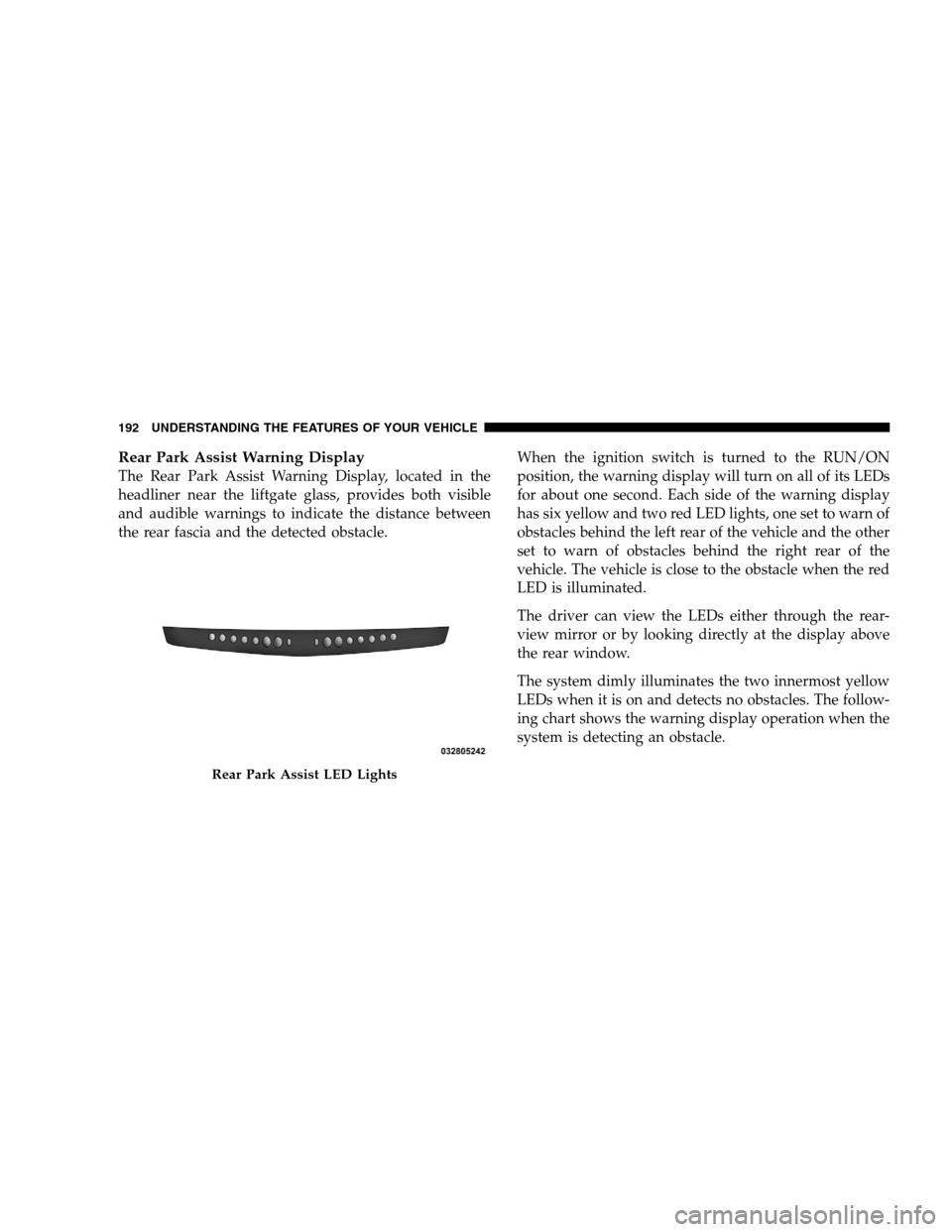
Rear Park Assist Warning DisplayThe Rear Park Assist Warning Display, located in the
headliner near the liftgate glass, provides both visible
and audible warnings to indicate the distance between
the rear fascia and the detected obstacle.
When the ignition switch is turned to the RUN/ON
position, the warning display will turn on all of its LEDs
for about one second. Each side of the warning display
has six yellow and two red LED lights, one set to warn of
obstacles behind the left rear of the vehicle and the other
set to warn of obstacles behind the right rear of the
vehicle. The vehicle is close to the obstacle when the red
LED is illuminated.
The driver can view the LEDs either through the rear-
view mirror or by looking directly at the display above
the rear window.
The system dimly illuminates the two innermost yellow
LEDs when it is on and detects no obstacles. The follow-
ing chart shows the warning display operation when the
system is detecting an obstacle.Rear Park Assist LED Lights
192 UNDERST
ANDING THE FEATURES OF YOUR VEHICLE