service indicator DODGE GRAND CARAVAN 2009 5.G Owners Manual
[x] Cancel search | Manufacturer: DODGE, Model Year: 2009, Model line: GRAND CARAVAN, Model: DODGE GRAND CARAVAN 2009 5.GPages: 535, PDF Size: 18.61 MB
Page 96 of 535
DefrosterCheck operation by selecting the defrost mode and place
the blower control on high speed. You should be able to
feel the air directed against the windshield. See your
authorized dealer for service if your defroster is
inoperable.
Periodic Safety Checks You Should Make Outside
the Vehicle
Tires
Examine tires for excessive tread wear and uneven wear
patterns. Check for stones, nails, glass, or other objects
lodged in the tread. Inspect the tread and sidewall for
cuts and cracks. Check the wheel nuts for tightness.
Check the tires (including spare) for proper pressure.
Lights
Have someone observe the operation of exterior lights
while you work the controls. Check turn signal and high
beam indicator lights on the instrument panel.
Door Latches
Check for positive closing, latching, and locking.
Fluid Leaks
Check area under vehicle after overnight parking for fuel,
engine coolant, oil, or other fluid leaks. Also, if gasoline
fumes are detected or if fuel, power steering fluid, or
brake fluid leaks are suspected, the cause should be
located and corrected immediately.
94 THINGS TO KNOW BEFORE STARTING YOUR VEHICLE
Page 243 of 535
WARNING!A hot engine cooling system is dangerous. You or
others could be badly burned by steam or boiling
coolant. You may want to call an authorized dealer if
your vehicle overheats. If you decide to look under
the hood yourself, see Section 7 of this manual.
Follow the warnings under the Cooling System Pres-
sure Cap paragraph.
4. Speedometer
Indicates vehicle speed.
5. Turn Signal Indicators The arrow will flash with the exterior turn signal
when the turn signal lever is operated.
If the vehicle electronics sense that the vehicle has
traveled about 1 mile (1.6 km) with the turn signals on, a continuous chime will sound to alert you to turn the
signals off. If either indicator flashes at a rapid rate, check
for a defective outside light bulb.
6. High Beam Indicator
This indicator shows that the high beam head-
lights are on. Push the multifunction lever forward
to switch the headlights to high beam and pull toward
yourself (normal position) to return to low beam.
7. Anti-Lock Brake (ABS) Light This light monitors the Anti-Lock Brake System
(ABS). The light will turn on when the ignition
switch is turned to the ON position and may
stay on for as long as four seconds.
If the ABS light remains on or turns on while driving, it
indicates that the Anti-Lock portion of the brake system
is not functioning and that service is required. However,
the conventional brake system will continue to operate
normally if the BRAKE warning light is not on. UNDERSTANDING YOUR INSTRUMENT PANEL 241
4
Page 249 of 535
the ON position before engine start. If the bulb does not
come on when turning the key from OFF to ON, have the
condition checked promptly.
Certain conditions such as a loose or missing gas cap,
poor fuel quality, etc., may illuminate the MIL after
engine start. The vehicle should be serviced if the light
stays on through several of your typical driving cycles. In
most situations, the vehicle will drive normally and will
not require towing.
The MIL flashes to alert to serious conditions that could
lead to immediate loss of power or severe catalytic
converter damage. The vehicle should be serviced at an
authorized dealer as soon as possible if this occurs.
16. Engine Temperature Warning LightThis light warns of an overheated engine condi-
tion. As temperatures rise and the gauge ap-
proaches H,this indicator will illuminate and a
single chime will sound after reaching a set threshold. Further overheating will cause the temperature gauge to
pass
H,the indicator will continuously flash and a
continuous chime will occur until the engine is allowed
to cool.
If the light turns on while driving, safely pull over and
stop the vehicle. If the A/C system is on, turn it off. Also,
shift the transmission into NEUTRAL and idle the ve-
hicle. If the temperature reading does not return to
normal, turn the engine off immediately and call for
service. Refer to “If Your Engine Overheats” in Section 6
for more information.
17. Electronic Throttle Control (ETC) Light This light informs you of a problem with the
Electronic Throttle Control (ETC) system. The
light will come on when the ignition is first
turned ON and remain on briefly as a bulb
check. If the light does not come on during starting, have
the system checked by an authorized dealer. UNDERSTANDING YOUR INSTRUMENT PANEL 247
4
Page 250 of 535
If a problem is detected, the light will come on while the
engine is running. Cycle the ignition key when the
vehicle has completely stopped and the shift lever is
placed in the PARK position, the light should turn off.
If the light remains lit with the engine running, your
vehicle will usually be drivable; however, see an autho-
rized dealer for service as soon as possible. If the light is
flashing when the engine is running, immediate service is
required and you may experience reduced performance,
an elevated/rough idle or engine stall and your vehicle
may require towing.
18. Oil Pressure Warning LightThis light indicates low engine oil pressure. The
light should turn on momentarily when the engine
is started. If the light turns on while driving, stop the
vehicle and shut off the engine as soon as possible. A
chime will sound for four minutes when this light turns
on. Do not operate the vehicle until the cause is corrected.
This light does not indicate how much oil is in the engine.
The engine oil level must be checked under the hood.
19. Front Fog Light Indicator — If Equipped
This indicator will illuminate when the front fog
lights are on.
20. Seat Belt Reminder Light When the ignition switch is first turned ON, this
light will turn on for five to eight seconds as a bulb
check. During the bulb check, if the driver’s seat
belt is unbuckled, a chime will sound. After the bulb
check or when driving, if the driver’s seat belt remains
unbuckled, the Seat Belt Reminder Light will illuminate
and the chime will sound. Refer to the Occupant Re-
straints section for more information. 248 UNDERSTANDING YOUR INSTRUMENT PANEL
Page 261 of 535
rear view icons will be illuminated. If electronic inter-
ference is present, the BSM system will illuminate the
icon only on the side of interference as long as
interference is present.
Service Blind Spot System — This message is dis-
played to indicate the Blind Spot Monitor (BSM)
system is permanently unavailable. The driver will
receive an EVIC message and the BSM display warn-
ing in both mirrors will be permanently illuminated. If
this message is present see an authorized dealer.
Oil Change Required
Your vehicle is equipped with an engine oil change
indicator system. TheOil Change Required message will
flash in the EVIC display for approximately 10 seconds,
after a single chime has sounded, to indicate the next
scheduled oil change interval. The engine oil change indicator system is duty-cycle based, which means the
engine oil change interval may fluctuate dependent upon
your personal driving style.
Unless reset, this message will continue to display each
time you turn the ignition switch to the ON/RUN
position. To turn off the message temporarily, press and
release the Menu button. To reset the oil change indicator
system (after performing the scheduled maintenance)
perform the following steps.
1. Turn the ignition switch to the ON position (do not
start the engine).
2. Fully depress the accelerator pedal, slowly, three times
within 10 seconds.
3. Turn the ignition switch to the OFF/LOCK position.
NOTE:
If the indicator message illuminates when you
start the engine, the oil change indicator system did not
reset. If necessary, repeat these steps.
UNDERSTANDING YOUR INSTRUMENT PANEL 259 4
Page 368 of 535
Tire LifeThe service life of a tire is dependent upon varying
factors, including, but not limited to:
Driving style
Tire pressure
Distance driven
WARNING!
The tires and the spare tire should be replaced after
six years, regardless of the remaining tread. Failure to
follow this warning can result in sudden tire failure.
You could lose control and have an accident resulting
in serious injury or death.
Keep dismounted tires in a cool, dry place with as little
exposure to light as possible. Protect tires from contact
with oil, grease and gasoline.
Replacement Tires
The tires on your new vehicle provide a balance of many
characteristics. They should be inspected regularly for
wear and correct cold tire inflation pressure. The manu-
facturer strongly recommends that you use tires equiva-
lent to the originals in size, quality and performance
when replacement is needed. Please see “Tread Wear
Indicators” and “Tire and Loading Information” placard
for the size designation of your tire. The service descrip-
tion and load identification will be found on the original-
equipment tire. Failure to use equivalent replacement
tires may adversely affect the safety, handling, and ride of
your vehicle. We recommend that you contact your
original-equipment manufacturer, or an authorized tire
dealer, with any questions you may have on tire specifi-
cations or capability.
366 STARTING AND OPERATING
Page 437 of 535

ONBOARD DIAGNOSTIC SYSTEM — OBD IIYour vehicle is equipped with a sophisticated onboard
diagnostic system called OBD II. This system monitors
the performance of the emissions, engine, and automatic
transmission control systems. When these systems are
operating properly, your vehicle will provide excellent
performance and fuel economy, as well as engine emis-
sions well within current government regulations.
If any of these systems require service, the OBD II system
will turn on the “Malfunction Indicator Light.” It will
also store diagnostic codes and other information to
assist your service technician in making repairs. Al-
though your vehicle will usually be drivable and not
need towing, see your authorized dealer for service as
soon as possible.
CAUTION!
Prolonged driving with the “Malfunction Indica-
tor Light” on could cause further damage to the
emission control system. It could also affect fuel
economy and driveability. The vehicle must be
serviced before any emissions tests can be per-
formed.
If the “Malfunction Indicator Light” is flashing
while the engine is running, severe catalytic con-
verter damage and power loss will soon occur.
Immediate service is required.
Loose Fuel Filler Cap Message — gASCAP
Should the “Loose Fuel Filler Cap” or “gASCAP” mes-
sage appear, there may be a problem in the evaporative
system. Before taking the vehicle into an authorized
dealer, check first to see if the fuel filler cap is possibly
loose, improperly installed, or damaged. A loose fuel
MAINTAINING YOUR VEHICLE 435 7
Page 438 of 535
filler cap message will be displayed in the instrument
cluster. Tighten the gas cap until a9clicking9sound is
heard. This is an indication that the gas cap is properly
tightened. Press the odometer reset button to turn the
message off. If the problem persists, the message will
appear the next time the vehicle is started. If the problem
is detected twice in a row, the system will turn on the
Malfunction Indicator Light (MIL). Resolving the prob-
lem will turn the MIL light off. Take your vehicle in to an
authorized dealer.
EMISSIONS INSPECTION AND MAINTENANCE
PROGRAMS
In some localities, it may be a legal requirement to pass
an inspection of your vehicle’s emissions control system.
Failure to pass could prevent vehicle registration.
For states that require an Inspection and Mainte-
nance (I/M), this check verifies the “Malfunction Indicator Light (MIL)” is functioning and is not on when
the engine is running, and that the OBD II system is
ready for testing.
Normally, the OBD II system will be ready. The OBD II
system may
notbe ready if your vehicle was recently
serviced, recently had a dead battery or a battery replace-
ment. If the OBD II system should be determined not
ready for the I/M test, your vehicle may fail the test.
Your vehicle has a simple ignition key-actuated test,
which you can use prior to going to the test station. To
check if your vehicle’s OBD II system is ready, you must
do the following:
1. Insert your ignition key into the ignition switch.
2. Turn the ignition to the ON position, but do not crank
or start the engine.
3. If you crank or start the engine, you will have to start
this test over. 436 MAINTAINING YOUR VEHICLE
Page 486 of 535
EMISSIONS CONTROL SYSTEM MAINTENANCEThe Scheduled Maintenance services listed in
bold type
must be done at the times or mileages specified to ensure
the continued proper functioning of the emissions control
system. These and all other maintenance services in-
cluded in this manual, should be done to provide best
vehicle performance and reliability. More frequent main-
tenance may be needed for vehicles in severe operating
conditions, such as dusty areas and very short trip
driving.
Inspection and service should also be done anytime a
malfunction is suspected.
NOTE: Maintenance, replacement or repair of the emis-
sions control devices and systems on your vehicle may be
performed by any automotive repair establishment or
individual using any automotive part that has been
certified pursuant to U.S. EPA or in the State of Califor-
nia, California Air Resources Board regulations.
MAINTENANCE SCHEDULE
The oil change indicator system will remind you that it is
time to take your vehicle in for scheduled maintenance.
On Non-EVIC equipped vehicles, CHAngE OILwill
flash in the instrument cluster odometer and a single
chime will sound, indicating that an oil change is neces-
sary.
On Electronic Vehicle Information Center (EVIC)
equipped vehicles, Oil Change Required will be dis-
played in the EVIC and a single chime will sound,
indicating that an oil change is necessary.
Based on engine operation conditions, the oil change
indicator message will illuminate. This means that ser-
vice is required for your vehicle. Have your vehicle
serviced as soon as possible, within the next 500 miles
(805 km).
484 MAINTENANCE SCHEDULES 8
M
A I
N T
E
N A
N C E
S
C
H E
D
U L
E
S
Page 524 of 535
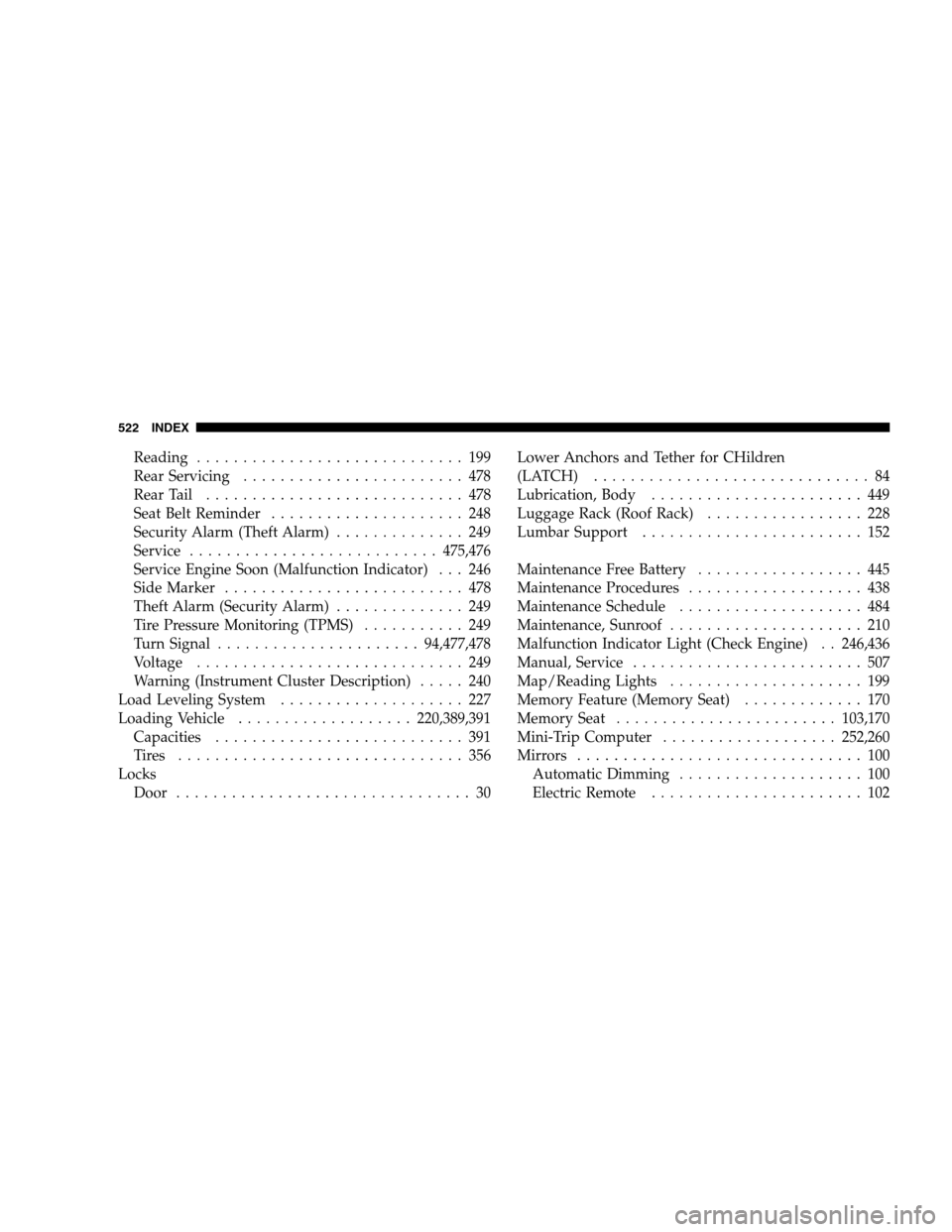
Reading . . . . . . . . . . . . . . . . . . . . . . . . . . . . . 199
Rear Servicing . . . . . . . . . . . . . . . . . . . . . . . . 478
Rear Tail . . . . . . . . . . . . . . . . . . . . . . . . . . . . 478
Seat Belt Reminder . . . . . . . . . . . . . . . . . . . . . 248
Security Alarm (Theft Alarm) . . . . . . . . . . . . . . 249
Service . . . . . . . . . . . . . . . . . . . . . . . . . . . 475,476
Service Engine Soon (Malfunction Indicator) . . . 246
Side Marker . . . . . . . . . . . . . . . . . . . . . . . . . . 478
Theft Alarm (Security Alarm) . . . . . . . . . . . . . . 249
Tire Pressure Monitoring (TPMS) . . . . . . . . . . . 249
Turn Signal . . . . . . . . . . . . . . . . . . . . . . 94,477,478
Voltage . . . . . . . . . . . . . . . . . . . . . . . . . . . . . 249
Warning (Instrument Cluster Description) . . . . . 240
Load Leveling System . . . . . . . . . . . . . . . . . . . . 227
Loading Vehicle . . . . . . . . . . . . . . . . . . . 220,389,391
Capacities . . . . . . . . . . . . . . . . . . . . . . . . . . . 391
Tires . . . . . . . . . . . . . . . . . . . . . . . . . . . . . . . 356
Locks Door . . . . . . . . . . . . . . . . . . . . . . . . . . . . . . . . 30 Lower Anchors and Tether for CHildren
(LATCH) . . . . . . . . . . . . . . . . . . . . . . . . . . . . . . 84
Lubrication, Body . . . . . . . . . . . . . . . . . . . . . . . 449
Luggage Rack (Roof Rack) . . . . . . . . . . . . . . . . . 228
Lumbar Support . . . . . . . . . . . . . . . . . . . . . . . . 152
Maintenance Free Battery . . . . . . . . . . . . . . . . . . 445
Maintenance Procedures . . . . . . . . . . . . . . . . . . . 438
Maintenance Schedule . . . . . . . . . . . . . . . . . . . . 484
Maintenance, Sunroof . . . . . . . . . . . . . . . . . . . . . 210
Malfunction Indicator Light (Check Engine) . . 246,436
Manual, Service . . . . . . . . . . . . . . . . . . . . . . . . . 507
Map/Reading Lights . . . . . . . . . . . . . . . . . . . . . 199
Memory Feature (Memory Seat) . . . . . . . . . . . . . 170
Memory Seat . . . . . . . . . . . . . . . . . . . . . . . . 103,170
Mini-Trip Computer . . . . . . . . . . . . . . . . . . . 252,260
Mirrors . . . . . . . . . . . . . . . . . . . . . . . . . . . . . . . 100
Automatic Dimming . . . . . . . . . . . . . . . . . . . . 100
Electric Remote . . . . . . . . . . . . . . . . . . . . . . . 102
522 INDEX