display DODGE GRAND CARAVAN 2015 5.G User Guide
[x] Cancel search | Manufacturer: DODGE, Model Year: 2015, Model line: GRAND CARAVAN, Model: DODGE GRAND CARAVAN 2015 5.GPages: 703, PDF Size: 19.83 MB
Page 228 of 703
Interior Lighting On
Rotate the left dimmer control completely upward to the
second detent (extreme top position) to turn on the
interior lights. The interior lights will remain on when the
dimmer control is in this position.
Interior lights are also turned on when a door or liftgate
is opened, the Remote Keyless Entry (RKE) transmitter is
activated, or when the dimmer control is moved to the
extreme top.
The interior lights will automatically turn off in approxi-
mately 10 minutes for the first activation and 90 seconds
every activation thereafter until the engine is started, if
one of the following occur:
•A door, sliding door or the liftgate is left open.
•Any overhead reading light is left on.
NOTE:The ignition must be cycled to the OFF position
for this feature to operate.
Interior Lighting Off
Rotate the left dimmer control to the off position (extreme
bottom). The interior lights will remain off when the
doors or liftgate are open.
Parade Mode (Daytime Brightness Feature)
Rotate the left dimmer control to the first detent. This
feature brightens the odometer, radio and overhead
displays when the parking lights or headlights are on.
Halo Lights — If Equipped
Halo lights are strategically placed soft lighting that help
to illuminate specific areas to aid the occupants in
locating specific features while driving at night.
The Halo control switch is located to the right of the
dimmer switch.
226 UNDERSTANDING THE FEATURES OF YOUR VEHICLE
Page 243 of 703
ParkSense® Warning Display
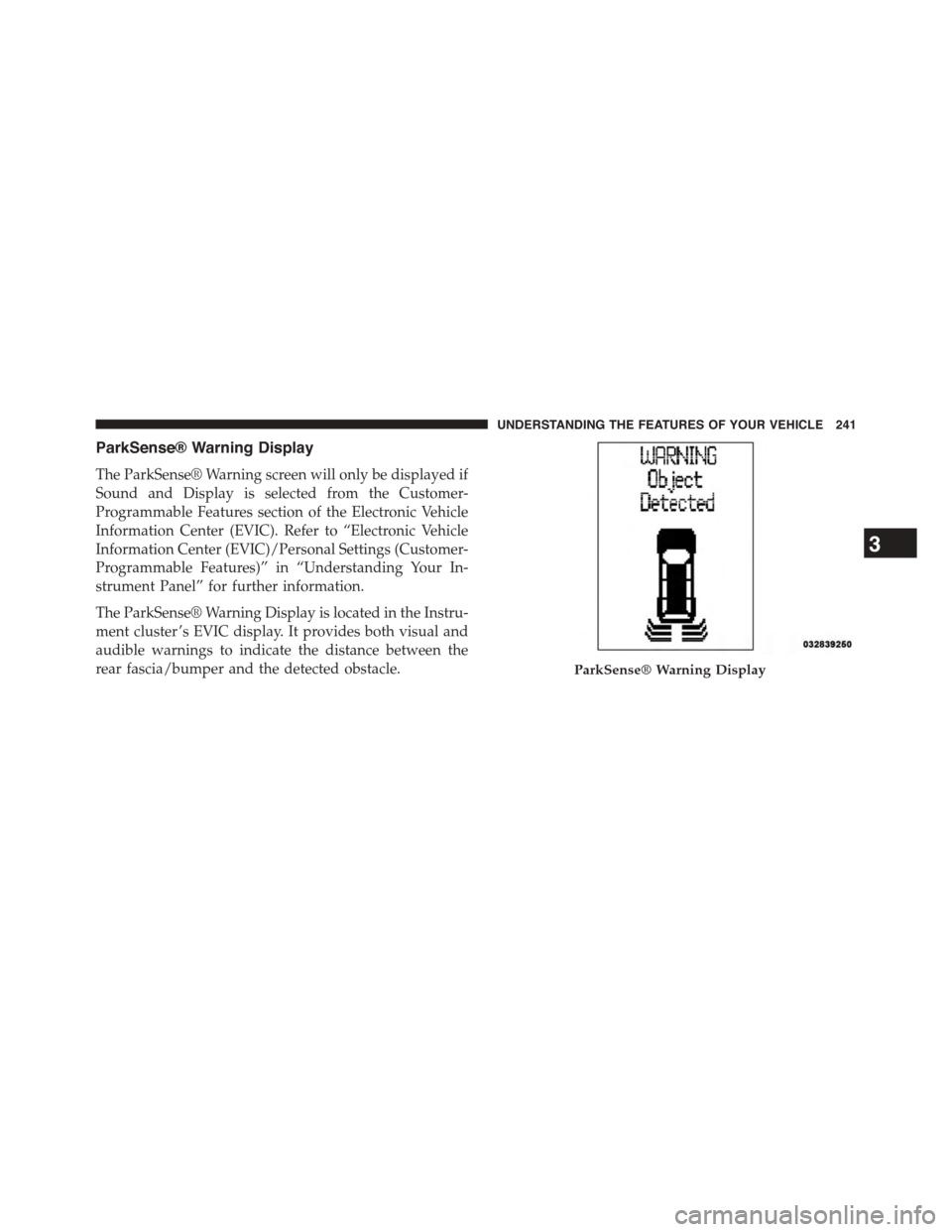
The ParkSense® Warning screen will only be displayed if
Sound and Display is selected from the Customer-
Programmable Features section of the Electronic Vehicle
Information Center (EVIC). Refer to “Electronic Vehicle
Information Center (EVIC)/Personal Settings (Customer-
Programmable Features)” in “Understanding Your In-
strument Panel” for further information.
The ParkSense® Warning Display is located in the Instru-
ment cluster ’s EVIC display. It provides both visual and
audible warnings to indicate the distance between the
rear fascia/bumper and the detected obstacle.ParkSense® Warning Display
3
UNDERSTANDING THE FEATURES OF YOUR VEHICLE 241
Page 244 of 703
ParkSense® Display
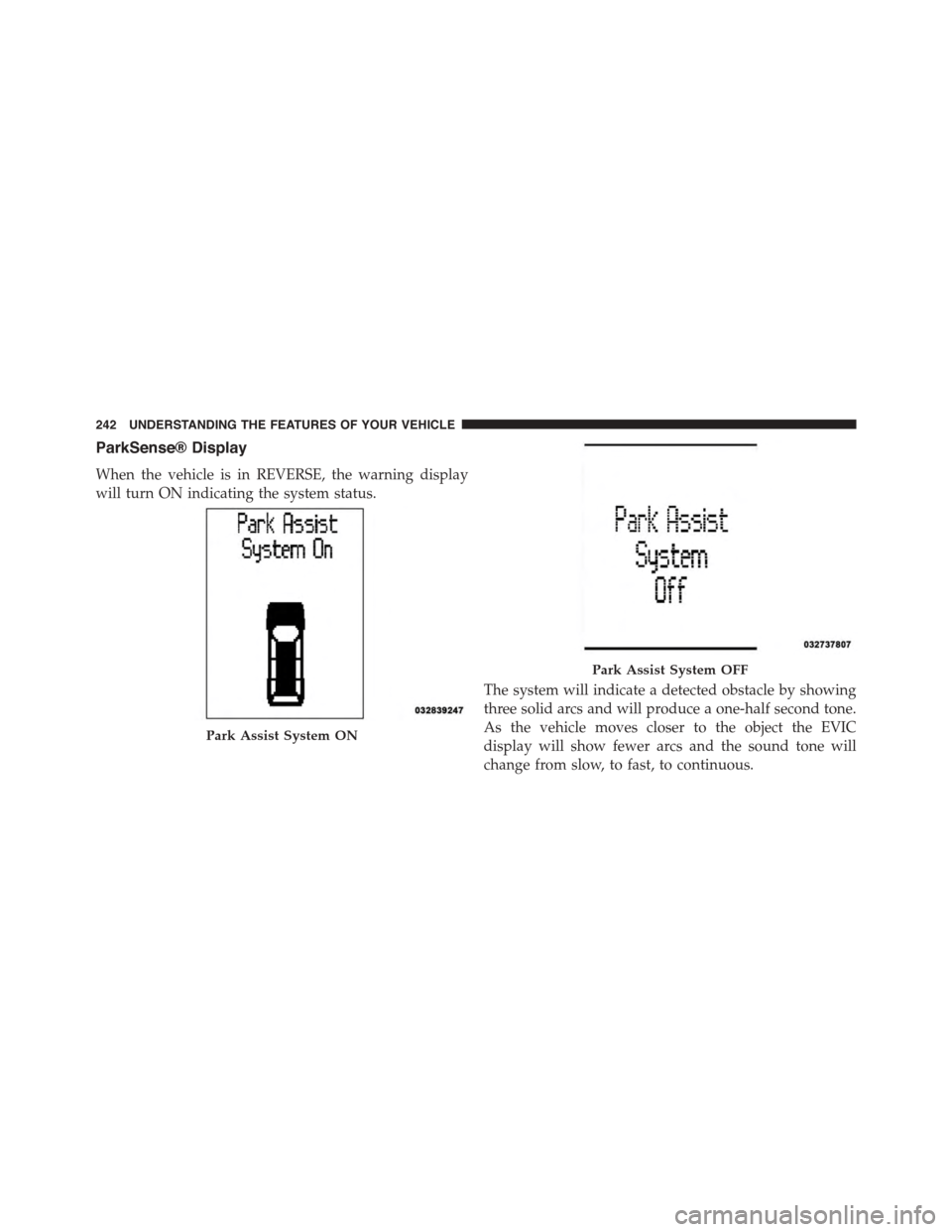
When the vehicle is in REVERSE, the warning display
will turn ON indicating the system status.
The system will indicate a detected obstacle by showing
three solid arcs and will produce a one-half second tone.
As the vehicle moves closer to the object the EVIC
display will show fewer arcs and the sound tone will
change from slow, to fast, to continuous.
Park Assist System ON
Park Assist System OFF
242 UNDERSTANDING THE FEATURES OF YOUR VEHICLE
Page 246 of 703
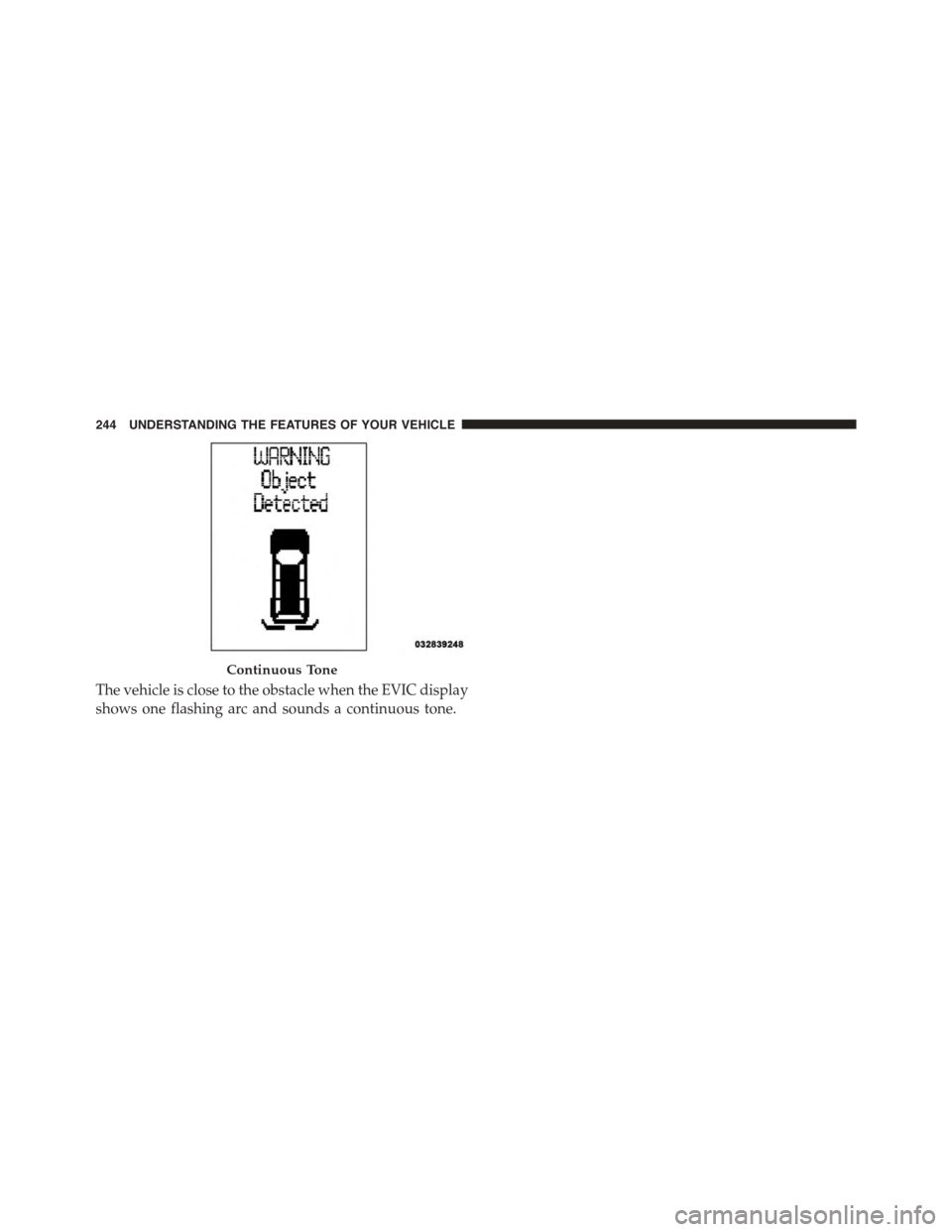
The vehicle is close to the obstacle when the EVIC display
shows one flashing arc and sounds a continuous tone.
Continuous Tone
244 UNDERSTANDING THE FEATURES OF YOUR VEHICLE
Page 247 of 703
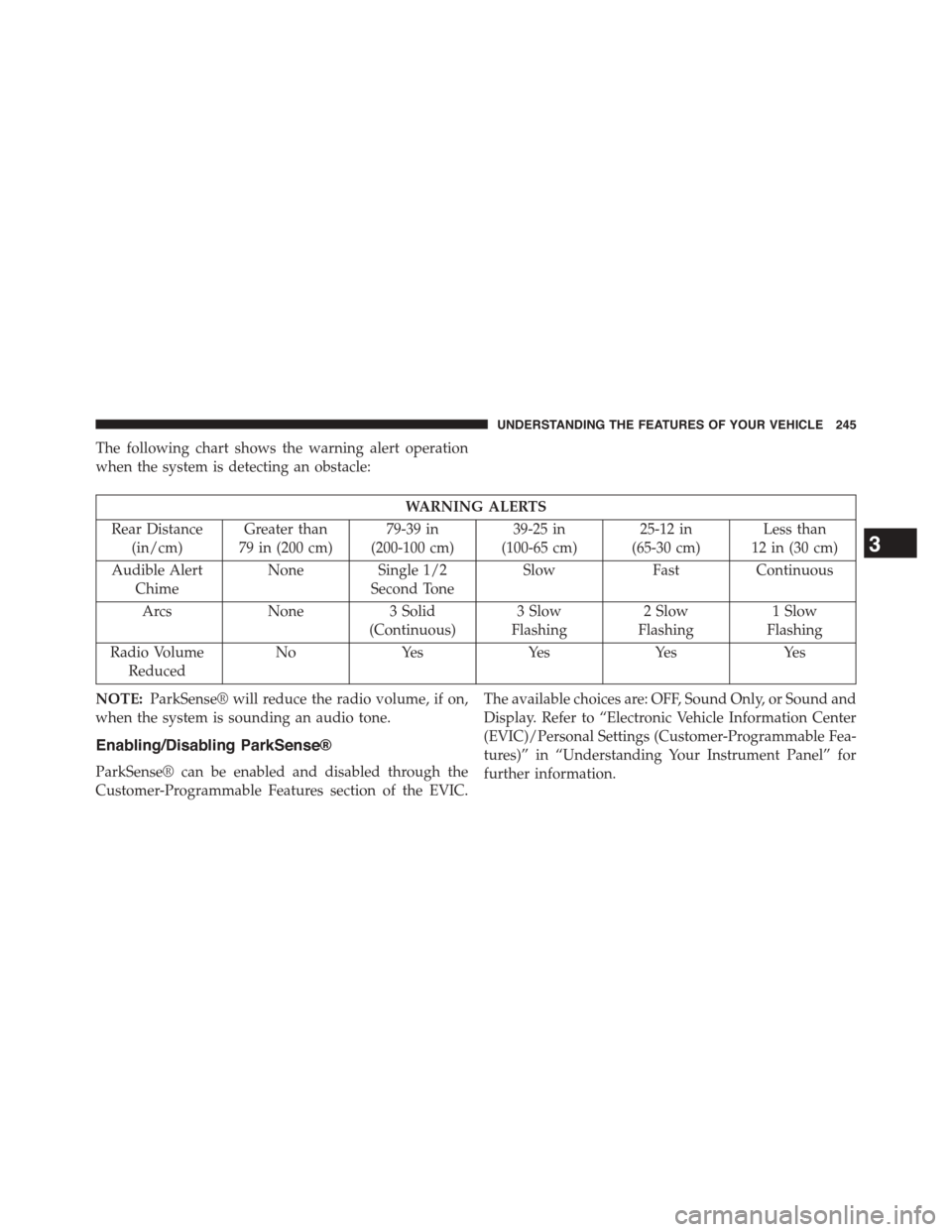
The following chart shows the warning alert operation
when the system is detecting an obstacle:
WARNING ALERTS
Rear Distance
(in/cm)
Greater than
79 in (200 cm)
79-39 in
(200-100 cm)
39-25 in
(100-65 cm)
25-12 in
(65-30 cm)
Less than
12 in (30 cm)
Audible Alert
Chime
NoneSingle 1/2
Second Tone
SlowFastContinuous
ArcsNone3 Solid
(Continuous)
3 Slow
Flashing
2 Slow
Flashing
1 Slow
Flashing
Radio Volume
Reduced
NoYesYesYesYes
NOTE:ParkSense® will reduce the radio volume, if on,
when the system is sounding an audio tone.
Enabling/Disabling ParkSense®
ParkSense® can be enabled and disabled through the
Customer-Programmable Features section of the EVIC.
The available choices are: OFF, Sound Only, or Sound and
Display. Refer to “Electronic Vehicle Information Center
(EVIC)/Personal Settings (Customer-Programmable Fea-
tures)” in “Understanding Your Instrument Panel” for
further information.
3
UNDERSTANDING THE FEATURES OF YOUR VEHICLE 245
Page 248 of 703

When ParkSense® is disabled, the instrument cluster will
display the “PARK ASSIST SYSTEM OFF” message for
approximately five seconds. Refer to “Electronic Vehicle
Information Center (EVIC)” in “Understanding Your
Instrument Panel” for further information. When the
shift lever is moved to REVERSE and the system is
disabled, the EVIC will display the “PARK ASSIST SYS-
TEM OFF” message for as long as the vehicle is in
REVERSE.
Service The ParkSense® Rear Park Assist
System
During vehicle start up, when the ParkSense® Rear Park
Assist System has detected a faulted condition, the
instrument cluster will actuate a single chime, once per
ignition cycle, and it will display the “SERVICE PARK
ASSIST SYSTEM” message. Refer to “Electronic Vehicle
Information Center (EVIC)” in “Understanding Your
Instrument Panel” for further information. When the
shift lever is moved to REVERSE and the system has
detected a faulted condition, the EVIC will display the
“SERVICE PARK ASSIST SYSTEM” message for as long
as the vehicle is in REVERSE. Under this condition,
ParkSense® will not operate.
If “SERVICE PARK ASSIST SYSTEM” appears in the
Electronic Vehicle Information Center (EVIC) after mak-
ing sure the rear fascia/bumper is free from snow, ice,
mud, dirt and debris, see your authorized dealer.
Cleaning The ParkSense® System
Clean the ParkSense® sensors with water, car wash soap
and a soft cloth. Do not use rough or hard cloths. Do not
scratch or poke the sensors. Otherwise, you could dam-
age the sensors.
246 UNDERSTANDING THE FEATURES OF YOUR VEHICLE
Page 249 of 703
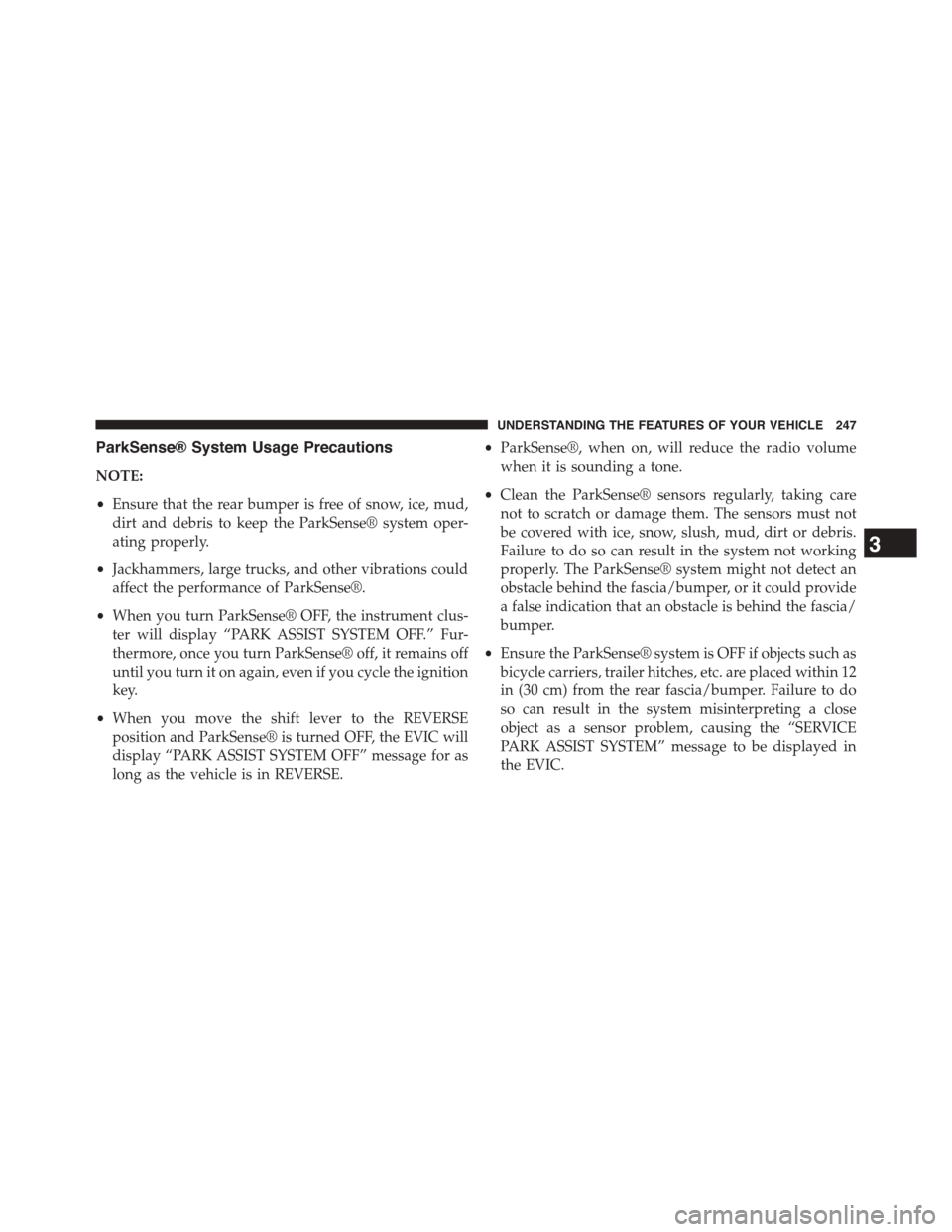
ParkSense® System Usage Precautions
NOTE:
•Ensure that the rear bumper is free of snow, ice, mud,
dirt and debris to keep the ParkSense® system oper-
ating properly.
•Jackhammers, large trucks, and other vibrations could
affect the performance of ParkSense®.
•When you turn ParkSense® OFF, the instrument clus-
ter will display “PARK ASSIST SYSTEM OFF.” Fur-
thermore, once you turn ParkSense® off, it remains off
until you turn it on again, even if you cycle the ignition
key.
•When you move the shift lever to the REVERSE
position and ParkSense® is turned OFF, the EVIC will
display “PARK ASSIST SYSTEM OFF” message for as
long as the vehicle is in REVERSE.
•ParkSense®, when on, will reduce the radio volume
when it is sounding a tone.
•Clean the ParkSense® sensors regularly, taking care
not to scratch or damage them. The sensors must not
be covered with ice, snow, slush, mud, dirt or debris.
Failure to do so can result in the system not working
properly. The ParkSense® system might not detect an
obstacle behind the fascia/bumper, or it could provide
a false indication that an obstacle is behind the fascia/
bumper.
•Ensure the ParkSense® system is OFF if objects such as
bicycle carriers, trailer hitches, etc. are placed within 12
in (30 cm) from the rear fascia/bumper. Failure to do
so can result in the system misinterpreting a close
object as a sensor problem, causing the “SERVICE
PARK ASSIST SYSTEM” message to be displayed in
the EVIC.
3
UNDERSTANDING THE FEATURES OF YOUR VEHICLE 247
Page 251 of 703
WARNING!(Continued)
•Before using ParkSense®, it is strongly recom-
mended that the ball mount and hitch ball assem-
bly is disconnected from the vehicle when the
vehicle is not used for towing. Failure to do so can
result in injury or damage to vehicles or obstacles
because the hitch ball will be much closer to the
obstacle than the rear fascia when the loudspeaker
sounds the continuous tone. Also, the sensors
could detect the ball mount and hitch ball assem-
bly, depending on its size and shape, giving a false
indication that an obstacle is behind the vehicle.
PARKVIEW® REAR BACK UP CAMERA — IF
EQUIPPED
Your vehicle may be equipped with the ParkView® Rear
Back Up Camera that allows you to see an on-screen
image of the rear surroundings of your vehicle whenever
the shift lever is put into REVERSE. The image will be
displayed on the touchscreen along with a caution note to
“check entire surroundings” across the top of the screen.
After five seconds this note will disappear. The
ParkView® camera is located on the rear of the vehicle
above the rear license plate.
When the vehicle is shifted out of REVERSE, the rear
camera mode is exited and the last selected touchscreen
appears again.
If your vehicle is equipped with the Camera Delay
feature and it is turned On, the rear camera image will be
displayed for up to 10 seconds when the vehicle is shifted
out of REVERSE unless the forward vehicle speed ex-
ceeds 8 mph (13 km/h), the transmission is shifted into
#PARK#or the vehicles ignition is cycled to the OFF
position.
3
UNDERSTANDING THE FEATURES OF YOUR VEHICLE 249
Page 252 of 703
NOTE:The programmable features of the Parkview®
Rear Backup Camera can be selected through the touch-
screen. Refer to your “Uconnect® Supplement Manual”
for further information.
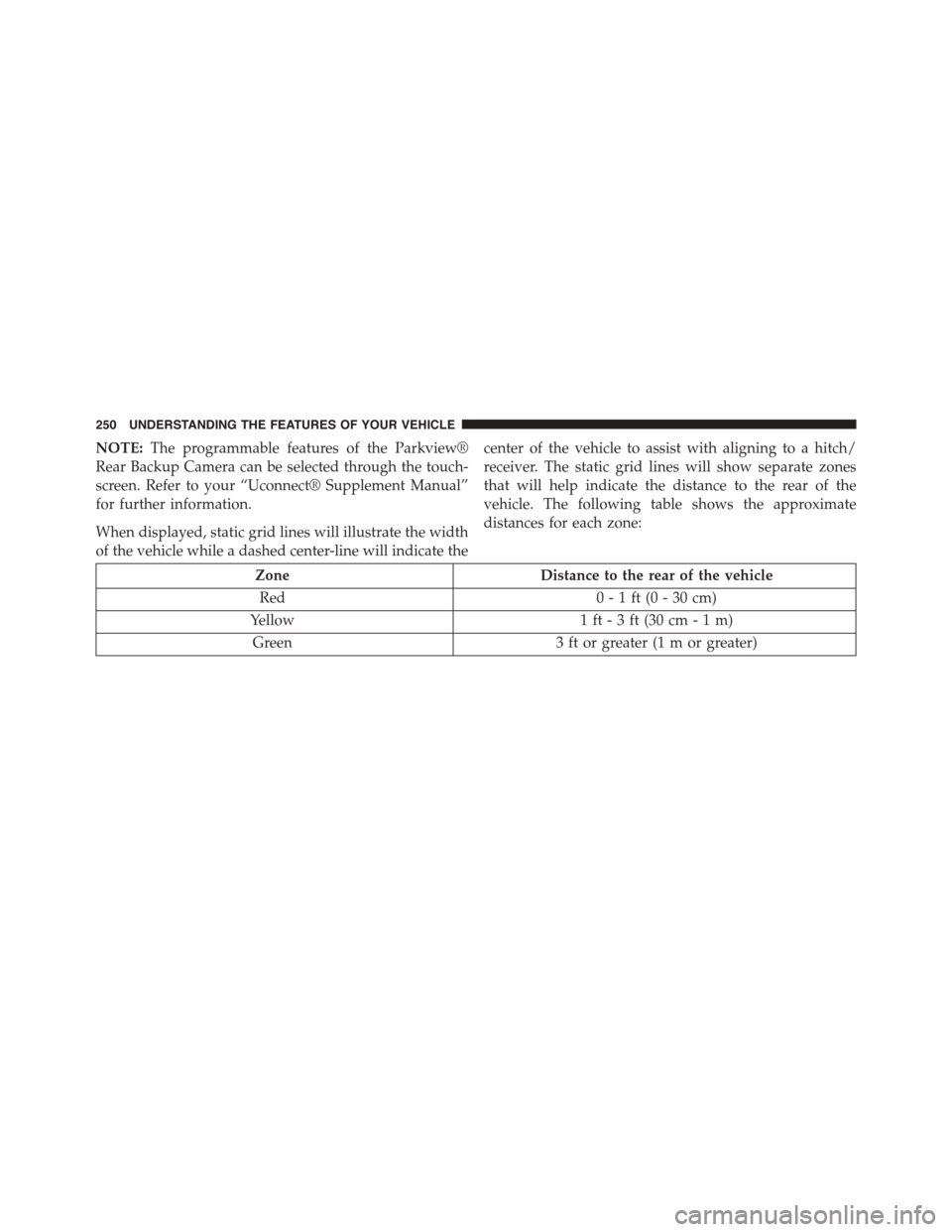
When displayed, static grid lines will illustrate the width
of the vehicle while a dashed center-line will indicate the
center of the vehicle to assist with aligning to a hitch/
receiver. The static grid lines will show separate zones
that will help indicate the distance to the rear of the
vehicle. The following table shows the approximate
distances for each zone:
ZoneDistance to the rear of the vehicle
Red0 - 1 ft (0 - 30 cm)
Yellow1 ft - 3 ft (30 cm - 1 m)
Green3 ft or greater (1 m or greater)
250 UNDERSTANDING THE FEATURES OF YOUR VEHICLE
Page 305 of 703
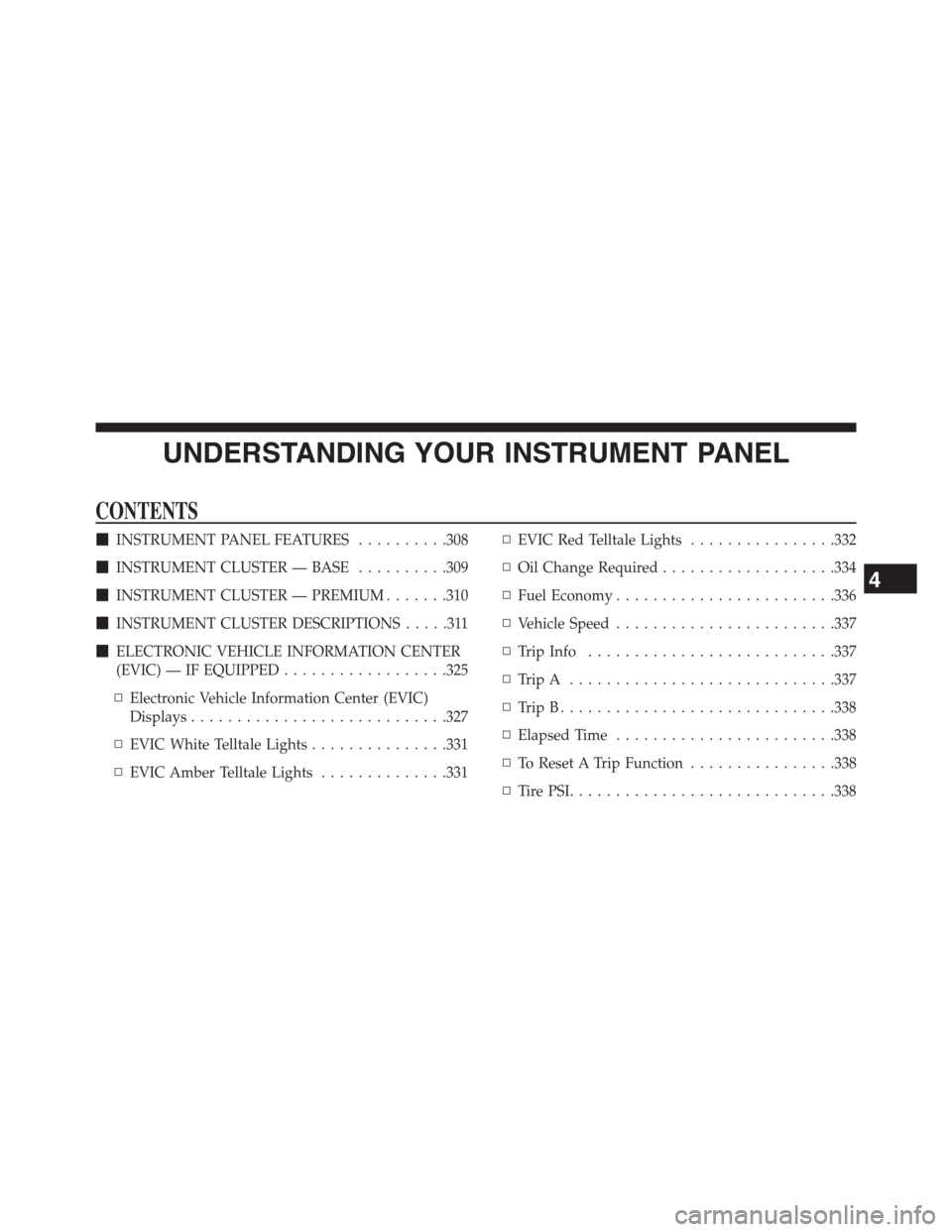
UNDERSTANDING YOUR INSTRUMENT PANEL
CONTENTS
!INSTRUMENT PANEL FEATURES..........308
!INSTRUMENT CLUSTER — BASE..........309
!INSTRUMENT CLUSTER — PREMIUM.......310
!INSTRUMENT CLUSTER DESCRIPTIONS.....311
!ELECTRONIC VEHICLE INFORMATION CENTER
(EVIC) — IF EQUIPPED..................325
▫Electronic Vehicle Information Center (EVIC)
Displays............................327
▫EVIC White Telltale Lights...............331
▫EVIC Amber Telltale Lights..............331
▫EVIC Red Telltale Lights................332
▫Oil Change Required...................334
▫Fuel Economy........................336
▫Vehicle Speed........................337
▫Trip Info...........................337
▫Tr i p A . . . . . . . . . . . . . . . . . . . . . . . . . . . ..337
▫Tr i p B . . . . . . . . . . . . . . . . . . . . . . . . . . . . ..338
▫Elapsed Time........................338
▫To Reset A Trip Function................338
▫Ti re P S I . . . . . . . . . . . . . . . . . . . . . . . . . . . ..338
4