warning DODGE GRAND CARAVAN 2020 Owner's Guide
[x] Cancel search | Manufacturer: DODGE, Model Year: 2020, Model line: GRAND CARAVAN, Model: DODGE GRAND CARAVAN 2020Pages: 380, PDF Size: 14.92 MB
Page 69 of 380

GETTING TO KNOW YOUR VEHICLE67
5. Push and hold the programmed
HomeLink® button and observe the
indicator light.
NOTE:
If the indicator light stays on constantly,
programming is complete and the garage
door/device should activate when the
HomeLink® button is pushed.
To program the two remaining
HomeLink® buttons, repeat each step
for each remaining button. DO NOT erase
the channels.
If you unplugged the garage door
opener/device for programming, plug it back in
at this time.
Using HomeLink®
To operate, push and release the programmed
HomeLink® button. Activation will now occur for
the programmed device (i.e. garage door
opener, gate operator, security system, entry
door lock, home/office lighting, etc.) The
hand-held transmitter of the device may also be
used at any time.
Security
It is advised to erase all channels before you sell
or turn in your vehicle.
To do this, push and hold the two outside
buttons for 20 seconds until the red indicator
flashes.
NOTE:
All channels will be erased. Individual channels
cannot be erased.
The HomeLink® Universal Transceiver is
disabled when the vehicle security alarm is
active.
Troubleshooting Tips
If you are having trouble programming
HomeLink®, here are some of the most
common solutions:
Replace the battery in the garage door
opener hand-held transmitter.
Push the LEARN button on the garage door
opener to complete the training for a Rolling
Code.
Did you unplug the device for programming
and remember to plug it back in?
If you have any problems, or require assistance,
please call toll-free 1-800-355-3515 or, on the
Internet at HomeLink.com for information or
assistance.
WARNING!
Vehicle exhaust contains carbon monoxide,
a dangerous gas. Do not run your vehicle in
the garage while programming the trans -
ceiver. Exhaust gas can cause serious
injury or death.
Your motorized door or gate will open and
close while you are programming the
universal transceiver. Do not program the
transceiver if people, pets or other objects
are in the path of the door or gate. Only use
this transceiver with a garage door opener
that has a “stop and reverse” feature as
required by Federal safety standards. This
includes most garage door opener models
manufactured after 1982. Do not use a
garage door opener without these safety
features.
2
20_RT_OM_EN_USC_t.book Page 67
Page 71 of 380
GETTING TO KNOW YOUR VEHICLE69
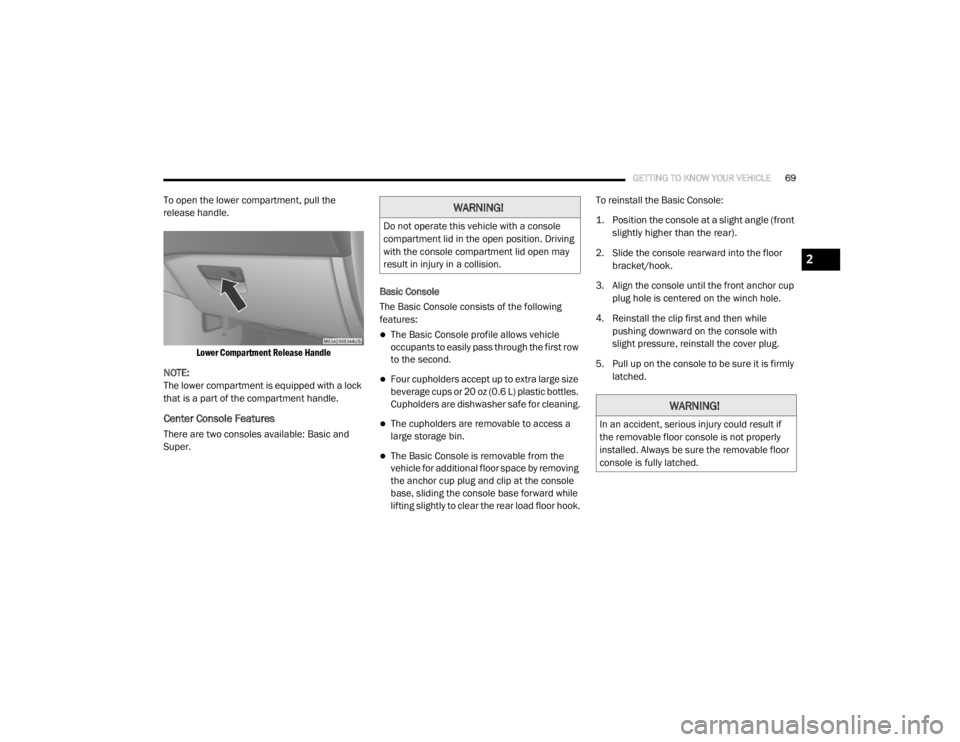
To open the lower compartment, pull the
release handle.
Lower Compartment Release Handle
NOTE:
The lower compartment is equipped with a lock
that is a part of the compartment handle.
Center Console Features
There are two consoles available: Basic and
Super. Basic Console
The Basic Console consists of the following
features:
The Basic Console profile allows vehicle
occupants to easily pass through the first row
to the second.
Four cupholders accept up to extra large size
beverage cups or 20 oz (0.6 L) plastic bottles.
Cupholders are dishwasher safe for cleaning.
The cupholders are removable to access a
large storage bin.
The Basic Console is removable from the
vehicle for additional floor space by removing
the anchor cup plug and clip at the console
base, sliding the console base forward while
lifting slightly to clear the rear load floor hook.To reinstall the Basic Console:
1. Position the console at a slight angle (front
slightly higher than the rear).
2. Slide the console rearward into the floor bracket/hook.
3. Align the console until the front anchor cup plug hole is centered on the winch hole.
4. Reinstall the clip first and then while pushing downward on the console with
slight pressure, reinstall the cover plug.
5. Pull up on the console to be sure it is firmly latched.
WARNING!
Do not operate this vehicle with a console
compartment lid in the open position. Driving
with the console compartment lid open may
result in injury in a collision.
WARNING!
In an accident, serious injury could result if
the removable floor console is not properly
installed. Always be sure the removable floor
console is fully latched.
2
20_RT_OM_EN_USC_t.book Page 69
Page 73 of 380
GETTING TO KNOW YOUR VEHICLE71
Front And Rear Overhead Consoles
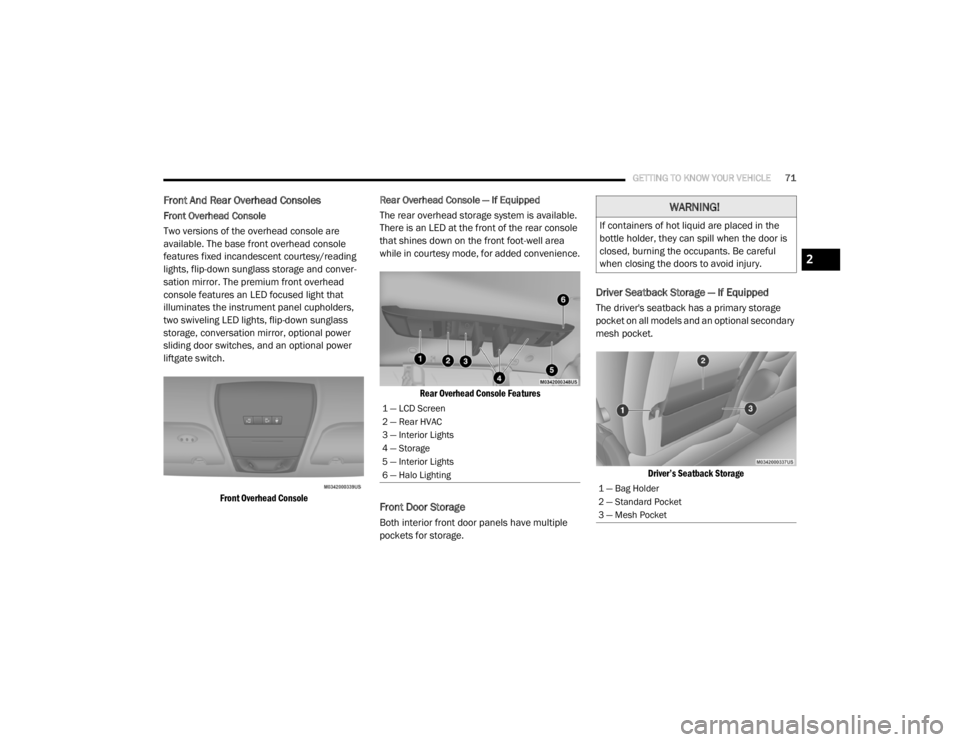
Front Overhead Console
Two versions of the overhead console are
available. The base front overhead console
features fixed incandescent courtesy/reading
lights, flip-down sunglass storage and conver -
sation mirror. The premium front overhead
console features an LED focused light that
illuminates the instrument panel cupholders,
two swiveling LED lights, flip-down sunglass
storage, conversation mirror, optional power
sliding door switches, and an optional power
liftgate switch.
Front Overhead Console
Rear Overhead Console — If Equipped
The rear overhead storage system is available.
There is an LED at the front of the rear console
that shines down on the front foot-well area
while in courtesy mode, for added convenience.
Rear Overhead Console Features
Front Door Storage
Both interior front door panels have multiple
pockets for storage.
Driver Seatback Storage — If Equipped
The driver's seatback has a primary storage
pocket on all models and an optional secondary
mesh pocket.
Driver’s Seatback Storage
1 — LCD Screen
2 — Rear HVAC
3 — Interior Lights
4 — Storage
5 — Interior Lights
6 — Halo Lighting
WARNING!
If containers of hot liquid are placed in the
bottle holder, they can spill when the door is
closed, burning the occupants. Be careful
when closing the doors to avoid injury.
1 — Bag Holder
2 — Standard Pocket
3 — Mesh Pocket
2
20_RT_OM_EN_USC_t.book Page 71
Page 74 of 380
72GETTING TO KNOW YOUR VEHICLE
(Continued)
Umbrella Holder
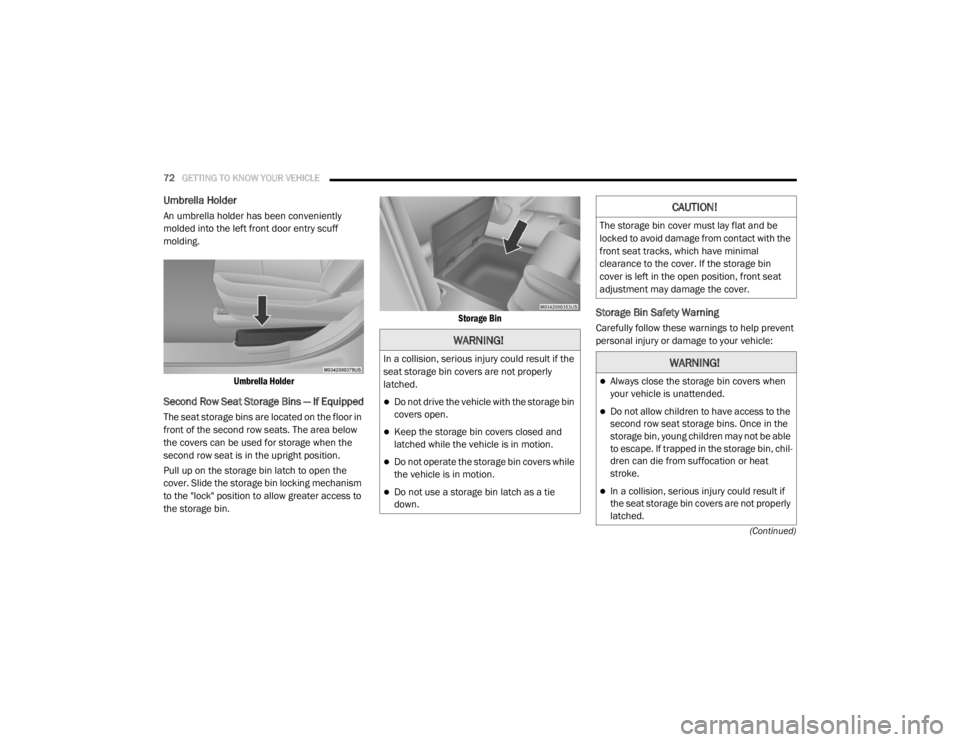
An umbrella holder has been conveniently
molded into the left front door entry scuff
molding.
Umbrella Holder
Second Row Seat Storage Bins — If Equipped
The seat storage bins are located on the floor in
front of the second row seats. The area below
the covers can be used for storage when the
second row seat is in the upright position.
Pull up on the storage bin latch to open the
cover. Slide the storage bin locking mechanism
to the "lock" position to allow greater access to
the storage bin.
Storage Bin
Storage Bin Safety Warning
Carefully follow these warnings to help prevent
personal injury or damage to your vehicle:
WARNING!
In a collision, serious injury could result if the
seat storage bin covers are not properly
latched.
Do not drive the vehicle with the storage bin
covers open.
Keep the storage bin covers closed and
latched while the vehicle is in motion.
Do not operate the storage bin covers while
the vehicle is in motion.
Do not use a storage bin latch as a tie
down.
CAUTION!
The storage bin cover must lay flat and be
locked to avoid damage from contact with the
front seat tracks, which have minimal
clearance to the cover. If the storage bin
cover is left in the open position, front seat
adjustment may damage the cover.
WARNING!
Always close the storage bin covers when
your vehicle is unattended.
Do not allow children to have access to the
second row seat storage bins. Once in the
storage bin, young children may not be able
to escape. If trapped in the storage bin, chil
-
dren can die from suffocation or heat
stroke.
In a collision, serious injury could result if
the seat storage bin covers are not properly
latched.
20_RT_OM_EN_USC_t.book Page 72
Page 75 of 380
GETTING TO KNOW YOUR VEHICLE73
Seat Storage Bin Cover Emergency Release
Lever
As a security measure, the Seat Storage Bin
Cover has an Emergency Release Lever built
into the latching mechanism.
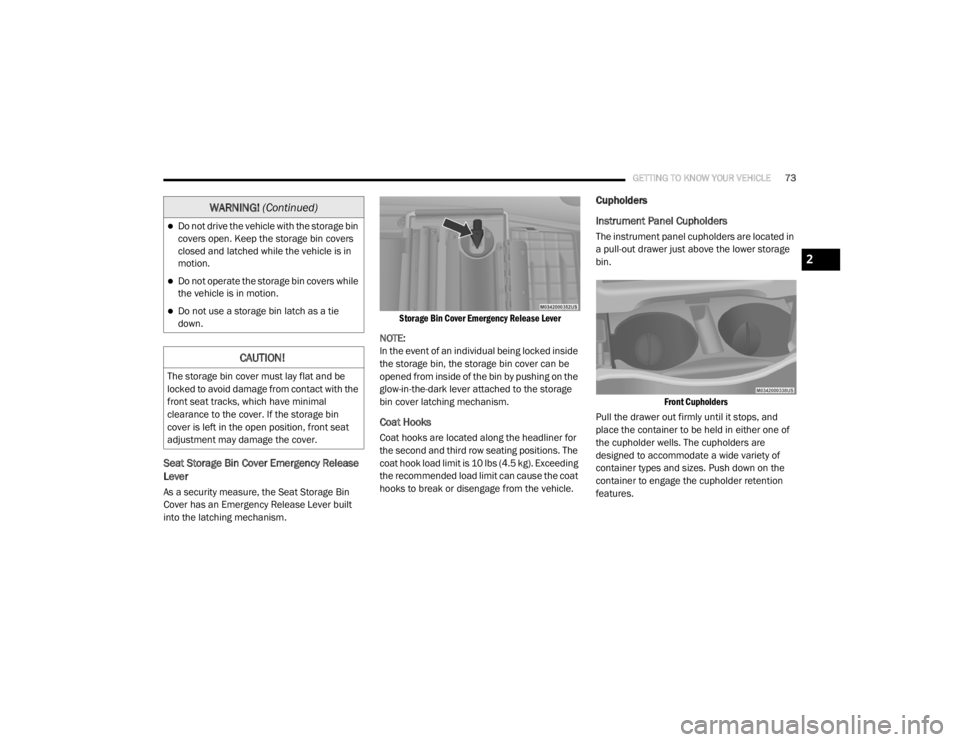
Storage Bin Cover Emergency Release Lever
NOTE:
In the event of an individual being locked inside
the storage bin, the storage bin cover can be
opened from inside of the bin by pushing on the
glow-in-the-dark lever attached to the storage
bin cover latching mechanism.
Coat Hooks
Coat hooks are located along the headliner for
the second and third row seating positions. The
coat hook load limit is 10 lbs (4.5 kg). Exceeding
the recommended load limit can cause the coat
hooks to break or disengage from the vehicle.
Cupholders
Instrument Panel Cupholders
The instrument panel cupholders are located in
a pull-out drawer just above the lower storage
bin.
Front Cupholders
Pull the drawer out firmly until it stops, and
place the container to be held in either one of
the cupholder wells. The cupholders are
designed to accommodate a wide variety of
container types and sizes. Push down on the
container to engage the cupholder retention
features.Do not drive the vehicle with the storage bin
covers open. Keep the storage bin covers
closed and latched while the vehicle is in
motion.
Do not operate the storage bin covers while
the vehicle is in motion.
Do not use a storage bin latch as a tie
down.
CAUTION!
The storage bin cover must lay flat and be
locked to avoid damage from contact with the
front seat tracks, which have minimal
clearance to the cover. If the storage bin
cover is left in the open position, front seat
adjustment may damage the cover.
WARNING! (Continued)
2
20_RT_OM_EN_USC_t.book Page 73
Page 76 of 380
74GETTING TO KNOW YOUR VEHICLE
Super Console — If Equipped
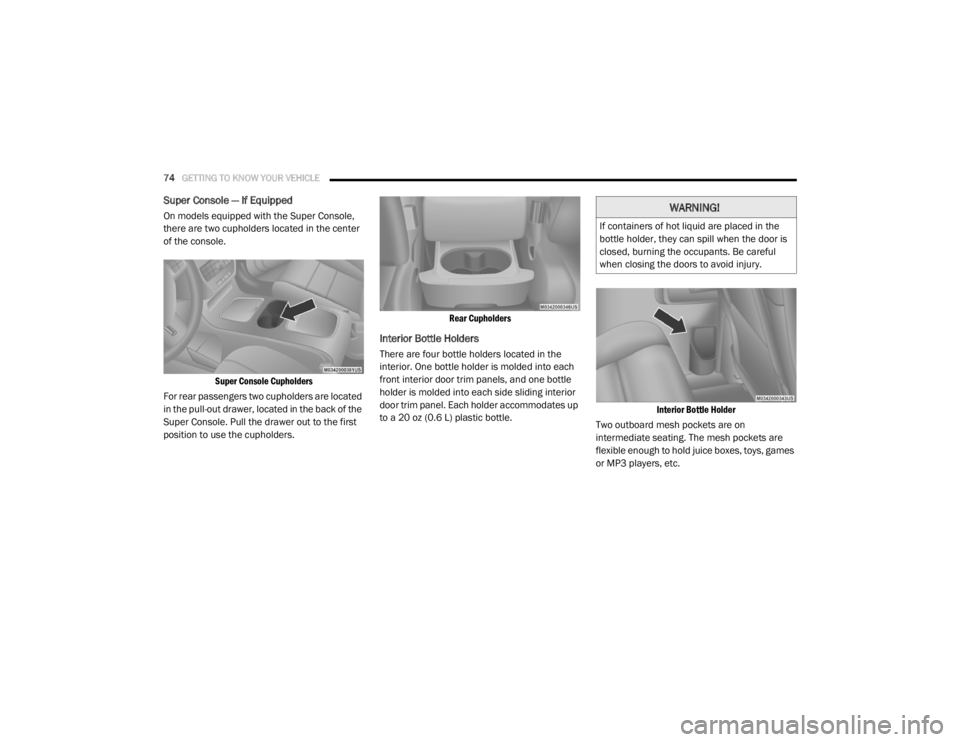
On models equipped with the Super Console,
there are two cupholders located in the center
of the console.
Super Console Cupholders
For rear passengers two cupholders are located
in the pull-out drawer, located in the back of the
Super Console. Pull the drawer out to the first
position to use the cupholders.
Rear Cupholders
Interior Bottle Holders
There are four bottle holders located in the
interior. One bottle holder is molded into each
front interior door trim panels, and one bottle
holder is molded into each side sliding interior
door trim panel. Each holder accommodates up
to a 20 oz (0.6 L) plastic bottle.
Interior Bottle Holder
Two outboard mesh pockets are on
intermediate seating. The mesh pockets are
flexible enough to hold juice boxes, toys, games
or MP3 players, etc.
WARNING!
If containers of hot liquid are placed in the
bottle holder, they can spill when the door is
closed, burning the occupants. Be careful
when closing the doors to avoid injury.
20_RT_OM_EN_USC_t.book Page 74
Page 78 of 380
76GETTING TO KNOW YOUR VEHICLE
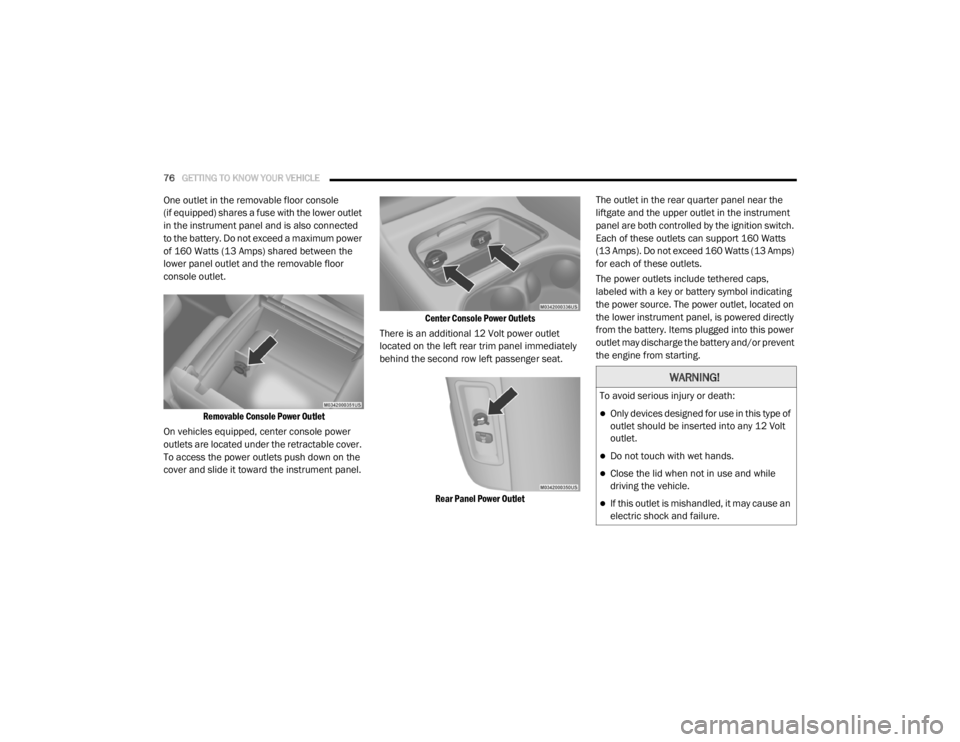
One outlet in the removable floor console
(if equipped) shares a fuse with the lower outlet
in the instrument panel and is also connected
to the battery. Do not exceed a maximum power
of 160 Watts (13 Amps) shared between the
lower panel outlet and the removable floor
console outlet.
Removable Console Power Outlet
On vehicles equipped, center console power
outlets are located under the retractable cover.
To access the power outlets push down on the
cover and slide it toward the instrument panel.
Center Console Power Outlets
There is an additional 12 Volt power outlet
located on the left rear trim panel immediately
behind the second row left passenger seat.
Rear Panel Power Outlet
The outlet in the rear quarter panel near the
liftgate and the upper outlet in the instrument
panel are both controlled by the ignition switch.
Each of these outlets can support 160 Watts
(13 Amps). Do not exceed 160 Watts (13 Amps)
for each of these outlets.
The power outlets include tethered caps,
labeled with a key or battery symbol indicating
the power source. The power outlet, located on
the lower instrument panel, is powered directly
from the battery. Items plugged into this power
outlet may discharge the battery and/or prevent
the engine from starting.
WARNING!
To avoid serious injury or death:
Only devices designed for use in this type of
outlet should be inserted into any 12 Volt
outlet.
Do not touch with wet hands.
Close the lid when not in use and while
driving the vehicle.
If this outlet is mishandled, it may cause an
electric shock and failure.
20_RT_OM_EN_USC_t.book Page 76
Page 79 of 380
GETTING TO KNOW YOUR VEHICLE77
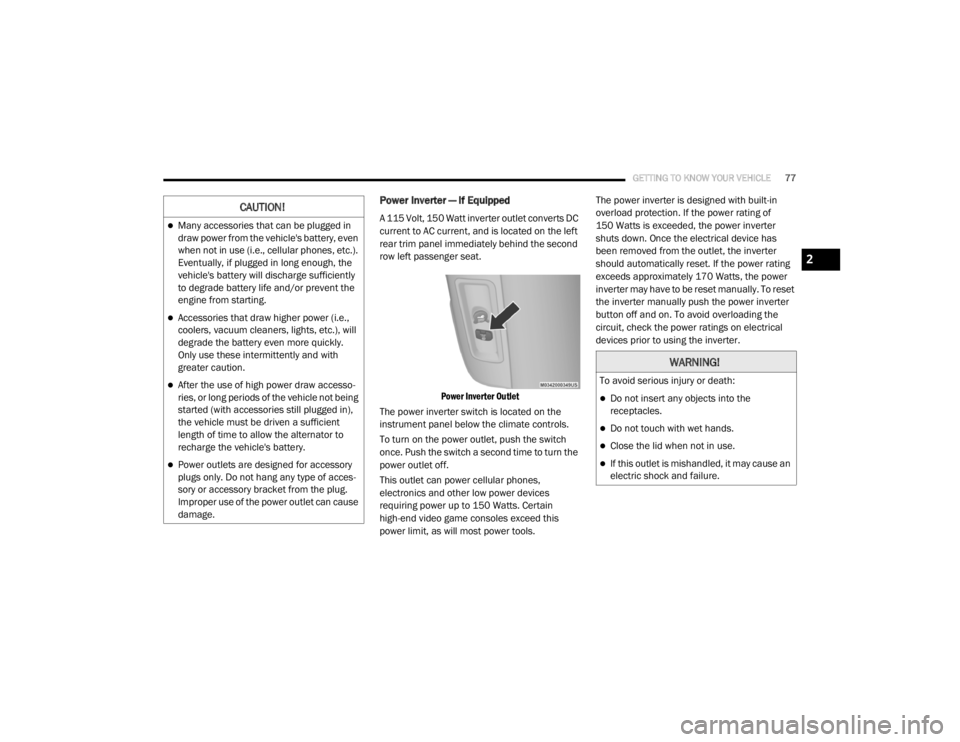
Power Inverter — If Equipped
A 115 Volt, 150 Watt inverter outlet converts DC
current to AC current, and is located on the left
rear trim panel immediately behind the second
row left passenger seat.
Power Inverter Outlet
The power inverter switch is located on the
instrument panel below the climate controls.
To turn on the power outlet, push the switch
once. Push the switch a second time to turn the
power outlet off.
This outlet can power cellular phones,
electronics and other low power devices
requiring power up to 150 Watts. Certain
high-end video game consoles exceed this
power limit, as will most power tools. The power inverter is designed with built-in
overload protection. If the power rating of
150 Watts is exceeded, the power inverter
shuts down. Once the electrical device has
been removed from the outlet, the inverter
should automatically reset. If the power rating
exceeds approximately 170 Watts, the power
inverter may have to be reset manually. To reset
the inverter manually push the power inverter
button off and on. To avoid overloading the
circuit, check the power ratings on electrical
devices prior to using the inverter.CAUTION!
Many accessories that can be plugged in
draw power from the vehicle's battery, even
when not in use (i.e., cellular phones, etc.).
Eventually, if plugged in long enough, the
vehicle's battery will discharge sufficiently
to degrade battery life and/or prevent the
engine from starting.
Accessories that draw higher power (i.e.,
coolers, vacuum cleaners, lights, etc.), will
degrade the battery even more quickly.
Only use these intermittently and with
greater caution.
After the use of high power draw accesso
-
ries, or long periods of the vehicle not being
started (with accessories still plugged in),
the vehicle must be driven a sufficient
length of time to allow the alternator to
recharge the vehicle's battery.
Power outlets are designed for accessory
plugs only. Do not hang any type of acces -
sory or accessory bracket from the plug.
Improper use of the power outlet can cause
damage.
WARNING!
To avoid serious injury or death:
Do not insert any objects into the
receptacles.
Do not touch with wet hands.
Close the lid when not in use.
If this outlet is mishandled, it may cause an
electric shock and failure.
2
20_RT_OM_EN_USC_t.book Page 77
Page 83 of 380

GETTING TO KNOW YOUR VEHICLE81
(Continued)
(Continued)
WARNING!
Cargo must be securely tied down before
driving your vehicle. Improperly secured loads
can fly off the vehicle, particularly at high
speeds, resulting in personal injury or
property damage. Follow the roof rack
cautions when carrying cargo on your roof
rack.
CAUTION!
To prevent damage to the roof of your
vehicle, DO NOT carry any loads on the roof
rack without the crossbars deployed. The
load should be secured and placed on top
of the crossbars, not directly on the roof. If
it is necessary to place the load on the roof,
place a blanket or other protective layer
between the load and the roof surface.
To avoid damage to the roof rack and
vehicle, do not exceed the maximum roof
rack load capacity of 150 lb (68 kg). Always
distribute heavy loads as evenly as possible
and secure the load appropriately.
Load should always be secured to cross
bars first, with tie down loops used as addi -
tional securing points if needed. Tie loops
are intended as supplementary tie down
points only. Do not use ratcheting mecha -
nisms with the tie loops. Check the straps
and thumb wheels frequently to be sure
that the load remains securely attached.
CAUTION! (Continued)
Long loads that extend over the windshield,
such as wood panels or surfboards, or
loads with large frontal area should be
secured to both the front and rear of the
vehicle.
Travel at reduced speeds and turn corners
carefully when carrying large or heavy loads
on the roof rack. Wind forces, due to
natural causes or nearby truck traffic, can
add sudden upward lift to a load. This is
especially true on large flat loads and may
result in damage to the cargo or your
vehicle.
CAUTION! (Continued)
2
20_RT_OM_EN_USC_t.book Page 81
Page 87 of 380
GETTING TO KNOW YOUR INSTRUMENT PANEL85
NOTE:
The hard telltales will illuminate for a bulb check
when the ignition is first cycled.
INSTRUMENT CLUSTER DISPLAY
Your vehicle is equipped with an instrument
cluster display, which offers useful information
to the driver. With the ignition in the OFF
position (and the key removed, for vehicles with
mechanical key), opening/closing of a door will
activate the display for viewing, and display the
total miles or kilometers in the odometer. Your
instrument cluster display is designed to display
important information about your vehicle’s
systems and features. Using a driver interactive
display located on the instrument panel, your
instrument cluster display can show you how
systems are working and give you warnings
when they are not. The steering wheel mounted
controls allow you to scroll through and enter
the main menus and submenus. You can
access the specific information you want and
make selections and adjustments.
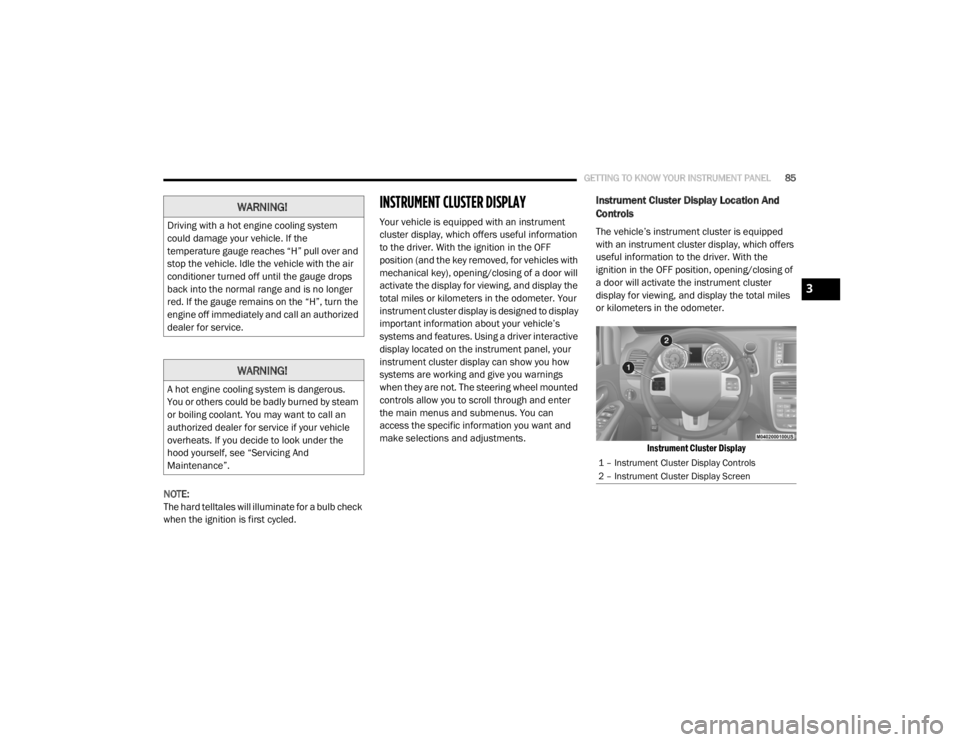
Instrument Cluster Display Location And
Controls
The vehicle’s instrument cluster is equipped
with an instrument cluster display, which offers
useful information to the driver. With the
ignition in the OFF position, opening/closing of
a door will activate the instrument cluster
display for viewing, and display the total miles
or kilometers in the odometer.
Instrument Cluster Display
WARNING!
Driving with a hot engine cooling system
could damage your vehicle. If the
temperature gauge reaches “H” pull over and
stop the vehicle. Idle the vehicle with the air
conditioner turned off until the gauge drops
back into the normal range and is no longer
red. If the gauge remains on the “H”, turn the
engine off immediately and call an authorized
dealer for service.
WARNING!
A hot engine cooling system is dangerous.
You or others could be badly burned by steam
or boiling coolant. You may want to call an
authorized dealer for service if your vehicle
overheats. If you decide to look under the
hood yourself, see “Servicing And
Maintenance”.
1 – Instrument Cluster Display Controls
2 – Instrument Cluster Display Screen
3
20_RT_OM_EN_USC_t.book Page 85