check oil DODGE GRAND CARAVAN 2020 Owners Manual
[x] Cancel search | Manufacturer: DODGE, Model Year: 2020, Model line: GRAND CARAVAN, Model: DODGE GRAND CARAVAN 2020Pages: 380, PDF Size: 14.92 MB
Page 5 of 380

3
WINDOWS ............................................................59 Power Vent Windows — If Equipped .......... 59
Power Windows ............................................ 59
HOOD......................................................................61
Opening The Hood ....................................... 61
Closing The Hood ......................................... 61
LIFTGATE ................................................................62
Opening ........................................................ 62
Closing .......................................................... 62
Power Liftgate — If Equipped ...................... 62
Cargo Area Features ................................... 63
LOAD LEVELING SYSTEM — IF EQUIPPED .........63
GARAGE DOOR OPENER — IF EQUIPPED ..........63
Before You Begin Programming
HomeLink® .................................................. 64 Programming A Rolling Code ...................... 64
Programming A Non-Rolling Code............... 65
Canadian/Gate Operator Programming ..... 66
Using HomeLink® ........................................ 67
Security......................................................... 67
Troubleshooting Tips ................................... 67
General Information .................................... 68
INTERNAL EQUIPMENT ........................................68
Storage ......................................................... 68
Cupholders .................................................. 73
Sun Screens — If Equipped ......................... 75
Electrical Power Outlets — If Equipped....... 75
Power Inverter — If Equipped ...................... 77
Smoker's Package Kit — If Equipped ......... 78
Sunglass Storage Bin — If Equipped........... 78 ROOF LUGGAGE RACK — IF EQUIPPED ............. 79
Deploying The Crossbars............................. 79
Stowing The Crossbars................................ 80
GETTING TO KNOW YOUR INSTRUMENT PANEL
INSTRUMENT CLUSTER ...................................... 82 Instrument Cluster Descriptions ................ 84
INSTRUMENT CLUSTER DISPLAY ..................... 85
Instrument Cluster Display Location And
Controls ....................................................... 85 Oil Life Reset ................................................ 87
Instrument Cluster Display Menu Items .... 87
TRIP COMPUTER ................................................. 93
WARNING LIGHTS AND MESSAGES .................. 94 Red Warning Lights ..................................... 94
Yellow Warning Lights ................................. 97
White Indicator Lights ............................... 100Green Indicator Lights ............................... 100Blue Indicator Lights.................................. 100
ONBOARD DIAGNOSTIC SYSTEM — OBD II..... 101
Onboard Diagnostic System (OBD II)
Cybersecurity ............................................. 101
EMISSIONS INSPECTION AND
MAINTENANCE PROGRAMS .............................102
SAFETY
SAFETY FEATURES .............................................103
Anti-Lock Brake System (ABS) ................. 103
Electronic Brake Control (EBC) System ... 104 AUXILIARY DRIVING SYSTEMS ........................ 110
Blind Spot Monitoring (BSM)
— If Equipped ............................................. 110 Tire Pressure Monitoring System
(TPMS) ........................................................ 115
OCCUPANT RESTRAINT SYSTEMS ................. 119
Occupant Restraint Systems Features .... 119
Important Safety Precautions ................... 119
Seat Belt Systems .................................... 120Supplemental Restraint Systems (SRS)... 131
Child Restraints ......................................... 141Transporting Pets ..................................... 159
SAFETY TIPS ...................................................... 159
Transporting Passengers .......................... 159
Exhaust Gas ............................................... 159
Safety Checks You Should Make
Inside The Vehicle .................................... 160 Periodic Safety Checks You Should
Make Outside The Vehicle ........................ 161
STARTING AND OPERATING
STARTING THE ENGINE .................................... 162
Normal Starting ......................................... 162Cold Weather Operation
(Below –22°F Or −30°C) ......................... 163 After Starting — Warming Up The
Engine ........................................................ 163 If Engine Fails To Start ............................. 163
ENGINE BLOCK HEATER — IF EQUIPPED ........ 163
20_RT_OM_EN_USC_t.book Page 3
Page 7 of 380

5
SERVICING AND MAINTENANCE
SCHEDULED SERVICING .................................. 226Maintenance Plan......................................227
ENGINE COMPARTMENT .................................. 231
Engine Compartment — 3.6L ....................231
Checking Oil Level......................................232
Adding Washer Fluid .................................232
Maintenance-Free Battery .......................232
Pressure Washing ......................................233
DEALER SERVICE .............................................. 233
Engine Oil .................................................. 233Engine Oil Filter ..........................................234Engine Air Cleaner Filter ...........................235
Air Conditioner Maintenance ...................235Accessory Drive Belt Inspection................236Body Lubrication ........................................237
Windshield Wiper Blades ..........................238
Exhaust System ........................................238
Cooling System ..........................................239Brake System ............................................242
Automatic Transmission ............................243
RAISING THE VEHICLE ...................................... 244
TIRES ................................................................... 245
Tire Safety Information .............................245Tires — General Information .....................252Tire Types ...................................................256
Spare Tires — If Equipped .........................257
Wheel And Wheel Trim Care ....................259
Tire Chains and Traction Devices ............260
Tire Rotation Recommendations .............261 DEPARTMENT OF TRANSPORTATION
UNIFORM TIRE QUALITY GRADES .................. 261
Treadwear .................................................. 261
Traction Grades ......................................... 261
Temperature Grades ................................. 262
VEHICLE STORAGE .............................................262
BODYWORK ........................................................ 262
Protection From Atmospheric Agents....... 262
Body And Underbody Maintenance .......... 263Preserving The Bodywork .......................... 263
INTERIORS ......................................................... 264
Seats And Fabric Parts .............................. 264
Plastic And Coated Parts ........................... 264
Glass Surfaces .......................................... 265Cleaning The Instrument Panel
Cupholders ................................................. 265
TECHNICAL SPECIFICATIONS
IDENTIFICATION DATA .......................................266
Vehicle Identification Number .................. 266
BRAKE SYSTEM .................................................. 266
WHEEL AND TIRE TORQUE
SPECIFICATIONS ................................................ 266
Torque Specifications ................................ 266
FUEL REQUIREMENTS ......................................267
3.6L Engine ................................................ 267
Reformulated Gasoline ............................ 268
Materials Added To Fuel ........................... 268
Gasoline/Oxygenate Blends ..................... 268 Do Not Use E-85 In Non-Flex Fuel
Vehicles ...................................................... 269 CNG And LP Fuel System
Modifications ............................................. 269 MMT In Gasoline........................................ 269
Fuel System Cautions................................ 270
Carbon Monoxide Warnings...................... 270
FLUID CAPACITIES ............................................ 271
FLUIDS AND LUBRICANTS ................................ 272
Engine ........................................................ 272
Chassis ....................................................... 274
MULTIMEDIA
CYBERSECURITY ............................................... 275
SAFETY AND GENERAL INFORMATION .......... 276Safety Guidelines....................................... 276
RADIO 430/430 NAV........................................ 277
General Handling....................................... 277
Getting Started .......................................... 279
Radio Mode ................................................ 281
Media Mode ............................................... 286
Remote Devices......................................... 299Uconnect Phone— If Equipped ................. 304
Navigation — If Equipped .......................... 317
STEERING WHEEL AUDIO CONTROLS — IF
EQUIPPED .......................................................... 340
Radio Operation......................................... 340CD Player.................................................... 340
20_RT_OM_EN_USC_t.book Page 5
Page 87 of 380
GETTING TO KNOW YOUR INSTRUMENT PANEL85
NOTE:
The hard telltales will illuminate for a bulb check
when the ignition is first cycled.
INSTRUMENT CLUSTER DISPLAY
Your vehicle is equipped with an instrument
cluster display, which offers useful information
to the driver. With the ignition in the OFF
position (and the key removed, for vehicles with
mechanical key), opening/closing of a door will
activate the display for viewing, and display the
total miles or kilometers in the odometer. Your
instrument cluster display is designed to display
important information about your vehicle’s
systems and features. Using a driver interactive
display located on the instrument panel, your
instrument cluster display can show you how
systems are working and give you warnings
when they are not. The steering wheel mounted
controls allow you to scroll through and enter
the main menus and submenus. You can
access the specific information you want and
make selections and adjustments.
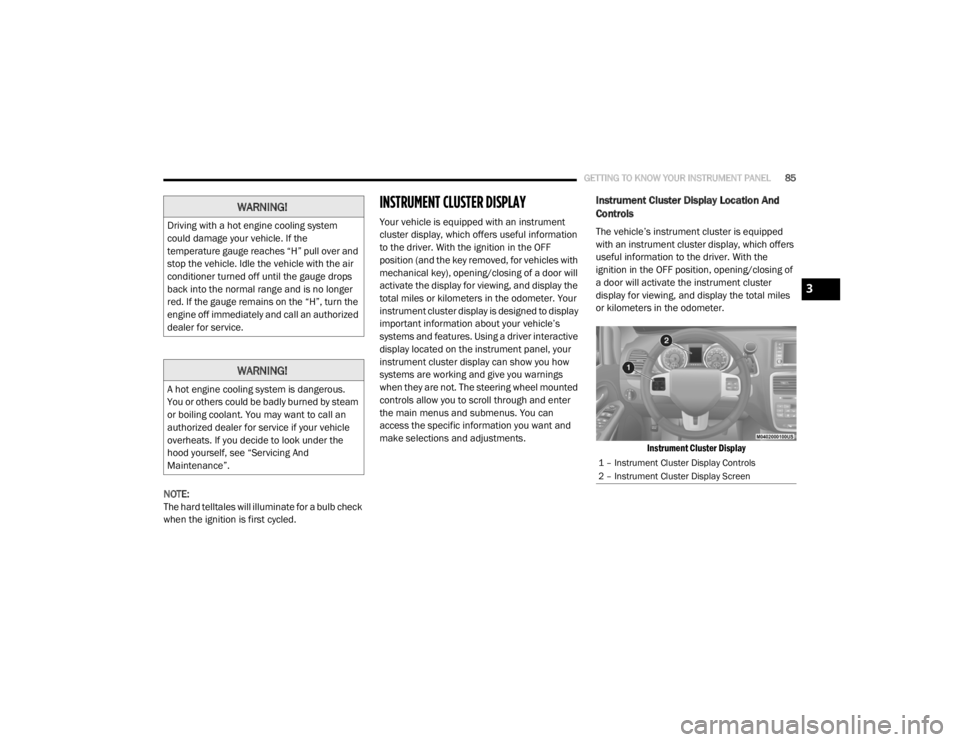
Instrument Cluster Display Location And
Controls
The vehicle’s instrument cluster is equipped
with an instrument cluster display, which offers
useful information to the driver. With the
ignition in the OFF position, opening/closing of
a door will activate the instrument cluster
display for viewing, and display the total miles
or kilometers in the odometer.
Instrument Cluster Display
WARNING!
Driving with a hot engine cooling system
could damage your vehicle. If the
temperature gauge reaches “H” pull over and
stop the vehicle. Idle the vehicle with the air
conditioner turned off until the gauge drops
back into the normal range and is no longer
red. If the gauge remains on the “H”, turn the
engine off immediately and call an authorized
dealer for service.
WARNING!
A hot engine cooling system is dangerous.
You or others could be badly burned by steam
or boiling coolant. You may want to call an
authorized dealer for service if your vehicle
overheats. If you decide to look under the
hood yourself, see “Servicing And
Maintenance”.
1 – Instrument Cluster Display Controls
2 – Instrument Cluster Display Screen
3
20_RT_OM_EN_USC_t.book Page 85
Page 90 of 380

88GETTING TO KNOW YOUR INSTRUMENT PANEL
Tire Pressure
Push and release the up or down arrow button
until “Tire PSI:” displays highlighted in the
instrument cluster display. Push and release
the right arrow button to view a graphic of the
vehicle with a tire pressure value at each corner
of the graphic.
Units
Push and release the up or down arrow button
until “Units” displays highlighted in the
instrument cluster display and push the right
arrow button. The instrument cluster display,
odometer, and navigation system (if equipped)
can be changed between English and Metric
units of measure. To make your selection, scroll
up or down until the preferred setting is
highlighted, then push and release the right
arrow button until a check-mark appears next to
the setting, showing that the setting has been
selected.
Vehicle Info (Customer Information Features)
Push and release the up or down arrow button
until “Vehicle Info” displays in the instrument
cluster display and push the right arrow button.
Push the up or down arrow button to scroll
through the available information displays.
Coolant Temperature
Displays the actual coolant temperature.
Oil Temperature
Displays the actual oil temperature.
Oil Pressure — If Equipped
Displays the actual oil pressure.
Transmission Temperature
Displays the actual transmission tempera -
ture.
Engine Hours
Displays the number of hours of engine
operation.
Messages
Push and release the up or down arrow button
until “Messages: XX” displays highlighted in the
instrument cluster display. If there is more than
one message, pushing the right arrow button
will display a stored warning message. Push
and release the up or down arrow button if there
is more than one message to cycle through the
remaining stored messages. If there are no
messages, pushing the right arrow button will
not change the display.
Compass/Outside Temperature Display
The compass readings indicate the direction
the vehicle is facing. The instrument cluster
display will display eight or fifteen compass
readings and the outside temperature.
NOTE:
The system will display the last known outside
temperature when starting the vehicle and may
need to be driven several minutes before the
updated temperature is displayed. Engine
temperature can also affect the displayed
temperature; therefore, temperature readings
are not updated when the vehicle is not moving.
20_RT_OM_EN_USC_t.book Page 88
Page 98 of 380
96GETTING TO KNOW YOUR INSTRUMENT PANEL
Engine Coolant Temperature Warning Light
This warning light warns of an
overheated engine condition. If the
engine coolant temperature is too
high, this indicator will illuminate and
a single chime will sound. If the temperature
reaches the upper limit, a continuous chime will
sound for four minutes or until the engine is
able to cool, whichever comes first.
If the light turns on while driving, safely pull over
and stop the vehicle. If the Air Conditioning
(A/C) system is on, turn it off. Also, shift the
transmission into NEUTRAL and idle the vehicle.
If the temperature reading does not return to
normal, turn the engine off immediately and call
for service.
Refer to “If Your Engine Overheats” in
“In Case Of Emergency” for further information.
Liftgate Open Warning Light
This indicator will turn when the
liftgate is open.
NOTE:
If the vehicle is moving, there will also be a
single chime.
Oil Pressure Warning Light
This warning light will illuminate to
indicate low engine oil pressure. If the
light turns on while driving, stop the
vehicle, shut off the engine as soon as
possible, and contact an authorized dealer. A
chime will sound when this light turns on.
Do not operate the vehicle until the cause is
corrected. This light does not indicate how
much oil is in the engine. The engine oil level
must be checked under the hood.
Seat Belt Reminder Warning Light
This warning light indicates when the
driver or passenger seat belt is
unbuckled. When the ignition is first
placed in the ON/RUN or ACC/ON/
RUN position and if the driver’s seat belt is
unbuckled, a chime will sound and the light will
turn on. When driving, if the driver or front
passenger seat belt remains unbuckled, the
Seat Belt Reminder Light will flash or remain on
continuously and a chime will sound.
Refer to “Occupant Restraint Systems” in
“Safety” for further information.
Transmission Temperature Warning Light — If
Equipped
This warning light will illuminate to
warn of a high transmission fluid
temperature. This may occur with
strenuous usage such as trailer
towing. If this light turns on, stop the vehicle and
run the engine at idle or slightly faster, with the
transmission in PARK or NEUTRAL, until the
light turns off. Once the light turns off, you may
continue to drive normally.
WARNING!
If you continue operating the vehicle when
the Transmission Temperature Warning Light
is illuminated you could cause the fluid to boil
over, come in contact with hot engine or
exhaust components and cause a fire.
CAUTION!
Continuous driving with the Transmission
Temperature Warning Light illuminated will
eventually cause severe transmission
damage or transmission failure.
20_RT_OM_EN_USC_t.book Page 96
Page 162 of 380

160SAFETY
(Continued)
The best protection against carbon monoxide
entry into the vehicle body is a properly
maintained engine exhaust system.
Whenever a change is noticed in the sound of
the exhaust system, when exhaust fumes can
be detected inside the vehicle, or when the
underside or rear of the vehicle is damaged,
have a competent mechanic inspect the
complete exhaust system and adjacent body
areas for broken, damaged, deteriorated, or
mispositioned parts. Open seams or loose
connections could permit exhaust fumes to
seep into the passenger compartment. In
addition, inspect the exhaust system each time
the vehicle is raised for lubrication or oil
change. Replace as required.
Safety Checks You Should Make Inside The
Vehicle
Seat Belts
Inspect the seat belt system periodically,
checking for cuts, frays, and loose parts.
Damaged parts must be replaced immediately.
Do not disassemble or modify the system.
Front seat belt assemblies must be replaced
after a collision. Rear seat belt assemblies must
be replaced after a collision if they have been damaged (i.e., bent retractor, torn webbing,
etc.). If there is any question regarding seat belt
or retractor condition, replace the seat belt.
Air Bag Warning Light
The Air Bag warning light will turn on for four
to eight seconds as a bulb check when the
ignition switch is first turned to ON/RUN. If the
light is either not on during starting, stays on, or
turns on while driving, have the system
inspected at an authorized dealer as soon as
possible. After the bulb check, this light will
illuminate with a single chime when a fault with
the Air Bag System has been detected. It will
stay on until the fault is removed. If the light
comes on intermittently or remains on while
driving, have an authorized dealer service the
vehicle immediately.
Refer to “Occupant Restraint Systems” in
“Safety” for further information.
Defroster
Check operation by selecting the defrost mode
and place the blower control on high speed. You
should be able to feel the air directed against
the windshield. See an authorized dealer for
service if your defroster is inoperable.
Floor Mat Safety Information
Always use floor mats designed to fit your
vehicle. Only use a floor mat that does not
interfere with the operation of the accelerator,
brake or clutch pedals. Only use a floor mat that
is securely attached using the floor mat
fasteners so it cannot slip out of position and
interfere with the accelerator, brake or clutch
pedals or impair safe operation of your vehicle
in other ways.
WARNING!
An improperly attached, damaged, folded, or
stacked floor mat, or damaged floor mat
fasteners may cause your floor mat to
interfere with the accelerator, brake, or clutch
pedals and cause a loss of vehicle control. To
prevent SERIOUS INJURY or DEATH:
ALWAYS securely attach your floor mat
using the floor mat fasteners. DO NOT
install your floor mat upside down or turn
your floor mat over. Lightly pull to confirm
mat is secured using the floor mat
fasteners on a regular basis.
20_RT_OM_EN_USC_t.book Page 160
Page 163 of 380

SAFETY161
(Continued)
Periodic Safety Checks You Should Make
Outside The Vehicle
Tires
Examine tires for excessive tread wear and
uneven wear patterns. Check for stones, nails,
glass, or other objects lodged in the tread or
sidewall. Inspect the tread for cuts and cracks.
Inspect sidewalls for cuts, cracks, and bulges.
Check the wheel nuts for tightness. Check the
tires (including spare) for proper cold inflation
pressure.
Lights
Have someone observe the operation of brake
lights and exterior lights while you work the
controls. Check turn signal and high beam
indicator lights on the instrument panel.
Door Latches
Check for proper closing, latching, and locking.
Fluid Leaks
Check area under the vehicle after overnight
parking for fuel, coolant, oil, or other fluid leaks.
Also, if gasoline fumes are detected or if fuel, or
brake fluid leaks are suspected, the cause
should be located and corrected immediately.
ALWAYS REMOVE THE EXISTING FLOOR
MAT FROM THE VEHICLE before
installing any other floor mat. NEVER install
or stack an additional floor mat on top of an
existing floor mat.
ONLY install floor mats designed to fit your
vehicle. NEVER install a floor mat that
cannot be properly attached and secured to
your vehicle. If a floor mat needs to be
replaced, only use a FCA approved floor
mat for the specific make, model, and year
of your vehicle.
ONLY use the driver’s side floor mat on the
driver’s side floor area. To check for inter -
ference, with the vehicle properly parked
with the engine off, fully depress the accel -
erator, the brake, and the clutch pedal (if
present) to check for interference. If your
floor mat interferes with the operation of
any pedal, or is not secure to the floor,
remove the floor mat from the vehicle and
place the floor mat in your trunk.
ONLY use the passenger’s side floor mat on
the passenger’s side floor area.
WARNING! (Continued)
ALWAYS make sure objects cannot fall or
slide into the driver’s side floor area when
the vehicle is moving. Objects can become
trapped under accelerator, brake, or clutch
pedals and could cause a loss of vehicle
control.
NEVER place any objects under the floor
mat (e.g., towels, keys, etc.). These objects
could change the position of the floor mat
and may cause interference with the accel -
erator, brake, or clutch pedals.
If the vehicle carpet has been removed and
re-installed, always properly attach carpet
to the floor and check the floor mat
fasteners are secure to the vehicle carpet.
Fully depress each pedal to check for inter -
ference with the accelerator, brake, or
clutch pedals then re-install the floor mats.
It is recommended to only use mild soap
and water to clean your floor mats. After
cleaning, always check your floor mat has
been properly installed and is secured to
your vehicle using the floor mat fasteners
by lightly pulling mat.
WARNING! (Continued)
4
20_RT_OM_EN_USC_t.book Page 161
Page 195 of 380

STARTING AND OPERATING193
(Continued)
Shallow Standing Water
Although your vehicle is capable of driving
through shallow standing water, consider the
following Warnings and Cautions before doing so.
WARNING!
Driving through standing water limits your
vehicle’s traction capabilities. Do not
exceed 5 mph (8 km/h) when driving
through standing water.
Driving through standing water limits your
vehicle’s braking capabilities, which
increases stopping distances. Therefore,
after driving through standing water, drive
slowly and lightly press on the brake pedal
several times to dry the brakes.
Failure to follow these warnings may result
in injuries that are serious or fatal to you,
your passengers, and others around you.
CAUTION!
Always check the depth of the standing
water before driving through it. Never drive
through standing water that is deeper than
the bottom of the tire rims mounted on the
vehicle.
Determine the condition of the road or the
path that is under water and if there are any
obstacles in the way before driving through
the standing water.
Do not exceed 5 mph (8 km/h) when
driving through standing water. This will
minimize wave effects.
Driving through standing water may cause
damage to your vehicle’s drivetrain compo -
nents. Always inspect your vehicle’s fluids
(i.e., engine oil, transmission, axle, etc.) for
signs of contamination (i.e., fluid that is
milky or foamy in appearance) after driving
through standing water. Do not continue to
operate the vehicle if any fluid appears
contaminated, as this may result in further
damage. Such damage is not covered by
the New Vehicle Limited Warranty.
Getting water inside your vehicle’s engine
can cause it to lock up and stall out, and
cause serious internal damage to the
engine. Such damage is not covered by the
New Vehicle Limited Warranty.
CAUTION! (Continued)
5
20_RT_OM_EN_USC_t.book Page 193
Page 219 of 380
IN CASE OF EMERGENCY217
Drive Vehicle:
Immediately after injecting sealant
and inflating the tire, drive the vehicle
5 miles (8 km) or 10 minutes to
ensure distribution of the Tire Service
Kit Sealant within the tire. Do not exceed
50 mph (80 km/h).
After Driving:
Pull over to a safe location. Refer to “Whenever
You Stop To Use Tire Service Kit” in this section
before continuing.
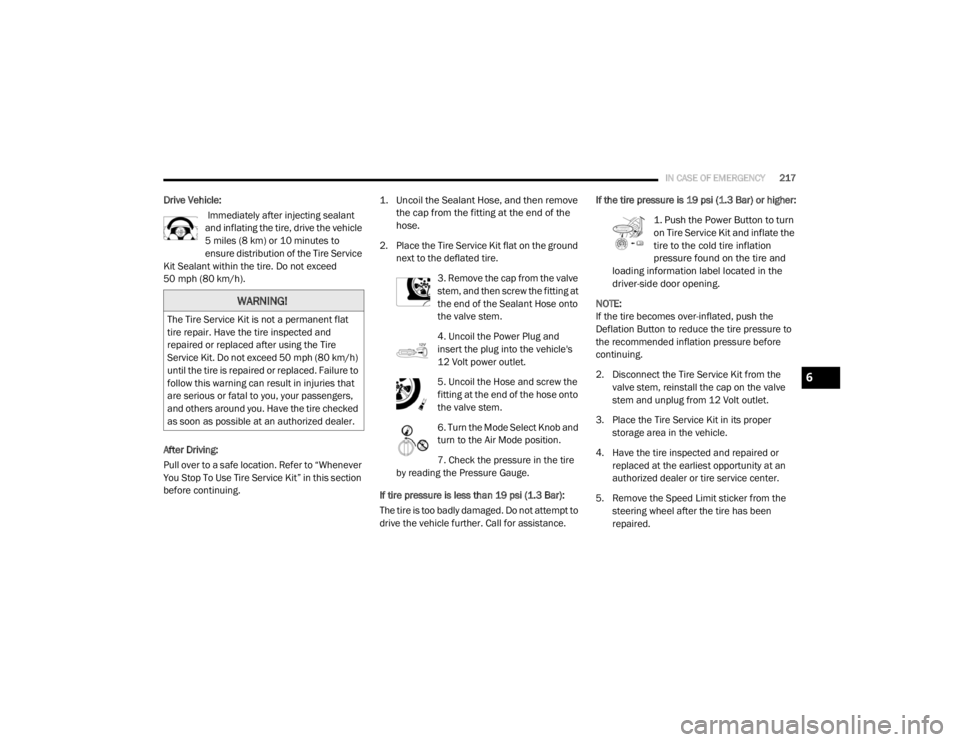
1. Uncoil the Sealant Hose, and then remove
the cap from the fitting at the end of the
hose.
2. Place the Tire Service Kit flat on the ground next to the deflated tire.
3. Remove the cap from the valve
stem, and then screw the fitting at
the end of the Sealant Hose onto
the valve stem.
4. Uncoil the Power Plug and
insert the plug into the vehicle's
12 Volt power outlet.
5. Uncoil the Hose and screw the
fitting at the end of the hose onto
the valve stem.
6. Turn the Mode Select Knob and
turn to the Air Mode position.
7. Check the pressure in the tire
by reading the Pressure Gauge.
If tire pressure is less than 19 psi (1.3 Bar):
The tire is too badly damaged. Do not attempt to
drive the vehicle further. Call for assistance. If the tire pressure is 19 psi (1.3 Bar) or higher:
1. Push the Power Button to turn
on Tire Service Kit and inflate the
tire to the cold tire inflation
pressure found on the tire and
loading information label located in the
driver-side door opening.
NOTE:
If the tire becomes over-inflated, push the
Deflation Button to reduce the tire pressure to
the recommended inflation pressure before
continuing.
2. Disconnect the Tire Service Kit from the valve stem, reinstall the cap on the valve
stem and unplug from 12 Volt outlet.
3. Place the Tire Service Kit in its proper storage area in the vehicle.
4. Have the tire inspected and repaired or replaced at the earliest opportunity at an
authorized dealer or tire service center.
5. Remove the Speed Limit sticker from the steering wheel after the tire has been
repaired.
WARNING!
The Tire Service Kit is not a permanent flat
tire repair. Have the tire inspected and
repaired or replaced after using the Tire
Service Kit. Do not exceed 50 mph (80 km/h)
until the tire is repaired or replaced. Failure to
follow this warning can result in injuries that
are serious or fatal to you, your passengers,
and others around you. Have the tire checked
as soon as possible at an authorized dealer.
6
20_RT_OM_EN_USC_t.book Page 217
Page 228 of 380
226
SERVICING AND MAINTENANCE
SCHEDULED SERVICING
This vehicle is equipped with an automatic oil
change indicator system. The oil change
indicator system will remind you that it is time to
take your vehicle in for scheduled maintenance.
Based on engine operation conditions, the oil
change indicator message will illuminate. This
means that service is required for your vehicle.
Operating conditions such as frequent
short-trips, trailer tow, extremely hot or cold
ambient temperatures, and E85 fuel usage will
influence when the “Oil Change Required”
message is displayed. Severe Operating
Conditions can cause the change oil message
to illuminate as early as 3,500 miles
(5,600 km) since last reset. Have your vehicle
serviced as soon as possible, within the next
500 miles (805 km).An authorized dealer will reset the oil change
indicator message after completing the
scheduled oil change. If a scheduled oil change
is performed by someone other than an
authorized dealer, the message can be reset by
referring to the steps described under
“Instrument Cluster Display” in “Getting To
Know Your Instrument Panel” for further
information.
NOTE:
Under no circumstances should oil change
intervals exceed 10,000 miles (16,000 km),
12 months or 350 hours of engine run time,
whichever comes first. The 350 hours of engine
run or idle time is generally only a concern for
fleet customers.
Severe Duty All Models
Change engine oil at 4,000 miles (6,500 km) if
the vehicle is operated in a dusty and off road
environment or is operated predominately at
idle or only very low engine RPM. This type of
vehicle use is considered Severe Duty.Once A Month Or Before A Long Trip:Check engine oil level.
Check windshield washer fluid level.
Check tire pressure and look for unusual
wear or damage. Rotate tires at the first sign
of irregular wear, even if it occurs before the
oil indicator system turns on.
Check the fluid levels of the coolant reservoir,
brake master cylinder, and power steering
and fill as needed.
Check function of all interior and exterior
lights.
20_RT_OM_EN_USC_t.book Page 226