key DODGE JOURNEY 2014 1.G Owner's Guide
[x] Cancel search | Manufacturer: DODGE, Model Year: 2014, Model line: JOURNEY, Model: DODGE JOURNEY 2014 1.GPages: 124, PDF Size: 3.37 MB
Page 67 of 124
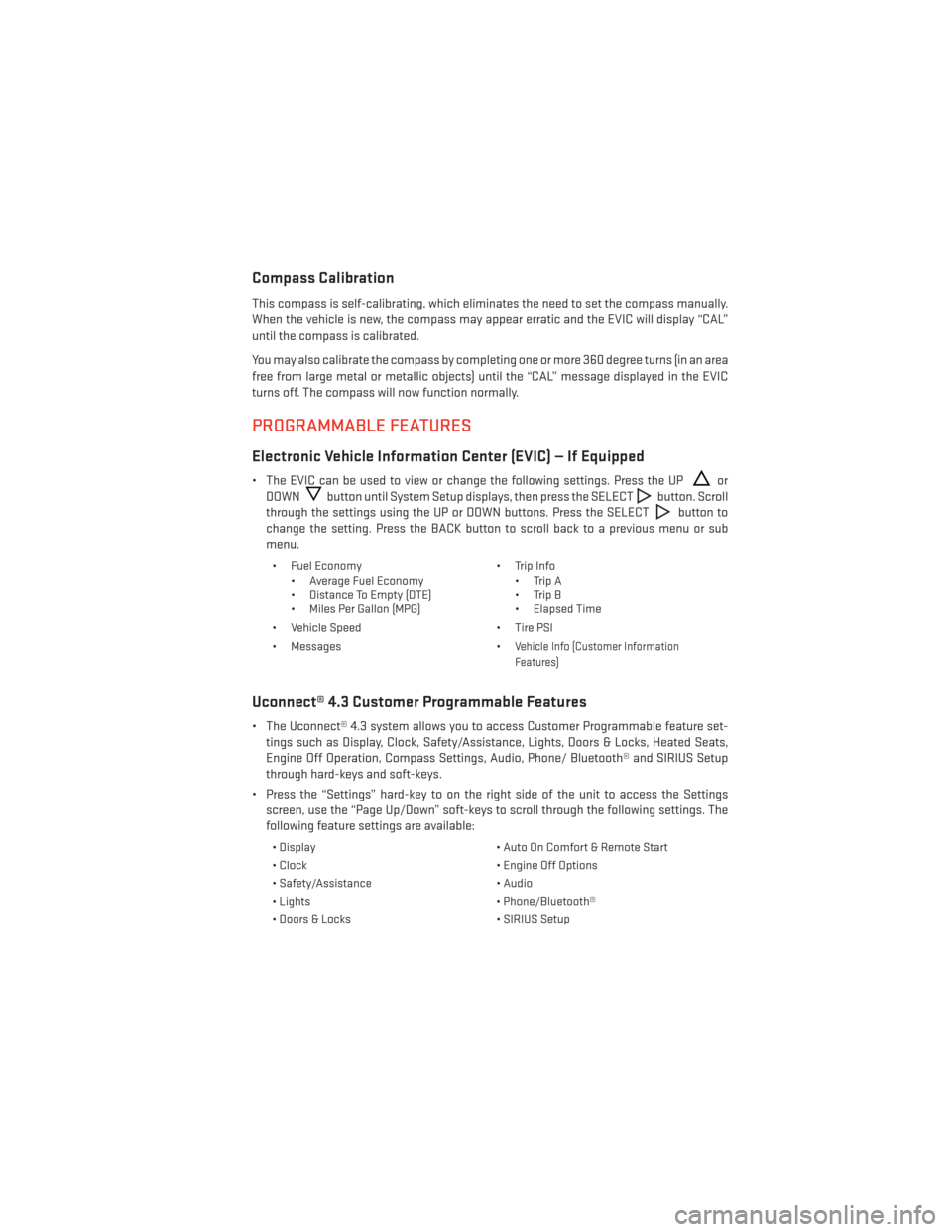
Compass Calibration
This compass is self-calibrating, which eliminates the need to set the compass manually.
When the vehicle is new, the compass may appear erratic and the EVIC will display “CAL”
until the compass is calibrated.
You may also calibrate the compass by completing one or more 360 degree turns (in an area
free from large metal or metallic objects) until the “CAL” message displayed in the EVIC
turns off. The compass will now function normally.
PROGRAMMABLE FEATURES
Electronic Vehicle Information Center (EVIC) — If Equipped
• The EVIC can be used to view or change the following settings. Press the UPor
DOWN
button until System Setup displays, then press the SELECTbutton. Scroll
through the settings using the UP or DOWN buttons. Press the SELECT
button to
change the setting. Press the BACK button to scroll back to a previous menu or sub
menu.
• Fuel Economy • Average Fuel Economy
• Distance To Empty (DTE)
• Miles Per Gallon (MPG) • Trip Info
• Trip A
• Trip B
• Elapsed Time
• Vehicle Speed • Tire PSI
• Messages •
Vehicle Info (Customer Information
Features)
Uconnect® 4.3 Customer Programmable Features
• The Uconnect® 4.3 system allows you to access Customer Programmable feature set- tings such as Display, Clock, Safety/Assistance, Lights, Doors & Locks, Heated Seats,
Engine Off Operation, Compass Settings, Audio, Phone/ Bluetooth® and SIRIUS Setup
through hard-keys and soft-keys.
• Press the “Settings” hard-key to on the right side of the unit to access the Settings screen, use the “Page Up/Down” soft-keys to scroll through the following settings. The
following feature settings are available:
• Display • Auto On Comfort & Remote Start
• Clock • Engine Off Options
• Safety/Assistance • Audio
• Lights • Phone/Bluetooth®
• Doors & Locks • SIRIUS Setup
ELECTRONICS
65
Page 68 of 124
Uconnect® 8.4 Customer Programmable Features
• The Uconnect® 8.4 system allows you to access Customer Programmable feature set-tings such as Display, Clock, Safety/Assistance, Lights, Doors & Locks, Heated Seats,
Engine Off Operation, Compass Settings, Audio, Phone/Bluetooth® and SIRIUS Setup
through soft-keys.
• Touch the “More” soft-key on the bottom of the screen, then touch the “Settings” soft-key to access the Settings screen. When making a selection, scroll up or down until
the preferred setting is highlighted, then press and release the preferred setting until a
check-mark appears next to the setting, showing that setting has been selected.
The following feature settings are available:
• Display • Auto On Comfort & Remote Start
• Clock • Engine Off Options
• Safety/Assistance • Audio
• Lights • Phone/Bluetooth®
• Doors & Locks • SIRIUS Setup
UNIVERSAL GARAGE DOOR OPENER (HomeLink®)
• HomeLink® replaces up to three hand-held transmitters that operate devices such as
garage door openers, motorized gates, lighting or home security systems. The
HomeLink® unit is powered by your vehicles 12 Volt battery.
• The HomeLink® buttons that are located in the overhead console or sunvisor designate the three different HomeLink® channels.
• The HomeLink® indicator is located above the center button.
Before You Begin Programming
HomeLink®
Ensure that your vehicle is parked outside of
the garage before you begin programming.
For efficient programming and accurate
transmission of the radio-frequency signal,
it is recommended that a new battery be
placed in the hand-held transmitter of the
device that is being programmed to the
HomeLink® system.
Erase all channels before you begin pro-
gramming. To erase the channels, place the
ignition switch into the ON/RUN position,
then press and hold the two outside HomeLink® buttons (I and III) for up to 20 seconds or
until the red indicator flashes.
ELECTRONICS
66
Page 71 of 124
POWER INVERTER
• There is a 115 Volt, 150 Watt power inverteroutlet located on the back of the center
console. This outlet can power cellular
phones, electronics and other low power
devices requiring power up to 150 Watts.
Uconnect® 4.3 System
• Press the MORE hard-key (located next to the Uconnect® screen).
• Press the “Outlet” soft-key to turn the power inverter On or Off.
Uconnect® 8.4 System
• Press the “Controls” soft-key (located at the bottom of the Uconnect® screen).
• Press the “Outlet” soft-key to turn the power inverter On or Off.
NOTE:
The power inverter is designed with built-in overload protection. If the power rating of
150 Watts is exceeded, the power inverter will automatically shut down. Once the electrical
device has been removed from the outlet, the inverter should automatically reset. If the
power rating exceeds approximately 170 Watts, the power inverter may have to be reset
manually. To reset the inverter manually, unplug the device and plug it in again. To avoid
overloading the circuit, check the power ratings on electrical devices prior to using the
inverter.
WARNING!
To Avoid Serious Injury or Death DO NOT:
• use a three-prong adaptor
• insert any objects into the receptacles
• touch with wet hands
Close the lid when not in use. If this outlet is mishandled, it may cause an electric shock
and failure.
ELECTRONICS
69
Page 79 of 124
- Malfunction Indicator Light (MIL)
The Malfunction Indicator Light (MIL) is part of an onboard diagnostic system called OBD II
that monitors engine and automatic transmission control systems. The light will illuminate
when the key is in the ON/RUN position before engine start. If the bulb does not come on
when turning the key from OFF to ON/RUN, have the condition checked promptly.
Certain conditions, poor fuel quality, etc., may illuminate the light after engine start. The
vehicle should be serviced if the light stays on through several of your typical driving cycles.
In most situations, the vehicle will drive normally and will not require towing.
CAUTION!
Prolonged driving with the Malfunction Indicator Light (MIL) on could cause damage to
the engine control system. It also could affect fuel economy and driveability. If the MIL is
flashing, severe catalytic converter damage and power loss will soon occur. Immediate
service is required.
WARNING!
A malfunctioning catalytic converter, as referenced above, can reach higher tempera-
tures than in normal operating conditions. This can cause a fire if you drive slowly or park
over flammable substances such as dry plants, wood, cardboard, etc. This could result in
death or serious injury to the driver, occupants or others.
- Electronic Stability Control (ESC) Activation/Malfunction
Indicator Light
• If this indicator light flashes during acceleration, apply as little throttle as possible. While
driving, ease up on the accelerator. Adapt your speed and driving to the prevailing road
conditions. To improve the vehicle's traction when starting off in deep snow, sand or
gravel, it may be desirable to switch the ESC system off.
- Electronic Stability Control (ESC) OFF Indicator Light
The ESC OFF indicator will illuminate when the Electronic Stability Control (ESC) is turned off.
- Turn Signal Indicator
The arrows will flash with the exterior turn signals when the turn signal lever is operated.
A tone will chime, and an EVIC message will appear if either turn signal is left on for more
than 1 mile (1.6 km).
NOTE:
If either indicator flashes at a rapid rate, check for a defective outside light bulb.
WHAT TO DO IN EMERGENCIES
77
Page 92 of 124
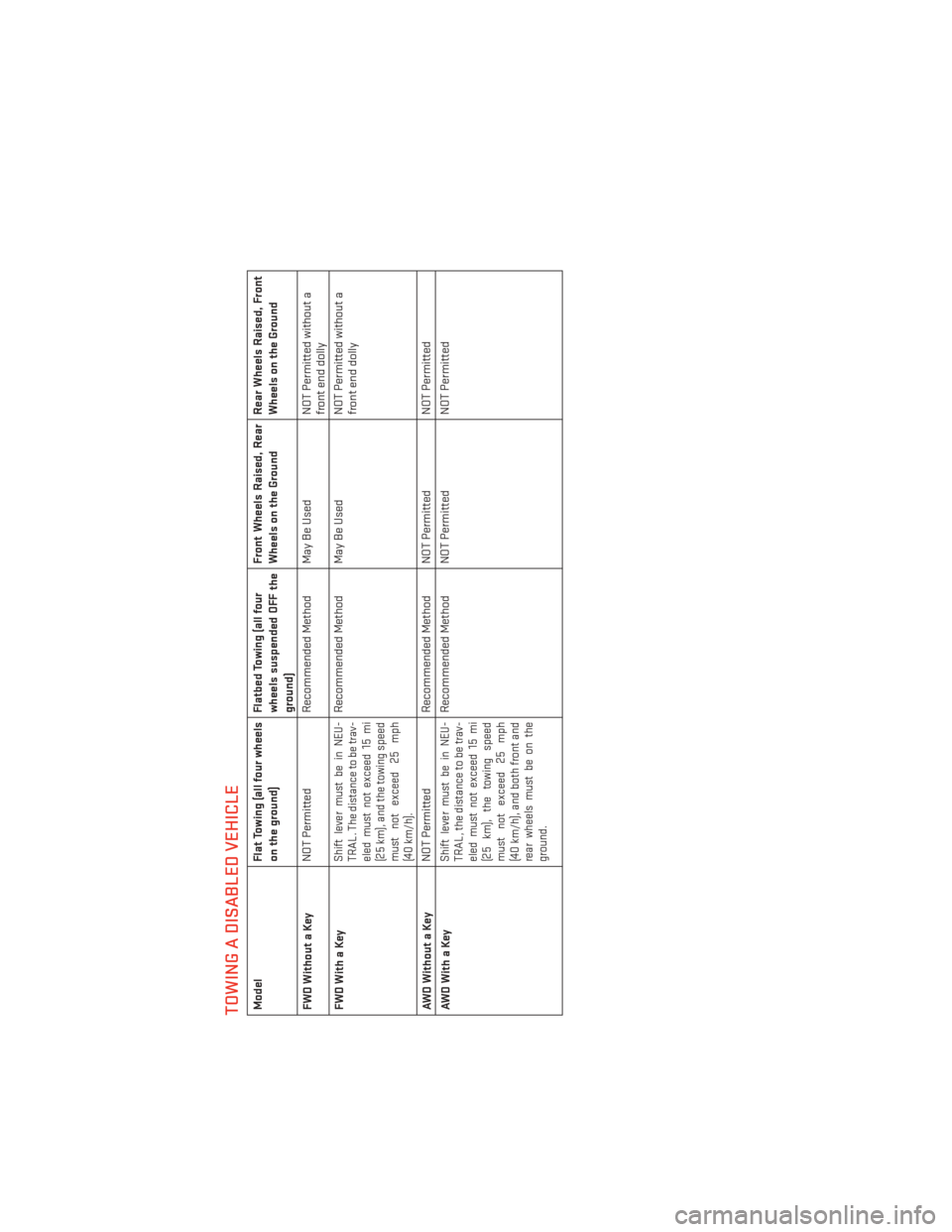
TOWING A DISABLED VEHICLEModelFlat Towing (all four wheels
on the ground) Flatbed Towing (all four
wheels suspended OFF the
ground)Front Wheels Raised, Rear
Wheels on the Ground
Rear Wheels Raised, Front
Wheels on the Ground
FWDWithoutaKey NOT Permitted
Recommended Method May Be Used NOT Permitted without a
front end dolly
FWDWithaKey
Shift lever must be in NEU-
TRAL. The distance to be trav-
eled must not exceed 15 mi
(25 km), and the towing speed
must not exceed 25 mph
(40 km/h).
Recommended Method May Be Used NOT Permitted without a
front end dolly
AWDWithoutaKey NOT Permitted
Recommended Method NOT Permitted NOT Permitted
AWDWithaKey
Shift lever must be in NEU-
TRAL, the distance to be trav-
eled must not exceed 15 mi
(25 km), the towing speed
must not exceed 25 mph
(40 km/h), and both front and
rear wheels must be on the
ground.
Recommended Method NOT Permitted NOT Permitted
WHAT TO DO IN EMERGENCIES
90
Page 115 of 124
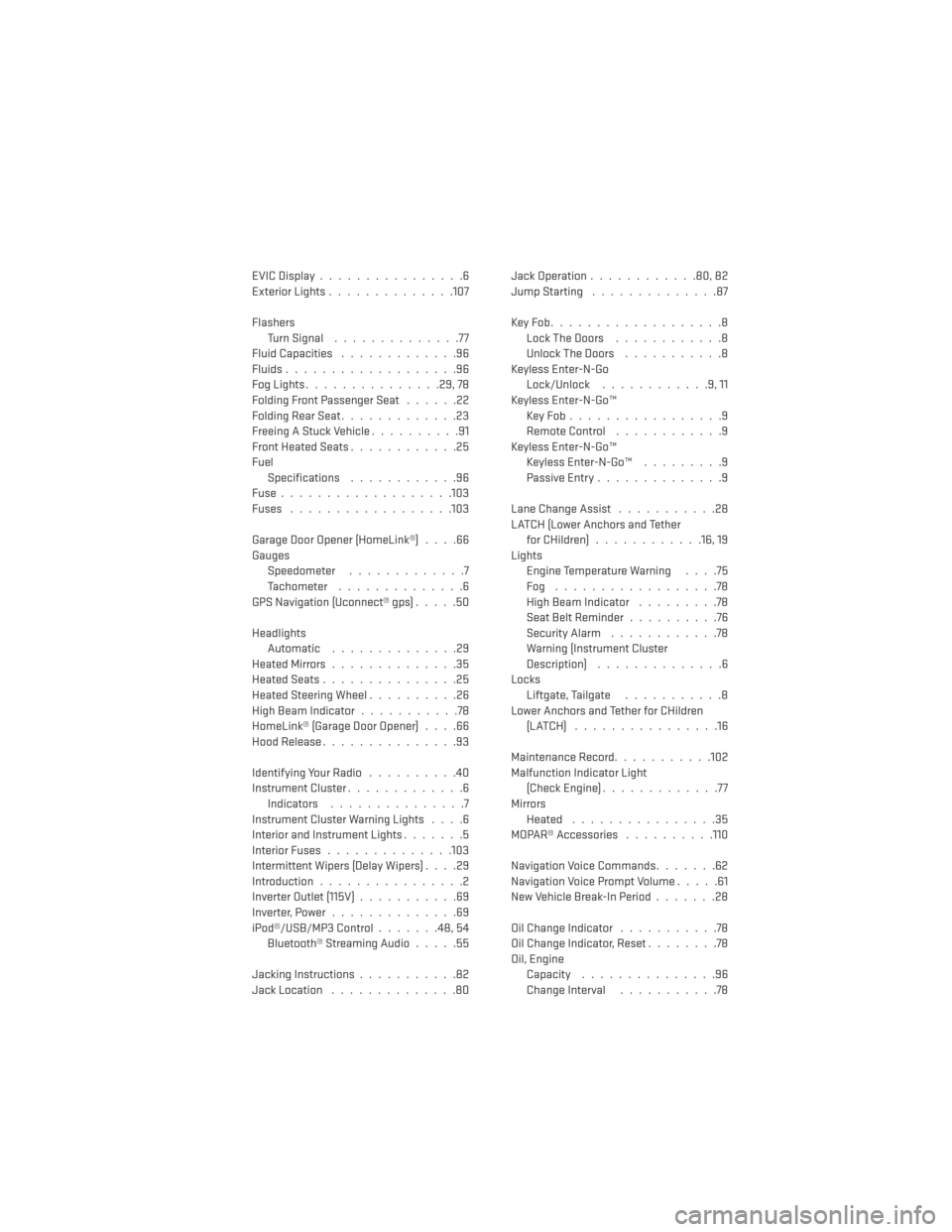
EVICDisplay................6
Exterior Lights..............107
Flashers TurnSignal ..............77
Fluid Capacities .............96
Fluids...................96
Fog Lights ...............29, 78
Folding Front Passenger Seat ......22
FoldingRearSeat.............23
Freeing A Stuck Vehicle ..........91
Front Heated Seats ............25
Fuel Specifications ............96
Fuse...................103
Fuses ..................103
Garage Door Opener (HomeLink®) ....66
Gauges Speedometer .............7
Tachometer ..............6
GPS Navigation (Uconnect® gps) .....50
Headlights Automatic ..............29
HeatedMirrors..............35
HeatedSeats...............25
HeatedSteeringWheel..........26
High Beam Indicator ...........78
HomeLink® (Garage Door Opener) ....66
Hood Release ...............93
IdentifyingYourRadio ..........40
Instrument Cluster .............6
Indicators ...............7
Instrument Cluster Warning Lights ....6
Interior and Instrument Lights .......5
Interior Fuses ..............103
Intermittent Wipers (Delay Wipers) ....29
Introduction ................2
Inverter Outlet (115V) ...........69
Inverter,Power..............69
iPod®/USB/MP3 Control .......48,54
Bluetooth® Streaming Audio .....55
Jacking Instructions ...........82
Jack Location ..............80 Jack Operation
............80,82
Jump Starting ..............87
KeyFob...................8 LockTheDoors ............8
Unlock The Doors ...........8
Keyless Enter-N-Go Lock/Unlock ............9,11
Keyless Enter-N-Go™ KeyFob.................9
RemoteControl ............9
Keyless Enter-N-Go™ Keyless Enter-N-Go™ .........9
Passive Entry ..............9
Lane Change Assist ...........28
LATCH (Lower Anchors and Tether for CHildren) ............16, 19
Lights Engine Temperature Warning ....75
Fog ..................78
High Beam Indicator .........78
Seat Belt Reminder ..........76
Security Alarm ............78
Warning (Instrument Cluster
Description) ..............6
Locks Liftgate, Tailgate ...........8
Lower Anchors and Tether for CHildren (LATCH) ................16
Maintenance Record ...........102
Malfunction Indicator Light (Check Engine) .............
77
Mirrors Heated ................35
MOPAR® Accessories ..........110
Navigation Voice Commands .......62
Navigation Voice Prompt Volume .....61
New Vehicle Break-In Period .......28
Oil Change Indicator ...........78
Oil Change Indicator, Reset ........78
Oil, Engine Capacity ...............96
Change Interval ...........78
INDEX
113
Page 116 of 124
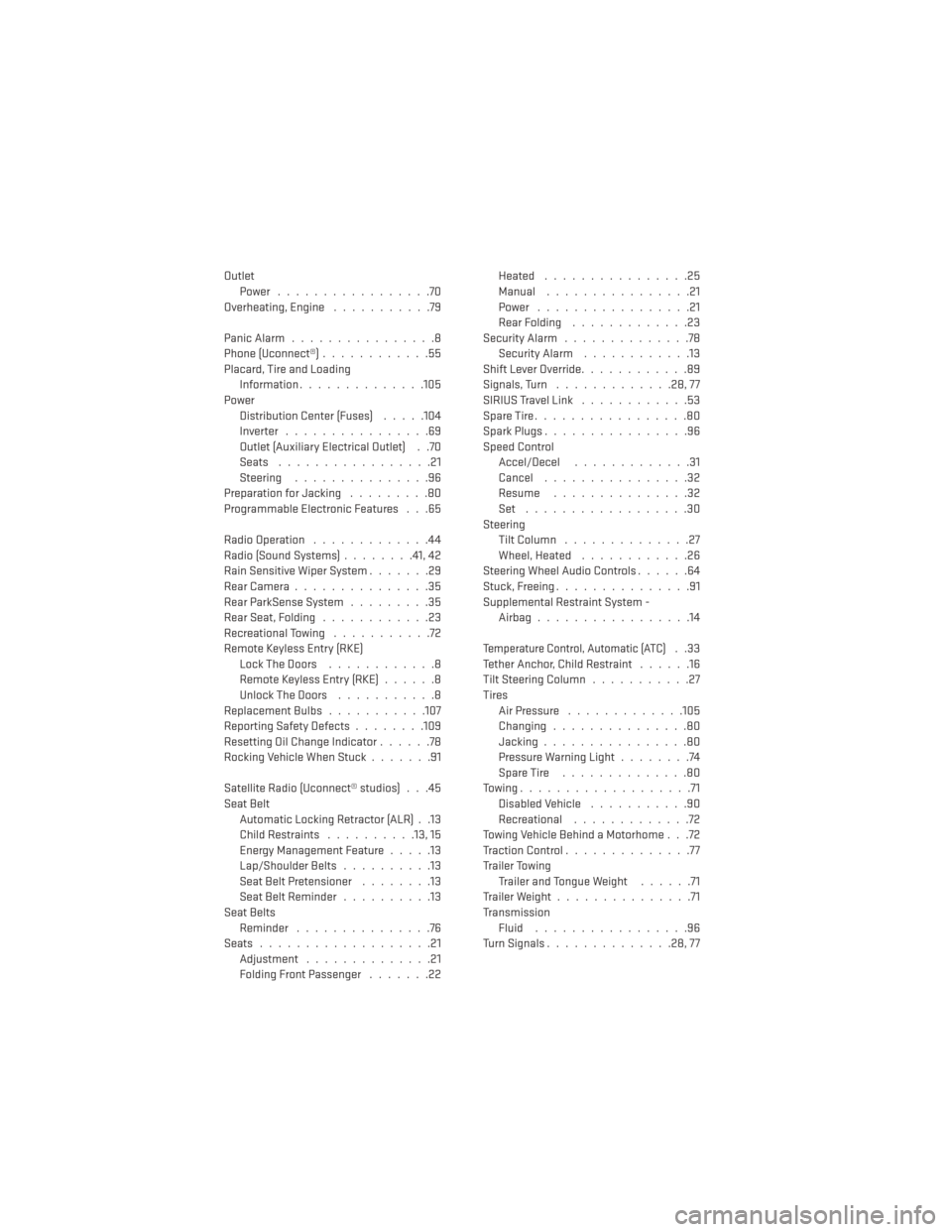
OutletPower .................70
Overheating, Engine ...........79
PanicAlarm................8
Phone (Uconnect®) ............55
Placard, Tire and Loading Information ..............105
Power Distribution Center (Fuses) .....104
Inverter ................69
Outlet (Auxiliary Electrical Outlet) . .70
Seats .................21
Steering ...............96
Preparation for Jacking .........80
Programmable Electronic Features . . .65
Radio Operation .............44
Radio (Sound Systems) ........41,42
Rain Sensitive Wiper System .......29
Rear Camera ...............35
Rear ParkSense System .........35
Rear Seat, Folding ............23
Recreational Towing ...........72
Remote Keyless Entry (RKE) LockTheDoors ............8
Remote Keyless Entry (RKE) ......8
Unlock The Doors ...........8
ReplacementBulbs...........107
Reporting Safety Defects ........109
Resetting Oil Change Indicator ......78
Rocking Vehicle When Stuck .......91
Satellite Radio (Uconnect® studios) . . .45
Seat Belt Automatic Locking Retractor (ALR) . .13
Child Restraints ..........13,15
Energy Management Feature .....13
Lap/Shoulder Belts ..........13
Seat Belt Pretensioner ........13
SeatBeltReminder ..........13
Seat Belts Reminder ...............76
Seats ...................21
Adjustment ..............21
Folding Front Passenger .......22Heated ................25
Manual
................21
Power .................21
Rear Folding .............23
SecurityAlarm ..............78 Security Alarm ............13
Shift Lever Override ............89
Signals, Turn .............28,77
SIRIUSTravelLink ............53
SpareTire.................80
SparkPlugs................96
Speed Control Accel/Decel .............31
Cancel ................32
Resume ...............32
Set ..................30
Steering Tilt Column ..............27
Wheel, Heated ............26
Steering Wheel Audio Controls ......64
Stuck, Freeing ...............91
Supplemental Restraint System - Airbag .................14
Temperature Control, Automatic (ATC)..33
Tether Anchor, Child Restraint ......16
Tilt Steering Column ...........27
Tires Air Pressure .............105
Changing...............80
Jacking ................80
Pressure Warning Light ........74
SpareTire ..............80
Towing...................71 Disabled Vehicle ...........90
Recreational .............72
Towing Vehicle Behind a Motorhome . . .72
Traction Control ..............77
Trailer Towing Trailer and Tongue Weight ......71
Trailer Weight ...............71
Transmission Fluid .................96
Turn Signals ..............28,77
INDEX
114