tow DODGE JOURNEY 2015 1.G Owner's Manual
[x] Cancel search | Manufacturer: DODGE, Model Year: 2015, Model line: JOURNEY, Model: DODGE JOURNEY 2015 1.GPages: 648
Page 250 of 648
WARNING!(Continued)
•Before using ParkSense®, it is strongly recom-
mended that the ball mount and hitch ball assem-
bly is disconnected from the vehicle when the
vehicle is not used for towing. Failure to do so can
result in injury or damage to vehicles or obstacles
because the hitch ball will be much closer to the
obstacle than the rear fascia when the loudspeaker
sounds the continuous tone. Also, the sensors
could detect the ball mount and hitch ball assem-
bly, depending on its size and shape, giving a false
indication that an obstacle is behind the vehicle.
PARKVIEW® REAR BACK UP CAMERA — IF
EQUIPPED
Your vehicle may be equipped with the ParkView® Rear
Back Up Camera that allows you to see an on-screen
image of the rear surroundings of your vehicle whenever
the shift lever is put into REVERSE. The ParkView®
camera is located on the rear of the vehicle above the rear
License plate. The image will be displayed in the touch-
screen display along with a caution note to “check entire
surroundings” across the top of the screen. After five
seconds this note will disappear.
When the vehicle is shifted out of REVERSE, the rear
camera mode is exited and the last selected touchscreen
appears again.
If your vehicle is equipped with the Camera Delay
feature and it is turned ON, the rear camera image will be
displayed for up to 10 seconds when the vehicle is shifted
out of REVERSE unless the forward vehicle speed ex-
ceeds 8 mph (13 km/h), the transmission is shifted into
#PARK#or the vehicle’s ignition is cycled to the OFF
position.
Static grid lines will illustrate the width of the vehicle
while a dashed center-line will indicate the center of the
248 UNDERSTANDING THE FEATURES OF YOUR VEHICLE
Page 280 of 648
WARNING!
Do not operate this vehicle with a console compart-
ment lid in the open position. Driving with the
console compartment lid open may result in injury in
a collision.
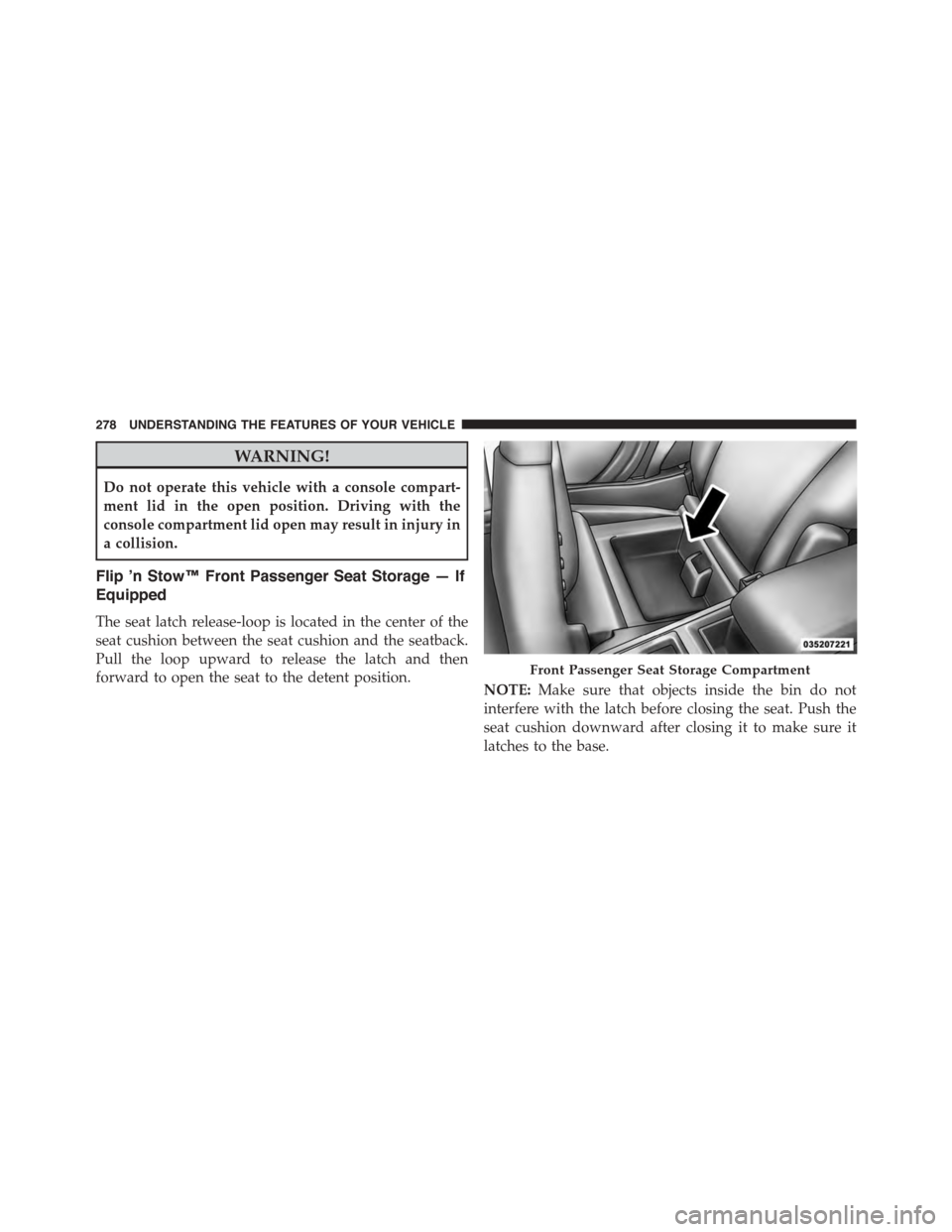
Flip ’n Stow™ Front Passenger Seat Storage — If
Equipped
The seat latch release-loop is located in the center of the
seat cushion between the seat cushion and the seatback.
Pull the loop upward to release the latch and then
forward to open the seat to the detent position.NOTE:Make sure that objects inside the bin do not
interfere with the latch before closing the seat. Push the
seat cushion downward after closing it to make sure it
latches to the base.
Front Passenger Seat Storage Compartment
278 UNDERSTANDING THE FEATURES OF YOUR VEHICLE
Page 287 of 648
The cover rolls away neatly inside its housing when not
in use. You can also remove the cover from the vehicle to
make more room in the cargo area.
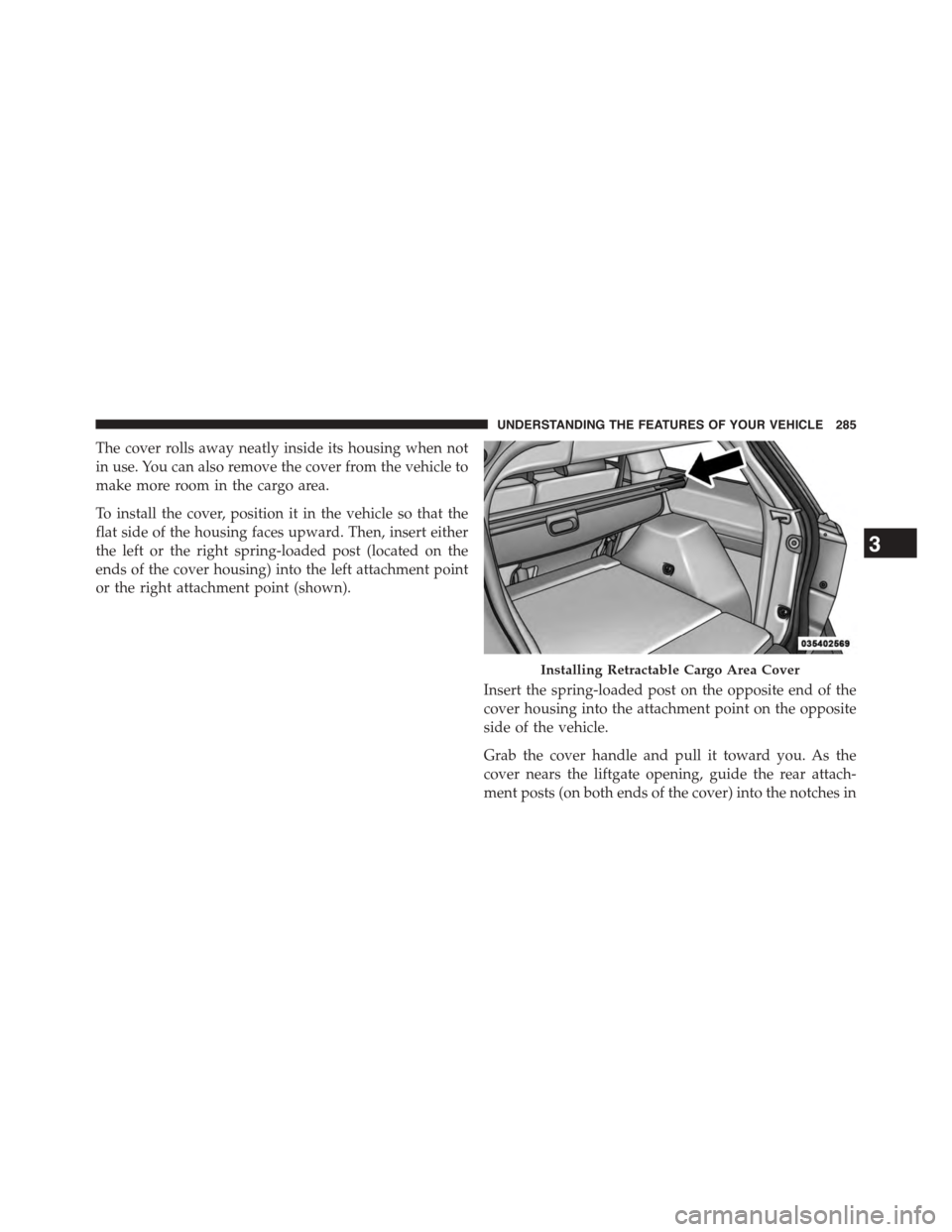
To install the cover, position it in the vehicle so that the
flat side of the housing faces upward. Then, insert either
the left or the right spring-loaded post (located on the
ends of the cover housing) into the left attachment point
or the right attachment point (shown).
Insert the spring-loaded post on the opposite end of the
cover housing into the attachment point on the opposite
side of the vehicle.
Grab the cover handle and pull it toward you. As the
cover nears the liftgate opening, guide the rear attach-
ment posts (on both ends of the cover) into the notches in
Installing Retractable Cargo Area Cover
3
UNDERSTANDING THE FEATURES OF YOUR VEHICLE 285
Page 300 of 648
INSTRUMENT CLUSTER DESCRIPTIONS
1. Tachometer
This gauge measures engine revolutions per minute
(RPM x 1000). Before the pointer reaches the red area,
ease up on the accelerator to prevent engine damage.
2. Air Bag Warning Light
This light will turn on for four to eight seconds
as a bulb check when the ignition switch is first
turned to ON/RUN. If the light is either not on
during starting, stays on, or turns on while
driving, have the system inspected at an authorized
dealer as soon as possible. Refer to “Occupant Restraints”
in “Things To Know Before Starting Your Vehicle” for
further information.
3. Malfunction Indicator Light (MIL)
The Malfunction Indicator Light (MIL) is part of
an onboard diagnostic system, called OBD II, that
monitors engine and automatic transmission con-
trol systems. The light will illuminate when the key is in
the ON/RUN position, before engine start. If the bulb
does not come on when turning the key from OFF to
ON/RUN, have the condition checked promptly.
Certain conditions, such as a loose or missing gas cap,
poor fuel quality, etc., may illuminate the MIL after
engine start. The vehicle should be serviced if the light
stays on through several of your typical driving cycles. In
most situations, the vehicle will drive normally and will
not require towing.
298 UNDERSTANDING YOUR INSTRUMENT PANEL
Page 302 of 648
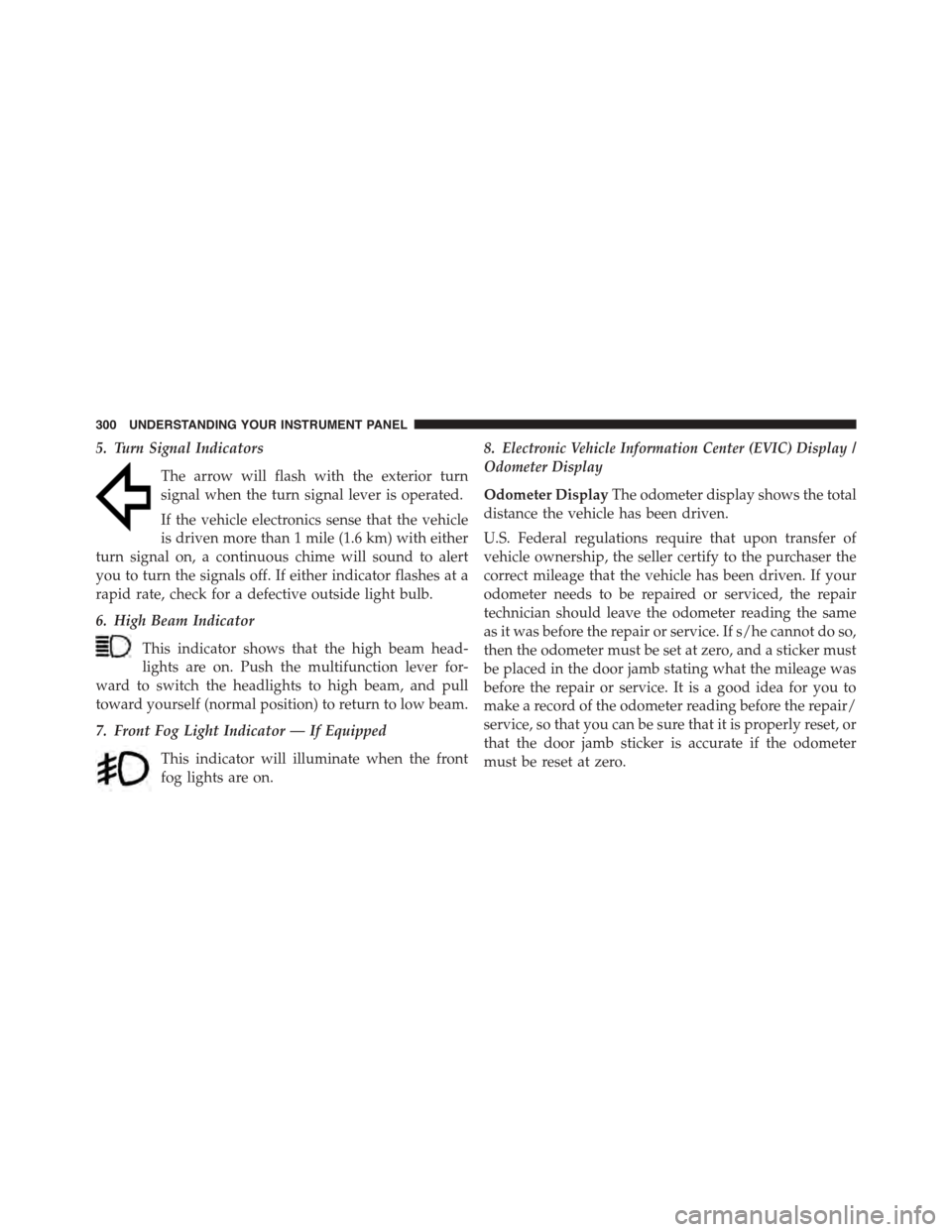
5. Turn Signal Indicators
The arrow will flash with the exterior turn
signal when the turn signal lever is operated.
If the vehicle electronics sense that the vehicle
is driven more than 1 mile (1.6 km) with either
turn signal on, a continuous chime will sound to alert
you to turn the signals off. If either indicator flashes at a
rapid rate, check for a defective outside light bulb.
6. High Beam Indicator
This indicator shows that the high beam head-
lights are on. Push the multifunction lever for-
ward to switch the headlights to high beam, and pull
toward yourself (normal position) to return to low beam.
7. Front Fog Light Indicator — If Equipped
This indicator will illuminate when the front
fog lights are on.
8.Electronic Vehicle Information Center (EVIC) Display /
Odometer Display
Odometer DisplayThe odometer display shows the total
distance the vehicle has been driven.
U.S. Federal regulations require that upon transfer of
vehicle ownership, the seller certify to the purchaser the
correct mileage that the vehicle has been driven. If your
odometer needs to be repaired or serviced, the repair
technician should leave the odometer reading the same
as it was before the repair or service. If s/he cannot do so,
then the odometer must be set at zero, and a sticker must
be placed in the door jamb stating what the mileage was
before the repair or service. It is a good idea for you to
make a record of the odometer reading before the repair/
service, so that you can be sure that it is properly reset, or
that the door jamb sticker is accurate if the odometer
must be reset at zero.
300 UNDERSTANDING YOUR INSTRUMENT PANEL
Page 307 of 648
brakes. If the ABS light does not turn on when the
ignition switch is turned to the ON/RUN position, have
the light inspected by an authorized dealer.
14. Speedometer
Indicates vehicle speed.
15. Fuel Door Reminder
The arrow in this symbol is a reminder that the
Fuel Filler Door is located on the left side of the
vehicle.
16. Fuel Gauge
The pointer shows the level of fuel in the fuel tank when
the ignition switch is in the ON/RUN position.
17. Vehicle Security Light — If Equipped
This light will flash at a fast rate for approxi-
mately 15 seconds, when the vehicle security
alarm is arming, and then will flash slowly
until the vehicle is disarmed.
18. Temperature Gauge
The temperature gauge shows engine coolant tempera-
ture. Any reading within the normal range indicates that
the engine cooling system is operating satisfactorily.
The gauge pointer will likely indicate a higher tempera-
ture when driving in hot weather, up mountain grades,
or when towing a trailer. It should not be allowed to
exceed the upper limits of the normal operating range.
4
UNDERSTANDING YOUR INSTRUMENT PANEL 305
Page 316 of 648
vehicle is experiencing a problem with the charging
system. Obtain SERVICE IMMEDIATELY. See an autho-
rized dealer.
If jump starting is required, refer to “Jump Starting
Procedures” in “What To Do In Emergencies”.
•Electronic Throttle Control (ETC) Light
This light informs you of a problem with the
Electronic Throttle Control (ETC) system. The
light will come on when the ignition is first
turned to ON/RUN and remain on briefly as a
bulb check. If the light does not come on during starting,
have the system checked by an authorized dealer.
If a problem is detected, the light will come on while the
engine is running. Cycle the ignition key when the
vehicle has completely stopped and the shift lever is
placed in the PARK position. The light should turn off.
If the light remains lit with the engine running, your
vehicle will usually be drivable. However, see an autho-
rized dealer for service as soon as possible. If the light is
flashing when the engine is running, immediate service is
required. You may experience reduced performance, an
elevated/rough idle or engine stall and your vehicle may
require towing.
•Engine Temperature Warning Light
This light warns of an overheated engine condi-
tion. As temperatures rise and the gauge ap-
proachesH,this indicator will illuminate and a single
chime will sound after reaching a set threshold. Further
overheating will cause the temperature gauge to passH,
the indicator will continuously flash and a continuous
chime will occur until the engine is allowed to cool.
If the light turns on while driving, safely pull over and
stop the vehicle. If the A/C system is on, turn it off. Also,
314 UNDERSTANDING YOUR INSTRUMENT PANEL
Page 317 of 648
shift the transmission into NEUTRAL and idle the ve-
hicle. If the temperature reading does not return to
normal, turn the engine off immediately and call for
service. Refer to “If Your Engine Overheats” in “What To
Do In Emergencies” for more information.
•Transmission Temperature Warning Light
This light indicates that the transmission fluid
temperature is running hot. This may occur
with severe usage, such as trailer towing. If this
light turns on, safely pull over and stop the
vehicle. Then, shift the transmission into NEUTRAL and
run the engine at idle or faster until the light turns off.
CAUTION!
Continuous driving with the Transmission Tempera-
ture Warning Light illuminated will eventually cause
severe transmission damage or transmission failure.
WARNING!
If you continue operating the vehicle when the
Transmission Temperature Warning Light is illumi-
nated you could cause the fluid to boil over, come in
contact with hot engine or exhaust components and
cause a fire.
Oil Change Due
Your vehicle is equipped with an engine oil change
indicator system. The “Oil Change Due” message will
flash in the EVIC display for approximately 10 seconds
after a single chime has sounded to indicate the next
scheduled oil change interval. The engine oil change
indicator system is duty cycle based, which means the
engine oil change interval may fluctuate dependent upon
your personal driving style.
4
UNDERSTANDING YOUR INSTRUMENT PANEL 315
Page 358 of 648
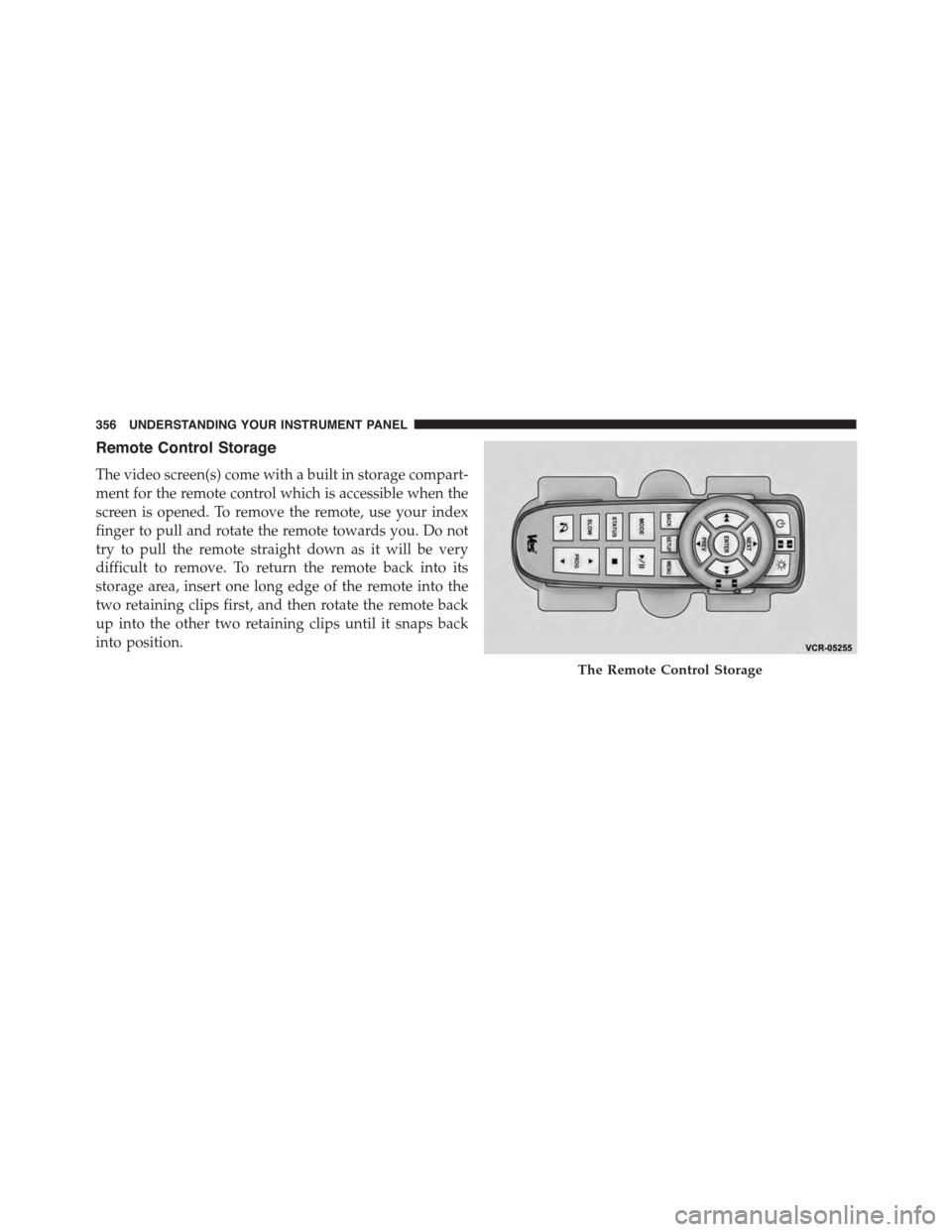
Remote Control Storage
The video screen(s) come with a built in storage compart-
ment for the remote control which is accessible when the
screen is opened. To remove the remote, use your index
finger to pull and rotate the remote towards you. Do not
try to pull the remote straight down as it will be very
difficult to remove. To return the remote back into its
storage area, insert one long edge of the remote into the
two retaining clips first, and then rotate the remote back
up into the other two retaining clips until it snaps back
into position.
The Remote Control Storage
356 UNDERSTANDING YOUR INSTRUMENT PANEL
Page 408 of 648
▫Carbon Monoxide Warnings.............484
!FLEXIBLE FUEL (3.6L ENGINE ONLY) — IF
EQUIPPED...........................485
▫E-85 General Information...............485
▫Ethanol Fuel (E-85)....................486
▫Fuel Requirements....................486
▫Selection Of Engine Oil For Flexible Fuel Vehicles
(E-85) And Gasoline Vehicles.............487
▫Starting............................488
▫Cruising Range.......................488
▫Replacement Parts....................488
▫Maintenance........................488
!ADDING FUEL........................489
▫Fuel Filler Cap (Gas Cap)...............489
▫Loose Fuel Filler Cap Message............491
!VEHICLE LOADING....................491
▫Vehicle Certification Label...............491
▫Gross Vehicle Weight Rating (GVWR).......492
▫Gross Axle Weight Rating (GAWR).........492
▫Overloading.........................492
▫Loading............................493
!TRAILER TOWING.....................493
▫Common Towing Definitions.............493
▫Trailer Hitch Classification...............496
▫Trailer Towing Weights (Maximum Trailer Weight
Ratings)............................497
▫Trailer And Tongue Weight..............498
406 STARTING AND OPERATING