seats DODGE JOURNEY 2020 User Guide
[x] Cancel search | Manufacturer: DODGE, Model Year: 2020, Model line: JOURNEY, Model: DODGE JOURNEY 2020Pages: 396, PDF Size: 25.53 MB
Page 34 of 396
32 GETTING TO KNOW YOUR VEHICLE
(Continued)
Vehicles Equipped With Remote Start
On models that are equipped with remote start,
th
e heated seats can be programmed to come
on during a remote start.
This feature can be programmed through the
U c
onnect system. Refer to “Uconnect Settings”
in “Multimedia” for further information.
SEATBACK/ARMREST — SECOND ROW
P
ASSENGER SEAT
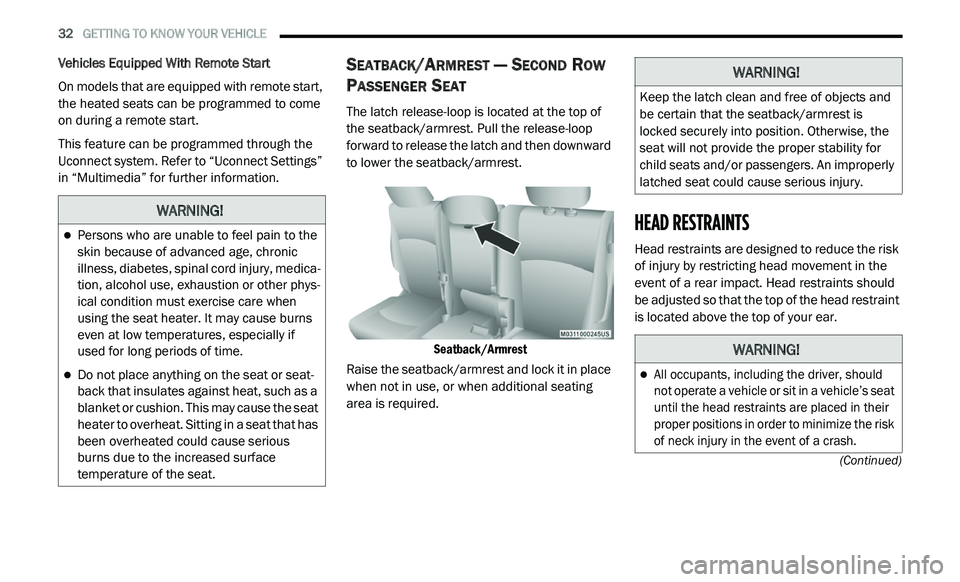
The latch release-loop is located at the top of
the seatback/armrest. Pull the release-loop
forward to release the latch and then downward
to lower the seatback/armrest.
Seatback/Armrest
Raise the seatback/armrest and lock it in place
w h
en not in use, or when additional seating
area is required.
HEAD RESTRAINTS
Head restraints are designed to reduce the risk
of injury by restricting head movement in the
event of a rear impact. Head restraints should
be adjusted so that the top of the head restraint
is located above the top of your ear.
WARNING!
Persons who are unable to feel pain to the
skin because of advanced age, chronic
illness, diabetes, spinal cord injury, medica -
tion, alcohol use, exhaustion or other phys -
ical condition must exercise care when
u s
ing the seat heater. It may cause burns
even at low temperatures, especially if
used for long periods of time.
Do not place anything on the seat or seat -
back that insulates against heat, such as a
b la
nket or cushion. This may cause the seat
heater to overheat. Sitting in a seat that has
been overheated could cause serious
burns due to the increased surface
temperature of the seat.
WARNING!
Keep the latch clean and free of objects and
be certain that the seatback/armrest is
locked securely into position. Otherwise, the
seat will not provide the proper stability for
child seats and/or passengers. An improperly
latched seat could cause serious injury.
WARNING!
All occupants, including the driver, should
not operate a vehicle or sit in a vehicle’s seat
until the head restraints are placed in their
proper positions in order to minimize the risk
of neck injury in the event of a crash.
Page 35 of 396
GETTING TO KNOW YOUR VEHICLE 33
SUPPLEMENTAL ACTIVE HEAD
R
ESTRAINTS (AHR) — FRONT SEATS
Supplemental Active Head Restraints (AHR) are
passive, deployable components, and vehicles with
this equipment can not be readily identified by any
markings, only through visual inspection of the head
restraint. The head restraint will be split in two
halves, with the front half being soft foam and trim,
the back half being decorative plastic.
When AHRs deploy during a rear impact, the front
h a
lf of the head restraint extends forward to
minimize the gap between the back of the
occupant’s head and the AHR. This system is
designed to help prevent or reduce the extent
of injuries to the driver and front passenger in
c e
rtain types of rear impacts. Refer to “Occupant
Restraint Systems” in “Safety” for further
information.
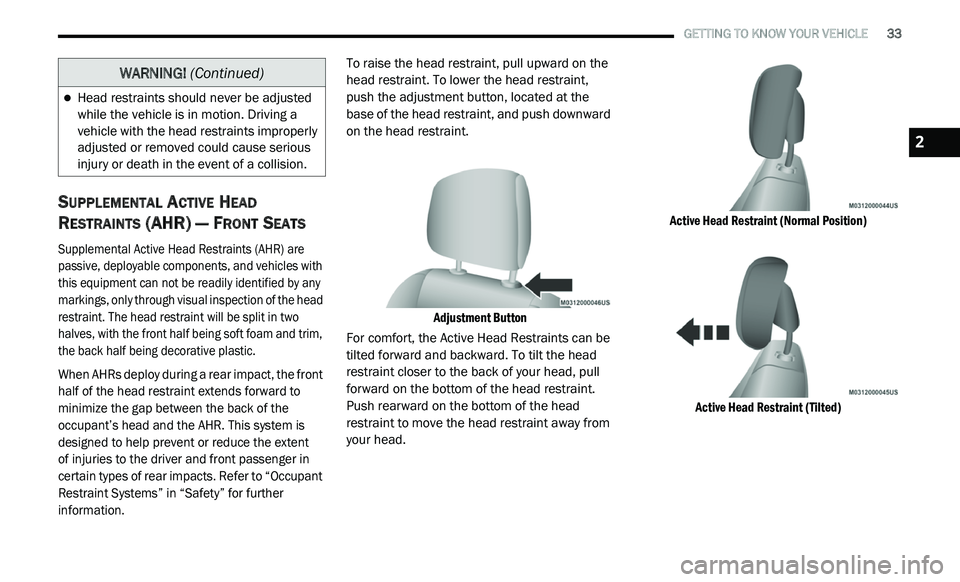
To raise the head restraint, pull upward on the
h
e
ad restraint. To lower the head restraint,
push the adjustment button, located at the
base of the head restraint, and push downward
on the head restraint.
Adjustment Button
For comfort, the Active Head Restraints can be
t i
lted forward and backward. To tilt the head
restraint closer to the back of your head, pull
forward on the bottom of the head restraint.
Push rearward on the bottom of the head
restraint to move the head restraint away from
your head.
Active Head Restraint (Normal Position)
Active Head Restraint (Tilted)
Head restraints should never be adjusted
while the vehicle is in motion. Driving a
vehicle with the head restraints improperly
adjusted or removed could cause serious
injury or death in the event of a collision.
WARNING! (Continued)
2
Page 36 of 396
34 GETTING TO KNOW YOUR VEHICLE
(Continued)
NOTE:
The head restraints should only be removed
by qualified technicians, for service purposes
only. If either of the head restraints require
removal, see an authorized dealer.
In the event of deployment of an Active Head
Restraint, refer to “Occupant Restraints/
Supplemental Active Head Restraints (AHR)/
Resetting Active Head Restraints (AHR)” in
“Safety” for further information.
REAR HEAD RESTRAINT ADJUSTMENT
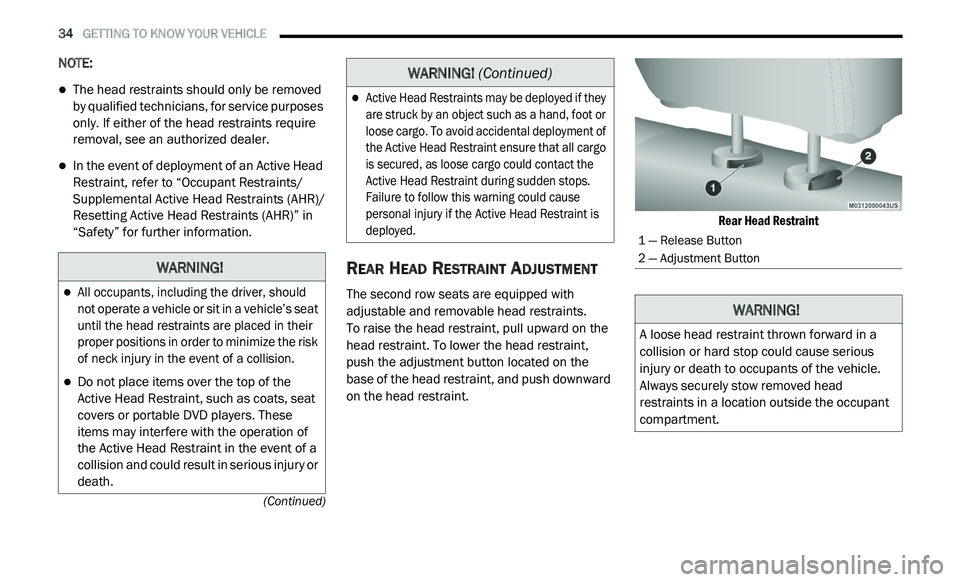
The second row seats are equipped with
adjustable and removable head restraints.
To raise the head restraint, pull upward on the
h e
ad restraint. To lower the head restraint,
push the adjustment button located on the
base of the head restraint, and push downward
on the head restraint.
Rear Head Restraint
WARNING!
All occupants, including the driver, should
not operate a vehicle or sit in a vehicle’s seat
until the head restraints are placed in their
proper positions in order to minimize the risk
of neck injury in the event of a collision.
Do not place items over the top of the
Active Head Restraint, such as coats, seat
covers or portable DVD players. These
items may interfere with the operation of
the Active Head Restraint in the event of a
collision and could result in serious injury or
death.
Active Head Restraints may be deployed if they
are struck by an object such as a hand, foot or
loose cargo. To avoid accidental deployment of
the Active Head Restraint ensure that all cargo
is secured, as loose cargo could contact the
Active Head Restraint during sudden stops.
Failure to follow this warning could cause
personal injury if the Active Head Restraint is
deployed.
WARNING!
(Continued)
1 — Release Button
2 — Adjustment Button
WARNING!
A loose head restraint thrown forward in a
collision or hard stop could cause serious
injury or death to occupants of the vehicle.
Always securely stow removed head
restraints in a location outside the occupant
compartment.
Page 40 of 396
38 GETTING TO KNOW YOUR VEHICLE
OUTSIDE MIRRORS
To receive maximum benefit, adjust the outside
mirrors to center on the adjacent lane of traffic
and a slight overlap of the view obtained from
the inside mirror.
NOTE:
The passenger side convex outside mirror will
g i
ve a much wider view to the rear, and espe -
cially of the lane next to your vehicle.
Outside Mirrors Folding Feature
All outside mirrors are hinged and may be
moved either forward or rearward to resist
damage. The hinges have three detent
positions:
Full forward position
Full rearward position
Normal position
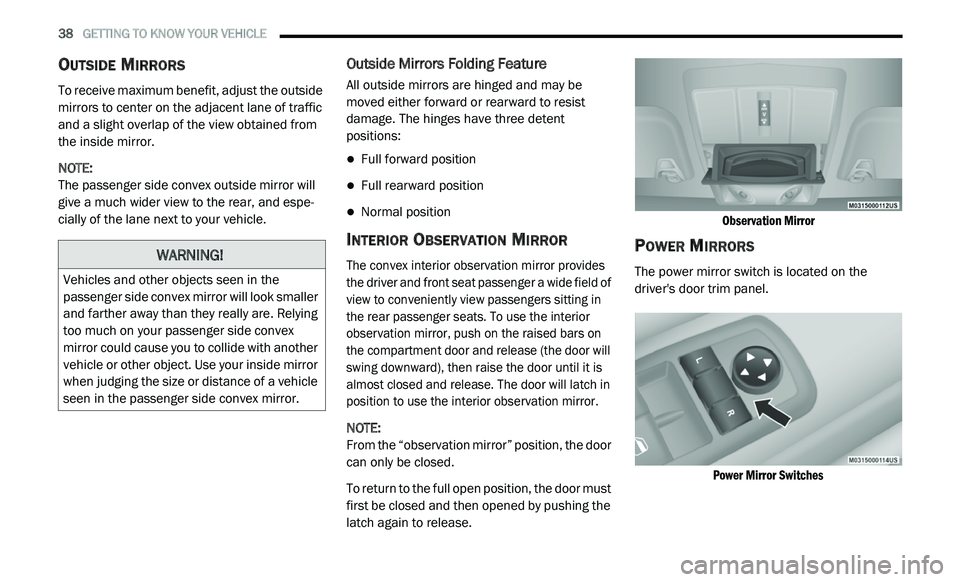
INTERIOR OBSERVATION MIRROR
The convex interior observation mirror provides
the driver and front seat passenger a wide field of
view to conveniently view passengers sitting in
the rear passenger seats. To use the interior
observation mirror, push on the raised bars on
the compartment door and release (the door will
swing downward), then raise the door until it is
almost closed and release. The door will latch in
position to use the interior observation mirror.
NOTE:
From the “observation mirror” position, the door
c a
n only be closed.
To return to the full open position, the door must
f i
rst be closed and then opened by pushing the
latch again to release.
Observation Mirror
POWER MIRRORS
The power mirror switch is located on the
driver's door trim panel.
Power Mirror Switches
WARNING!
Vehicles and other objects seen in the
passenger side convex mirror will look smaller
and farther away than they really are. Relying
too much on your passenger side convex
mirror could cause you to collide with another
vehicle or other object. Use your inside mirror
when judging the size or distance of a vehicle
seen in the passenger side convex mirror.
Page 55 of 396
GETTING TO KNOW YOUR VEHICLE 53
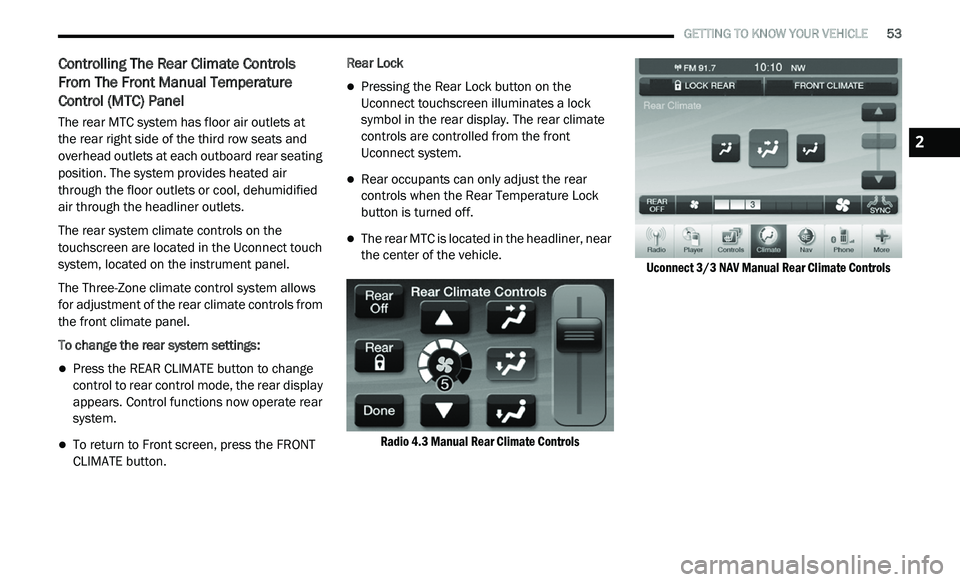
Controlling The Rear Climate Controls
From The Front Manual Temperature
Control (MTC) Panel
The rear MTC system has floor air outlets at
the rear right side of the third row seats and
o v
erhead outlets at each outboard rear seating
position. The system provides heated air
through the floor outlets or cool, dehumidified
air through the headliner outlets.
The rear system climate controls on the
to
uchscreen are located in the Uconnect touch
system, located on the instrument panel.
The Three-Zone climate control system allows
f o
r adjustment of the rear climate controls from
the front climate panel.
To change the rear system settings:
Press the REAR CLIMATE button to change
control to rear control mode, the rear display
appears. Control functions now operate rear
system.
To return to Front screen, press the FRONT
CLIMATE button. Rear Lock
Pressing the Rear Lock button on the
Uconnect touchscreen illuminates a lock
symbol in the rear display. The rear climate
controls are controlled from the front
Uconnect system.
Rear occupants can only adjust the rear
controls when the Rear Temperature Lock
button is turned off.
The rear MTC is located in the headliner, near
the center of the vehicle.
Radio 4.3 Manual Rear Climate Controls Uconnect 3/3
NAV Manual Rear Climate Controls
2
Page 66 of 396
64 GETTING TO KNOW YOUR VEHICLE
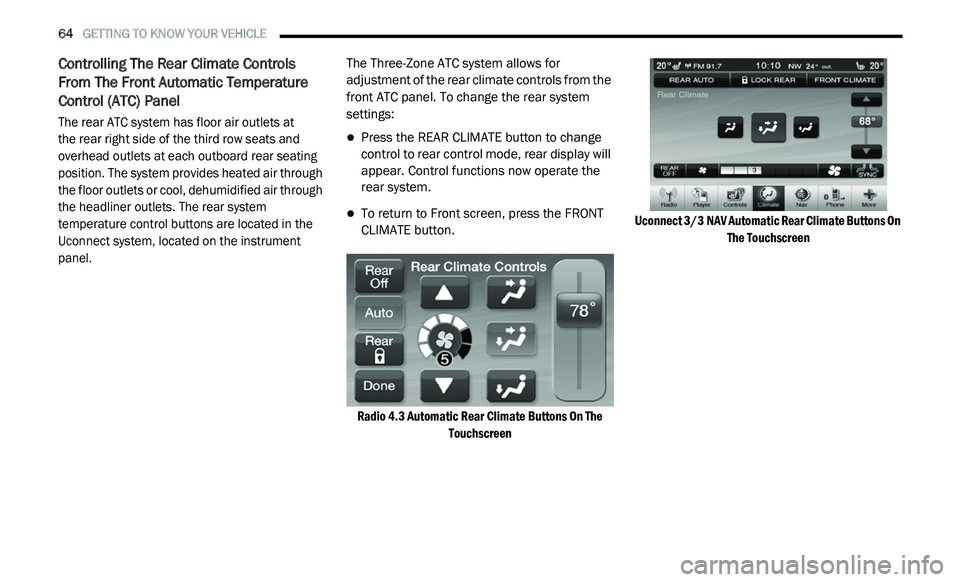
Controlling The Rear Climate Controls
From The Front Automatic Temperature
Control (ATC) Panel
The rear ATC system has floor air outlets at
the rear right side of the third row seats and
o v
erhead outlets at each outboard rear seating
position. The system provides heated air through
the floor outlets or cool, dehumidified air through
the headliner outlets. The rear system
temperature control buttons are located in the
Uconnect system, located on the instrument
panel.
The Three-Zone ATC system allows for
a
d
justment of the rear climate controls from the
front ATC panel. To change the rear system
settings:
Press the REAR CLIMATE button to change
control to rear control mode, rear display will
appear. Control functions now operate the
rear system.
To return to Front screen, press the FRONT
CLIMATE button.
Radio 4.3 Automatic Rear Climate Buttons On The To
uchscreen Uconnect 3/3
NAV Automatic Rear Climate Buttons On
Th
e Touchscreen
Page 80 of 396
78 GETTING TO KNOW YOUR VEHICLE
CARGO AREA FEATURES
Cargo Management System
Five Passenger System Features
A raised load floor that sits on top of a large
built-in storage bin.
A tri-fold door built into the load floor that
allows easy access to items in the built-in
storage bin.
60/40 split second-row passenger seats with
fold flat feature, which allows for extended
cargo space. Refer to “Seats” in this chapter
for further information.
An optional front passenger seat with fold flat
feature, which extends cargo space even
further. Refer to “Seats” in this chapter for
further information.
Cargo tie-downs.
A retractable cargo area cover (if equipped).
Seven Passenger System Features
A large built-in storage bin with a hinged hard -
cover located in the floor behind the third-row
p a
ssenger seats.
60/40 split second-row passenger seats with
fold flat feature, which allows for extended
cargo space. Refer to “Seats” in this chapter
for further information.
50/50 split third-row passenger seats with
fold flat feature, which allows for extended
cargo space. Refer to “Seats” in this chapter
for further information.
An optional front passenger seat with fold flat
feature, which extends cargo space even
further. Refer to “Seats” in this chapter for
further information.
Cargo tie-downs.
Retractable Cargo Area Cover (Five
Passenger Models) — If Equipped
NOTE:
The purpose of this cover is for privacy, not to
s e
cure loads. It will not prevent cargo from
shifting or protect passengers from loose cargo.
The removable retractable cargo area cover
m o
unts in the cargo area behind the top of the
rear seats. The cover, when extended, covers the cargo
a
r
ea to keep items out of sight. Notches in the
trim panels near the liftgate opening secure the
extended cover in place.
The cover rolls away neatly inside its housing
w h
en not in use. You can also remove the cover
from the vehicle to make more room in the
cargo area.
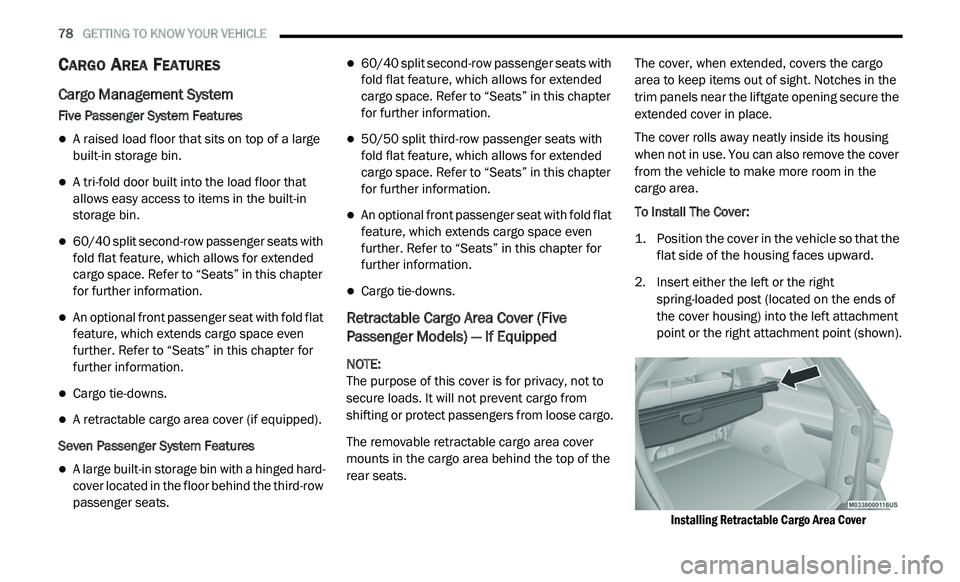
To Install The Cover:
1. P osition the cover in the vehicle so that the
f
lat side of the housing faces upward.
2. I nsert either the left or the right
s
pring-loaded post (located on the ends of
the cover housing) into the left attachment
point or the right attachment point (shown).
Installing Retractable Cargo Area Cover
Page 82 of 396
80 GETTING TO KNOW YOUR VEHICLE
GARAGE DOOR OPENER — IF EQUIPPED
HomeLink® replaces up to three remote controls
(hand-held transmitters) that operate devices
such as garage door openers, motorized gates,
lighting or home security systems. The
HomeLink® unit operates off your vehicle’s
battery.
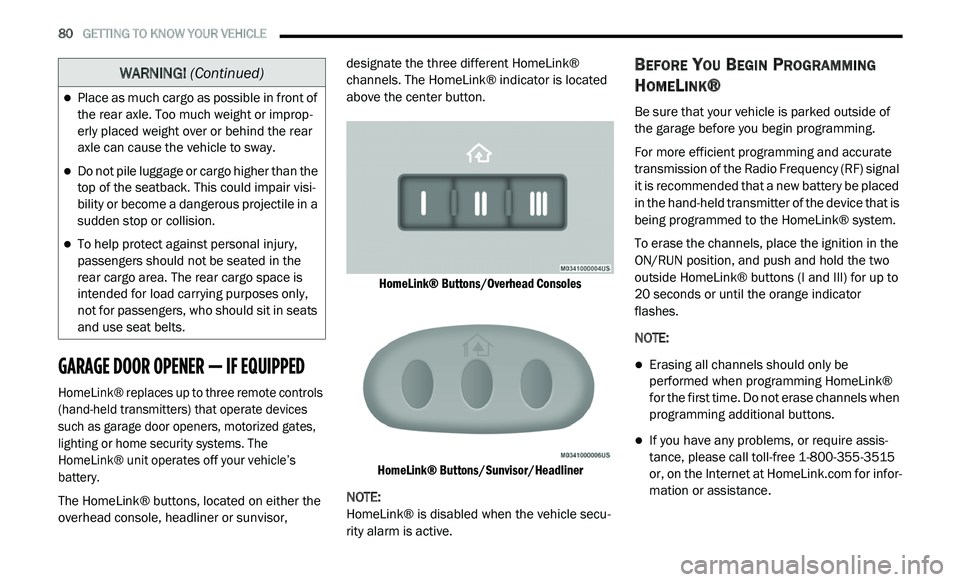
The HomeLink® buttons, located on either the
ov
erhead console, headliner or sunvisor, designate the three different HomeLink®
channels. The HomeLink® indicator is located
above the center button.
HomeLink® Buttons/Overhead Consoles
HomeLink® Buttons/Sunvisor/Headliner
NOTE:
HomeLink® is disabled when the vehicle secu -
rity alarm is active.
BEFORE YOU BEGIN PROGRAMMING
H
OMELINK®
Be sure that your vehicle is parked outside of
the garage before you begin programming.
For more efficient programming and accurate
t r
ansmission of the Radio Frequency (RF) signal
it is recommended that a new battery be placed
in the hand-held transmitter of the device that is
being programmed to the HomeLink® system.
To erase the channels, place the ignition in the
ON
/RUN position, and push and hold the two
outside HomeLink® buttons (I and III) for up to
20 seconds or until the orange indicator
flashes.
NOTE:
Erasing all channels should only be
performed when programming HomeLink®
for the first time. Do not erase channels when
programming additional buttons.
If you have any problems, or require assis -
tance, please call toll-free 1 -
800-355-3515
or, on the Internet at HomeLink.com for infor-
mation or assistance.
Place as much cargo as possible in front of
the rear axle. Too much weight or improp -
erly placed weight over or behind the rear
a x
le can cause the vehicle to sway.
Do not pile luggage or cargo higher than the
top of the seatback. This could impair visi-
bility or become a dangerous projectile in a
su
dden stop or collision.
To help protect against personal injury,
passengers should not be seated in the
rear cargo area. The rear cargo space is
intended for load carrying purposes only,
not for passengers, who should sit in seats
and use seat belts.
WARNING! (Continued)
Page 88 of 396
86 GETTING TO KNOW YOUR VEHICLE
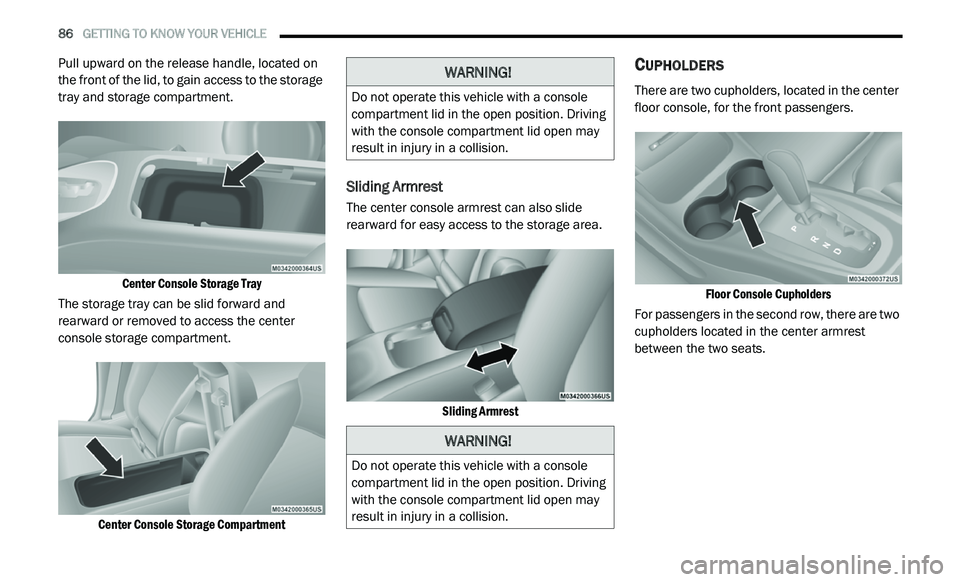
Pull upward on the release handle, located on
the front of the lid, to gain access to the storage
tray and storage compartment.
Center Console Storage Tray
The storage tray can be slid forward and
r e
arward or removed to access the center
console storage compartment.
Center Console Storage Compartment
Sliding Armrest
The center console armrest can also slide
rearward for easy access to the storage area.
Sliding Armrest
CUPHOLDERS
There are two cupholders, located in the center
floor console, for the front passengers.
Floor Console Cupholders
For passengers in the second row, there are two
c u
pholders located in the center armrest
between the two seats.
WARNING!
Do not operate this vehicle with a console
compartment lid in the open position. Driving
with the console compartment lid open may
result in injury in a collision.
WARNING!
Do not operate this vehicle with a console
compartment lid in the open position. Driving
with the console compartment lid open may
result in injury in a collision.
Page 101 of 396
GETTING TO KNOW YOUR INSTRUMENT PANEL 99
BATTERY SAVER ON/BATTERY SAVER
M
ODE MESSAGE — ELECTRICAL LOAD
R
EDUCTION ACTIONS — IF EQUIPPED
This vehicle is equipped with an Intelligent
Battery Sensor (IBS) to perform additional
monitoring of the electrical system and status
of the vehicle battery.
In cases when the IBS detects charging system
f a
ilure, or the vehicle battery conditions are
deteriorating, electrical load reduction actions
will take place to extend the driving time and
distance of the vehicle. This is done by reducing
power to or turning off non-essential electrical
loads.
Load reduction is only active when the engine is
r u
nning. It will display a message if there is a
risk of battery depletion to the point where the
vehicle may stall due to lack of electrical supply,
or will not restart after the current drive cycle.
When load reduction is activated, the message
“B
attery Saver On” or “Battery Saver Mode” will
appear in the instrument cluster.
These messages indicate the vehicle battery
h a
s a low state of charge and continues to lose
electrical charge at a rate that the charging
system cannot sustain. NOTE:
The charging system is independent from
load reduction. The charging system
performs a diagnostic on the charging
system continuously.
If the Battery Charge Warning Light is on it
may indicate a problem with the charging
system. Refer to “Battery Charge Warning
Light” in “Getting To Know Your Instrument
Panel” for further information.
The electrical loads that may be switched off
(if equipped), and vehicle functions which can
b e
affected by load reduction:
Heated Seat/Vented Seats/Heated Wheel
Rear Defroster And Heated Mirrors
HVAC System
115 Volts AC Power Inverter System
Audio and Telematics System
Loss of the battery charge may indicate one or
m o
re of the following conditions:
The charging system cannot deliver enough
electrical power to the vehicle system
because the electrical loads are larger than the capability of charging system. The
charging system is still functioning properly.
Excess vehicle electrical loads are turned on
(e.g. HVAC on max settings, exterior and inte
-
rior lights, overloaded power outlets +12 Volts,
1 1
5 Volts AC, USB ports) during certain driving
conditions (city driving, towing, frequent stop -
ping, etc.).
Installed options (additional lights, upfitter
electrical accessories, audio systems, alarms
and similar devices.
Unusual driving cycles (short trips separated
by long parking periods).
The vehicle was parked for an extended
period of time (weeks, months).
The battery was recently replaced and was
not charged completely.
The battery was discharged by an electrical
load left on when the vehicle was parked.
The battery was used for an extended period
with the engine not running to supply radio,
lights, chargers, +12 Volts portable appli -
ances like vacuum cleaners, game consoles
a n
d similar devices.
3