ESP DODGE JOURNEY 2020 Manual PDF
[x] Cancel search | Manufacturer: DODGE, Model Year: 2020, Model line: JOURNEY, Model: DODGE JOURNEY 2020Pages: 396, PDF Size: 25.53 MB
Page 362 of 396
360 MULTIMEDIA
and sold anonymously in a form that does not
personally identify you. The collection and use
of this location information are described in
more detail in the privacy statement for the
Garmin® Product.
Disclaimer of Endorsement; Change of Content
Pr
oviders
Reference to any products, services, processes,
h y
pertext links to third parties or other Content
by trade name, trademark, manufacturer,
supplier or otherwise does not necessarily
constitute or imply its endorsement,
sponsorship or recommendation by Garmin® or
its licensors. Product and service information
are the sole responsibility of each individual
vendor. The HERE name and logo, the HERE
and HERE ON BOARD trademarks and logos,
and other trademarks and trade names owned
by HERE North America LLC may not be used in
any commercial manner without the prior
written consent of HERE. Content providers may
be changed by Garmin® during the term of this
Agreement, and your experience with the
Content provided by a new provider may not
duplicate your experience with the previous
Content supplier. Export Control
You agree not to export from anywhere any part
o f
the Content or any direct product thereof
except in compliance with and with all licenses
and approvals required under, applicable
export laws, rules and regulations.
Legal Compliance
You represent and warrant that (i) you are not
l o
cated in a country that is subject to a U.S.
Government embargo, or has been designated by
the U.S. Government as a “terrorist supporting”
country, and (ii) you are not listed on any U.S.
Government list of prohibited or restricted parties.
Indemnity
You agree to indemnify, defend and hold
G a
rmin® and its licensors, including the
respective licensors, service providers, channel
partners, suppliers, assignees, subsidiaries,
affiliated companies, and the respective
officers, directors, employees, shareholders,
agents and representatives of Garmin® and its
licensors, free and harmless from and against
any liability, loss, injury (including injuries
resulting in death), demand, action, cost,
expense, or claim of any kind or character,
including but not limited to attorney’s fees,
arising out of or in connection with any use or
possession by you of the Garmin® Products. Map Data
Use of the Map Data is subject to certain
r e
strictions and/or requirements imposed by
third party suppliers and/or governmental or
regulatory authorities as further set forth at
legal.here.com/en-gb/terms
Term
This Agreement is effective until such time as (i)
i f
applicable, your subscription term is either
terminated (by you or by Garmin®) or expires, or
(ii) Garmin® terminates this Agreement for any
reason, including, but not limited to, if Garmin®
finds that you have violated any of the terms of
this Agreement. In addition, this Agreement shall
terminate immediately upon the termination of
an agreement between Garmin® and any third
party from whom Garmin® (a) obtains services or
distribution necessary to support the Garmin®
Products, or (b) licenses Content. You agree,
upon termination, to destroy all copies of the
Content. The Disclaimers of Warranty and
Liability set out above shall continue in force
even after any termination.
Page 363 of 396
MULTIMEDIA 361
Entire Agreement
These terms and conditions constitute the
e n
tire agreement between Garmin® and its
licensors, including the licensors, service
providers, channel partners, suppliers and
affiliated companies of Garmin® and its
licensors, and you pertaining to the subject
matter hereof, and supersedes in their entirety
any and all written or oral agreements
previously existing between us with respect to
such subject matter.
Governing Law
(a) For European Union HERE Data
The above terms and conditions shall be
g o
verned by the laws of the Netherlands,
without giving effect to (i) its conflict of laws
provisions, or (ii) the United Nations Convention
for Contracts for the International Sale of
Goods, which is explicitly excluded. You agree to
submit to the jurisdiction of the Netherlands for
any and all disputes, claims and actions arising
from or in connection with the HERE Data
provided to you hereunder.
(b) For North American HERE Data and other
n o
n-European Union HERE Data The above terms and conditions shall be
go
verned by the laws of Illinois, without giving
effect to (i) its conflict of laws provisions, or (ii)
the United Nations Convention for Contracts
for the International Sale of Goods, which is
e x
plicitly excluded. You agree to submit to the
jurisdiction of Illinois for any and all disputes,
claims and actions arising from or in connection
with the HERE Data provided to you hereunder.
(c) For disputes, claims and actions not related
to
the HERE Data
The above terms and conditions shall be
g o
verned by the laws of Kansas, without giving
effect to (i) its conflict of laws provisions, or (ii)
the United Nations Convention for Contracts for
the International Sale of Goods, which is explicitly
excluded. You agree to submit to the jurisdiction
of Kansas for any and all disputes, claims and
actions arising from or in connection with the
Application or Content. Any translation of this
Agreement from English is provided as a
convenience only. If this Agreement is translated
into a language other than English and there is a
conflict of terms between the English version and
the other language version, the English version
will control. Government End Users
If End User is an agency, department, or other
e n
tity of the United States Government, or
funded in whole or in part by the U.S.
Government, then use, duplication, reproduction,
release, modification, disclosure or transfer
of the Application and accompanying
d o
cumentation is subject to restrictions as set
forth in DFARS 252.227-7014(a)(1) (JUN 1995)
(DOD commercial computer software definition),
DFARS 27.7202-1 (DOD policy on commercial
computer software), FAR 52.227-19 (JUN 1987)
(commercial computer software clause for
civilian agencies), DFARS 252.227-7015 (NOV
1995) (DOD technical data – commercial items
clause); FAR 52.227-14 Alternates I, II, and III
(JUN 1987) (civilian agency technical data and
noncommercial computer software clause); and/
or FAR 12.211 and FAR 12.212 (commercial
item acquisitions), as applicable. In case of
conflict between any of the FAR and DFARS
provisions listed herein and this License
Agreement, the construction that provides
greater limitations on the Government’s rights
shall control. The contractor/manufacturer is
Garmin® International, Inc., 1200 East 151st
Street, Olathe, Kansas 66062, USA and HERE
North America LLC, 425 West Randolph Street,
Chicago, Illinois 60606 USA.
9
Page 364 of 396
362 MULTIMEDIA
Garmin® is a trademark of Garmin® Ltd. or its
subsidiaries, registered in the USA and other
countries. These trademarks may not be used
without the express permission of Garmin®.
HERE is a trademark in the U.S. and other
co
untries. All other company names and
trademarks mentioned or referenced in this
documentation are the properties of their
respective owners. All rights reserved.
Additional Terms and Privacy Policy for Location
Pl
atform Services
If your Application is provided access to
Lo c
ation Platform Services, by accessing such
Location Platform Services you agree to
application of the Nokia Terms of Service at
legal.here.com/en-gb/terms and the Nokia
Privacy Policy at www.nokia.com/en_us/
phones/all-phones
Traffic Service End User Agreement
The Traffic Service Provider holds the rights to the
t r
affic incident data (the “Traffic Service Data”)
and, if you receive RDS/TMC traffic, the RDS/
TMC network through which it is delivered. You
may not modify, copy, scan, or use any other
method to reproduce, duplicate, republish,
transmit, or distribute in any way any portion of
Traffic Service Data. You agree to indemnify, defend, and hold harmless the Traffic Service
Provider (and its affiliates) and Garmin® Ltd.
(and its subsidiaries) (collectively, “Garmin®”)
against any and all claims, damages, costs, or
other expenses that arise directly or indirectly out
of (a) your unauthorized use of the Traffic Service
Data or the RDS/TMC network, (b) your violation
of this Traffic Service End User Subscriber
Agreement and/or (c) any unauthorized or
unlawful activities by you in connection herewith.
The Traffic Service Data is informational only.
Y
o
u assume all risk of use. The Traffic Service
Provider, Garmin®, and their suppliers make no
representations about content, traffic and road
conditions, route usability, or speed.
Garmin® and its Traffic Service Provider(s) make
no
warranty of fitness or compatibility of the
Traffic Service Data with the Garmin® software
application you have chosen to download to your
device and no warranty that the Traffic Service
Data will operate properly as integrated and
interfaced with your device. In addition, Garmin®
and its Traffic Service Provider(s) make no
warranty with regard to the reliability, accuracy,
exhaustiveness and completeness of the Traffic
Service Data, which may contain inaccuracies
and/or errors from time to time. To the maximum extent permitted by applicable law, any and all
warranties of any kind whatsoever with regard to
the Traffic Service Data are hereby expressly
waived and excluded, including, but not limited
to, those of merchantability, fitness for a
particular purpose, accuracy or completeness of
the Traffic Service Data, and/or a lack of viruses.
Garmin® and its Traffic Service Provider(s)
d
i
sclaim all liability for any loss, injury, or
damage resulting from use of or inability to
use the Traffic Service Data as a result of
w e
ather difficulties, the destruction of
transmitters and/or other broadcasting
infrastructures, a natural disaster, and/or a
lack of reliability, completeness or accuracy of
the Traffic Service Data. In no event shall
Garmin® or its Traffic Service Provider(s)
be liable to you or any other party for any
co
mpensatory, indirect, incidental, special, or
consequential damages (including, without
limitation, indirect, direct, special, punitive, or
exemplary damages for loss of business, loss of
profits, business interruption, or loss of
business information) arising out of the use of
or inability to use the Traffic Service Data, even
if Garmin® has been advised of the possibility
of such damages.
Page 365 of 396
MULTIMEDIA 363
Garmin® is a trademark of Garmin® Ltd. or its
subsidiaries, registered in the USA and other
countries. This trademark may not be used
without the express permission of Garmin®.
All other company names and trademarks
m e
ntioned or referenced in this documentation
are the properties of their respective owners. All
rights reserved.
MORE MODE
“More” Main Menu
The More Main Menu consists of the following
options:
Settings
SiriusXM® Travel Link (if equipped)
Refer to the “Navigation Mode” in this
s e
ction for more information.
Settings Main Menu
Radio Settings Main Menu
Press the Settings button to display the list of
a v
ailable settings.
Refer to “Uconnect Settings” in this section for
f u
rther information.
Accessibility
Accessibility is a feature of the DVD system that
a n
nounces a function prior to performing the
action. The first time a button is pressed the
system will identify the button, and will enact
the function of the button the second time it is
pressed. For further information, refer to
“Uconnect Settings” in “Multimedia.”
STEERING WHEEL AUDIO CONTROLS — IF
EQUIPPED
The remote sound system controls are located
on the rear surface of the steering wheel. Reach
behind the wheel to access the switches.
Steering Wheel Audio Controls (Back View Of Steering Wh
eel)
The right-hand control is a rocker-type switch
w i
th a push button in the center and controls
the volume and mode of the sound system.
Pushing the top of the rocker switch increases
the volume, and pushing the bottom of the
rocker switch decreases the volume.
Pushing the center button makes the radio
s w
itch between the various modes available
(AM/FM/SXM or Media etc.)
9
Page 379 of 396
MULTIMEDIA 377
REGULATORY AND SAFETY
I
NFORMATION
USA/CANADA
Exposure to Radio Frequency Radiation
The radiated output power of the internal
w i
reless radio is far below the FCC and IC radio
frequency exposure limits. Nevertheless, the
wireless radio will be used in such a manner
that the radio is 8 in (20 cm) or further from the
h u
man body.
The internal wireless radio operates within
g u
idelines found in radio frequency safety
standards and recommendations, which reflect
the consensus of the scientific community.
The radio manufacturer believes the internal
w i
reless radio is safe for use by consumers.
The level of energy emitted is far less than the
e l
ectromagnetic energy emitted by wireless
devices such as mobile phones. However, the
use of wireless radios may be restricted in some
situations or environments, such as aboard
airplanes. If you are unsure of restrictions, you
are encouraged to ask for authorization before
turning on the wireless radio. The following regulatory statement applies to all
R
a
dio Frequency (RF) devices equipped in this
vehicle:
This device complies with Part 15 of the FCC
R u
les and with Innovation, Science and
Economic Development Canada license-exempt
RSS standard(s). Operation is subject to the
following two conditions:
1. T his device may not cause harmful
i
nterference, and
2. T his device must accept any interference
r
eceived, including interference that may
cause undesired operation.
Le présent appareil est conforme aux CNR
d`
Innovation, Science and Economic
Development applicables aux appareils radio
exempts de licence. L'exploitation est autorisée
aux deux conditions suivantes:
1. l 'appareil ne doit pas produire de
b
rouillage, et
2. l 'utilisateur de l'appareil doit accepter tout
b
rouillage radioélectrique subi, même si le
brouillage est susceptible d'en compro -
mettre le fonctionnement. La operación de este equipo está sujeta a las
s
i
guientes dos condiciones:
1. e s posible que este equipo o dispositivo no
c
ause interferencia perjudicial y
2. e ste equipo o dispositivo debe aceptar
c
ualquier interferencia, incluyendo la que
pueda causar su operación no deseada.
NOTE:
Changes or modifications not expressly
a p
proved by the party responsible for compli -
ance could void the user’s authority to operate
t h
e equipment.
NOTE:
This equipment has been tested and found to
comply with the limits for a Class B digital device,
pursuant to Part 15 of the FCC Rules. These
limits are designed to provide reasonable protec -
tion against harmful interference in a residential
i n
stallation. This equipment generates, uses and
can radiate radio frequency energy and, if not
installed and used in accordance with the
instructions, may cause harmful interference to
radio communications. However, there is no
guarantee that interference will not occur in a
particular installation.
9
Page 380 of 396
378 MULTIMEDIA
If this equipment does cause harmful inter -
ference to radio or television reception,
w h
ich can be determined by turning the
equipment off and on, the user is encour -
aged to try to correct the interference by one
o r
more of the following measures:
a. I ncrease the separation between the
e
quipment and receiver.
b. C onsult an authorized dealer or an expe -
r
ienced radio technician for help.
VOICE COMMAND (UCONNECT 3/3 NAV)
UCONNECT 3/3 NAV
The Uconnect Voice Command
system allows you to control your AM,
FM
radio, satellite radio, disc player,
SD Card, USB/iPod® and SiriusXM®
Travel Link.
NOTE:
Take care to speak into the Voice Command
s y
stem as calmly and normally as possible.
The ability of the Voice Command system to
r e
cognize user voice commands may be nega-
tively affected by rapid speaking or a raised
v o
ice level. When you push the Uconnect Voice Command
button, you hear a beep. The beep is your
signal to give a command.
If no command is spoken the system says one
o f
two responses:
I didn't understand
I didn't get that
If a command is not spoken a second time, the
s y
stem will respond with an error and give some
direction as what can be said based on the
context you are in. After three consecutive
failures of a spoken command the VR session
will end. Pushing the Uconnect Voice Command
button while the system is speaking is known as
“ b
arging in.” The system will be interrupted, and
after the beep, you can say a command. This
becomes helpful once you start to learn the
options.
NOTE:
At any time, you can say the words “Cancel” or
“ H
elp.”
These commands are universal and can be
u s
ed from any menu. All other commands can
be used depending upon the active application.
When using this system, you should speak
c le
arly and at a normal speaking volume.
The system best recognizes your speech if
the windows are closed, and the heater/air
c o
nditioning fan is set to low.
At any point, if the system does not recognize
o n
e of your commands, you will be prompted to
repeat it.
To hear available commands, push the
U c
onnect Voice Command button and say
“Help.” You hear available commands for the
s c
reen displayed.
WARNING!
Any voice commanded system should be
used only in safe driving conditions following
all applicable laws, including laws regarding
phone use. Your attention should be focused
on safely operating the vehicle. Failure to do
so may result in a collision causing serious
injury or death.
Page 381 of 396
MULTIMEDIA 379
Natural Speech
Natural speech allows the user to speak
commands in phrases or complete sentences.
The system filters out certain non-word
utterances and sounds such as “ah” and “eh.”
The system handles fill-in words such as “I would
like to.”
The system handles multiple inputs in the same
ph
rase or sentence such as “make a phone
call” and “to Kelly Smith.” For multiple inputs in
the same phrase or sentence, the system
identifies the topic or context and provides the
associated follow-up prompt such as “Who do
you want to call?” in the case where a phone
call was requested but the specific name was
not recognized.
The system utilizes continuous dialog; when the
s y
stem requires more information from the user
it will ask a question to which the user can
respond without pressing the Uconnect Voice
Command button.
UCONNECT VOICE COMMANDS
The Uconnect Voice Command system
understands two types of commands. Universal
commands are available at all times. Local
commands are available if the supported radio
mode is active.
Start a dialogue by pushing the Uconnect Voice
Co
mmand button.
Changing The Volume
1. Start a dialogue by pushing the Voice
Command button.
2. S ay a command (e.g., “Help”).
3
. U se the ON/OFF VOLUME rotary knob to
a
djust the volume to a comfortable level
while the Voice Command system is
speaking. Please note the volume setting
for Voice Command is different than the
audio system.
Starting Voice Recognition (VR) Session In
Radio/Player Modes
In this mode, you can say a command.
NOTE:
The commands can be said on any screen when
a
call is not active after pushing the Uconnect
Voice Command button.
Source
To switch to the audio source, say “Change
source to Disc” for example. This command can
be given in any mode or screen:
“Track” (#) (to change the track)
9
Page 383 of 396
CUSTOMER ASSISTANCE 381
FCA US LLC CUSTOMER CENTER
P.O. Box 21–8004
Auburn Hills, MI 48321–8004
Phone: (800) 423-6343
FCA CANADA INC. CUSTOMER CENTER
P.O. Box 1621
Windsor, Ontario N9A 4H6
Phone: (800) 465-2001 English / (800)
38
7-9983 French
IN MEXICO CONTACT
Av. Prolongacion Paseo de la Reforma, 1240
Sante Fe C.P. 05109
Mexico, D. F.
In Mexico City: 800-505-1300
Outside Mexico City: +(52)55 50817568
PUERTO RICO AND US VIRGIN ISLANDS
FCA Caribbean LLC
P.O. Box 191857
San Juan 00919-1857
Phone: (800) 423-6343
Fax: (787) 782-3345
CUSTOMER ASSISTANCE FOR THE
H
EARING OR SPEECH IMPAIRED
(TDD/TTY)
To assist customers who have hearing
difficulties, the manufacturer has installed
special TDD (Telecommunication Devices for
the Deaf) equipment at its customer center.
Any hearing or speech impaired customer,
who has access to a TDD or a conventional
t e
letypewriter (TTY) in the United States, can
communicate with the manufacturer by dialing
1-800-380-CHRY.
Canadian residents with hearing difficulties that
r e
quire assistance can use the special needs
relay service offered by Bell Canada. For TTY
teletypewriter users, dial 711 and for Voice
callers, dial 1-800-855-0511 to connect with a
Bell Relay Service operator.
SERVICE CONTRACT
You may have purchased a service contract for
a vehicle to help protect you from the high cost
of unexpected repairs after the manufacturer's
New Vehicle Limited Warranty expires.
The manufacturer stands behind only the
m a
nufacturer's service contracts. If you
purchased a manufacturer's service contract,
you will receive Plan Provisions and an Owner
Identification Card in the mail within three
weeks of the vehicle delivery date. If you have
any questions about the service contract, call
the manufacturer's Service Contract National
Customer Hotline at 1-800-521-9922
(Canadian residents, call (800) 465-2001
English / (800) 387-9983 French).
The manufacturer will not stand behind any
s e
rvice contract that is not the manufacturer's
service contract. It is not responsible for any
service contract other than the manufacturer's
service contract. If you purchased a service
contract that is not a manufacturer's service
contract, and you require service after the
manufacturer's New Vehicle Limited Warranty
expires, please refer to the contract documents,
and contact the person listed in those
documents.
10
Page 386 of 396
384
INDEX
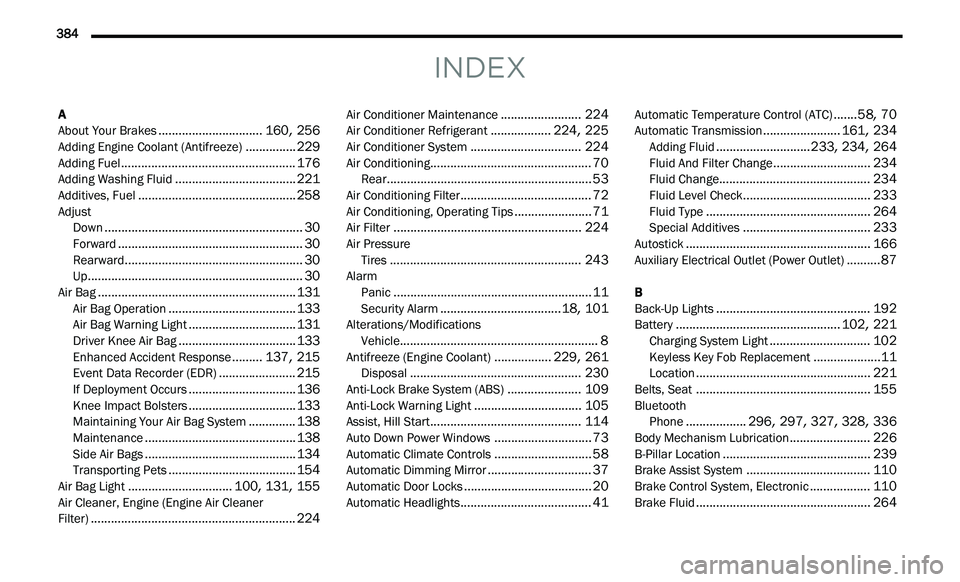
A
About Your Brakes...............................160, 256Adding Engine Coolant (Antifreeze)...............229Adding Fuel....................................................176Adding Washing Fluid....................................221Additives, Fuel...............................................258Adjust
Down...........................................................30Forward.......................................................30Rearward.....................................................30Up................................................................30Air Bag...........................................................131Air Bag Operation......................................133Air Bag Warning Light................................131Driver Knee Air Bag...................................133Enhanced Accident Response.........137, 215Event Data Recorder (EDR).......................215If Deployment Occurs................................136Knee Impact Bolsters................................133Maintaining Your Air Bag System..............138Maintenance.............................................138Side Air Bags.............................................134Transporting Pets......................................154Air Bag Light...............................100, 131, 155Air Cleaner, Engine (Engine Air Cleaner
Filter).............................................................224
Air Conditioner Maintenance........................224Air Conditioner Refrigerant..................224, 225Air Conditioner System.................................224Air Conditioning................................................70Rear.............................................................53Air Conditioning Filter.......................................72Air Conditioning, Operating Tips.......................71Air Filter........................................................224Air Pressure Tires.........................................................243AlarmPanic...........................................................11Security Alarm....................................18, 101Alterations/ModificationsVehicle...........................................................8Antifreeze (Engine Coolant).................229, 261Disposal...................................................230Anti-Lock Brake System (ABS)......................109Anti-Lock Warning Light................................105Assist, Hill Start.............................................114Auto Down Power Windows.............................73Automatic Climate Controls.............................58Automatic Dimming Mirror...............................37Automatic Door Locks......................................20Automatic Headlights.......................................41
Automatic Temperature Control (ATC).......58, 70Automatic Transmission.......................161, 234Adding Fluid............................233, 234, 264Fluid And Filter Change.............................234Fluid Change.............................................234Fluid Level Check......................................233Fluid Type.................................................264Special Additives......................................233Autostick.......................................................166Auxiliary Electrical Outlet (Power Outlet)..........87
B
Back-Up Lights..............................................192Battery.................................................102, 221Charging System Light..............................102Keyless Key Fob Replacement....................11Location....................................................221Belts, Seat....................................................155BluetoothPhone..................296, 297, 327, 328, 336Body Mechanism Lubrication........................226B-Pillar Location............................................239Brake Assist System.....................................110Brake Control System, Electronic..................110Brake Fluid....................................................264
Page 388 of 396
386
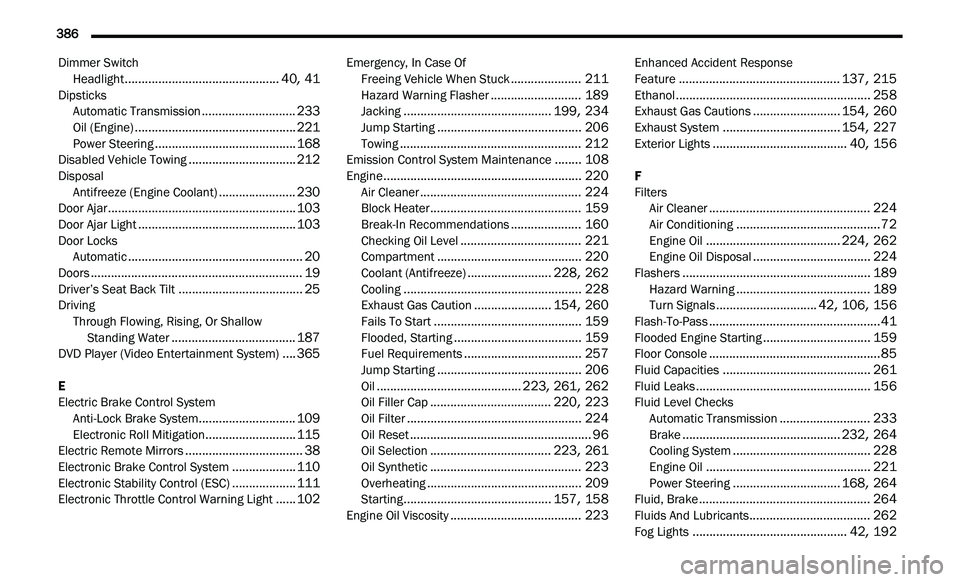
Dimmer Switch
Headlight..............................................40, 41DipsticksAutomatic Transmission............................233Oil (Engine)................................................221Power Steering..........................................168Disabled Vehicle Towing................................212DisposalAntifreeze (Engine Coolant).......................230Door Ajar........................................................103Door Ajar Light...............................................103Door LocksAutomatic....................................................20Doors...............................................................19Driver’s Seat Back Tilt.....................................25DrivingThrough Flowing, Rising, Or Shallow
Standing Water
.....................................187DVD Player (Video Entertainment System)....365
E
Electric Brake Control System Anti-Lock Brake System
.............................109Electronic Roll Mitigation...........................115Electric Remote Mirrors...................................38Electronic Brake Control System...................110Electronic Stability Control (ESC)...................111Electronic Throttle Control Warning Light......102
Emergency, In Case OfFreeing Vehicle When Stuck.....................211Hazard Warning Flasher...........................189Jacking............................................199, 234Jump Starting...........................................206Towing......................................................212Emission Control System Maintenance........108Engine...........................................................220Air Cleaner................................................224Block Heater.............................................159Break-In Recommendations.....................160Checking Oil Level....................................221Compartment...........................................220Coolant (Antifreeze).........................228, 262Cooling.....................................................228Exhaust Gas Caution.......................154, 260Fails To Start............................................159Flooded, Starting......................................159Fuel Requirements...................................257Jump Starting...........................................206Oil...........................................223, 261, 262Oil Filler Cap....................................220, 223Oil Filter....................................................224Oil Reset......................................................96Oil Selection....................................223, 261Oil Synthetic.............................................223Overheating..............................................209Starting............................................157, 158Engine Oil Viscosity.......................................223
Enhanced Accident Response
Feature................................................137, 215Ethanol..........................................................258Exhaust Gas Cautions..........................154, 260Exhaust System...................................154, 227Exterior Lights........................................40, 156
F
Filters Air Cleaner
................................................224Air Conditioning...........................................72Engine Oil........................................224, 262Engine Oil Disposal...................................224Flashers........................................................189Hazard Warning........................................189Turn Signals..............................42, 106, 156Flash-To-Pass...................................................41Flooded Engine Starting................................159Floor Console...................................................85Fluid Capacities............................................261Fluid Leaks....................................................156Fluid Level ChecksAutomatic Transmission...........................233Brake...............................................232, 264Cooling System.........................................228Engine Oil.................................................221Power Steering................................168, 264Fluid, Brake...................................................264Fluids And Lubricants....................................262
Fog Lights..............................................42, 192