transmission oil DODGE JOURNEY 2020 Owners Manual
[x] Cancel search | Manufacturer: DODGE, Model Year: 2020, Model line: JOURNEY, Model: DODGE JOURNEY 2020Pages: 396, PDF Size: 25.53 MB
Page 7 of 396
5
JACKING AND TIRE CHANGING........................ 199
Jack Location .. ...........................................199
Spare Tire Location And Removal . . ..........200
Preparations For Jacking. . .........................201
Jacking Instructions . . .................................201
Road Tire Installation . . ..............................205
Spare Tire Stowage. . ..................................206
JUMP STARTING ................................................ 2 0 6
Preparations For Jump Start .. ...................207
Jump Starting Procedure. . .........................208
IF YOUR ENGINE OVERHEATS . . ....................... 209
2.4L Engine — If Equipped .. ...................... 210
GEAR SELECTOR OVERRIDE . . .......................... 210
FREEING A STUCK VEHICLE .. ........................... 211
TOWING A DISABLED VEHICLE .. ...................... 212
Front-Wheel Drive (FWD) Models.. ............213
Tow Eye Usage — If Equipped . . ................213
ENHANCED ACCIDENT RESPONSE
SYSTEM (EARS) . .
............................................... 215
EVENT DATA RECORDER (EDR) .. ..................... 215
SERVICING AND MAINTENANCE
SCHEDULED SERVICING ................................... 216
Maintenance Plan.. ....................................217
ENGINE COMPARTMENT . . ................................ 220
2.4L Engine .. ..............................................220
Checking Oil Level . . ................................... 221
Adding Washer Fluid . . ...............................221
Maintenance-Free Battery . . ...................... 221
Pressure Washing . . ....................................222 DEALER SERVICE .
.
............................................222
Engine Oil .................................................. 223
E ngine Oil Filter . . ........................................ 224
Engine Air Cleaner Filter . . ......................... 224
Air Conditioner Maintenance . . ................. 224
Accessory Drive Belt Inspection . . ............. 225
Body Lubrication . . ...................................... 226
Windshield Wiper Blades . . ........................ 226
Exhaust System . . ...................................... 227
Cooling System . . ....................................... 228
Brake System . . .......................................... 232
Automatic Transmission. . .......................... 233
RAISING THE VEHICLE . . .....................................234
TIRES....................................................................234 T ire Safety Information .. ........................... 234
Tires — General Information . . .................. 242
Tire Types . .................................................. 246
S pare Tires — If Equipped . . ....................... 247
Wheel And Wheel Trim Care . . .................. 249
Tire Chains and Traction Devices . . ........... 250
Tire Rotation Recommendations . . ........... 251
DEPARTMENT OF TRANSPORTATION UNIFORM
TIRE QUALITY GRADES . .
...................................251
Treadwear .................................................. 251
T raction Grades . . ....................................... 251
Temperature Grades . . ............................... 252
BODYWORK . . ...................................................... 252
Protection From Atmospheric Agents..
..... 252
Body And Underbody Maintenance . . ........ 253
Preserving The Bodywork . . ........................ 253INTERIORS .
.
....................................................... 254
Seats And Fabric Parts .. ............................ 254
Plastic And Coated Parts. . ......................... 254
Leather Parts . . ........................................... 255
Glass Surfaces . . ........................................ 255
Cleaning The Cupholders . . ....................... 255
TECHNICAL SPECIFICATIONS
IDENTIFICATION DATA ...................................... 256
Vehicle Identification Number .. ................ 256
BRAKE SYSTEM . . ............................................... 256
WHEEL AND TIRE TORQUE
SPECIFICATIONS ..
.............................................. 257
Torque Specifications.. .............................. 257
FUEL REQUIREMENTS . . .................................... 257
Reformulated Gasoline .. .......................... 258
Materials Added To Fuel . . ......................... 258
Gasoline/Oxygenate Blends . . ................... 258
Do Not Use E-85 In Non-Flex Fuel
Vehicles . ..................................................... 259
C
NG And LP Fuel System Modifications . . 259
MMT In Gasoline. . ...................................... 259
Fuel System Cautions. . .............................. 259
Carbon Monoxide Warnings. . .................... 260
FLUID CAPACITIES . . ........................................... 261
FLUIDS AND LUBRICANTS .. .............................. 262
Engine ....................................................... 262
C hassis . ..................................................... 264
Page 100 of 396
98 GETTING TO KNOW YOUR INSTRUMENT PANEL
The Trip Functions mode displays the following
information:
Trip A
Shows the total distance traveled for Trip A
since the last reset.
Shows the elapsed time traveled for Trip A
since the last reset.
Trip B
Shows the total distance traveled for Trip B
since the last reset.
Shows the elapsed time traveled for Trip B
since the last reset.
Elapsed Time
Shows the total elapsed time of travel since the
l a
st reset. Elapsed time will increment when the
ignition is in the ON/RUN position.
To Reset The Display
Reset will only occur while a resettable function
i s
being displayed. Push and release the right
arrow button once to clear the resettable
function.
Tire Pressure
Push and release the up or down arrow button
until “Tire PSI:” displays highlighted in the
instrument cluster display. Push and release
the right arrow button to view a graphic of the
vehicle with a tire pressure value at each corner
of the graphic.
Vehicle Info (Customer Information
Features)
Push and release the up or down arrow button
until “Vehicle Info” displays in the instrument
cluster display and push the right arrow button.
Push the up or down arrow button to scroll
through the available information displays.
Coolant Temperature
Displays the actual coolant temperature.
Oil Temperature
Displays the actual oil temperature.
Oil Pressure - If Equipped
Displays the actual oil pressure.
Transmission Temperature
Displays the actual transmission temperature.
Engine Hours
Displays the number of hours of engine operation.
Messages
Push and release the up or down arrow button
until “Messages: XX” displays highlighted in the
instrument cluster display. If there is more than
one message, pushing the right arrow button
will display a stored warning message. Push
and release the up or down arrow button if there
is more than one message to cycle through the
remaining stored messages. If there are no
messages, pushing the right arrow button will
not change the display.
Turn Menu OFF
Select from the Main Menu using the up or
down arrow button. Pushing the right arrow
button clears the menu display. Pushing any
one of the four Display control buttons will bring
the menu back.
Page 104 of 396
102 GETTING TO KNOW YOUR INSTRUMENT PANEL
If the temperature reading does not return to
normal, turn the engine off immediately and call
for service.
Refer to “If Your Engine Overheats” in “In Case
Of
Emergency” for further information.
Transmission Temperature Warning Light
— If Equipped
This warning light will illuminate to
warn of a high transmission fluid
te
mperature. This may occur with
strenuous usage such as trailer
towing. If this light turns on, stop the vehicle and
run the engine at idle or slightly faster, with the
transmission in PARK or NEUTRAL, until the
light turns off. Once the light turns off, you may
continue to drive normally.
Battery Charge Warning Light
This warning light will illuminate when
the battery is not charging properly. If
i t
stays on while the engine is running,
there may be a malfunction with the
charging system. Contact an authorized dealer
as soon as possible.
This indicates a possible problem with the
e l
ectrical system or a related component.
Oil Pressure Warning Light
This warning light will illuminate to
indicate low engine oil pressure. If the
li
ght turns on while driving, stop the
vehicle, shut off the engine as soon as
possible, and contact an authorized dealer.
A chime will sound when this light turns on.
Do not operate the vehicle until the cause is
c o
rrected. This light does not indicate how
much oil is in the engine. The engine oil level
must be checked under the hood.
Electronic Throttle Control (ETC) Warning
Light
This warning light will illuminate to
indicate a problem with the Electronic
T h
rottle Control (ETC) system. If a
problem is detected while the vehicle is
running, the light will either stay on or flash
depending on the nature of the problem. Cycle the
ignition when the vehicle is safely and completely
stopped and the transmission is placed in the PARK
position. The light should turn off. If the light
remains on with the vehicle running, your vehicle
will usually be drivable; however, see an authorized
dealer for service as soon as possible.
NOTE:
This light may turn on if the accelerator and
b r
ake pedals are pressed at the same time.
If the light continues to flash when the vehicle is
r u
nning, immediate service is required and you
may experience reduced performance, an
elevated/rough idle, or engine stall and your
vehicle may require towing. The light will come
on when the ignition is placed in the ON/RUN or
ACC/ON/RUN position and remain on briefly as
a bulb check. If the light does not come on
during starting, have the system checked by an
authorized dealer.WARNING!
If you continue operating the vehicle when
the Transmission Temperature Warning Light
is illuminated you could cause the fluid to boil
over, come in contact with hot engine or
exhaust components and cause a fire.
CAUTION!
Continuous driving with the Transmission
Temperature Warning Light illuminated will
eventually cause severe transmission
damage or transmission failure.
Page 162 of 396
160 STARTING AND OPERATING
ENGINE BREAK-IN RECOMMENDATIONS
A long break-in period is not required for the
engine and drivetrain (transmission and axle) in
your vehicle.
Drive moderately during the first 300 miles
( 5
00 km). After the initial 60 miles (100 km),
s p
eeds up to 50 or 55 mph (80 or 90 km/h) are
d e
sirable.
While cruising, brief full-throttle acceleration
w i
thin the limits of local traffic laws contributes
to a good break-in. Wide-open throttle
acceleration in low gear can be detrimental and
should be avoided.
The engine oil installed in the engine at the
fa
ctory is a high-quality energy conserving
type lubricant. Oil changes should be consistent
w i
th anticipated climate conditions under which
vehicle operations will occur. For the
recommended viscosity and quality grades,
refer to “Fluids And Lubricants” in “Technical
Specifications”. NOTE:
A new engine may consume some oil during its
fi
rst few thousand miles (kilometers) of opera -
tion. This should be considered a normal part of
t h
e break-in and not interpreted as a problem.
Please check your oil level with the engine oil
indicator often during the break in period. Add
oil as required.
PARKING BRAKE
Before exiting the vehicle, make sure that the
parking brake is fully applied. Also, be certain to
leave the transmission in PARK.
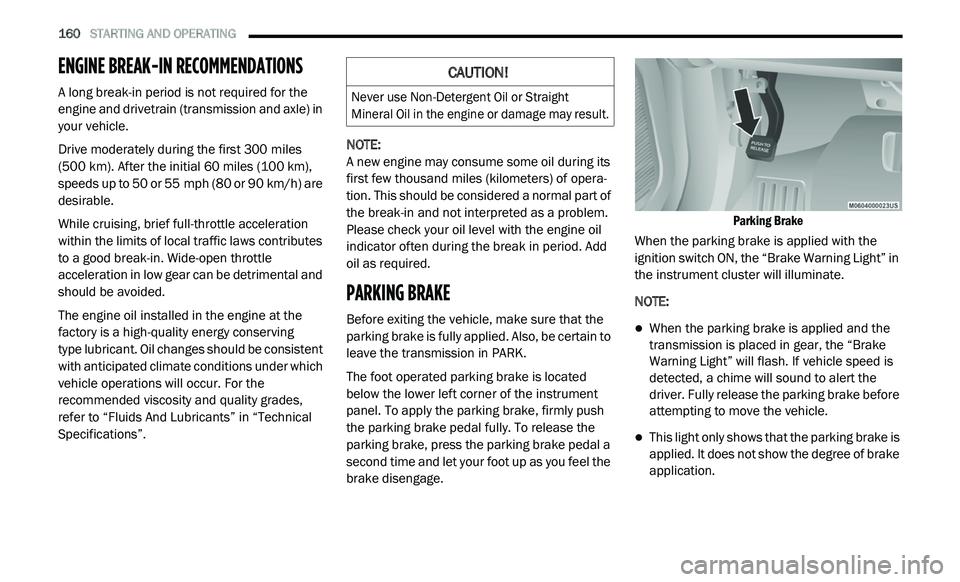
The foot operated parking brake is located
b e
low the lower left corner of the instrument
panel. To apply the parking brake, firmly push
the parking brake pedal fully. To release the
parking brake, press the parking brake pedal a
second time and let your foot up as you feel the
brake disengage.
Parking Brake
When the parking brake is applied with the
i g
nition switch ON, the “Brake Warning Light” in
the instrument cluster will illuminate.
NOTE:
When the parking brake is applied and the
transmission is placed in gear, the “Brake
Warning Light” will flash. If vehicle speed is
detected, a chime will sound to alert the
driver. Fully release the parking brake before
attempting to move the vehicle.
This light only shows that the parking brake is
applied. It does not show the degree of brake
application.
CAUTION!
Never use Non-Detergent Oil or Straight
Mineral Oil in the engine or damage may result.
Page 190 of 396
188 STARTING AND OPERATING
(Continued)
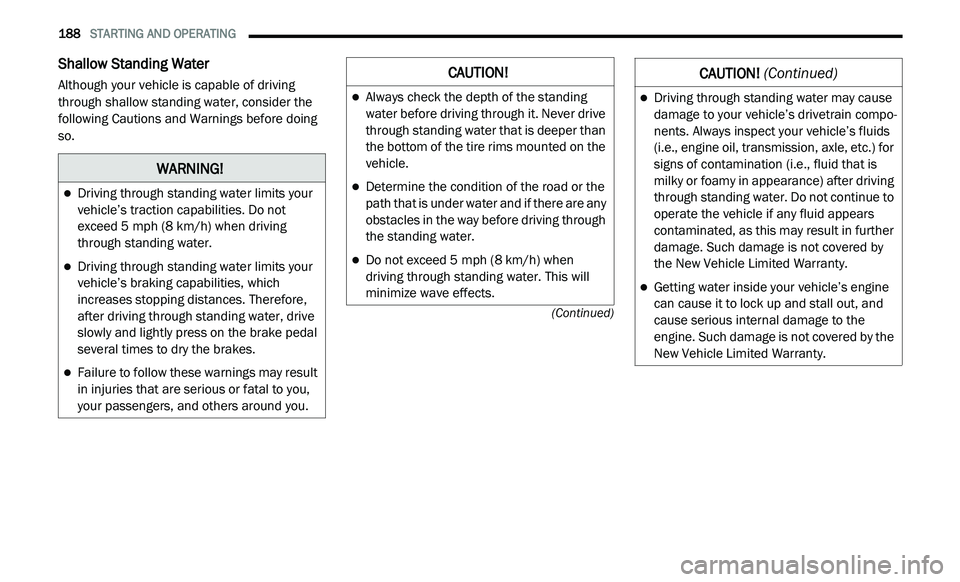
Shallow Standing Water
Although your vehicle is capable of driving
through shallow standing water, consider the
following Cautions and Warnings before doing
so.
WARNING!
Driving through standing water limits your
vehicle’s traction capabilities. Do not
exceed 5 mph (8 km/h) when driving
t h
rough standing water.
Driving through standing water limits your
vehicle’s braking capabilities, which
increases stopping distances. Therefore,
after driving through standing water, drive
slowly and lightly press on the brake pedal
several times to dry the brakes.
Failure to follow these warnings may result
in injuries that are serious or fatal to you,
your passengers, and others around you.
CAUTION!
Always check the depth of the standing
water before driving through it. Never drive
through standing water that is deeper than
the bottom of the tire rims mounted on the
vehicle.
Determine the condition of the road or the
path that is under water and if there are any
obstacles in the way before driving through
the standing water.
Do not exceed 5 mph (8 km/h) when
dr
iving through standing water. This will
minimize wave effects.
Driving through standing water may cause
damage to your vehicle’s drivetrain compo -
nents. Always inspect your vehicle’s fluids
( i
.e., engine oil, transmission, axle, etc.) for
signs of contamination (i.e., fluid that is
milky or foamy in appearance) after driving
through standing water. Do not continue to
operate the vehicle if any fluid appears
contaminated, as this may result in further
damage. Such damage is not covered by
the New Vehicle Limited Warranty.
Getting water inside your vehicle’s engine
can cause it to lock up and stall out, and
cause serious internal damage to the
engine. Such damage is not covered by the
New Vehicle Limited Warranty.
CAUTION! (Continued)
Page 218 of 396
216
SERVICING AND MAINTENANCE
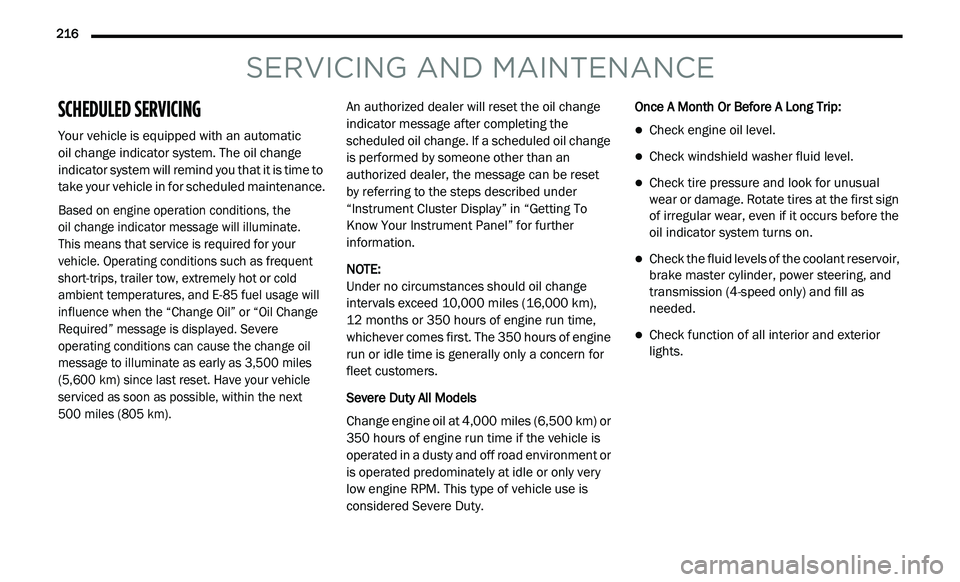
SCHEDULED SERVICING
Your vehicle is equipped with an automatic
oil change indicator system. The oil change
i n
dicator system will remind you that it is time to
take your vehicle in for scheduled maintenance.
Based on engine operation conditions, the
oil change indicator message will illuminate.
This means that service is required for your
v e
hicle. Operating conditions such as frequent
short-trips, trailer tow, extremely hot or cold
ambient temperatures, and E-85 fuel usage will
influence when the “Change Oil” or “Oil Change
Required” message is displayed. Severe
operating conditions can cause the change oil
message to illuminate as early as 3,500 miles
(5,600 km) since last reset. Have your vehicle
s e
rviced as soon as possible, within the next
500 miles (805 km).
An authorized dealer will reset the oil change
i
n
dicator message after completing the
scheduled oil change. If a scheduled oil change
is performed by someone other than an
authorized dealer, the message can be reset
by referring to the steps described under
“ I
nstrument Cluster Display” in “Getting To
Know Your Instrument Panel” for further
information.
NOTE:
Under no circumstances should oil change
i n
tervals exceed 10,000 miles (16,000 km),
1 2
months or 350 hours of engine run time,
w h
ichever comes first. The 350 hours of engine
run or idle time is generally only a concern for
fleet customers.
Severe Duty All Models
Change engine oil at 4,000 miles (6,500 km) or
3 5
0 hours of engine run time if the vehicle is
operated in a dusty and off road environment or
is operated predominately at idle or only very
low engine RPM. This type of vehicle use is
considered Severe Duty. Once A Month Or Before A Long Trip:
Check engine oil level.
Check windshield washer fluid level.
Check tire pressure and look for unusual
wear or damage. Rotate tires at the first sign
of irregular wear, even if it occurs before the
oil indicator system turns on.
Check the fluid levels of the coolant reservoir,
brake master cylinder, power steering, and
transmission (4-speed only) and fill as
needed.
Check function of all interior and exterior
lights.
Page 219 of 396
SERVICING AND MAINTENANCE 217
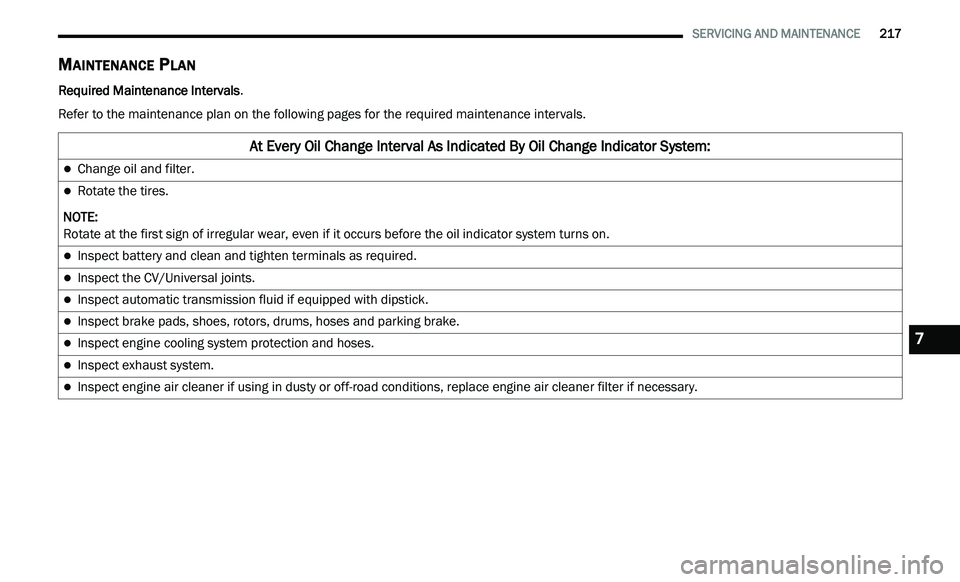
MAINTENANCE PLAN
Required Maintenance Intervals .
Refer to the maintenance plan on the following pages for the required maintenance intervals.
At Every Oil Change Interval As Indicated By Oil Change Indicator System:
Change oil and filter.
Rotate the tires.
NOTE:
Rotate at the first sign of irregular wear, even if it occurs before the oil indicator system turns on.
Inspect battery and clean and tighten terminals as required.
Inspect the CV/Universal joints.
Inspect automatic transmission fluid if equipped with dipstick.
Inspect brake pads, shoes, rotors, drums, hoses and parking brake.
Inspect engine cooling system protection and hoses.
Inspect exhaust system.
Inspect engine air cleaner if using in dusty or off-road conditions, replace engine air cleaner filter if necessary.
7
Page 222 of 396
220 SERVICING AND MAINTENANCE
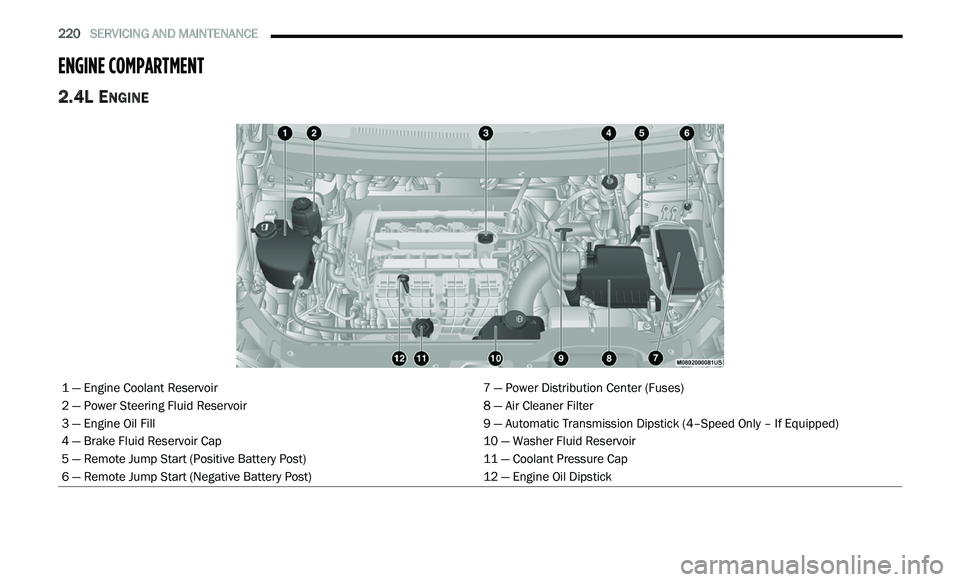
ENGINE COMPARTMENT
2.4L ENGINE
1 — Engine Coolant Reservoir 7 — Power Distribution Center (Fuses)
2 — Power Steering Fluid Reservoir 8 — Air Cleaner Filter
3 — Engine Oil Fill 9 — Automatic Transmission Dipstick (4–Speed Only – If Equipped)
4 — Brake Fluid Reservoir Cap 10 — Washer Fluid Reservoir
5 — Remote Jump Start (Positive Battery Post) 11 — Coolant Pressure Cap
6 — Remote Jump Start (Negative Battery Post) 12 — Engine Oil Dipstick
Page 236 of 396
234 SERVICING AND MAINTENANCE
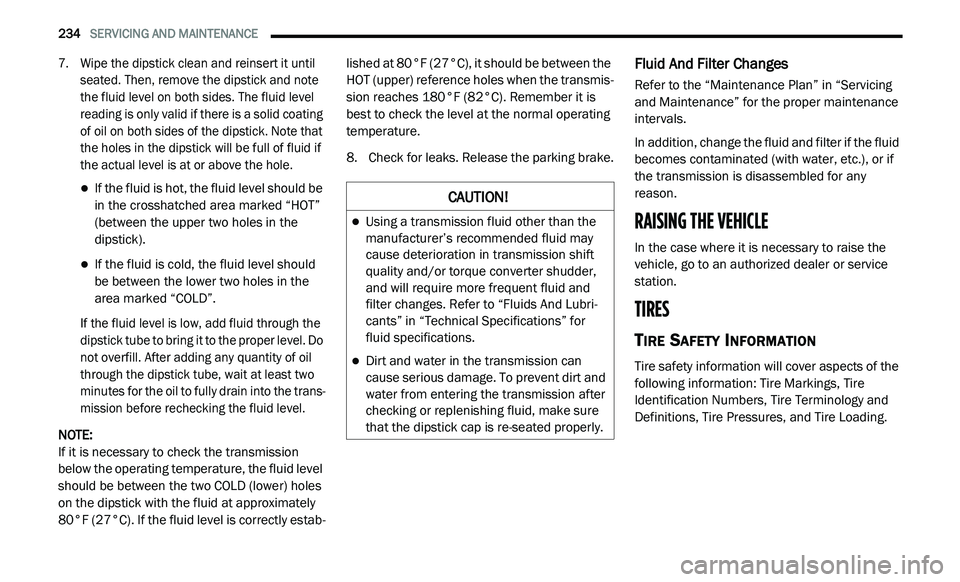
7. Wipe the dipstick clean and reinsert it until
seated. Then, remove the dipstick and note
the fluid level on both sides. The fluid level
reading is only valid if there is a solid coating
of oil on both sides of the dipstick. Note that
the holes in the dipstick will be full of fluid if
the actual level is at or above the hole.
If the fluid is hot, the fluid level should be
in the crosshatched area marked “HOT”
(between the upper two holes in the
dipstick).
If the fluid is cold, the fluid level should
be between the lower two holes in the
area marked “COLD”.
If the fluid level is low, add fluid through the
d i
pstick tube to bring it to the proper level. Do
not overfill. After adding any quantity of oil
through the dipstick tube, wait at least two
minutes for the oil to fully drain into the trans -
mission before rechecking the fluid level.
NOTE:
If it is necessary to check the transmission
b e
low the operating temperature, the fluid level
should be between the two COLD (lower) holes
on the dipstick with the fluid at approximately
80°F (27°C). If the fluid level is correctly estab -lished at 80°F (27°C), it should be between the
HO
T (upper) reference holes when the transmis -
sion reaches 180°F (82°C). Remember it is
b e
st to check the level at the normal operating
temperature.
8. C heck for leaks. Release the parking brake.
Fluid And Filter Changes
Refer to the “Maintenance Plan” in “Servicing
and Maintenance” for the proper maintenance
intervals.
In addition, change the fluid and filter if the fluid
be
comes contaminated (with water, etc.), or if
the transmission is disassembled for any
reason.
RAISING THE VEHICLE
In the case where it is necessary to raise the
vehicle, go to an authorized dealer or service
station.
TIRES
TIRE SAFETY INFORMATION
Tire safety information will cover aspects of the
following information: Tire Markings, Tire
Identification Numbers, Tire Terminology and
Definitions, Tire Pressures, and Tire Loading.
CAUTION!
Using a transmission fluid other than the
manufacturer’s recommended fluid may
cause deterioration in transmission shift
quality and/or torque converter shudder,
and will require more frequent fluid and
filter changes. Refer to “Fluids And Lubri -
cants” in “Technical Specifications” for
f l
uid specifications.
Dirt and water in the transmission can
cause serious damage. To prevent dirt and
water from entering the transmission after
checking or replenishing fluid, make sure
that the dipstick cap is re-seated properly.
Page 387 of 396
385
Brake System......................................232, 256Fluid Check.....................................232, 264Master Cylinder.........................................232Parking......................................................160Warning Light............................................100Brake, Parking...............................................160Brake/Transmission Interlock.......................162Brakes...........................................................256Brightness, Interior Lights................................43Bulb Replacement.........................................189Bulbs, Light..........................................156, 189
C
Camera, Rear................................................175Capacities, Fluid............................................261Caps, FillerOil (Engine)......................................220, 223Power Steering..........................................168Radiator (Coolant Pressure)......................230Car Washes...................................................253Carbon Monoxide Warning..................154, 260CargoVehicle Loading..................................78, 177Cargo Area Cover.............................................78Cargo Compartment........................................78Luggage Carrier...........................................91Cargo Load Floor.............................................78Cargo Management System............................78Rollaway Tonneau Cover.............................78
Tri-Fold Load Floor.......................................78
Cargo Tie-Downs..............................................79Cellular Phone..............................................376Certification Label.........................................177Chains, Tire...................................................250Changing A Flat Tire......................................234Chart, Tire Sizing...........................................236Check Engine Light (Malfunction Indicator
Light).............................................................108Checking Your Vehicle For Safety.................154Checks, Safety..............................................154Child Restraint..............................................139Child Restraints Booster Seats...........................................142Child Seat Installation..............................151How To Stow An unused ALR Seat Belt....148Infant And Child Restraints.......................141Locating The LATCH Anchorages..............146Lower Anchors And Tethers For Children..144Older Children And Child Restraints.........141Seating Positions......................................143Using The Top Tether Anchorage..............153Clean Air Gasoline.........................................258CleaningWheels.....................................................249Climate Control................................................47Automatic....................................................58Manual........................................................47Rear......................................................53, 64Coin Holder......................................................85
Cold Weather Operation...............................159
Compact Spare Tire......................................247ConsoleFloor............................................................85Contract, Service...........................................381Cooling Pressure Cap (Radiator Cap)............230Cooling System.............................................228Adding Coolant (Antifreeze)......................229Coolant Level...................................228, 231Cooling Capacity.......................................261Disposal Of Used Coolant.........................230Drain, Flush, And Refill.............................229Inspection.................................................231Points To Remember................................231Pressure Cap............................................230Selection Of Coolant
(Antifreeze).........................229, 261, 262Corrosion Protection.....................................252Cruise Light...................................................106Cupholders.............................................86, 255Customer Assistance....................................380Customer Programmable Features...............266Cybersecurity................................................265
D
Daytime Brightness, Interior Lights..................43Daytime Running Lights...................................41Dealer Service...............................................222Defroster, Windshield...................................155Delay (Intermittent) Wipers..............................45
Diagnostic System, Onboard.........................107
11