CD player DODGE MAGNUM SRT 2007 1.G User Guide
[x] Cancel search | Manufacturer: DODGE, Model Year: 2007, Model line: MAGNUM SRT, Model: DODGE MAGNUM SRT 2007 1.GPages: 380, PDF Size: 6.63 MB
Page 169 of 380
SCAN Button (CD MODE for CD Audio Play)
Press the Scan button to scan through each track on the
CD currently playing.
LOAD/EJECT Button (CD Mode for CD Audio
Play)
LOAD/EJECT - Load
Press the LOAD/EJT button and the push-
button with the corresponding number where
the CD is being loaded. The radio will display
PLEASE WAIT and prompt when to INSERT
DISC. After the radio displays9INSERT DISC,9insert the
CD into the player.
Radio display will show9LOADING DISC9when the disc
is loading and ªREADING DISCº when the radio is
reading the disc.
LOAD/EJT - Eject
Press the LOAD/EJT button and the push-
button with the corresponding number where
the CD was loaded and the disc will unload
and move to the entrance for easy removal.Radio display will show9EJECTING DISC9when the disc
is being ejected and prompt the user to remove the disc.
Press and hold the LOAD/EJT button for 5 seconds and
all CDs will be ejected from the radio.
If you have ejected a disc and have not removed it within
15 seconds, it will be reloaded. If the CD is not removed,
the radio will continue to play the non-removed CD. If
the CD is removed and there are other CD's in the radio,
the radio will play the next CD after a 2-minute timeout.
If the CD is removed and there are no other CD's in the
radio, the radio will remain in CD mode and display
9INSERT DISCº for 2 minutes. After 2 minutes, the radio
will go to the previous tuner mode.
The disc can be ejected with the radio and ignition OFF.
TIME Button (CD MODE for CD Audio Play)
Press this button to change the display from a large CD
playing time display to a small CD playing time display.
168 UNDERSTANDING YOUR INSTRUMENT PANEL
Page 170 of 380
RW/FF (CD MODE for CD Audio Play)
Press and hold FF (Fast Forward) and the CD player will
begin to fast forward until FF is released or RW or
another CD button is pressed. The RW (Reverse) button
works in a similar manner.
TUNE Control (CD MODE for CD Audio Play)
Pressing the TUNE control allows the setting of the Tone,
Fade, and Balance. See Radio Mode.
AM/FM Button (CD MODE for CD Audio Play)
Switches the Radio to the Radio mode.
RND/PTY Button (Random Play Button) (CD
MODE for CD Audio Play)
Press this button while the CD is playing to activate
Random Play. This feature plays the selections on the
compact disc in random order to provide an interesting
change of pace.
NOTE:MP3 and WMA Random Play are for file folders
only.
Press the SEEK button to move to the next randomly
selected track.Press and hold the FF button to fast forward through the
tracks. Release the FF button to stop the fast forward
feature. If the RW button is pressed, the current track will
reverse to the beginning of the track and begin playing.
Press the RND button a second time to stop Random
Play.
Buttons1-6(CDMODE for CD Audio Play)
Selects disc positions1-6forPlay/Load/Eject.
Notes On Playing MP3 Files
The radio can play MP3 files; however, acceptable MP3
file recording media and formats are limited. When
writing MP3 files, pay attention to the following restric-
tions.
Supported Media (Disc Types)
The MP3 file recording media supported by the radio are
CD-ROM, CD-R, and CD-RW.
Supported Medium Formats (File Systems)
The medium formats supported by the radio are ISO 9660
Level 1 and Level 2 and includes the Joliet extension.
When reading discs recorded using formats other than
ISO 9660 Level 1 and Level 2, the radio may fail to read
UNDERSTANDING YOUR INSTRUMENT PANEL 169
4
Page 172 of 380
ID3 Tag information for artist, song title, and album title
are supported for version 1 ID3 tags. ID3 version 2 is not
supported by the radios.
Playlist files are not supported. MP3 Pro files are not
supported.
Playback of MP3 and WMA Files
When a medium containing MP3 data is loaded, the
radio checks all files on the medium. If the medium
contains a lot of folders or files, the radio will take more
time to start playing the MP3 files.
Loading times for playback of MP3 and WMA files may
be affected by the following:
²Media - CD-RW media may take longer to load than
CD-R media
²Medium formats - Multisession discs may take longer
to load than non-multisession discs
²Number of files and folders - Loading times will
increase with more files and foldersTo increase the speed of disc loading, it is recommended
to use CD-R media and single-session discs. To create a
single-session disc, enable the Disc at Once option before
writing to the disc.
Operation Instructions - (CD Mode for MP3 and
WMA Audio Play)
SEEK Button (CD Mode for MP3 and WMA Play)
Pressing the right side of the SEEK button plays the next
file. Pressing the left side of the SEEK button plays the
beginning of the file. Pressing the button within the first
ten seconds plays the previous file.
LOAD/EJECT Button (CD Mode for MP3 and WMA
Play)
LOAD/EJT - Load
Press the LOAD/EJT button and the push-
button with the corresponding number where
the CD is being loaded. The radio will display
PLEASE WAIT and prompt when to INSERT
DISC. After the radio displays9INSERT DISC,9insert the
CD into the player.
UNDERSTANDING YOUR INSTRUMENT PANEL 171
4
Page 174 of 380
RND/PTY Button (CD Mode for MP3 Play)
Pressing this button plays files randomly.
SET/DIR Button (CD Mode for MP3 Play)
Press the SET/DIR Button to display folders, when
playing an MP3 discs that have a file/folder structure.
Turn the TUNE control to display available folders or
move through available folders. Press the TUNE control
to select a folder.
Buttons1-6(CDMode for MP3 Play)
Selects disc positions1-6forPlay/Load/Eject.
Operating Instructions - Hands Free Phone (If
Equipped)
Refer to ªHands-Free Phoneº in Section 3 of the Owner's
Manual.
Operating Instructions - Satellite Radio Mode (If
Equipped)
Refer to the ªSatellite Radioº section of the Owner's
Manual.
Operating Instructions - Video Entertainment
System (VES) (If Equipped)
Refer to separate ªVideo Entertainment System (VES)
Guide.º
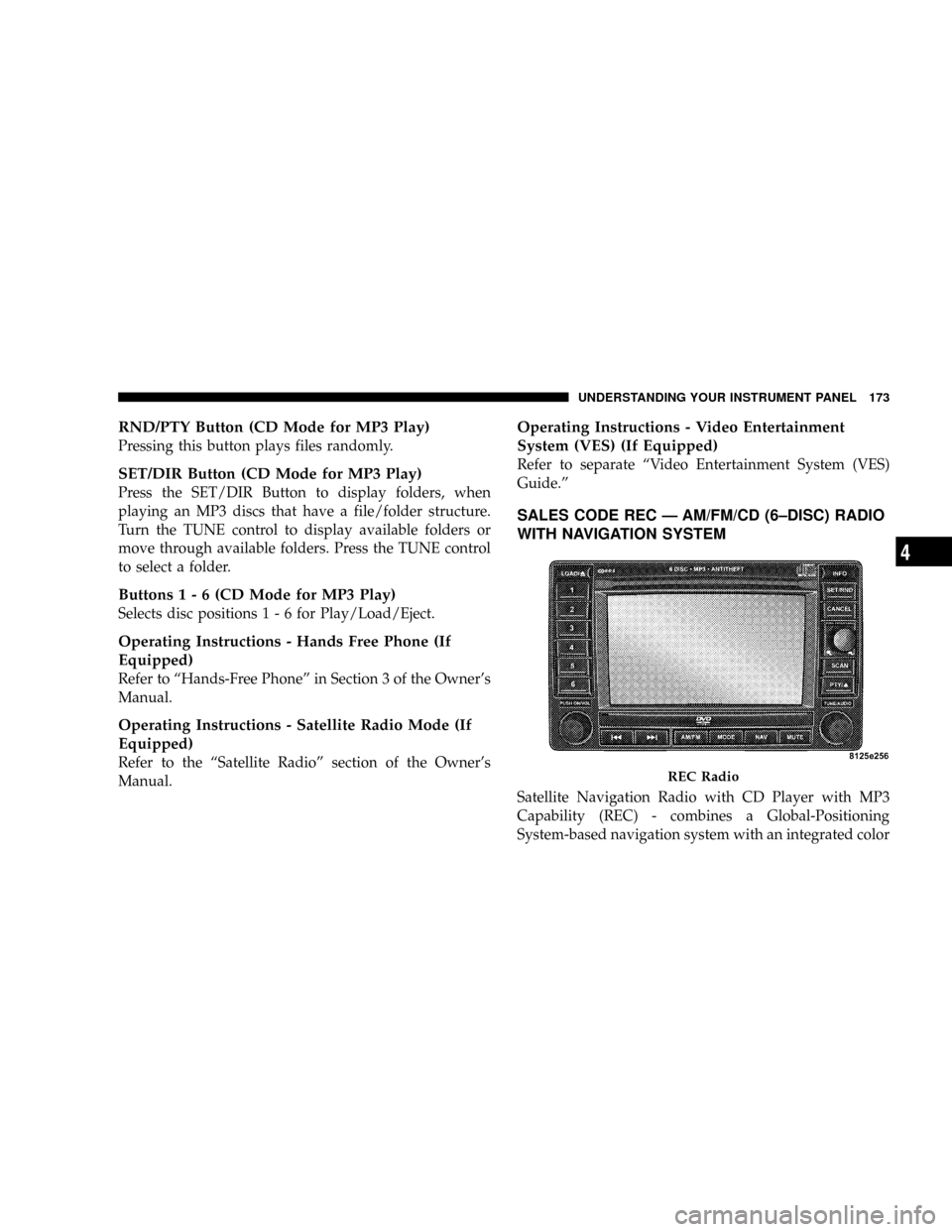
SALES CODE REC Ð AM/FM/CD (6±DISC) RADIO
WITH NAVIGATION SYSTEM
Satellite Navigation Radio with CD Player with MP3
Capability (REC) - combines a Global-Positioning
System-based navigation system with an integrated color
REC Radio
UNDERSTANDING YOUR INSTRUMENT PANEL 173
4
Page 178 of 380
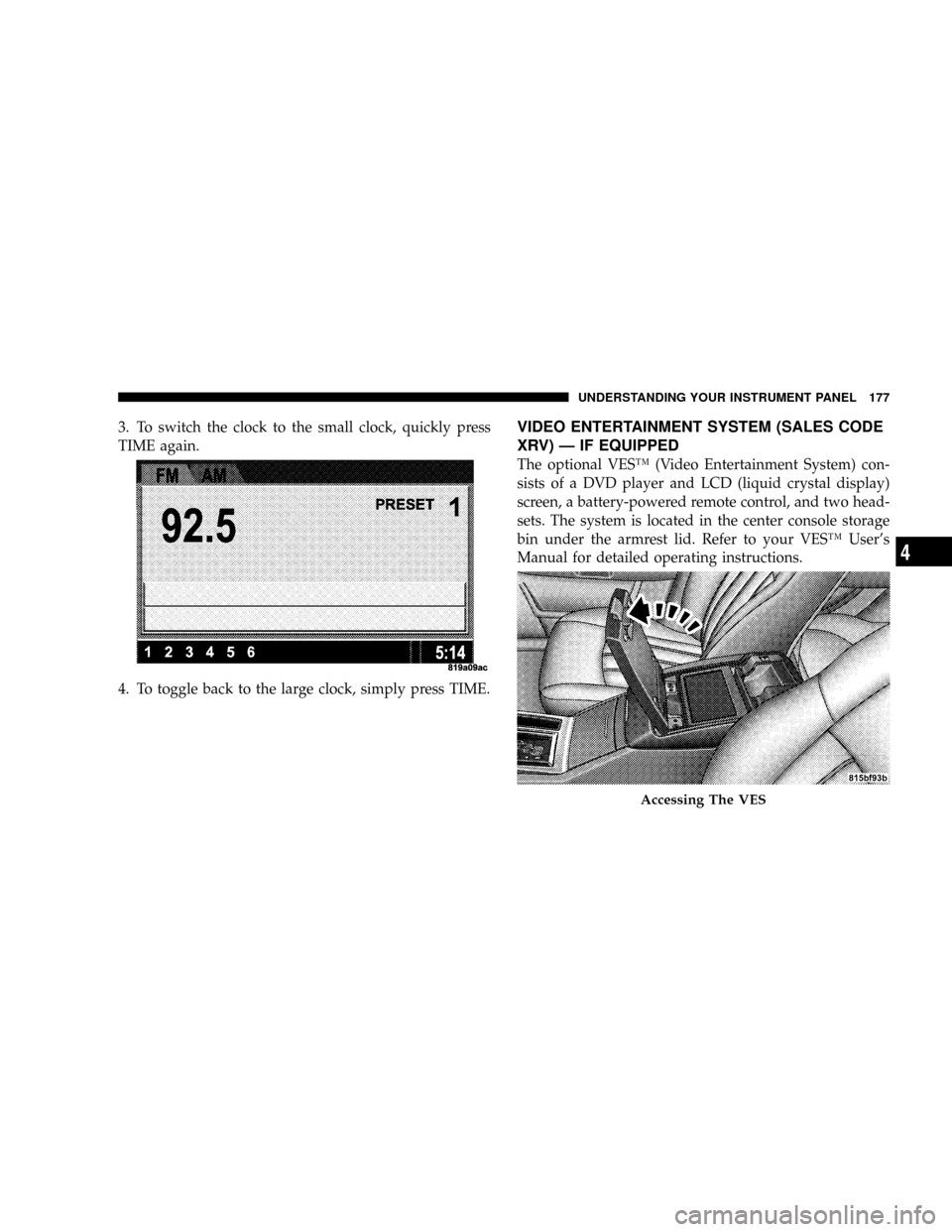
3. To switch the clock to the small clock, quickly press
TIME again.
4. To toggle back to the large clock, simply press TIME.VIDEO ENTERTAINMENT SYSTEM (SALES CODE
XRV) Ð IF EQUIPPED
The optional VESŸ (Video Entertainment System) con-
sists of a DVD player and LCD (liquid crystal display)
screen, a battery-powered remote control, and two head-
sets. The system is located in the center console storage
bin under the armrest lid. Refer to your VESŸ User's
Manual for detailed operating instructions.
Accessing The VES
UNDERSTANDING YOUR INSTRUMENT PANEL 177
4
Page 180 of 380
Kicker Mobile Surround (KMS1)
The VES for this vehicle comes equipped with Kicker
Mobile Surround (KMS1). This feature offers the ultimate
movie experience by providing surround sound uniquely
equalized for the interior space of your vehicle.
The KMS1 activates whenever a DVD is in the VES
player, and the radio mode is set to VES, and the video
screen is powered up. The system will go back to stereo
sound automatically if the VES is powered down, or the
video screen is stowed away, or the radio is set to a mode
other than VES, or if you are using the Aux jacks on the
VES.
Your vehicle is equipped with a state of the art digital
audio amplifier that decodes stereo sound inputs into 5.1
formatted surround sound. When in surround sound
mode, the KMS1 automatically sets balance and fade to
provide the optimal surround experience.
SATELLITE RADIO Ð IF EQUIPPED
Satellite radio uses direct satellite to receiver broadcast-
ing technology to provide clear digital sound, coast to
coast. The subscription service provider is SiriusŸ Satel-
lite Radio. This service offers over 100 channels of music,
sports, news, entertainment, and programming for chil-
dren, directly from its satellites and broadcasting studios.
System Activation
NOTE:
Your vehicle's radio must be on and in satellite
mode when the activation process takes place.
To activate your Sirius Satellite Radio service, call the
toll-free number 888-539-7474, or visit the Sirius web site
at www.sirius.com. Please have the following informa-
tion available when activating your system:
1. The Electronic Serial Number/Sirius Identification
Number (ESN/SID).
2. Credit card information.
3. Your Vehicle Identification Number.
UNDERSTANDING YOUR INSTRUMENT PANEL 179
4
Page 185 of 380
When the EVIC is in the Compass/Temp/
Audio screen, press the FUNCTION SELECT
button to advance the radio to the next preset
station, to change the side of the tape being
played (if so equipped), or to change the cur-
rent CD track being played (if so equipped).
when the EVIC is in the Compass/Temp/
Audio screen, press the SCROLL button to seek
up and down the radio stations, CD track
numbers (if so equipped), or satellite radio
channels (if so equipped).
The following describes the operation of the SCROLL
button in each mode:
Radio Operation
Press the top of the SCROLL button once to SEEK the
next listenable station up from the current setting. Press
the bottom of the SCROLL button once to SEEK the next
listenable station down from the current setting.
Tape Player Operation
Press the top of the SCROLL button once to listen to the
next track on the cassette. Press the bottom of the
SCROLL button once either to listen to the beginning of
the current track or to listen to the beginning of the
previous track if it is within 5 seconds after the current
track begins to play.
Press either the top or bottom of the SCROLL button
twice to listen to the second track on the tape, three times
to listen to the third track, and so forth.
Press the FUNCTION SELECT button to change the side
of the tape being played.
CD Player Operation
Press the top of the SCROLL button once to listen to the
next track on the CD. Press the bottom of the SCROLL
button once to either listen to the beginning of the current
track or to listen to the beginning of the previous track if
it is within one second after the current track begins to
play.
FUNC-
TION
SELECT
Button
SCROLL
Button
184 UNDERSTANDING YOUR INSTRUMENT PANEL
Page 186 of 380
Press either the top or bottom of the SCROLL button
twice to listen to the second track on the CD, three times
to listen to the third track, and so forth.
Satellite Radio Operation
Press the top of the SCROLL button once to SEEK the
next listenable station up from the current setting. Press
the bottom of the SCROLL button once to SEEK the next
listenable station down from the current setting.
CASSETTE TAPE AND PLAYER MAINTENANCE
To keep the cassette tapes and player in good condition,
take the following precautions:
1. Do not use cassette tapes longer than C-90; otherwise,
sound quality and tape durability will be greatly dimin-
ished.
2. Keep the cassette tape in its case to protect from
slackness and dust when it is not in use.
3. Keep the cassette tape away from direct sunlight, heat,
and magnetic fields such as the radio speakers.
4. Before inserting a tape, make sure that the label is
adhering flatly to the cassette.5. A loose tape should be corrected before use. To rewind
a loose tape, insert the eraser end of a pencil into the tape
drive gear and twist the pencil in the required directions.
Maintain your cassette tape player. The head and capstan
shaft in the cassette player can pick up dirt or tape
deposits each time a cassette is played. The result of
deposits on the capstan shaft may cause the tape to wrap
around and become lodged in the tape transport. The
other adverse condition is low or ªmuddyº sound from
one or both channels, as if the treble tone control were
turned all the way down. To prevent this, you should
periodically clean the head with a commercially available
WET cleaning cassette.
As preventive maintenance, clean the head about every
30 hours of use. If you wait until the head becomes very
dirty (noticeably poor sound), it may not be possible to
remove all deposits with a simple WET cleaning cassette.
UNDERSTANDING YOUR INSTRUMENT PANEL 185
4
Page 367 of 380
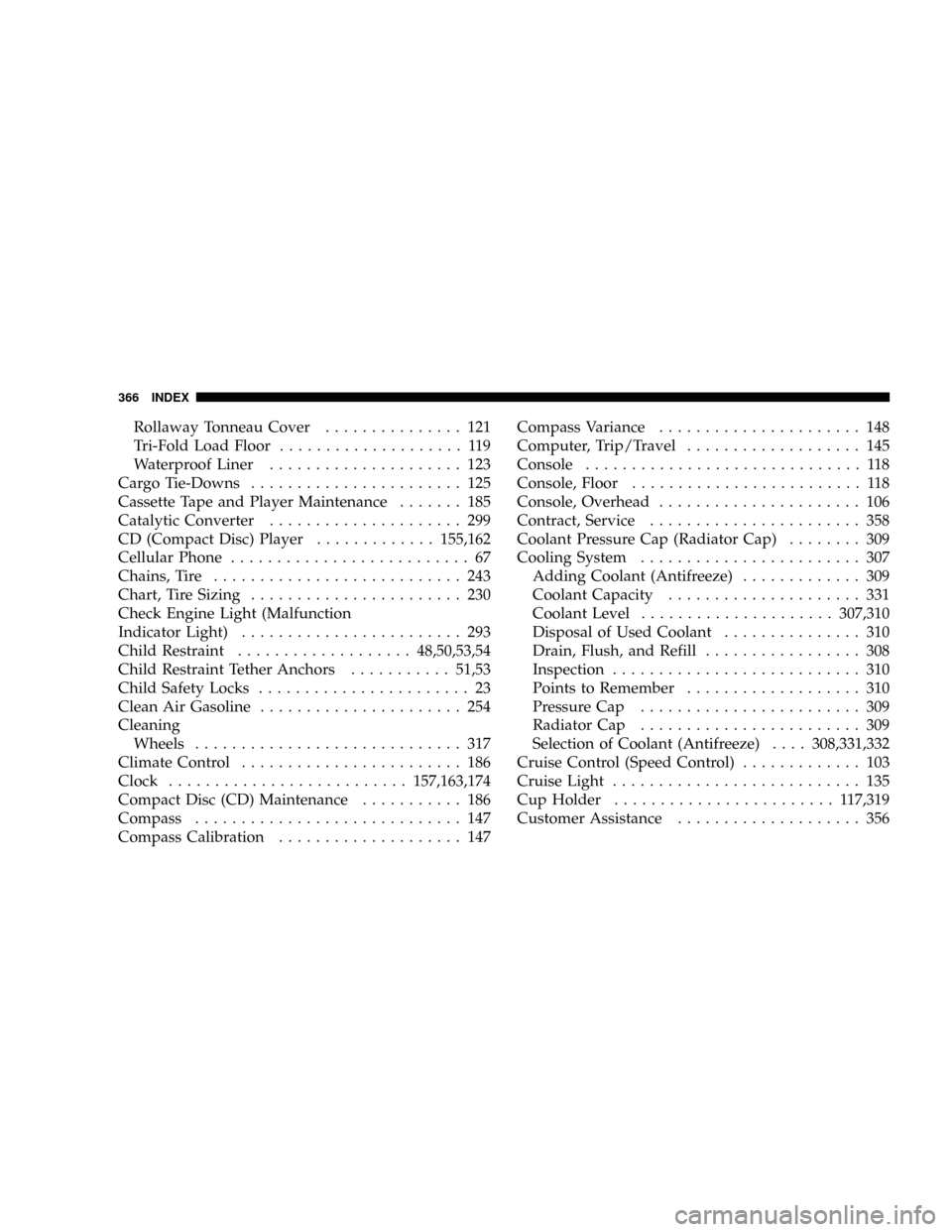
Rollaway Tonneau Cover............... 121
Tri-Fold Load Floor.................... 119
Waterproof Liner..................... 123
Cargo Tie-Downs....................... 125
Cassette Tape and Player Maintenance....... 185
Catalytic Converter..................... 299
CD (Compact Disc) Player.............155,162
Cellular Phone.......................... 67
Chains, Tire........................... 243
Chart, Tire Sizing....................... 230
Check Engine Light (Malfunction
Indicator Light)........................ 293
Child Restraint...................48,50,53,54
Child Restraint Tether Anchors...........51,53
Child Safety Locks....................... 23
Clean Air Gasoline...................... 254
Cleaning
Wheels............................. 317
Climate Control........................ 186
Clock..........................157,163,174
Compact Disc (CD) Maintenance........... 186
Compass............................. 147
Compass Calibration.................... 147Compass Variance...................... 148
Computer, Trip/Travel................... 145
Console.............................. 118
Console, Floor......................... 118
Console, Overhead...................... 106
Contract, Service....................... 358
Coolant Pressure Cap (Radiator Cap)........ 309
Cooling System........................ 307
Adding Coolant (Antifreeze)............. 309
Coolant Capacity..................... 331
Coolant Level.....................307,310
Disposal of Used Coolant............... 310
Drain, Flush, and Refill................. 308
Inspection........................... 310
Points to Remember................... 310
Pressure Cap........................ 309
Radiator Cap........................ 309
Selection of Coolant (Antifreeze)....308,331,332
Cruise Control (Speed Control)............. 103
Cruise Light........................... 135
Cup Holder........................ 117,319
Customer Assistance.................... 356
366 INDEX
Page 368 of 380
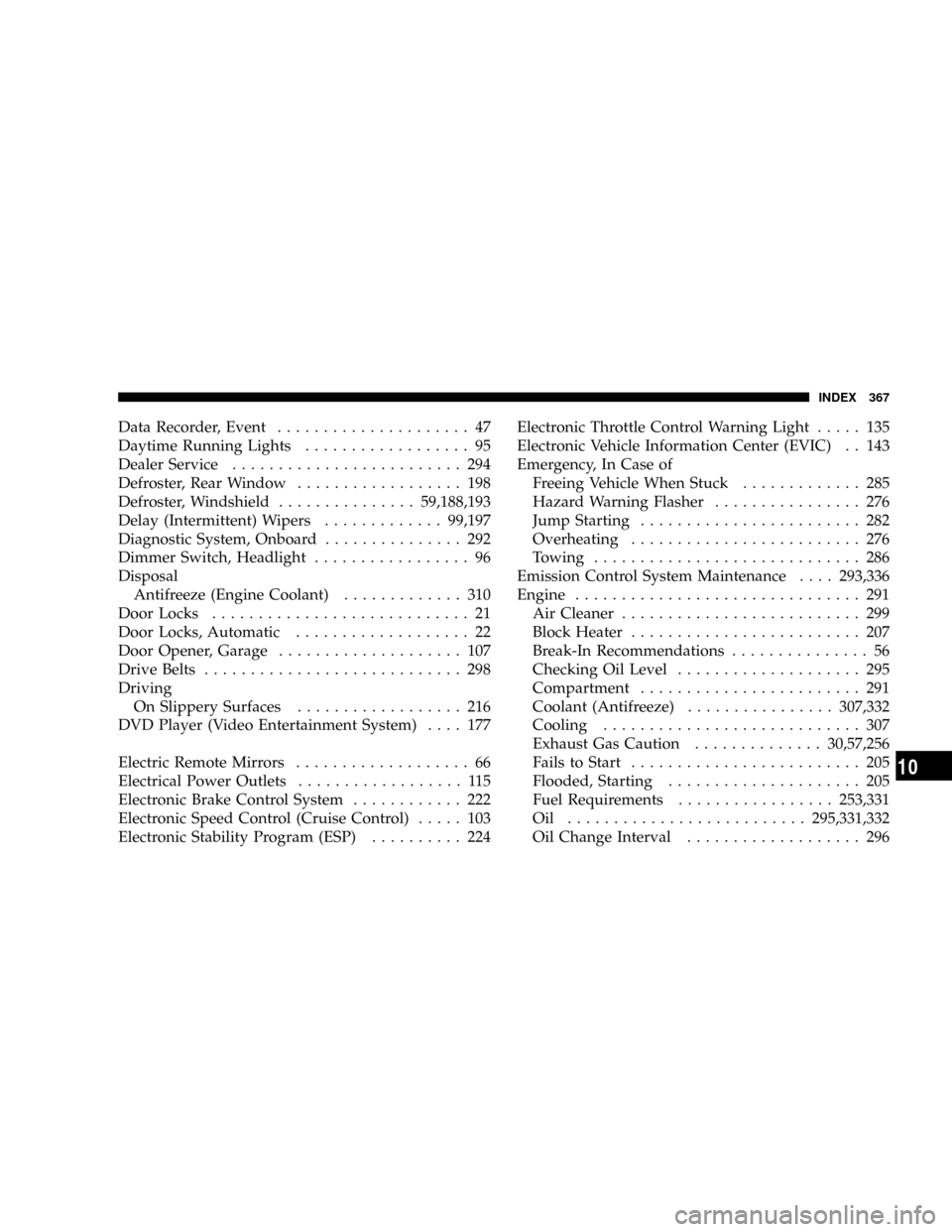
Data Recorder, Event..................... 47
Daytime Running Lights.................. 95
Dealer Service......................... 294
Defroster, Rear Window.................. 198
Defroster, Windshield...............59,188,193
Delay (Intermittent) Wipers.............99,197
Diagnostic System, Onboard............... 292
Dimmer Switch, Headlight................. 96
Disposal
Antifreeze (Engine Coolant)............. 310
Door Locks............................ 21
Door Locks, Automatic................... 22
Door Opener, Garage.................... 107
Drive Belts............................ 298
Driving
On Slippery Surfaces.................. 216
DVD Player (Video Entertainment System).... 177
Electric Remote Mirrors................... 66
Electrical Power Outlets.................. 115
Electronic Brake Control System............ 222
Electronic Speed Control (Cruise Control)..... 103
Electronic Stability Program (ESP).......... 224Electronic Throttle Control Warning Light..... 135
Electronic Vehicle Information Center (EVIC) . . 143
Emergency, In Case of
Freeing Vehicle When Stuck............. 285
Hazard Warning Flasher................ 276
Jump Starting........................ 282
Overheating......................... 276
Towing............................. 286
Emission Control System Maintenance....293,336
Engine............................... 291
Air Cleaner.......................... 299
Block Heater......................... 207
Break-In Recommendations............... 56
Checking Oil Level.................... 295
Compartment........................ 291
Coolant (Antifreeze)................307,332
Cooling............................ 307
Exhaust Gas Caution..............30,57,256
Fails to Start......................... 205
Flooded, Starting..................... 205
Fuel Requirements.................253,331
Oil ..........................295,331,332
Oil Change Interval................... 296
INDEX 367
10