lock DODGE MAGNUM SRT 2007 1.G User Guide
[x] Cancel search | Manufacturer: DODGE, Model Year: 2007, Model line: MAGNUM SRT, Model: DODGE MAGNUM SRT 2007 1.GPages: 380, PDF Size: 6.63 MB
Page 20 of 380
Sound Horn with Remote Key Lock
This feature will cause the horn to chirp when the doors
are locked with the transmitter. This feature can be
enabled or disabled. For details on how to change the
current setting, refer to ªSound Horn with Remote Key
Lock,º under ªPersonal Settings (Customer Program-
mable Features),º under ªElectronic Vehicle Information
Center (EVIC)º in Section 4 of this manual.
Using The Panic Alarm:
To turn the panic alarm feature ON or OFF, press and
hold the PANIC button on the transmitter for at least one
second and release. When the panic alarm is on, the
headlights and park lights will flash, the horn will pulse
on and off, and the interior lights will turn on.
The panic alarm will stay on for 3 minutes unless you
turn it off by either pressing the PANIC button a second
time or drive the vehicle at a speed of 15 mph (24 km/h)
or greater.
NOTE:
²
The interior lights will turn off if you turn the ignitionswitch to the ACC or ON position while the panic
alarm is activated. However, the exterior lights and
horn will remain on.
²You may need to be less than 23 feet (7 meters) from
the vehicle when using the transmitter to turn off the
panic alarm due to the radio frequency noises emitted
by the system.
Programming Additional Transmitters
Refer to SENTRY KEY ªCustomer Key Programming.º
(See page 14 for more information.)
If you do not have a programmed transmitter, contact
your dealer for details.
Battery Replacement
The recommended replacement battery is CR2032.
NOTE:Do not touch the battery terminals that are on
the back housing or the printed circuit board.
1. With the transmitter buttons facing downward, re-
move the small screw (if equipped).
THINGS TO KNOW BEFORE STARTING YOUR VEHICLE 19
2
Page 22 of 380
DOOR LOCKS
Manual Door Locks
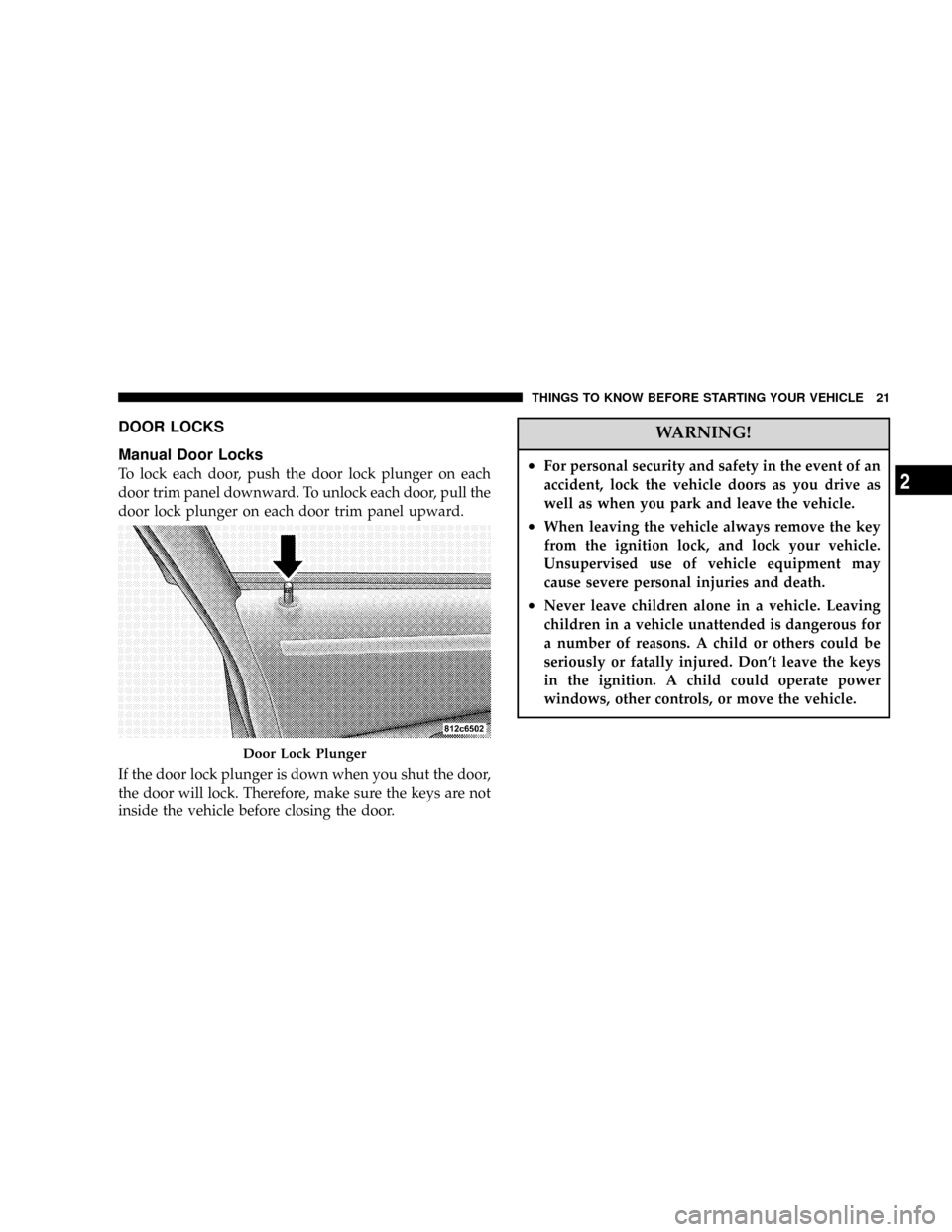
To lock each door, push the door lock plunger on each
door trim panel downward. To unlock each door, pull the
door lock plunger on each door trim panel upward.
If the door lock plunger is down when you shut the door,
the door will lock. Therefore, make sure the keys are not
inside the vehicle before closing the door.
WARNING!
²For personal security and safety in the event of an
accident, lock the vehicle doors as you drive as
well as when you park and leave the vehicle.
²When leaving the vehicle always remove the key
from the ignition lock, and lock your vehicle.
Unsupervised use of vehicle equipment may
cause severe personal injuries and death.
²Never leave children alone in a vehicle. Leaving
children in a vehicle unattended is dangerous for
a number of reasons. A child or others could be
seriously or fatally injured. Don't leave the keys
in the ignition. A child could operate power
windows, other controls, or move the vehicle.
Door Lock Plunger
THINGS TO KNOW BEFORE STARTING YOUR VEHICLE 21
2
Page 23 of 380
Power Door Locks
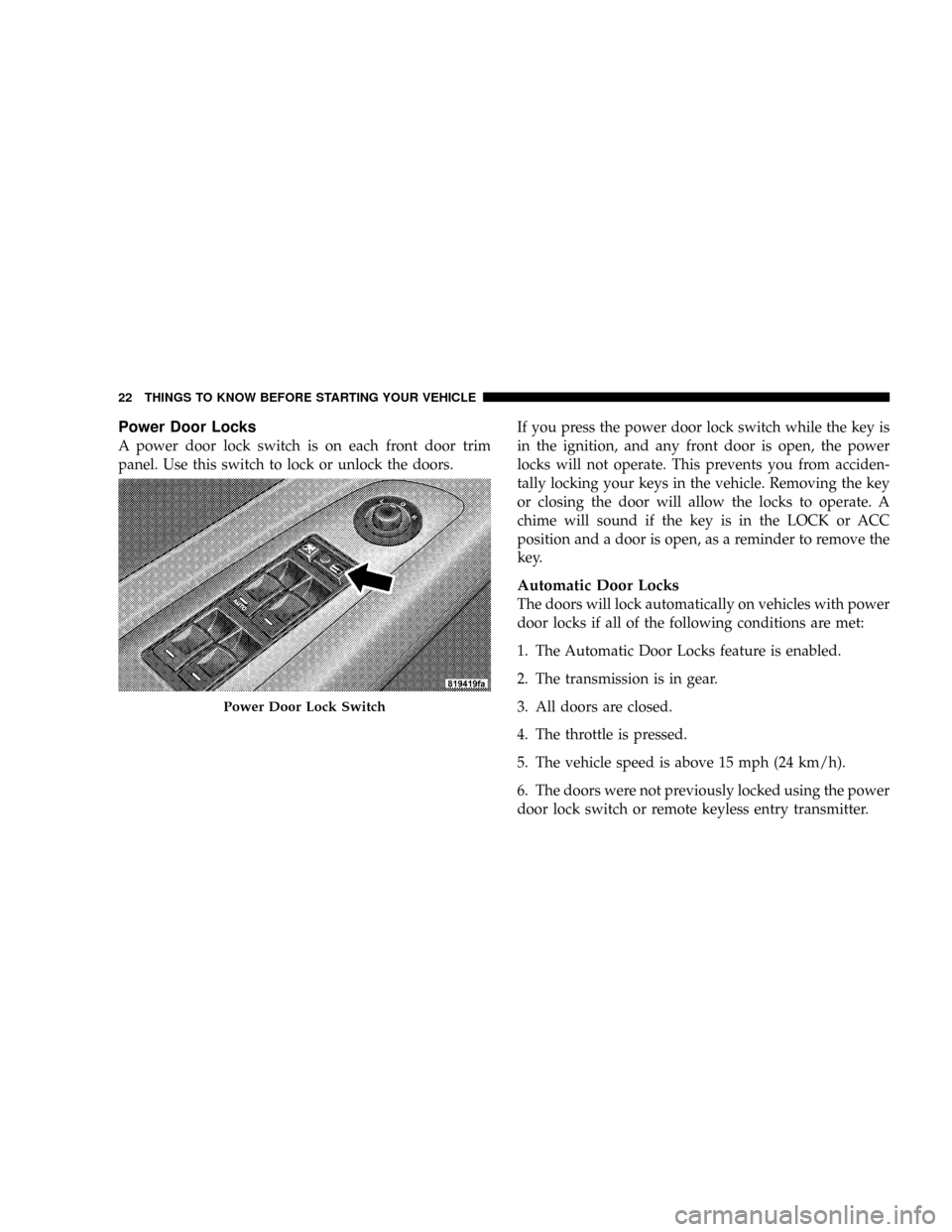
A power door lock switch is on each front door trim
panel. Use this switch to lock or unlock the doors.If you press the power door lock switch while the key is
in the ignition, and any front door is open, the power
locks will not operate. This prevents you from acciden-
tally locking your keys in the vehicle. Removing the key
or closing the door will allow the locks to operate. A
chime will sound if the key is in the LOCK or ACC
position and a door is open, as a reminder to remove the
key.
Automatic Door Locks
The doors will lock automatically on vehicles with power
door locks if all of the following conditions are met:
1. The Automatic Door Locks feature is enabled.
2. The transmission is in gear.
3. All doors are closed.
4. The throttle is pressed.
5. The vehicle speed is above 15 mph (24 km/h).
6. The doors were not previously locked using the power
door lock switch or remote keyless entry transmitter.
Power Door Lock Switch
22 THINGS TO KNOW BEFORE STARTING YOUR VEHICLE
Page 24 of 380
Automatic Door Locks Programming
The Automatic Door Locks feature can be enabled or
disabled. For details, refer to ªLock Doors Automatically
at 15 mph (24 Km/h),º under ªPersonal Settings (Cus-
tomer Programmable Features),º under ªElectronic Ve-
hicle Information Center (EVIC)º in Section 4 of this
manual.
Automatic Unlock Doors on Exit
The doors will unlock automatically on vehicles with
power door locks if:
1. The Automatic Unlock Doors On Exit feature is en-
abled.
2. The transmission was in gear and the vehicle speed
returned to 0 mph (0 km/h).
3. The transmission is in NEUTRAL or PARK.
4. The driver door is opened.
5. The doors were not previously unlocked.
6. The vehicle speed is 0 mph (0 km/h).
Automatic Unlock Doors on Exit Programming
The Automatic Unlock Doors On Exit feature can be
enabled or disabled. For details, refer to ªUnlock Doors
Automatically on Exit, º under ªPersonal Settings (Cus-
tomer Programmable Features),º under ªElectronic Ve-
hicle Information Center (EVIC)º in Section 4 of this
manual.
Child Protection Door Lock
To provide a safer environment for small children riding
in the rear seats, the rear doors are equipped with a child
protection door lock system.
To Engage the Child Protection Door Lock
1. Open the rear door.
THINGS TO KNOW BEFORE STARTING YOUR VEHICLE 23
2
Page 25 of 380
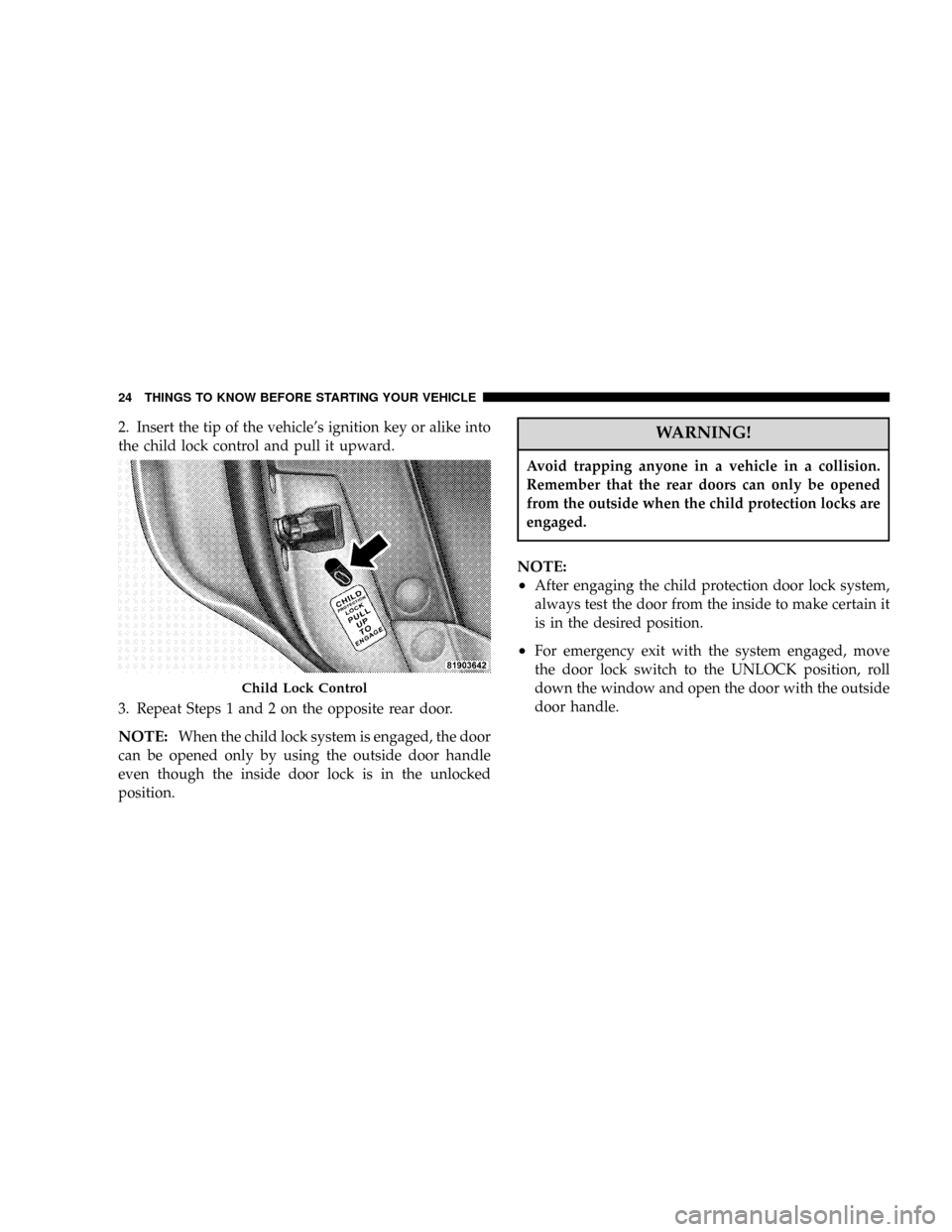
2. Insert the tip of the vehicle's ignition key or alike into
the child lock control and pull it upward.
3. Repeat Steps 1 and 2 on the opposite rear door.
NOTE:When the child lock system is engaged, the door
can be opened only by using the outside door handle
even though the inside door lock is in the unlocked
position.
WARNING!
Avoid trapping anyone in a vehicle in a collision.
Remember that the rear doors can only be opened
from the outside when the child protection locks are
engaged.
NOTE:
²
After engaging the child protection door lock system,
always test the door from the inside to make certain it
is in the desired position.
²For emergency exit with the system engaged, move
the door lock switch to the UNLOCK position, roll
down the window and open the door with the outside
door handle.
Child Lock Control
24 THINGS TO KNOW BEFORE STARTING YOUR VEHICLE
Page 26 of 380
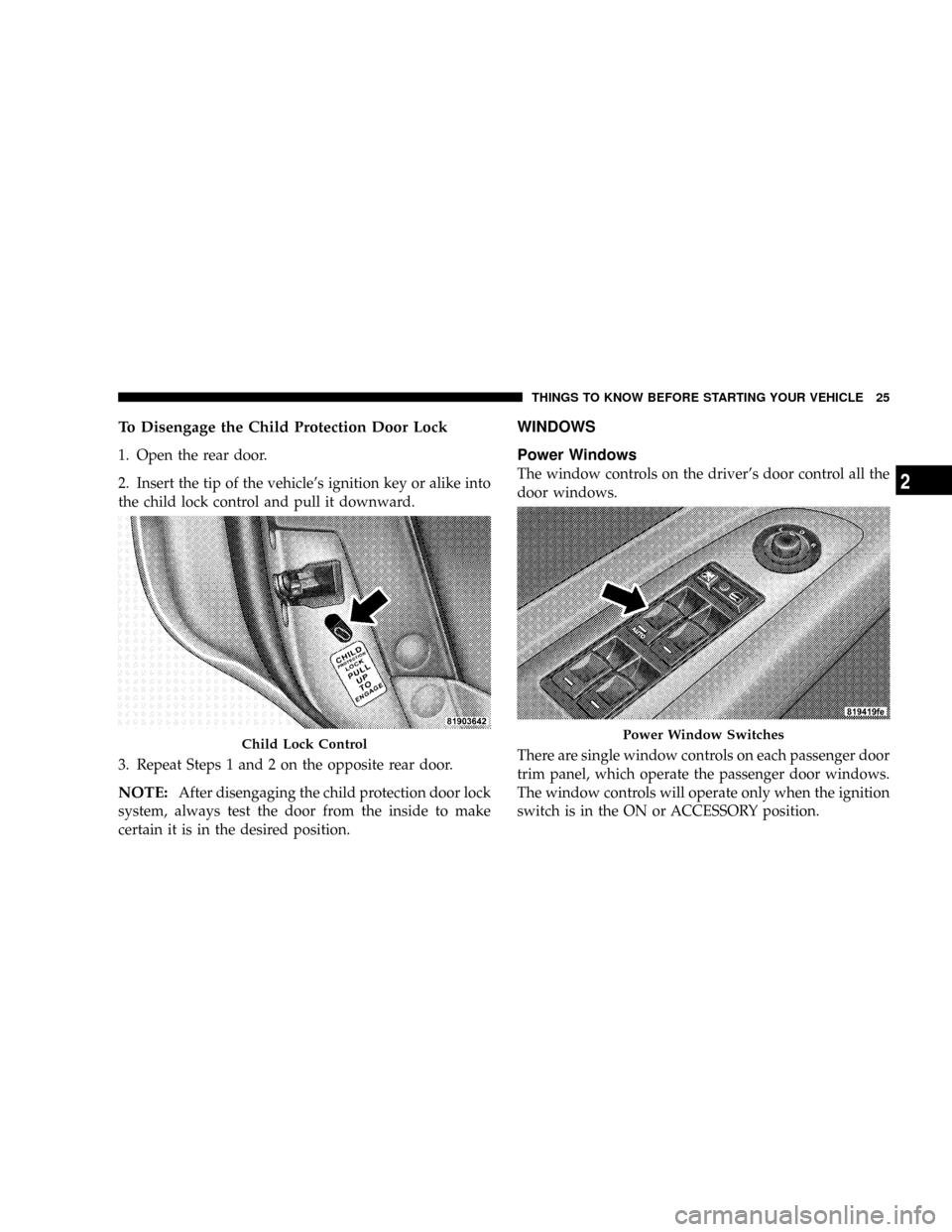
To Disengage the Child Protection Door Lock
1. Open the rear door.
2. Insert the tip of the vehicle's ignition key or alike into
the child lock control and pull it downward.
3. Repeat Steps 1 and 2 on the opposite rear door.
NOTE:After disengaging the child protection door lock
system, always test the door from the inside to make
certain it is in the desired position.
WINDOWS
Power Windows
The window controls on the driver's door control all the
door windows.
There are single window controls on each passenger door
trim panel, which operate the passenger door windows.
The window controls will operate only when the ignition
switch is in the ON or ACCESSORY position.
Child Lock ControlPower Window Switches
THINGS TO KNOW BEFORE STARTING YOUR VEHICLE 25
2
Page 28 of 380
Power Off to Accessories Until Exit,º under ªPersonal
Settings (Customer Programmable Features),º under
ªElectronic Vehicle Information Center (EVIC)º in Sec-
tion 4 of this manual.
NOTE:
²
If the window runs into any obstacle during auto-
closure, it will reverse direction and then stop. Remove
the obstacle and use the window switch again to close
the window.
²Any impact due to rough road conditions may trigger
the auto reverse function unexpectedly during auto-
closure. If this happens, pull the switch lightly to the
first detent and hold to close window manually.
WARNING!
There is no anti-pinch protection when the window
is almost closed. Be sure to clear all objects from the
window before closing.
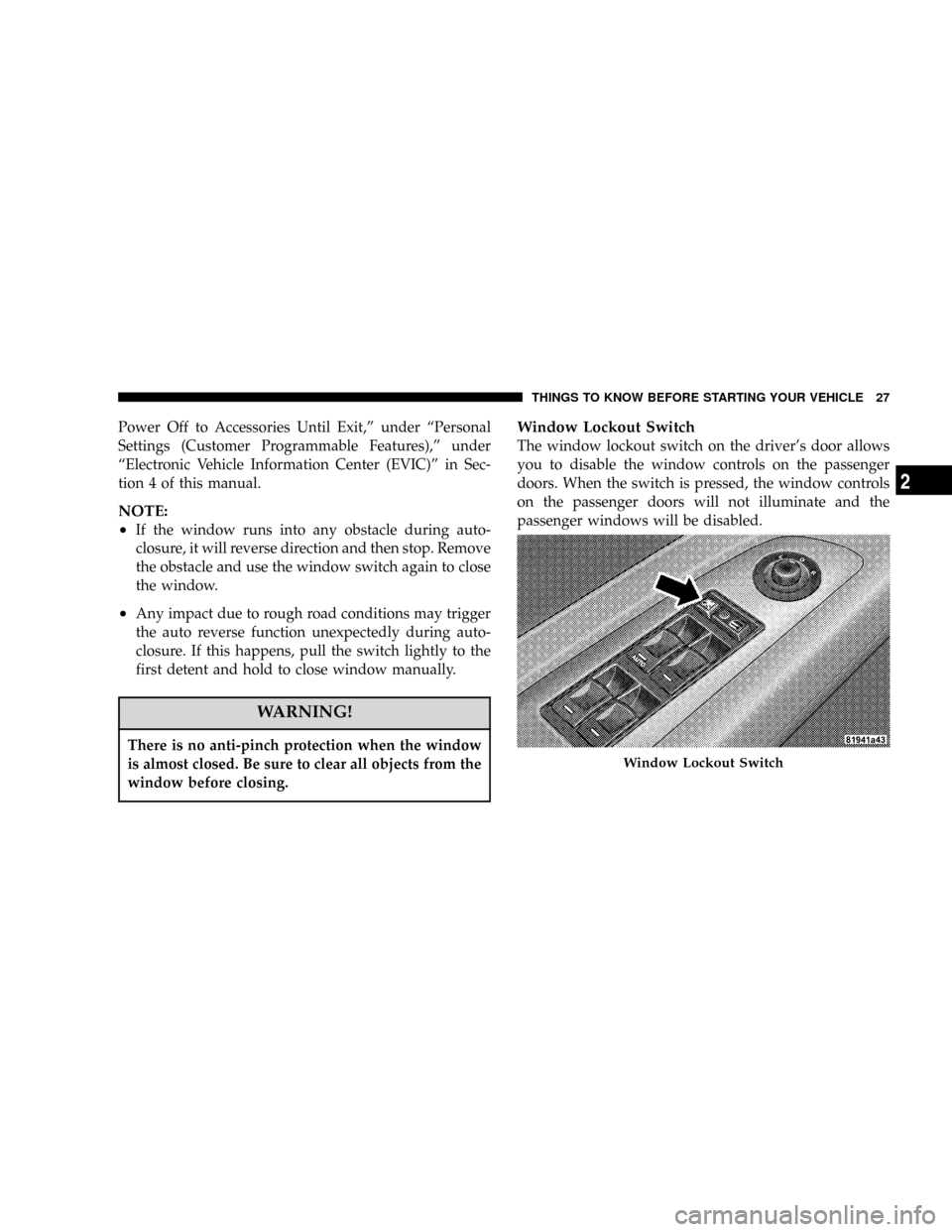
Window Lockout Switch
The window lockout switch on the driver's door allows
you to disable the window controls on the passenger
doors. When the switch is pressed, the window controls
on the passenger doors will not illuminate and the
passenger windows will be disabled.
Window Lockout Switch
THINGS TO KNOW BEFORE STARTING YOUR VEHICLE 27
2
Page 29 of 380
Reset
Any time the vehicle battery is disconnected, or goes
dead, the auto-up function will be disabled. To reactivate
the auto-up feature, perform the following steps after
vehicle power is restored:
1. Pull the window switch up to close window com-
pletely and continue to hold the switch up for an
additional two seconds after the window is closed.
2. Push the window switch down firmly to the second
detent to open the window completely and continue to
hold the switch down for an additional two seconds after
the window is fully open.
Wind Buffeting
Wind buffeting can be described as the perception of
pressure on the ears or a helicopter type sound in the
ears. Your vehicle may exhibit wind buffeting with the
windows down, or the sunroof (if equipped) in certain
open or partially open positions. This is a normal occur-
rence and can be minimized. If the buffeting occurs with
the rear windows open, then open the front and rear
windows together to minimize the buffeting. If the
buffeting occurs with the sunroof open, then adjust the
sunroof opening to minimize the buffeting.
LIFTGATE
The liftgate can be unlocked or locked by the remote
keyless entry transmitter or by activating the power door
lock switches located on the front doors.
28 THINGS TO KNOW BEFORE STARTING YOUR VEHICLE
Page 30 of 380
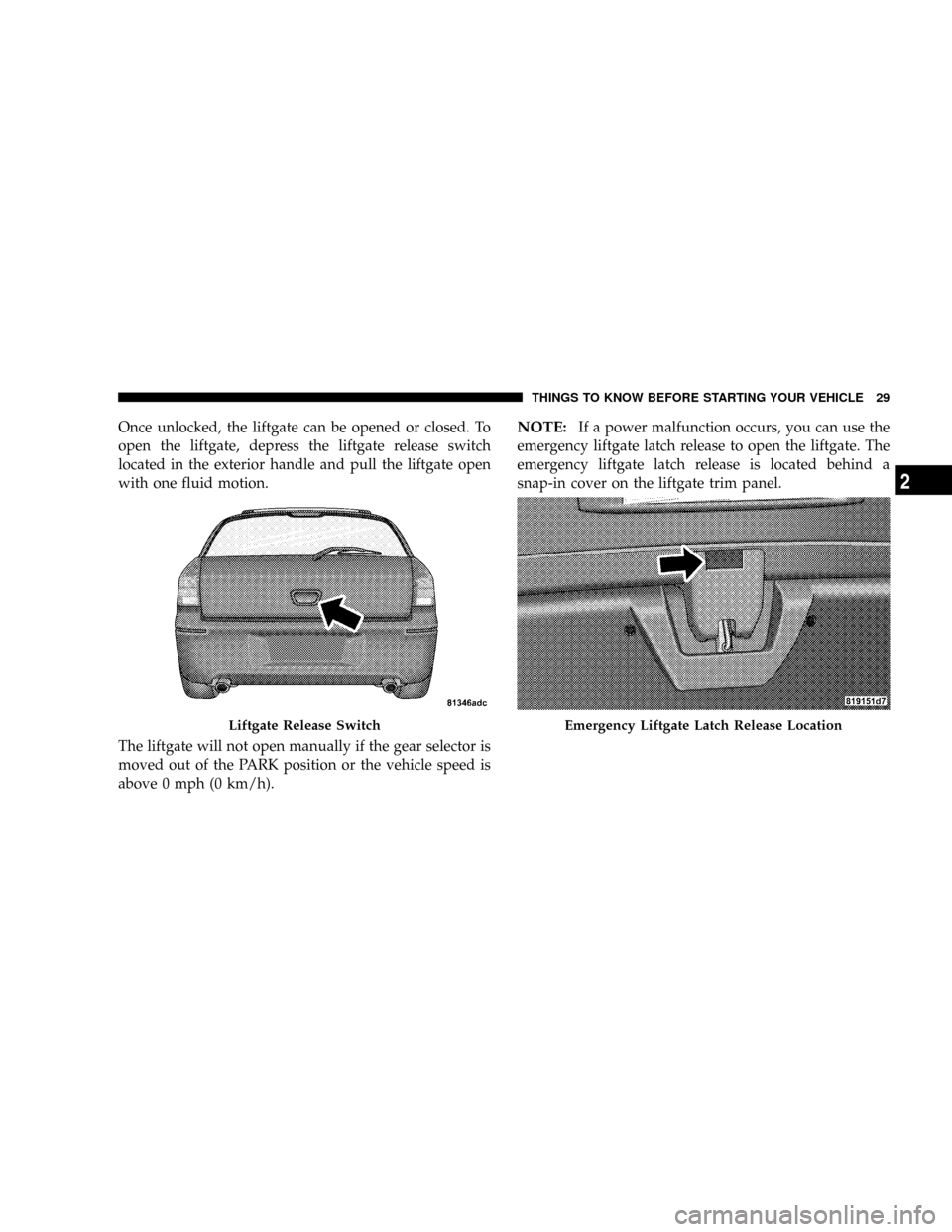
Once unlocked, the liftgate can be opened or closed. To
open the liftgate, depress the liftgate release switch
located in the exterior handle and pull the liftgate open
with one fluid motion.
The liftgate will not open manually if the gear selector is
moved out of the PARK position or the vehicle speed is
above 0 mph (0 km/h).NOTE:If a power malfunction occurs, you can use the
emergency liftgate latch release to open the liftgate. The
emergency liftgate latch release is located behind a
snap-in cover on the liftgate trim panel.
Liftgate Release SwitchEmergency Liftgate Latch Release Location
THINGS TO KNOW BEFORE STARTING YOUR VEHICLE 29
2
Page 32 of 380
Buckle up even though you are an excellent driver, even
on short trips. Someone on the road may be a poor driver
and cause a collision that includes you. This can happen
far away from home or on your own street.
Research has shown that seat belts save lives, and they
can reduce the seriousness of injuries in a collision. Some
of the worst injuries happen when people are thrown
from the vehicle. Seat belts reduce the possibility of
ejection and the risk of injury caused by striking the
inside of the vehicle.Everyonein a motor vehicle should
be belted at all times.
Lap/Shoulder Belts
All seating positions in your vehicle are equipped with
Lap/Shoulder Belts.
The belt webbing retractor is designed to lock during
very sudden stops or impacts. This feature allows the
shoulder part of the belt to move freely with you under
normal conditions. However, in a collision, the belt will
lock and reduce your risk of striking the inside of the
vehicle or being thrown out.
WARNING!
²It is extremely dangerous to ride in a cargo area,
inside or outside of a vehicle. In a collision, people
riding in these areas are more likely to be seriously
injured or killed.
²Do not allow people to ride in any area of your
vehicle that is not equipped with seats and seat belts.
²Be sure everyone in your vehicle is in a seat and
using a seat belt properly.
²Wearing a seat belt incorrectly is dangerous. Seat
belts are designed to go around the large bones of
your body. These are the strongest parts of your body
and can take the forces of a collision the best.
²Wearing your belt in the wrong place could make
your injuries in a collision much worse. You might
suffer internal injuries, or you could even slide out
of part of the belt. Follow these instructions to wear
your seat belt safely and to keep your passengers
safe, too.
²Two people should never be belted into a single seat
belt. People belted together can crash into one an-
other in an accident, hurting one another badly.
Never use a lap/shoulder belt or a lap belt for more
than one person, no matter what their size.
THINGS TO KNOW BEFORE STARTING YOUR VEHICLE 31
2