ECU DODGE POWER WAGON 2007 2.G User Guide
[x] Cancel search | Manufacturer: DODGE, Model Year: 2007, Model line: POWER WAGON, Model: DODGE POWER WAGON 2007 2.GPages: 492, PDF Size: 8.25 MB
Page 63 of 492
around, and insert the latch plate into the buckle
again. If you still can't make the child restraint secure,
try a different seating position.
²Buckle the child into the seat according to the child
restraint manufacturer's directions.
²When your child restraint is not in use, secure it in the
vehicle with the seat belt or remove it from the vehicle.
Do not leave it loose in the vehicle. In a sudden stop or
collision, it could strike the occupants or seat backs
and cause serious personal injury.
WARNING!
Improper installation can lead to failure of an infant
or child restraint. It could come loose in a collision.
The child could be badly injured or killed. Follow
the manufacturer's directions exactly when install-
ing an infant or child restraint.
Lower Anchors and Tether for CHildren (LATCH)
Each vehicle is equipped with the child restraint anchor-
age system called LATCH, which stands for Lower
Anchors and Tether for CHildren. LATCH child restraint
anchorage systems are installed in the Standard Cab
passenger seat position and the Quad Cab rear seat
outboard positions. LATCH equipped seating positions
feature both lower anchor bars, located at the back of the
seat cushion, and tether strap anchorages, located behind
the seatback (refer to Child Restraint Tether Anchor later
in this section).
62 THINGS TO KNOW BEFORE STARTING YOUR VEHICLE
Page 67 of 492
WARNING!
Improper installation of a child restraint to the
LATCH anchorages can lead to failure of an infant or
child restraint. The child could be badly injured or
killed. Follow the manufacturer's directions exactly
when installing an infant or child restraint.
Child Restraint Tether Anchor
Child restraints having tether straps and hooks for con-
nection to tether anchors have been available for some
time. In fact, many child restraint manufacturers will
provide add-on tether strap kits for their older products.
Regular Cab models of Ram Pickups have two tether
anchorages, one each behind the front center and right
seats. Quad Cab models have three anchorages, one
behind each of the rear seats.
WARNING!
An incorrectly anchored tether strap could lead to
seat failure and injury to the child. In a collision, the
seat could come loose and allow the child to crash
into the inside of the vehicle or other passengers, or
even be thrown from the vehicle. Use only the
anchor positions directly behind the child seat to
secure a child restraint top tether strap. Follow the
instructions below. See your dealer for help if nec-
essary.
Tether Anchorage Points at the Right and Center
Front Seat (Regular Cab - All Seats)
1. Place the child restraint on the seat and adjust the
tether strap so that it will reach over the seat back under
the head restraint to the tether anchor directly behind the
seat.
66 THINGS TO KNOW BEFORE STARTING YOUR VEHICLE
Page 77 of 492
NDistance To Empty (DTE)...............134
NTrip Odometer (ODO)..................135
NElapsed Time (ET).....................135
NC/T Button.........................136
NAutomatic Compass Calibration...........136
NManual Compass Calibration.............137
NRecalibrating The Compass..............137
NOutside Temperature...................138
mGarage Door Opener Ð If Equipped.........139
NProgramming HomeLink................141
NCanadian Programming/Gate Programming . . 143
NUsing HomeLink.....................144
NErasing HomeLink Buttons..............144NReprogramming a Single HomeLink Button . . . 144
NSecurity............................145
mPower Sunroof Ð If Equipped.............145
NOpen Sunroof - Express Mode............146
NComfort Stop........................146
NClosing Sunroof - Express...............147
NPinch Protect Feature...................147
NPinch Protect Override.................147
NVenting Sunroof - Express...............147
NSunshade Operation...................147
NWind Buffeting.......................148
NSunroof Maintenance...................148
NSunroof Fully Closed...................148
76 UNDERSTANDING THE FEATURES OF YOUR VEHICLE
Page 145 of 492
Using HomeLink
To operate, simply press and release the programmed
HomeLink button. Activation will now occur for the
trained device (i.e. garage door opener, gate operator,
security system, entry door lock, home/office lighting,
etc.). For convenience, the hand-held transmitter of the
device may also be used at any time. In the event that
there are still programming difficulties or questions,
contact HomeLink at:www.homelink.com or 1-800-355-
3515.
Erasing HomeLink Buttons
To erase programming from the three buttons (individual
buttons cannot be erased but can be9reprogrammed9-
note below), follow the step noted:
²Press and hold the two outer HomeLink buttons until
the indicator light begins to flash-after 20 seconds.
Release both buttons. Do not hold for longer that 30seconds. HomeLink is now in the train (or learning)
mode and can be programmed at any time beginning
with9Programming9- step 2.
Reprogramming a Single HomeLink Button
To program a device to HomeLink using a HomeLink
button previously trained, follow these steps:
1. Press and hold the desired HomeLink button.DO
NOTrelease the button.
2. The indicator light will begin to flash after 20 seconds.
Without releasing the HomeLink button, proceed with
9Programming9step 2
For questions or comments, contact HomeLink at:
www.homelink.com or 1-800-355-3515.
144 UNDERSTANDING THE FEATURES OF YOUR VEHICLE
Page 146 of 492
Security
If you sell your vehicle, be sure to erase the frequencies.
To erase all of the previously trained frequencies, hold
down both outside buttons until the green light begins to
flash.
This device complies with part 15 of FCC rules and with
RSS-210 of Industry Canada. Operation is subject to the
following conditions:
²This device may not cause harmful interference.
²This device must accept any interference that may be
received including interference that may cause undes-
ired operation.
NOTE:Changes or modifications not expressly ap-
proved by the party responsible for compliance could
void the user's authority to operate the equipment.HomeLinktis a trademark owned by Johnson Controls,
Inc.
POWER SUNROOF Ð IF EQUIPPED
The power sunroof switch is located between the sun
visors on the overhead console.
NOTE:The Power Accessory Delay feature will allow
the power sunroof to operate for ten minutes after the
ignition is turned off.
UNDERSTANDING THE FEATURES OF YOUR VEHICLE 145
3
Page 147 of 492
WARNING!
²Never leave children alone in a vehicle. Leaving
children in a vehicle unattended is dangerous for
a number of reasons. A child or others could be
seriously or fatally injured. Don't leave the keys
in the ignition. A child could operate power
windows, other controls, or move the vehicle.
²In an accident, there is a greater risk of being
thrown from a vehicle with an open sunroof. You
could also be seriously injured or killed. Always
fasten your seat belt properly and make sure all
passengers are properly secured too.
²Do not allow small children to operate the sun-
roof. Never allow fingers or other body parts, or
any object to project through the sunroof opening.
Injury may result.
Open Sunroof - Express Mode
Momentarily pressing the switch rearward will activate
the Express Open Feature, causing the sunroof to open
automatically. During the Express Open operation, any
movement of the switch will stop the sunroof and it will
remain in a partial open position. Again, momentarily
pressing the switch rearward will activate the Express
Open Feature.
Comfort Stop
The sunroof is equipped with an intermediate ªComfort
Stopº position. This is the first stop that express open
reaches. This is designed to reduce wind buffeting at
vehicle speeds between 20 - 40 mph (32 - 64 km/h).
Pressing the switch momentarily rearward again will
open the sunroof to its full open position however wind
buffeting can occur at full open.
146 UNDERSTANDING THE FEATURES OF YOUR VEHICLE
Page 152 of 492
CUPHOLDERS
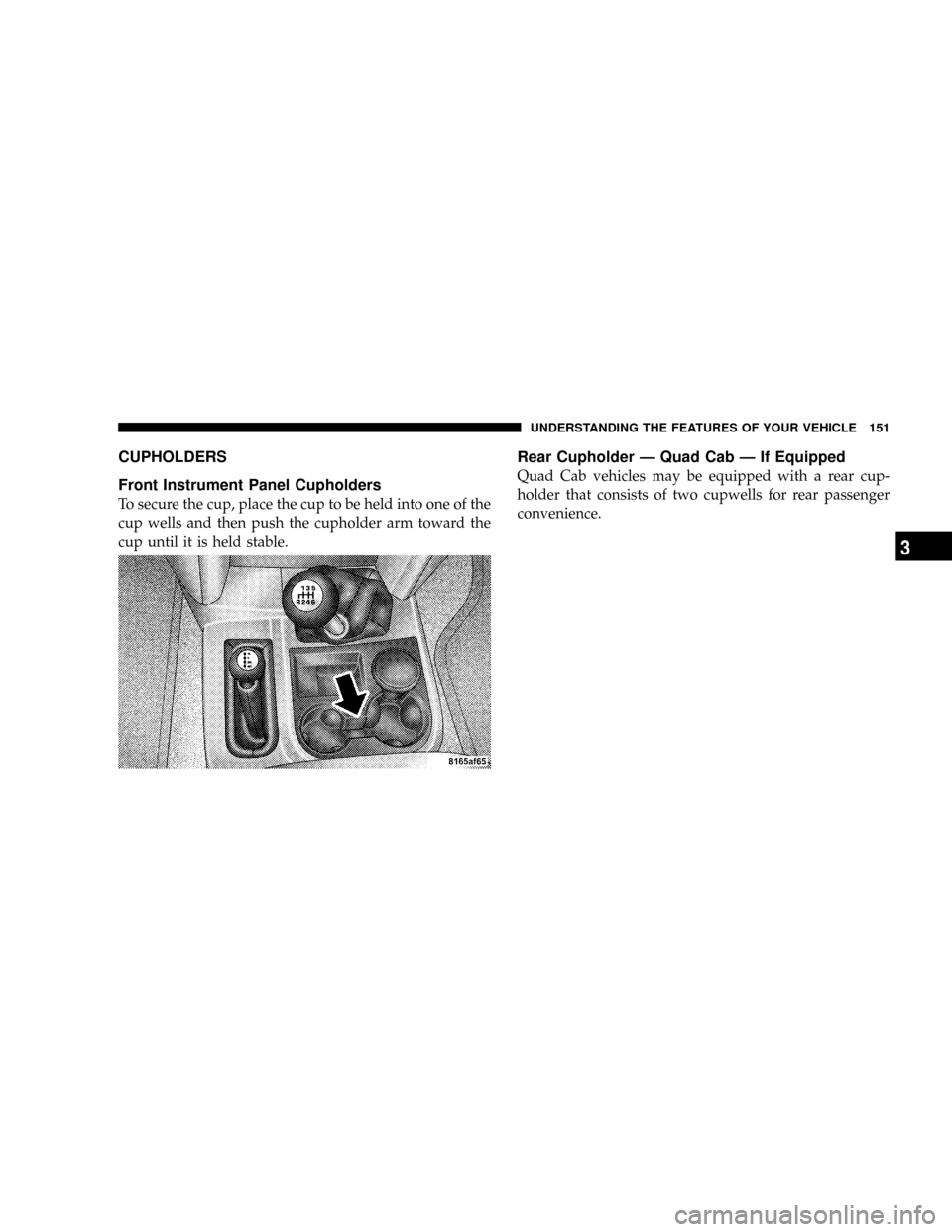
Front Instrument Panel Cupholders
To secure the cup, place the cup to be held into one of the
cup wells and then push the cupholder arm toward the
cup until it is held stable.
Rear Cupholder Ð Quad Cab Ð If Equipped
Quad Cab vehicles may be equipped with a rear cup-
holder that consists of two cupwells for rear passenger
convenience.
UNDERSTANDING THE FEATURES OF YOUR VEHICLE 151
3
Page 158 of 492
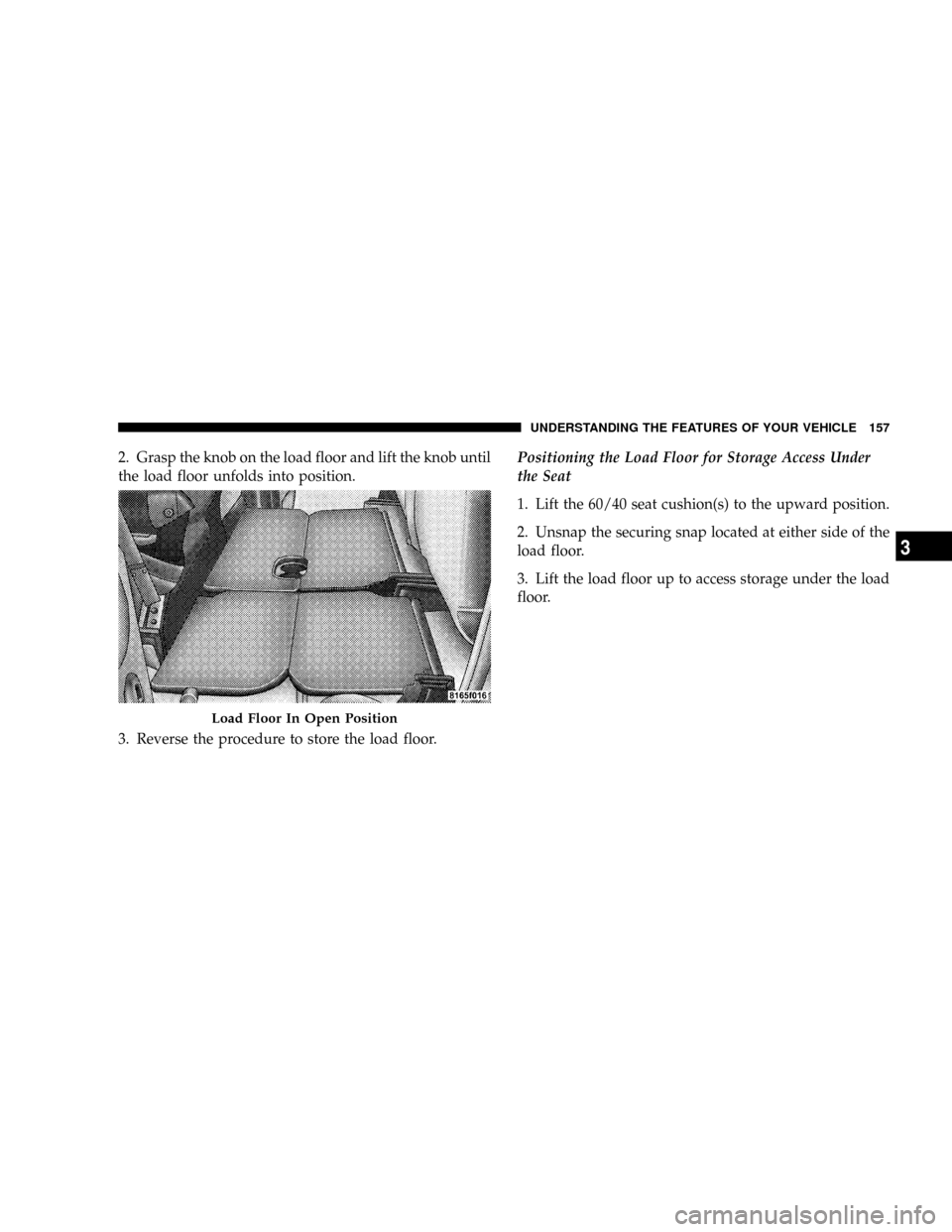
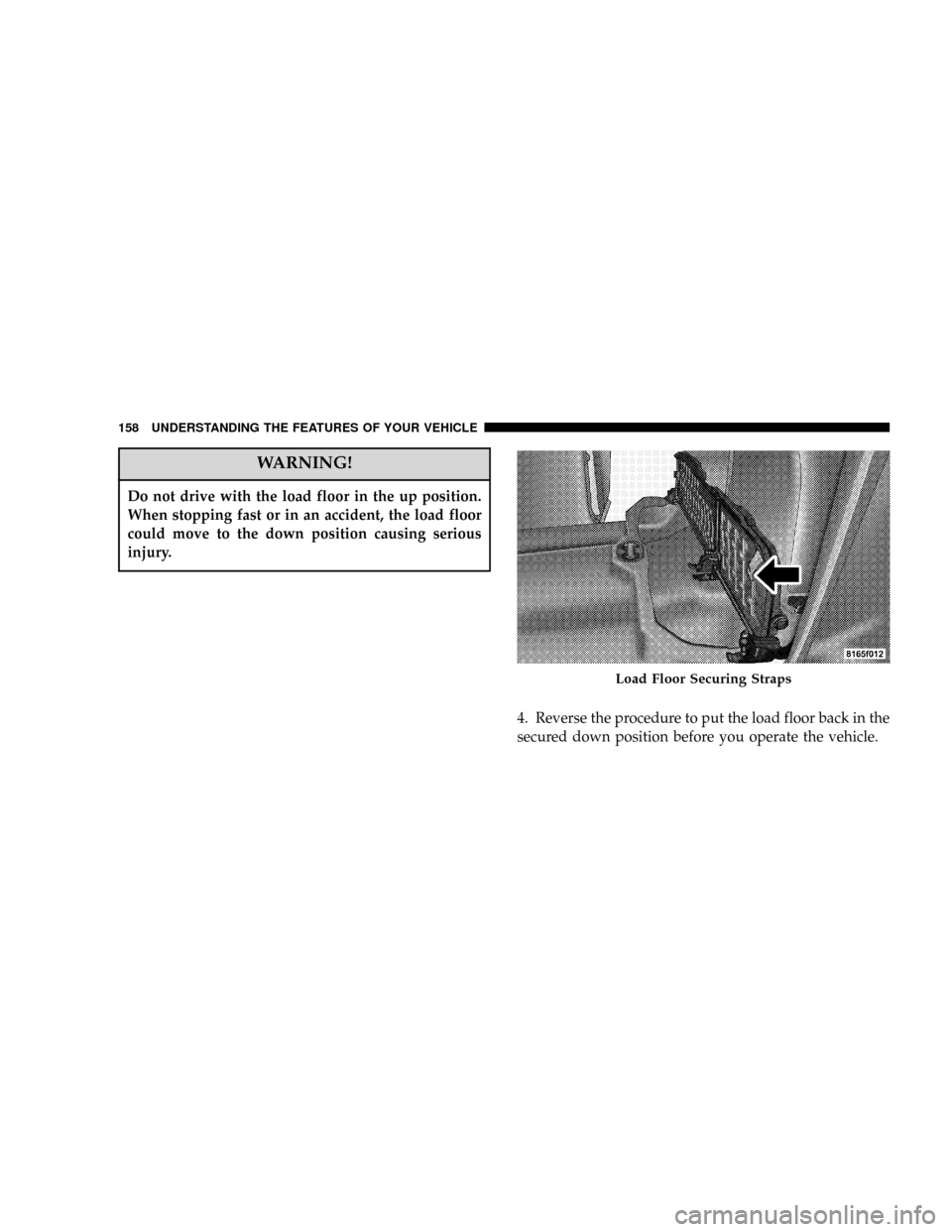
2. Grasp the knob on the load floor and lift the knob until
the load floor unfolds into position.
3. Reverse the procedure to store the load floor.Positioning the Load Floor for Storage Access Under
the Seat
1. Lift the 60/40 seat cushion(s) to the upward position.
2. Unsnap the securing snap located at either side of the
load floor.
3. Lift the load floor up to access storage under the load
floor.
Load Floor In Open Position
UNDERSTANDING THE FEATURES OF YOUR VEHICLE 157
3
Page 159 of 492
WARNING!
Do not drive with the load floor in the up position.
When stopping fast or in an accident, the load floor
could move to the down position causing serious
injury.
4. Reverse the procedure to put the load floor back in the
secured down position before you operate the vehicle.
Load Floor Securing Straps
158 UNDERSTANDING THE FEATURES OF YOUR VEHICLE
Page 177 of 492
CAUTION!
Do not leave your vehicle unattended with the
engine running as you would not be able to react to
the temperature indicator if the engine overheats.
NOTE:Engine idle speed will automatically increase to
1000 rpm at elevated coolant temperatures to improve
engine cooling.
NOTE:If the gauge pointer moves to either extreme of
the gauge, the ªCheck Gagesº indicator will illuminate
and a single chime will sound.
14. Security
The light will flash rapidly for approximately 16 seconds
when the vehicle theft alarm is arming. The light will
flash at a slower rate after the alarm is set. The security
light will also come on for about two seconds when the
ignition is first turned ON.15. Transmission Range Indicator (Automatic
Tranmissions Only)
When the gear selector lever is moved, this indicator
shows the automatic transmission gear range selected.
16. Odometer/Trip Odometer
The odometer shows the total distance the vehicle has
been driven.
If the odometer reading is changed during repair or
replacement, be sure to keep a record of the reading
before and after the service so that the correct mileage can
be determined.
The trip odometer shows individual trip mileage. To
toggle between the odometer and the trip odometer,
press the Odometer/Trip Odometer Button. To reset the
Trip Odometer, press and hold the button while in trip
mode, until the Trip Odometer resets.
176 UNDERSTANDING YOUR INSTRUMENT PANEL