steering DODGE POWER WAGON 2007 2.G User Guide
[x] Cancel search | Manufacturer: DODGE, Model Year: 2007, Model line: POWER WAGON, Model: DODGE POWER WAGON 2007 2.GPages: 492, PDF Size: 8.25 MB
Page 82 of 492
Wheels
Stylish forged aluminum 179wheels give the Power
Wagon a powerful stance. Forging a wheel from alumi-
num produces a stronger, lighter weight wheel than
machining or casting the wheel out of the same material.
Standard package features:
²
Fuel Tank Skid Plate - protects the fuel tank from
impingement damage.
²Transfer Case Skid Plate and Tubing - protects the
transfer case and exhaust catalyst from impingement
damage.
²Heavy Duty Cross Members - protects the under
carriage and supports the under body protection skid
plates.
²Fore/Aft rails - which connect the cross member for
additional support and prevent the truck from getting
hung up on large rocks between the cross members.
²Steering Dampener Skid Plate - protects the steering
dampener from impingement damage.
²Electronically Locking Front And Rear Axle Differen-
tials With 4:56 Gears - improves mobility and articu-
lation by locking the differentials.
²Electronically Disconnecting Stabilizer Bar - improves
mobility and articulation by disconnecting the Stabi-
lizer Bar.
²160 Amp Alternator - supplies increased electrical
power for the winch and other off-road accessories.
²Heavy Duty Battery - supplies increased electrical
power for the winch and other off-road accessories.
²Heavy Duty Cooling Fan - provides enhanced engine
and transmission cooling under vigorous off-road
conditions.
UNDERSTANDING THE FEATURES OF YOUR VEHICLE 81
3
Page 90 of 492
The UConnectŸ system can be used with any Hands-
Free Profile certified BluetoothŸ cellular phone. See
www.chrysler.com/uconnect for supported phones. If
your cellular phone supports a different profile (e.g.,Headset Profile), you may not be able to use any UCon-
nectŸ features. Refer to your cellular service provider or
the phone manufacturer for details.
The UConnectŸ system is fully integrated with the
vehicle's audio system. The volume of the UConnectŸ
system can be adjusted either from the radio volume
control knob, or from the steering wheel radio control
(right switch), if so equipped.
The radio display will be used for visual prompts from
the UConnectŸ system such as9CELL9or caller ID on
certain radios.Operations
Voice commands can be used to operate the UConnectŸ
system and to navigate through the UConnectŸ menu
structure. Voice commands are required after most
UConnectŸ system prompts. You will be prompted for a
specific command and then guided through the available
options.
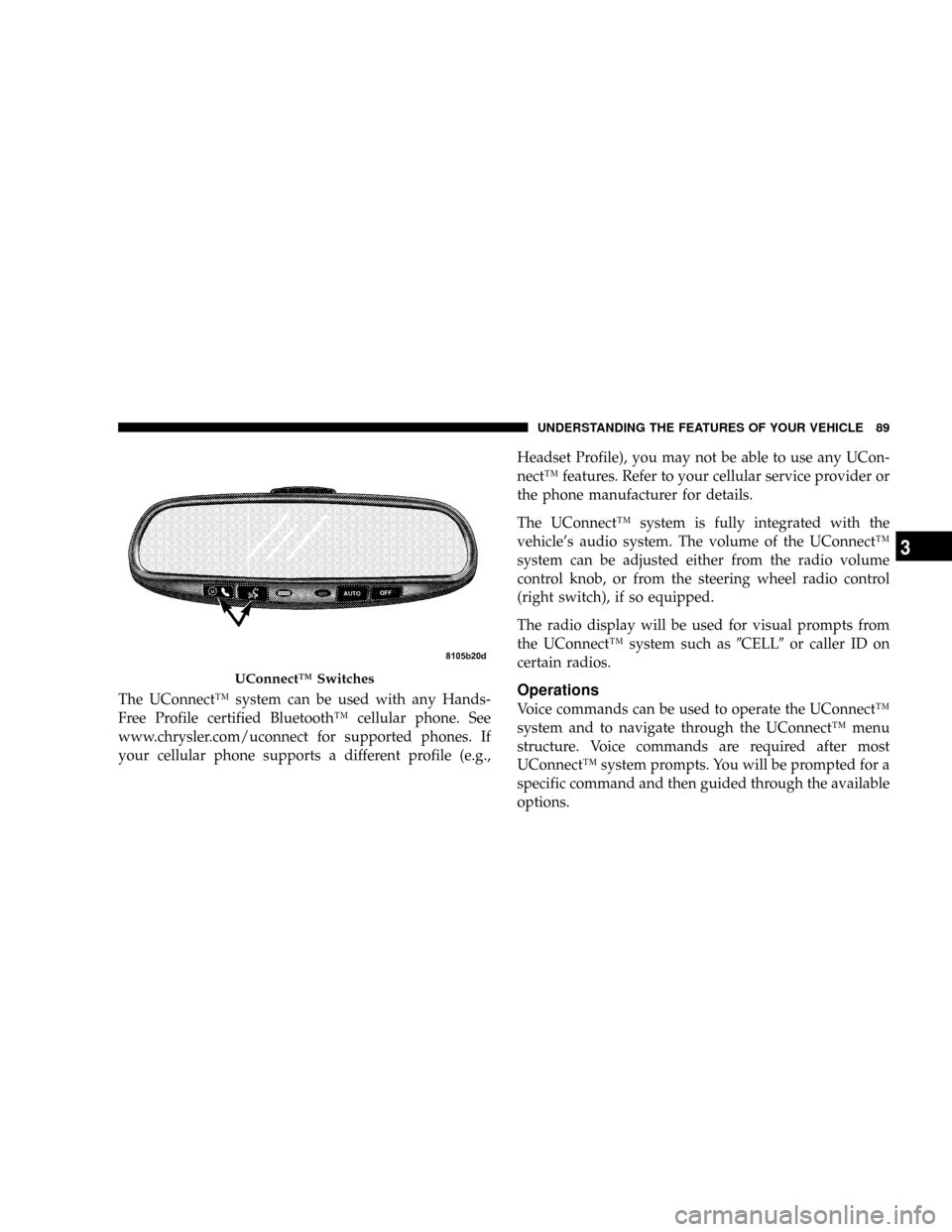
UConnectŸ Switches
UNDERSTANDING THE FEATURES OF YOUR VEHICLE 89
3
Page 118 of 492
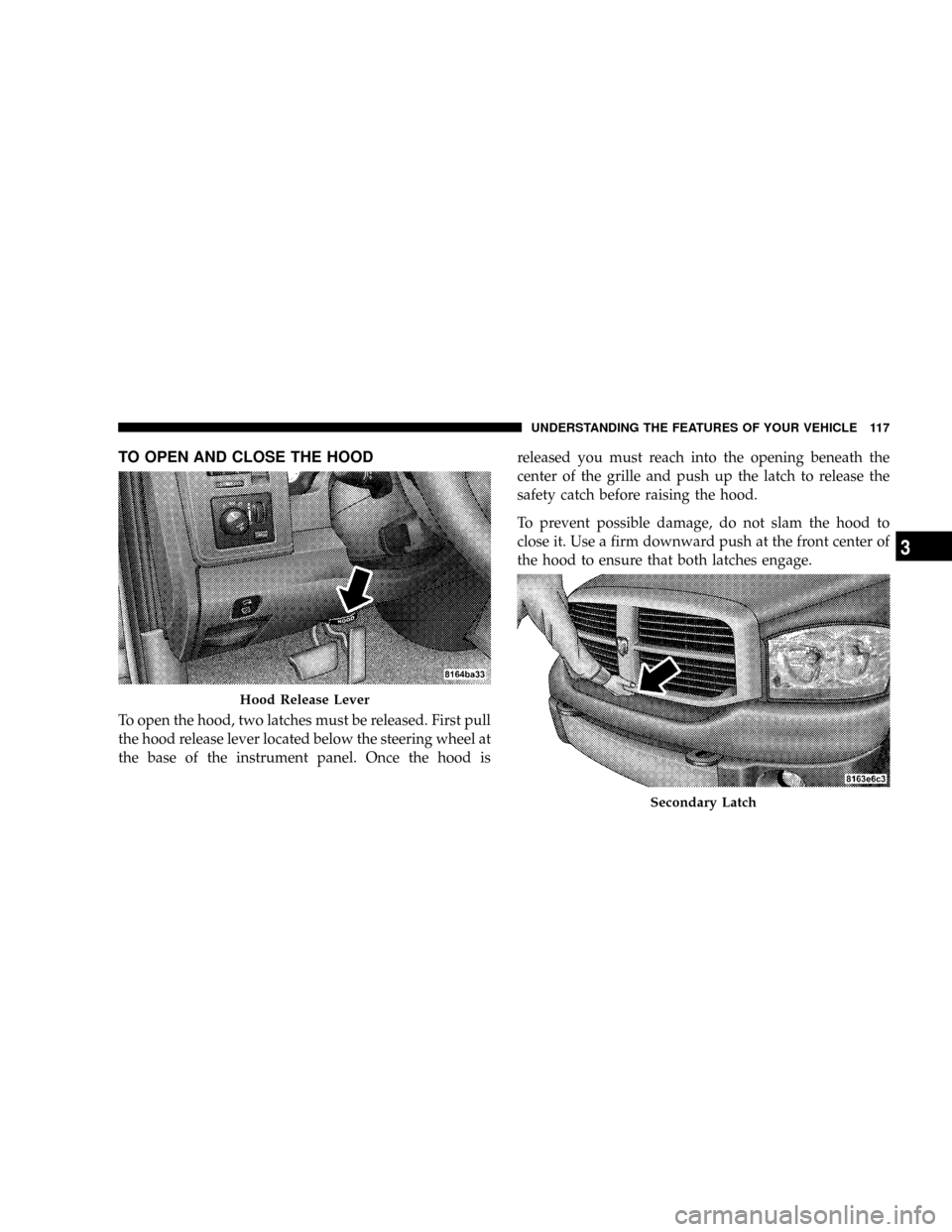
TO OPEN AND CLOSE THE HOOD
To open the hood, two latches must be released. First pull
the hood release lever located below the steering wheel at
the base of the instrument panel. Once the hood isreleased you must reach into the opening beneath the
center of the grille and push up the latch to release the
safety catch before raising the hood.
To prevent possible damage, do not slam the hood to
close it. Use a firm downward push at the front center of
the hood to ensure that both latches engage.
Hood Release Lever
Secondary Latch
UNDERSTANDING THE FEATURES OF YOUR VEHICLE 117
3
Page 124 of 492
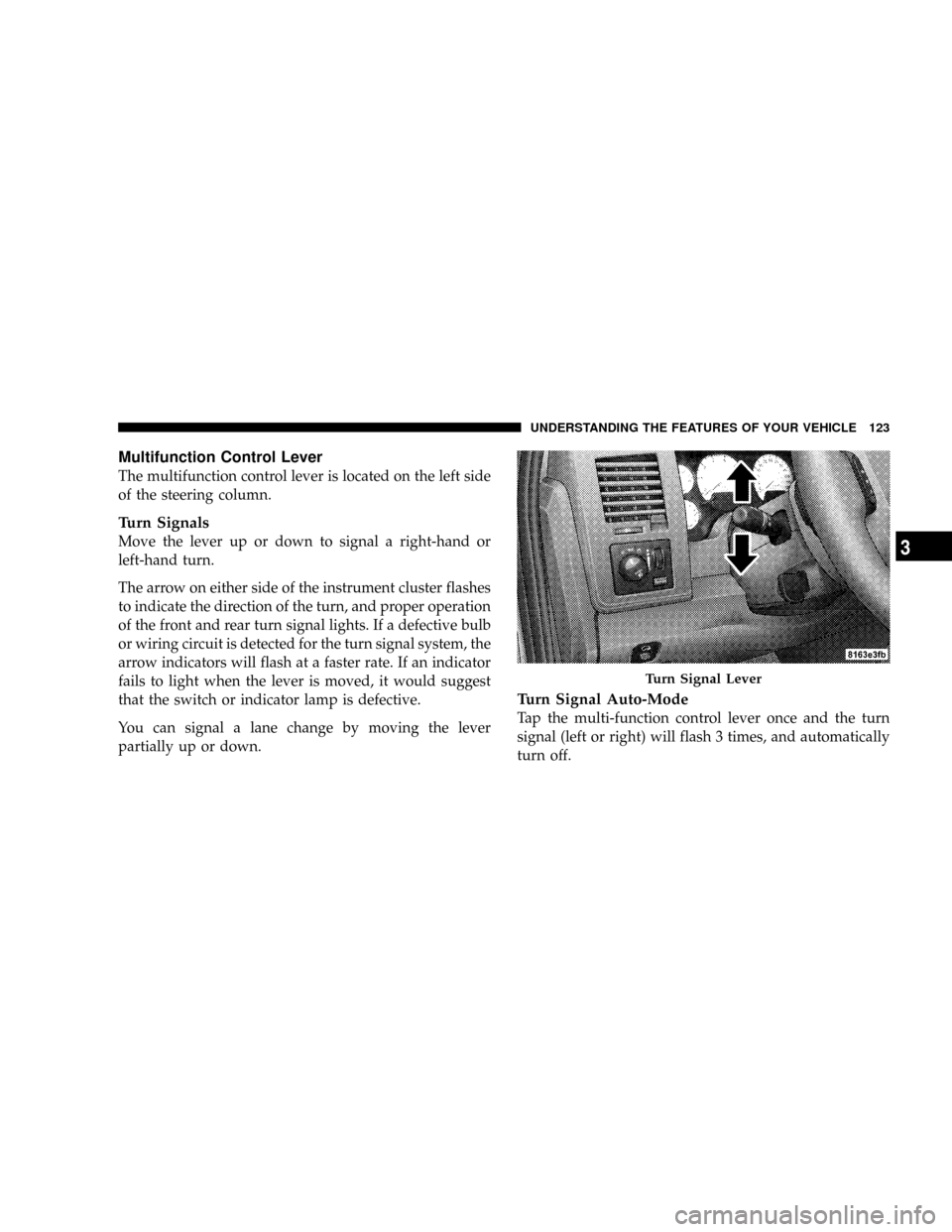
Multifunction Control Lever
The multifunction control lever is located on the left side
of the steering column.
Turn Signals
Move the lever up or down to signal a right-hand or
left-hand turn.
The arrow on either side of the instrument cluster flashes
to indicate the direction of the turn, and proper operation
of the front and rear turn signal lights. If a defective bulb
or wiring circuit is detected for the turn signal system, the
arrow indicators will flash at a faster rate. If an indicator
fails to light when the lever is moved, it would suggest
that the switch or indicator lamp is defective.
You can signal a lane change by moving the lever
partially up or down.
Turn Signal Auto-Mode
Tap the multi-function control lever once and the turn
signal (left or right) will flash 3 times, and automatically
turn off.
Turn Signal Lever
UNDERSTANDING THE FEATURES OF YOUR VEHICLE 123
3
Page 125 of 492
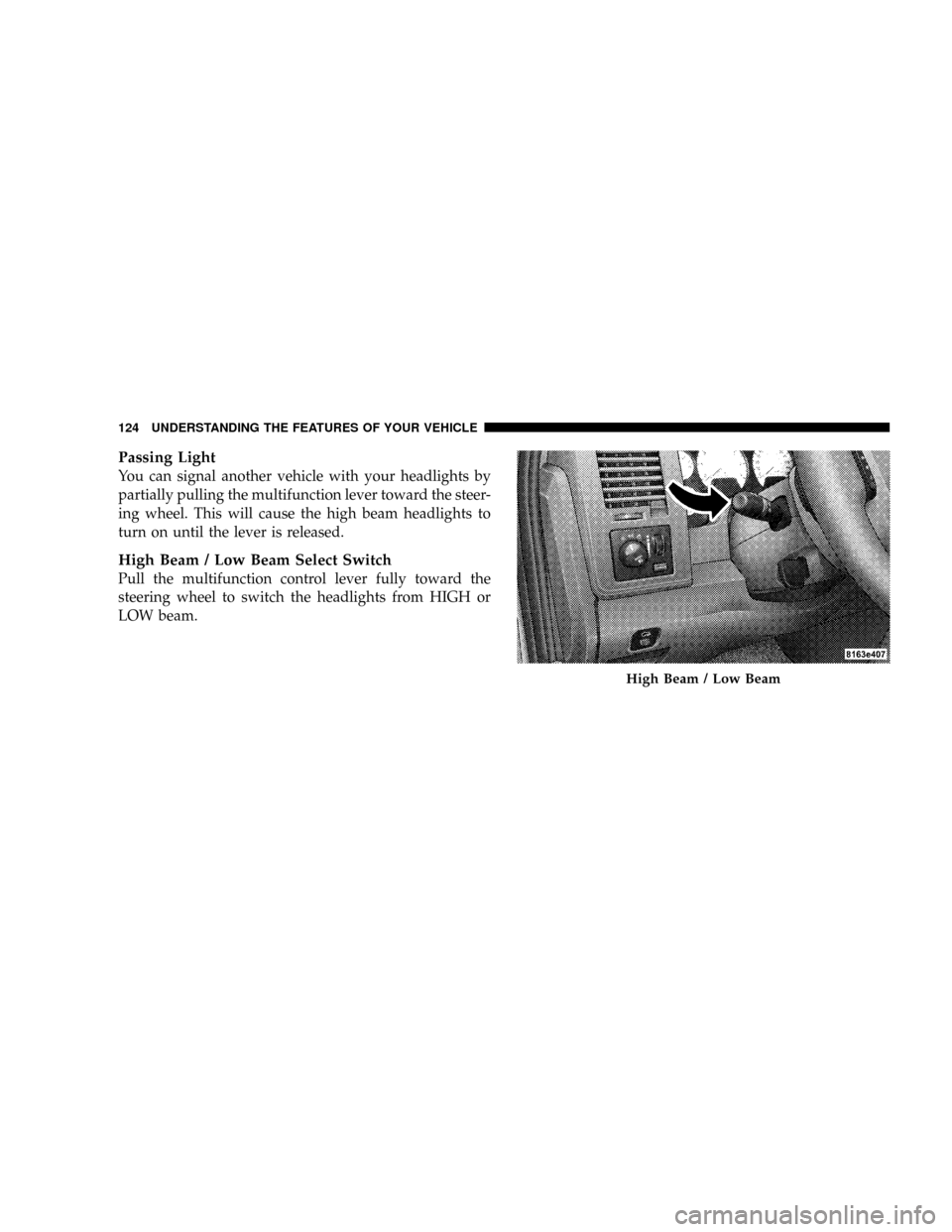
Passing Light
You can signal another vehicle with your headlights by
partially pulling the multifunction lever toward the steer-
ing wheel. This will cause the high beam headlights to
turn on until the lever is released.
High Beam / Low Beam Select Switch
Pull the multifunction control lever fully toward the
steering wheel to switch the headlights from HIGH or
LOW beam.
High Beam / Low Beam
124 UNDERSTANDING THE FEATURES OF YOUR VEHICLE
Page 128 of 492
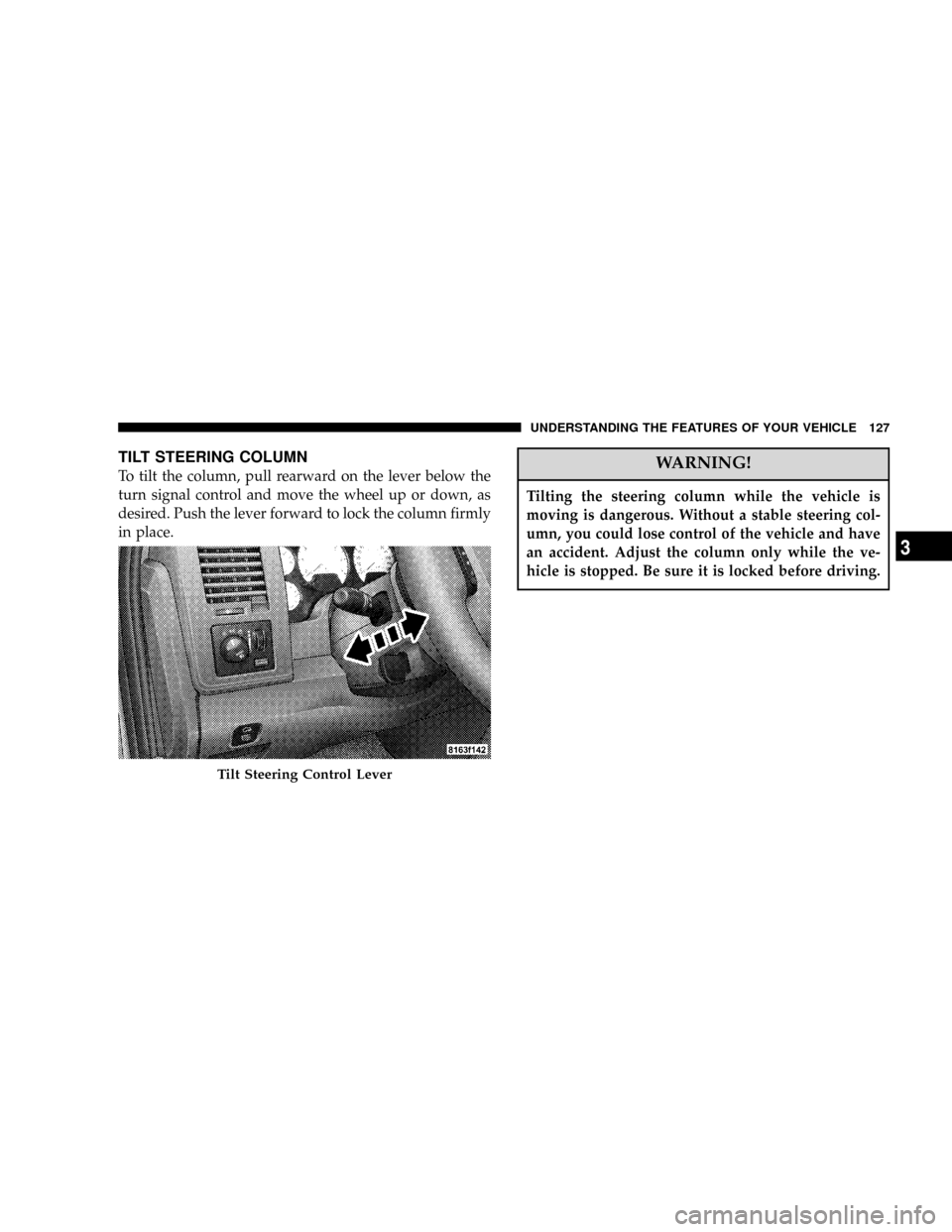
TILT STEERING COLUMN
To tilt the column, pull rearward on the lever below the
turn signal control and move the wheel up or down, as
desired. Push the lever forward to lock the column firmly
in place.WARNING!
Tilting the steering column while the vehicle is
moving is dangerous. Without a stable steering col-
umn, you could lose control of the vehicle and have
an accident. Adjust the column only while the ve-
hicle is stopped. Be sure it is locked before driving.
Tilt Steering Control Lever
UNDERSTANDING THE FEATURES OF YOUR VEHICLE 127
3
Page 129 of 492
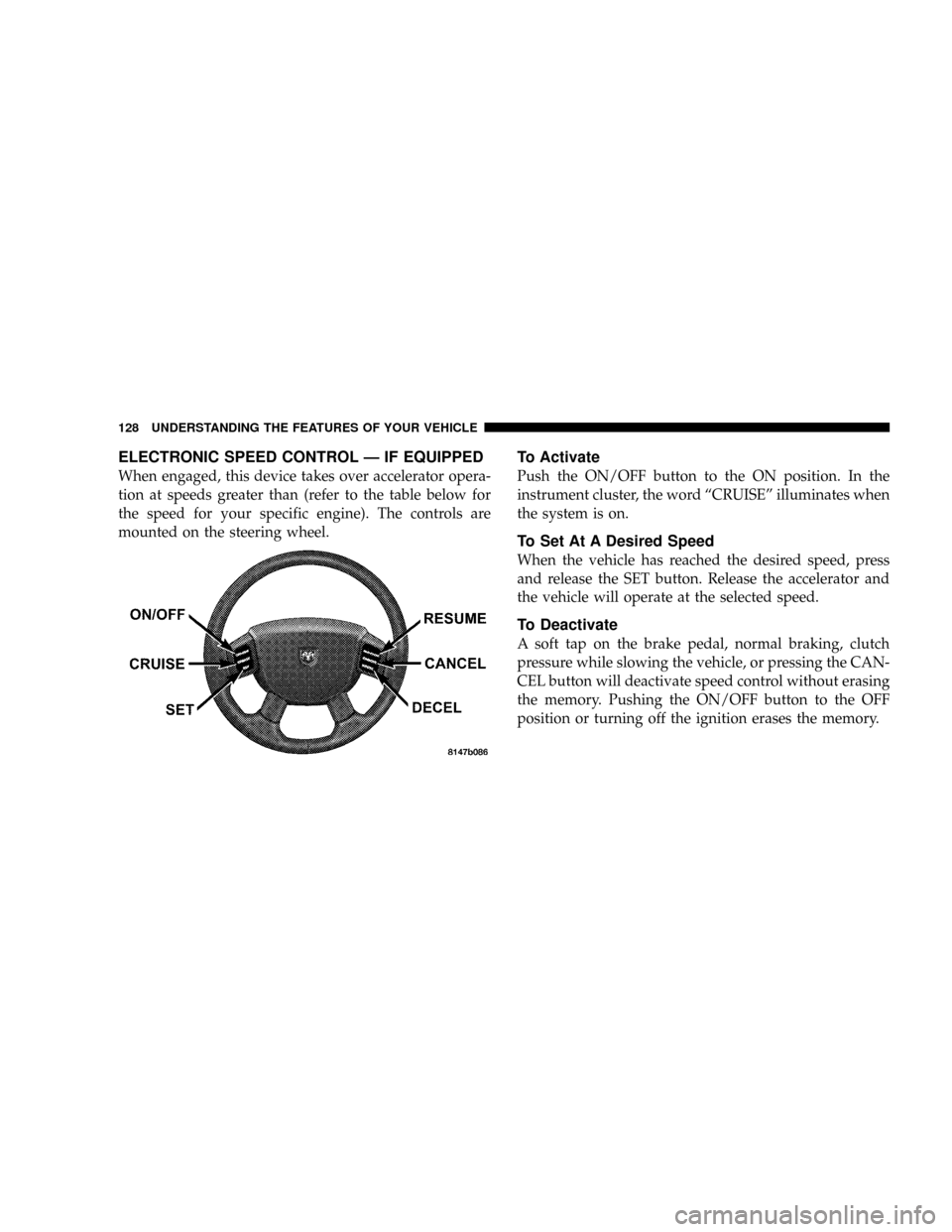
ELECTRONIC SPEED CONTROL Ð IF EQUIPPED
When engaged, this device takes over accelerator opera-
tion at speeds greater than (refer to the table below for
the speed for your specific engine). The controls are
mounted on the steering wheel.
To Activate
Push the ON/OFF button to the ON position. In the
instrument cluster, the word ªCRUISEº illuminates when
the system is on.
To Set At A Desired Speed
When the vehicle has reached the desired speed, press
and release the SET button. Release the accelerator and
the vehicle will operate at the selected speed.
To Deactivate
A soft tap on the brake pedal, normal braking, clutch
pressure while slowing the vehicle, or pressing the CAN-
CEL button will deactivate speed control without erasing
the memory. Pushing the ON/OFF button to the OFF
position or turning off the ignition erases the memory.
128 UNDERSTANDING THE FEATURES OF YOUR VEHICLE
Page 184 of 492
FM Reception
Because FM transmission is based on frequency varia-
tions, interference that consists of amplitude variations
can be filtered out, leaving the reception relatively clear,
which is the major feature of FM radio.
NOTE:The radio, steering wheel radio controls (if
equipped), and 6 disc CD/DVD changer (if equipped)
will remain active for up to 10 minutes after the ignition
switch has been turned off. Opening a vehicle front door
will cancel this feature.
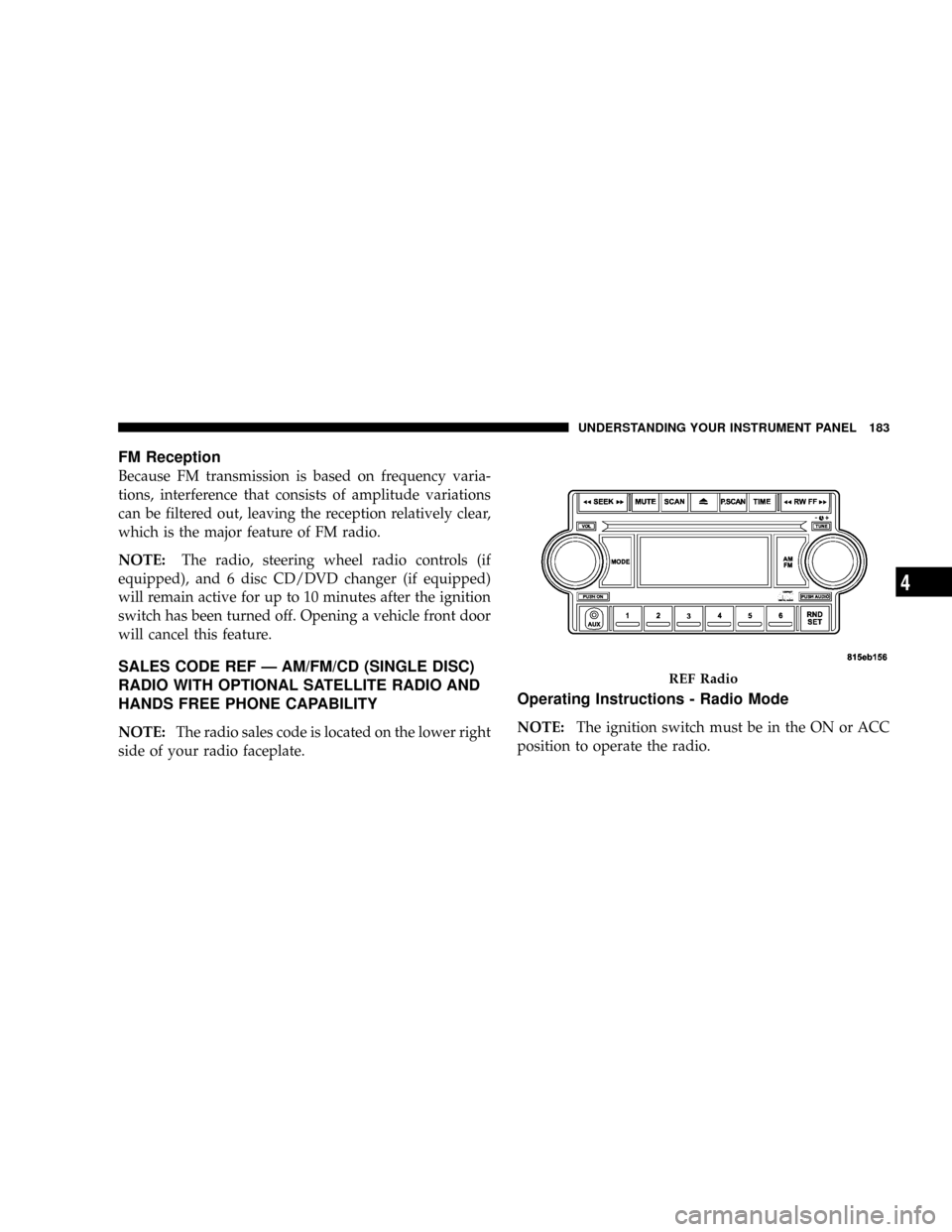
SALES CODE REF Ð AM/FM/CD (SINGLE DISC)
RADIO WITH OPTIONAL SATELLITE RADIO AND
HANDS FREE PHONE CAPABILITY
NOTE:The radio sales code is located on the lower right
side of your radio faceplate.
Operating Instructions - Radio Mode
NOTE:The ignition switch must be in the ON or ACC
position to operate the radio.
REF Radio
UNDERSTANDING YOUR INSTRUMENT PANEL 183
4
Page 225 of 492
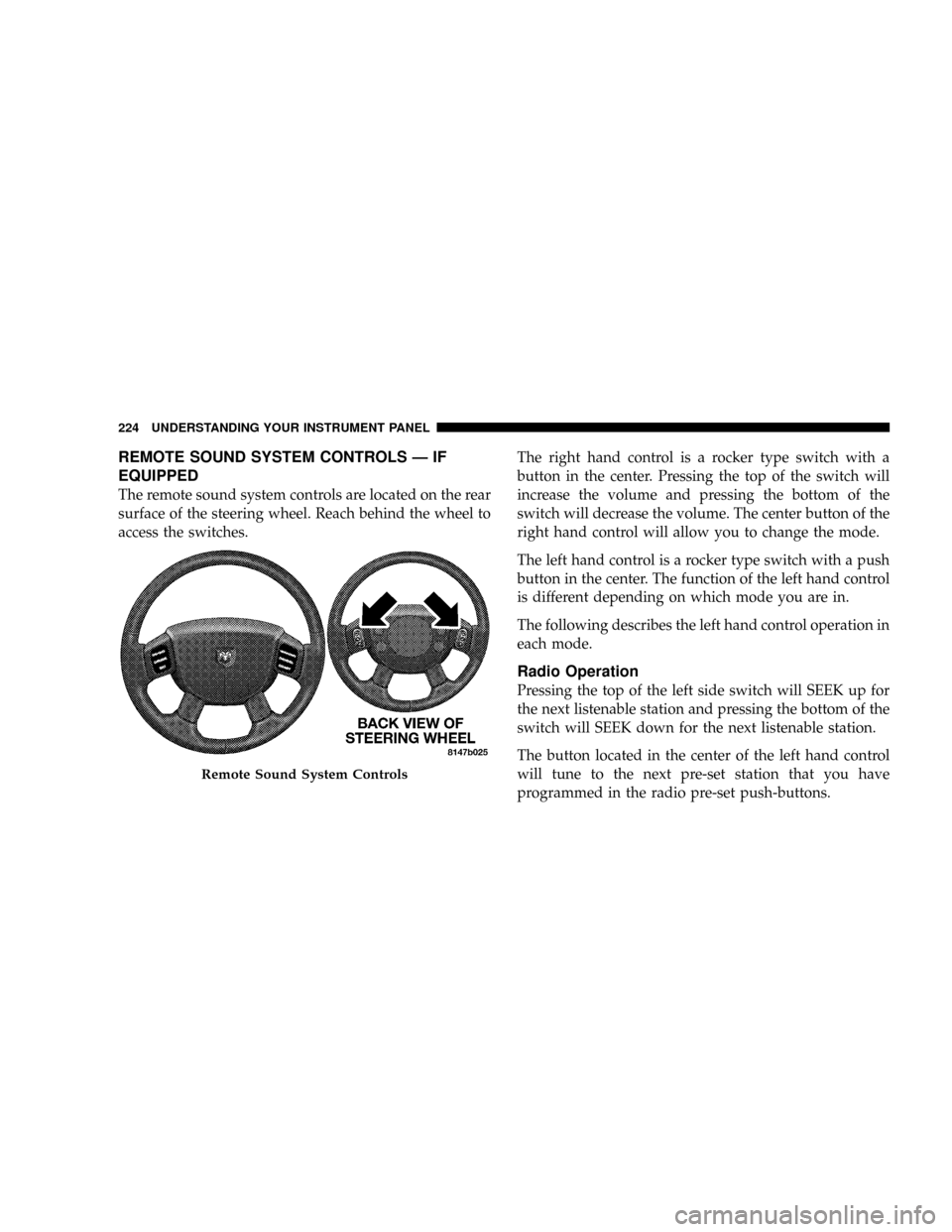
REMOTE SOUND SYSTEM CONTROLS Ð IF
EQUIPPED
The remote sound system controls are located on the rear
surface of the steering wheel. Reach behind the wheel to
access the switches.The right hand control is a rocker type switch with a
button in the center. Pressing the top of the switch will
increase the volume and pressing the bottom of the
switch will decrease the volume. The center button of the
right hand control will allow you to change the mode.
The left hand control is a rocker type switch with a push
button in the center. The function of the left hand control
is different depending on which mode you are in.
The following describes the left hand control operation in
each mode.
Radio Operation
Pressing the top of the left side switch will SEEK up for
the next listenable station and pressing the bottom of the
switch will SEEK down for the next listenable station.
The button located in the center of the left hand control
will tune to the next pre-set station that you have
programmed in the radio pre-set push-buttons.
Remote Sound System Controls
224 UNDERSTANDING YOUR INSTRUMENT PANEL
Page 243 of 492
mLimited-Slip Differential Ð If Equipped.......262
mDriving On Slippery Surfaces..............263
mAxle Locker System.....................264
mStabilizer/Sway Bar System...............267
mPower Wagon ± Safe Off-Road Driving.......268
NOff-Road Driving Tips And Vehicle
Characteristics.......................268
NDriving In Snow, Mud And Sand..........273
NCrossing Obstacles (Rocks And Other High
Points).............................275
NHill Climbing........................278
NDriving Through Water.................281
NAiring Down For Off-Road Driving........283
NVehicle Recovery......................284NAfter Driving Off-Road.................288
mWinch Usage ± If Equipped...............289
NThings To Know Before Using Your Winch . . . 289
NUnderstanding The Features Of Your Winch . . 291
NWinch Accessories.....................293
NOperating Your Winch..................294
NRigging Techniques....................305
mParking Brake.........................308
mBrake System..........................309
NBrake Noise.........................310
NFour-Wheel Anti-Lock Brake System (ABS)Ð
If Equipped.........................310
mPower Steering........................312
242 STARTING AND OPERATING