instrument panel DODGE POWER WAGON 2007 2.G Owner's Manual
[x] Cancel search | Manufacturer: DODGE, Model Year: 2007, Model line: POWER WAGON, Model: DODGE POWER WAGON 2007 2.GPages: 492, PDF Size: 8.25 MB
Page 149 of 492
Wind Buffeting
Wind buffeting can be described as the perception of
pressure on the ears or a helicopter type sound in the
ears. Your vehicle may exhibit wind buffeting with the
windows down, or the sunroof (if equipped) in certain
open or partially open positions. This is a normal occur-
rence and can be minimized. If the buffeting occurs with
the rear windows open, open the front and rear windows
together to minimize the buffeting. If the buffeting occurs
with the sunroof open, adjust the sunroof opening to
minimize the buffeting or open any window.
Sunroof Maintenance
Use only a non-abrasive cleaner and a soft cloth to clean
the glass panel.
Sunroof Fully Closed
Press the switch forward and release to ensure that the
sunroof is fully closed.
ELECTRICAL POWER OUTLETS
The auxiliary electrical outlet can provide power for in
cab accessories designed for use with the standard ªcigar
lighterº plug. The outlet is located in the instrument
panel below and to the right of the Climate Control
Panel. A cap is attached to the outlet base indicating
ªPower Outletº 12V-20A.
There is an additional Power Outlet in the center console
of a 40/20/40 seat (if equipped).
The outlet(s) has/have a fused direct feed from the
battery so it/they receive power whether the ignition is
ON or OFF.
148 UNDERSTANDING THE FEATURES OF YOUR VEHICLE
Page 151 of 492
CIGAR LIGHTER AND ASH RECEIVER
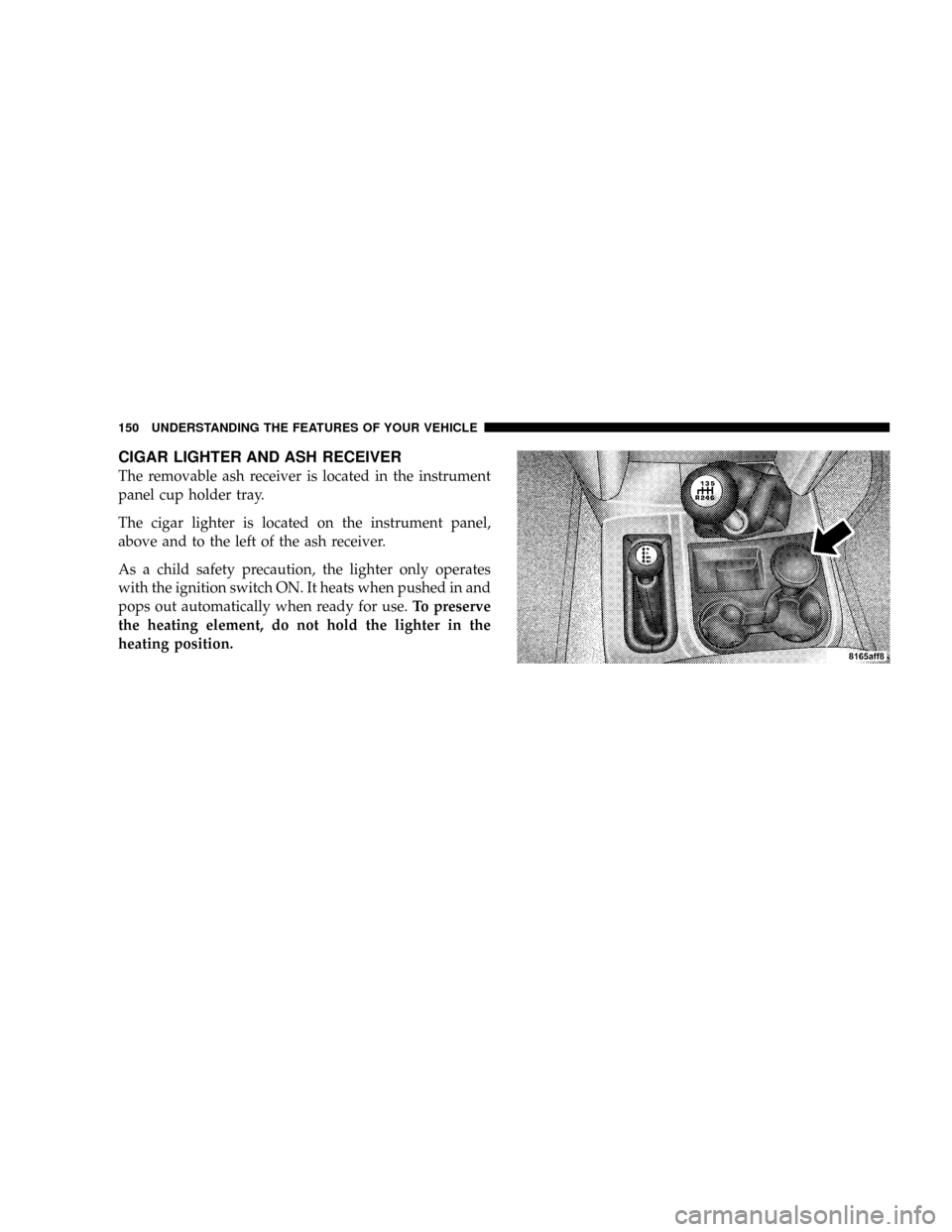
The removable ash receiver is located in the instrument
panel cup holder tray.
The cigar lighter is located on the instrument panel,
above and to the left of the ash receiver.
As a child safety precaution, the lighter only operates
with the ignition switch ON. It heats when pushed in and
pops out automatically when ready for use.To preserve
the heating element, do not hold the lighter in the
heating position.
150 UNDERSTANDING THE FEATURES OF YOUR VEHICLE
Page 152 of 492
CUPHOLDERS
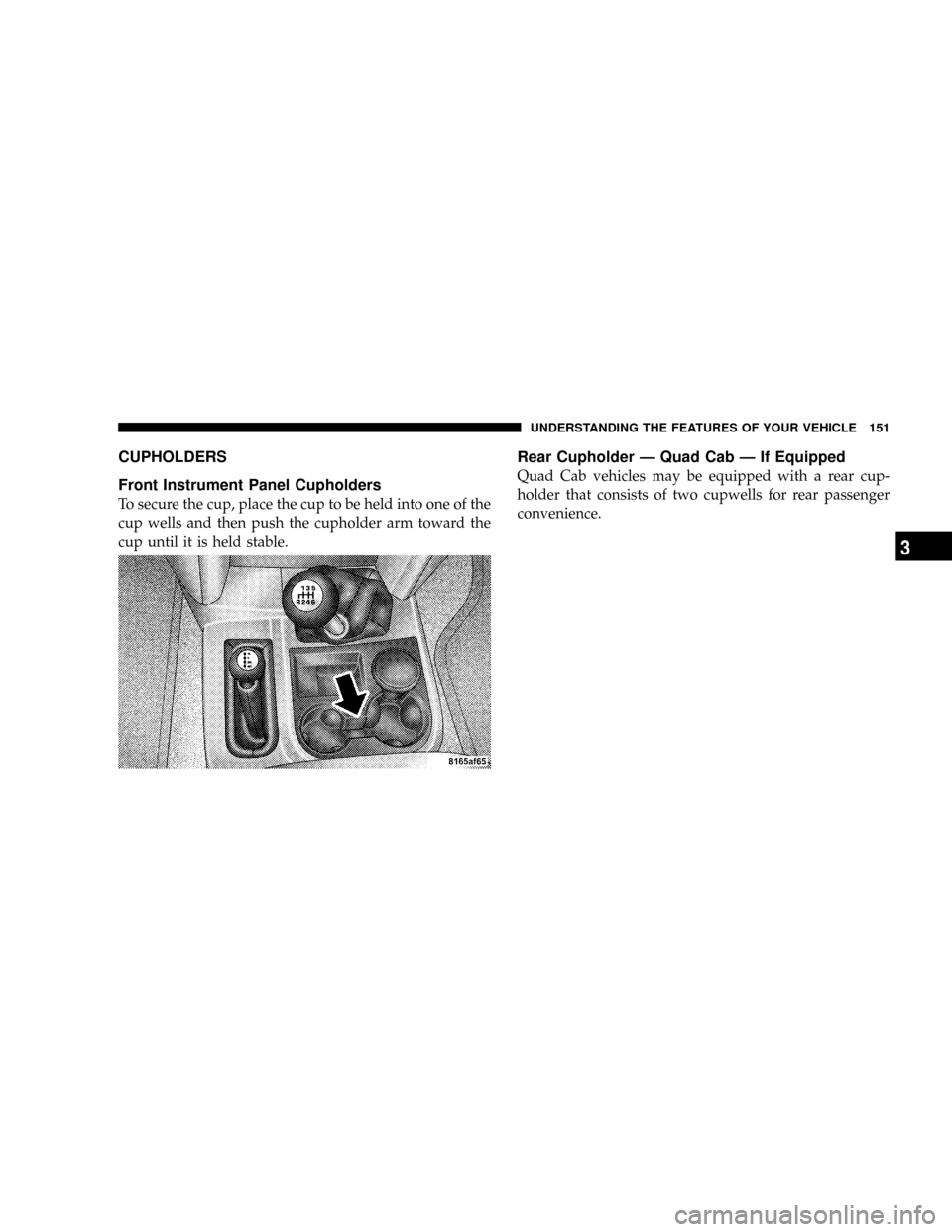
Front Instrument Panel Cupholders
To secure the cup, place the cup to be held into one of the
cup wells and then push the cupholder arm toward the
cup until it is held stable.
Rear Cupholder Ð Quad Cab Ð If Equipped
Quad Cab vehicles may be equipped with a rear cup-
holder that consists of two cupwells for rear passenger
convenience.
UNDERSTANDING THE FEATURES OF YOUR VEHICLE 151
3
Page 155 of 492
REAR WINDOW FEATURES
Electric Rear Window Defroster and Heated Side
view Mirrors Ð If Equipped
The Electric Rear Window Defroster and Heated
side view mirrors are activated by pressing the
heated grid button, located on the Climate Control panel,
with the ignition On. Turning Off the ignition will
deactivate the Electric Rear Window Defroster and
Heated side view mirrors feature. These features also
turn off after activation, when 15 minutes have elapsed.
To reactivate, simply press the button again.
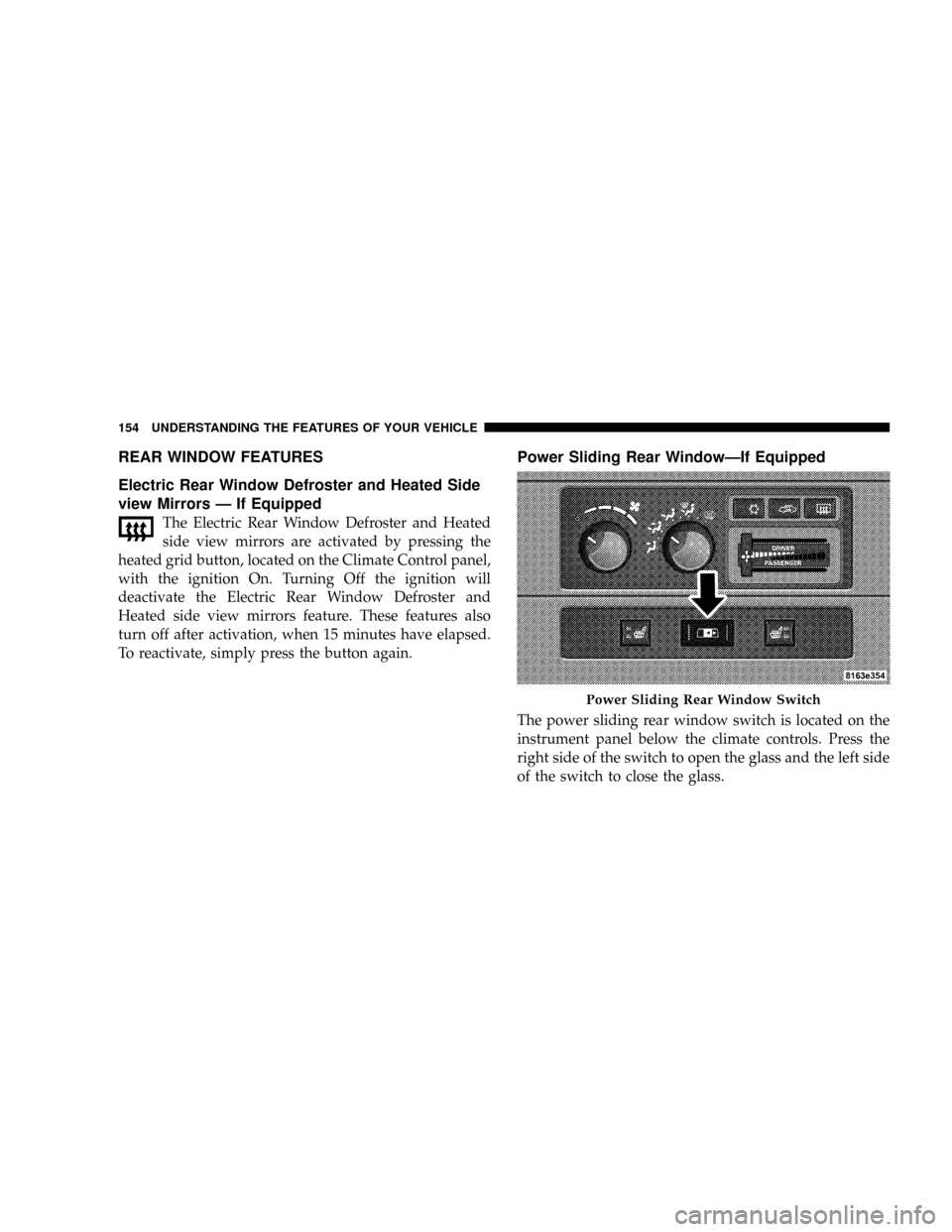
Power Sliding Rear WindowÐIf Equipped
The power sliding rear window switch is located on the
instrument panel below the climate controls. Press the
right side of the switch to open the glass and the left side
of the switch to close the glass.
Power Sliding Rear Window Switch
154 UNDERSTANDING THE FEATURES OF YOUR VEHICLE
Page 165 of 492
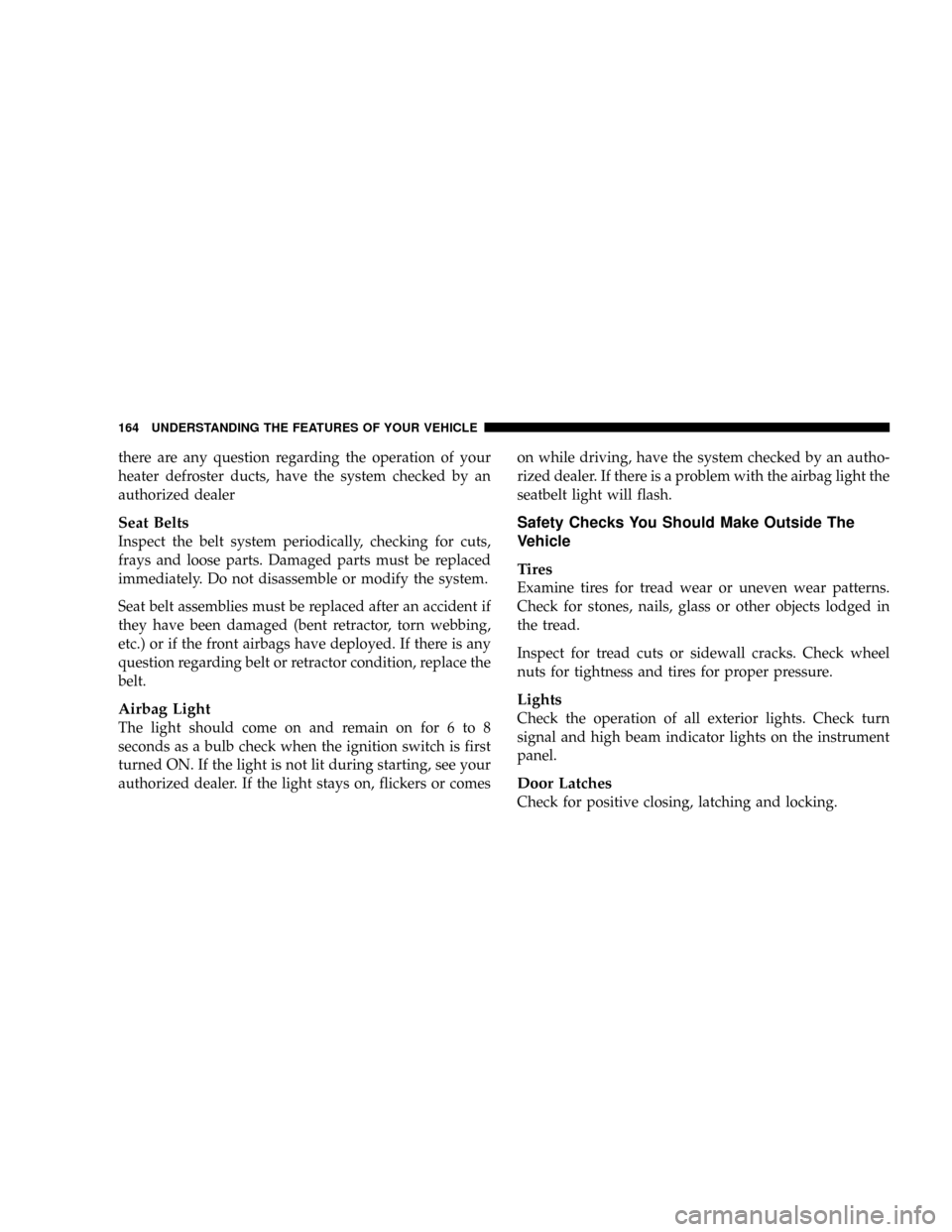
there are any question regarding the operation of your
heater defroster ducts, have the system checked by an
authorized dealer
Seat Belts
Inspect the belt system periodically, checking for cuts,
frays and loose parts. Damaged parts must be replaced
immediately. Do not disassemble or modify the system.
Seat belt assemblies must be replaced after an accident if
they have been damaged (bent retractor, torn webbing,
etc.) or if the front airbags have deployed. If there is any
question regarding belt or retractor condition, replace the
belt.
Airbag Light
The light should come on and remain on for 6 to 8
seconds as a bulb check when the ignition switch is first
turned ON. If the light is not lit during starting, see your
authorized dealer. If the light stays on, flickers or comeson while driving, have the system checked by an autho-
rized dealer. If there is a problem with the airbag light the
seatbelt light will flash.
Safety Checks You Should Make Outside The
Vehicle
Tires
Examine tires for tread wear or uneven wear patterns.
Check for stones, nails, glass or other objects lodged in
the tread.
Inspect for tread cuts or sidewall cracks. Check wheel
nuts for tightness and tires for proper pressure.
Lights
Check the operation of all exterior lights. Check turn
signal and high beam indicator lights on the instrument
panel.
Door Latches
Check for positive closing, latching and locking.
164 UNDERSTANDING THE FEATURES OF YOUR VEHICLE
Page 168 of 492
UNDERSTANDING YOUR INSTRUMENT PANEL
CONTENTS
mInstruments And Controls.................171
mInstrument Cluster......................172
mInstrument Cluster Description.............173
mElectronic Digital Clock..................181
NClock Setting Procedure.................181
mRadio General Information................182
NRadio Broadcast Signals.................182
NTwo Types Of Signals..................182
NElectrical Disturbances..................182NAM Reception.......................182
NFM Reception........................183
mSales Code REF Ð AM/FM/CD (Single Disc)
Radio With Optional Satellite Radio And Hands
Free Phone Capability...................183
NOperating Instructions - Radio Mode.......183
NOperation Instructions - CD Mode.........187
NOperation Instructions - Auxiliary Mode.....189
NOperating Instructions - Hands Free Phone Ð
If Equipped.........................1904
Page 169 of 492
NOperating Instructions - Satellite Radio Ð If
Equipped...........................191
mSales Code RAQ ± AM/FM/CD (6-Disc) Radio
With Optional Satellite Radio, Hands Free Phone,
And Vehicle Entertainment Systems (VES)
Capabilities...........................191
NOperating Instructions - Radio Mode.......191
NOperation Instructions - (CD Mode For CD
Audio Play).........................196
NLoad/Eject Button (CD Mode For CD Audio
Play)..............................198
NNotes On Playing MP3 Files.............200
NOperation Instructions - (CD Mode For MP3
Audio Play).........................202
NLoad/Eject Button (CD Mode For MP3 Play) . . 202mSales Code RAK ± AM/FM/Cassette/CD (6-Disc)
Radio With Optional Satellite Radio, Hands Free
Phone, Video, MP3, And WMA Capabilities....204
NOperating Instructions - Radio Mode.......205
NOperating Instructions Ð Tape Player.......209
NSeek Button.........................209
NFast Forward (FF).....................210
NRewind (RW)........................210
NTape Eject...........................210
NScan Button.........................210
NChanging Tape Direction................210
NMetal Tape Selection...................210
NPinch Roller Release...................210
NNoise Reduction......................211
168 UNDERSTANDING YOUR INSTRUMENT PANEL
Page 170 of 492
NOperation Instructions - (CD Mode For CD
Audio Play).........................211
NLoad/Eject Button (CD Mode For CD Audio
Play)..............................212
NNotes On Playing MP3 Files.............214
NOperation Instructions - (CD Mode For MP3
And WMA Audio Play).................216
NLoad/Eject Button (CD Mode For MP3 And
WMA Play).........................216
mSales Code REC Ð AM/FM/CD (6±Disc) Radio
With Navigation System..................219
NOperating Instructions Ð Satellite Radio (If
Equipped)..........................219
NClock Setting Procedure.................219
mSatellite Radio Ð If Equipped..............220NSystem Activation.....................220
NElectronic Serial Number/Sirius Identification
Number (ESN/SID)....................220
NSelecting Satellite Mode In REF, RAQ, And RAK
Radios.............................221
NSelecting a Channel....................222
NStoring And Selecting Pre-Set Channels......222
NUsing The PTY (Program Type) Button (If
Equipped)..........................222
NPTY Button9Scan9.....................222
NPTY Button9Seek9.....................223
NSatellite Antenna......................223
NReception Quality.....................223
mRemote Sound System Controls Ð If Equipped . . 224
UNDERSTANDING YOUR INSTRUMENT PANEL 169
4
Page 171 of 492
NRadio Operation......................224
NTape Player.........................225
NCD Player..........................225
mCassette Tape And Player Maintenance.......225
mCompact Disc Maintenance................226
mRadio Operation And Cellular Phones........227
mClimate Controls.......................227NHeater Only Ð Fleet Vehicles.............228
NAir Conditioning And Heating Ð If Equipped . 230
NAir Conditioning With Dual Zone Temperature
Control Ð If Equipped.................233
NOperating Tips.......................237
NOperating Tips Chart...................240
170 UNDERSTANDING YOUR INSTRUMENT PANEL
Page 172 of 492
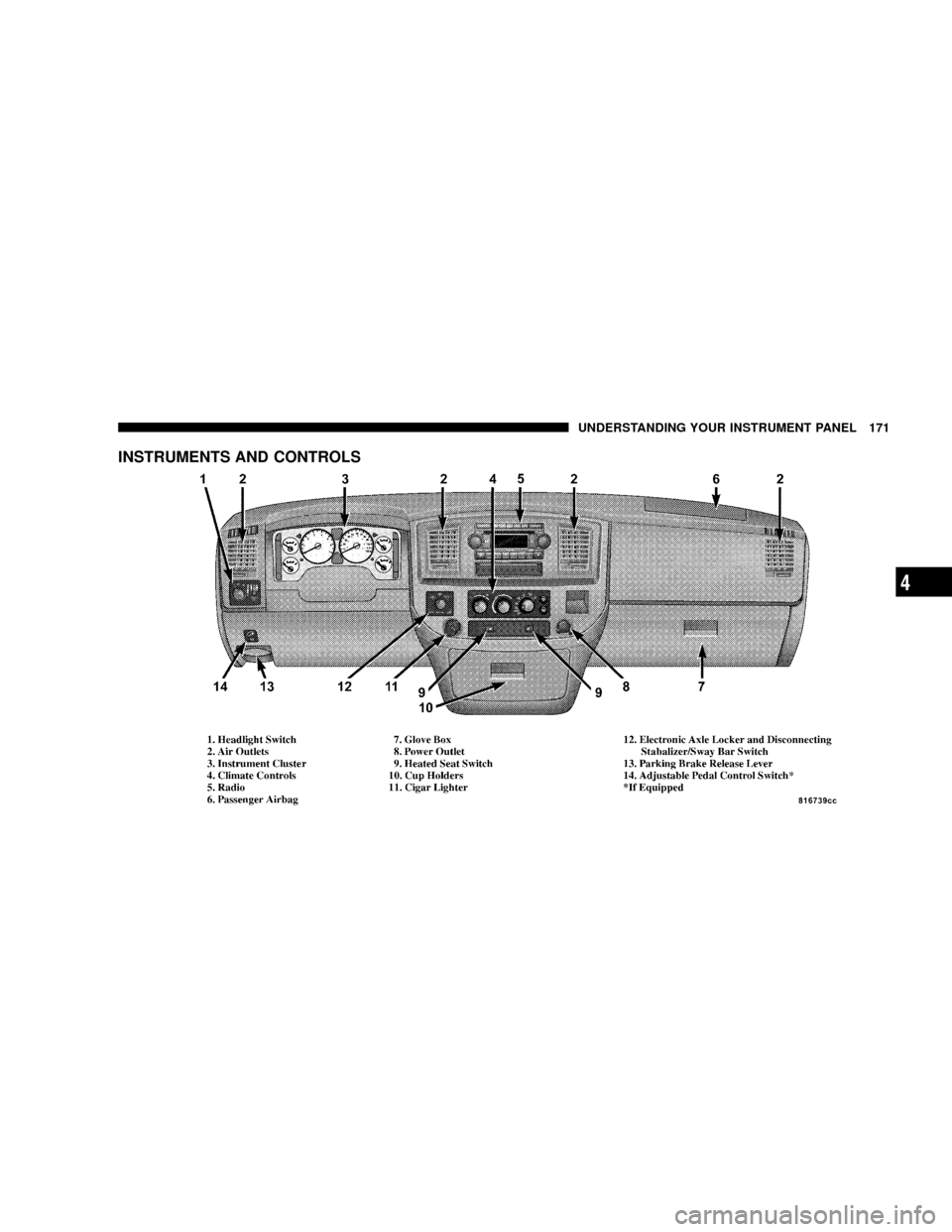
INSTRUMENTS AND CONTROLS
UNDERSTANDING YOUR INSTRUMENT PANEL 171
4