vin DODGE RAM 1500 1998 2.G Workshop Manual
[x] Cancel search | Manufacturer: DODGE, Model Year: 1998, Model line: RAM 1500, Model: DODGE RAM 1500 1998 2.GPages: 2627
Page 562 of 2627
STANDARD PROCEDURE
SAFETY PRECAUTIONS
WARNING: EYE PROTECTION SHOULD BE USED
WHEN SERVICING GLASS COMPONENTS. PER-
SONAL INJURY CAN RESULT.
CAUTION: Do not touch the glass of halogen bulbs
with fingers or other possibly oily surface, reduced
bulb life will result.Do not use bulbs with higher
candle power than indicated in the Bulb Application
table . Damage to lamp and/or Daytime Running
Lamp Module can result.Do not use fuses, circuit
breakers or relays having greater amperage value
than indicated on the fuse panel or in the Owners
Manual.
When it is necessary to remove components to ser-
vice another, it should not be necessary to apply
excessive force or bend a component to remove it.
Before damaging a trim component, verify hidden
fasteners or captured edges are not holding the com-
ponent in place.
SPECIFICATIONS
EXTERIOR LAMPS
CAUTION: Do not use bulbs that have a higher can-
dle power than the bulb listed in the Bulb Applica-
tion Table. Damage to lamp can result. Do not touch
halogen bulbs with fingers or other oily surfaces.
Bulb life will be reduced.
The following Bulb Application Table lists the lamp
title on the left side of the column and trade number
or part number on the right.
BULB APPLICATION TABLE
LAMP BULB
Backup - w/cargo box 3057
Backup - w/box off 1156
Center High Mounted
Stop lamp912
Fog lamp 9006LL
Front Park/Turn Signal 3157NA
Head lamp 9007
License Plate 168
Tail, Brake, Turn Signal -
w/cargo box3057
LAMP BULB
Tail, Brake, Turn Signal -
w/box off1157
Side Marker, Tail Gate,
Cab Clearance168
BACKUP LAMP
REMOVAL
REMOVAL - WITH CARGO BOX
(1) Remove and isolate the negative battery cable.
(2) Remove the taillamp unit (Refer to 8 - ELEC-
TRICAL/LAMPS/LIGHTING - EXTERIOR/TAIL
LAMP UNIT - REMOVAL).
(3) Remove the lamp back plate from the tail lamp
unit.
(4) Release the backup lamp bulb locking tabs and
remove the bulb from the back plate.
REMOVAL - WITHOUT CARGO BOX
(1) Disconnect and isolate the negative battery
cable.
(2) Remove the four screws that secure the tail
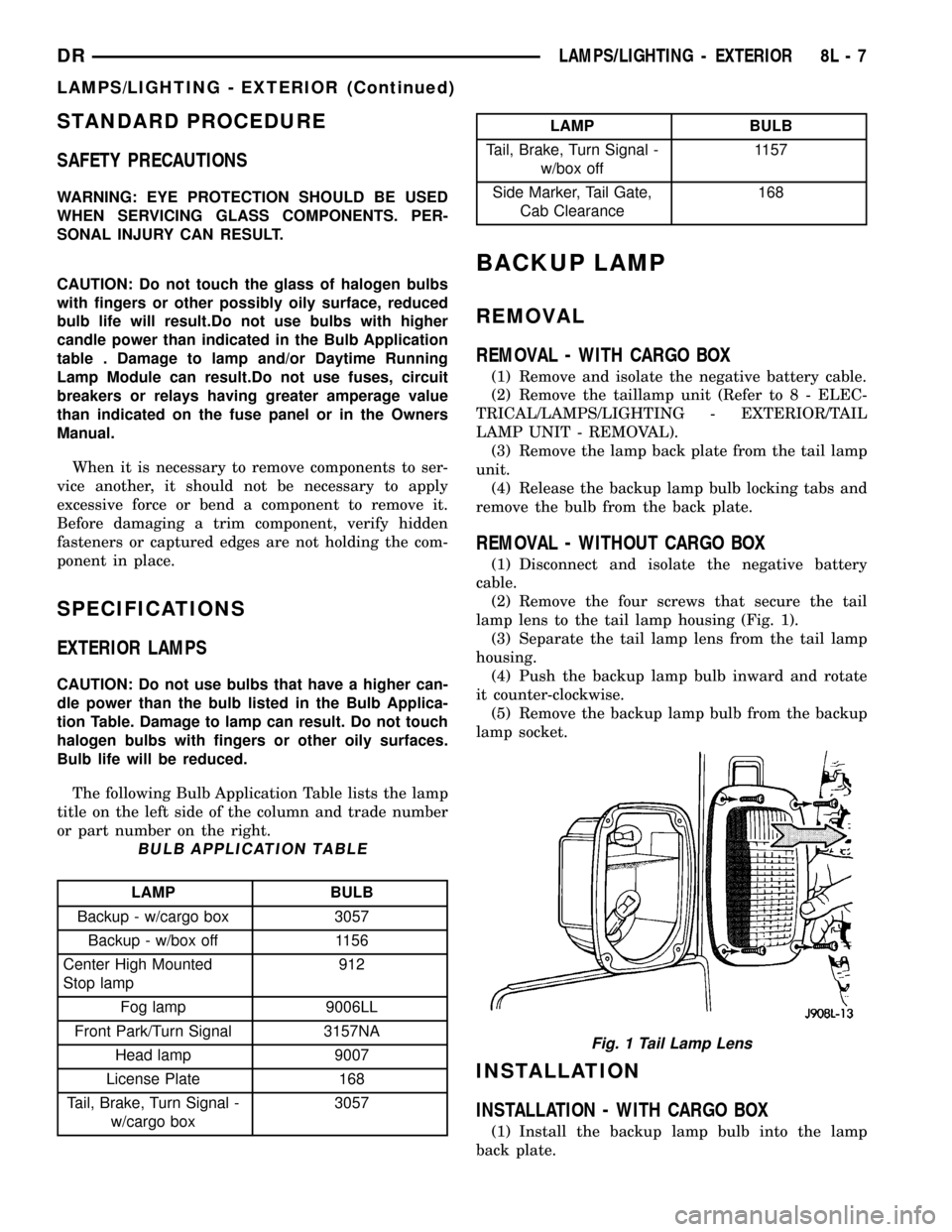
lamp lens to the tail lamp housing (Fig. 1).
(3) Separate the tail lamp lens from the tail lamp
housing.
(4) Push the backup lamp bulb inward and rotate
it counter-clockwise.
(5) Remove the backup lamp bulb from the backup
lamp socket.
INSTALLATION
INSTALLATION - WITH CARGO BOX
(1) Install the backup lamp bulb into the lamp
back plate.
Fig. 1 Tail Lamp Lens
DRLAMPS/LIGHTING - EXTERIOR 8L - 7
LAMPS/LIGHTING - EXTERIOR (Continued)
Page 564 of 2627

BRAKE LAMP
REMOVAL
REMOVAL - WITH CARGO BOX
(1) Disconnect and isolate the negative battery
cable.
(2) Remove the tail lamp unit (Refer to 8 - ELEC-
TRICAL/LAMPS/LIGHTING - EXTERIOR/TAIL
LAMP UNIT - REMOVAL).
(3) Remove the lamp back plate from the tail lamp
unit.
(4) Release the brake lamp bulb locking tabs and
remove the bulb from the back plate.
REMOVAL - WITHOUT CARGO BOX
(1) Disconnect and isolate the negative battery
cable.
(2) Remove the four screws that secure the tail
lamp lens to the tail lamp housing (Fig. 3).
(3) Separate the tail lamp lens from the tail lamp
housing.
(4) Push the brake lamp bulb inward and rotate it
counter-clockwise.
(5) Remove the brake lamp bulb from the brake
lamp socket.
INSTALLATION
INSTALLATION - WITH CARGO BOX
(1) Install the brake lamp bulb into the lamp back
plate.
(2) Install the lamp back plate onto the tail lamp
unit.
(3) Install the tail lamp unit (Refer to 8 - ELEC-
TRICAL/LAMPS/LIGHTING - EXTERIOR/TAIL
LAMP UNIT - INSTALLATION).
(4) Reconnect the negative battery cable.
INSTALLATION - WITHOUT CARGO BOX
(1) Install the brake lamp bulb into the brake
lamp socket by pushing inward and rotating it clock-
wise.
NOTE: Install the tail lamp lens with the clear por-
tion (back-up lens) at the top of the housing. Make
sure that the gasket is correctly in place and not
twisted or torn.
(2) Position the tail lamp lens and gasket onto the
tail lamp unit.
NOTE: Do not overtighten the tail lamp lens screws
or damage to the tail lamp lens may result.
(3) Install the four screws that secure the tail
lamp lens to the tail lamp unit. Tighten the screws
securely.
(4) Reconnect the negative battery cable.
BRAKE LAMP SWITCH
DESCRIPTION
The plunger type brake lamp switch is mounted on
a bracket attached to the base of the steering col-
umn, under the instrument panel.
CAUTION: The switch can only be adjusted during
initial installation. If the switch is not adjusted prop-
erly a new switch must be installed.
OPERATION
The brake lamp switch is hard wired to the Center
High Mount Stop Lamp (CHMSL) and also moni-
tored by the Instrument Cluster for use by the brake
lamp, speed control brake sensor circuits and elec-
tronic brake distribution (EBD). The brake lamp cir-
cuit is open until the plunger is depressed. The speed
control and brake sensor circuits are closed until the
plunger is depressed. When the brake lamp switch
transitions, the CHMSL transitions and instrument
cluster transmits a brake applied/released message
on the bus. The Integrated Power Module (IPM) will
then transition the brake lamps.
When the brake light switch is activated, the Pow-
ertrain Control Module (PCM) receives an input indi-
cating that the brakes are being applied. After
receiving this input, the PCM maintains idle speed to
a scheduled rpm through control of the Idle Air Con-
trol (IAC) motor. The brake switch input is also used
to disable vent and vacuum solenoid output signals
to the speed control servo.
Fig. 3 Tail Lamp Lens
DRLAMPS/LIGHTING - EXTERIOR 8L - 9
Page 599 of 2627

Certain functions and features of the power lock
system rely upon resources shared with other elec-
tronic modules in the vehicle over the Programmable
Communications Interface (PCI) data bus network.
For proper diagnosis of these electronic modules or of
the PCI data bus network, the use of a DRB IIIt
scan tool and the appropriate diagnostic information
are required.
CENTRAL LOCKING/UNLOCKING
The instrument cluster will lock all doors when a
cylinder lock switch is activated in the ªlockº posi-
tion. When the instrument cluster receives an unlock
command from one of the cylinder lock switches, it
will unlock only that door. If the instrument cluster
receives a second command within a 5 second period,
it will unlock all the remaining doors. The illumi-
nated entry will activate during door unlock.
ENHANCED ACCIDENT RESPONSE
Upon detection of an airbag deployment by way of
the PCI bus, the instrument cluster will:
²Immediately disable the power door lock output.
²Unlock all doors by activating the door unlock
output for approximately 300 milliseconds.
²After actuating the door unlock output, allow
the door lock motors to be activated if the door lock
input has been inactive (not erratic) for 2 seconds
since the reception of the airbag deployment mes-
sage.
REMOTE KEYLESS ENTRY
A Radio Frequency (RF) type Remote Keyless
Entry (RKE) system is an available factory-installed
option on this model. The RKE system allows the use
of a remote battery-powered radio transmitter to sig-
nal the instrument cluster to actuate the power lock
system. The RKE receiver operates on non-switched
battery current through a fuse in the Integrated
Power Module (IPM), so that the system remains
operational, regardless of the ignition switch position.
The RKE transmitters are also equipped with a
Panic button. If the Panic button on the RKE trans-
mitter is depressed, the horn will sound and the
exterior lights will flash on the vehicle for about
three minutes, or until the Panic button is depressed
a second time. A vehicle speed of about 25.7 kilome-
ters-per-hour (15 miles-per-hour) will also cancel the
panic event.
The RKE system can also perform other functions
on this vehicle. If the vehicle is equipped with the
optional Vehicle Theft Security System (VTSS), the
RKE transmitter will arm the VTSS when the Lock
button is depressed, and disarm the VTSS when the
Unlock button is depressed.
The RKE system includes two transmitters when
the vehicle is shipped from the factory, but the system
can retain the vehicle access codes of up to a total of
four transmitters. The transmitter codes are retained
in the RKE module memory, even if the battery is dis-
connected. If an RKE transmitter is faulty or lost,
new transmitter vehicle access codes can be pro-
grammed into the system using a DRB IIItscan tool.
This vehicle also offers several customer program-
mable features, which allows the selection of several
optional electronic features to suit individual prefer-
ences. Customer programmable feature options
affecting the RKE system include:
²Remote Unlock Sequence- Allows the option
of having only the driver side front door unlock when
the RKE transmitter Unlock button is depressed the
first time. The remaining doors unlock when the but-
ton is depressed a second time within 5 seconds of
the first unlock press. Another option is having all
doors unlock upon the first depression of the RKE
transmitter Unlock button.
²Sound Horn on Lock- Allows the option of
having the horn sound a short chirp as an audible
verification that the RKE system received a valid
Lock request from the RKE transmitter, or having no
audible verification.
²Flash Lights with Lock and Unlock- Allows
the option of having the park lamps flash as an opti-
cal verification that the RKE system received a valid
Lock request or Unlock request from the RKE trans-
mitter, or having no optical verification.
²Programming Additional Transmitters-
Allows up to a total of four transmitter vehicle access
codes to be stored in the receiver memory.
Certain functions and features of the RKE system
rely upon resources shared with other electronic
modules in the vehicle over the Programmable Com-
munications Interface (PCI) data bus network. For
diagnosis of these electronic modules or of the PCI
data bus network, the use of a DRB IIItscan tool
and the appropriate diagnostic information are
required.
OPERATION
POWER LOCKS
The instrument cluster locks or unlocks the doors
when an actuation input signal from a door lock
switch or Remote Keyless Entry Module (RKE) is
received. The instrument cluster turns on the output
drivers and provides a voltage level to the door lock
motor for a specified time. All passenger doors can be
locked or unlocked using a mechanical button
mounted on the door trim panel. The front passenger
doors can be locked or unlocked by using the key cyl-
inder.
8N - 2 POWER LOCKSDR
POWER LOCKS (Continued)
Page 600 of 2627

AUTOMATIC DOOR LOCKS
When the automatic door locks are ENABLED the
door locks will lock when the vehicle is moving at
about 25.7 Km/h (15 mph), all doors are closed and
the accelerator pedal is depressed. This feature can
be switched ON or OFF as desired. When the system
is DISABLED the door locks will operate normally,
but will not lock automatically when the vehicle is
rolling. Once the automatic door locks have been
actuated, they will not try to lock the doors again
until a door is opened.
DOOR LOCK INHIBIT
If the key is in the ignition, in any position, and
either front door is ajar, the doors can not be locked,
but the unlock function still operates. Pressing the
RKE lock/unlock button under these conditions will
result in a normal lock/unlock activation.
After the key is removed from the ignition switch,
or the doors are closed, the power door locks will
operate normally.
DOOR LOCK CIRCUIT PROTECTION
If the door lock switch is actuated continuously for
more than five seconds the instrument cluster will
turn the output driver OFF (the instrument cluster
would consider the switch stuck). Each lock motor is
protected with a Positive Temperature Coefficient
device that prevents motor burn out.
REMOTE KEYLESS ENTRY
²LOCK: Pressing the LOCK button locks all
doors, sounds horn (chirp) once if enabled, flashes the
park lamps once if enabled, and arms the Vehicle
Theft Security System (VTSS), if enabled. The chirp
verifies that the RKE module has sent a message to
the instrument cluster for door lock operation. If a
door has not been closed before pressing the LOCK
button, the vehicle may not be secured and the VTSS
(if equipped) will not arm until the door is closed.
²UNLOCK: Pressing the UNLOCK button once
will unlock the driver's door first if enabled, flashes
the park lamps twice if enabled, activates the illumi-
nated entry system, and disarms the Vehicle Theft
Security System (VTSS), if equipped. Pressing the
UNLOCK button twice within five seconds will
unlock all doors, if driver's door first is enabled.
²PANIC:
Pressing the PANIC button sounds the
horns at half second intervals, flashes the exterior
lamps, and turns ON the interior lamps. The panic
alarm will remain on for three minutes, or until the
PANIC button is actuated again or the vehicle speed
exceeds 25.7 Km/h (15 mph) will cancel the panic event.
The Remote Keyless Entry Module is capable of
retaining the transmitter Vehicle Access Code(s) in its
memory even after vehicle power has been interrupted.
DIAGNOSIS AND TESTING - POWER LOCKS
The most reliable, efficient, and accurate
means to diagnose the power lock system
requires the use of a DRBIIItscan tool and the
proper Diagnostic Procedures manual.
Following are tests that will help to diagnose the
hard wired components and circuits of the power lock
system. However, these tests may not prove conclu-
sive in the diagnosis of this system. In order to
obtain conclusive testing of the power lock system,
the Programmable Communications Interface (PCI)
data bus network and all of the electronic modules
that provide inputs to, or receive outputs from the
power lock system components must be checked.
The instrument cluster will set Diagnostic Trouble
Codes (DTC) for the power lock system.
Refer to the appropriate wiring information.
PRELIMINARY DIAGNOSIS
As a preliminary diagnosis for the power lock sys-
tem, note the system operation while you actuate
both the Lock and Unlock functions with the power
lock switches and with the Remote Keyless Entry
(RKE) transmitter. Then, proceed as follows:
²If the entire power lock system fails to function
with either the power lock switches or the RKE
transmitter, check the fused B(+) fuse in the Inte-
grated Power Module (IPM).
²If the power lock system functions with both
power lock switches, but not with the RKE transmit-
ter, proceed to diagnosis of the Remote Keyless Entry
(RKE) system. (Refer to 8 - ELECTRICAL/POWER
LOCKS/KEYLESS ENTRY TRANSMITTER - DIAG-
NOSIS AND TESTING) or (Refer to 8 - ELECTRI-
CAL/POWER LOCKS/REMOTE KEYLESS ENTRY
MODULE - DIAGNOSIS AND TESTING).
²If the power lock system functions with the RKE
transmitter, but not with one or both power lock
switches, proceed to diagnosis of the door lock
switches. (Refer to 8 - ELECTRICAL/POWER
LOCKS/POWER LOCK SWITCH - DIAGNOSIS AND
TESTING).
²If the driver side power lock switch operates
only the driver side front door power lock motor, but
all other power lock motors operate with the passen-
ger side power lock switch or the RKE transmitter,
use a DRBIIItscan tool and the appropriate diagnos-
tic information to diagnose the Programmable Com-
munications Interface (PCI) data bus.
²If only one power lock motor fails to operate
with both power lock switches and the RKE trans-
mitter, proceed to diagnosis of the power lock motor.
(Refer to 8 - ELECTRICAL/POWER LOCKS/POWER
LOCK MOTOR - DIAGNOSIS AND TESTING).
DRPOWER LOCKS 8N - 3
POWER LOCKS (Continued)
Page 606 of 2627

(1) Enter the vehicle and close all doors.
(2) Fasten the seat belt (this will cancel the seat
belt chime).
(3) Turn the ignition to the ON position.
(4) Press and hold the LOCK button for 4 seconds.
Within 6 seconds with the LOCK button still
depressed, press the PANIC button. When a single
chime is heard, release both buttons.
(5) Turn the ignition OFF.
(6) Turn the ignition ON or wait 60 seconds.
(7) Test the optical chirp feature by pressing the
LOCK button.
If a chime is not heard, program mode was can-
celed before the feature could be disabled. If neces-
sary, repeat the procedure.
To ENABLE the optical chirp feature, repeat the
above procedure.
UNLOCK SEQUENCE
The unlock sequence can be toggled using a DRB
IIItor by using the Remote Keyless Entry (RKE)
transmitter that is already programmed to the vehi-
cle.
To toggle between Driver door first and Unlock all
doors function:
(1) Enter the vehicle and close all doors.
(2) Fasten the seat belt (this will cancel the seat
belt chime).
(3) Turn the ignition to the ON position.
(4) Press and hold the UNLOCK button for 4 sec-
onds. Within 6 seconds with the UNLOCK button
still depressed, press the LOCK button. When a sin-
gle chime is heard, release both buttons.
(5) Turn the ignition OFF.
(6) Turn the ignition ON or wait 60 seconds.
If a chime is not heard, program mode was can-
celed before the feature could be disabled. If neces-
sary, repeat the procedure.
To toggle this feature, repeat the above procedure.
STANDARD PROCEDURE - RKE TRANSMITTER
PROGRAMING
New Remote Keyless Entry (RKE) transmitters can
be programed using the DRB IIItscan tool and the
proper Diagnostic Procedures manual. The DRB IIIt
scan tool can provide confirmation that the PCI data
bus is functional, and that all of the electronic mod-
ules are sending and receiving the proper messages
on the PCI data bus.The following procedure can be used as long as one
programmed transmitter is available:
NOTE: When entering program mode using that
programmed fob, ALL currently programmed fobs
will be erased and they will have to be repro-
grammed for the vehicle. If program mode is
entered and no action is performed, the previously
programmed fobs will continue to function.
(1) Enter the vehicle and close all doors.
(2) Fasten the seat belt (this will cancel the seat
belt chime). Turn the ignition to the RUN position.
(3) Press and hold the UNLOCK button on a pro-
grammed transmitter for 4 to 10 seconds. Within the
4 to 10 seconds with the UNLOCK button still
depressed, press the PANIC button for one second.
When a single chime is heard, release both button-
s.The chime indicates the system is in program
mode.
(4) Press and release both the LOCK and
UNLOCK buttons simultaneously on a fob to be pro-
grammed. A single chime will be heard, this indicates
the fob has been recognized.
(5) Press and release any button on the same fob.
A single chime will be heard, this indicates the fob
has been programmed.
(6) Repeat steps 4 and 5 for up to a total of 4 fobs.
(7) Turn the ignition OFF.
(8) Turn the ignition ON or wait 60 seconds.
The vehicle will remain in program mode for up to
60 seconds from when the original chime (step 3) was
heard. After 60 seconds, all programmed transmitters
will function normally.
SPECIFICATIONS - REMOTE KEYLESS ENTRY
TRANSMITTER
RANGE
Normal operation range is up to a distance of 3 to
7 meters (10 to 23 ft.) of the vehicle. Range may be
better or worse depending on the environment
around the vehicle.
DRPOWER LOCKS 8N - 9
REMOTE KEYLESS ENTRY TRANSMITTER (Continued)
Page 607 of 2627

POWER MIRRORS
TABLE OF CONTENTS
page page
POWER MIRRORS
DESCRIPTION.........................10
OPERATION...........................10
DIAGNOSIS AND TESTING - POWER
MIRRORS...........................10
AUTOMATIC DAY / NIGHT MIRROR
DESCRIPTION.........................11
OPERATION...........................11
DIAGNOSIS AND TESTING - AUTOMATIC DAY
/ NIGHT MIRROR......................11REMOVAL.............................12
POWER MIRROR SWITCH
DIAGNOSIS AND TESTING - POWER MIRROR
SWITCH............................12
REMOVAL.............................12
SIDEVIEW MIRROR
REMOVAL.............................12
POWER MIRRORS
DESCRIPTION
AUTOMATIC DAY/NIGHT MIRROR
The automatic day/night mirror system is able to
automatically change the reflectance of the inside
rear view mirror in order to reduce the glare of head-
lamps approaching the vehicle from the rear. The
automatic day/night rear view mirror receives bat-
tery current through a fuse in the Integrated Power
Module (IPM) only when the ignition switch is in the
On position.
OUTSIDE REAR VIEW MIRROR
The power operated outside rear view mirrors
allow the driver to adjust both outside mirrors elec-
trically from the driver side front seat position by
operating a switch on the driver side front door trim
panel. The power mirrors receive a non-switched bat-
tery feed through a fuse in the Integrated Power
Module (IPM) so that the system will remain opera-
tional, regardless of the ignition switch position.
OPERATION
AUTOMATIC DAY/NIGHT MIRROR
A switch located on the bottom of the automatic
day/night mirror housing allows the vehicle operator
to select whether the automatic dimming feature is
operational. When the automatic day/night mirror is
turned on, the mirror switch is lighted by an integral
Light-Emitting Diode (LED). The mirror will auto-
matically disable its self-dimming feature whenever
the vehicle is being driven in reverse.
OUTSIDE REAR VIEW MIRROR
The heated mirrors include an electric heating grid
behind the mirror glass in each outside mirror, which
can clear the mirror glass of ice, snow, or fog. (Refer
to 8 - ELECTRICAL/HEATED MIRRORS -
DESCRIPTION) for more information.
DIAGNOSIS AND TESTING - POWER MIRRORS
WIRING VOLTAGE TEST
The following wiring test determines whether or
not voltage is continuous through the body harness
to switch.
(1) Remove the power mirror switch (Refer to 8 -
ELECTRICAL/POWER LOCKS/DOOR MODULE -
REMOVAL).
(2) Disconnect wire harness connector from back of
power mirror switch.
(3) Connect the clip end of a 12 volt test light to
Pin 5 in the mirror switch harness connector. Touch
the test light probe to Pin 3.
If the test light illuminates, the wiring circuit
between the battery and switch is OK.
If the lamp does not illuminate, first check fuse in
the Integrated Power Module (IPM). If fuse is OK,
then check for a broken wire.
Refer to the appropriate wiring information.
POWER MIRROR MOTOR TEST
If the power mirror switch is receiving proper cur-
rent and ground and mirrors do not operate, proceed
with power mirror motor test. Refer to the appropri-
ate wiring information.
(1) Remove the power mirror switch (Refer to 8 -
ELECTRICAL/POWER LOCKS/DOOR MODULE -
REMOVAL).
8N - 10 POWER MIRRORSDR
Page 615 of 2627

shield that helps to shroud it from unintentional
actuation when entering or leaving the vehicle.
The power lumbar switches cannot be adjusted or
repaired and, if faulty or damaged, the seat switch
assembly must be replaced.
OPERATION
When the power lumbar switch paddle is actuated,
a battery feed and a ground path are applied through
the switch contacts to the power lumbar adjuster
motor. The motor operates to move the lumbar
adjuster through its drive unit in the selected direc-
tion until the switch is released, or until the travel
limit of the adjuster is reached. When the switch is
moved in the opposite direction, the battery feed and
ground path to the motor are reversed through the
switch contacts. This causes the motor to run in the
opposite direction.
The power lumbar switch should not be held
applied in either direction after the adjuster has
reached its travel limit. The power lumbar adjuster
motor contains a self-resetting circuit breaker to pro-
tect it from overload. However, consecutive or fre-
quent resetting of the circuit breaker must not be
allowed to continue, or the motor may be damaged.
REMOVAL
The power lumbar switch is integral with the other
power seat switches. Refer to the appropriate driver
or passenger power front seat switch removal and/or
installation procedure.
LUMBAR MOTOR
DESCRIPTION
The power lumbar seat option includes an electri-
cally operated lumbar support mechanism. The only
visible evidence of this option is the separate power
lumbar switch control paddle that is located on the
outboard seat cushion switch bezel, next to the other
power seat switch control knobs. The power lumbar
adjuster and motor are concealed beneath the seat
back trim cover and padding, where they are secured
to a molded plastic back panel and to the seat back
frame.
The power lumbar adjuster cannot be repaired, and
is serviced only as a unit with the seat back frame. If
the power lumbar adjuster or the seat back frame
are damaged or faulty, the entire seat back frame
unit must be replaced (Refer to 23 - BODY/SEATS/
SEAT BACK - REMOVAL).
OPERATION
The power lumbar adjuster mechanism includes a
reversible electric motor that is secured to theinboard side of the seat back panel and is connected
to a worm-drive gearbox. The motor and gearbox
operate the lumbar adjuster mechanism in the center
of the seat back driving a nut up or down a fixed
drive screw. The action of this nut extends or con-
tracts the plastic lumbar support band. The more
this band is contracted, the more outward pressure is
applied against the center of the seat back padding,
providing additional lumbar support.
DIAGNOSIS AND TESTING - LUMBAR MOTOR
Actuate the power lumbar switch to move the
power lumbar adjuster in each direction. The power
lumbar adjuster should move in both directions. It
should be noted that the power lumber adjuster nor-
mally operates very quietly and exhibits little visible
movement. If the power lumbar adjuster fails to oper-
ate in only one direction, move the adjuster a short
distance in the opposite direction and test again to be
certain that the adjuster is not at its travel limit. If
the power lumbar adjuster fails to operate in only
one direction, Test the appropriate power seat switch
as described in this group. If the power lumbar
adjuster fails to operate in either direction, perform
the following tests. For complete circuit diagrams,
refer toWiring.
(1) Check the power seat circuit breaker. If OK, go
to Step 2. If not OK, replace the faulty power seat
circuit breaker.
(2) Check for battery voltage at the power seat cir-
cuit breaker. If OK, go to Step 3. If not OK, repair
the open fused B(+) circuit to the fuse in the Inte-
grated Power Module as required.
(3) Remove the outboard seat cushion side shield
from the seat. Disconnect the seat wire harness con-
nector from the power lumbar switch connector
receptacle. Check for battery voltage at the fused
B(+) circuit cavity of the power seat wire harness
connector for the power lumbar switch. If OK, go to
Step 4. If not OK, repair the open fused B(+) circuit
to the power seat as required.
(4) Check for continuity between the ground cir-
cuit cavity of the power seat wire harness connector
for the power lumbar switch and a good ground.
There should be continuity. If OK, go to Step 5. If not
OK, repair the open ground circuit to ground as
required.
(5) Test the power lumbar switch. . If the switch
tests OK, test the circuits of the power seat wire har-
ness between the power lumbar adjuster motor and
the power lumbar switch for shorts or opens. If the
circuits check OK, replace the faulty seat back frame
assembly. If the circuits are not OK, repair the power
seat wire harness as required.
8N - 18 POWER SEATSDR
LUMBAR CONTROL SWITCH (Continued)
Page 616 of 2627

POWER WINDOWS
TABLE OF CONTENTS
page page
POWER WINDOWS
DESCRIPTION.........................19
OPERATION...........................19
DIAGNOSIS AND TESTING - POWER
WINDOWS...........................19
WINDOW MOTOR
REMOVAL.............................20WINDOW SWITCH
DIAGNOSIS AND TESTING - WINDOW
SWITCH............................20
REMOVAL.............................20
INSTALLATION.........................21
POWER WINDOWS
DESCRIPTION
The power window system allows each of the door
windows to be raised and lowered electrically by
actuating a switch on each door panel. A master
switch on the drivers door allows the driver to raise
or lower each of the passenger door windows and to
lock out the individual switches on the passenger
doors from operation. The power window system
receives battery feed through a fuse in the Integrated
Power Module (IPM) and a circuit breaker located in
the instrument panel wiring harness near the park
brake pedal, only when the ignition switch is in the
RUN or ACCESSORY position.
OPERATION
WINDOW SWITCH
The power window switches control the battery
and ground feeds to the power window motors. The
passenger door power window switches receive their
battery and ground feeds through the circuitry of the
drivers window switch. When the power window lock-
out switch is in the Lock position, the battery feed
for the passenger door window switches is inter-
rupted.
WINDOW MOTOR
Window motors use permanent type magnets. The
B+ and ground applied at the motor terminal pins
will cause the motor to rotate in one direction.
Reversing current through the motor terminals will
cause the motor to rotate in the opposite direction.
DIAGNOSIS AND TESTING - POWER
WINDOWS
WIRING VOLTAGE TEST
The following wiring test determines whether or
not voltage is continuous through the body harness
to the front switch.
(1) Remove the Driver Door Module (Refer to 8 -
ELECTRICAL/POWER LOCKS/DOOR MODULE -
REMOVAL).
(2) Disconnect wire connector from back of power
window switch.
(3) Switch ignition to the ON position.
(4) Connect the clip end of a 12 volt test light to
Pin 14 of the window switch harness connector.
Touch the test light probe to Pin 10.
²If the test light illuminates, the wiring circuit
between the battery and switch is OK.
²If the lamp does not illuminate, first check the
fuse in the Integrated Power Module (IPM). Check
the circuit breaker located near the park brake
pedal. If fuse and circuit breaker are OK, then check
for a broken wire.
Refer to the appropriate wiring information.
POWER WINDOW MOTOR TEST
If the power window motor is receiving proper cur-
rent and ground and does not operate, proceed with
motor test.
(1) Remove front door trim panel as necessary to
gain access to power window motor wire connector
(Refer to 23 - BODY/DOOR - FRONT/TRIM PANEL -
REMOVAL).
(2) Disconnect power window motor wire connector
from door harness.
(3) Using two jumper wires, connect one to a bat-
tery (+) source and the other to a good ground (-).
(4) Connect the Negative (-) jumper probe to one of
the motor connector terminals.
DRPOWER WINDOWS 8N - 19
Page 626 of 2627

ment in the event of an accidental deployment. When
handling a non-deployed seat belt tensioner, take
proper care to keep fingers out from under the
retractor cover and away from the seat belt webbing
where it exits from the retractor cover. In addition,
the supplemental restraint system should be dis-
armed whenever any steering wheel, steering col-
umn, seat belt tensioner, airbag, impact sensor, or
instrument panel components require diagnosis or
service. Failure to observe this warning could result
in accidental airbag deployment and possible per-
sonal injury.
All damaged, faulty or non-deployed airbags and
seat belt tensioners which are replaced on vehicles
are to be handled and disposed of properly. If an air-
bag or seat belt tensioner unit is faulty or damaged
and non-deployed, refer to the Hazardous Substance
Control System for proper disposal. Dispose of all
non-deployed and deployed airbags and seat belt ten-
sioners in a manner consistent with state, provincial,
local and federal regulations.
SUPPLEMENTAL RESTRAINT STORAGE
Airbags and seat belt tensioners must be stored in
their original, special container until they are used
for service. Also, they must be stored in a clean, dry
environment; away from sources of extreme heat,
sparks, and high electrical energy. Always place or
store any airbag on a surface with its trim cover or
airbag cushion side facing up, to minimize movement
in case of an accidental deployment.
STANDARD PROCEDURE - SERVICE AFTER A
SUPPLEMENTAL RESTRAINT DEPLOYMENT
Any vehicle which is to be returned to use follow-
ing a supplemental restraint deployment, must have
the deployed restraints replaced. In addition, if the
driver airbag has been deployed, the clockspring
must be replaced. If the passenger airbag is
deployed, the passenger airbag door must be
replaced. The seat belt tensioners are deployed by
the same signal that deploys the driver and passen-
ger airbags and must also be replaced if either front
airbag has been deployed. If a side curtain airbag
has been deployed, the complete airbag unit, the
headliner, as well as the upper A, B, and C-pillar
trim must be replaced. These components are not
intended for reuse and will be damaged or weakened
as a result of a supplemental restraint deployment,
which may or may not be obvious during a visual
inspection.
It is also critical that the mounting surfaces and/or
mounting brackets for the Airbag Control Module
(ACM) and the side impact sensors be closely
inspected and restored to their original conditions fol-lowing any vehicle impact damage. Because the ACM
and each impact sensor are used by the supplemental
restraint system to monitor or confirm the direction
and severity of a vehicle impact, improper orientation
or insecure fastening of these components may cause
airbags not to deploy when required, or to deploy
when not required.
All other vehicle components should be closely
inspected following any supplemental restraint
deployment, but are to be replaced only as required
by the extent of the visible damage incurred.
AIRBAG SQUIB STATUS
Multistage airbags with multiple initiators (squibs)
must be checked to determine that all squibs were
used during the deployment event. The driver and
passenger airbags in this model are deployed by elec-
trical signals generated by the Airbag Control Mod-
ule (ACM) through the driver or passenger squib 1
and squib 2 circuits to the two initiators in the air-
bag inflators. Typically, both initiators are used and
all potentially hazardous chemicals are burned dur-
ing an airbag deployment event. However, it is possi-
ble for only one initiator to be used due to an airbag
system fault; therefore, it is always necessary to con-
firm that both initiators have been used in order to
avoid the improper handling or disposal of poten-
tially live pyrotechnic or hazardous materials. The
following procedure should be performed using a
DRBIIItscan tool to verify the status of both airbag
squibs before either deployed airbag is removed from
the vehicle for disposal.
CAUTION: Deployed front airbags having two initia-
tors (squibs) in the airbag inflator may or may not
have live pyrotechnic material within the inflator. Do
not dispose of these airbags unless you are sure of
complete deployment. Refer to the Hazardous Sub-
stance Control System for proper disposal proce-
dures. Dispose of all non-deployed and deployed
airbags in a manner consistent with state, provin-
cial, local, and federal regulations.
(1) Be certain that the DRBIIItscan tool contains
the latest version of the proper DRBIIItsoftware.
Connect the DRBIIItto the 16-way Data Link Con-
nector (DLC). The DLC is located on the driver side
lower edge of the instrument panel, outboard of the
steering column.
(2) Turn the ignition switch to the On position.
(3) Using the DRBIIIt, read and record the active
(current) Diagnostic Trouble Code (DTC) data.
Using the active DTC information, refer to theAir-
bag Squib Statustable to determine the status of
both driver and/or passenger airbag squibs.
DRRESTRAINTS 8O - 7
RESTRAINTS (Continued)
Page 628 of 2627

CAUTION: Deployed front airbags having two initia-
tors (squibs) in the airbag inflator may or may not
have live pyrotechnic material within the inflator. Do
not dispose of these airbags unless you are sure of
complete deployment. Refer to AIRBAG SQUIB STA-
TUS. All damaged, faulty, or non-deployed supple-
mental restraints which are replaced on vehicles
are to be handled and disposed of properly. If an
airbag or seat belt tensioner unit is faulty or dam-
aged and non-deployed, refer to the Hazardous
Substance Control System for proper disposal. Be
certain to dispose of all non-deployed and deployed
supplemental restraints in a manner consistent with
state, provincial, local and federal regulations.
(3) Next, remove the deployed supplemental
restraints from the vehicle. Refer to the appropriate
service removal procedures.
(4) You may need to vacuum the interior of the
vehicle a second time to recover all of the powder.
STANDARD PROCEDURE - VERIFICATION TEST
The following procedure should be performed using
a DRBIIItscan tool to verify proper supplemental
restraint system operation following the service or
replacement of any supplemental restraint system
component.
WARNING: TO AVOID PERSONAL INJURY OR
DEATH, ON VEHICLES EQUIPPED WITH AIRBAGS,
DISABLE THE SUPPLEMENTAL RESTRAINT SYS-
TEM BEFORE ATTEMPTING ANY STEERING
WHEEL, STEERING COLUMN, AIRBAG, SEAT BELT
TENSIONER, IMPACT SENSOR, OR INSTRUMENT
PANEL COMPONENT DIAGNOSIS OR SERVICE.
DISCONNECT AND ISOLATE THE BATTERY NEGA-
TIVE (GROUND) CABLE, THEN WAIT TWO MINUTES
FOR THE SYSTEM CAPACITOR TO DISCHARGE
BEFORE PERFORMING FURTHER DIAGNOSIS ORSERVICE. THIS IS THE ONLY SURE WAY TO DIS-
ABLE THE SUPPLEMENTAL RESTRAINT SYSTEM.
FAILURE TO TAKE THE PROPER PRECAUTIONS
COULD RESULT IN ACCIDENTAL AIRBAG DEPLOY-
MENT.
(1) During the following test, the battery negative
cable remains disconnected and isolated, as it was
during the supplemental restraint system component
removal and installation procedures.
(2) Be certain that the DRBIIItscan tool contains
the latest version of the proper DRBIIItsoftware.
Connect the DRBIIItto the 16-way Data Link Con-
nector (DLC). The DLC is located on the driver side
lower edge of the instrument panel, outboard of the
steering column (Fig. 5).
(3) Turn the ignition switch to the On position and
exit the vehicle with the DRBIIItscan tool.
(4) Check to be certain that nobody is in the vehi-
cle, then reconnect the battery negative cable.
(5) Using the DRBIIIt, read and record the active
(current) Diagnostic Trouble Code (DTC) data.
(6) Next, use the DRBIIItto read and record any
stored (historical) DTC data.
(7) If any DTC is found in Step 5 or Step 6, refer
to the appropriate diagnostic information.
(8) Use the DRBIIItto erase the stored DTC data.
If any problems remain, the stored DTC data will not
erase. Refer to the appropriate diagnostic informa-
tion to diagnose any stored DTC that will not erase.
Fig. 4 Vacuum Heater and A/C Outlets - Typical
Fig. 5 16-Way Data Link Connector - Typical
1 - 16-WAY DATA LINK CONNECTOR
2 - BOTTOM OF INSTRUMENT PANEL
DRRESTRAINTS 8O - 9
RESTRAINTS (Continued)