maintenance DODGE RAM 2500 DIESEL 2008 3.G Owners Manual
[x] Cancel search | Manufacturer: DODGE, Model Year: 2008, Model line: RAM 2500 DIESEL, Model: DODGE RAM 2500 DIESEL 2008 3.GPages: 527, PDF Size: 8.88 MB
Page 3 of 527
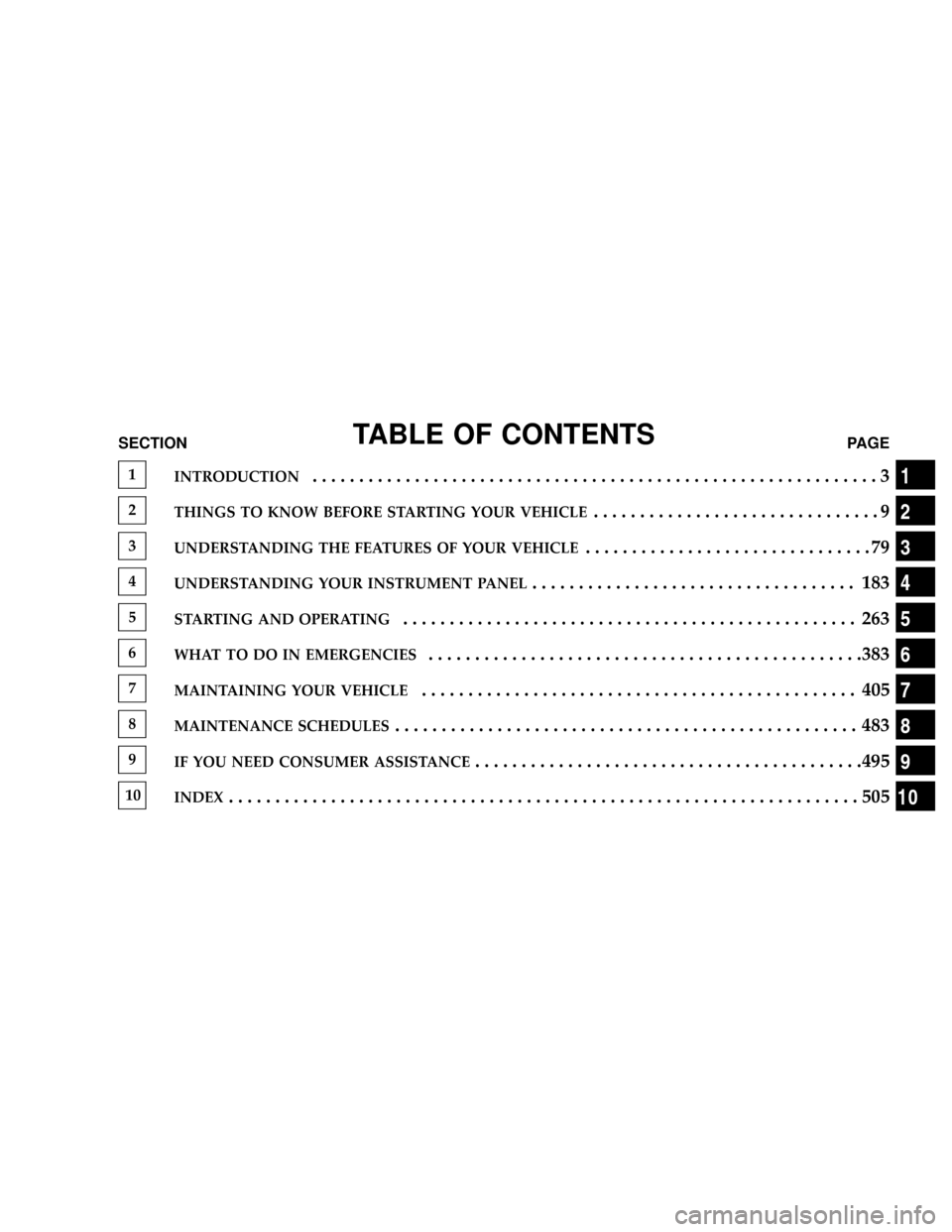
TABLE OF CONTENTSSECTIONPAGE
1INTRODUCTION.............................................................3
2THINGS TO KNOW BEFORE STARTING YOUR VEHICLE...............................9
3UNDERSTANDING THE FEATURES OF YOUR VEHICLE...............................79
4UNDERSTANDING YOUR INSTRUMENT PANEL................................... 183
5STARTING AND OPERATING................................................. 263
6WHAT TO DO IN EMERGENCIES...............................................383
7MAINTAINING YOUR VEHICLE............................................... 405
8MAINTENANCE SCHEDULES.................................................. 483
9IF YOU NEED CONSUMER ASSISTANCE..........................................495
10INDEX....................................................................505
1
2
3
4
5
6
7
8
9
10
Page 6 of 527
INTRODUCTION
This Owner's Manual has been prepared with the assis-
tance of service and engineering specialists to acquaint
you with the operation and maintenance of your vehicle.
It is supplemented by a Warranty Information Booklet
and various customer-oriented documents. You are
urged to read these publications carefully. Following the
instructions and recommendations in this manual will
help assure safe and enjoyable operation of your vehicle.
NOTE: After you read the manual, it should be stored
in the vehicle for convenient reference and remain with
the vehicle when sold, so that the new owner will be
aware of all safety warnings.
When it comes to service, remember that your authorized
dealer knows your vehicle best, has the factory-trained
technicians and genuine Mopartparts, and is interested
in your satisfaction.
A MESSAGE FROM DAIMLERCHRYSLER
CORPORATION
DaimlerChrysler Corporation and Cumminstwelcome
you as a CumminstTurbo Diesel-powered truck owner.
Almost 100% of the heavy duty trucks in the United
States and Canada are diesel powered because of the fuel
economy, rugged durability, and high torque which per-
mits pulling heavy loads. Cumminst, engines power
well over half of these trucks. Now this same technology
and proven performance is yours in your truck equipped
with the Cumminst, turbocharged, charge air cooled,
diesel engine.
Your diesel truck will sound, feel, drive, and operate
differently from a gasoline-powered truck. It is important
that you read and understand this manual. You may find
that some of the starting, operating, and maintenance
procedures are different. However, they are simple to
4 INTRODUCTION
Page 84 of 527
NPinch Protect Override.................159
NVenting Sunroof - Express...............160
NSunshade Operation...................160
NWind Buffeting.......................160
NSunroof Maintenance...................160
NSunroof Fully Closed...................160
mElectrical Power Outlets..................160
mCigar Lighter And Ash Receiver............162
mCupholders...........................163
NFront Instrument Panel Cupholders (40±20±40
Seats) Ð Automatic Transmission..........163
NFront Instrument Panel Cupholders (Bucket
Seats) Ð Automatic Transmission..........165NFront Instrument Panel Cupholders Ð
Manual Transmission..................165
NRear Cupholder (Quad Cabt)Ð
If Equipped.........................166
NRear Cupholder (Mega Cabt).............166
mStorage..............................167
NCenter Storage Compartment (40±20±40 Seat) ±
If Equipped.........................167
NCenter Storage Compartment (Bucket Seats) ±
If Equipped.........................168
NStorage And Seats (Quad CabtModels).....170
NStorage And Seats (Mega Cab Models)......171
NPlastic Grocery Bag Retainers (Mega Cab
Models)............................172
82 UNDERSTANDING THE FEATURES OF YOUR VEHICLE
Page 148 of 527
indicator system is duty cycle based, which means the
engine oil change interval may fluctuate, dependent
upon your personal driving style.
Unless reset, this message will continue to display each
time you turn the ignition switch to the ON/RUN
position. To turn off the message temporarily, press and
release the Menu button. To reset the oil change indicator
system (after performing the scheduled maintenance) use
the following procedure.
1. Turn the ignition switch to the ON position(Do not
start the engine).
2. Fully depress the accelerator pedal slowly three times
within 10 seconds.
3. Turn the ignition switch to the OFF/LOCK position.
NOTE:If the indicator message illuminates when you
start the vehicle, the oil change indicator system did not
reset. If necessary, repeat this procedure.PERFORM SERVICE
Your vehicle will require emissions maintenance at a set
interval. To help remind you when this maintenance is
due, the Electronic Vehicle Information Center (EVIC)
will display ªPerform Serviceº. When the ªPerform Ser-
viceº message is displayed on the EVIC it is necessary to
have the emissions maintenance performed. Emissions
maintenance includes replacing the Closed Crankcase
Ventilation (CCV) filter element, cleaning of the EGR
Cooler, and cleaning of the EGR Valve. The procedure for
clearing and resetting the9Perform Service9indicator
message is located in the appropriate Service Informa-
tion.
Personal Settings (Customer Programmable
Features)
Personal Settings allows the driver to set and recall
features when the transmission is in PARK. If the trans-
mission is not in PARK, the EVIC will display NOT
AVAILABLE and VEHICLE NOT IN PARK.
146 UNDERSTANDING THE FEATURES OF YOUR VEHICLE
Page 162 of 527
Venting Sunroof - Express
Press and release the9V9button, and the sunroof will
open to the vent position. This is called Express Vent, and
will occur regardless of sunroof position. During Express
Vent operation, any movement of the switch will stop the
sunroof.
Sunshade Operation
The sunshade can be opened manually. However, the
sunshade will open automatically as the sunroof opens.
NOTE:The sunshade cannot be closed if the sunroof is
open.
Wind Buffeting
Wind buffeting can be described as the perception of
pressure on the ears or a helicopter type sound in the
ears. Your vehicle may exhibit wind buffeting with the
windows down, or the sunroof (if equipped) in certain
open or partially open positions. This is a normal occur-
rence and can be minimized. If the buffeting occurs withthe rear windows open, open the front and rear windows
together to minimize the buffeting. If the buffeting occurs
with the sunroof open, adjust the sunroof opening to
minimize the buffeting or open any window.
Sunroof Maintenance
Use only a non-abrasive cleaner and a soft cloth to clean
the glass panel.
Sunroof Fully Closed
Press the switch forward and release to ensure that the
sunroof is fully closed.
ELECTRICAL POWER OUTLETS
The auxiliary electrical outlet can provide power for
in-cab accessories designed for use with the standard
ªcigar lighterº plug. The outlet is located in the instru-
ment panel below and to the right of the Climate Control
Panel. A cap is attached to the outlet base indicating
ªPower Outletº 12 Volt -20A.
160 UNDERSTANDING THE FEATURES OF YOUR VEHICLE
Page 188 of 527
NSatellite Antenna......................245
NReception Quality.....................245
mRemote Sound System Controls Ð If Equipped . . 246
NRadio Operation......................246
NTape Player.........................247
NCD Player..........................247
mCassette Tape And Player Maintenance.......247
mCompact Disc Maintenance................248
mRadio Operation And Cellular Phones........249mClimate Controls.......................249
NHeater Only Ð If Equipped..............250
NAir Conditioning And Heating Ð
If Equipped.........................252
NAir Conditioning With Dual Zone Temperature
Control Ð If Equipped.................255
NOperating Tips.......................260
NOperating Tips Chart...................262
186 UNDERSTANDING YOUR INSTRUMENT PANEL
Page 198 of 527
experience reduced performance, an elevated/rough idle
or engine stall and your vehicle may require towing. The
light will come on when the ignition is first turned on
and remain on for 15 seconds as a bulb check. If the light
does not come on during starting, have the system
checked by an authorized dealer.
22. SERV 4WD Indicator
The 4WD indicator will be illuminated whenever the
4WD mode is engaged for either the manual or electric
shift 4WD systems. The SERV 4WD indicator monitors
the electric shift 4WD system. If the SERV 4WD light
stays on or comes on during driving, it means that the
4WD system is not functioning properly and that service
is required.23. Water In Fuel Indicator
Indicates there is water detected in the fuel
filter. Refer to the Maintenance section, Drain-
ing Fuel/Water Separator Filter, for water
drain procedure.
24. Tire Pressure Monitoring Telltale Light Ð If
Equipped
Each tire, including the spare (if provided),
should be checked monthly when cold and
inflated to the inflation pressure recommended
by the vehicle manufacturer on the vehicle
placard or tire inflation pressure label. (If your vehicle
has tires of a different size than the size indicated on the
vehicle placard or tire inflation pressure label, you should
determine the proper tire inflation pressure for those
tires.)
196 UNDERSTANDING YOUR INSTRUMENT PANEL
Page 199 of 527
As an added safety feature, your vehicle has been
equipped with a tire pressure monitoring system (TPMS)
that illuminates a low tire pressure telltale when one or
more of your tires is significantly under-inflated. Accord-
ingly, when the low tire pressure telltale illuminates, you
should stop and check your tires as soon as possible, and
inflate them to the proper pressure. Driving on a signifi-
cantly under-inflated tire causes the tire to overheat and
can lead to tire failure. Under-inflation also reduces fuel
efficiency and tire tread life, and may affect the vehicle's
handling and stopping ability.
Please note that the TPMS is not a substitute for proper
tire maintenance, and it is the driver 's responsibility to
maintain correct tire pressure, even if under-inflation has
not reached the level to trigger illumination of the TPMS
low tire pressure telltale.Your vehicle has also been equipped with a TPMS
malfunction indicator to indicate when the system is not
operating properly. The TPMS malfunction indicator is
combined with the low tire pressure telltale. When the
system detects a malfunction, the telltale will flash for
approximately one minute and then remain continuously
illuminated. This sequence will continue upon subse-
quent vehicle start-ups as long as the malfunction exists.
When the malfunction indicator is illuminated, the sys-
tem may not be able to detect or signal low tire pressure
as intended. TPMS malfunctions may occur for a variety
of reasons, including the installation of replacement or
alternate tires or wheels on the vehicle that prevent the
TPMS from functioning properly. Always check the
TPMS malfunction telltale after replacing one or more
tires or wheels on your vehicle to ensure that the replace-
ment or alternate tires and wheels allow the TPMS to
continue to function properly.
UNDERSTANDING YOUR INSTRUMENT PANEL 197
4
Page 249 of 527
Tape Player
Pressing the top of the switch once will go to the next
selection on the cassette. Pressing the bottom of the
switch once will go to the beginning of the current
selection or to the beginning of the previous selection if it
is within the first five seconds of the current selection.
If you press the switch up or down twice it plays the
second selection; three times, it will play the third, etc.
The button in the center of the left-hand switch has no
function in this mode.
CD Player
Pressing the top of the switch once will go to the next
track on the CD. Pressing the bottom of the switch once
will go to the beginning of the current track or to the
beginning of the previous track if it is within one second
after the current track; begins to play.If you press the switch up or down twice it plays the
second track, three times, it will play the third, etc.
The button in the center of the left-hand switch has no
function in this mode.
CASSETTE TAPE AND PLAYER MAINTENANCE
To keep the cassette tapes and player in good condition,
take the following precautions:
1. Do not use cassette tapes longer than C-90; otherwise,
sound quality and tape durability will be greatly dimin-
ished.
2. Keep the cassette tape in its case to protect from
slackness and dust when it is not in use.
3. Keep the cassette tape away from direct sunlight, heat
and magnetic fields such as the radio speakers.
4. Before inserting a tape, make sure that the label is
adhering flatly to the cassette.
UNDERSTANDING YOUR INSTRUMENT PANEL 247
4
Page 250 of 527
5. A loose tape should be corrected before use. To rewind
a loose tape, insert the eraser end of a pencil into the tape
drive gear and twist the pencil in the required direction.
Maintain your cassette tape player. The head and capstan
shaft in the cassette player can pick up dirt or tape
deposits each time a cassette is played. The result of
deposits on the capstan shaft may cause the tape to wrap
around and become lodged in the tape transport. The
other adverse condition is low or ªmuddyº sound from
one or both channels, as if the treble tone control were
turned all the way down. To prevent this, you should
periodically clean the head with a commercially available
wet cleaning cassette.
As preventive maintenance, clean the head about every
30 hours of use. If you wait until the head becomes very
dirty (noticeably poor sound), it may not be possible to
remove all deposits with a simple wet cleaning cassette.COMPACT DISC MAINTENANCE
To keep the compact discs in good condition, take the
following precautions:
1. Handle the disc by its edge; avoid touching the
surface.
2. If the disc is stained, clean the surface with a soft cloth,
wiping from center to edge.
3. Do not apply paper or tape to the disc; avoid scratch-
ing the disc.
4. Do not use solvents such as benzene, thinner, cleaners,
or antistatic sprays.
5. Store the disc in its case after playing.
6. Do not expose the disc to direct sunlight.
7. Do not store the disc where temperatures may become
too high.
248 UNDERSTANDING YOUR INSTRUMENT PANEL