light switch DODGE SPRINTER 2005 1.G User Guide
[x] Cancel search | Manufacturer: DODGE, Model Year: 2005, Model line: SPRINTER, Model: DODGE SPRINTER 2005 1.GPages: 288, PDF Size: 27.89 MB
Page 95 of 288

UNDERSTANDING YOUR INSTRUMENT PANEL 95
4
The multi-function indicator can be used to call up the
odometer, trip meter, clock and outside temperature,
or information such as remaining time/distance until
the next service is due, or the engine oil level.
If your vehicle is equipped with reversing aid, the
multi-function indicator also displays the distance
between your vehicle and a detected obstacle.
The multi-function indicator is activated by:
Turning the key to position 2 in the ignition lock,
opening the driver’s door,
pressing one of the buttons ( ‘), I , ç or
æ ,
switching the side lights on, refer to "Combination
Switch". 1. Press the button (
‘) to switch between the
odometer and the trip meter, and to reset the trip
meter.
Press the button ( ‘) to activate the ASSYST
maintenance computer.
2. Press the I button to switch between the time
and outside temperature and to activate the time
adjustment.
3. Press the ç to adjust (dim) the display and
instrument lighting and to adjust the clock.
4. Press the æ to adjust (brighten) the display and
instrument lighting and to adjust the clock.
Page 97 of 288
UNDERSTANDING YOUR INSTRUMENT PANEL 97
4
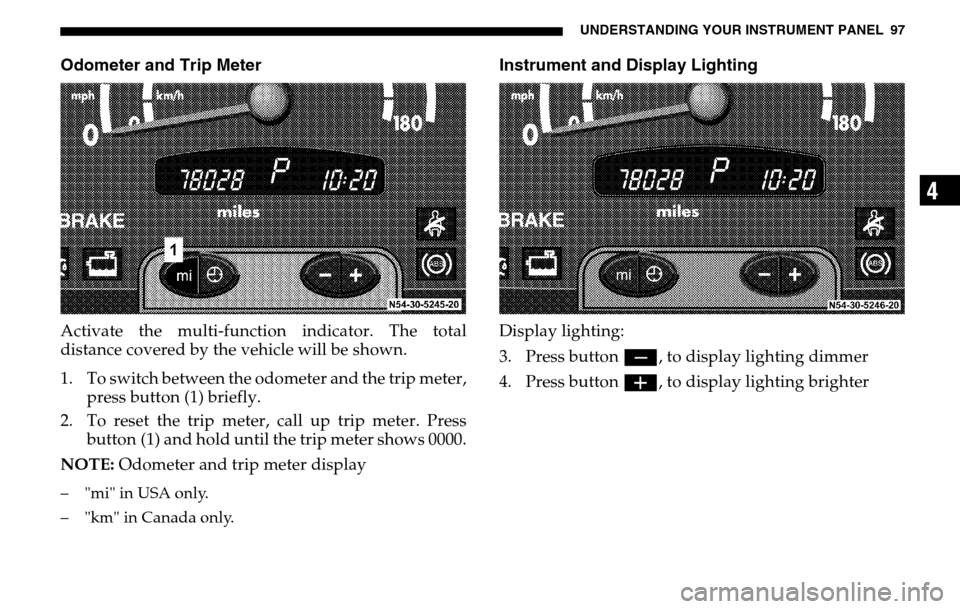
Odometer and Trip MeterActivate the multi-function indicator. The total
distance covered by the vehicle will be shown.
1. To switch between the odometer and the trip meter, press button (1) briefly.
2. To reset the trip meter, call up trip meter. Press
button (1) and hold until the trip meter shows 0000.
NOTE: Odometer and trip meter display– "mi" in USA only.
– "km" in Canada only.
Instrument and Display LightingDisplay lighting:
3. Press button ç, to display lighting dimmer
4. Press button æ, to display lighting brighter
Page 98 of 288
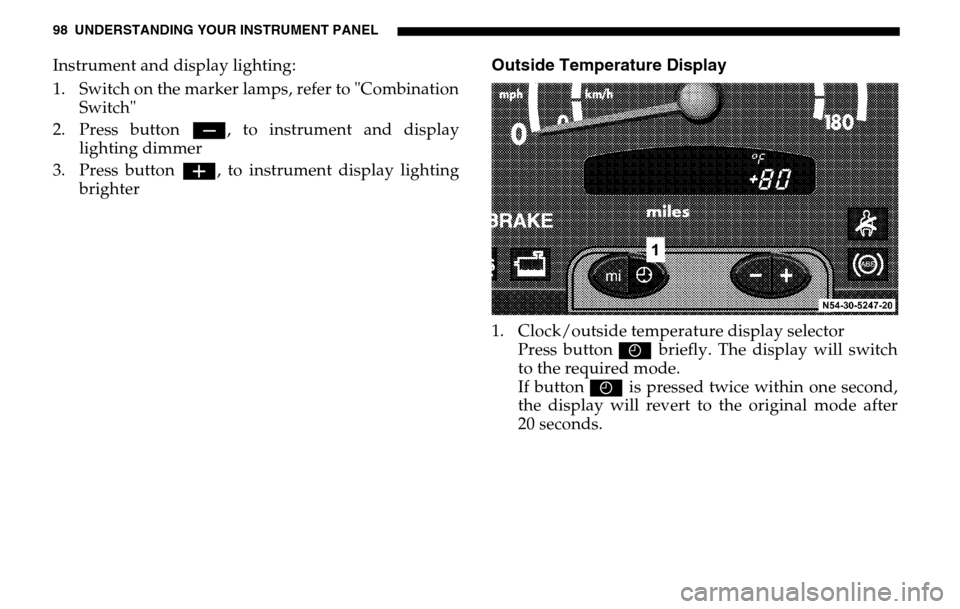
98 UNDERSTANDING YOUR INSTRUMENT PANELInstrument and display lighting:
1. Switch on the marker lamps, refer to "Combination Switch"
2. Press button ç, to instrument and display
lighting dimmer
3. Press button æ, to instrument display lighting
brighter
Outside Temperature Display1. Clock/outside temperature display selector Press button I briefly. The display will switch
to the required mode.
If button I is pressed twice within one second,
the display will revert to the original mode after
20 seconds.
Page 106 of 288
106 UNDERSTANDING YOUR INSTRUMENT PANELIf the engine oil level indicator lamp: does not go
out, or if it lights up again while the vehicle is moving,
the engine oil level has dropped to a point close to the
minimum level mark on the dipstick.
The indicator lamp : lights up only briefly at first,
becoming permanent as the oil level drops further.
Stop the engine immediately and check the engine oil
level. If no obvious leak is visible, correct the oil level.
If the engine oil level indicator lamp : lights up,
even if the engine oil level is sufficient, have the cause
traced and rectified by an authorized Sprinter Dealer.
For approved engine oils, please contact your
authorized Sprinter Dealer.
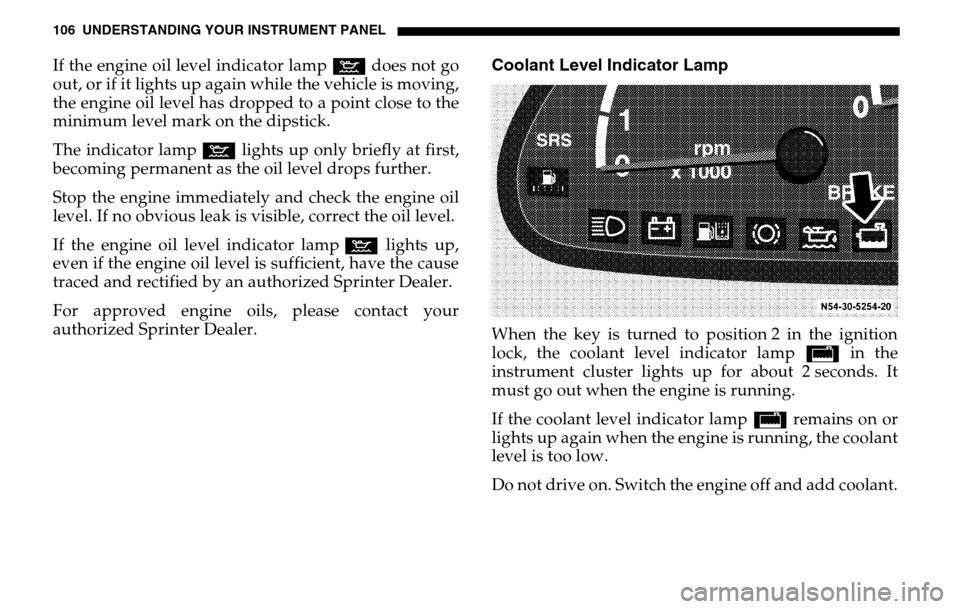
Coolant Level Indicator LampWhen the key is turned to position 2 in the ignition
lock, the coolant level indicator lamp / in the
instrument cluster lights up for about 2 seconds. It
must go out when the engine is running.
If the coolant level indicator lamp / remains on or
lights up again when the engine is running, the coolant
level is too low.
Do not drive on. Switch the engine off and add coolant.
Page 109 of 288

UNDERSTANDING YOUR INSTRUMENT PANEL 109
4
Legend for Switch Locations
1. Fog lamp switch (Optional), refer to "Fog Lamp Switch".
2. Headlamp range control, refer to "Headlamp Range Control".
3. Auxiliary heat exchanger switch (Optional) .
4. Heated rear window (Optional) .
5. Left-hand seat heater switch (Optional) .
6. Central locking switch with load compartment lock (Optional) .
7. Alarm pushbutton .
8. Deactivate Acceleration skid control (ASR) switch . 9. Switch for auxiliary heater (Optional)
10. Right-hand seat heater switch (Optional),
11. Sun roof operation switch (Optional)
.
12. Interior cargo area lighting (Optional), refer to "Interior Cargo Area Lighting".
13. Towing/passenger compartment protection switch (Optional) .
14. Airflow switch for the air conditioner for rear passenger compartment (Optional) .
15. Temperature control (Optional) .
16. Electric blower switch (Optional) .
17. Windshield heater switch (Optional).
18. Constant RPM switch (Optional).
Page 117 of 288
UNDERSTANDING YOUR INSTRUMENT PANEL 117
4
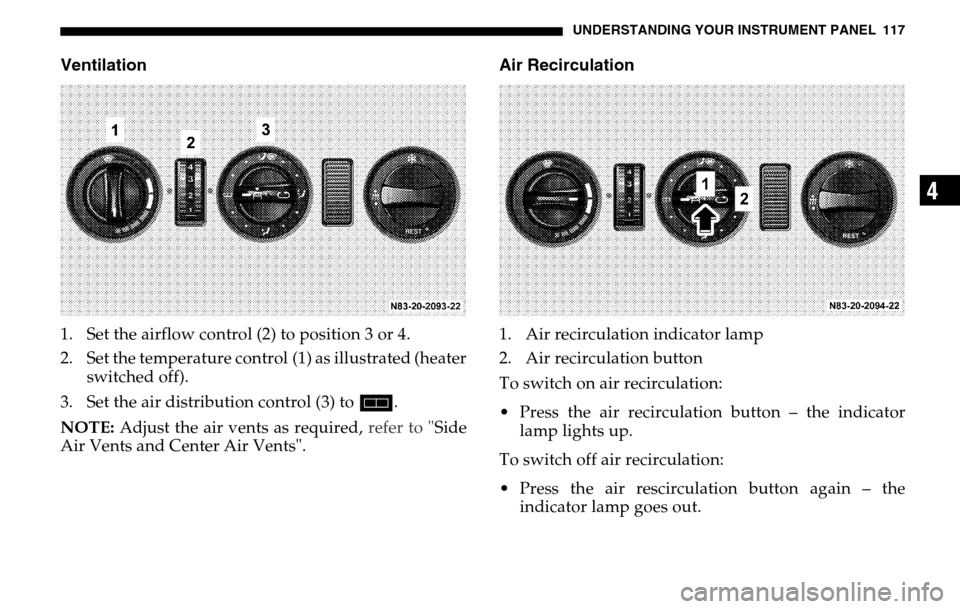
Ventilation1. Set the airflow control (2) to position 3 or 4.
2. Set the temperature control (1) as illustrated (heater switched off).
3. Set the air distribution control (3) to h.
NOTE: Adjust the air vents as required, refer to "Side
Air Vents and Center Air Vents".
Air Recirculation1. Air recirculation indicator lamp
2. Air recirculation button
To switch on air recirculation:
Press the air recirculation button – the indicator lamp lights up.
To switch off air recirculation:
Press the air rescirculation button again – the indicator lamp goes out.
Page 121 of 288
UNDERSTANDING YOUR INSTRUMENT PANEL 121
4
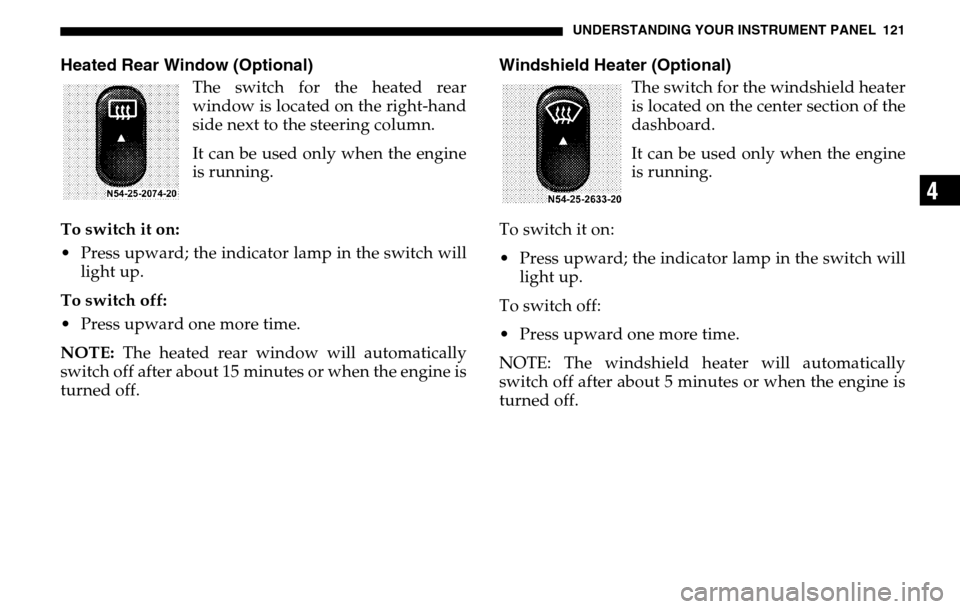
Heated Rear Window (Optional)
The switch for the heated rear
window is located on the right-hand
side next to the steering column.
It can be used only when the engine
is running.
To switch it on:
Press upward; the indicator lamp in the switch will light up.
To switch off:
Press upward one more time.
NOTE: The heated rear window will automatically
switch off after about 15 minutes or when the engine is
turned off.
Windshield Heater (Optional)
The switch for the windshield heater
is located on the center section of the
dashboard.
It can be used only when the engine
is running.
To switch it on:
Press upward; the indicator lamp in the switch will light up.
To switch off:
Press upward one more time.
NOTE: The windshield heater will automatically
switch off after about 5 minutes or when the engine is
turned off.
Page 122 of 288
122 UNDERSTANDING YOUR INSTRUMENT PANELResidual Engine Heat Utilization (REST)
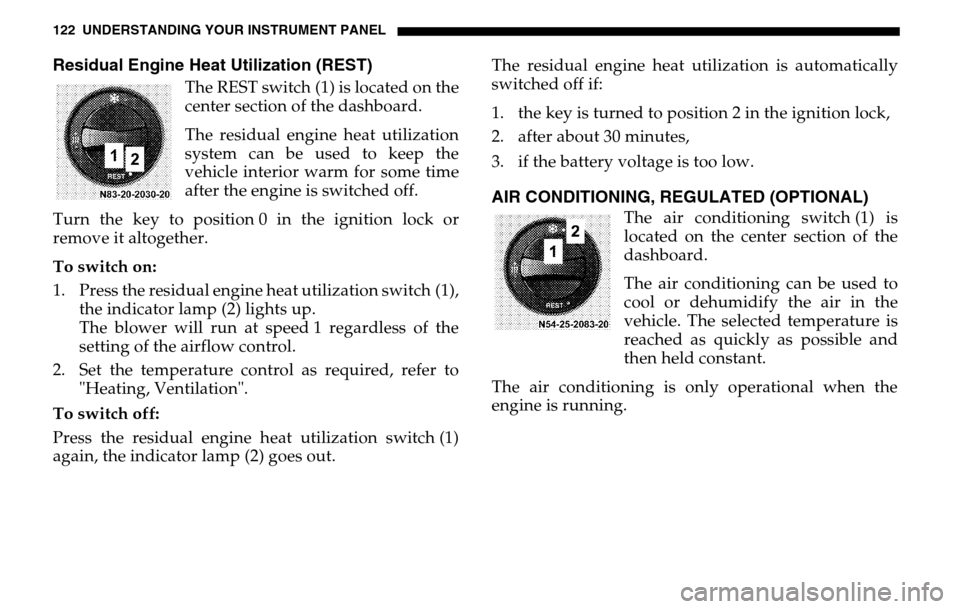
The REST switch (1) is located on the
center section of the dashboard.
The residual engine heat utilization
system can be used to keep the
vehicle interior warm for some time
after the engine is switched off.
Turn the key to position 0 in the ignition lock or
remove it altogether.
To switch on:
1. Press the residual engine heat utilization switch (1), the indicator lamp (2) lights up.
The blower will run at speed 1 regardless of the
setting of the airflow control.
2. Set the temperature control as required, refer to "Heating, Ventilation".
To switch off:
Press the residual engine heat utilization switch (1)
again, the indicator lamp (2) goes out. The residual engine heat utilization is automatically
switched off if:
1. the key is turned to position 2 in the ignition lock,
2. after about 30 minutes,
3. if the battery voltage is too low.
AIR CONDITIONING, REGULATED (OPTIONAL)
The air conditioning switch (1) is
located on the center section of the
dashboard.
The air conditioning can be used to
cool or dehumidify the air in the
vehicle. The selected temperature is
reached as quickly as possible and
then held constant.
The air conditioning is only operational when the
engine is running.
Page 123 of 288
UNDERSTANDING YOUR INSTRUMENT PANEL 123
4
To switch on:
Press switch (1), the indicator lamp (2) in the switch
lights up.
To switch off:
Press switch (1) again, the indicator lamp (2) goes out.
NOTE : Run the air conditioning at least once a month
for about 10 minutes.
It is possible that the air conditioning will
automatically switch off at outside temperatures below
41 °F (+5 °C). Dehumidification is then also not
possible.
Condensation may emerge from the underside of the
vehicle.
The air conditioner only uses the refrigerant R-134a.
This refrigerant does not damage the earth’s ozone
layer.
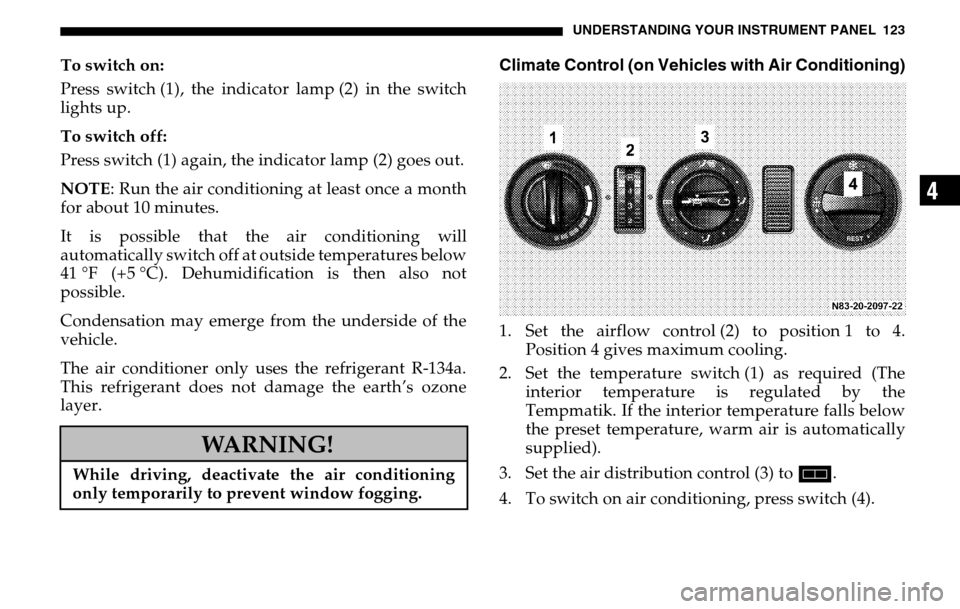
Climate Control (on Vehicles with Air Conditioning)1. Set the airflow control (2) to position 1 to 4. Position 4 gives maximum cooling.
2. Set the temperature switch (1) as required (The interior temperature is regulated by the
Tempmatik. If the interior temperature falls below
the preset temperature, warm air is automatically
supplied).
3. Set the air distribution control (3) to h.
4. To switch on air conditioning, press switch (4).
WARNING!
While driving, deactivate the air conditioning
only temporarily to prevent window fogging.
Page 126 of 288

126 UNDERSTANDING YOUR INSTRUMENT PANELTo switch it on:
1. Press switch (1) on air conditioning, regulated. The indicator lamp (2) will light up.
2. Operate the airflow switch (3). Blower level 1, press the airflow switch (3)
upwards; the left-hand indicator lamp will light up.
Blower level 2, press the airflow switch (3)
downwards; the right-hand indicator lamp will
light up.
3. Set temperature control (4) as needed. Increase cooling turn upwards.
Decrease cooling turn downwards.
To switch off:
1. Switch the airflow switch (3) to the center position.
2. Press switch (1) air conditioning, regulated; the indicator lamp (2) will go out.
Air RecirculationRecirculation mode can now be assisted by the air
conditioner for rear passenger compartment.
To switch it on:
Operate the airflow switch (3)
Blower level 1, press the airflow switch (3) upwards;
the left-hand indicator lamp will light up.
Blower level 2, press the airflow switch (3)
downwards; the right-hand indicator lamp will light
up.
To switch off:
Switch the airflow switch (3) to the center position.