change wheel DODGE SPRINTER 2007 2.G User Guide
[x] Cancel search | Manufacturer: DODGE, Model Year: 2007, Model line: SPRINTER, Model: DODGE SPRINTER 2007 2.GPages: 393, PDF Size: 7.61 MB
Page 96 of 393
95 Controls in detail
Operating system with steering wheel buttons*
3
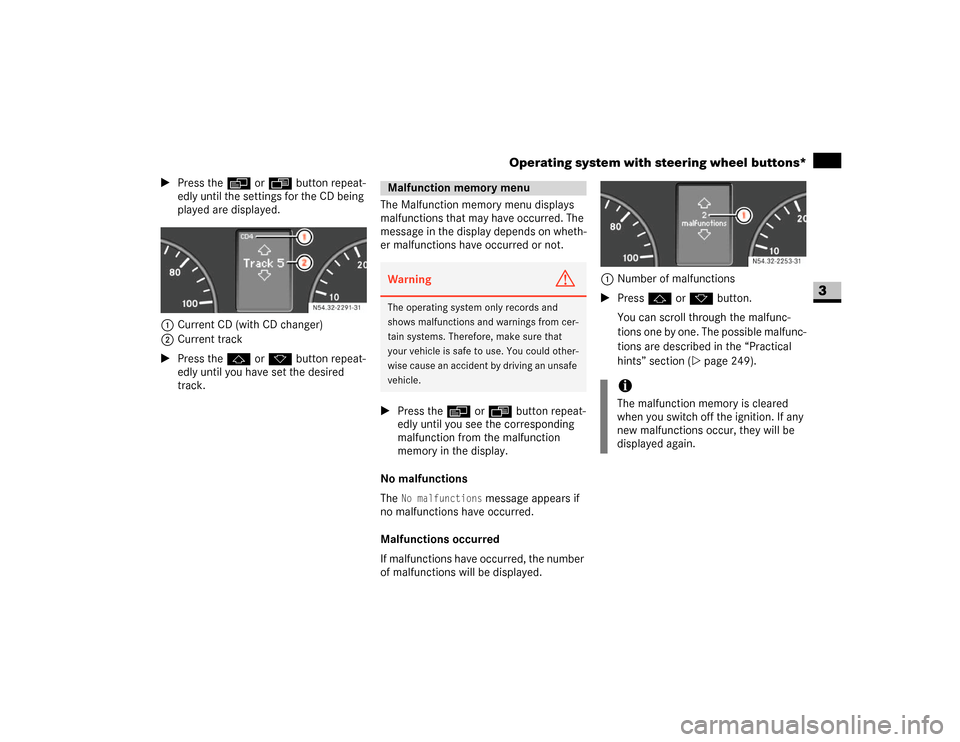
\1Press theè or ÿ button repeat-
edly until the settings for the CD being
played are displayed.
1Current CD (with CD changer)
2Current track
\1Press the j or k button repeat-
edly until you have set the desired
track.The Malfunction memory menu displays
malfunctions that may have occurred. The
message in the display depends on wheth-
er malfunctions have occurred or not.
\1Press theè or ÿ button repeat-
edly until you see the corresponding
malfunction from the malfunction
memory in the display.
No malfunctions
The
No malfunctions
message appears if
no malfunctions have occurred.
Malfunctions occurred
If malfunctions have occurred, the number
of malfunctions will be displayed.1Number of malfunctions
\1Press j or k button.
You can scroll through the malfunc-
tions one by one. The possible malfunc-
tions are described in the “Practical
hints” section (\2page 249).
Malfunction memory menuWarning
G
The operating system only records and
shows malfunctions and warnings from cer-
tain systems. Therefore, make sure that
your vehicle is safe to use. You could other-
wise cause an accident by driving an unsafe
vehicle.
iThe malfunction memory is cleared
when you switch off the ignition. If any
new malfunctions occur, they will be
displayed again.
N54.32-2253-31
Page 97 of 393
96 Controls in detailOperating system with steering wheel buttons*
3
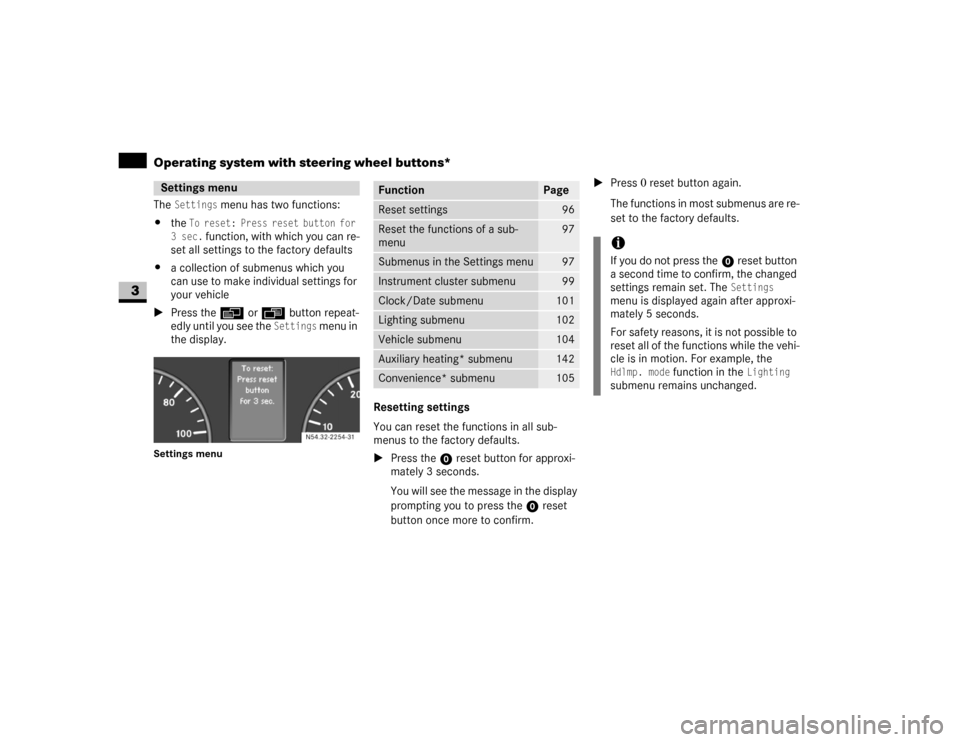
The
Settings
menu has two functions:
\4the
To reset: Press reset button for
3 sec.
function, with which you can re-
set all settings to the factory defaults
\4a collection of submenus which you
can use to make individual settings for
your vehicle
\1Press theè or ÿ button repeat-
edly until you see the
Settings
menu in
the display.
Settings menu
Resetting settings
You can reset the functions in all sub-
menus to the factory defaults.
\1Press the reset button for approxi-
mately 3 seconds.
You will see the message in the display
prompting you to press the reset
button once more to confirm.\1Press 0 reset button again.
The functions in most submenus are re-
set to the factory defaults.
Settings menu
N54.32-2254-31
Function
Page
Reset settings
96
Reset the functions of a sub-
menu
97
Submenus in the Settings menu
97
Instrument cluster submenu
99
Clock/Date submenu
101
Lighting submenu
102
Vehicle submenu
104
Auxiliary heating* submenu
142
Convenience* submenu
105
iIf you do not press the reset button
a second time to confirm, the changed
settings remain set. The
Settings
menu is displayed again after approxi-
mately 5 seconds.
For safety reasons, it is not possible to
reset all of the functions while the vehi-
cle is in motion. For example, the
Hdlmp. mode
function in the
Lighting
submenu remains unchanged.
Page 98 of 393
97 Controls in detail
Operating system with steering wheel buttons*
3
Resetting the functions of a submenu
You can reset the functions of an individual
submenu to the factory defaults.
\1Select a function in a submenu.
\1Press reset button for approximate-
ly 3 seconds.
You will see the message in the display
prompting you to press the reset
button once more to confirm.
\1Press reset button again.
Most functions in the submenu are re-
set to the factory defaults.Submenus in the Settings menu
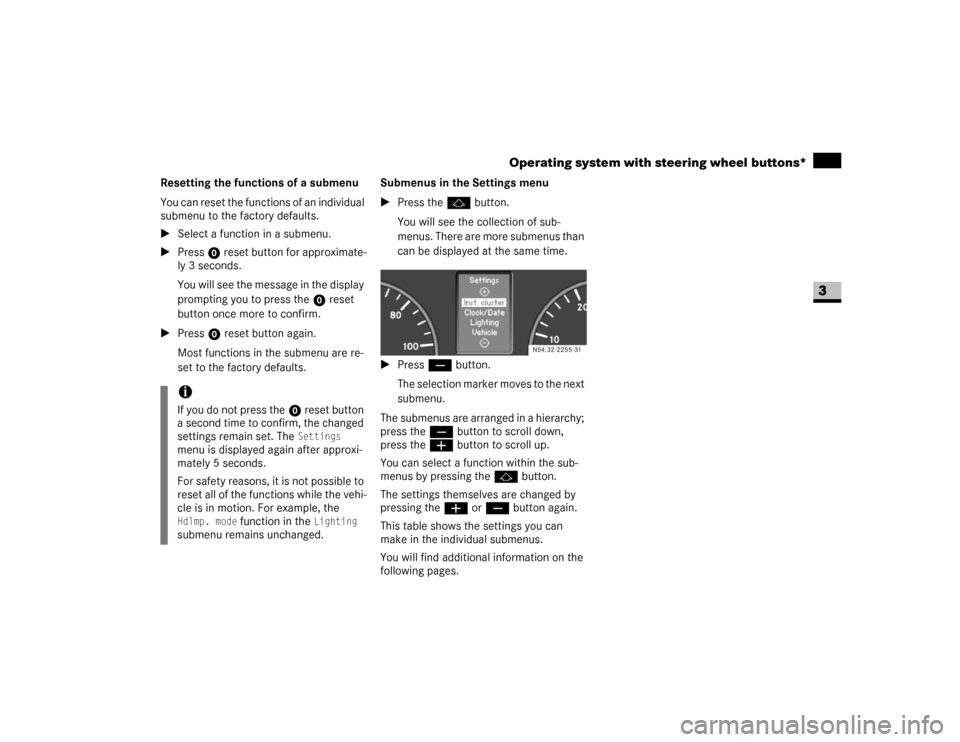
\1Press thej button.
You will see the collection of sub-
menus. There are more submenus than
can be displayed at the same time.
\1Press ç button.
The selection marker moves to the next
submenu.
The submenus are arranged in a hierarchy;
press theç button to scroll down,
press theæ button to scroll up.
You can select a function within the sub-
menus by pressing thej button.
The settings themselves are changed by
pressing theæ or ç button again.
This table shows the settings you can
make in the individual submenus.
You will find additional information on the
following pages.
iIf you do not press the reset button
a second time to confirm, the changed
settings remain set. The
Settings
menu is displayed again after approxi-
mately 5 seconds.
For safety reasons, it is not possible to
reset all of the functions while the vehi-
cle is in motion. For example, the
Hdlmp. mode
function in the
Lighting
submenu remains unchanged.
N54.32-2255-31
Page 103 of 393
102 Controls in detailOperating system with steering wheel buttons*
3
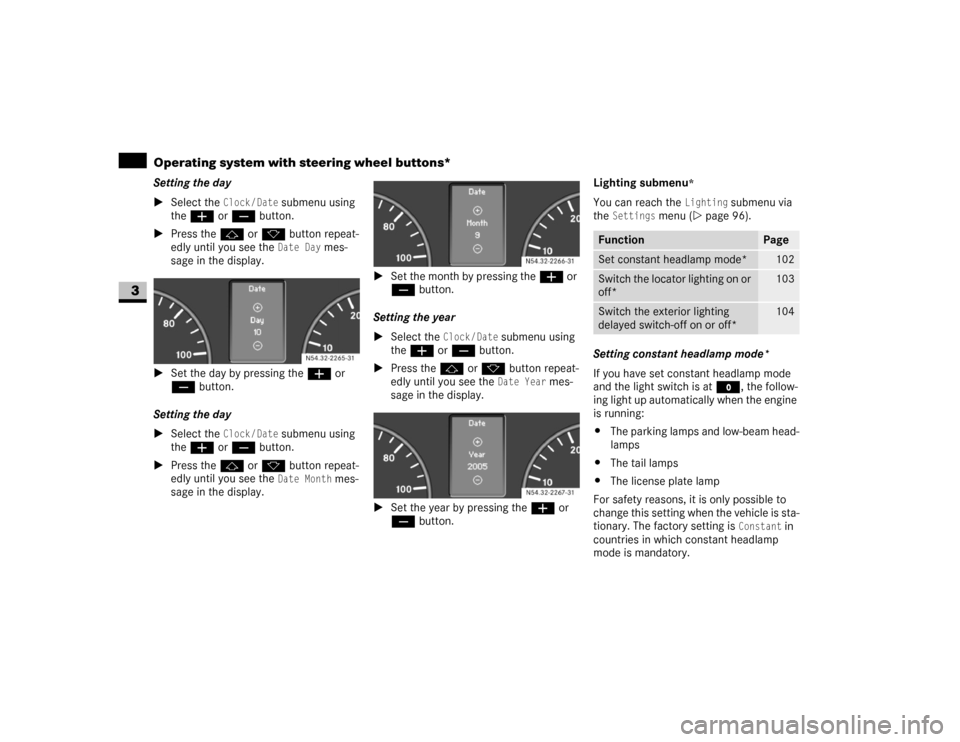
Setting the day
\1Select the
Clock/Date
submenu using
theæ or ç button.
\1Press thej or k button repeat-
edly until you see the Date Day
mes-
sage in the display.
\1Set the day by pressing theæ or
ç button.
Setting the day
\1Select the
Clock/Date
submenu using
theæ or ç button.
\1Press thej or k button repeat-
edly until you see the Date Month
mes-
sage in the display.\1Set the month by pressing theæ or
ç button.
Setting the year
\1Select the
Clock / Date
submenu using
theæ or ç button.
\1Press thej or k button repeat-
edly until you see the Date Year
mes-
sage in the display.
\1Set the year by pressing theæ or
ç button.Lighting submenu
*
You can reach the
Lighting
submenu via
the
Settings
menu (\2page 96).
Setting constant headlamp mode*
If you have set constant headlamp mode
and the light switch is at M, the follow-
ing light up automatically when the engine
is running:
\4The parking lamps and low-beam head-
lamps
\4The tail lamps
\4The license plate lamp
For safety reasons, it is only possible to
change this setting when the vehicle is sta-
tionary. The factory setting is
Constant
in
countries in which constant headlamp
mode is mandatory. N54.32-2265-31
N54.32-2266-31N54.32-2267-31
Function
Page
Set constant headlamp mode*
102
Switch the locator lighting on or
off*
103
Switch the exterior lighting
delayed switch-off on or off*
104
Page 118 of 393
117 Controls in detail
Driving and parking
3
Overrun cut-off
The gasoline/diesel supply is cut off if the
driver's foot is completely removed from
the accelerator pedal when the engine is
overrunning at engine speeds outside of
the idling control range.
Driving in wet conditionsDriving on flooded roads
If you are forced to drive on stretches of
road on which water has collected, please
note that:
\4the water level must not reach above
the lower edge of the front bumper
\4the maximum speed at which you may
drive is walking speed
Tires
The tires are particularly important for the
operating and road safety of the vehicle.
You should therefore check the pressure,
tread and condition of the tires on a regular
basis.A tire dealer, a qualified specialist work-
shop or any authorized Sprinter Dealer will
be able to provide further information re-
garding the:
\4list of recommended makes of tire
\4tire load-bearing capacity (LI Load
Index)
\4maximum tire speed (SI Speed Index)
\4tire age
\4causes and consequences of tire wear
\4measures to be taken in the event of
tire damage
\4tire types for certain regions, areas of
operation or conditions of vehicle use
\4interchangeability of tires, etc.
Modifications to the brake system or
wheels are not permissible, nor is the use
of spacer plates or brake dust shields. Any
such modifications will invalidate the vehi-
cle’s general operating permit.Warning
G
The vehicle may hydroplane despite having
adequate tire tread depth and being driven
at low speeds, depending on the depth of
water on the road surface.
For this reason, avoid tire ruts and brake
carefully.
!
CAUTION
Note that vehicles in front or oncoming
vehicles create waves.
This may mean that the maximum per-
mitted water depth is exceeded.
These notes must be observed to avoid
the risk of engine damage.
Page 122 of 393
121 Controls in detail
Automatic transmission
3
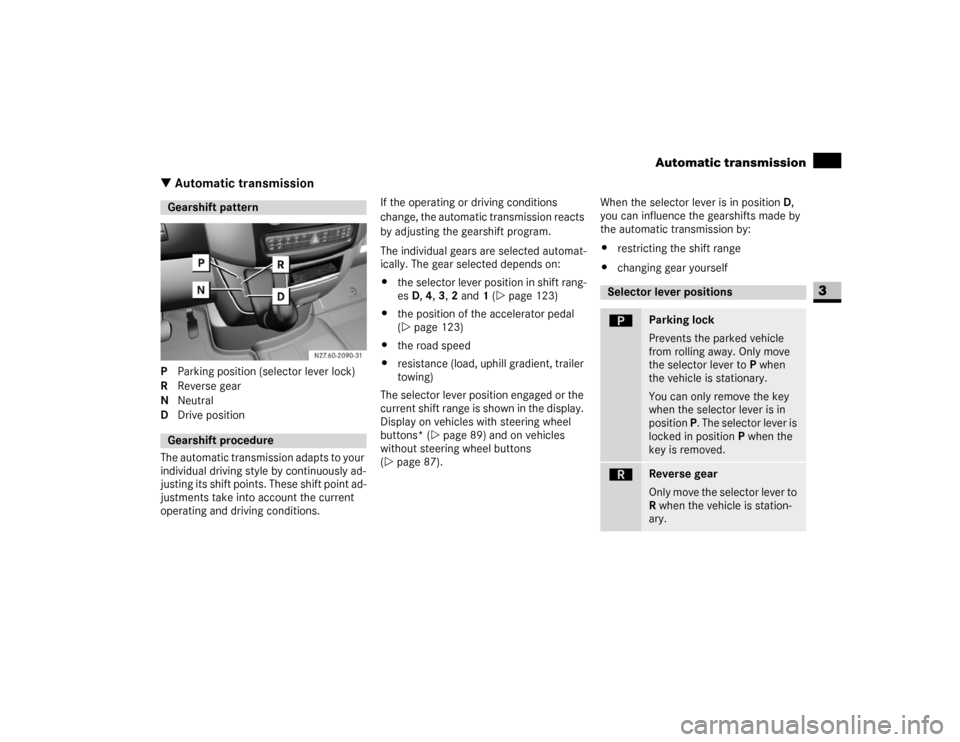
\3 Automatic transmissionP Parking position (selector lever lock)
R Reverse gear
N Neutral
D Drive position
The automatic transmission adapts to your
individual driving style by continuously ad-
justing its shift points. These shift point ad-
justments take into account the current
operating and driving conditions.If the operating or driving conditions
change, the automatic transmission reacts
by adjusting the gearshift program.
The individual gears are selected automat-
ically. The gear selected depends on:
\4the selector lever position in shift rang-
es D, 4, 3, 2 and 1 (\2page 123)
\4the position of the accelerator pedal
(\2page 123)
\4the road speed
\4resistance (load, uphill gradient, trailer
towing)
The selector lever position engaged or the
current shift range is shown in the display.
Display on vehicles with steering wheel
buttons* (\2page 89) and on vehicles
without steering wheel buttons
(\2page 87).When the selector lever is in position D,
you can influence the gearshifts made by
the automatic transmission by:
\4restricting the shift range
\4changing gear yourselfGearshift patternGearshift procedure
Selector lever positionsì
Parking lock
Prevents the parked vehicle
from rolling away. Only move
the selector lever to P when
the vehicle is stationary.
You can only remove the key
when the selector lever is in
position P. The selector lever is
locked in position P when the
key is removed.
í
Reverse gear
Only move the selector lever to
R when the vehicle is station-
ary.
Page 123 of 393
122 Controls in detailAutomatic transmission
3
When the selector lever is in position D,
you can perform gearshifts yourself, even
on vehicles with automatic transmission.
Downshifting
\1Press the selector lever to the left to-
wards D–.
The automatic transmission restricts
the shift range (\2page 123) by one
gear. The automatic transmission shifts
to the next gear down, depending on
the gear currently engaged.Upshifting
\1Press the selector lever to the right to-
wards D+.
The automatic transmission extends
the shift range by one gear. The auto-
matic transmission shifts to the next
gear up, depending on the current
gearshift program.
Derestricting the shift range
\1Press and hold the selector lever to-
wards D+ until
D is shown once more in
the display.
The automatic transmission shifts from
the current shift range directly to D.
ë
Neutral
No power is transmitted from
the engine to the drive wheels.
Releasing the brakes will allow
you to move the vehicle freely,
e.g. by pushing or towing.
Do not move the selector lever
to N while the vehicle is in mo-
tion. The automatic transmis-
sion could otherwise be
damaged.
If ASR is deactivated or ESP
®
has malfunctioned: only move
the selector lever to N if the ve-
hicle is in danger of skidding,
e.g. on icy roads.
ê
Drive
The automatic transmission
changes gear automatically. All
5 forward gears are available.
One-touch gearshifting Warning
G
Do not downshift for additional engine brak-
ing on a slippery surface. The drive wheels
may lose their grip and the vehicle could
skid.
iThe automatic transmission does not
shift down if you press the selector le-
ver towards D– and the speed of the
vehicle is too high. The engine could
otherwise overrev.
Page 144 of 393
143 Controls in detail
Auxiliary heating/ventilation*
3
\1Press the è button.
The switch-on time is selected.
The yellow indicator lamp in theö
switch comes on.
Setting the switch-on time
Operating system without steering
wheel buttons
\1Select a switch-on time as described
under “Selecting a switch-on time”
(\2page 142).\1Press the reset button on the instru-
ment cluster to set the selected switch-
on time.
The hours figure flashes and the”
symbol appears in the display.
\1Set the hours using the or am
button on the instrument cluster.
\1Press the reset button.
The minute display flashes.
\1Set the minutes using the or
button.Operating system with steering wheel
buttons
\1Select a switch-on time as described
under “Selecting a switch-on time”
(\2page 142).
\1Press thej button.
The
Hours
menu appears in the display.
\1Set the hours using theæ orç
button.
\1Press thej button.
The
Minutes
menu appears in the dis-
play.
\1Set the minutes using theæ
orç button.
\1Press the è button.
The switch-on time is set and selected.
iIf you turn the key to position0 in the
ignition lock, the yellow indicator lamp
in theö switch goes out after
30 minutes.
The red indicator lamp in theö
switch comes on when the auxiliary
heating switches on.
iIf you keep the button pressed, the val-
ues will change continuously.
To return to the standard display:
\4press and hold the button on
the instrument cluster for more
than 1 second
\4do not press a button for
10 seconds
iTo return to the standard display, press
theè or ÿ button repeatedly
until the standard display appears.
Page 148 of 393
147 Controls in detail
Driving systems
3
\3 Driving systemsDriving systems which may form part of
your vehicle are described on the following
pages:
\4Cruise control* (\2page 147), which
you can use to control the speed of
your vehicle
\4Parktronic system*, which is an aid for
parking and maneuvering
(\2page 150)
\4Reverse warning feature*, which helps
you ensure the safety of other road us-
ers (\2page 153)
The ABS, BAS, ESP
®, ASR and EBV driving
safety systems are described in the "Safe-
ty and Security" section (\2page 23).Cruise control maintains the speed of the
vehicle for you.
Use cruise control if road and traffic condi-
tions make it appropriate to maintain a
steady speed for a prolonged period. You
can store any road speed above 20 mph
(30 km/h).
Cruise control*iThe increments for setting speed and
the threshold values for switching on or
automatically switching off cruise con-
trol depend on the digital speedometer
setting, mph or km/h (\2page 99).Warning
G
The cruise control function cannot take ac-
count of road and traffic conditions.
Always pay attention to road and traffic
conditions, even when cruise control is acti-
vated.
Cruise control is only an aid designed to as-
sist driving. You are responsible for the vehi-
cle’s speed and for braking in good time.
If there is a change of drivers, advise the
new driver of the cruising speed that is
stored.Warning
G
Do not use cruise control:
\4if road and traffic conditions do not per-
mit a constant driving speed to be main-
tained (e.g. heavy traffic or winding
roads). You could otherwise cause an
accident.
\4on slippery roads. The drive wheels may
lose their grip when braking or acceler-
ating and the vehicle could skid
\4when visibility is poor, e.g. in fog, heavy
rain or snow
Page 201 of 393
200 OperationTires and wheels
4
Only use wheels and tires which have been
tested and approved by the vehicle manu-
facturer.
Warning
G
Do not use a tire, wheel size or rating other
than that specified for your Sprinter vehicle.
Some combinations of unapproved tires and
wheels may change suspension dimensions
and performance characteristics, resulting
in changes to steering, handling, and brak-
ing of your Sprinter vehicle. This can cause
unpredictable handling and stress to steer-
ing and suspension components. You could
lose control and have an accident resulting
in serious injury or death. Only use the tire
and wheel sizes with load ratings approved
for your Sprinter vehicle, refer to "Tire and
loading information".
Never use a tire with a smaller load index or
speed index or capacity other than what was
originally equipped on your Sprinter vehicle.
Using a tire with a smaller load index could
result in tire overloading and failure. You
could lose control and have an accident.
Failure to equip the vehicle with tires having
adequate speed capability can result in sud-
den tire failure and loss of vehicle control.
!
CAUTION
Replacing original tires with tires of a
different size may result in false speed-
ometer and odometer readings.
Warning
G
Worn, old tires can cause accidents. If the
tire tread is badly worn, or if the tires have
sustained damage, replace them.
When replacing rims, only use genuine
wheel bolts approved by the vehicle manu-
facturer and specified for the particular rim
type. Failure to do so can result in the bolts
loosening and possibly an accident.
Do not use retreaded/remolded tires. This
process does not always permit previous
damage to be detected. Therefore vehicle
safety cannot be guaranteed if retreaded/
remolded tires are fitted.
Warning
G
Fitting other wheel sizes to the vehicle will
change the vehicle’s handling characteris-
tics and may lead to an accident resulting in
death, severe personal injuries and property
damage.
Only certain tires meeting the tire size/
load/speed rating specifications are certi-
fied to conform to FMVSS 110 for the
Sprinter vehicle at this time. Please check
your side walls of your originally equipped
tires for specific makes/sizes, and speed
load ratings when you need to replace your
tires.
To prevent accidents resulting in possible
death, severe injury or property damage,
use only the tire and wheel sizes with load
ratings approved for your Sprinter vehicle
for your tire replacement.
Refer to "Tire and loading information"
(\2page 205).