warning DODGE SPRINTER 2008 2.G Owners Manual
[x] Cancel search | Manufacturer: DODGE, Model Year: 2008, Model line: SPRINTER, Model: DODGE SPRINTER 2008 2.GPages: 666, PDF Size: 14.11 MB
Page 223 of 666
221 Controls in detail
Air conditioning
3
The display next to the airflow con-
trols indicates the speed of the air-
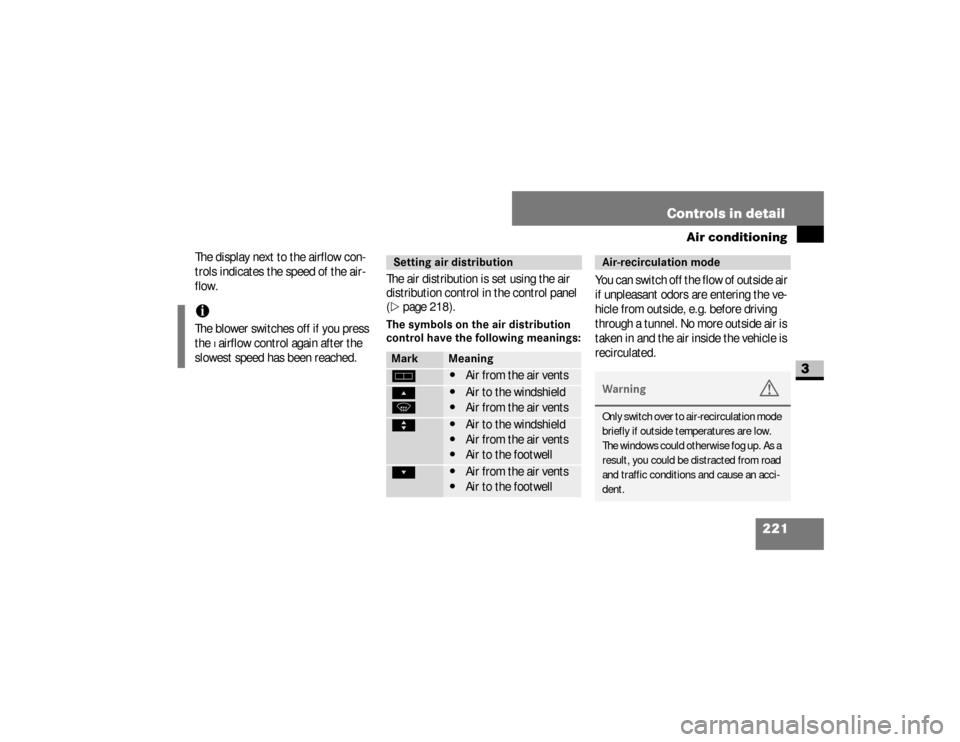
flow.The air distribution is set using the air
distribution control in the control panel
(
\2
page 218).
The symbols on the air distribution
control have the following meanings:
You can switch off the flow of outside air
if unpleasant odors are entering the ve-
hicle from outside, e.g. before driving
through a tunnel. No more outside air is
taken in and the air inside the vehicle is
recirculated.
iThe blower switches off if you press
the
ß airflow control again after the
slowest speed has been reached.
Setting air distributionMark
Meaning
h
\4
Air from the air vents
Ô
P
\4
Air to the windshield
\4
Air from the air vents
Ò
\4
Air to the windshield
\4
Air from the air vents
\4
Air to the footwell
Ó
\4
Air from the air vents
\4
Air to the footwell
Air-recirculation modeWarning
G
Only switch over to air-recirculation mode
briefly if outside temperatures are low.
The windows could otherwise fog up. As a
result, you could be distracted from road
and traffic conditions and cause an acci-
dent.
nf_BA.book Page 221 Friday, January 25, 2008 3:53 PM
Page 229 of 666
227 Controls in detail
Air conditioning
3
Alter the air distribution by turning
the air vents.
The heater is operational when the engi-
ne is running. Depending on the tempe-
rature selected and the outside
temperature, it heats or ventilates.
The dust filter removes most dust partic-
les and pollen from the outside air. The interval for replacing the filter de-
pends on environmental factors, e.g.
high air pollution. The interval may be
shorter than that indicated in the Ser-
vice Booklet.!
CAUTION
Never close all the air vents, other-
wise there is a risk of damage to the
air-conditioning system in the rear
compartment.
Heater*
Warning
G
Follow the settings recommended on the
following pages for heating or cooling.
The windows could otherwise fog up. As a
result, you could be distracted from road
and traffic conditions and cause an acci-
dent.
Warning
G
Air flowing out of the air vents in the foot-
well when the heater is in operation may
be very hot. There is, therefore, a risk of
burns to bare skin in the immediate proxi-
mity of these outlets. Keep bare skin away
from these air outlets. If necessary, direct
the airflow into a different area of the ve-
hicle interior using the air distribution
control.
nf_BA.book Page 227 Friday, January 25, 2008 3:53 PM
Page 233 of 666
231 Controls in detail
Air conditioning
3
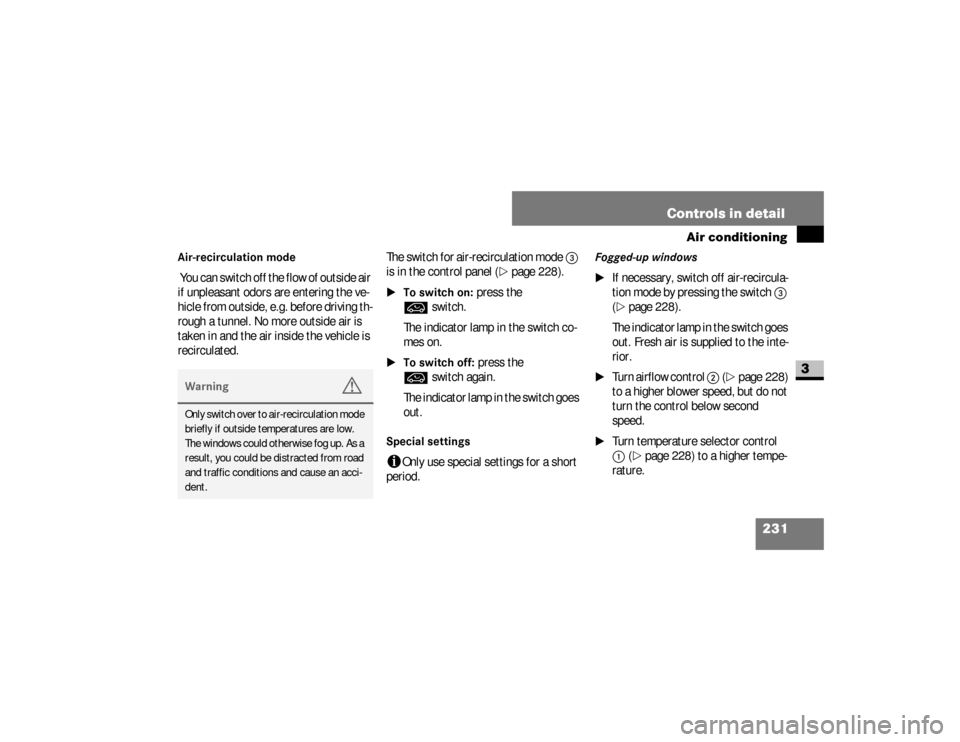
Air-recirculation mode You can switch off the flow of outside air
if unpleasant odors are entering the ve-
hicle from outside, e.g. before driving th-
rough a tunnel. No more outside air is
taken in and the air inside the vehicle is
recirculated.The switch for air-recirculation mode
3
is in the control panel (
\2
page 228).
\1To switch on:
press the
Ä
switch.
The indicator lamp in the switch co-
mes on.
\1To switch off:
press the
Ä
switch again.
The indicator lamp in the switch goes
out.
Special settings i
Only use special settings for a short
period.
Fogged-up windows
\1
If necessary, switch off air-recircula-
tion mode by pressing the switch
3
(
\2
page 228).
The indicator lamp in the switch goes
out. Fresh air is supplied to the inte-
rior.
\1
Turn airflow control
2
(\2
page 228)
to a higher blower speed, but do not
turn the control below second
speed.
\1
Turn temperature selector control 1
(\2
page 228) to a higher tempe-
rature.
Warning
G
Only switch over to air-recirculation mode
briefly if outside temperatures are low.
The windows could otherwise fog up. As a
result, you could be distracted from road
and traffic conditions and cause an acci-
dent.
nf_BA.book Page 231 Friday, January 25, 2008 3:53 PM
Page 238 of 666
236 Controls in detailAuxiliary heating/ventilation*
3
\3 Auxiliary heating/ventilation*The auxiliary heating heats or ventilates
the interior to a temperature that you
have set. The auxiliary heating can be
operated with the engine switched on or
off.
The auxiliary heating is equipped with a
water heater.
Warning
G
Exhaust fumes are produced while the aux-
iliary heating is in operation. For this rea-
son, switch off the auxiliary heating in
enclosed spaces without an extraction sys-
tem, e.g. a garage.
Operation of the auxiliary heating system is
prohibited at gas stations or when refueling
your vehicle. The auxiliary heating must
therefore be switched off at refueling sta-
tions.
Warning
G
Observe the relevant safety regulations in
the case of vehicles used for the transport
of hazardous goods.
Aerosols, gas cartridges and other pressur-
ized containers transported in the vehicle
may be highly flammable and could explode
when heated.
Make sure that the containers described
are kept away from the flow of hot air from
the auxiliary heating.
Otherwise, you could endanger yourself
and others.
nf_BA.book Page 236 Friday, January 25, 2008 3:53 PM
Page 246 of 666
244 Controls in detailOpen air
3
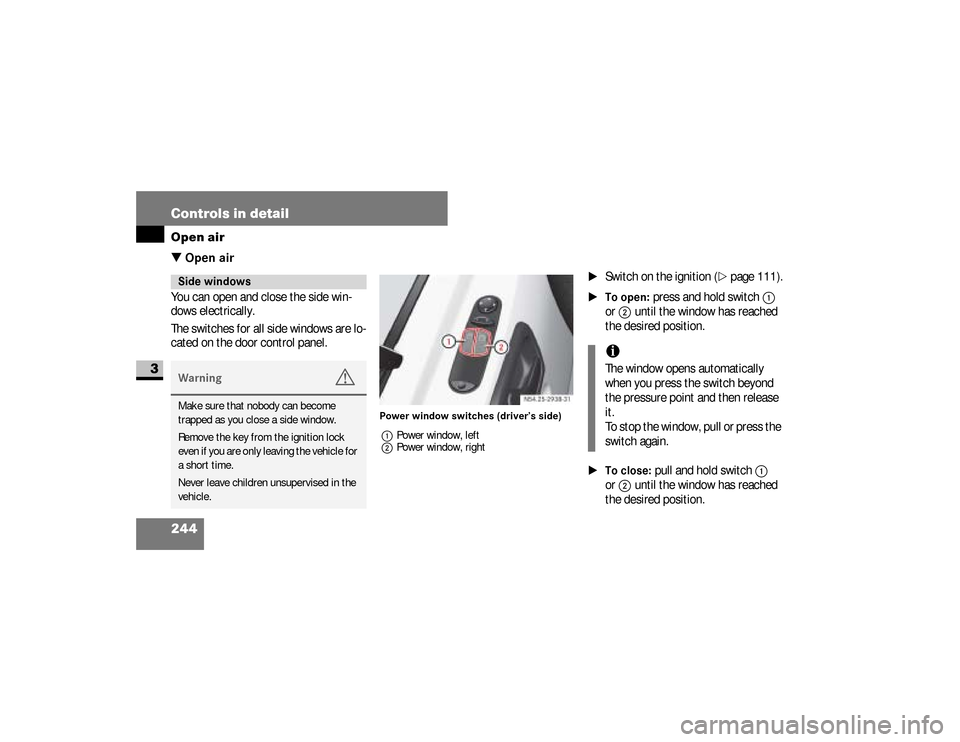
\3 Open airYou can open and close the side win-
dows electrically.
The switches for all side windows are lo-
cated on the door control panel.
Power window switches (driver’s side)
1Power window, left
2Power window, right
\1
Switch on the ignition (
\2
page 111).
\1To open:
press and hold switch
1
or
2
until the window has reached
the desired position.
\1To close:
pull and hold switch
1
or
2
until the window has reached
the desired position.
Side windowsWarning
G
Make sure that nobody can become
trapped as you close a side window.
Remove the key from the ignition lock
even if you are only leaving the vehicle for
a short time.
Never leave children unsupervised in the
vehicle.
iThe window opens automatically
when you press the switch beyond
the pressure point and then release
it.
To stop the window, pull or press the
switch again.
nf_BA.book Page 244 Friday, January 25, 2008 3:53 PM
Page 247 of 666
245 Controls in detail
Open air
3
Resetting the side windowsThe side windows must be reset if the
battery has been disconnected:\1
Pull the two power window switches
until the side windows are closed.
\1
Hold the switches in this position for
about 1 second.
The side windows are reset.
Sliding sunroof*Warning
G
Make sure that nobody can become
trapped as you close the sliding sunroof.The glass may shatter in the event of an
accident.If you or other occupants are not wearing
your seat belt, there is a risk of being
thrown out of the opening in the event of
the vehicle overturning. Therefore, always
wear a seat belt to reduce the risk of inju-
ries.
Continued
Warning (Continued)
G
In accidents in which the vehicle over-
turns, there is an increased risk of injury
even for occupants who have fastened
their seat belts correctly, as their head or
limbs could be thrust through the open-
ing.Remove the key from the ignition lock
even if you are only leaving the vehicle for
a short time.
nf_BA.book Page 245 Friday, January 25, 2008 3:53 PM
Page 250 of 666
248 Controls in detailDriving systems
3
\3 Driving systemsDriving systems which may form part of
your vehicle are described on the follow-
ing pages:\4
Cruise control* (
\2
page 248), which
you can use to control the speed of
your vehicle
\4
Parktronic system*, which is an aid
for parking and maneuvering
(\2
page 253)
\4
Rear view camera*, which is an aid
for parking and maneuvering
(\2
page 258)
\4
Reverse warning feature*, which
helps you ensure the safety of other
road users (
\2
page 271)The ABS, BAS, ESP
®, ASR and EBV driv-
ing safety systems are described in the
"Driving Safety Systems" section
(
\2
page 33).
Cruise control maintains the speed of
the vehicle for you.
Use cruise control if road and traffic con-
ditions make it appropriate to maintain a
steady speed for a prolonged period.
You can set any speed above 20 mph
(30 km/h) in 1-mph increments (1-km/
h increments).Cruise control*
iThe increments for setting speed and
the threshold values for switching on
or automatically switching off cruise
control depend on the digital speed-
ometer setting, mph or km/h
(\2
page 165).
nf_BA.book Page 248 Friday, January 25, 2008 3:53 PM
Page 251 of 666
249 Controls in detail
Driving systems
3
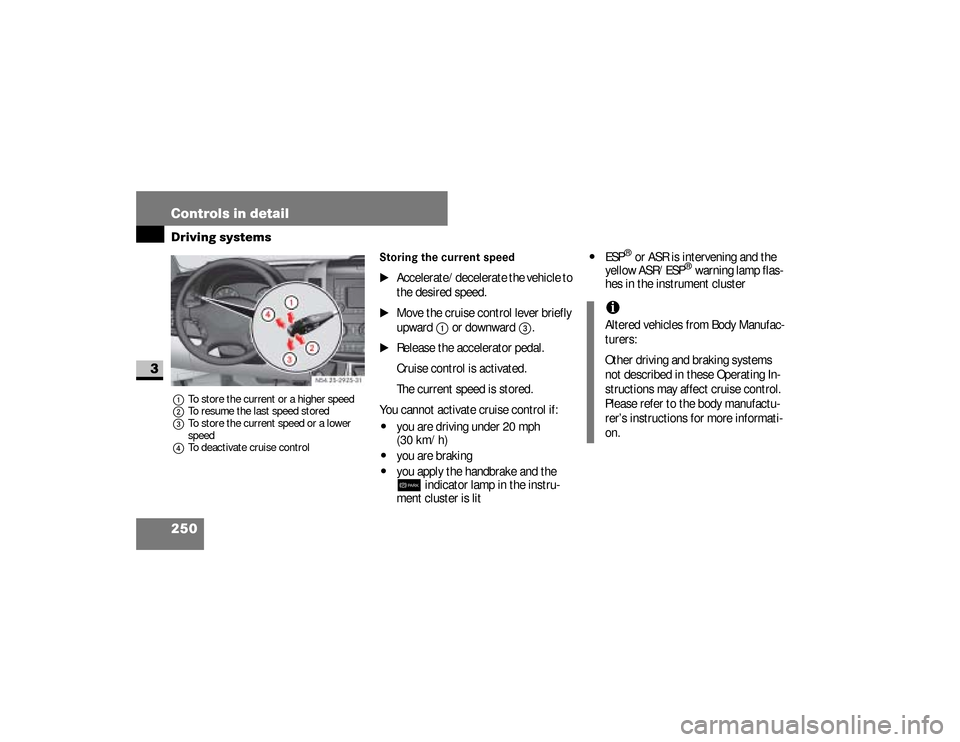
Cruise control leverThe cruise control lever is the upper-
most lever on the left of the steering col-
umn.
Warning
G
The cruise control function cannot take
account of road and traffic conditions.
Always pay attention to road and traffic
conditions, even when cruise control is
activated.Cruise control is only an aid designed to
assist driving. You are responsible for the
vehicle’s speed and for braking in good
time.
If there is a change of drivers, advise the
new driver of the cruising speed that is
stored.
Warning
G
Do not use cruise control:
\4if road and traffic conditions do not
permit a constant driving speed to be
maintained (e.g. heavy traffic or wind-
ing roads). You could otherwise cause
an accident.
\4on slippery roads. The drive wheels
may lose their grip when braking or
accelerating and the vehicle could
skid
\4when visibility is poor, e.g. in fog,
heavy rain or snow
iCruise control may be unable to
maintain the stored speed on uphill
or downhill gradients. The stored
speed is resumed if the gradient
evens out and the vehicle’s speed
has not fallen below 20 mph
(30 km/h).
nf_BA.book Page 249 Friday, January 25, 2008 3:53 PM
Page 252 of 666
250 Controls in detailDriving systems
3
1To store the current or a higher speed
2To resume the last speed stored
3To store the current speed or a lower
speed
4To deactivate cruise control
Storing the current speed
\1
Accelerate/decelerate the vehicle to
the desired speed.
\1
Move the cruise control lever briefly
upward
1
or downward
3
.
\1
Release the accelerator pedal.
Cruise control is activated.
The current speed is stored.
You cannot activate cruise control if:
\4
you are driving under 20 mph
(30 km/h)
\4
you are braking
\4
you apply the handbrake and the 7
indicator lamp in the instru-
ment cluster is lit
\4
ESP
® or ASR is intervening and the
yellow ASR/ESP
® warning lamp flas-
hes in the instrument cluster
N54.25-2925-31
iAltered vehicles from Body Manufac-
turers:
Other driving and braking systems
not described in these Operating In-
structions may affect cruise control.
Please refer to the body manufactu-
rer’s instructions for more informati-
on.
nf_BA.book Page 250 Friday, January 25, 2008 3:53 PM
Page 253 of 666
251 Controls in detail
Driving systems
3
Resuming the stored speed
\1
Pull the cruise control lever briefly in
the direction of arrow
2
.
\1
Release the accelerator pedal.Cruise control is activated and ad-
justs the vehicle’s speed to the last
speed stored.
Setting the speed
Warning
G
Only resume the stored speed if you know
what this speed is and the current situa-
tion is appropriate to do so. Otherwise,
sudden acceleration or braking could en-
danger you or others.
iWhen you pull the cruise control le-
ver in direction of arrow
2
for the
first time after starting the engine,
cruise control is switched on and the
speed at which you are currently
driving is stored.
Warning
G
The rate at which you increase the speed
in 1 mph increments (1 km/h increments)
may be faster than your vehicle is able to
accelerate. Your vehicle may then contin-
ue to accelerate up to the newly set speed
even after you have released the cruise
control lever.
Only increase the speed if the current sit-
uation is appropriate to do so. Sudden ac-
celeration could otherwise endanger you
and others.
nf_BA.book Page 251 Friday, January 25, 2008 3:53 PM