warning DODGE SPRINTER 2008 2.G Manual PDF
[x] Cancel search | Manufacturer: DODGE, Model Year: 2008, Model line: SPRINTER, Model: DODGE SPRINTER 2008 2.GPages: 666, PDF Size: 14.11 MB
Page 145 of 666
143 Controls in detail
Instrument cluster
3
The display in the instrument cluster is
activated when you:\4
open the driver’s door
\4
switch on the ignition
\4
press the reset button
\4
switch on the lights
The display switches off automatically
after approximately 30 seconds if:
\4
there is no vehicle lighting switched
on
\4
the key is in position
0 in the ignition
lock
(\2
page 111)
Warning
G
No messages can be displayed if the in-
strument cluster and / or the display is
malfunctioning.You will not then be able to see informa-
tion about the vehicle status, such as
speed and outside temperature, warning
and indicator lamps, malfunction and
warning messages or the malfunction of
systems. Handling characteristics may be
affected.
Continued
Warning (Continued)
G
Contact a qualified specialist workshop
immediately which has the necessary spe-
cialist knowledge and tools to carry out
the work required.The manufacturer recommends that you
use an authorized Sprinter Dealer for this
purpose. In particular, work relevant to
safety or on safety-related systems must
be carried out at a qualified specialist
workshop.
Continued
nf_BA.book Page 143 Friday, January 25, 2008 3:53 PM
Page 146 of 666
144 Controls in detailInstrument cluster
3
With the lights switched on, you can ad-
just the brightness of the instrument
lighting using the and buttons.\1
Brighter: press the button.
\1
Dimmer: press the button.
Warning (Continued)
G
Only use adjustment buttons , , ,
or when traffic conditions permit.
You will otherwise be unable to observe
road and traffic conditions and could
cause an accident.Do not reach through the steering wheel
to press the adjustment buttons. This will
make the steering wheel much more diffi-
cult to control. Your attention will also be
diverted from the road and traffic condi-
tions. This could cause you to lose control
of the vehicle and could lead to an acci-
dent.
Continued
Warning (Continued)
G
Do not rest your head or chest on the
steering wheel or dashboard when operat-
ing the adjustment buttons. See the safe-
ty precautions for airbags (\2page 46).
Instrument lightingiVehicles with automatic headlamp
mode*:
The instrument lighting also adjusts
in line with the automatic headlamp
mode.
nf_BA.book Page 144 Friday, January 25, 2008 3:53 PM
Page 148 of 666
146 Controls in detailInstrument cluster
3
Resetting the trip meter
\1
Vehicles with steering wheel but-
tons*: Make sure that the display is
showing the trip meter
(\2
page 157).
\1
Keep reset button
0 pressed until
the trip meter is set to
0.0
.
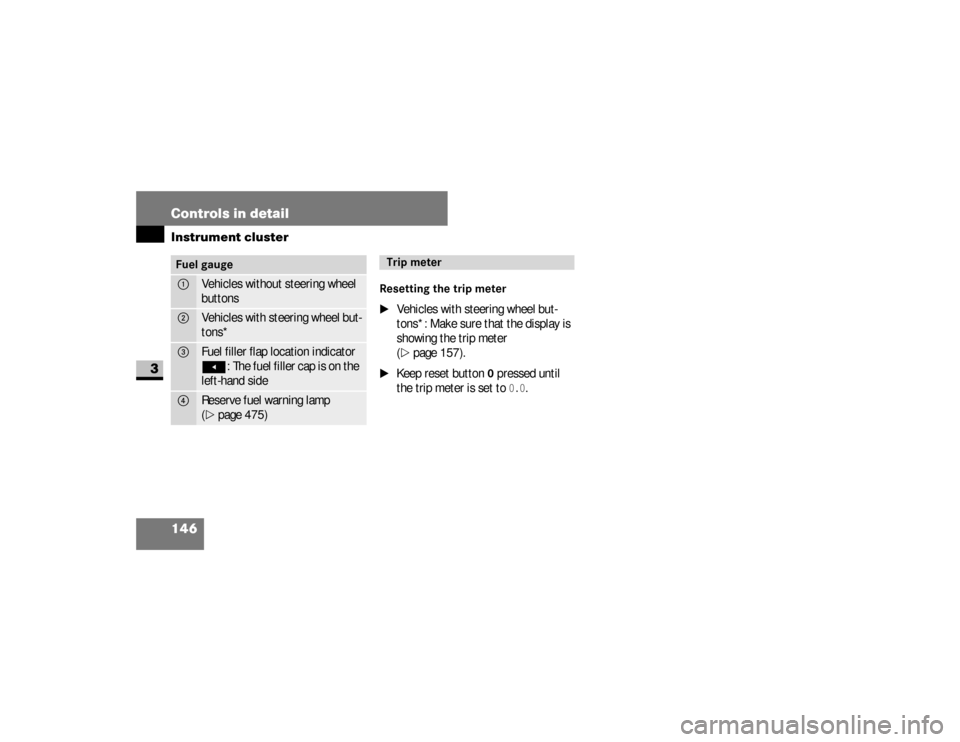
Fuel gauge1
Vehicles without steering wheel
buttons
2
Vehicles with steering wheel but-
tons*
3
Fuel filler flap location indicatorÖ
: The fuel filler cap is on the
left-hand side
4
Reserve fuel warning lamp
(\2
page 475)
Trip meter
nf_BA.book Page 146 Friday, January 25, 2008 3:53 PM
Page 149 of 666
147 Controls in detail
Operating system without steering wheel buttons
3
\3 Operating system without steering wheel buttonsThe operating system is activated as
soon as you switch on the ignition. You
may perform the following using the op-
erating system:\4
Call up vehicle information
\4
Make settings
You can control the display and the set-
tings in the operating system using the
adjustment buttons on the instrument
cluster.Warning
G
Only use adjustment buttons , ,
or when traffic conditions permit. You
will otherwise be unable to observe road
and traffic conditions and could cause an
accident.
Continued
Warning (Continued)
G
Do not reach through the steering wheel to
press the adjustment buttons. This will
make the steering wheel much more diffi-
cult to control. Your attention will also be di-
verted from the road and traffic conditions.
This could cause you to lose control of the
vehicle and could lead to an accident.Do not rest your head or chest on the
steering wheel or dashboard when oper-
ating the adjustment buttons.
Continued
Warning (Continued)
G
See the safety precautions for airbags
(\2page 46).The operating system shows the informa-
tion in the display.
nf_BA.book Page 147 Friday, January 25, 2008 3:53 PM
Page 150 of 666
148 Controls in detailOperating system without steering wheel buttons
3
Changing the standard display
\1
Switch on the ignition (
\2
page 111).
\1
Press and hold the menu button
for more than 1 second.
The information shown in the display
changes from the outside tempera-
ture to the digital speedometer.
Outside temperature display*
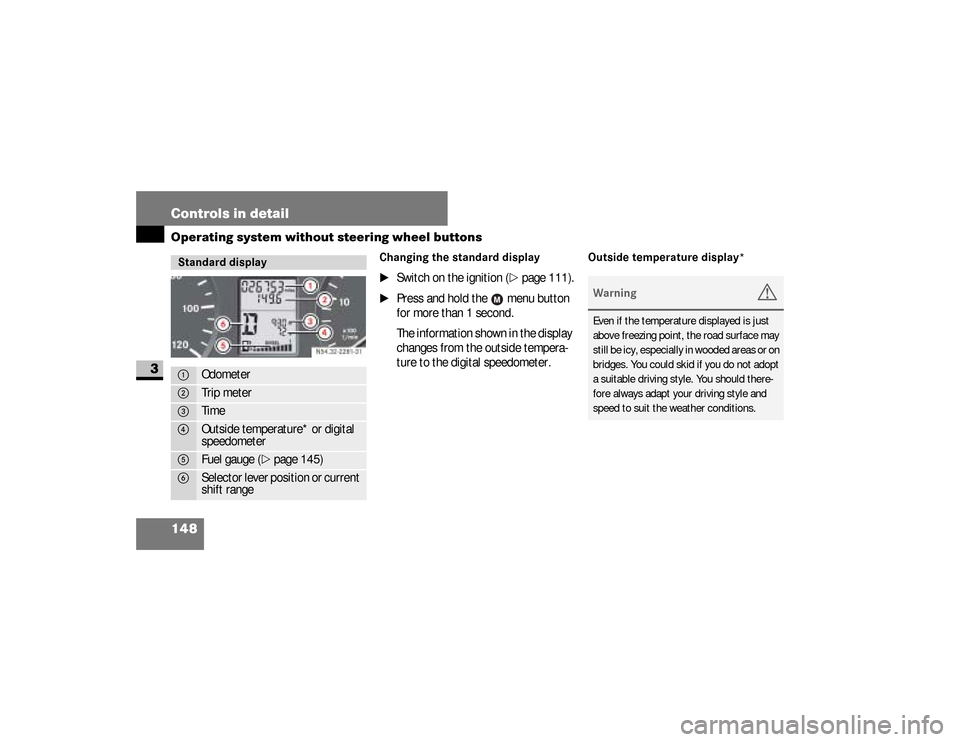
Standard display1
Odometer
2
Trip meter
3
Time
4
Outside temperature* or digital
speedometer
5
Fuel gauge (
\2
page 145)
6
Selector lever position or current
shift rangeN54.32-2281-31
Warning
G
Even if the temperature displayed is just
above freezing point, the road surface may
still be icy, especially in wooded areas or on
bridges. You could skid if you do not adopt
a suitable driving style. You should there-
fore always adapt your driving style and
speed to suit the weather conditions.
nf_BA.book Page 148 Friday, January 25, 2008 3:53 PM
Page 153 of 666
151 Controls in detail
Operating system with steering wheel buttons*
3
\3 Operating system with steering wheel buttons*The operating system is activated as
soon as you switch on the ignition. You
may perform the following using the op-
erating system:\4
Call up vehicle information
\4
Make settings
You can use this not only to find out
when the next service is due, but also to
set the language for messages in the in-
strument cluster, for example, and much
more.
The operating system shows the infor-
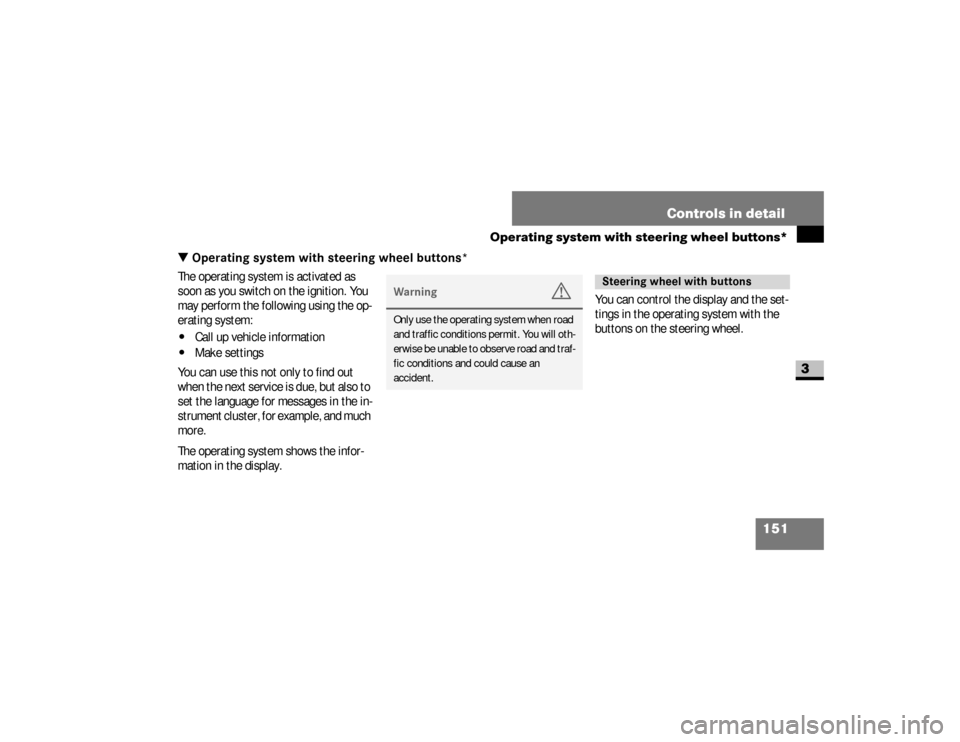
mation in the display.You can control the display and the set-
tings in the operating system with the
buttons on the steering wheel.
Warning
G
Only use the operating system when road
and traffic conditions permit. You will oth-
erwise be unable to observe road and traf-
fic conditions and could cause an
accident.
Steering wheel with buttons
nf_BA.book Page 151 Friday, January 25, 2008 3:53 PM
Page 162 of 666
160 Controls in detailOperating system with steering wheel buttons*
3
The Malfunction memory menu displays
malfunctions that may have occurred.
The message in the display depends on
whether malfunctions have occurred or
not.
\1
Press the
è
or
ÿ
button re-
peatedly until you see the corre-
sponding malfunction from the
malfunction memory in the display.
No malfunctionsThe
No malfunctions
message appears
if no malfunctions have occurred.
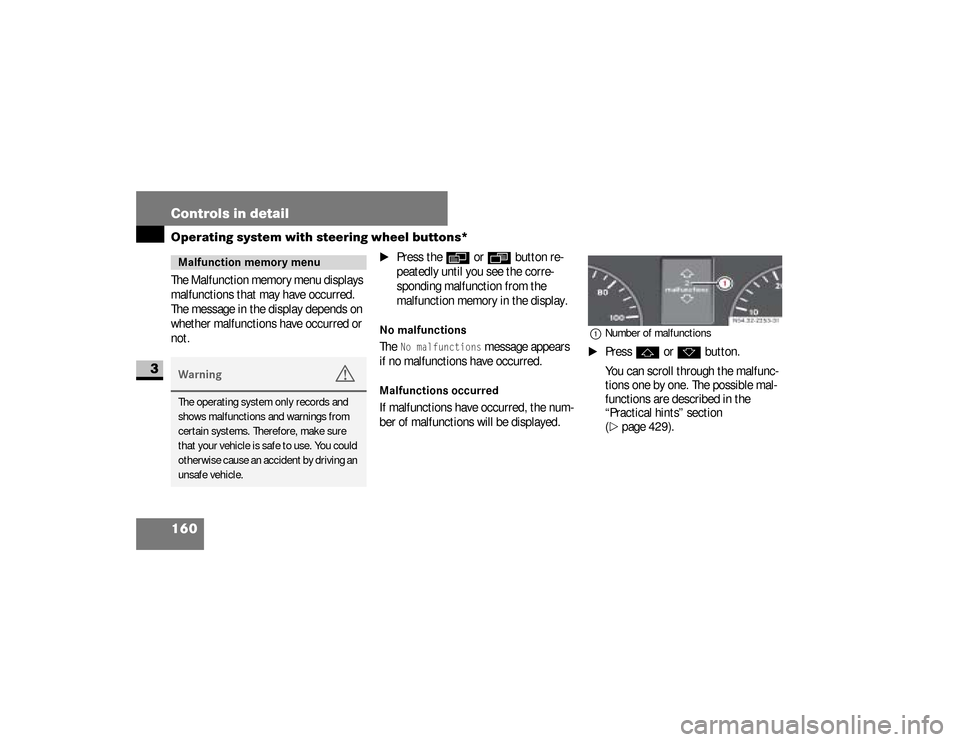
Malfunctions occurredIf malfunctions have occurred, the num-
ber of malfunctions will be displayed.
1Number of malfunctions\1
Press
j
or
k
button.
You can scroll through the malfunc-
tions one by one. The possible mal-
functions are described in the
“Practical hints” section
(
\2
page 429).
Malfunction memory menuWarning
G
The operating system only records and
shows malfunctions and warnings from
certain systems. Therefore, make sure
that your vehicle is safe to use. You could
otherwise cause an accident by driving an
unsafe vehicle.
nf_BA.book Page 160 Friday, January 25, 2008 3:53 PM
Page 180 of 666
178 Controls in detailOperating system with steering wheel buttons*
3
Resetting the consumption statistics
\1
Press the
è
or
ÿ
button re-
peatedly until you see the
After start
message in the display.
\1
Press the
j
or
k
button re-
peatedly until you see the statistics
that you want to reset in the display.
\1
Press and hold the reset button
until the values are reset to 0.You can operate your cell phone using
the functions in the
TEL
menu, provided
it is connected to the manufacturer’s
hands-free system*.
iThe consumption statistics after
start are automatically reset after
999 hours or 9,999 miles (kilome-
ters).
The consumption statistics after re-
set are automatically reset after
9,999 hours or 99,999 miles (kilome-
ters).
Telephone menu
*
Warning
G
You must observe the legal requirements
for the country in which you are driving
when operating a cell phone in the vehi-
cle.
Continued
nf_BA.book Page 178 Friday, January 25, 2008 3:53 PM
Page 181 of 666
179 Controls in detail
Operating system with steering wheel buttons*
3
\1
Switch on the cell phone and audio
system.
See the separate operating instruc-
tions.
\1
Press the
è
or
ÿ
button re-
peatedly until you see the
TEL
menu
in the display.
You will see different messages in
the display, depending on the status
of your cell phone:
\4
If the cell phone is switched off,
you will see the
TEL off
message
(Sound 20) .
\4
If you have not yet entered a PIN,
you will see the
TEL PIN
message
(Sound 20) .
\1
Enter the PIN code using the cell
phone, audio system.
The cell phone searches for a network. The
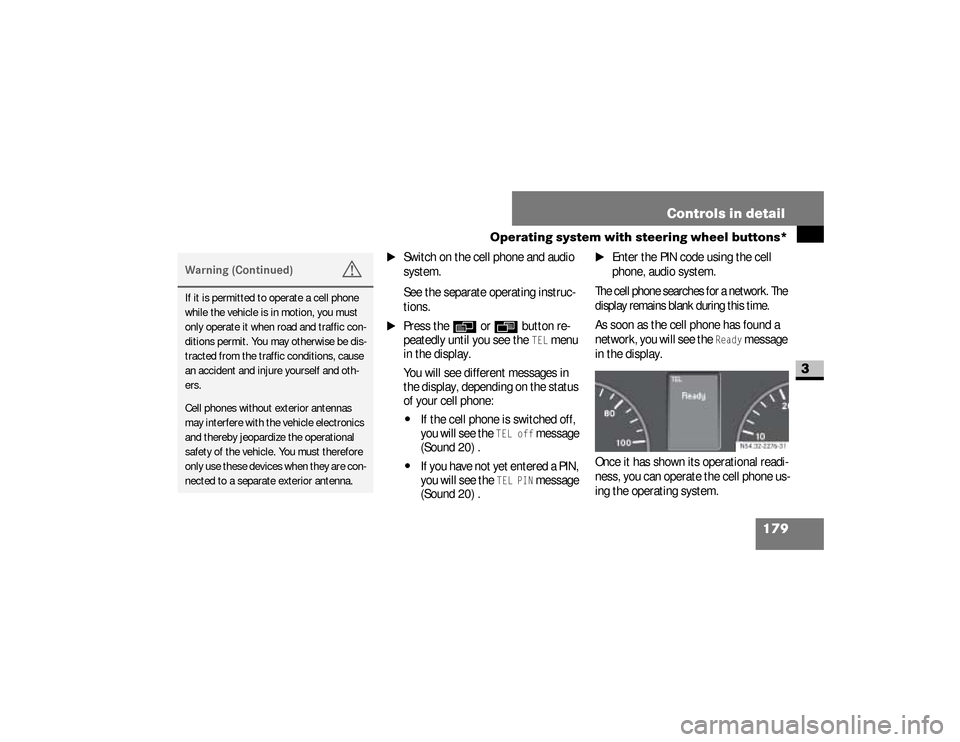
display remains blank during this time.As soon as the cell phone has found a
network, you will see the
Ready
message
in the display.
Once it has shown its operational readi-
ness, you can operate the cell phone us-
ing the operating system.
Warning (Continued)
G
If it is permitted to operate a cell phone
while the vehicle is in motion, you must
only operate it when road and traffic con-
ditions permit. You may otherwise be dis-
tracted from the traffic conditions, cause
an accident and injure yourself and oth-
ers.Cell phones without exterior antennas
may interfere with the vehicle electronics
and thereby jeopardize the operational
safety of the vehicle. You must therefore
only use these devices when they are con-
nected to a separate exterior antenna.
N54.32-2276-31
nf_BA.book Page 179 Friday, January 25, 2008 3:53 PM
Page 185 of 666
183 Controls in detail
Driving and parking
3
\3 Driving and parking
\1
Before each journey, check the vehi-
cle lighting and the general condition
of the vehicle.
\1
Observe the general driving tips at
the end of this section (
\2
page 194).
Warning
G
The movement of the pedals must not be
obstructed. The vehicle’s operating and
road safety are otherwise jeopardized.Objects could fall and get caught between
the pedals if you accelerate or brake sud-
denly. You will no longer be able to brake
or accelerate. You could cause an acci-
dent, which could result in injury to your-
self and others.
Continued
Warning (Continued)
G
If floor mats and carpets are used, make
sure that these are secured correctly and
cannot slip and that there is sufficient
pedal clearance.Do not place any objects in the driver’s
footwell.Store and secure all loose objects so they
cannot get into the driver’s footwell while
the vehicle is in motion.
Warning
G
The doors could open of their own accord
while the vehicle is in motion if they are
not fully closed. For this reason, please
make sure that all the doors are properly
closed and locked before driving off
(\2page 83).
nf_BA.book Page 183 Friday, January 25, 2008 3:53 PM