steering wheel DODGE SPRINTER 2008 2.G Owner's Manual
[x] Cancel search | Manufacturer: DODGE, Model Year: 2008, Model line: SPRINTER, Model: DODGE SPRINTER 2008 2.GPages: 666, PDF Size: 14.11 MB
Page 129 of 666
127 Controls in detail
Steering wheel adjustment
3
\3 Steering wheel adjustment
The lever for adjusting the steering col-
umn is under the steering wheel.
Warning
G
Only adjust the steering wheel when the
vehicle is stationary. Only drive with the
steering wheel locked in position.
An incorrectly secured steering wheel
could make it more difficult to steer the
vehicle safely, since the height and fore-
and-aft adjustment could move out of po-
sition when the steering wheel is turned.
You could lose control of the vehicle as a
result, cause an accident and injure your-
self and others.
Warning
G
Never leave children unsupervised in the
vehicle. They could become trapped if
they try to adjust the steering column.
nf_BA.book Page 127 Friday, January 25, 2008 3:53 PM
Page 130 of 666
128 Controls in detailSteering wheel adjustment
3
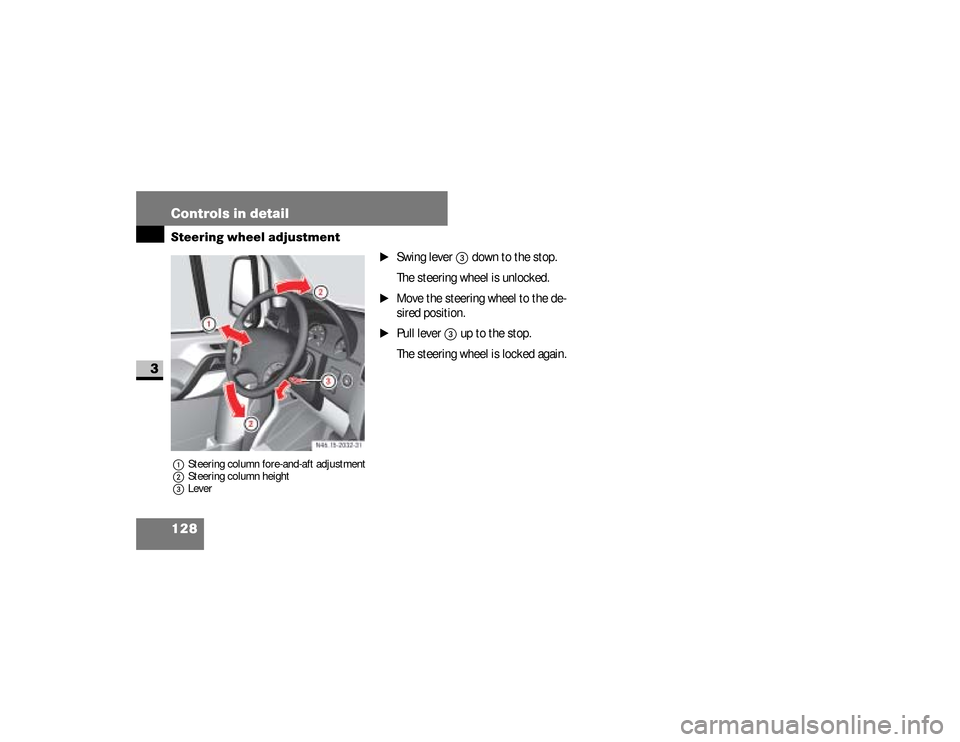
1Steering column fore-and-aft adjustment
2Steering column height
3Lever
\1
Swing lever
3
down to the stop.
The steering wheel is unlocked.
\1
Move the steering wheel to the de-
sired position.
\1
Pull lever
3
up to the stop.
The steering wheel is locked again.
N46.15-2032-31
nf_BA.book Page 128 Friday, January 25, 2008 3:53 PM
Page 132 of 666
130 Controls in detailLighting
3
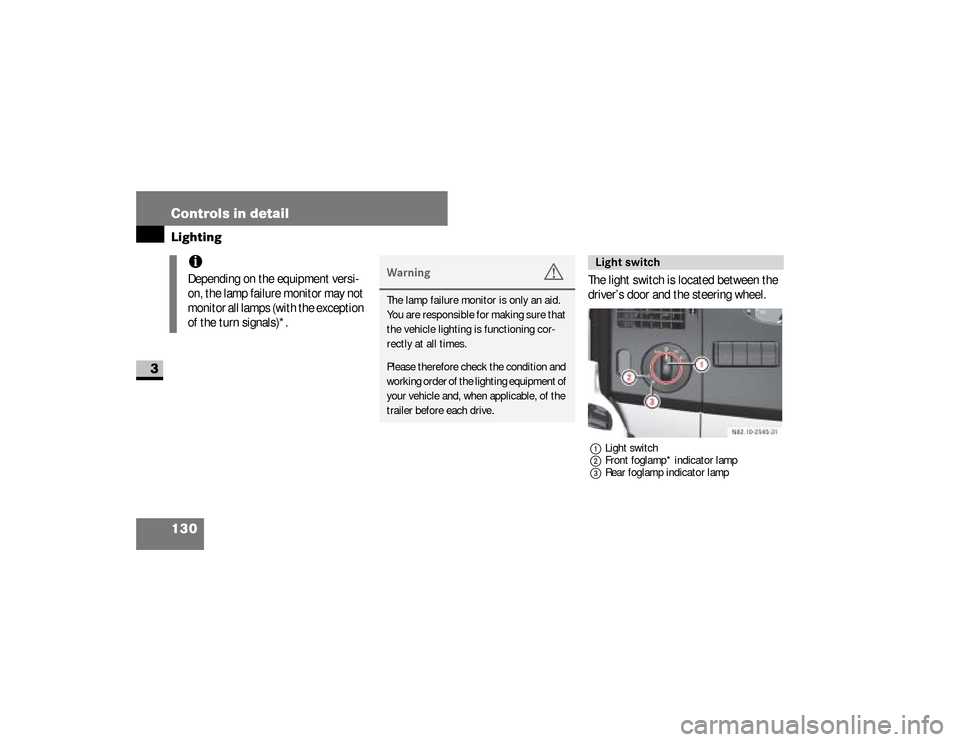
The light switch is located between the
driver’s door and the steering wheel.1Light switch
2Front foglamp* indicator lamp
3Rear foglamp indicator lamp
iDepending on the equipment versi-
on, the lamp failure monitor may not
monitor all lamps (with the exception
of the turn signals)*.
Warning
G
The lamp failure monitor is only an aid.
You are responsible for making sure that
the vehicle lighting is functioning cor-
rectly at all times.Please therefore check the condition and
working order of the lighting equipment of
your vehicle and, when applicable, of the
trailer before each drive.
Light switch
nf_BA.book Page 130 Friday, January 25, 2008 3:53 PM
Page 133 of 666
131 Controls in detail
Lighting
3
Switching on the low-beam head-
lamps
\1
Turn light switch to
B
.
The
B
indicator lamp in the in-
strument cluster lights up.
Switching on the high-beam head-
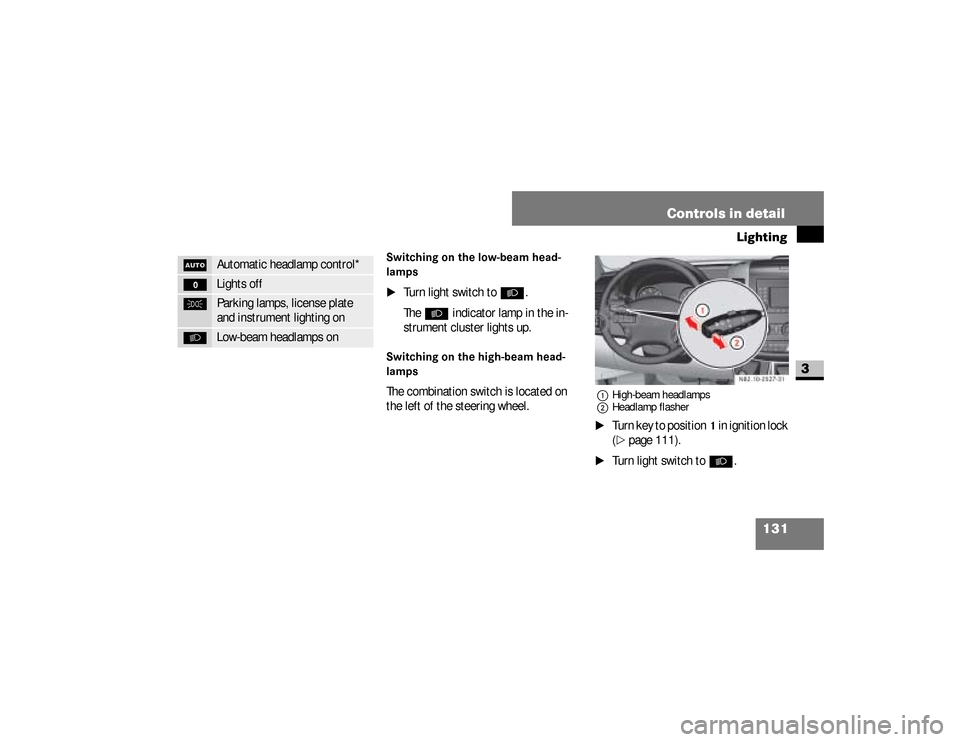
lampsThe combination switch is located on
the left of the steering wheel.
1High-beam headlamps
2Headlamp flasher\1
Turn key to position
1 in ignition lock
(
\2
page 111).
\1
Turn light switch to
B
.
U
Automatic headlamp control*
M
Lights off
C
Parking lamps, license plate
and instrument lighting on
B
Low-beam headlamps on
N82.10-2527-31
nf_BA.book Page 131 Friday, January 25, 2008 3:53 PM
Page 134 of 666
132 Controls in detailLighting
3
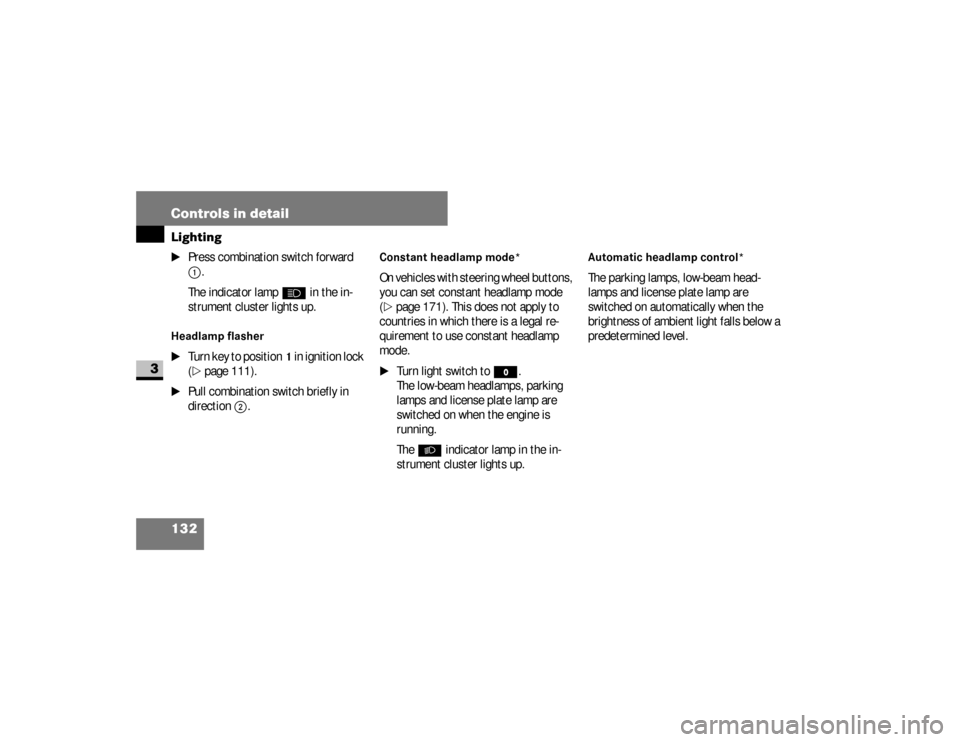
\1
Press combination switch forward 1
.
The indicator lamp
A
in the in-
strument cluster lights up.
Headlamp flasher
\1
Turn key to position
1 in ignition lock
(
\2
page 111).
\1
Pull combination switch briefly in
direction
2
.
Constant headlamp mode*On vehicles with steering wheel buttons,
you can set constant headlamp mode
(\2
page 171). This does not apply to
countries in which there is a legal re-
quirement to use constant headlamp
mode.
\1
Turn light switch to
M
.
The low-beam headlamps, parking
lamps and license plate lamp are
switched on when the engine is
running.
The
B
indicator lamp in the in-
strument cluster lights up.
Automatic headlamp control*The parking lamps, low-beam head-
lamps and license plate lamp are
switched on automatically when the
brightness of ambient light falls below a
predetermined level.
nf_BA.book Page 132 Friday, January 25, 2008 3:53 PM
Page 136 of 666
134 Controls in detailLighting
3
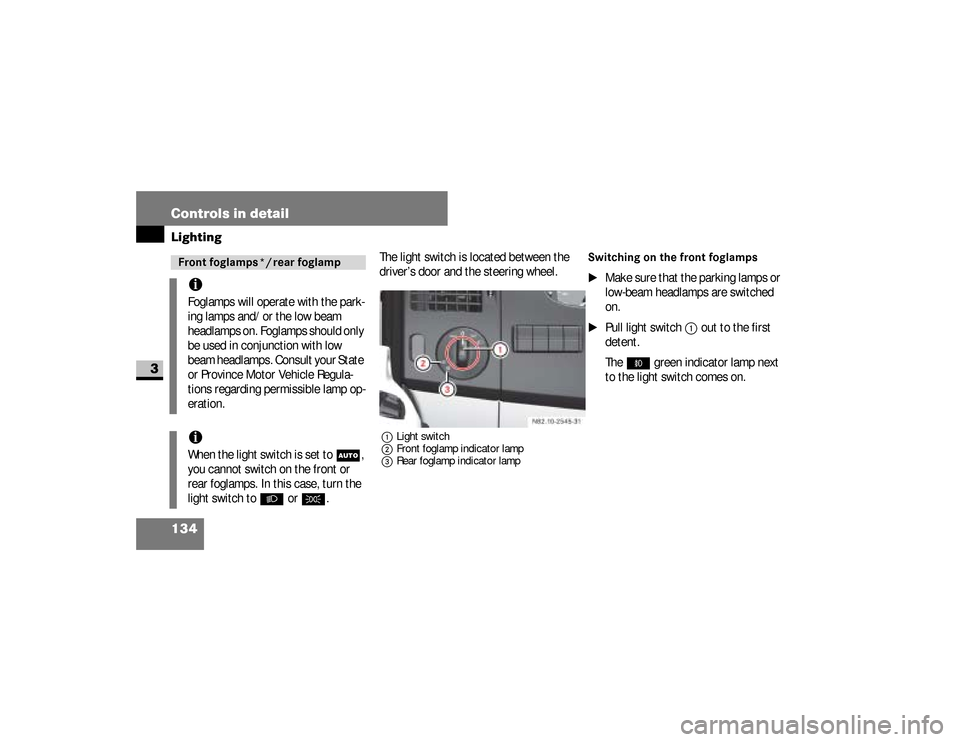
The light switch is located between the
driver’s door and the steering wheel.1Light switch
2Front foglamp indicator lamp
3Rear foglamp indicator lamp
Switching on the front foglamps
\1
Make sure that the parking lamps or
low-beam headlamps are switched
on.
\1
Pull light switch
1
out to the first
detent.
The
‡
green indicator lamp next
to the light switch comes on.
Front foglamps */ rear foglampiFoglamps will operate with the park-
ing lamps and/or the low beam
headlamps on. Foglamps should only
be used in conjunction with low
beam headlamps. Consult your State
or Province Motor Vehicle Regula-
tions regarding permissible lamp op-
eration.iWhen the light switch is set to
U
,
you cannot switch on the front or
rear foglamps. In this case, turn the
light switch to
B
or
C
.
nf_BA.book Page 134 Friday, January 25, 2008 3:53 PM
Page 137 of 666
135 Controls in detail
Lighting
3
Switching on the rear foglamp
\1
Make sure that the parking lamps or
low-beam headlamps are switched
on.
\1
Pull light switch
1
out to the second
detent.
The
†
yellow indicator lamp next
to the light switch comes on.
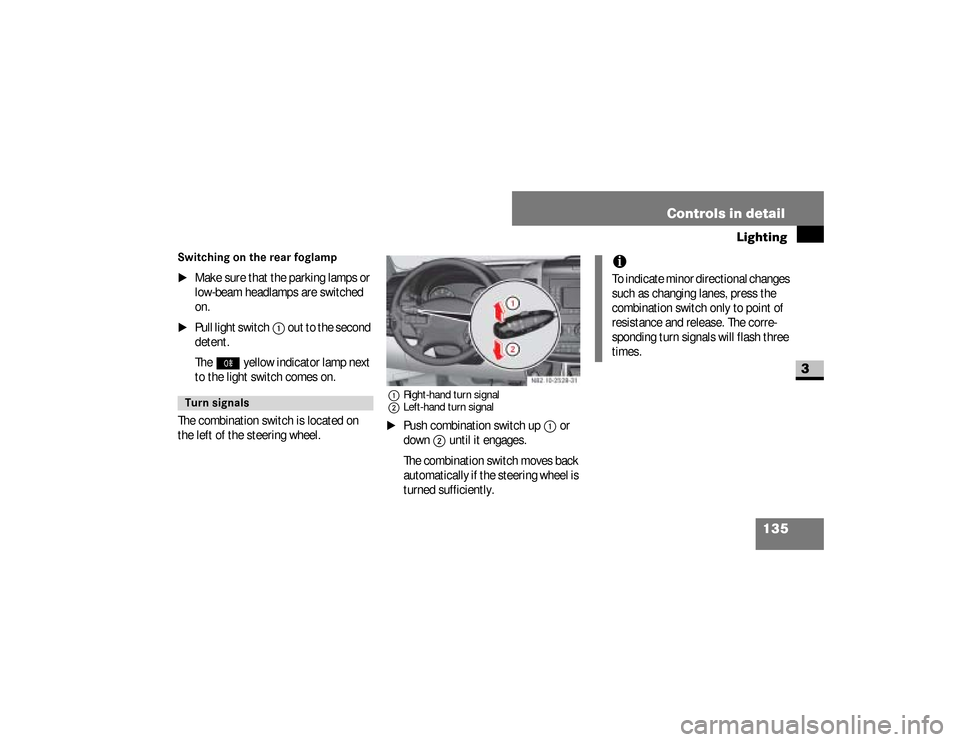
The combination switch is located on
the left of the steering wheel.
1Right-hand turn signal
2Left-hand turn signal\1
Push combination switch up
1
or
down
2
until it engages.
The combination switch moves back
automatically if the steering wheel is
turned sufficiently.
Turn signals
N82.10-2528-31
iTo indicate minor directional changes
such as changing lanes, press the
combination switch only to point of
resistance and release. The corre-
sponding turn signals will flash three
times.
nf_BA.book Page 135 Friday, January 25, 2008 3:53 PM
Page 141 of 666
139 Controls in detail
Lighting
3
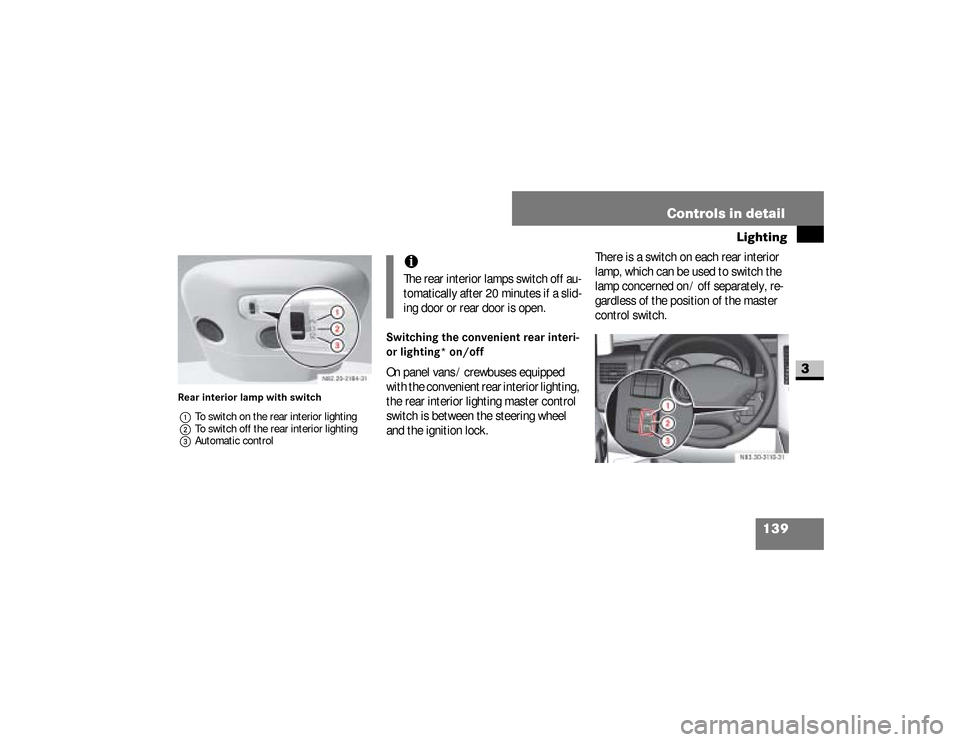
Rear interior lamp with switch
1To switch on the rear interior lighting
2To switch off the rear interior lighting
3Automatic control
Switching the convenient rear interi-
or lighting* on/offOn panel vans / crewbuses equipped
with the convenient rear interior lighting,
the rear interior lighting master control
switch is between the steering wheel
and the ignition lock.There is a switch on each rear interior
lamp, which can be used to switch the
lamp concerned on / off separately, re-
gardless of the position of the master
control switch.
iThe rear interior lamps switch off au-
tomatically after 20 minutes if a slid-
ing door or rear door is open.
N83.30-3110-31
nf_BA.book Page 139 Friday, January 25, 2008 3:53 PM
Page 144 of 666
142 Controls in detailInstrument cluster
3
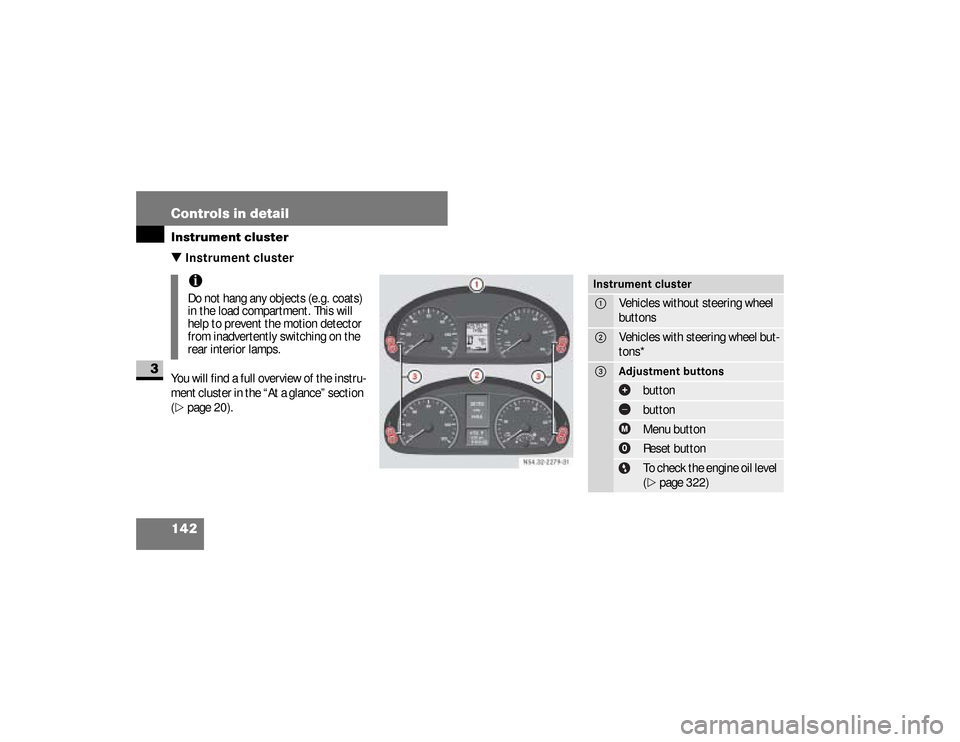
\3 Instrument clusterYou will find a full overview of the instru-
ment cluster in the “At a glance” section
(\2
page 20).iDo not hang any objects (e.g. coats)
in the load compartment. This will
help to prevent the motion detector
from inadvertently switching on the
rear interior lamps.
N54.32-2279-31
Instrument cluster1
Vehicles without steering wheel
buttons
2
Vehicles with steering wheel but-
tons*
3
Adjustment buttons
button buttonMenu buttonReset buttonTo check the engine oil level
(\2
page 322)
nf_BA.book Page 142 Friday, January 25, 2008 3:53 PM
Page 146 of 666
144 Controls in detailInstrument cluster
3
With the lights switched on, you can ad-
just the brightness of the instrument
lighting using the and buttons.\1
Brighter: press the button.
\1
Dimmer: press the button.
Warning (Continued)
G
Only use adjustment buttons , , ,
or when traffic conditions permit.
You will otherwise be unable to observe
road and traffic conditions and could
cause an accident.Do not reach through the steering wheel
to press the adjustment buttons. This will
make the steering wheel much more diffi-
cult to control. Your attention will also be
diverted from the road and traffic condi-
tions. This could cause you to lose control
of the vehicle and could lead to an acci-
dent.
Continued
Warning (Continued)
G
Do not rest your head or chest on the
steering wheel or dashboard when operat-
ing the adjustment buttons. See the safe-
ty precautions for airbags (\2page 46).
Instrument lightingiVehicles with automatic headlamp
mode*:
The instrument lighting also adjusts
in line with the automatic headlamp
mode.
nf_BA.book Page 144 Friday, January 25, 2008 3:53 PM