warning light DODGE SPRINTER 2008 2.G Owner's Manual
[x] Cancel search | Manufacturer: DODGE, Model Year: 2008, Model line: SPRINTER, Model: DODGE SPRINTER 2008 2.GPages: 666, PDF Size: 14.11 MB
Page 257 of 666
255 Controls in detail
Driving systems
3
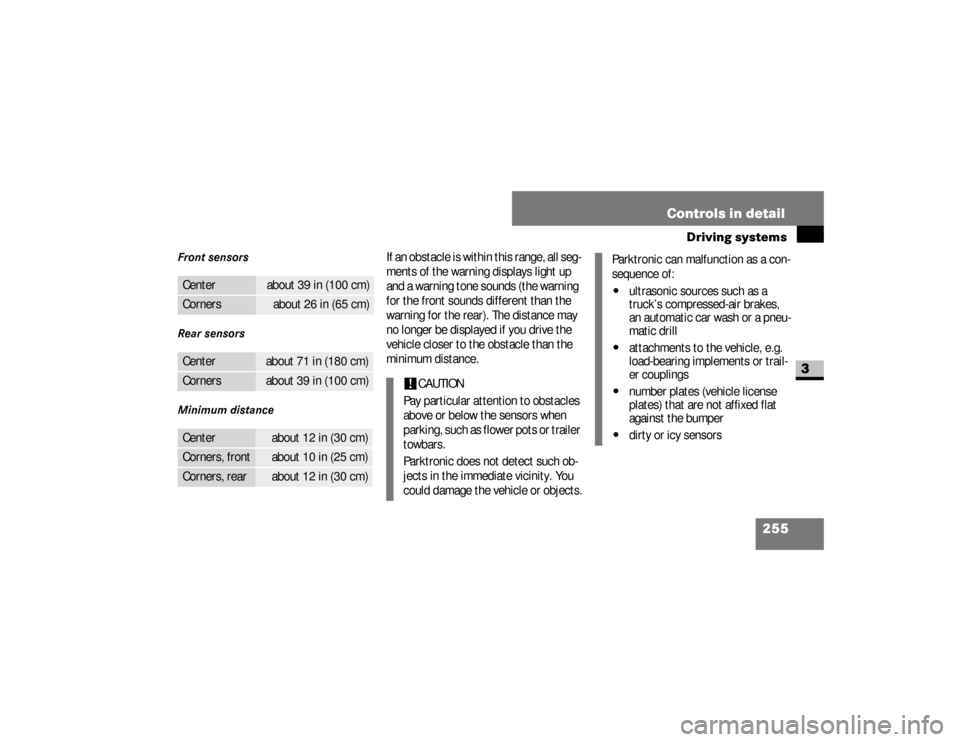
Front sensors
Rear sensors
Minimum distance
If an obstacle is within this range, all seg-
ments of the warning displays light up
and a warning tone sounds (the warning
for the front sounds different than the
warning for the rear). The distance may
no longer be displayed if you drive the
vehicle closer to the obstacle than the
minimum distance.
Center
about 39 in (100 cm)
Corners
about 26 in (65 cm)
Center
about 71 in (180 cm)
Corners
about 39 in (100 cm)
Center
about 12 in (30 cm)
Corners, front
about 10 in (25 cm)
Corners, rear
about 12 in (30 cm)
!
CAUTION
Pay particular attention to obstacles
above or below the sensors when
p a r k i n g , s u c h a s f l o w e r p o t s o r t r a i l e r
towbars.
Parktronic does not detect such ob-
jects in the immediate vicinity. You
could damage the vehicle or objects.
Parktronic can malfunction as a con-
sequence of:\4
ultrasonic sources such as a
truck’s compressed-air brakes,
an automatic car wash or a pneu-
matic drill
\4
attachments to the vehicle, e.g.
load-bearing implements or trail-
er couplings
\4
number plates (vehicle license
plates) that are not affixed flat
against the bumper
\4
dirty or icy sensors
nf_BA.book Page 255 Friday, January 25, 2008 3:53 PM
Page 258 of 666
256 Controls in detailDriving systems
3
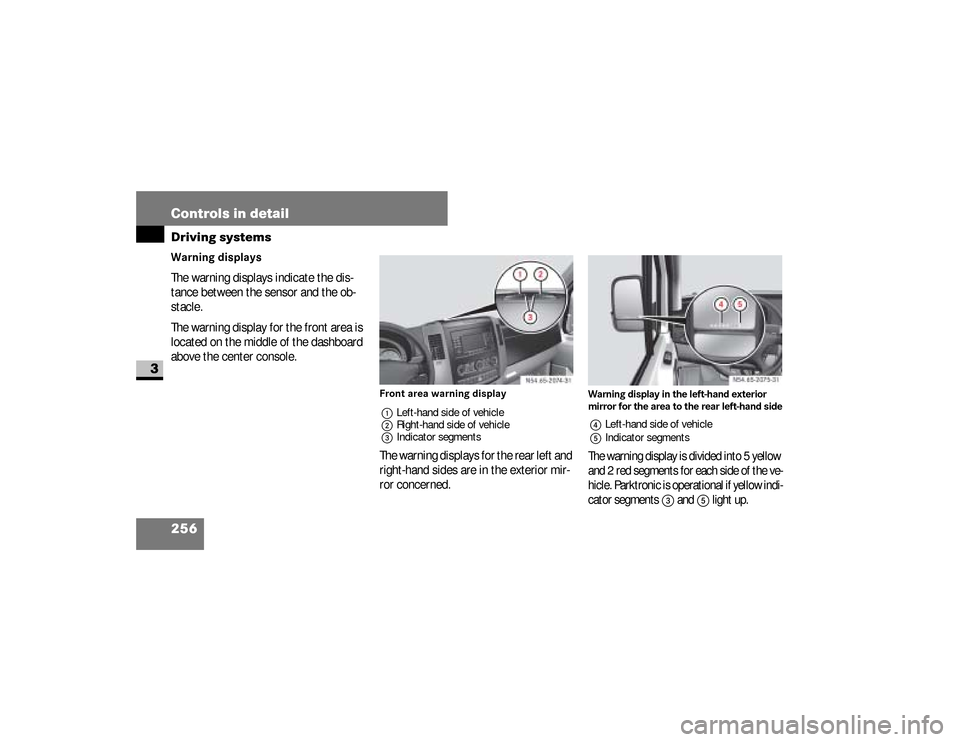
Warning displays
The warning displays indicate the dis-
tance between the sensor and the ob-
stacle.
The warning display for the front area is
located on the middle of the dashboard
above the center console.
Front area warning display
1Left-hand side of vehicle
2Right-hand side of vehicle
3Indicator segmentsThe warning displays for the rear left and
right-hand sides are in the exterior mir-
ror concerned.
Warning display in the left-hand exterior
mirror for the area to the rear left-hand side4Left-hand side of vehicle
5Indicator segmentsThe warning display is divided into 5 yellow
and 2 red segments for each side of the ve-
hicle. Parktronic is operational if yellow indi-
cator segments
3
and
5
light up.
N54.65-2074-31
N54.65-2075-31
nf_BA.book Page 256 Friday, January 25, 2008 3:53 PM
Page 259 of 666
257 Controls in detail
Driving systems
3
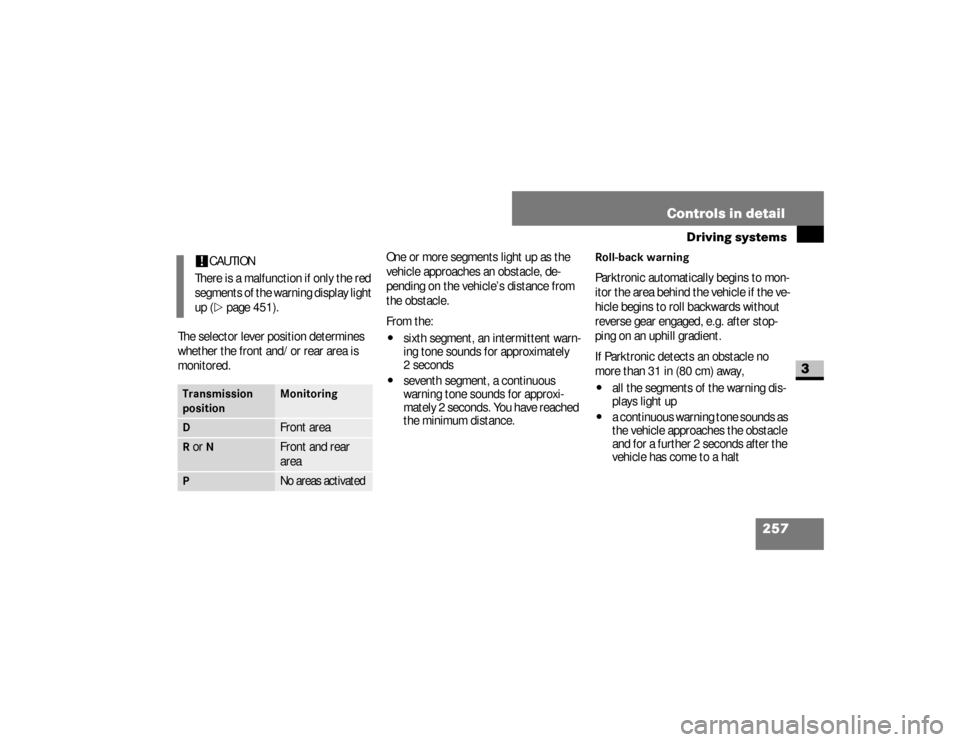
The selector lever position determines
whether the front and/or rear area is
monitored.One or more segments light up as the
vehicle approaches an obstacle, de-
pending on the vehicle’s distance from
the obstacle.
From the:
\4
sixth segment, an intermittent warn-
ing tone sounds for approximately
2seconds
\4
seventh segment, a continuous
warning tone sounds for approxi-
mately 2 seconds. You have reached
the minimum distance.
Roll-back warningParktronic automatically begins to mon-
itor the area behind the vehicle if the ve-
hicle begins to roll backwards without
reverse gear engaged, e.g. after stop-
ping on an uphill gradient.
If Parktronic detects an obstacle no
more than 31 in (80 cm) away,\4
all the segments of the warning dis-
plays light up
\4
a continuous warning tone sounds as
the vehicle approaches the obstacle
and for a further 2 seconds after the
vehicle has come to a halt
!
CAUTION
There is a malfunction if only the red
segments of the warning display light
up (\2
page 451).
Transmission
position
Monitoring
D
Front area
R or
N
Front and rear
area
P
No areas activated
nf_BA.book Page 257 Friday, January 25, 2008 3:53 PM
Page 262 of 666
260 Controls in detailDriving systems
3
Warning (Continued)
G
Failure to pay attention could mean that
you fail to notice persons or objects and,
by continuing to drive, cause injury to per-
sons or damage to objects and your vehic-
le. The manufacturer recommends that
you also use the Parktronic system* when
parking your vehicle.Warning
G
Make sure that there are no persons or
animals in or in the vicinity of the area in
which you are maneuvering your vehicle.
They could otherwise be injured.
Warning
G
The rear view camera could function in-
correctly or might not function at all if:\4it is raining or snowing very heavily, or
if there is thick fog\4you have parked your vehicle in a very
poorly lit location\4the camera is exposed to very bright
white light (white stripes could appear
on the monitor display)\4the surrounding area is lit by fluores-
cent light (the monitor display could
start to flicker)
Continued
Warning (Continued)
G
\4the temperature changes suddenly
(e.g., if you drive out of the cold and
into a heated garage in the winter)\4ambient temperatures are very high\4the camera lens is dirty or obstructed\4t h e r e a r o f y o u r v e h i c l e i s d a m a g e d . I n
this case, have the camera’s position
and settings checked at a qualified
specialist workshop which has the ne-
cessary specialist knowledge and
tools to carry out the work required.\4The manufacturer recommends that
you use an authorized Sprinter Dealer
for this purpose.
nf_BA.book Page 260 Friday, January 25, 2008 3:53 PM
Page 273 of 666
271 Controls in detail
Driving systems
3
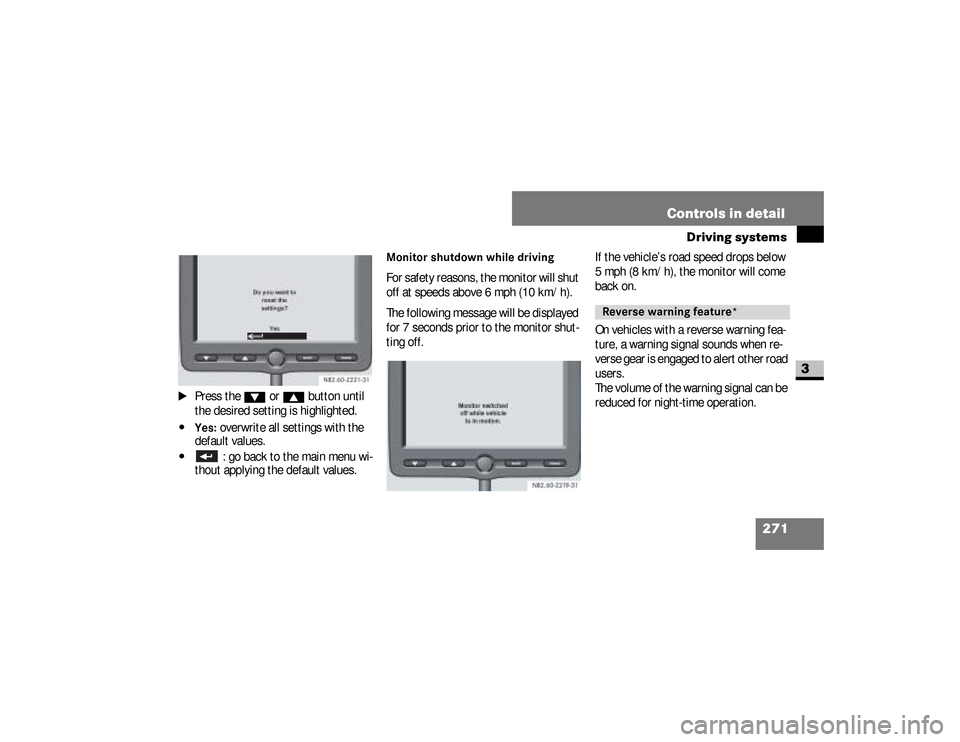
\1
Press the
%
or
$
button until
the desired setting is highlighted.
\4Yes:
overwrite all settings with the
default values.
\4
: go back to the main menu wi-
thout applying the default values.
Monitor shutdown while driving For safety reasons, the monitor will shut
off at speeds above 6 mph (10 km/h).
The following message will be displayed
for 7 seconds prior to the monitor shut-
ting off.If the vehicle’s road speed drops below
5 mph (8 km/h), the monitor will come
back on.
On vehicles with a reverse warning fea-
ture, a warning signal sounds when re-
verse gear is engaged to alert other road
users.
The volume of the warning signal can be
reduced for night-time operation.
Reverse warning feature*
nf_BA.book Page 271 Friday, January 25, 2008 3:53 PM
Page 285 of 666
283 Controls in detail
Transporting
3
Warning
G
If you tension the lashing straps between
the side walls or between a side wall and
the load compartment floor, the permissi-
ble load for the lashing rails, lashing
points or lashing eyes could be exceeded
in the event of strong braking, sudden
changes of direction or an accident.The load would no longer be secured,
which could result in serious injuries
caused by the load slipping.
Continued
Warning (Continued)
G
For this reason, do not tension a lashing
strap between the side walls or between a
side wall and the load compartment floor.
Only locking bars or rods may be installed
between the load rails near the side walls. Observe the operating instructions issued
by the locking bar or locking rod manufac-
turer.
iSecuring loads to the load compart-
ment floor is only recommended for
lightweight loads and should be rein-
forced by using anti-slip mats.Warning
G
Before releasing lashing straps, make
sure that the load is stable and would not
tip over even without being lashed down.
Otherwise, you or others could be injured
by a moving load.
nf_BA.book Page 283 Friday, January 25, 2008 3:53 PM
Page 298 of 666
296 Controls in detailFeatures
3
\1
Switch on the ignition (
\2
page 111).
\1
Press in cigarette lighter
1
.The cigarette lighter will pop out auto-
matically when the heating element is
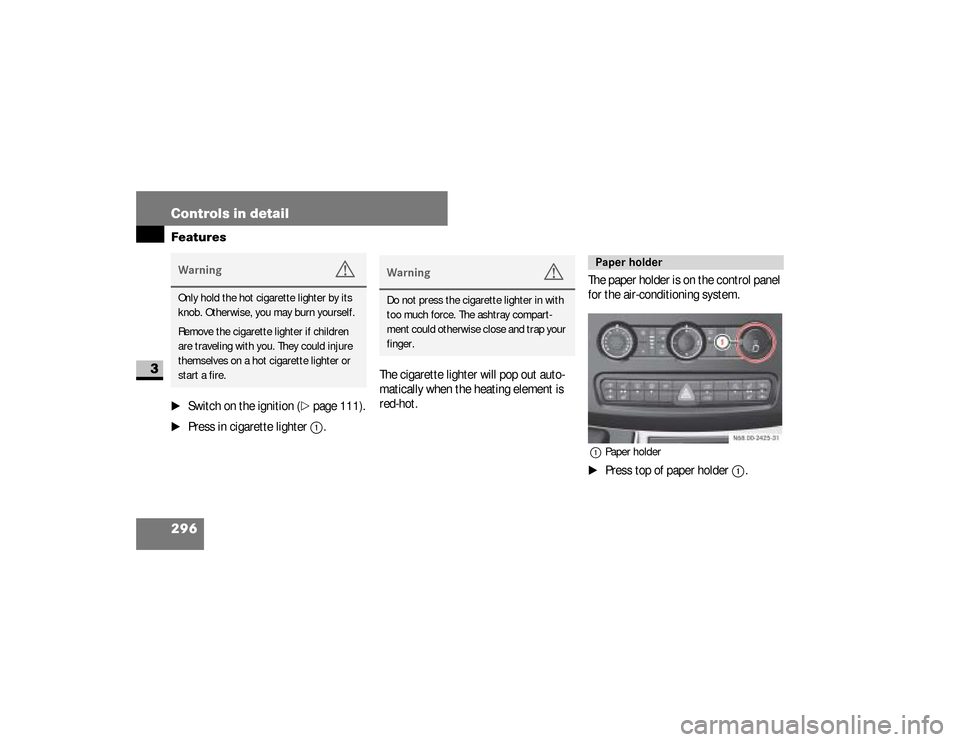
red-hot.The paper holder is on the control panel
for the air-conditioning system.
1Paper holder\1
Press top of paper holder
1
.
Warning
G
Only hold the hot cigarette lighter by its
knob. Otherwise, you may burn yourself.
Remove the cigarette lighter if children
are traveling with you. They could injure
themselves on a hot cigarette lighter or
start a fire.
Warning
G
Do not press the cigarette lighter in with
too much force. The ashtray compart-
ment could otherwise close and trap your
finger.
Paper holder
N68.00-2425-31
nf_BA.book Page 296 Friday, January 25, 2008 3:53 PM
Page 312 of 666
310 OperationDriving tips
4
If possible, do not brake abruptly, but
rather engage the brake slightly at first
to permit the trailer to activate its brake.
Then increase the braking force.Warning
G
Take into consideration that when towing
a trailer, the handling characteristics are
different and less stable from those when
operating the vehicle without a trailer.
It is important to avoid sudden maneu-
vers. Sudden maneuvers may lead to loss
of control over the vehicle-trailer combi-
nation. This could cause an accident re-
sulting in property damage or injury to
you or others.
!
CAUTION
If the transmission hunts between
gears on inclines, manually shift to a
lower gear (select
"4", "3", "2"
or
"1"). A lower gear and reduction
of speed reduces the chance of the
engine overloading and / or over-
heating.
When going down a long hill, shift
into a lower gear and use the en-
gine’s braking effect. Avoid riding the
brakes, thus overheating the vehicle
and trailer brakes.
If the engine coolant rises to an ex-
tremely high temperature (coolant tem-
perature needle approaching the red
zone) when the air conditioner is on,
turn off the air conditioner. Engine cool-
ant heat can be additionally vented by
opening the windows, switching the cli-
mate control fan speed to high and set-
ting the temperature control to the
maximum hot position.
Extreme care must be exercised since
your vehicle with a trailer will require ad-
ditional passing distance ahead than
when driving without a trailer. Because
your vehicle and trailer is longer than
your vehicle alone, you will also need to
go much farther ahead of the passed ve-
hicle before you can return to your lane.
nf_BA.book Page 310 Friday, January 25, 2008 3:53 PM
Page 314 of 666
312 OperationDriving tips
4
You will find information about the
speed limit for your tires under “Tires
and wheels” in this section
(\2
page 383).
Check regularly, e.g. weekly or when re-
fueling:
\4
the vehicle lighting
\4
the condition of the tires
(\2
page 346) and the tire pressures
(
\2
page 361)
\4
the engine oil level (
\2
page 322)
\4
the brake fluid level (
\2
page 331)
\4
the fluid level in the windshield wash-
er system / headlamp cleaning sys-
tem reservoir (
\2
page 333)
\4
the contamination level of the rear
air-conditioning air cleaner
(\2
page 414)
Your vehicle is equipped with monolith-
ic-type catalytic converters, an impor-
tant element in conjunction with the
oxygen sensors to achieve substantial
control of the pollutants in the exhaust
emissions. Keep your vehicle in proper
operating condition by following our rec-
ommended maintenance instructions as
outlined in your Service Booklet.
Warning
G
Exceeding the permissible maximum
speed can cause tire damage, which
could lead to loss of control of the vehi-
cle.
As the driver, you must find out about the
maximum speed of the vehicle and the re-
sulting permissible maximum speed of
the tires (tire and tire pressure).
Never exceed the speed limit for your
tires under any circumstances
(\2page 383).
Regular checks
Catalytic converter (gasoline engine)
nf_BA.book Page 312 Friday, January 25, 2008 3:53 PM
Page 323 of 666
321 Operation
Engine compartment
4
\1
Lift the hood gently.
\1
Push back support strut
3
(
\2
page 319).
\1
Let the hood drop from a height of
approximately 05. ft (30 cm).
The hood engages audibly.
\1
Check to make sure the hood is fully
closed.
If the hood can be raised slightly, it
is not properly engaged. Open it
again and allow it to drop from a
slightly greater height.
Warning
G
Make sure that the hood is securely en-
gaged before driving off. Do no continue
driving if the hood can no longer engage
after an accident, for example.
The hood could otherwise come loose
while the vehicle is in motion and endan-
ger you and/or others.
!
CAUTION
When you press the support strut
back, make sure that you do not
press it against the detent position
and cause it to bend.
!
CAUTION
Do not use your hands to push the
hood down. Doing so could damage
it.
nf_BA.book Page 321 Friday, January 25, 2008 3:53 PM