warning light DODGE SPRINTER 2008 2.G User Guide
[x] Cancel search | Manufacturer: DODGE, Model Year: 2008, Model line: SPRINTER, Model: DODGE SPRINTER 2008 2.GPages: 666, PDF Size: 14.11 MB
Page 100 of 666
98 Controls in detailOpening and closing
3
\1
Make sure that the doors are closed.
\1
Switch on the ignition (
\2
page 111).
\1
Press and hold the upper part of
relevant switch
1
or
2
on the cen-
ter console for 5 seconds.
The indicator lamp in the switch for
the sliding door concerned flashes
and a warning tone sounds three
times as confirmation.
Anti-trap protectionIf the sliding door is obstructed during
the opening procedure, it moves back in
the opposite direction slightly and stops.If the sliding door is obstructed during
the closing procedure, it opens fully
again.
Resetting the electric sliding door In the event of serious malfunctions or if
you disconnect the battery, you will
need to reset the sliding door.
Warning
G
The anti-trap protection function does not
eliminate the possibility of fingers or other
parts of the body being trapped against
the door frame and therefore does not
eliminate the risk of injury.
Always make sure that nobody is within
the operating range of the sliding door.
iThe anti-trap protection is pro-
grammed to be less sensitive when
you press and hold the switch on the
center console or the switch in the
doorway than when the door opens
of its own accord.
nf_BA.book Page 98 Friday, January 25, 2008 3:53 PM
Page 114 of 666
112 Controls in detailSeats
3
\3 SeatsDriver’s and passenger’s seatsWarning
G
Only adjust the seats when the vehicle is
stationary and the handbrake is applied.
You could otherwise lose control of the
vehicle as a result of the seat moving and
cause an accident.
Warning
G
Make sure that nobody can become
trapped as the seat is adjusted. Never
place your hands under the seat or near to
moving parts.Your seat must be adjusted in such a way
that you can wear the seat belt correctly
(\2page 39). Observe the following points:\4Position the backrest as vertically as
possible and sit upright.
Continued
Warning (Continued)
G
\4Avoid seat positions that do not allow
the seat belt to be routed correctly.
The shoulder section of the seat belt
must be routed across the middle of
your shoulder and must fit closely
across your chest. The lap section of
the belt must be routed as low as pos-
sible across your pelvic area, i.e.
across your hip joints. Never drive
with the backrest tilted too far back.\4
Your arms should be slightly bent when
you are holding the steering wheel.
Continued
nf_BA.book Page 112 Friday, January 25, 2008 3:53 PM
Page 120 of 666
118 Controls in detailSeats
3
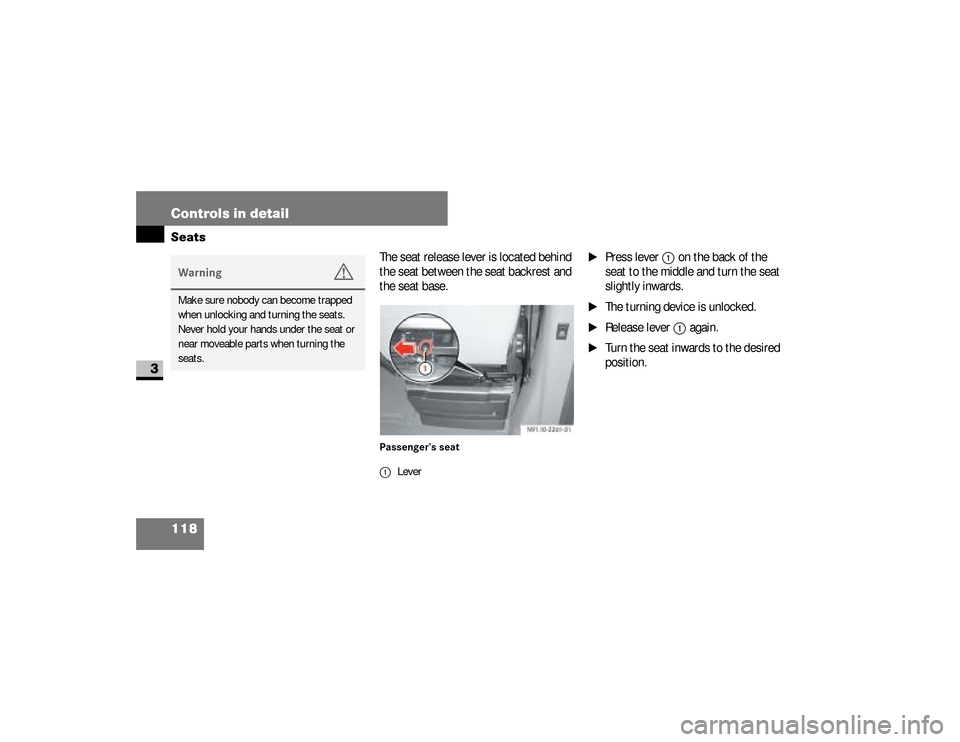
The seat release lever is located behind
the seat between the seat backrest and
the seat base.Passenger’s seat
\1
Press lever
1
on the back of the
seat to the middle and turn the seat
slightly inwards.
\1
The turning device is unlocked.
\1
Release lever
1
again.
\1
Turn the seat inwards to the desired
position.
Warning
G
Make sure nobody can become trapped
when unlocking and turning the seats.
Never hold your hands under the seat or
near moveable parts when turning the
seats.
1Lever
nf_BA.book Page 118 Friday, January 25, 2008 3:53 PM
Page 132 of 666
130 Controls in detailLighting
3
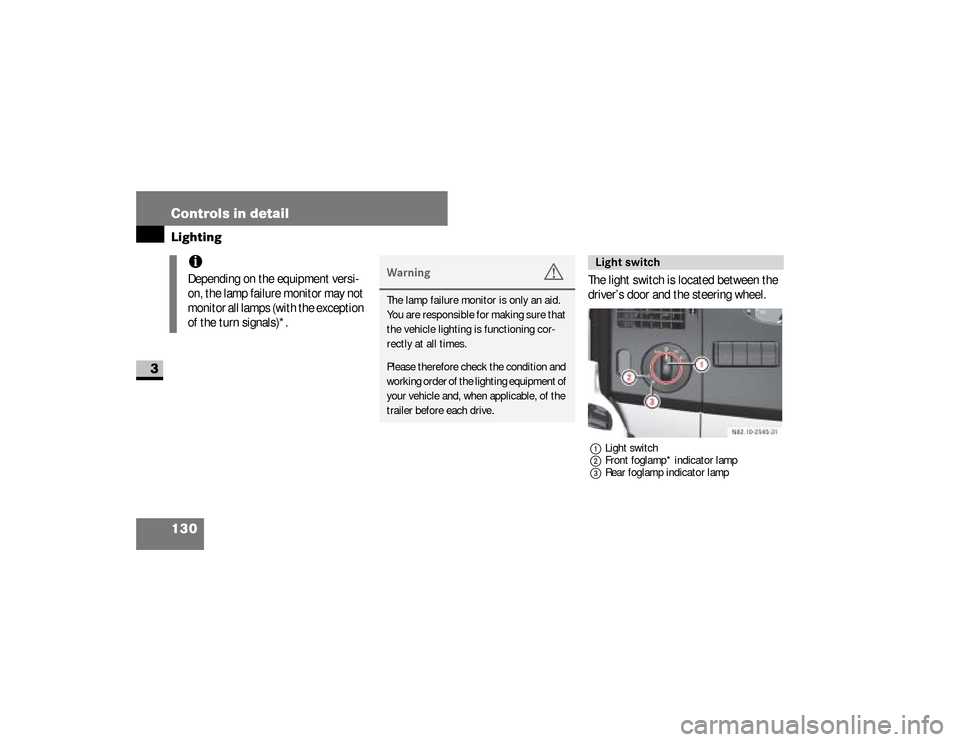
The light switch is located between the
driver’s door and the steering wheel.1Light switch
2Front foglamp* indicator lamp
3Rear foglamp indicator lamp
iDepending on the equipment versi-
on, the lamp failure monitor may not
monitor all lamps (with the exception
of the turn signals)*.
Warning
G
The lamp failure monitor is only an aid.
You are responsible for making sure that
the vehicle lighting is functioning cor-
rectly at all times.Please therefore check the condition and
working order of the lighting equipment of
your vehicle and, when applicable, of the
trailer before each drive.
Light switch
nf_BA.book Page 130 Friday, January 25, 2008 3:53 PM
Page 135 of 666
133 Controls in detail
Lighting
3
\1
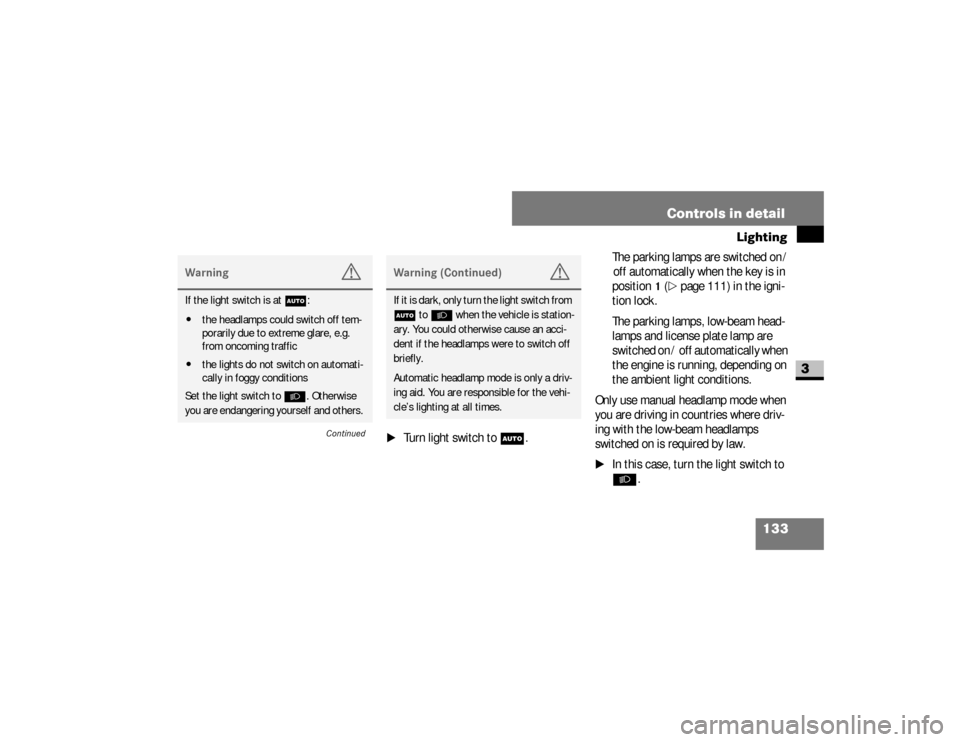
Turn light switch to
U
.The parking lamps are switched on /
off automatically when the key is in
position
1 (\2
page 111) in the igni-
tion lock.
The parking lamps, low-beam head-
lamps and license plate lamp are
switched on / off automatically when
the engine is running, depending on
the ambient light conditions.
Only use manual headlamp mode when
you are driving in countries where driv-
ing with the low-beam headlamps
switched on is required by law.
\1
In this case, turn the light switch to B
.
Warning
G
If the light switch is atU:
\4the headlamps could switch off tem-
porarily due to extreme glare, e.g.
from oncoming traffic
\4the lights do not switch on automati-
cally in foggy conditions
Set the light switch to B. Otherwise
you are endangering yourself and others.
Continued
Warning (Continued)
G
If it is dark, only turn the light switch from
U toB when the vehicle is station-
ary. You could otherwise cause an acci-
dent if the headlamps were to switch off
briefly.
Automatic headlamp mode is only a driv-
ing aid. You are responsible for the vehi-
cle’s lighting at all times.
nf_BA.book Page 133 Friday, January 25, 2008 3:53 PM
Page 138 of 666
136 Controls in detailLighting
3
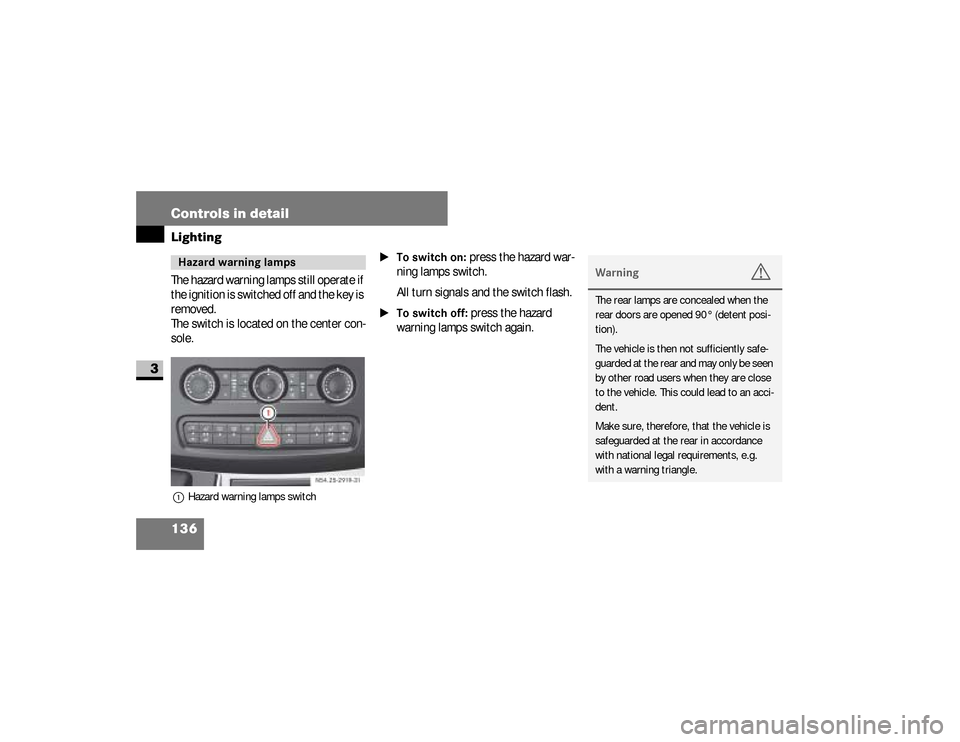
The hazard warning lamps still operate if
the ignition is switched off and the key is
removed.
The switch is located on the center con-
sole.1Hazard warning lamps switch
\1To switch on:
press the hazard war-
ning lamps switch.
All turn signals and the switch flash.
\1To switch off:
press the hazard
warning lamps switch again.
Hazard warning lamps
N54.25-2919-31
Warning
G
The rear lamps are concealed when the
rear doors are opened 90° (detent posi-
tion).
The vehicle is then not sufficiently safe-
guarded at the rear and may only be seen
by other road users when they are close
to the vehicle. This could lead to an acci-
dent.
Make sure, therefore, that the vehicle is
safeguarded at the rear in accordance
with national legal requirements, e.g.
with a warning triangle.
nf_BA.book Page 136 Friday, January 25, 2008 3:53 PM
Page 143 of 666
141 Controls in detail
Lighting
3
Load compartment motion detector*On panel vans equipped with a motion
detector in the load compartment, the
rear interior lighting may also switch on
if motion is detected.
The rear interior lighting can be switched
on by the motion detector with a delay of
no more than 4 seconds if:
\4
the switch on the rear interior lamp
(\2
page 139) is set to “automatic
control”
\4
the vehicle is stationary, the hand-
brake is applied and the service
brake is not applied
or
\4
the selector lever is in position
P and
the service brake is not applied
\4
the vehicle has not been locked from
the outside using the key
Warning
G
Motion detectors work with invisible in-
frared beams emitted by LEDs (Light
Emitting Diodes).
Do not view invisible infrared radiation, la-
ser class 1M, directly using optical instru-
ments.
Your eyes could otherwise be injured.
iIf the motion detector detects move-
ment in the load compartment when
the vehicle is stationary, the rear in-
terior lighting switches on for ap-
proximately 2 minutes. If new
movements are detected, the dura-
tion resumes from the beginning and
the rear interior lighting remains
switched on.
iThe motion detector switches off auto-
matically if no change is detected in the
vehicle for several hours, e.g. door
opened, ignition key turned, etc.This prevents the battery from dis-
charging.
nf_BA.book Page 141 Friday, January 25, 2008 3:53 PM
Page 145 of 666
143 Controls in detail
Instrument cluster
3
The display in the instrument cluster is
activated when you:\4
open the driver’s door
\4
switch on the ignition
\4
press the reset button
\4
switch on the lights
The display switches off automatically
after approximately 30 seconds if:
\4
there is no vehicle lighting switched
on
\4
the key is in position
0 in the ignition
lock
(\2
page 111)
Warning
G
No messages can be displayed if the in-
strument cluster and / or the display is
malfunctioning.You will not then be able to see informa-
tion about the vehicle status, such as
speed and outside temperature, warning
and indicator lamps, malfunction and
warning messages or the malfunction of
systems. Handling characteristics may be
affected.
Continued
Warning (Continued)
G
Contact a qualified specialist workshop
immediately which has the necessary spe-
cialist knowledge and tools to carry out
the work required.The manufacturer recommends that you
use an authorized Sprinter Dealer for this
purpose. In particular, work relevant to
safety or on safety-related systems must
be carried out at a qualified specialist
workshop.
Continued
nf_BA.book Page 143 Friday, January 25, 2008 3:53 PM
Page 146 of 666
144 Controls in detailInstrument cluster
3
With the lights switched on, you can ad-
just the brightness of the instrument
lighting using the and buttons.\1
Brighter: press the button.
\1
Dimmer: press the button.
Warning (Continued)
G
Only use adjustment buttons , , ,
or when traffic conditions permit.
You will otherwise be unable to observe
road and traffic conditions and could
cause an accident.Do not reach through the steering wheel
to press the adjustment buttons. This will
make the steering wheel much more diffi-
cult to control. Your attention will also be
diverted from the road and traffic condi-
tions. This could cause you to lose control
of the vehicle and could lead to an acci-
dent.
Continued
Warning (Continued)
G
Do not rest your head or chest on the
steering wheel or dashboard when operat-
ing the adjustment buttons. See the safe-
ty precautions for airbags (\2page 46).
Instrument lightingiVehicles with automatic headlamp
mode*:
The instrument lighting also adjusts
in line with the automatic headlamp
mode.
nf_BA.book Page 144 Friday, January 25, 2008 3:53 PM
Page 185 of 666
183 Controls in detail
Driving and parking
3
\3 Driving and parking
\1
Before each journey, check the vehi-
cle lighting and the general condition
of the vehicle.
\1
Observe the general driving tips at
the end of this section (
\2
page 194).
Warning
G
The movement of the pedals must not be
obstructed. The vehicle’s operating and
road safety are otherwise jeopardized.Objects could fall and get caught between
the pedals if you accelerate or brake sud-
denly. You will no longer be able to brake
or accelerate. You could cause an acci-
dent, which could result in injury to your-
self and others.
Continued
Warning (Continued)
G
If floor mats and carpets are used, make
sure that these are secured correctly and
cannot slip and that there is sufficient
pedal clearance.Do not place any objects in the driver’s
footwell.Store and secure all loose objects so they
cannot get into the driver’s footwell while
the vehicle is in motion.
Warning
G
The doors could open of their own accord
while the vehicle is in motion if they are
not fully closed. For this reason, please
make sure that all the doors are properly
closed and locked before driving off
(\2page 83).
nf_BA.book Page 183 Friday, January 25, 2008 3:53 PM