ignition DODGE VIPER 2008 ZB II / 2.G Owner's Manual
[x] Cancel search | Manufacturer: DODGE, Model Year: 2008, Model line: VIPER, Model: DODGE VIPER 2008 ZB II / 2.GPages: 303, PDF Size: 2.65 MB
Page 51 of 303
NOTE:Perchlorate Material Ð special handling may
apply. See www.dtsc.ca.gov/hazardouswaste/perchlorate.
Airbag Warning Light
You will want to have the airbags ready for
your protection in a collision. While the airbag
system is designed to be maintenance free, if
any of the following occurs, have an autho-
rized dealer service the system immediately:
²The Airbag Warning light does not come on or flickers
during the 6 to 8 seconds when the ignition switch is
first turned on.
²The light remains on or flickers after the 6 to 8 second
interval.
²The light flickers or comes on and remains on while
driving.
Child Restraint
Everyone in your vehicle needs to be buckled up all the
time Ð babies and children, too. Every state in the United
States and all Canadian provinces require small children
ride in proper restraint systems. This is the law, and you
can be prosecuted for ignoring it.
WARNING!
In a collision, an unrestrained child, even a tiny baby,
can become a missile inside the vehicle. The force
required to hold even an infant on your lap could
become so great that you could not hold the child, no
matter how strong you are. The child and others
could be injured badly. Any child riding in your
vehicle should be in a proper restraint for the child's
size.
50 THINGS TO KNOW BEFORE STARTING YOUR VEHICLE
Page 59 of 303
WARNING!
Exhaust gases can injure or kill. They contain carbon
monoxide (CO) which is colorless and odorless.
Breathing it can make you unconscious and can
eventually poison you. To avoid breathing (CO)
follow the safety tips below.
Safety Checks You Should Make Inside the
Vehicle
Seat Belts
Inspect the belt system periodically, checking for cuts,
frays and loose parts. Damaged parts must be replaced
immediately. Do not disassemble or modify the system.Seat belt assemblies must be replaced after an accident if
they have been damaged (bent retractor, torn webbing,
etc.). If there is any question regarding belt or retractor
condition, replace the belt.
Airbag Warning Light
The light should come on and remain on for 6 to 8
seconds as a bulb check when the ignition switch is first
turned ON. If the light does not come on or flickers
during or after the 6 to 8 seconds, or flickers or comes on
while driving have the system checked by an authorized
dealer.
Defrosters
Check operation by selecting the defrost mode and place
the blower control on high speed. You should be able to
feel the air directed against the windshield.
58 THINGS TO KNOW BEFORE STARTING YOUR VEHICLE
Page 82 of 303
LIGHTS
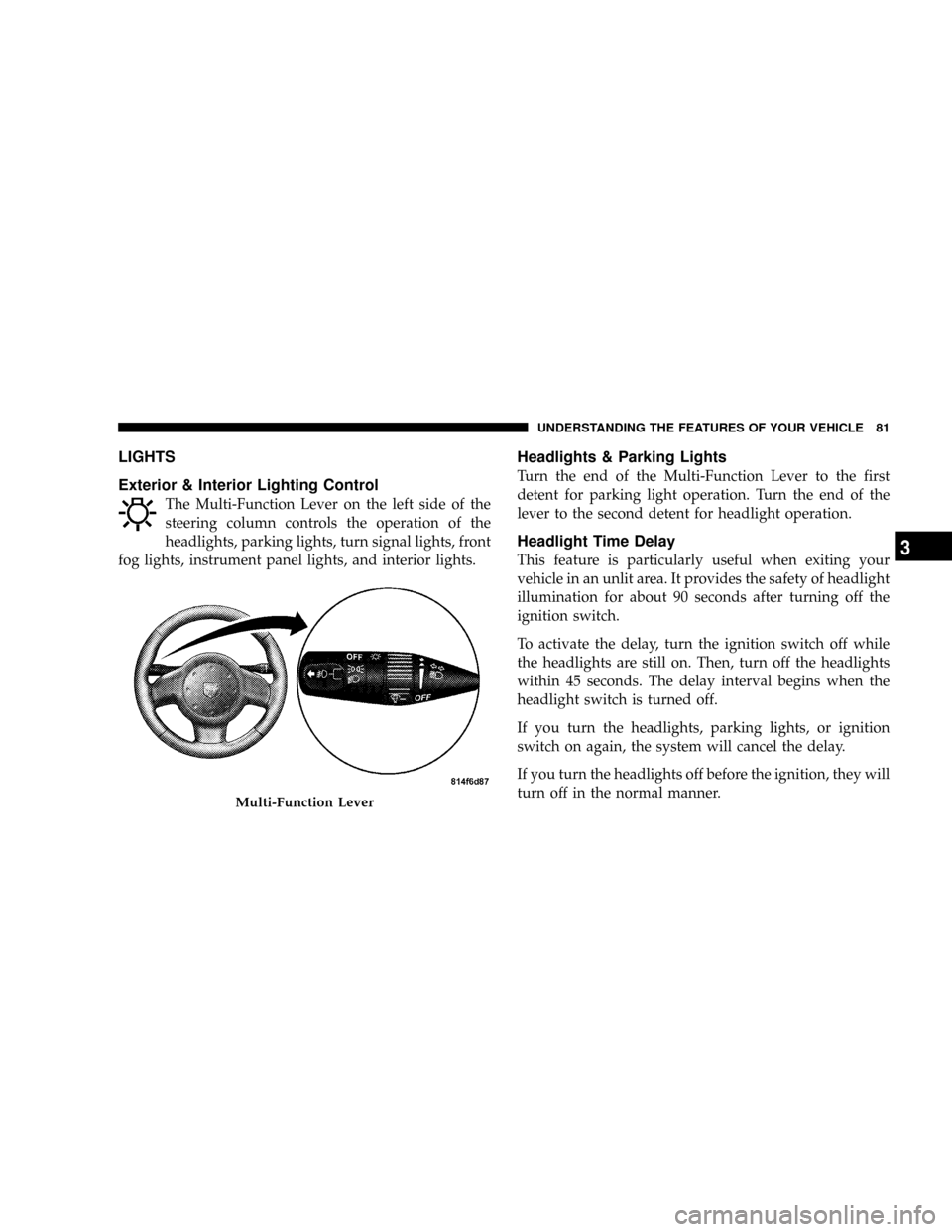
Exterior & Interior Lighting Control
The Multi-Function Lever on the left side of the
steering column controls the operation of the
headlights, parking lights, turn signal lights, front
fog lights, instrument panel lights, and interior lights.
Headlights & Parking Lights
Turn the end of the Multi-Function Lever to the first
detent for parking light operation. Turn the end of the
lever to the second detent for headlight operation.
Headlight Time Delay
This feature is particularly useful when exiting your
vehicle in an unlit area. It provides the safety of headlight
illumination for about 90 seconds after turning off the
ignition switch.
To activate the delay, turn the ignition switch off while
the headlights are still on. Then, turn off the headlights
within 45 seconds. The delay interval begins when the
headlight switch is turned off.
If you turn the headlights, parking lights, or ignition
switch on again, the system will cancel the delay.
If you turn the headlights off before the ignition, they will
turn off in the normal manner.
Multi-Function Lever
UNDERSTANDING THE FEATURES OF YOUR VEHICLE 81
3
Page 83 of 303
This feature can be disabled at the dealership, if so
desired.
Daytime Running Lights
The fog lights will come on as Daytime Running Lights,
whenever the ignition switch is on, the headlights are off,
and the parking brake is off. The headlight switch must
be used for normal night time driving.
NOTE:This feature is standard on all Canadian vehicles
and cannot be disabled. For US vehicles, this feature is
shipped disabled and can be enabled or disabled at a
dealership, if so desired.
Lights-On Reminder
If the headlights or parking lights are on and the ignition
switch is turned off, a chime will sound when the driver's
door is opened to alert the driver.
Battery Saver Feature Ð Exterior Lights
To protect the battery, the exterior lights will turn off
automatically 3 minutes after the ignition switch is
turned off. To restore exterior light operation, either turn
the ignition switch on or cycle the headlight switch.
Fog Lights
To activate the front fog lights, turn on the parking
lights or the low beam headlights and pull out on
the end of the Multi-Function Lever.
NOTE:The fog lights will only operate with the head-
lights on low beam. Selecting high beam headlights will
turn off the fog lights.
Turn Signals
Move the Multi-Function Lever upward or downward
and the corresponding turn signal indicator on the in-
strument panel will flash to show proper operation of the
front and rear turn signal lights.
82 UNDERSTANDING THE FEATURES OF YOUR VEHICLE
Page 86 of 303
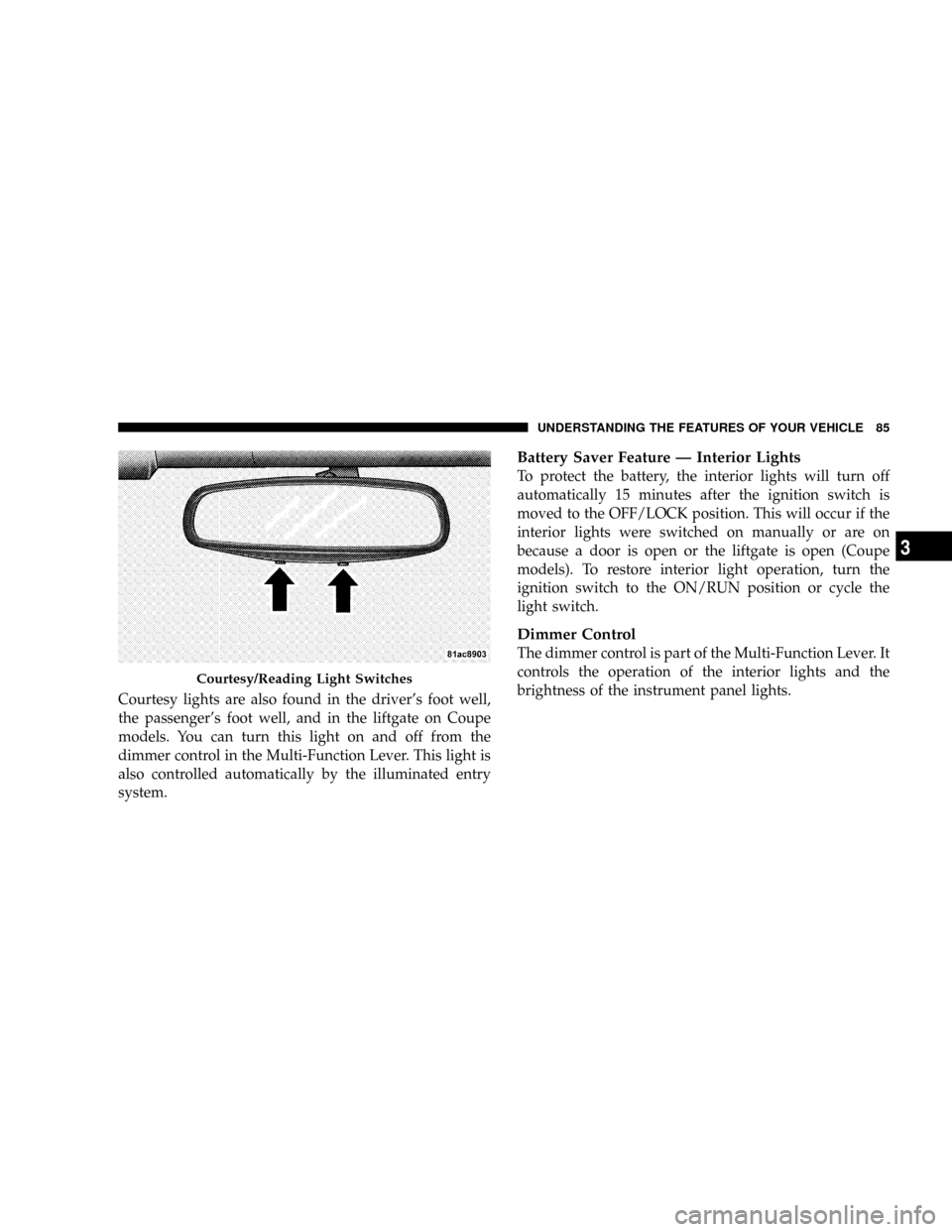
Courtesy lights are also found in the driver's foot well,
the passenger's foot well, and in the liftgate on Coupe
models. You can turn this light on and off from the
dimmer control in the Multi-Function Lever. This light is
also controlled automatically by the illuminated entry
system.
Battery Saver Feature Ð Interior Lights
To protect the battery, the interior lights will turn off
automatically 15 minutes after the ignition switch is
moved to the OFF/LOCK position. This will occur if the
interior lights were switched on manually or are on
because a door is open or the liftgate is open (Coupe
models). To restore interior light operation, turn the
ignition switch to the ON/RUN position or cycle the
light switch.
Dimmer Control
The dimmer control is part of the Multi-Function Lever. It
controls the operation of the interior lights and the
brightness of the instrument panel lights.
Courtesy/Reading Light Switches
UNDERSTANDING THE FEATURES OF YOUR VEHICLE 85
3
Page 98 of 303
²The word ªDECKº will flash in the display if the
trunk/liftgate is open.
²The words ªLOW TIREº will flash slowly in the display
and a chime will sound if the tire pressure is low.
²The words ªFLAT TIREº will flash rapidly in the
display and a chime will sound if critically low tire
pressure is detected.
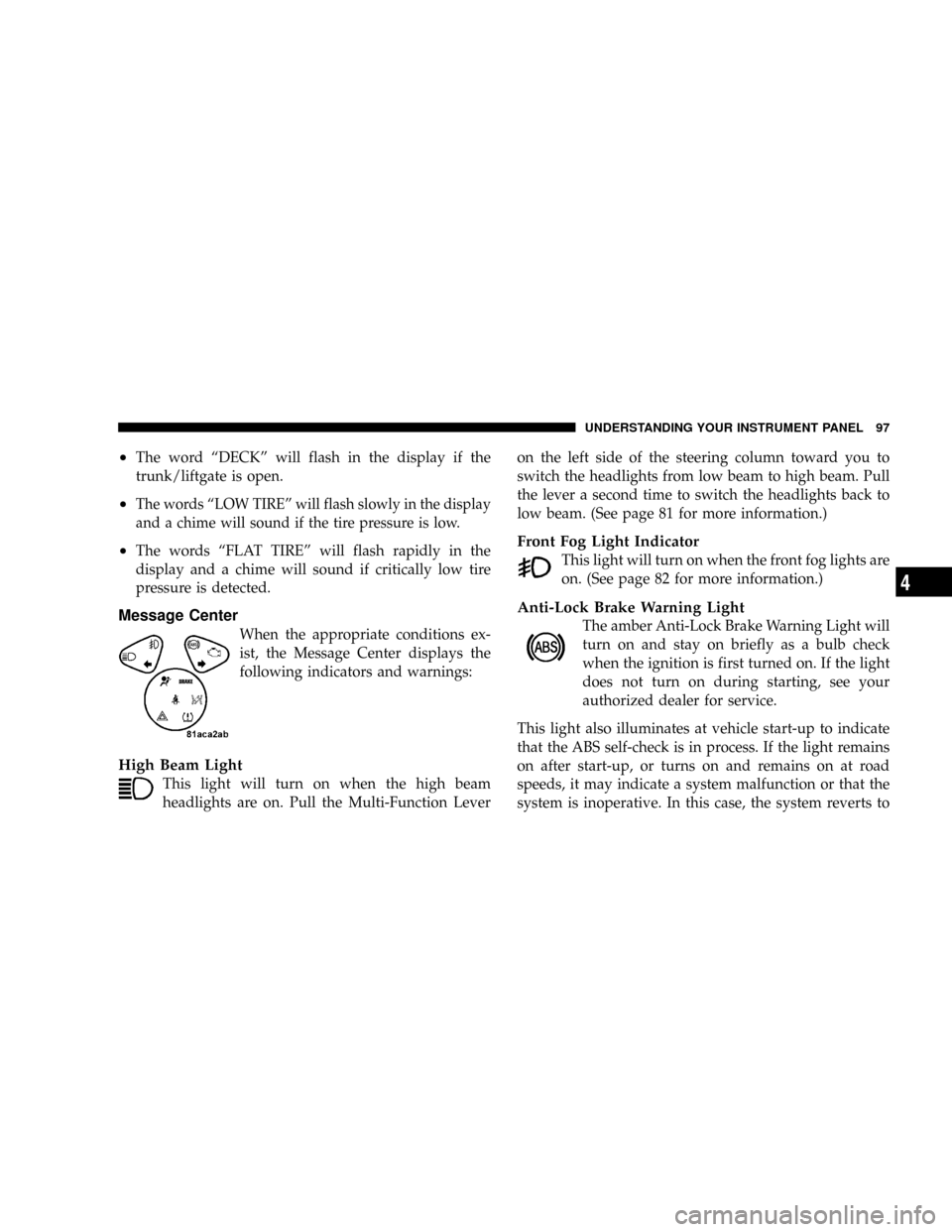
Message Center
When the appropriate conditions ex-
ist, the Message Center displays the
following indicators and warnings:
High Beam Light
This light will turn on when the high beam
headlights are on. Pull the Multi-Function Leveron the left side of the steering column toward you to
switch the headlights from low beam to high beam. Pull
the lever a second time to switch the headlights back to
low beam. (See page 81 for more information.)
Front Fog Light Indicator
This light will turn on when the front fog lights are
on. (See page 82 for more information.)
Anti-Lock Brake Warning Light
The amber Anti-Lock Brake Warning Light will
turn on and stay on briefly as a bulb check
when the ignition is first turned on. If the light
does not turn on during starting, see your
authorized dealer for service.
This light also illuminates at vehicle start-up to indicate
that the ABS self-check is in process. If the light remains
on after start-up, or turns on and remains on at road
speeds, it may indicate a system malfunction or that the
system is inoperative. In this case, the system reverts to
UNDERSTANDING YOUR INSTRUMENT PANEL 97
4
Page 99 of 303
standard non-anti-lock brakes. If this occurs, safely bring
the vehicle to a complete stop as soon as possible and
cycle the ignition key to attempt to reset the ABS. If the
light remains on, see your authorized dealer immediately
to have the system serviced. Furthermore, if the red
BRAKE warning light and the amber ABS warning light
are on, and the parking brake is fully released, see your
authorized dealer immediately. (See page 147 for more
information.)
WARNING!
If the ABS and/or Brake Warning lights illuminate,
please seek service immediately! Your vehicle will
have diminished braking capability and control if ABS
and/or service brake systems are not working properly.
Have your brake system serviced immediately.
Malfunction Indicator Light
This light is part of an onboard diagnostic
system called OBD. The OBD system monitors
engine control systems. The light will turn on
when the key is in the ON/RUN position
before engine start. If the light does not come on when
turning the key from OFF/LOCK to ON/RUN, have the
condition checked promptly.
Certain conditions such as a loose or missing gas cap,
poor fuel quality, etc. may illuminate the light after
engine start. The vehicle should be serviced if the light
remains on through several of your typical driving
cycles. In most situations, the vehicle will drive normally
and will not require towing.
The Malfunction Indicator Light flashes to alert you to
serious conditions that could lead to immediate loss of
power or severe catalytic converter damage. The vehicle
should be serviced as soon as possible if this occurs. (See
page 195 for more information.)
98 UNDERSTANDING YOUR INSTRUMENT PANEL
Page 100 of 303
CAUTION!
Prolonged driving with the light on could cause
further damage to the emission control system. It
could also affect fuel economy and driveability. The
vehicle must be serviced before any state emissions
tests can be performed.
Turn Signal Indicators
The left or right arrow will flash in unison with the
corresponding front and rear turn signals when the
turn signal switch is operated. (See page 82 for more
information.)
Hazard Indicators
Both turn signal arrows will flash in unison with the
front and rear turn signals when the hazard warning
switch is operated. (See page 176 for more information.)
NOTE:Leaving the hazard flashers on for extended
periods will wear down the battery.
Airbag Warning Light
This light will turn on for 6 to 8 seconds as a
bulb check when the ignition switch is first
turned on. If the light does not turn on during
starting, remains on after starting, or turns on
while driving, have the system checked immediately by
an authorized dealer. (See page 40 for more information.)
Brake System Warning Light
The red Brake System Warning Light turns on
when the ignition is first turned on. It should
stay on briefly as a bulb check. If the light does not turn
on during starting, have it repaired promptly. If the light
remains on following the bulb check, it may be an
indication that the parking brake is not released. If the
light remains on when the parking brake is released, it
indicates a possible hydraulic brake system malfunction.
In this case, immediate repair is necessary and continued
operation of the vehicle in this condition is dangerous.
UNDERSTANDING YOUR INSTRUMENT PANEL 99
4
Page 101 of 303
NOTE:The light will turn on when the ignition switch
is in the ON/RUN position and the parking brake is
applied. This light shows only that the parking brake is
applied. It does not show the degree of brake application.
WARNING!
Driving a vehicle with the brake light on is danger-
ous. Part of the brake system has failed. It will take
longer to stop the vehicle. You could have an acci-
dent. Have the brakes checked immediately. (See
page 144 for more information.)
Electronic Throttle Control (ETC) Light
This light will turn on briefly as a bulb check
when turning on the ignition switch. It will also
turn on while the engine is running to warn of
a problem with the Electronic Throttle Control
system.
²If the light fails to turn on during the bulb check, see
you authorized dealer for service.
²If the light turns on steady while the engine is running,
safely bring the vehicle to a complete stop as soon as
possible, cycle the ignition key, and then restart the
engine. The light should turn off. However, if the light
remains on steady, see your authorized dealer for
service as soon as possible.
²If the light is flashing when the engine is running,
immediate service is required. If this occurs, you may
experience reduced vehicle performance, an elevated/
rough idle or engine stall, and your vehicle may
require towing.
100 UNDERSTANDING YOUR INSTRUMENT PANEL
Page 107 of 303
Charge System Light
The red Charge System Light is located in the
Voltage Gauge. It will turn on when there is a
charging system malfunction or a possible accessory
drive belt failure.
CAUTION!
The accessory belt also drives the water pump. Op-
erating the vehicle with a failed belt can cause engine
overheating and possible severe engine damage.
SETTING THE DIGITAL CLOCK
The digital display panel on the radio displays the time in
hours and minutes. The display panel is operative when
the ignition switch is in the ON/RUN or ACC position.
Press and release the Time button on the radio to display
the time. Press and release the button a second time to
turn off the time display.
Clock Setting Procedure
1. Turn the ignition switch to the ªON/RUNº or ªACCº
position.
2. Using the point of a ballpoint pen or similar object,
press either the ªHº (Hour) or ªMº (Minute) button on
the radio. The display will show the time.
3. Press the ªHº button to set hours or the ªMº button to
set minutes. The time setting will increase each time you
press a button.
RADIO GENERAL INFORMATION
Radio Broadcast Signals
The radio will provide excellent reception under most
operating conditions. Like any system, however, car
radios have performance limitations, due to mobile op-
eration and natural phenomena, which might lead you to
believe your sound system is malfunctioning. To help
106 UNDERSTANDING YOUR INSTRUMENT PANEL