steering wheel DODGE VIPER 2015 VX / 3.G User Guide
[x] Cancel search | Manufacturer: DODGE, Model Year: 2015, Model line: VIPER, Model: DODGE VIPER 2015 VX / 3.GPages: 400, PDF Size: 9.59 MB
Page 142 of 400
!STEERING WHEEL AUDIO CONTROLS......194
▫Radio Operation......................195
!RADIO ANTENNA.....................195
!RADIO OPERATION AND MOBILE PHONES . .196
▫General Information...................196
!CLIMATE CONTROLS...................196
▫Automatic Temperature Control (ATC).......197
▫Summer Operation....................202
▫Winter Operation......................202
▫Vacation/Storage.....................203
▫Window Fogging and Frosting............203
▫Outside Air Intake.....................203
▫Control Setting Suggestions for Various Weather
Conditions..........................204
!Uconnect® VOICE RECOGNITION QUICK
TIPS................................205
▫Introducing Uconnect®.................205
▫Get Started..........................206
▫Basic Voice Commands..................206
▫Radio..............................207
▫Media..............................208
▫Phone..............................209
▫Voice Text Reply......................210
▫Climate (8.4AN)......................210
▫Navigation (8.4AN)....................211
▫Uconnect® Access* (8.4AN)..............212
140 UNDERSTANDING YOUR INSTRUMENT PANEL
Page 158 of 400
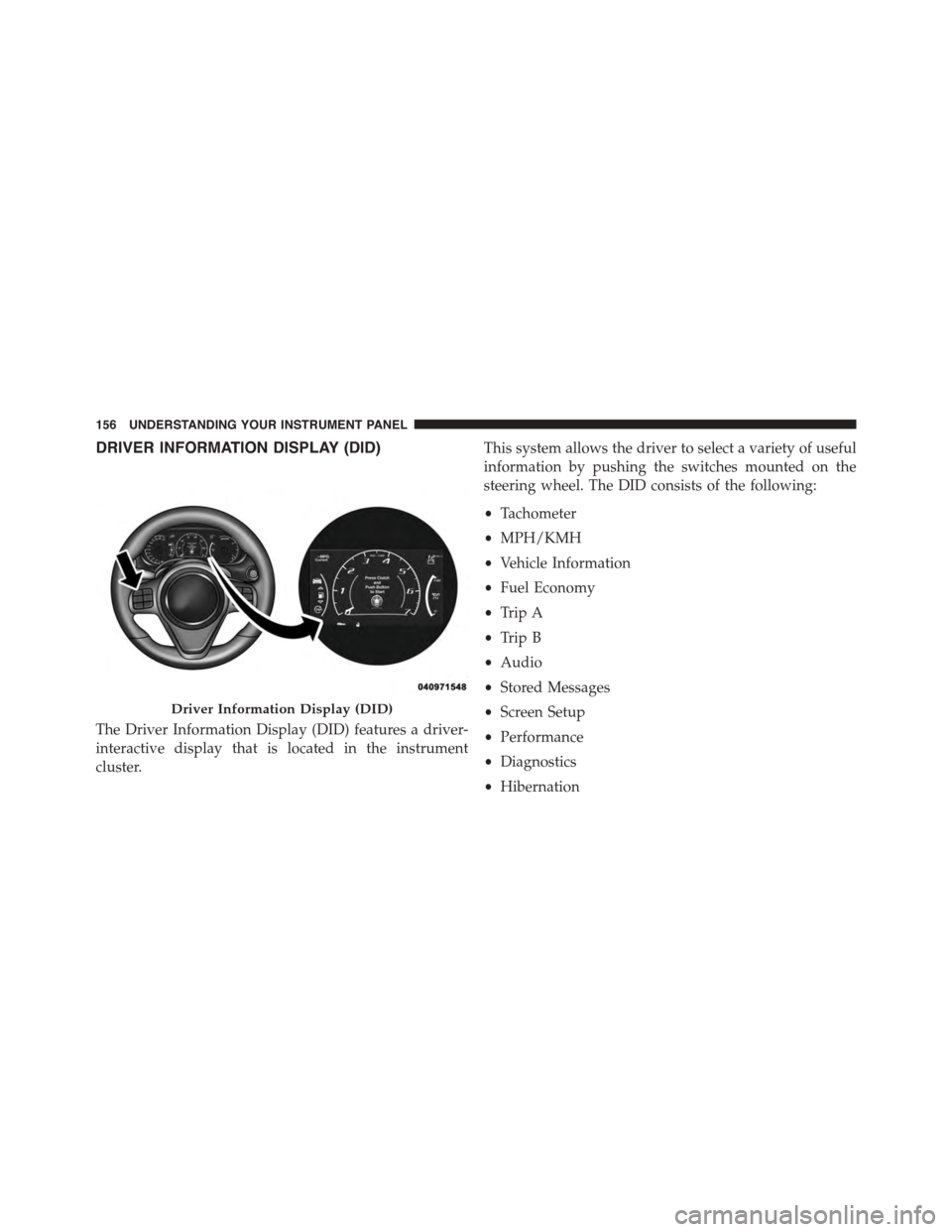
DRIVER INFORMATION DISPLAY (DID)
The Driver Information Display (DID) features a driver-
interactive display that is located in the instrument
cluster.
This system allows the driver to select a variety of useful
information by pushing the switches mounted on the
steering wheel. The DID consists of the following:
•Tachometer
•MPH/KMH
•Vehicle Information
•Fuel Economy
•Trip A
•Trip B
•Audio
•Stored Messages
•Screen Setup
•Performance
•Diagnostics
•Hibernation
Driver Information Display (DID)
156 UNDERSTANDING YOUR INSTRUMENT PANEL
Page 159 of 400
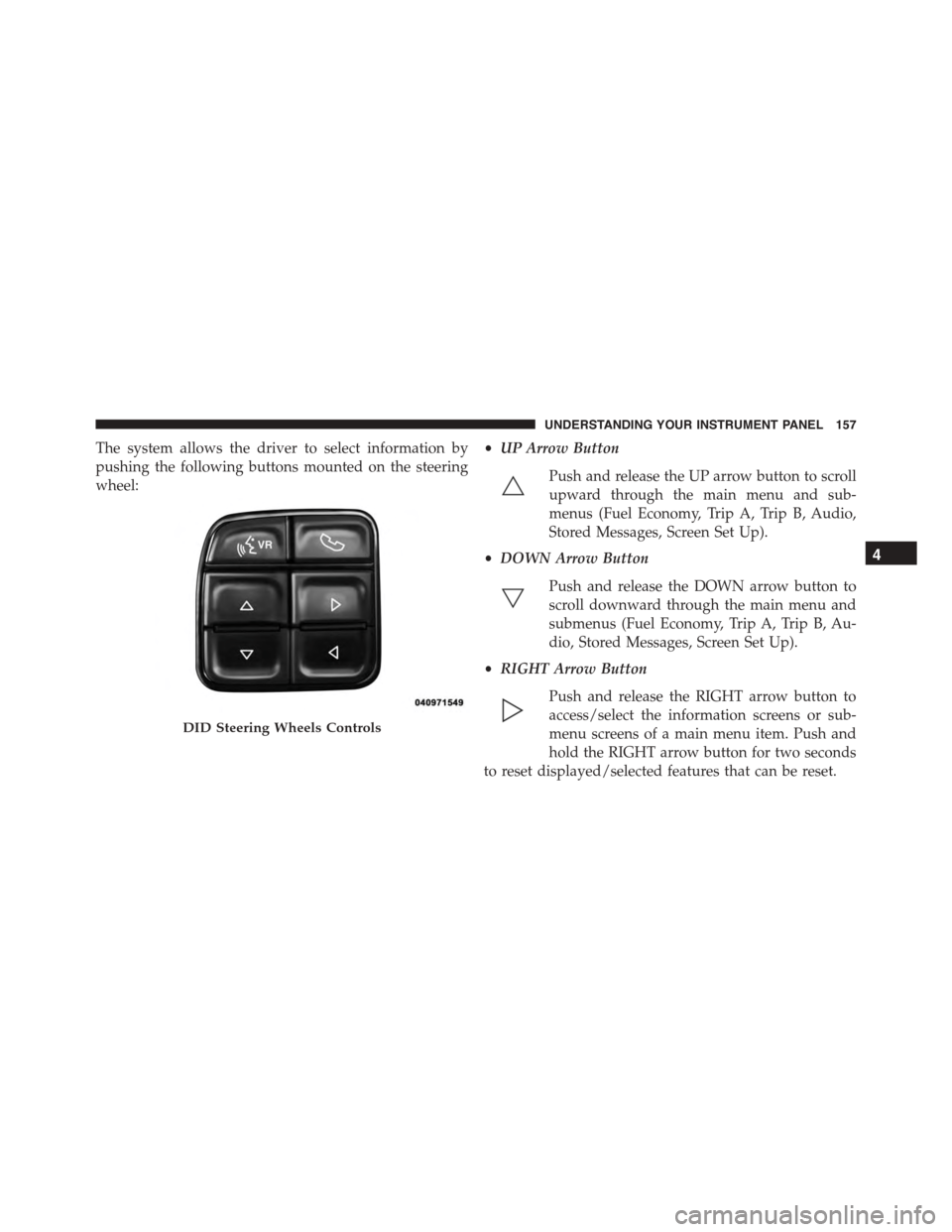
The system allows the driver to select information by
pushing the following buttons mounted on the steering
wheel:
•UP Arrow Button
Push and release the UP arrow button to scroll
upward through the main menu and sub-
menus (Fuel Economy, Trip A, Trip B, Audio,
Stored Messages, Screen Set Up).
•DOWN Arrow Button
Push and release the DOWN arrow button to
scroll downward through the main menu and
submenus (Fuel Economy, Trip A, Trip B, Au-
dio, Stored Messages, Screen Set Up).
•RIGHT Arrow Button
Push and release the RIGHT arrow button to
access/select the information screens or sub-
menu screens of a main menu item. Push and
hold the RIGHT arrow button for two seconds
to reset displayed/selected features that can be reset.
DID Steering Wheels Controls
4
UNDERSTANDING YOUR INSTRUMENT PANEL 157
Page 174 of 400
•Oil Temperature
•Battery
•Coolant Temperature
•RIGHT Arrow Button
Restore To Defaults (Restores All Settings To Default
Settings)
Push and release the RIGHT arrow button to
confirm.
Digital Speed
•On
•Off
Tach. Peak Hold
When enabled, the Tach. Peak Hold function marks the
peak Revolutions Per Minute (RPM) on the tachometer
gauge for 3 seconds when the RPM is above 4000. Using
the UP and DOWN arrow switches on the left side of the
steering wheel, select the gauges icon from the menu on
the left side of the cluster (highlighted red is the active
menu item). Use the right arrow to enter the gauges setup
screen and the up down arrows to select Tach Peak from
the menu of gauge options.
172 UNDERSTANDING YOUR INSTRUMENT PANEL
Page 196 of 400
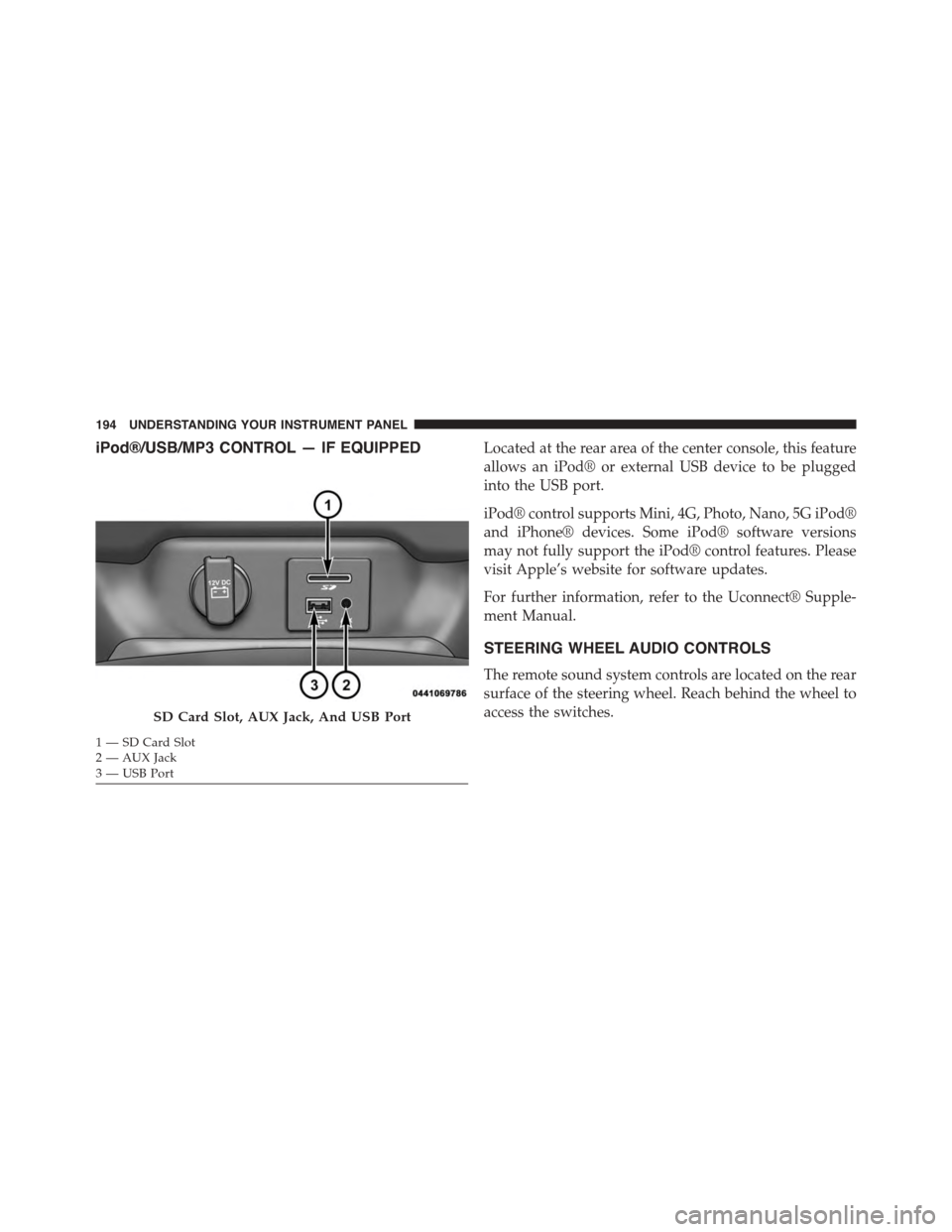
iPod®/USB/MP3 CONTROL — IF EQUIPPEDLocated at the rear area of the center console, this feature
allows an iPod® or external USB device to be plugged
into the USB port.
iPod® control supports Mini, 4G, Photo, Nano, 5G iPod®
and iPhone® devices. Some iPod® software versions
may not fully support the iPod® control features. Please
visit Apple’s website for software updates.
For further information, refer to the Uconnect® Supple-
ment Manual.
STEERING WHEEL AUDIO CONTROLS
The remote sound system controls are located on the rear
surface of the steering wheel. Reach behind the wheel to
access the switches.SD Card Slot, AUX Jack, And USB Port
1—SDCardSlot2 — AUX Jack3—USBPort
194 UNDERSTANDING YOUR INSTRUMENT PANEL
Page 197 of 400
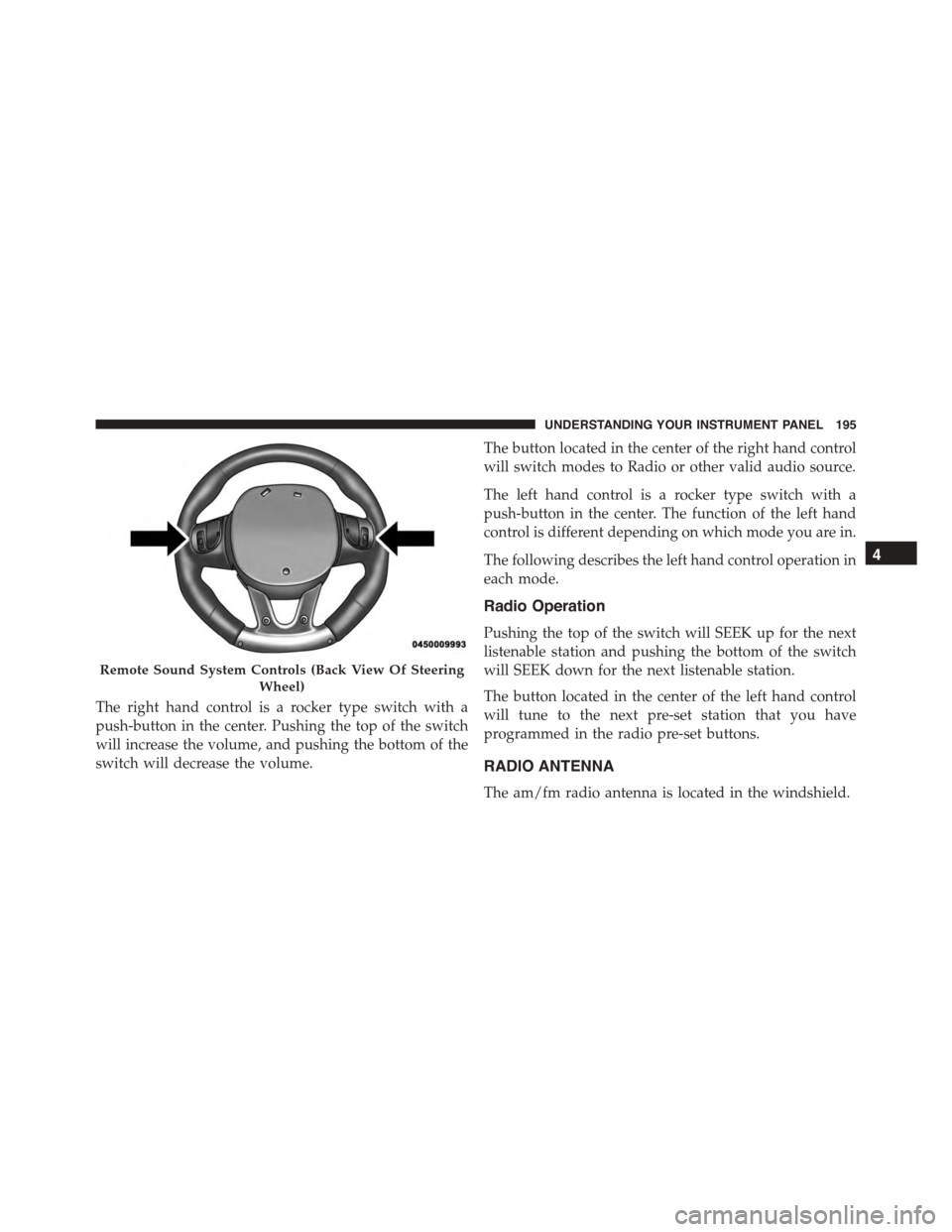
The right hand control is a rocker type switch with a
push-button in the center. Pushing the top of the switch
will increase the volume, and pushing the bottom of the
switch will decrease the volume.
The button located in the center of the right hand control
will switch modes to Radio or other valid audio source.
The left hand control is a rocker type switch with a
push-button in the center. The function of the left hand
control is different depending on which mode you are in.
The following describes the left hand control operation in
each mode.
Radio Operation
Pushing the top of the switch will SEEK up for the next
listenable station and pushing the bottom of the switch
will SEEK down for the next listenable station.
The button located in the center of the left hand control
will tune to the next pre-set station that you have
programmed in the radio pre-set buttons.
RADIO ANTENNA
The am/fm radio antenna is located in the windshield.
Remote Sound System Controls (Back View Of Steering
Wheel)
4
UNDERSTANDING YOUR INSTRUMENT PANEL 195
Page 232 of 400
NOTE:
•With the ignition in the ON/RUN position, the sus-
pension damping system will be in the last mode the
system was in when the vehicle was turned off. The
driver can select either Street or Race damping mode
at any time.
•The suspension mode will lock and stay in whatever
the driver selects even when the ignition is turned off
and the car restarted.
•The RACE setting will provide a much firmer ride.
•When RACE mode is enabled, a Shock symbol with
“RACE” next to it will light up in the instrument
cluster.
LAUNCH MODE
This system maximizes acceleration traction for straight
line racing.
1. Bring the vehicle to complete stop on a level track
surface with the engine running.
2. Set the steering wheel for straight ahead driving.
3. Fully depress the clutch and select the first gear
position.
4. Press and release the “LAUNCH” Button (Located on
the steering wheel controls).
230 STARTING AND OPERATING
Page 237 of 400
CAUTION!(Continued)
•Driving through standing water may cause damage
to your vehicle’s drivetrain components. Always
inspect your vehicle’s fluids (i.e., engine oil, trans-
mission, axle, etc.) for signs of contamination (i.e.,
fluid that is milky or foamy in appearance) after
driving through standing water. Do not continue to
operate the vehicle if any fluid appears contami-
nated, as this may result in further damage. Such
damage is not covered by the New Vehicle Limited
Warranty.
•Getting water inside your vehicle’s engine can
cause it to lock up and stall out, and cause serious
internal damage to the engine. Such damage is not
covered by the New Vehicle Limited Warranty.
POWER STEERING
The standard power steering system will give you good
vehicle response and increased ease of maneuverability
in tight spaces. The system will provide mechanical
steering capability if power assist is lost.
If for some reason the power assist is interrupted, it will
still be possible to steer your vehicle. Under these condi-
tions, you will observe a substantial increase in steering
effort, especially at very low vehicle speeds and during
parking maneuvers.
NOTE:
•Increased noise levels at the end of the steering wheel
travel are considered normal and do not indicate that
there is a problem with the power steering system.
•Upon initial start-up in cold weather, the power steer-
ing pump may make noise for a short amount of time.
This is due to the cold, thick fluid in the steering
5
STARTING AND OPERATING 235
Page 238 of 400
system. This noise should be considered normal, and it
does not in any way damage the steering system.
CAUTION!
Prolonged operation of the steering system at the end
of the steering wheel travel will increase the steering
fluid temperature and it should be avoided when
possible. Damage to the power steering pump may
occur.
Power Steering Fluid Check
Checking the power steering fluid level at a defined
service interval is not required. The fluid should only be
checked if a leak is suspected, abnormal noises are
apparent, and/or the system is not functioning as antici-
pated. Coordinate inspection efforts through an autho-
rized dealer.
CAUTION!
Do not use chemical flushes in your power steering
system as the chemicals can damage your power
steering components. Such damage is not covered by
the New Vehicle Limited Warranty.
WARNING!
Fluid level should be checked on a level surface and
with the engine off to prevent injury from moving
parts and to ensure accurate fluid level reading. Do
not overfill. Use only manufacturer’s recommended
power steering fluid.
If necessary, add fluid to restore to the proper indicated
level. With a clean cloth, wipe any spilled fluid from all
surfaces. Refer to “Fluids, Lubricants, and Genuine
Parts” in “Maintaining Your Vehicle” for further informa-
tion.
236 STARTING AND OPERATING
Page 244 of 400
WARNING!
•The Anti-Lock Brake System (ABS) contains so-
phisticated electronic equipment that may be sus-
ceptible to interference caused by improperly in-
stalled or high output radio transmitting
equipment. This interference can cause possible
loss of anti-lock braking capability. Installation of
such equipment should be performed by qualified
professionals.
•Pumping of the Anti-Lock Brakes will diminish
their effectiveness and may lead to a collision.
Pumping makes the stopping distance longer. Just
press firmly on your brake pedal when you need to
slow down or stop.
(Continued)
WARNING!(Continued)
•The Anti-Lock Brake System (ABS) cannot prevent
the natural laws of physics from acting on the
vehicle, nor can it increase braking or steering
efficiency beyond that afforded by the condition of
the vehicle brakes and tires or the traction afforded.
•The Anti-Lock Brake System (ABS) cannot prevent
collisions, including those resulting from excessive
speed in turns, following another vehicle too
closely, or hydroplaning.
•The capabilities of an Anti-Lock Brake System
(ABS) equipped vehicle must never be exploited in
a reckless or dangerous manner, that could jeopar-
dize the user’s safety or the safety of others.
All vehicle wheels and tires must be the same size and
type as the original equipment and the tires must be
242 STARTING AND OPERATING