instrument panel FIAT 124 SPIDER ABARTH 2017 2.G User Guide
[x] Cancel search | Manufacturer: FIAT, Model Year: 2017, Model line: 124 SPIDER ABARTH, Model: FIAT 124 SPIDER ABARTH 2017 2.GPages: 292, PDF Size: 121.25 MB
Page 41 of 292
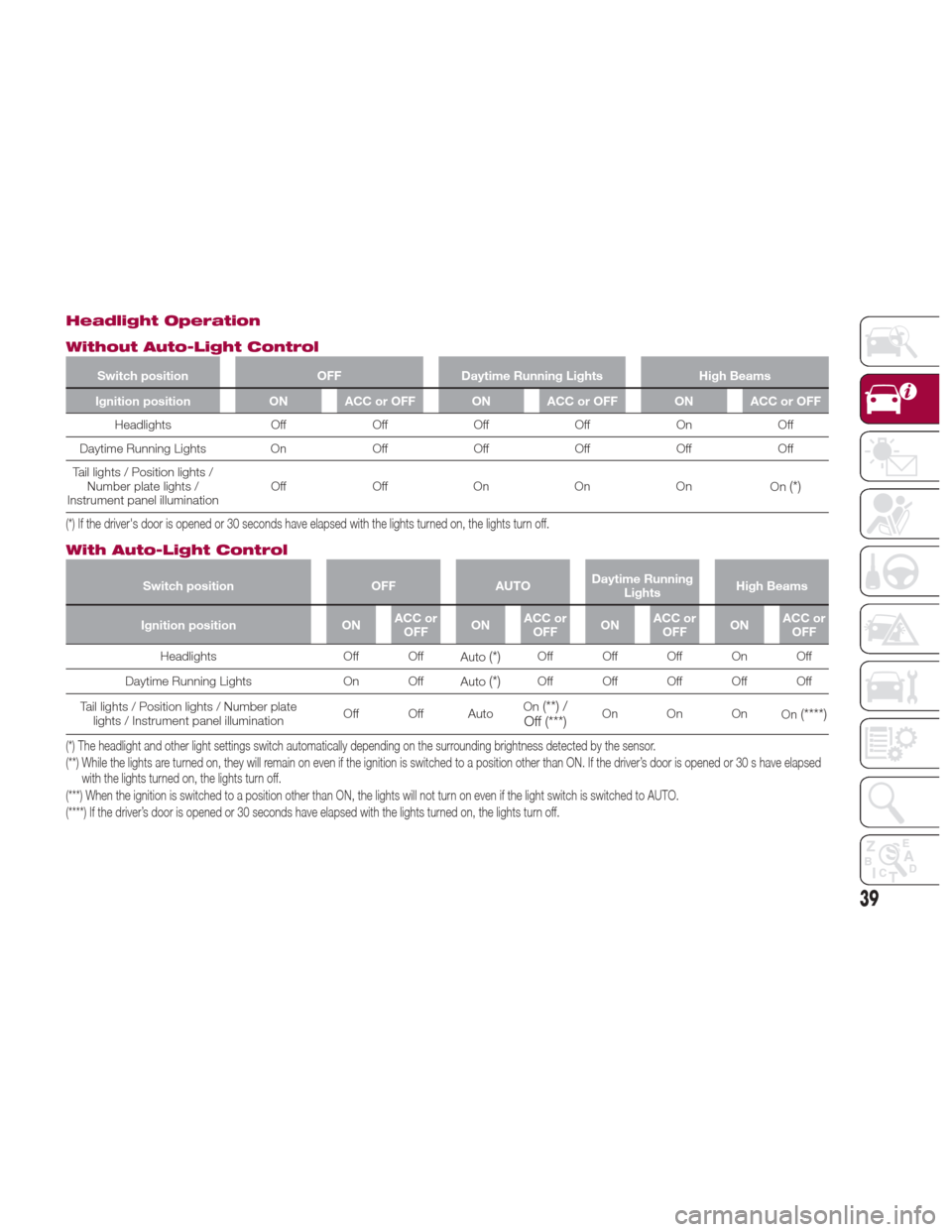
Headlight Operation
Without Auto-Light Control
Switch positionOFFDaytime Running Lights High Beams
Ignition position ON ACC or OFF ON ACC or OFF ON ACC or OFF
Headlights OffOffOffOff On Off
Daytime
Running Lights OnOffOffOff OffOff
Tail lights / Position lights / Number plate lights /
Instrument panel illumination Off
OffOn On On
On
(*)
(*) If the driver's door is opened or 30 seconds have elapsed with the lights turned on, the lights turn off.
With Auto-Light Control
Switch position OFFAUTODaytime Running
Lights High Beams
Ignition position ONACC or
OFF ONACC or
OFF ONACC or
OFF ONACC or
OFF
Headlights Off Off
Auto
(*)Off Off Off On Off
Daytime Running Lights On Off Auto
(*)Off Off Off Off Off
Tail lights / Position lights / Number plate lights / Instrument panel illumination Off Off AutoOn
(**) /
Off (***)On On On On(****)
(*) The headlight and other light settings switch automatically depending on the surrounding brightness detected by the sensor.
(**) While the lights are turned on, they will remain on even if the ignition is switched to a position other than ON. If the driver’s door is opened or 30 s have elapsed
with the lights turned on, the lights turn off.
(***) When the ignition is switched to a position other than ON, the lights will not turn on even if the light switch is switched to AUTO.
(****) If the driver’s door is opened or 30 seconds have elapsed with the lights turned on, the lights turn off.
39
Page 42 of 292
Daytime Running Lights
(DRL)
The daytime running lights turn on
automatically when the vehicle starts
moving.
They turn off when the parking brake is
engaged or the gear selector is shifted
to the Park (P) position (if equipped with
automatic transmission).
Note:In some markets, the daytime
running lights can be deactivated. For
markets that allow deactivation, refer to
“Personalization Features” in “Knowing
Your Instrument Panel” for further
information.
High Beams
The headlights can be switched
between high and low beams by
moving the lever forward or backward.
When the headlight high-beams are on,
the
high beam indicator is
illuminated.
Flash To Pass
You can signal another vehicle with your
headlights by partially pulling the
headlight lever toward the steering
wheel. This will cause the high beam
headlights to turn on until the lever is
released.
The
high beam indicator in the
instrument cluster illuminates
simultaneously.
Automatic Lighting
When the headlight switch is in the
AUTO position and the ignition is
switched ON, the light will sense the
surrounding lightness or darkness and
automatically turns the headlights, other
exterior lights and dashboard
illumination on or off.
Note: Do not shade the light sensor by
placing a sticker or a label on the
windshield. Otherwise the light sensor
will not operate correctly.
The light sensor also works as a rain
sensor for the auto-wiper control. Keep
hands and scrapers clear of the
windshield when the wiper lever is in
the AUTO position and the ignition is
switched ON as fingers could be
pinched or the wipers and wiper blades
damaged when the wipers activate
automatically. If you are going to clean the windshield, be sure the wipers are
turned off completely when the engine
is running.
Note:
The headlights, other exterior lights
and dashboard lights may not turn off
immediately even if the surrounding
area becomes well-lit because the light
sensor determines that it is night time if
the surrounding area is continuously
dark for several minutes such as inside
long tunnels, traffic jams inside tunnels,
or in indoor parking lots. In this case,
the lights turn off if the light switch is
turned to the OFF position.
When the headlight switch is in the
AUTO position and the ignition is
switched to ACC or the ignition is
switched off, the headlights, other
exterior lights and dashboard
illumination will turn off.
The dashboard lights can be
adjusted by rotating the knob in the
instrument cluster. The day/night mode
can be changed by rotating the knob
until a beep sound is heard.
The sensitivity of the automatic
lightsmaybechangedbyan
authorized dealer.
05030101-12A-003Light Sensor
40
GETTING TO KNOW YOUR VEHICLE
Page 78 of 292
GETTING TO KNOW YOUR INSTRUMENT PANEL
ONBOARD DIAGNOSTIC
SYSTEM — OBD II...........77
CONTROL PANEL AND
INSTRUMENTS..............78
MAINTENANCE MONITOR —
IF EQUIPPED ...............85
FUEL ECONOMY MONITOR —
IF EQUIPPED ...............87
WARNING LIGHTS AND
MESSAGES ................89
PERSONALIZATION FEATURES . .107
76
GETTING TO KNOW YOUR INSTRUMENT PANEL
Page 80 of 292
CONTROL PANEL AND INSTRUMENTS
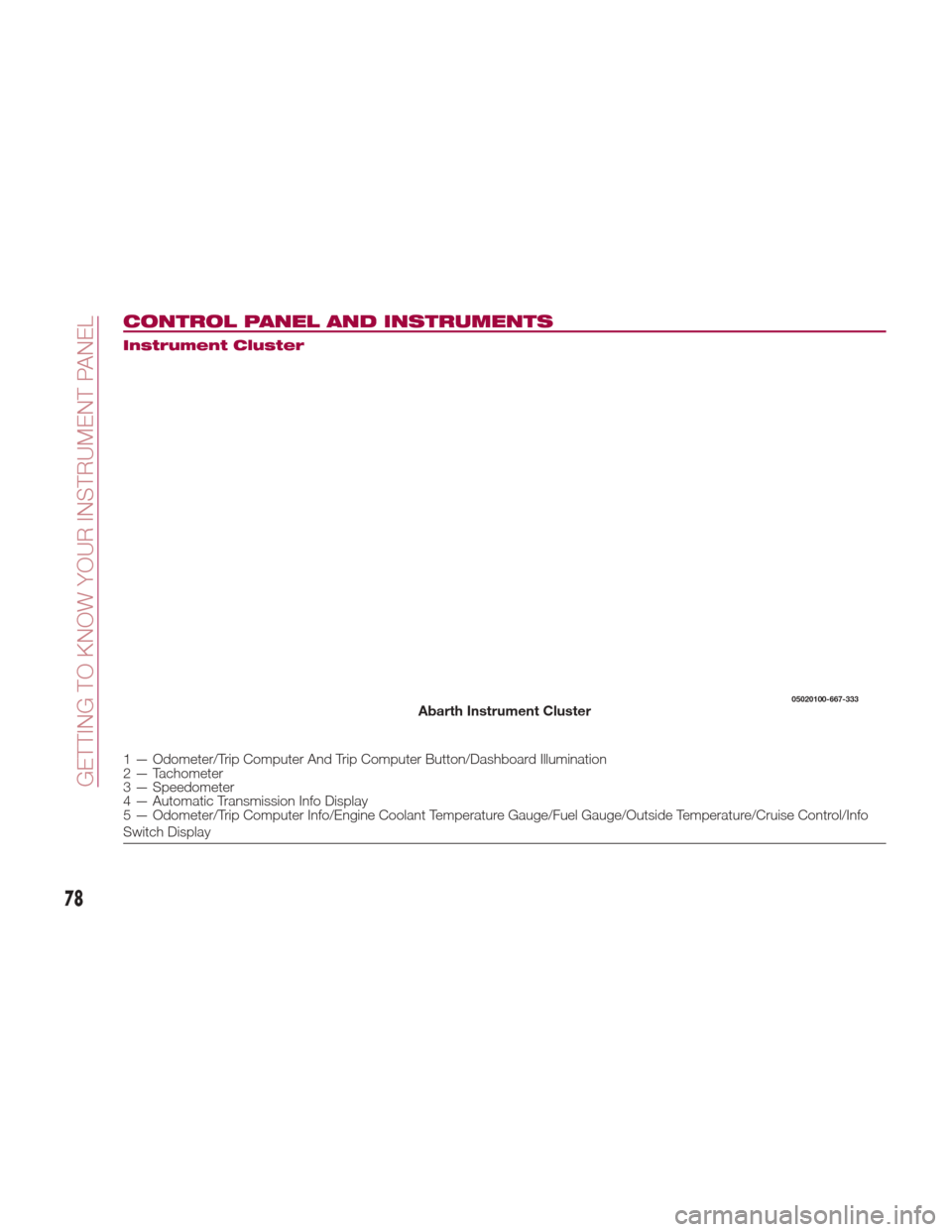
Instrument Cluster
1 — Odometer/Trip Computer And Trip Computer Button/Dashboard Illumination
2 — Tachometer
3 — Speedometer
4 — Automatic Transmission Info Display
5 — Odometer/Trip Computer Info/Engine Coolant Temperature Gauge/Fuel Gauge/Outside Temperature/Cruise Control/Info
Switch Display
05020100-667-333Abarth Instrument Cluster
78
GETTING TO KNOW YOUR INSTRUMENT PANEL
Page 81 of 292
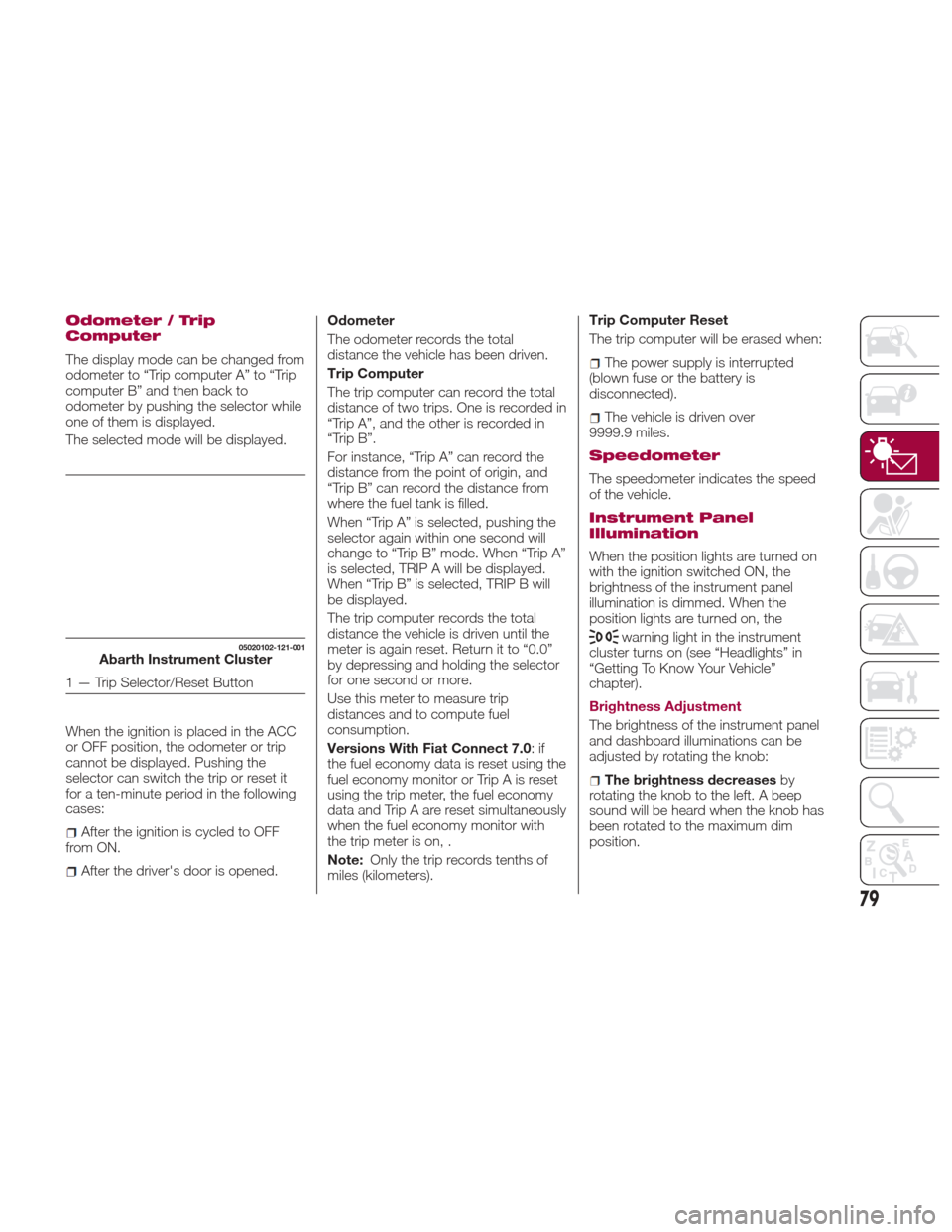
Odometer / Trip
Computer
The display mode can be changed from
odometer to “Trip computer A” to “Trip
computer B” and then back to
odometer by pushing the selector while
one of them is displayed.
The selected mode will be displayed.
When the ignition is placed in the ACC
or OFF position, the odometer or trip
cannot be displayed. Pushing the
selector can switch the trip or reset it
for a ten-minute period in the following
cases:
After the ignition is cycled to OFF
from ON.
After the driver's door is opened. Odometer
The odometer records the total
distance the vehicle has been driven.
Trip Computer
The trip computer can record the total
distance of two trips. One is recorded in
“Trip A”, and the other is recorded in
“Trip B”.
For instance, “Trip A” can record the
distance from the point of origin, and
“Trip B” can record the distance from
where the fuel tank is filled.
When “Trip A” is selected, pushing the
selector again within one second will
change to “Trip B” mode. When “Trip A”
is selected, TRIP A will be displayed.
When “Trip B” is selected, TRIP B will
be displayed.
The trip computer records the total
distance the vehicle is driven until the
meter is again reset. Return it to “0.0”
by depressing and holding the selector
for one second or more.
Use this meter to measure trip
distances and to compute fuel
consumption.
Versions With Fiat Connect 7.0
:if
the fuel economy data is reset using the
fuel economy monitor or Trip A is reset
using the trip meter, the fuel economy
data and Trip A are reset simultaneously
when the fuel economy monitor with
the trip meter is on, .
Note: Only the trip records tenths of
miles (kilometers). Trip Computer Reset
The trip computer will be erased when:
The power supply is interrupted
(blown fuse or the battery is
disconnected).
The vehicle is driven over
9999.9 miles.
Speedometer
The speedometer indicates the speed
of the vehicle.
Instrument Panel
Illumination
When the position lights are turned on
with the ignition switched ON, the
brightness of the instrument panel
illumination is dimmed. When the
position lights are turned on, the
warning light in the instrument
cluster turns on (see “Headlights” in
“Getting To Know Your Vehicle”
chapter).
Brightness Adjustment
The brightness of the instrument panel
and dashboard illuminations can be
adjusted by rotating the knob:
The brightness decreases by
rotating the knob to the left. A beep
sound will be heard when the knob has
been rotated to the maximum dim
position.
05020102-121-001Abarth Instrument Cluster
1 — Trip Selector/Reset Button
79
Page 82 of 292
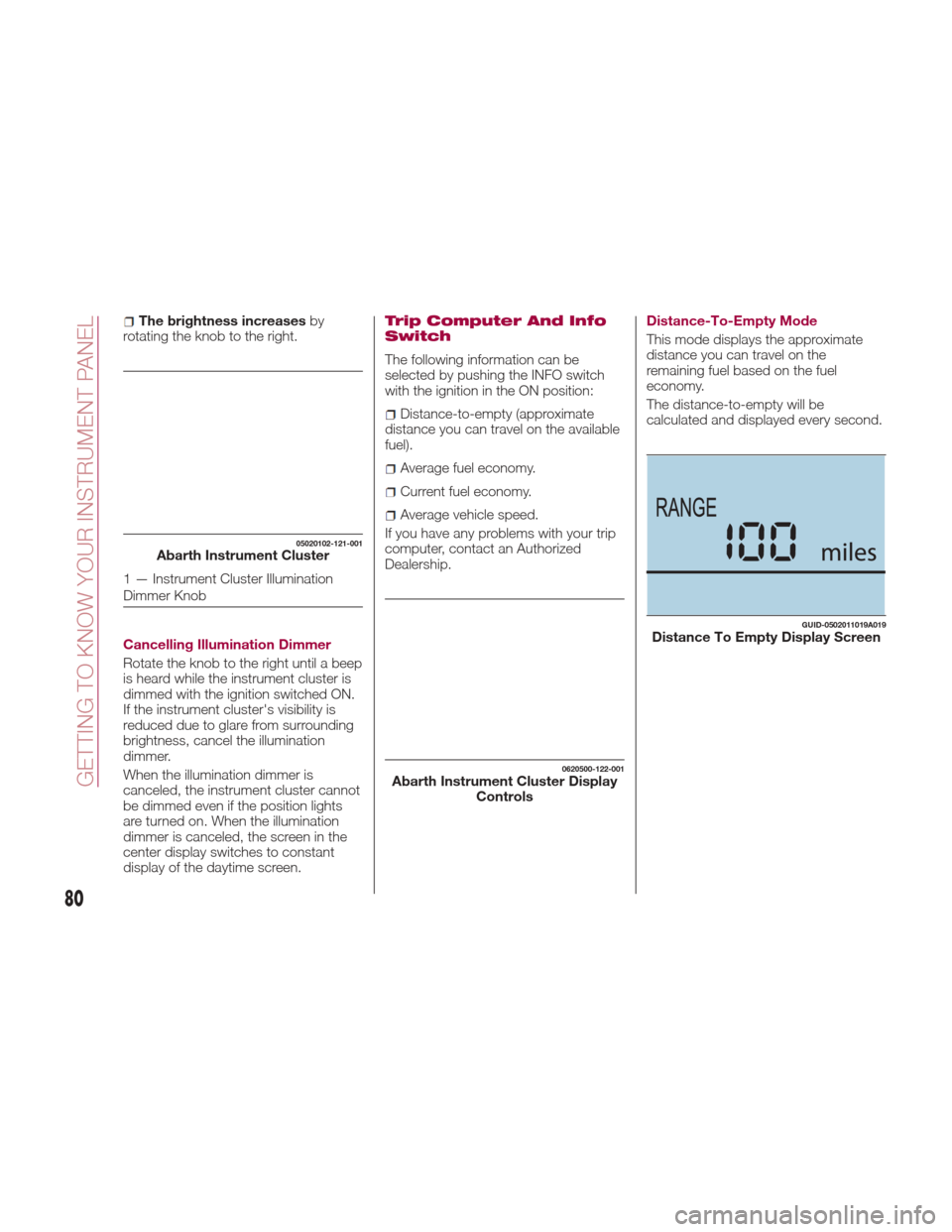
The brightness increasesby
rotating the knob to the right.
Cancelling Illumination Dimmer
Rotate the knob to the right until a beep
is heard while the instrument cluster is
dimmed with the ignition switched ON.
If the instrument cluster's visibility is
reduced due to glare from surrounding
brightness, cancel the illumination
dimmer.
When the illumination dimmer is
canceled, the instrument cluster cannot
be dimmed even if the position lights
are turned on. When the illumination
dimmer is canceled, the screen in the
center display switches to constant
display of the daytime screen.Trip Computer And Info
Switch
The following information can be
selected by pushing the INFO switch
with the ignition in the ON position:
Distance-to-empty (approximate
distance you can travel on the available
fuel).
Average fuel economy.
Current fuel economy.
Average vehicle speed.
If you have any problems with your trip
computer, contact an Authorized
Dealership. Distance-To-Empty Mode
This mode displays the approximate
distance you can travel on the
remaining fuel based on the fuel
economy.
The distance-to-empty will be
calculated and displayed every second.
05020102-121-001Abarth Instrument Cluster
1 — Instrument Cluster Illumination
Dimmer Knob
0620500-122-001Abarth Instrument Cluster Display
Controls
GUID-0502011019A019Distance To Empty Display Screen
80
GETTING TO KNOW YOUR INSTRUMENT PANEL
Page 84 of 292
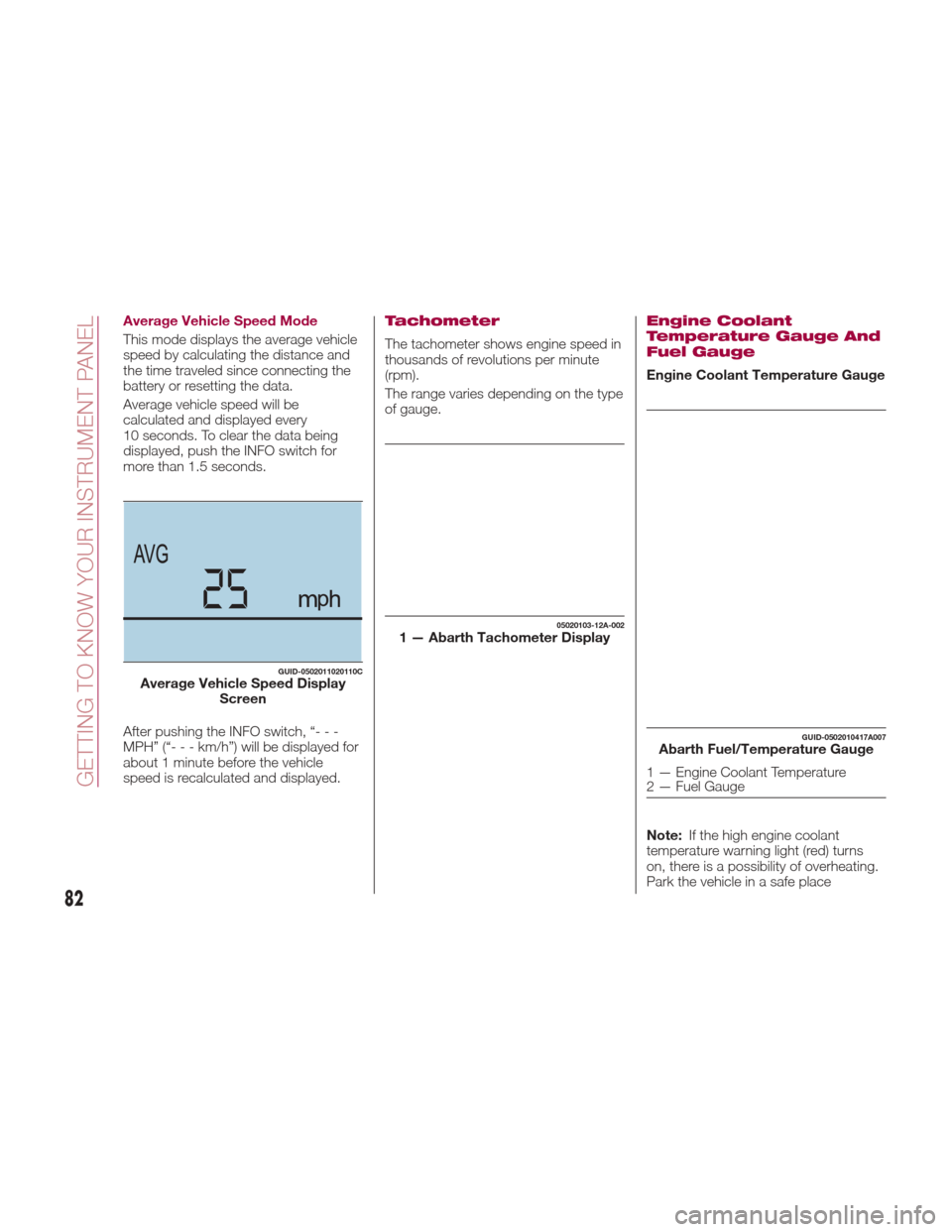
Average Vehicle Speed Mode
This mode displays the average vehicle
speed by calculating the distance and
the time traveled since connecting the
battery or resetting the data.
Average vehicle speed will be
calculated and displayed every
10 seconds. To clear the data being
displayed, push the INFO switch for
more than 1.5 seconds.
After pushing the INFO switch, “- - -
MPH” (“---km/h”)willbedisplayedfor
about 1 minute before the vehicle
speed is recalculated and displayed.Tachometer
The tachometer shows engine speed in
thousands of revolutions per minute
(rpm).
The range varies depending on the type
of gauge.
Engine Coolant
Temperature Gauge And
Fuel Gauge
Engine Coolant Temperature Gauge
Note:If the high engine coolant
temperature warning light (red) turns
on, there is a possibility of overheating.
Park the vehicle in a safe place
GUID-0502011020110CAverage Vehicle Speed Display Screen
05020103-12A-0021 — Abarth Tachometer Display
GUID-0502010417A007Abarth Fuel/Temperature Gauge
1 — Engine Coolant Temperature
2 — Fuel Gauge
82
GETTING TO KNOW YOUR INSTRUMENT PANEL
Page 86 of 292
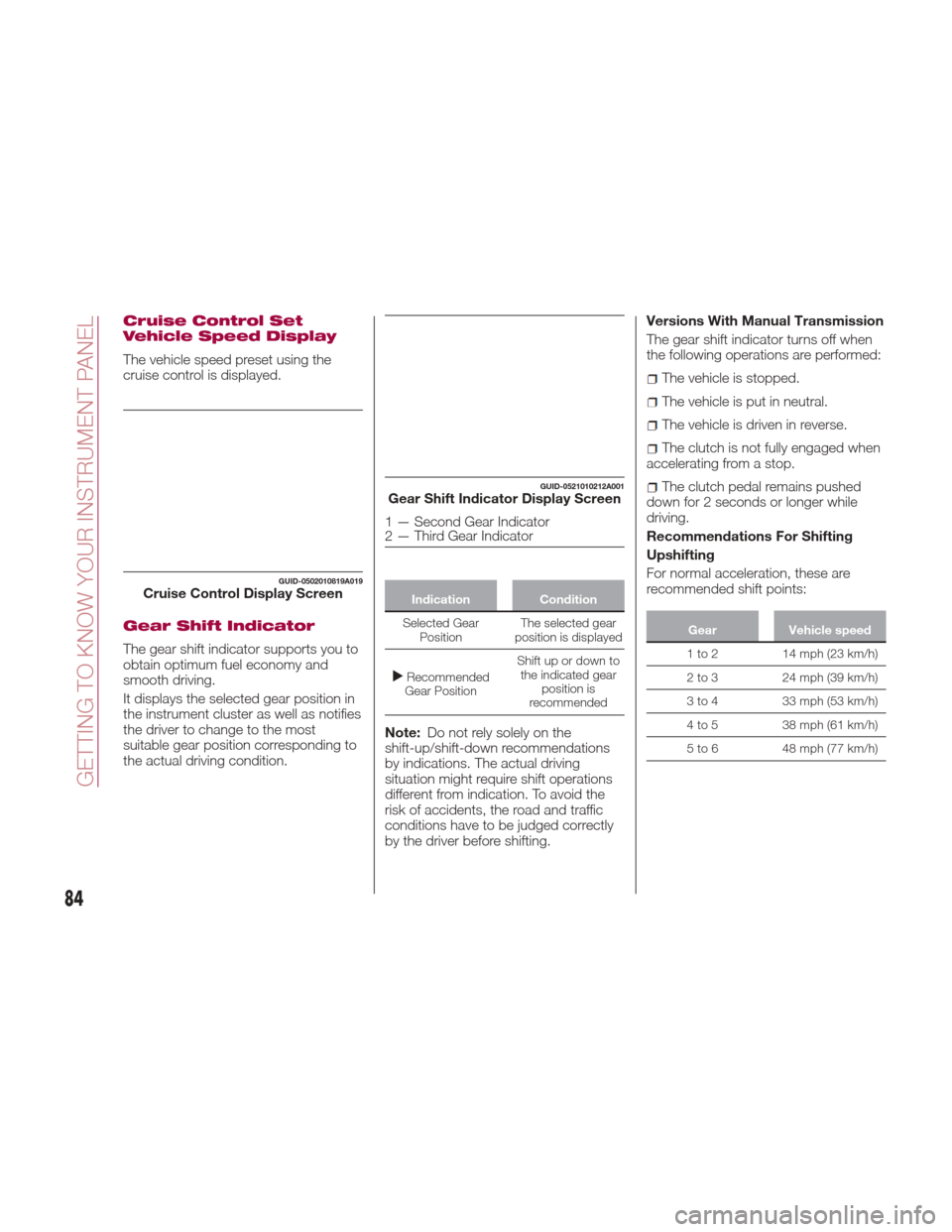
Cruise Control Set
Vehicle Speed Display
The vehicle speed preset using the
cruise control is displayed.
Gear Shift Indicator
The gear shift indicator supports you to
obtain optimum fuel economy and
smooth driving.
It displays the selected gear position in
the instrument cluster as well as notifies
the driver to change to the most
suitable gear position corresponding to
the actual driving condition.
IndicationCondition
Selected Gear Position The
selected gear
position is displayed
Recommended
Gear Position Shift up or down to
the indicated gear position is
recommended
Note: Do not rely solely on the
shift-up/shift-down recommendations
by indications. The actual driving
situation might require shift operations
different from indication. To avoid the
risk of accidents, the road and traffic
conditions have to be judged correctly
by the driver before shifting. Versions With Manual Transmission
The gear shift indicator turns off when
the following operations are performed:
The vehicle is stopped.
The vehicle is put in neutral.
The vehicle is driven in reverse.
The clutch is not fully engaged when
accelerating from a stop.
The clutch pedal remains pushed
down for 2 seconds or longer while
driving.
Recommendations For Shifting
Upshifting
For normal acceleration, these are
recommended shift points:
Gear Vehicle speed
1 to 2 14 mph (23 km/h)
2
to 3 24 mph (39 km/h)
3 to 4 33 mph (53 km/h)
4 to 5 38 mph (61 km/h)
5 to 6 48 mph (77 km/h)
GUID-0502010819A019Cruise Control Display Screen
GUID-0521010212A001Gear Shift Indicator Display Screen
1 — Second Gear Indicator
2 — Third Gear Indicator
84
GETTING TO KNOW YOUR INSTRUMENT PANEL
Page 88 of 292
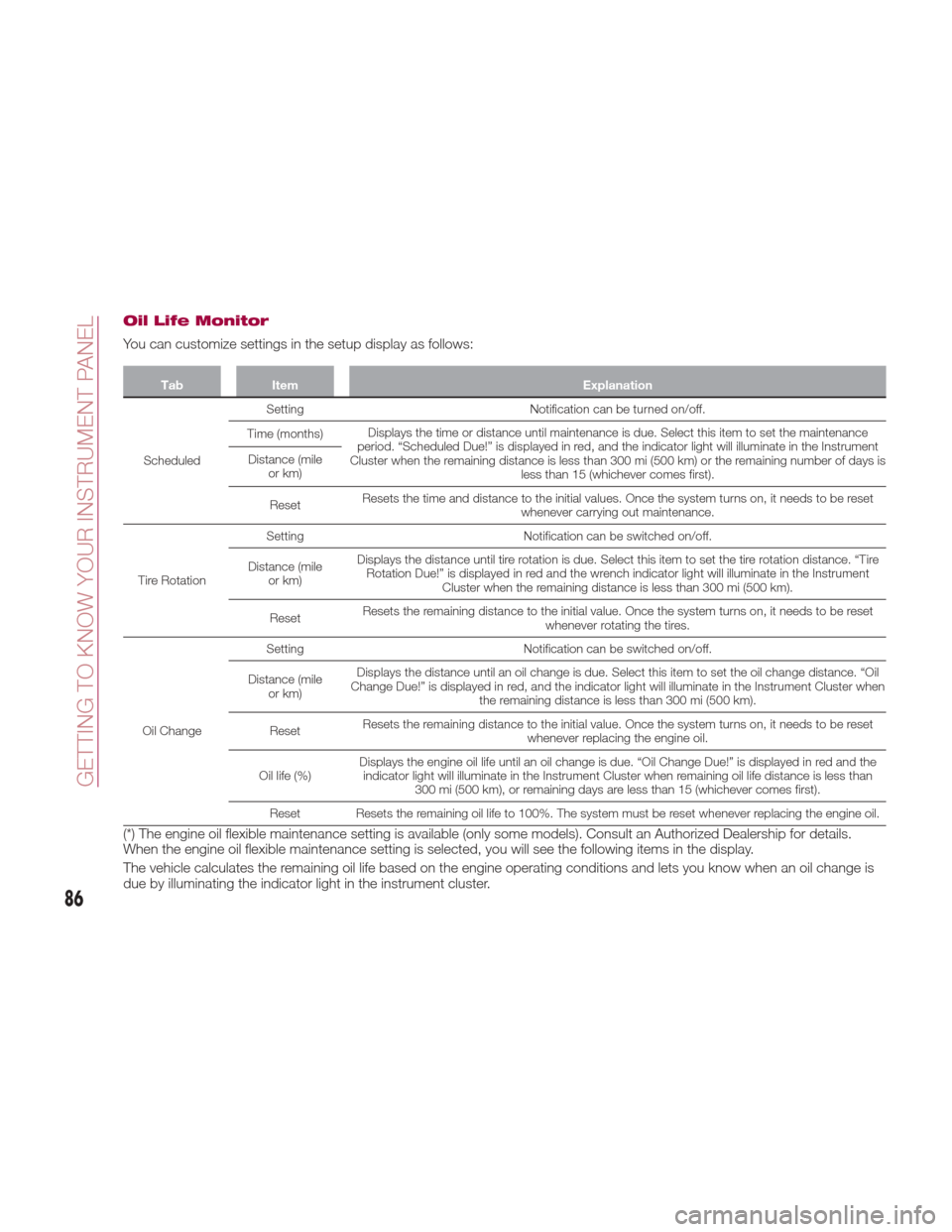
Oil Life Monitor
You can customize settings in the setup display as follows:
TabItem Explanation
Scheduled Setting
Notification can be turned on/off.
Time (months) Displays the time or distance until maintenance is due. Select this item to set the maintenance
period. “Scheduled Due!” is displayed in red, and the indicator light will illuminate in the Instrument
Cluster when the remaining distance is less than 300 mi (500 km) or the remaining number of days is less than 15 (whichever comes first).
Distance (mile
or km)
Reset Resets the time and distance to the initial values. Once the system turns on, it needs to be reset
whenever carrying out maintenance.
Tire Rotation Setting
Notification can be switched on/off.
Distance (mile or km) Displays the distance until tire rotation is due. Select this item to set the tire rotation distance. “Tire
Rotation Due!” is displayed in red and the wrench indicator light will illuminate in the Instrument Cluster when the remaining distance is less than 300 mi (500 km).
Reset Resets the remaining distance to the initial value. Once the system turns on, it needs to be reset
whenever rotating the tires.
Oil Change Setting
Notification can be switched on/off.
Distance (mile or km) Displays the distance until an oil change is due. Select this item to set the oil change distance. “Oil
Change Due!” is displayed in red, and the indicator light will illuminate in the Instrument Cluster when the remaining distance is less than 300 mi (500 km).
Reset Resets the remaining distance to the initial value. Once the system turns on, it needs to be reset
whenever replacing the engine oil.
Oil life (%) Displays the engine oil life until an oil change is due. “Oil Change Due!” is displayed in red and the
indicator light will illuminate in the Instrument Cluster when remaining oil life distance is less than 300 mi (500 km), or remaining days are less than 15 (whichever comes first).
Reset Resets the remaining oil life to 100%. The system must be reset whenever replacing the engine oil.
(*) The engine oil flexible maintenance setting is available (only some models). Consult an Authorized Dealership for details.
When the engine oil flexible maintenance setting is selected, you will see the following items in the display.
The vehicle calculates the remaining oil life based on the engine operating conditions and lets you know when an oil change is
due by illuminating the indicator light in the instrument cluster.
86
GETTING TO KNOW YOUR INSTRUMENT PANEL
Page 90 of 292
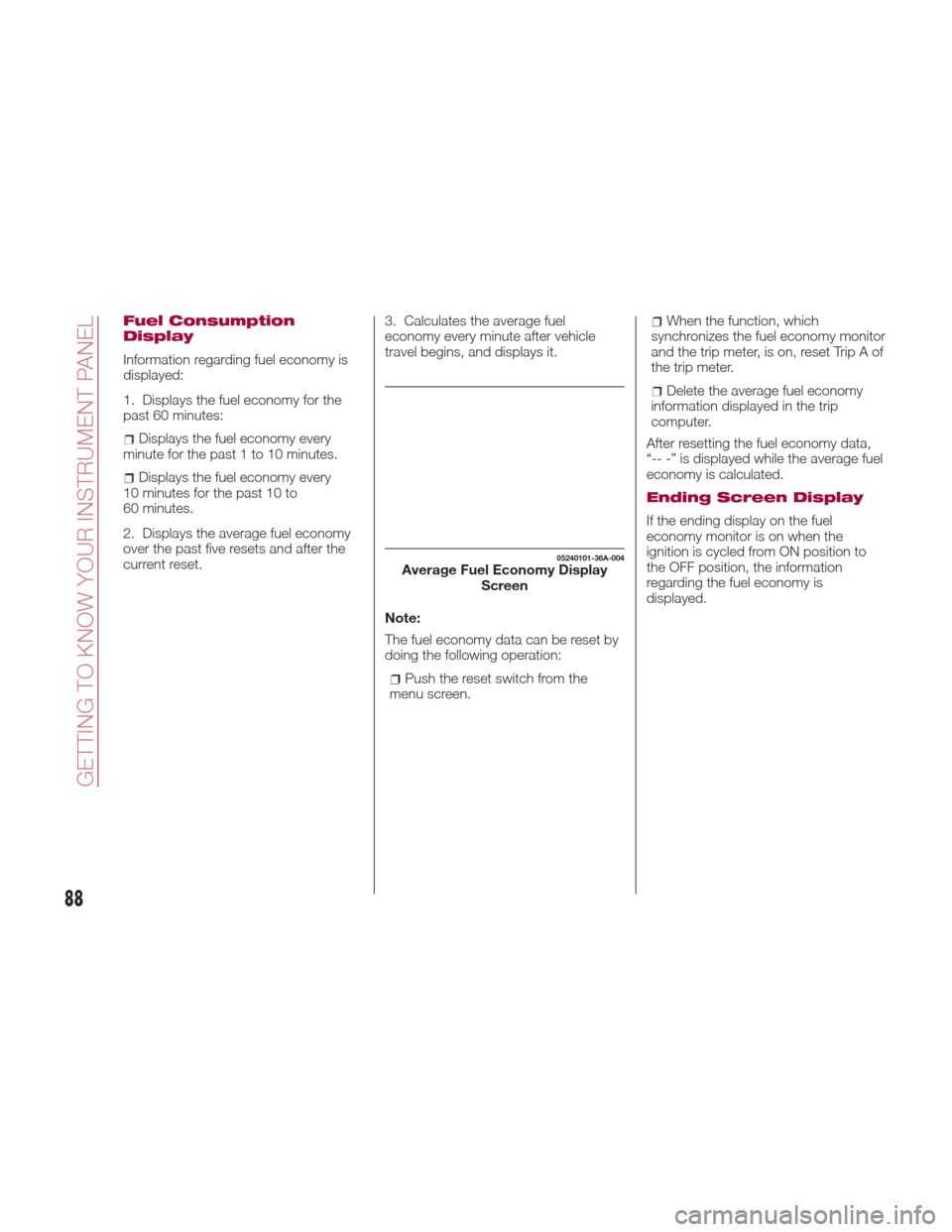
Fuel Consumption
Display
Information regarding fuel economy is
displayed:
1. Displays the fuel economy for the
past 60 minutes:
Displays the fuel economy every
minute for the past 1 to 10 minutes.
Displays the fuel economy every
10 minutes for the past 10 to
60 minutes.
2. Displays the average fuel economy
over the past five resets and after the
current reset. 3. Calculates the average fuel
economy every minute after vehicle
travel begins, and displays it.
Note:
The fuel economy data can be reset by
doing the following operation:
Push the reset switch from the
menu screen.
When the function, which
synchronizes the fuel economy monitor
and the trip meter, is on, reset Trip A of
the trip meter.
Delete the average fuel economy
information displayed in the trip
computer.
After resetting the fuel economy data,
“-- -” is displayed while the average fuel
economy is calculated.
Ending Screen Display
If the ending display on the fuel
economy monitor is on when the
ignition is cycled from ON position to
the OFF position, the information
regarding the fuel economy is
displayed.
05240101-36A-004Average Fuel Economy Display Screen
88
GETTING TO KNOW YOUR INSTRUMENT PANEL