evic FIAT 500 2013 2.G Owners Manual
[x] Cancel search | Manufacturer: FIAT, Model Year: 2013, Model line: 500, Model: FIAT 500 2013 2.GPages: 423, PDF Size: 9.86 MB
Page 17 of 423
Replacement Keys
NOTE:Only keys that have been programmed to the
vehicle electronics can be used to start the vehicle. Once
a Sentry Key® has been programmed to a vehicle, it
cannot be programmed to any other vehicle.
At the time of purchase, the original owner is provided
with a four-digit Personal Identification Number (PIN).
This PIN is required for authorized studio replacement of
keys. Duplication of keys may be performed at an
authorized studio. This procedure consists of program-
ming a blank key to the vehicle electronics. A blank key
is one which has never been programmed.
NOTE: When having the Sentry Key® Immobilizer
System serviced, bring all vehicle keys with you to an
authorized studio.
General Information
The Sentry Key® system complies with FCC rules part 15
and with RSS-210 of Industry Canada. Operation is
subject to the following conditions:
•This device may not cause harmful interference.
•This device must accept any interference that may be
received, including interference that may cause unde-
sired operation.
NOTE:Changes or modifications not expressly approved
by the party responsible for compliance could void the
user’s authority to operate the equipment.
2
THINGS TO KNOW BEFORE STARTING YOUR VEHICLE 15
Page 24 of 423
General Information
This device complies with Part 15 of the FCC rules and
RSS 210 of Industry Canada. Operation is subject to the
following conditions:
•This device may not cause harmful interference.
•This device must accept any interference received,
including interference that may cause undesired op-
eration.
NOTE:Changes or modifications not expressly approved
by the party responsible for compliance could void the
user’s authority to operate the equipment.
If your RKE transmitter fails to operate from a normal
distance, check for these two conditions:
1. A weak battery in the transmitter. The expected life of
the battery is a minimum of three years.
2. Closeness to a radio transmitter such as a radio station
tower, airport transmitter, and some mobile or CB
radios.
22 THINGS TO KNOW BEFORE STARTING YOUR VEHICLE
Page 28 of 423
Autoclose — If Equipped
When enabled, the door locks will lock automatically
when the vehicle’s speed exceeds 15 mph (24 km/h).
To change the setting proceed as follows:
1. Briefly press theSET ESCbutton “On” or “Off” will
flash on the display (according to the previous set-
ting).
2. Press the UPor DOWNbutton for setting.
3. Briefly press theSET ESCbutton to go back to the
menu screen, or press and hold theSET ESCbutton
(approximately one second) to go back to the main
screen without storing the settings.
NOTE:Use the Automatic Door Locks feature in accor-
dance with local laws.
Refer to “Electronic Vehicle Information Center (EVIC)”
in “Understanding Your Vehicle” for further information.
POWER WINDOWS
Power Window Switches
There are single window controls located on the shifter
bezel, below the climate controls, which operate the
driver and passenger door windows. The window con-
trols will operate when the ignition switch is in the
ON/RUN position.
WARNING!
Never leave children in a vehicle with the key in the
ignition switch. Occupants, particularly unattended
children, can become entrapped by the windows
while operating the power window switches. Such
entrapment may result in serious injury or death.
26 THINGS TO KNOW BEFORE STARTING YOUR VEHICLE
Page 42 of 423
Seat Belt Pretensioners
The seat belts for both front seating positions are
equipped with pretensioning devices that are designed to
remove slack from the seat belt in the event of a collision.
These devices may improve the performance of the seat
belt by assuring that the belt is tight about the occupant
early in a collision. Pretensioners work for all size occu-
pants, including those in child restraints.
NOTE:These devices are not a substitute for proper seat
belt placement by the occupant. The seat belt still must be
worn snugly and positioned properly.
The pretensioners are triggered by the Occupant Re-
straint Controller (ORC). Like the air bags, the preten-
sioners are single use items. A deployed pretensioner or
a deployed air bag must be replaced immediately.
Enhanced Seat Belt Use Reminder System
(BeltAlert®)
BeltAlert® is a feature intended to remind the driver and
front passenger (if equipped with front passenger
BeltAlert®) to fasten their seat belts. The feature is active
whenever the ignition is on. If the driver or front seat
passenger is unbelted, the Seat Belt Reminder Light will
turn on and remain on until both front seat belts are
fastened.
The BeltAlert® warning sequence begins after the vehicle
speed is over 5 mph (8 km/h), by blinking the Seat Belt
Reminder Light and sounding an intermittent chime.
Once the sequence starts, it will continue for the entire
duration or until the respective seatbelts are fastened.
After the sequence completes, the Seat Belt Reminder
Light remains illuminated until the respective seat belts
are fastened. The driver should instruct all other occu-
pants to fasten their seat belts. If a front seat belt is
40 THINGS TO KNOW BEFORE STARTING YOUR VEHICLE
Page 99 of 423
you are not required to train the voice recognition system
to recognize your voice. This implies that the system is
nearly equally performing with different persons, i.e.: the
voice recognition system is of the “speaker independent”
type.
With this system you can also play your favorite music
stored on USB device and select tracks and playback
modes with both voice commands or buttons on the
steering wheel.
This device complies with Part 15 of the FCC rules
subject to the following two conditions:
•This device may not cause harmful interference.
•This device must accept all interference received, includ-
ing interference that may cause undesired operation.
The Hands-Free Kit
The basic characteristic of this hands-free kit is voice
recognition with Bluetooth® wireless technology. With
this system you can make and receive calls safely and
securely by using either voice commands or buttons on
the steering wheel. This can be done under any driving
condition without ever having to take your eyes off the
road or remove your hands from the steering wheel, as
required by current laws.
Bluetooth® wireless technology enables wireless connec-
tion between your mobile phone and the hands-free kit
installed on your car.
To use the hands-free kit, you need a Bluetooth® wireless
technology enabled mobile phone. This hands-free kit
gives you the possibility of interacting vocally with your
mobile phone while driving, even if your mobile device
does not feature this capability. You can also interact with
your mobile phone manually and visually using the
steering wheel controls and the instrument panel multi-
function display.
3
UNDERSTANDING THE FEATURES OF YOUR VEHICLE 97
Page 102 of 423
phone call, answer the other incoming phone call, and
switch between two ongoing phone conversations.
(Call waiting is only supported by a subset of compat-
ible mobile phones).
•Refusing Incoming Call Or Ending A Call— you can
refuse an incoming call or end a current call by
pressing the Phone Hang-up button on the steering
wheel.
After pairing and connecting your phone with the
BLUE&ME™ system, you can make phone calls by
speaking keywords or pressing buttons on the steering
wheel. When using the hands-free phone, the audio
output of a phone conversation is heard through your car
sound speakers.
Message Reader
The BLUE&ME™ message reader enables automatic
reading, through the car sound system, of the SMS texts
you receive on your Bluetooth® wireless technology
mobile phone that are received when the phone is paired
and connected to BLUE&ME™ system. It does not pro-
vide access to messages that were received before the
device was connected with the BLUE&ME™ system. The
message reader will also interpret any abbreviation and
emoticon contained in the SMS text.
NOTE:Not all mobile phones support the SMS text
message reader function or automatic phonebook trans-
fer via Bluetooth®. Consult www.fiatusa.com for further
information on the list of compatible mobile phones.
Message reader functions are managed by the control
buttons on the steering wheel or by the BLUE&ME™
voice commands.
The BLUE&ME™ message reader enables the following
operations:
•To display an indicator on the instrument panel that
indicates you have received a new SMS text. It will
100 UNDERSTANDING THE FEATURES OF YOUR VEHICLE
Page 103 of 423
display the sender’s number/name and will ask you
whether to read the text of the message to you.
•To manage the list of SMS texts received on your
BLUE&ME™ paired mobile phone.
•To read the messages received and stored. Messages
can be read multiple times.
•To call the SMS text sender using the buttons on the
steering wheel or voice commands.
•To delete individual messages or the entire inbox using
the buttons on the steering wheel or voice commands.
The BLUE&ME™ system can also recognize and read
abbreviations, if any (e.g. “ILUVU” will be read like “I
love you”) and interpret the most usual emoticons (e.g. :-)
will be read like “Smile”), that are currently used to write
SMS texts.
Media Player
With the BLUE&ME™ media player you can play, the
digital audio files stored on a USB device by simply
connecting it to the USB port located in the glove box of
the car.
In this way, while you are driving you can play your
favorite music collections.
•iPod® Player— see dedicated paragraph under Me-
dia Player Functions.
The media player enables the following operations:
•Digital Audio Playback— you can play all your
digital audio files (.mp3,.wma,.wav,.aac) or play a
customized playlist (.m3u or. wpl format).
•Audio File Selection By Category— you can play all
audio files of a certain category, e.g.: album, artist or
genre.
3
UNDERSTANDING THE FEATURES OF YOUR VEHICLE 101
Page 104 of 423
•Playback Options— while playing tracks you can
select the following options: Play, Stop, Next track,
Previous track, Shuffle and Loop track.
NOTE:
•The media player does not support audio files com-
pressed with other formats and DRM (Digital Right
Management) protected audio files. Non-supported
audio files that may be present on the USB device will
be ignored.
•To use the media player, you have to simply connect
(directly or by an extension lead) your USB device to the
car USB port. After turning the ignition key to ON,
BLUE&ME™ will start building your media library. At
the end of this operation you can surf the complete library
and scroll its categories as required using the buttons on
the steering wheel or voice commands. BLUE&ME™ will
then play your selection via the car sound system.
WARNING!
•Operating certain parts of this system while driv-
ing can distract your attention away from the road,
and possibly cause an accident or other serious
consequences; for this reason certain functions
shall be disabled by the BLUE&ME™ system until
driving conditions are secure and, if required, only
when the car is stopped.
•Read and Follow Instructions: before using your
system, read and follow all instructions and safety
information provided in this “User ’s Guide”. Not
following precautions found in this User ’s Guide
can lead to an accident or other serious conse-
quences.
(Continued)
102 UNDERSTANDING THE FEATURES OF YOUR VEHICLE
Page 116 of 423
Parking Lights
To turn on the parking lights, remove the key
or turn the ignition to OFF/LOCK position and
turn on the headlights.
Daytime Running Lights — If Equipped
To activate the Daytime Running Lights (DRL), rotate the
end of the multifunction lever to theOsymbol.
NOTE:The low beams and side/taillights will not be on
with DRL.
The DRL function can be turned on or off using the
display menus. Refer to “Electronic Vehicle Information
Center (EVIC)” in “Understanding Your Instrument
Panel” for further information.
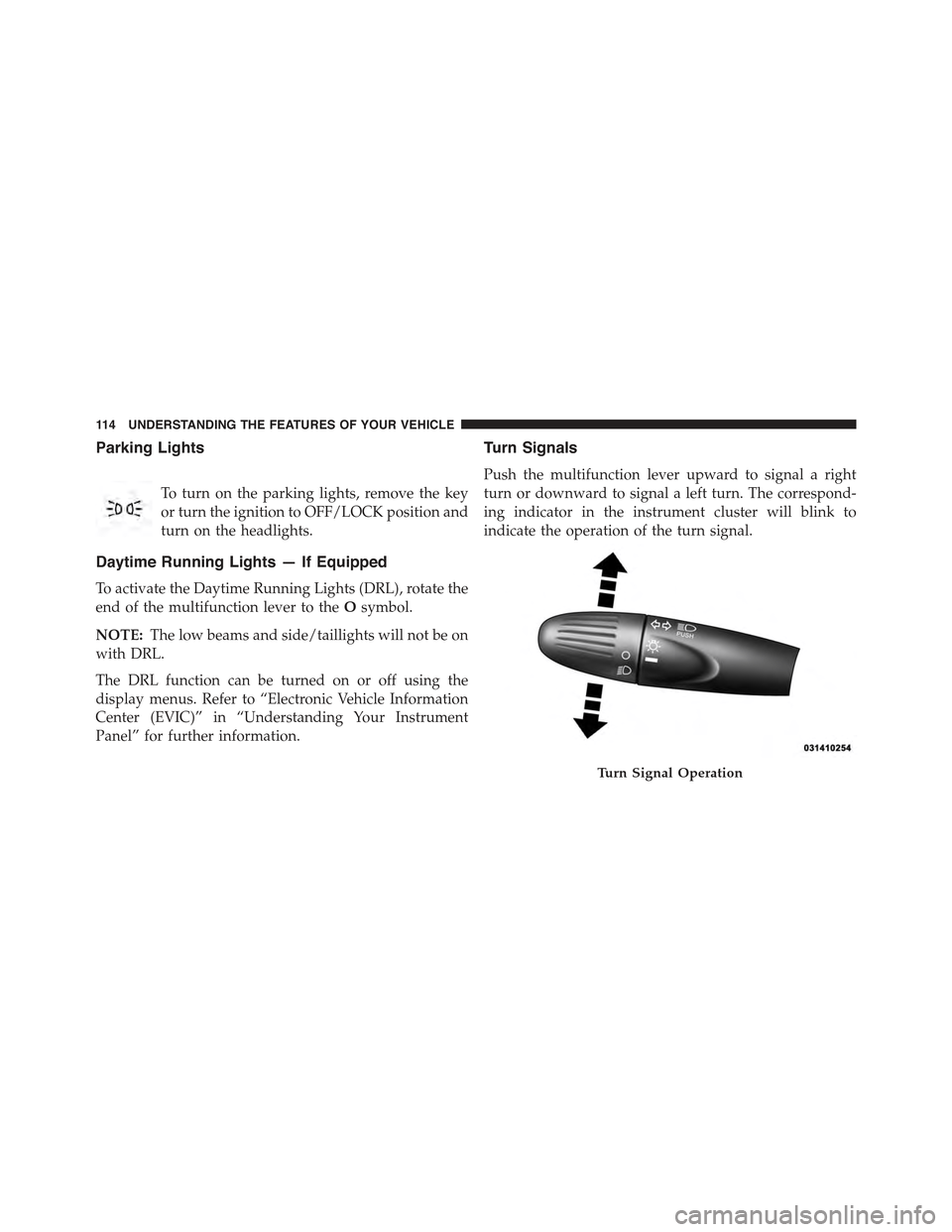
Turn Signals
Push the multifunction lever upward to signal a right
turn or downward to signal a left turn. The correspond-
ing indicator in the instrument cluster will blink to
indicate the operation of the turn signal.
Turn Signal Operation
11 4 U N D E R S TA N D I N G T H E F E AT U R E S O F Y O U R V E H I C L E
Page 136 of 423
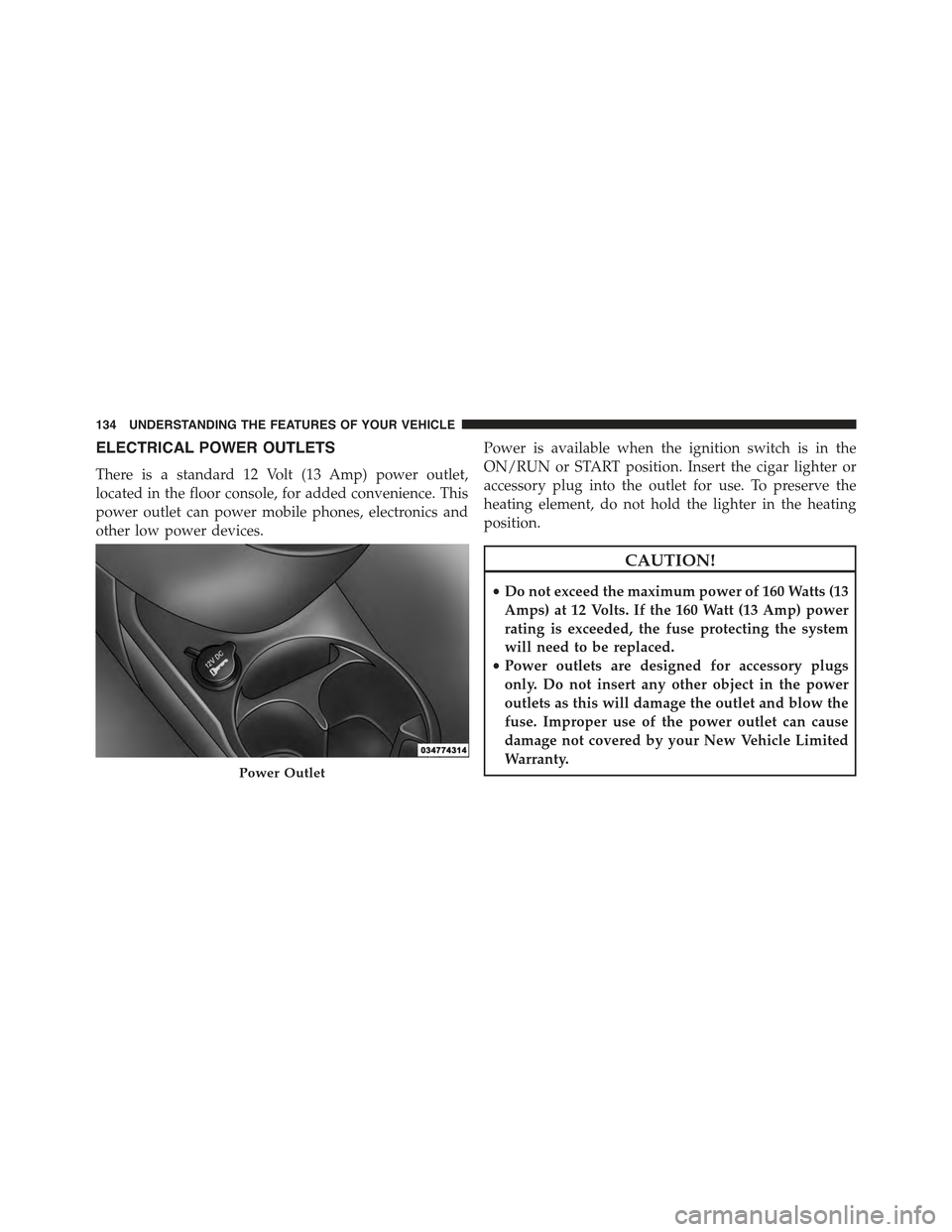
ELECTRICAL POWER OUTLETS
There is a standard 12 Volt (13 Amp) power outlet,
located in the floor console, for added convenience. This
power outlet can power mobile phones, electronics and
other low power devices.
Power is available when the ignition switch is in the
ON/RUN or START position. Insert the cigar lighter or
accessory plug into the outlet for use. To preserve the
heating element, do not hold the lighter in the heating
position.
CAUTION!
•Do not exceed the maximum power of 160 Watts (13
Amps) at 12 Volts. If the 160 Watt (13 Amp) power
rating is exceeded, the fuse protecting the system
will need to be replaced.
•Power outlets are designed for accessory plugs
only. Do not insert any other object in the power
outlets as this will damage the outlet and blow the
fuse. Improper use of the power outlet can cause
damage not covered by your New Vehicle Limited
Warranty.Power Outlet
134 UNDERSTANDING THE FEATURES OF YOUR VEHICLE