warning FIAT 500 ABARTH 2013 2.G Repair Manual
[x] Cancel search | Manufacturer: FIAT, Model Year: 2013, Model line: 500 ABARTH, Model: FIAT 500 ABARTH 2013 2.GPages: 388, PDF Size: 9.03 MB
Page 157 of 388
If the ABS light remains on or turns on while driving, it
indicates that the Anti-Lock portion of the brake system
is not functioning and that service is required. However,
the conventional brake system will continue to operate
normally if the BRAKE warning light is not on.
If the ABS light is on, the brake system should be serviced
as soon as possible to restore the benefits of Anti-Lock
brakes. If the ABS light does not turn on when the
ignition switch is turned to the ON/RUN position, have
the light inspected by an authorized studio.
24. Door Ajar
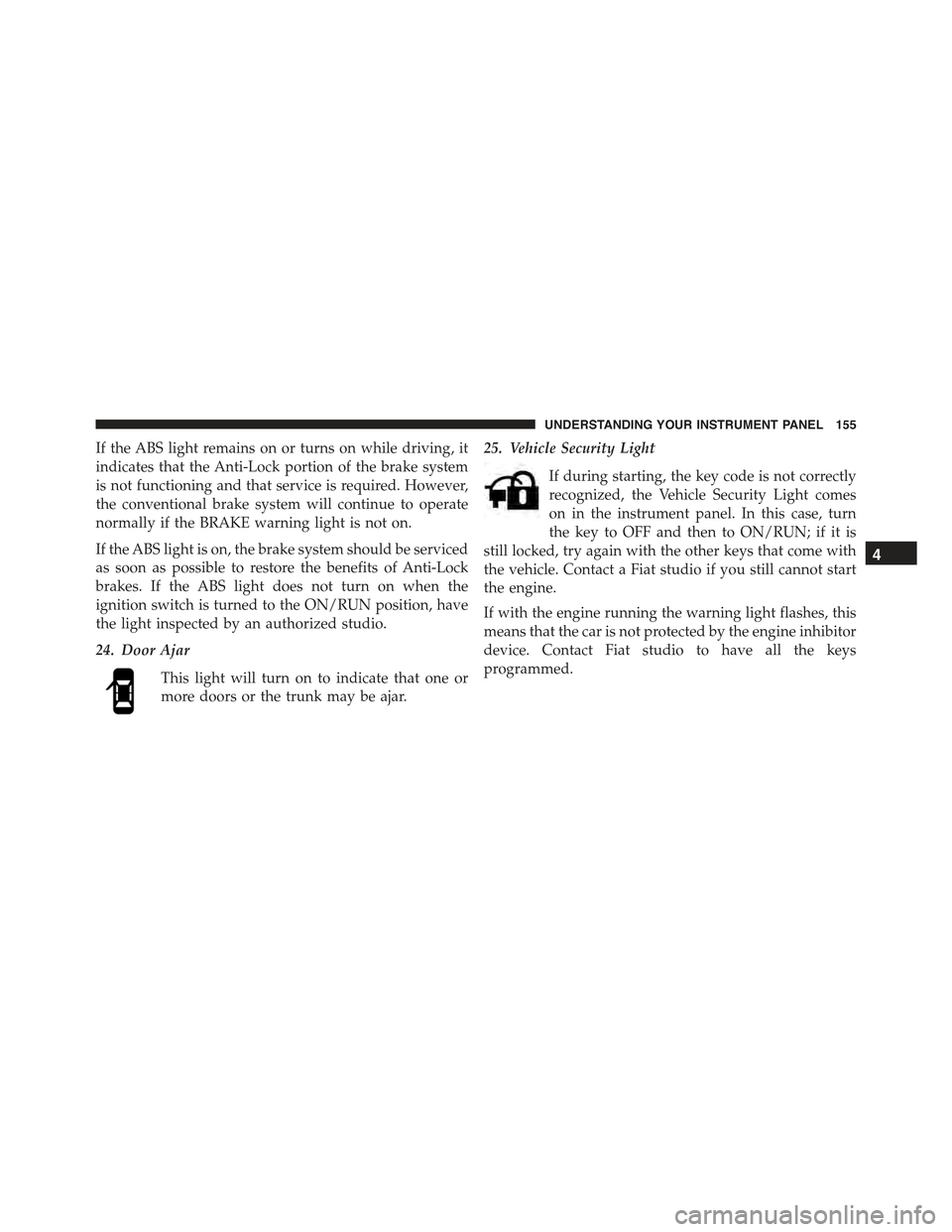
This light will turn on to indicate that one or
more doors or the trunk may be ajar.
25. Vehicle Security Light
If during starting, the key code is not correctly
recognized, the Vehicle Security Light comes
on in the instrument panel. In this case, turn
the key to OFF and then to ON/RUN; if it is
still locked, try again with the other keys that come with
the vehicle. Contact a Fiat studio if you still cannot start
the engine.
If with the engine running the warning light flashes, this
means that the car is not protected by the engine inhibitor
device. Contact Fiat studio to have all the keys
programmed.
4
UNDERSTANDING YOUR INSTRUMENT PANEL 155
Page 158 of 388
26. Temperature Gauge
The temperature digital scale shows engine coolant tem-
perature. Any reading within the normal range indicates
that the engine cooling system is operating satisfactorily.
The gauge pointer will likely indicate a higher tempera-
ture when driving in hot weather, up mountain grades,
or when towing a trailer. It should not be allowed to
exceed the upper limits of the normal operating range.
CAUTION!
Driving with a hot engine cooling system could
damage your vehicle. If the temperature gauge reads
“260“, pull over and stop the vehicle. Idle the vehicle
with the air conditioner turned off until the pointer
drops back into the normal range. If the pointer
remains on the “260”, and you hear continuous
chimes, turn the engine off immediately and call an
authorized studio for service.
WARNING!
A hot engine cooling system is dangerous. You or
others could be badly burned by steam or boiling
coolant. You may want to call an authorized studio
for service if your vehicle overheats. If you decide to
look under the hood yourself, see “Maintaining Your
Vehicle.” Follow the warnings under the “Cooling
System Pressure Cap” paragraph.
27. Odometer / Trip Odometer / Electronic Vehicle Infor-
mation Center (EVIC) Display Area
This display indicates the total distance the vehicle has
been driven.
U.S. Federal regulations require that upon transfer of
vehicle ownership, the seller certify to the purchaser the
correct mileage that the vehicle has been driven. If your
odometer needs to be repaired or serviced, the repair
technician should leave the odometer reading the same
156 UNDERSTANDING YOUR INSTRUMENT PANEL
Page 159 of 388
as it was before the repair or service. If s/he cannot do so,
then the odometer must be set at zero, and a sticker must
be placed in the door jamb stating what the mileage was
before the repair or service. It is a good idea for you to
make a record of the odometer reading before the repair/
service, so that you can be sure that it is properly reset, or
that the door jamb sticker is accurate if the odometer
must be reset at zero.
NOTE:If the vehicle is equipped with the Electronic
Vehicle Information Center (EVIC) in the instrument
cluster, all warnings including “door” and “gate” and
“Change Engine Oil” will only be displayed in the EVIC
display. For additional information, refer to “Electronic
Vehicle Information Center (EVIC).”
Refer to the “Electronic Vehicle Information Center
(EVIC)” for further information.
28. Fuel Gauge / Fuel Door Reminder
The fuel door reminder indicates that the fuel filler door
is located on the right side of the vehicle. When the
ignition switch is in the ON/RUN position, the digital
scale will show the level of fuel remaining in the fuel
tank.
NOTE:The fuel gauge and range will not immediately
update accurately when refueling with the engine on.
29. Tachometer
The white area of the scale shows the permissible engine
revolutions-per-minute (RPM x 1000) for each gear range.
Before reaching the red area, ease up on the accelerator to
prevent engine damage.
30. Speedometer
The Speedometer shows the vehicle speed in miles per
hour (mph) and/or kilometers per hour (km/h).
4
UNDERSTANDING YOUR INSTRUMENT PANEL 157
Page 160 of 388
ELECTRONIC VEHICLE INFORMATION CENTER
(EVIC)
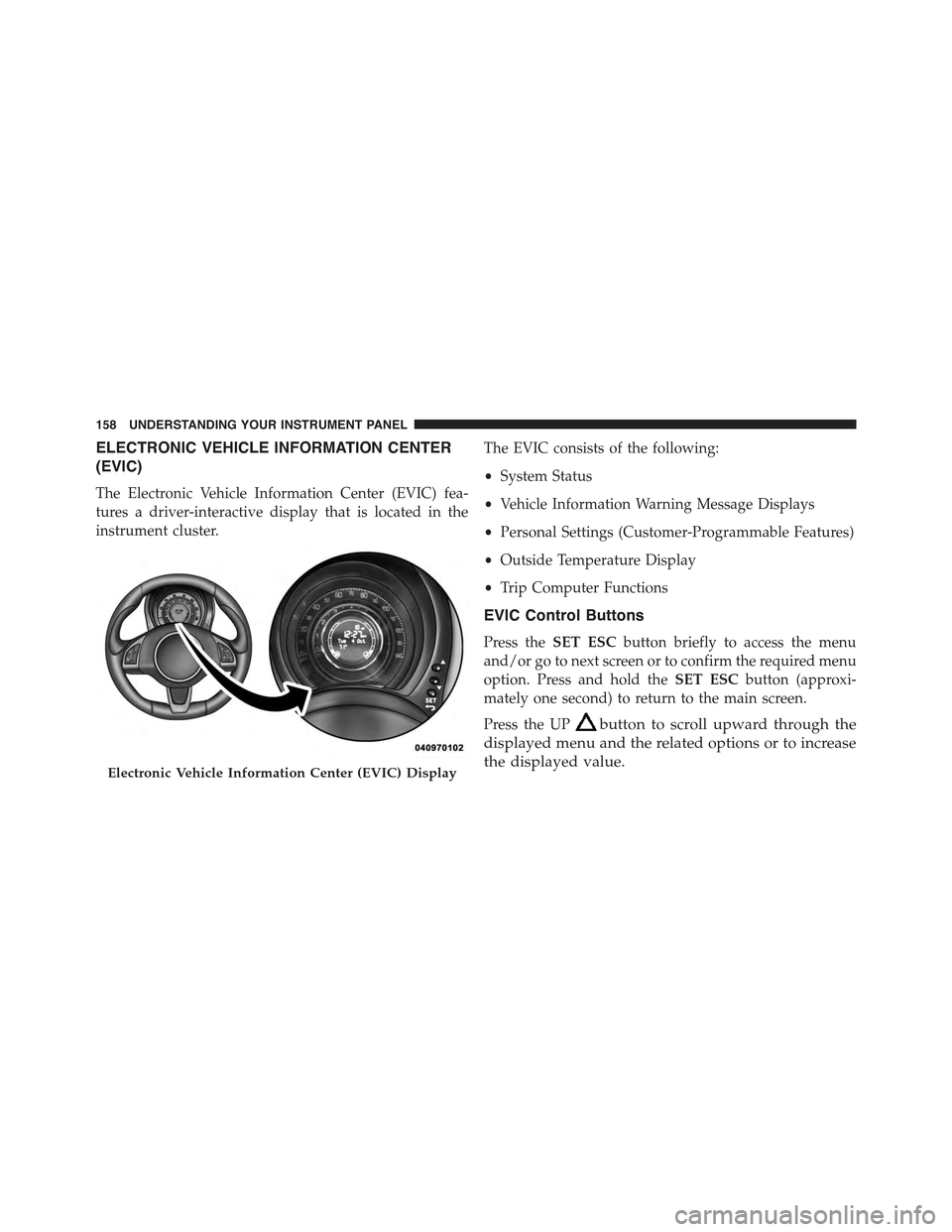
The Electronic Vehicle Information Center (EVIC) fea-
tures a driver-interactive display that is located in the
instrument cluster.
The EVIC consists of the following:
•System Status
•Vehicle Information Warning Message Displays
•Personal Settings (Customer-Programmable Features)
•Outside Temperature Display
•Trip Computer Functions
EVIC Control Buttons
Press theSET ESCbutton briefly to access the menu
and/or go to next screen or to confirm the required menu
option. Press and hold theSET ESCbutton (approxi-
mately one second) to return to the main screen.
Press the UPbutton to scroll upward through the
displayed menu and the related options or to increase
the displayed value.Electronic Vehicle Information Center (EVIC) Display
158 UNDERSTANDING YOUR INSTRUMENT PANEL
Page 173 of 388
3. When accessing the “Temperature” submenu: briefly
press theSET ESCbutton. Either “°F” or “°C” will
appear on the display (according to the previous
setting).
4. Press the UPor DOWNbutton for setting.
5. Briefly press theSET ESCbutton to return to the
sub-menu.
When you have made the required settings, briefly press
theSET ESCbutton to go back to the sub-menu screen,
or press and hold theSET ESCbutton (approximately
one second) to go back to the main screen without storing
the settings.
Language (Selecting The Language)
The messages can be displayed in the following lan-
guages: Italian, English, German, Portuguese, Spanish,
French, Dutch, Polish.
To set the required language, proceed as follows:
1. Briefly press theSET ESCbutton. The previously set
“language” will flash on the display.
2. Press the UPor DOWNbutton for setting.
3. Briefly press theSET ESCbutton to go back to the
menu screen, or press and hold theSET ESCbutton
(approximately one second) to go back to the main
screen without storing the settings.
Buzzer Volume (Adjusting The Failure/Warning
Buzzer Volume)
With this function the volume of the buzzer accompany-
ing any failure/warning indication can be adjusted to
one of eight volume levels.
4
UNDERSTANDING YOUR INSTRUMENT PANEL 171
Page 177 of 388
If the radio has BLUE&ME™, refer to the appropriate
“BLUE&ME™ User ’s Manual” for further information.
The instructions for use are given below and we recom-
mend you to read them carefully.
Suggestions
Road Safety
Please, learn how to use all different radio functions (e.g.
store stations) before beginning to drive.
Reception Conditions
Reception conditions change constantly while driving.
Reception may be interfered with by the presence of
mountains, buildings or bridges, or when you are far
away from the broadcaster.
WARNING!
Having the volume turned up high can cause the
driver to not be able to hear important traffic sounds,
i.e. sirens, horns, etc. This could cause an accident.
Always adjust the volume so that you can still hear
background noises.
Care And Maintenance
Clean the cover with a soft antistatic cloth only. Cleaning
and polishing products could damage the surface.
4
UNDERSTANDING YOUR INSTRUMENT PANEL 175
Page 184 of 388
CD Section
•Track selection (forward/backward)
•Fast forward/rewind through tracks
•CD Display function: display of track number and on
mp3 discs (song title, artist) and time elapsed since
start of the track
•Playing Audio CD, CD-R and CD-RW
WARNING!
On multimedia CDs, besides audio tracks, there are
data tracks too. Playing this type of CD could cause
hissing at a volume that could jeopardize road safety
as well as causing damage to the final stages and the
speakers.
CD/MP3 Section
•MP3-Info function (ID3-TAG)
•Folder selection (previous/next)
•Track selection (forward/backward)
•Fast forward/rewind through tracks
•MP3 Display function: display of folder name, ID3-
TAG information, time elapsed since the start of the
track, name of the file
•Playing audio or data CD, CD-R and CD-RW
182 UNDERSTANDING YOUR INSTRUMENT PANEL
Page 225 of 388
▫Tire Spinning........................261
▫Tread Wear Indicators..................261
▫Life Of Tire.........................262
▫Replacement Tires.....................263
!TIRE CHAINS (TRACTION DEVICES).......265
!TIRE ROTATION RECOMMENDATIONS.....265
!TIRE PRESSURE MONITORING SYSTEM
(TPMS)..............................266
▫Base System.........................269
▫General Information...................271
!FUEL REQUIREMENTS..................272
▫Reformulated Gasoline.................272
▫Gasoline/Oxygenate Blends..............273
▫E-85 Usage In Non-Flex Fuel Vehicles.......273
▫MMT In Gasoline.....................274
▫Materials Added To Fuel................274
▫Fuel System Cautions...................275
▫Carbon Monoxide Warnings.............276
!ADDING FUEL........................277
▫Fuel Filler Cap (Gas Cap)...............277
▫Loose Fuel Filler Cap Message............278
!TRAILER TOWING.....................278
!RECREATIONAL TOWING (BEHIND
MOTORHOME, ETC.)...................279
▫Towing This Vehicle Behind Another Vehicle . .279
5
STARTING AND OPERATING 223
Page 226 of 388
STARTING PROCEDURES
Before starting your vehicle, adjust your seat, adjust both
inside and outside mirrors, and fasten your seat belts.
WARNING!
•Never leave children alone in a vehicle, or with
access to an unlocked vehicle.
•Allowing children to be in a vehicle unattended is
dangerous for a number of reasons. A child or
others could be seriously or fatally injured. Chil-
dren should be warned not to touch the parking
brake, brake pedal or the shift lever.
•Do not leave the key fob in or near the vehicle (or
in a location accessible to children), and do not
leave the ignition in the ACC or ON/RUN position.
A child could operate power windows, other con-
trols, or move the vehicle.
Manual Transmission
Apply the parking brake, place the shift lever in NEU-
TRAL, and press the clutch pedal before starting the
vehicle. This vehicle is equipped with a clutch interlock-
ing ignition system. It will not start unless the clutch
pedal is pressed to the floor.
Normal Starting
NOTE:Normal starting of either a cold or a warm
engine is obtained without pumping or pressing the
accelerator pedal.
Turn the ignition switch to the AVV (START) position and
release it when the engine starts. If the engine fails to start
within 10 seconds, turn the ignition switch to the STOP
(OFF/LOCK) position, wait 10 to 15 seconds, then repeat
the “Normal Starting” procedure.
224 STARTING AND OPERATING
Page 228 of 388
3. If the engine fails to start within 10 seconds, turn the
ignition switch to the STOP (OFF/LOCK) position,
wait 5 seconds to allow the starter to cool, then repeat
the “Extended Park Starting” procedure.
4. If the engine fails to start after 8 attempts, allow the
starter to cool for at least 60 seconds, then repeat the
procedure.
If Engine Fails To Start
WARNING!
Never pour fuel or other flammable liquid into the
throttle body air inlet opening in an attempt to start
the vehicle. This could result in flash fire causing
serious personal injury.
CAUTION!
•Do not attempt to push or tow your vehicle to get it
started. Unburned fuel could enter the catalytic
converter and once the engine has started, ignite
and damage the converter and vehicle.
•To prevent damage to the starter, do not continu-
ously crank the engine for more than 15 seconds at
a time. Wait 10 to 15 seconds before trying again.
After Starting
The idle speed will automatically decrease as the engine
warms up.
Turbocharger “Cool Down”
This vehicle is equipped with an after-run pump to cool
the turbocharger after the engine is shut off. Depending
on the type of driving and the amount of cargo, the pump
will run for up to 10 minutes after the engine has been
226 STARTING AND OPERATING