instrument panel FIAT 500 ABARTH 2015 2.G Manual PDF
[x] Cancel search | Manufacturer: FIAT, Model Year: 2015, Model line: 500 ABARTH, Model: FIAT 500 ABARTH 2015 2.GPages: 426, PDF Size: 9.89 MB
Page 189 of 426
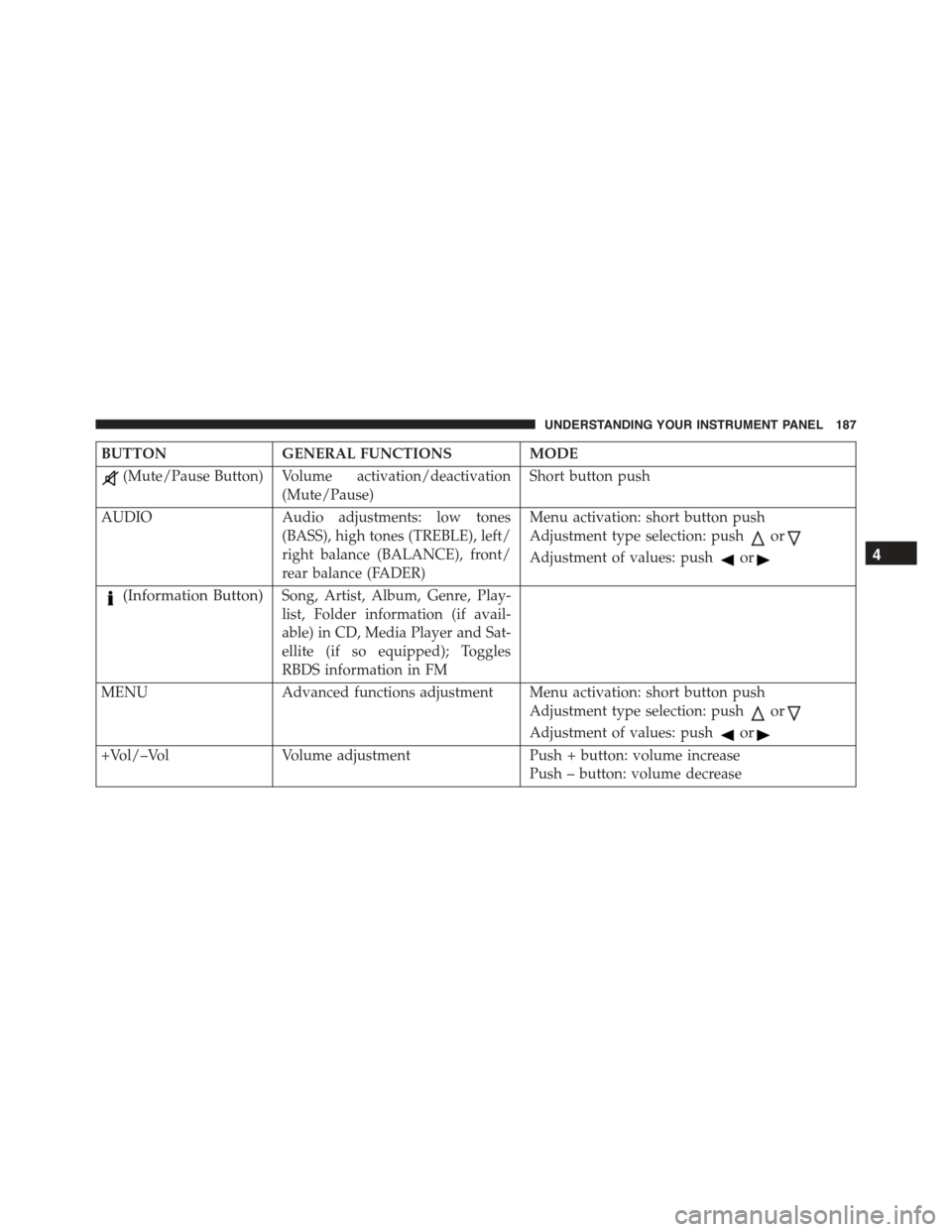
BUTTONGENERAL FUNCTIONSMODE
(Mute/Pause Button) Volume activation/deactivation
(Mute/Pause)
Short button push
AUDIOAudio adjustments: low tones
(BASS), high tones (TREBLE), left/
right balance (BALANCE), front/
rear balance (FADER)
Menu activation: short button push
Adjustment type selection: pushor
Adjustment of values: pushor
(Information Button)Song, Artist, Album, Genre, Play-
list, Folder information (if avail-
able) in CD, Media Player and Sat-
ellite (if so equipped); Toggles
RBDS information in FM
MENU Advanced functions adjustment Menu activation: short button push
Adjustment type selection: pushor
Adjustment of values: pushor
+Vol/–VolVolume adjustmentPush + button: volume increase
Push – button: volume decrease
4
UNDERSTANDING YOUR INSTRUMENT PANEL 187
Page 190 of 426
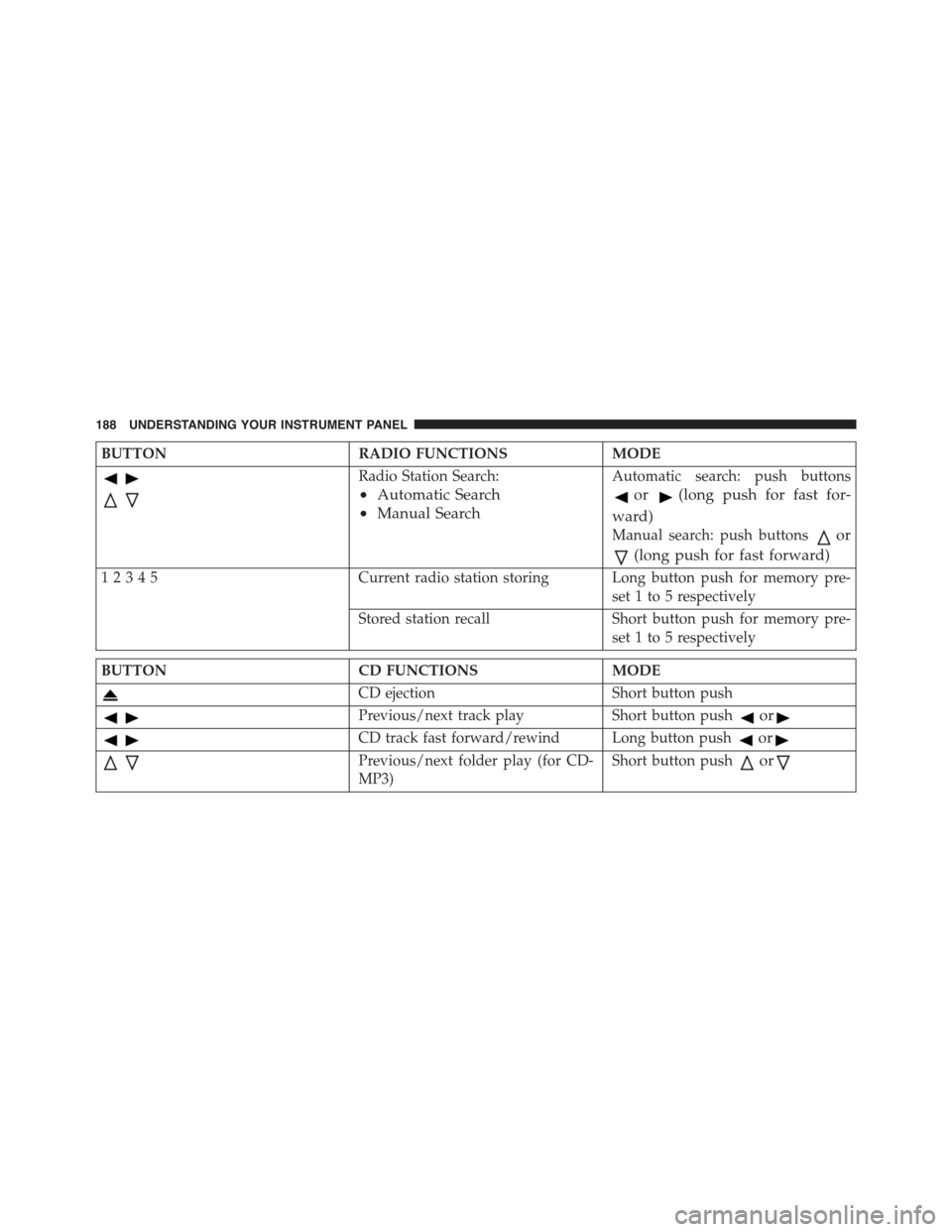
BUTTONRADIO FUNCTIONSMODE
Radio Station Search:
•Automatic Search
•Manual Search
Automatic search: push buttons
or(long push for fast for-
ward)
Manual search: push buttonsor
(long push for fast forward)
12345Current radio station storing Long button push for memory pre-
set 1 to 5 respectively
Stored station recall Short button push for memory pre-
set 1 to 5 respectively
BUTTONCD FUNCTIONSMODE
CD ejectionShort button push
Previous/next track playShort button pushor
CD track fast forward/rewind Long button pushor
Previous/next folder play (for CD-
MP3)
Short button pushor
188 UNDERSTANDING YOUR INSTRUMENT PANEL
Page 191 of 426
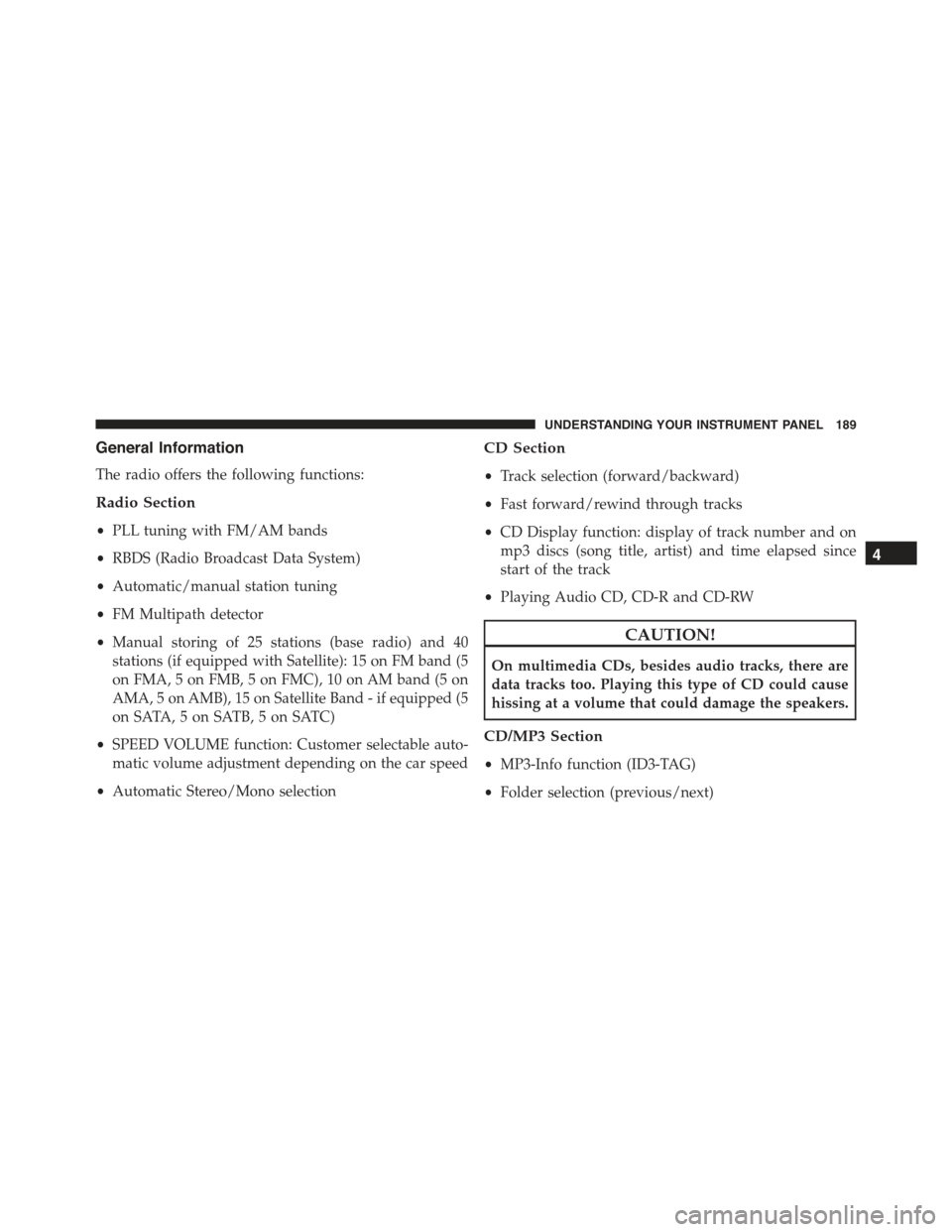
General Information
The radio offers the following functions:
Radio Section
•PLL tuning with FM/AM bands
•RBDS (Radio Broadcast Data System)
•Automatic/manual station tuning
•FM Multipath detector
•Manual storing of 25 stations (base radio) and 40
stations (if equipped with Satellite): 15 on FM band (5
on FMA, 5 on FMB, 5 on FMC), 10 on AM band (5 on
AMA, 5 on AMB), 15 on Satellite Band - if equipped (5
on SATA, 5 on SATB, 5 on SATC)
•SPEED VOLUME function: Customer selectable auto-
matic volume adjustment depending on the car speed
•Automatic Stereo/Mono selection
CD Section
•Track selection (forward/backward)
•Fast forward/rewind through tracks
•CD Display function: display of track number and on
mp3 discs (song title, artist) and time elapsed since
start of the track
•Playing Audio CD, CD-R and CD-RW
CAUTION!
On multimedia CDs, besides audio tracks, there are
data tracks too. Playing this type of CD could cause
hissing at a volume that could damage the speakers.
CD/MP3 Section
•MP3-Info function (ID3-TAG)
•Folder selection (previous/next)
4
UNDERSTANDING YOUR INSTRUMENT PANEL 189
Page 192 of 426
•Track selection (forward/backward)
•Fast forward/rewind through tracks
•MP3 Display function: display of folder name, ID3-
TAG information, time elapsed since the start of the
track, name of the file
•Playing audio or data CD, CD-R and CD-RW
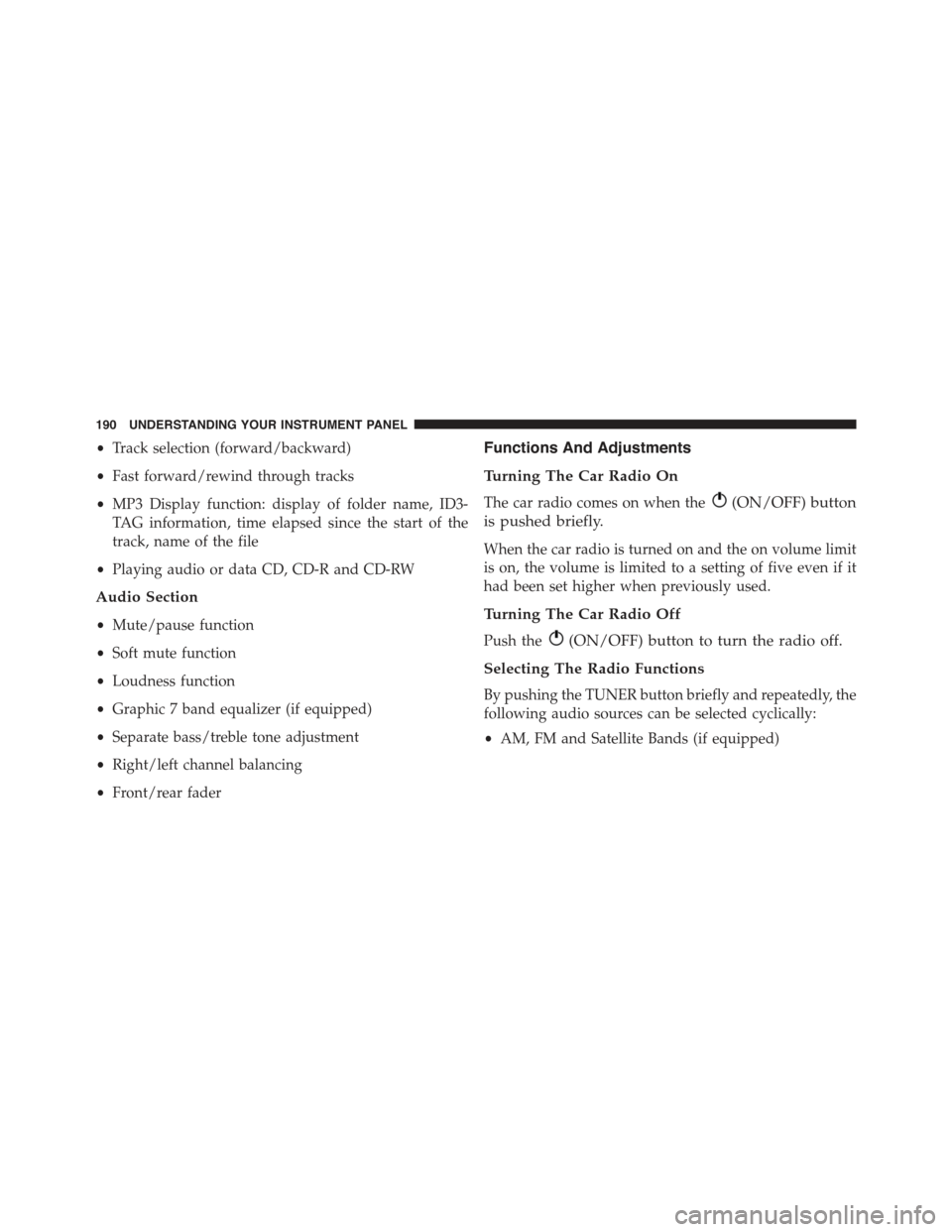
Audio Section
•Mute/pause function
•Soft mute function
•Loudness function
•Graphic 7 band equalizer (if equipped)
•Separate bass/treble tone adjustment
•Right/left channel balancing
•Front/rear fader
Functions And Adjustments
Turning The Car Radio On
The car radio comes on when the(ON/OFF) button
is pushed briefly.
When the car radio is turned on and the on volume limit
is on, the volume is limited to a setting of five even if it
had been set higher when previously used.
Turning The Car Radio Off
Push the(ON/OFF) button to turn the radio off.
Selecting The Radio Functions
By pushing the TUNER button briefly and repeatedly, the
following audio sources can be selected cyclically:
•AM, FM and Satellite Bands (if equipped)
190 UNDERSTANDING YOUR INSTRUMENT PANEL
Page 193 of 426
Selecting The CD Function
By briefly pushing the MEDIA button, the CD audio
source can be selected (only if a CD is loaded).
Volume Adjustment
To adjust the volume, push the buttons +Vol or –Vol to
increase/decrease the volume.
Mute/Pause Function
Push thebutton briefly to activate the MUTE func-
tion. The volume will gradually decrease and the
wording “TUNER Mute” will be shown on the display
(in radio mode) or “CD Pause” (in CD mode).
Push thebutton again to deactivate the MUTE
function. The volume will gradually increase until it
reaches the previously set level.
When the volume level is changed using the dedicated
controls, the Mute function is deactivated and the vol-
ume is adjusted to the new level selected.
Audio Adjustment
The functions that can be selected from the audio menu
change depending on the context: AM/FM/MEDIA/
SATELLITE.
Push the AUDIO button briefly to change the Audio
functions. After the AUDIO button is first pushed, the
display will show the Bass level value for the source
activated at that time (e.g. in FM mode the display will
show the wording “FM Bass +2”).
Use the buttonsorto scroll through the Menu
functions. To change the setting of the selected func-
tion, use theorbuttons.
The current status of the selected function appears on the
display.
The functions managed by the Audio Menu are:
•BASS (Bass adjustment)
4
UNDERSTANDING YOUR INSTRUMENT PANEL 191
Page 194 of 426
•MIDRANGE (Midrange adjustment)
•TREBLE (Treble adjustment)
•BALANCE (right/left Balance adjustment)
•FADER (front/rear Balance adjustment)
•LOUDNESS — if equipped (Loudness function
activation/deactivation)
•EQUALIZER — if equipped (activation and selection
of factory equalization adjustments)
•USER EQUALIZER — if equipped (customized equal-
ization adjustment)
Tone Adjustment
Proceed as follows:
1. Push the AUDIO button.
2. Push theorbutton to select “Bass,” “Mid-
range” or “Treble” in the AUDIO menu.
3. Push theorbutton to increase/decrease the
bass or treble adjustments.
By pushing theorbuttons briefly, the levels will
change progressively. By pushing them down longer,
the levels will change quickly.
Balance Adjustment
Proceed as follows:
1. Push the AUDIO button.
2. Push theorbutton to set “Balance” in the
AUDIO menu.
3. Push thebutton to increase the sound from the
left speakers or thebutton to increase the sound
from the right speakers.
192 UNDERSTANDING YOUR INSTRUMENT PANEL
Page 195 of 426
By pushing theorbuttons briefly, the levels will
change progressively. By pushing them down longer,
the levels will change quickly.
Select the value “0” to set the right and left audio outputs
at the same level.
Fader Adjustment
Proceed as follows:
1. Push the AUDIO button.
2. Push theorbutton to set “Fader” in the
AUDIO menu.
3. Push thebutton to increase the sound coming
from the rear speakers or thebutton to increase
the sound coming from the front speakers.
By pushing theorbuttons briefly, the levels will
change progressively. By pushing them down longer,
the levels will change quickly.
Select the value “0” to set the right and left audio outputs
at the same level.
Loudness Function — If Equipped
The Loudness function improves the volume of the
sound while listening at low volumes, increasing the bass
and treble.
To activate/deactivate this function, select the “Loud-
ness” setting in the AUDIO menu. The condition of the
function (on or off) is shown on the display for a few
seconds by the wording “Loudness On” or “Loudness
Off”.
Preset/User/Classic/Rock/Jazz Functions — If
Equipped
The built-in equalizer can be activated/deactivated.
When the equalizer function is off, the audio settings can
only be changed by adjusting the “Bass” and “Treble”
settings, whereas when the function is on, the acoustic
4
UNDERSTANDING YOUR INSTRUMENT PANEL 193
Page 196 of 426
curves can be adjusted. To deactivate the equalizer, select
the “EQ Preset” function in the audio menu.
To activate the equalizer, use the AUDIO button to select
one of the adjustments:
•“EQ User” (adjustment of 7 equalizer bands that can
be changed by the user)
•“Classic” (equalizer preset for optimal classic music
sound)
•“Rock” (equalizer preset for optimal rock and pop
music sound)
•“Jazz” (equalizer preset for optimal jazz music sound)
When one of the equalizer adjustments is activated the
wording “EQ” lights up.
User EQ Settings Function — If Equipped
To set a personalized equalizer adjustment:
1. Push the AUDIO button.
2. Use theorbuttons to set EQ function.
3. Useorbuttons to select#EQ User.#
4. Push the MENU button to start adjusting equalizer.
5. On the display a seven bar graph will appear, in which
each bar represents a frequency. Select the bar to be
adjusted by using theorbuttons. The selected
bar will start to flash and it can be adjusted using
orbuttons.
6. To store the setting, push the MENU or AUDIO
buttons.
194 UNDERSTANDING YOUR INSTRUMENT PANEL
Page 197 of 426
Menu
MENU Button Functions
Push the MENU button briefly to activate the Menu
function.
Use theorbuttons to scroll through the menu
functions. To change the setting of the selected func-
tion, use theorbuttons.
The current status of the selected function appears on the
display.
The functions managed by the Menu are:
•Speech Volume
•Aux Audio Offset
•Radio Off
•Sat ID
•SiriusXM Telephone Number
•System Reset
•Speed Volume
•On Volume Limit
Push the MENU button again to exit the Menu function.
Speed Volume Function — If Equipped
This function automatically adapts the volume level to
the speed of the car, turning up the volume when the
speed increases to maintain the ratio with the noise level
inside the passenger compartment. To activate/
deactivate the function, use the buttons. The wording
“Speed volume” appears on the display, followed by the
current status of the function:
•Off: function deactivated
•Low: function activated (low sensitivity)
•High: function activated (high sensitivity)
4
UNDERSTANDING YOUR INSTRUMENT PANEL 195
Page 198 of 426
On Volume Limit
This function makes it possible to activate/deactivate the
maximum volume limit when turning the radio on.
The display shows the function status:
•“On volume limit: on” – when the radio is turned on
the volume level will be:
– If the volume level is equal to or higher than the
maximum value, the radio will come on at the
maximum volume.
– If the volume level is between the minimum and
maximum values, the radio will come on at the
same volume as before it was switched off.
– If the volume level is equal to or lower than the
minimum value, the radio will come on at the
minimum volume.
•“On volume limit: off” – The radio will come on at the
same volume as before it was switched off. The
volume level can be between 0 and 40.
Use the buttonsorto change the setting.
NOTE:
•Using the Menu it is only possible to adjust the
activation/deactivation of the function and not the
minimum or maximum volume value.
•If the battery charge is too low, the volume cannot be
adjusted between the minimum and the maximum
level.
Radio Off Function
This function makes it possible to set the radio switching
off mode by choosing between two methods.
The chosen mode appears on the display:
•“Radio off: 00 min” — The radio turns off in connec-
tion with the ignition key; the radio is turned auto-
matically off as soon as the key is turned to the STOP
position.
196 UNDERSTANDING YOUR INSTRUMENT PANEL