ignition FIAT 500C 2018 User Guide
[x] Cancel search | Manufacturer: FIAT, Model Year: 2018, Model line: 500C, Model: FIAT 500C 2018Pages: 338, PDF Size: 4 MB
Page 43 of 338
CAUTION!Before getting out of the vehicle be sure that the switch
is in the center position or that the lights are off to
avoid draining the battery.
Interior Light Timing (Center Position)
There are four different modes of operation that can be
activated in this position:
• When one door is opened, a three minute timer is
activated.
• When the key is removed from the ignition (within two
minutes of the ignition being turned OFF), a 10 second
timer is activated.
• When the doors are unlocked with the key fob, a 10
second timer is activated.
• When the doors are locked with the key fob, the lights
will turn off. Interior Light Timing (On/Right Position)
When all doors are closed a 15-minute timer is activated.
NOTE: The timer is deactivated when the key is moved
into the ON/RUN position.
Cargo Area Lights
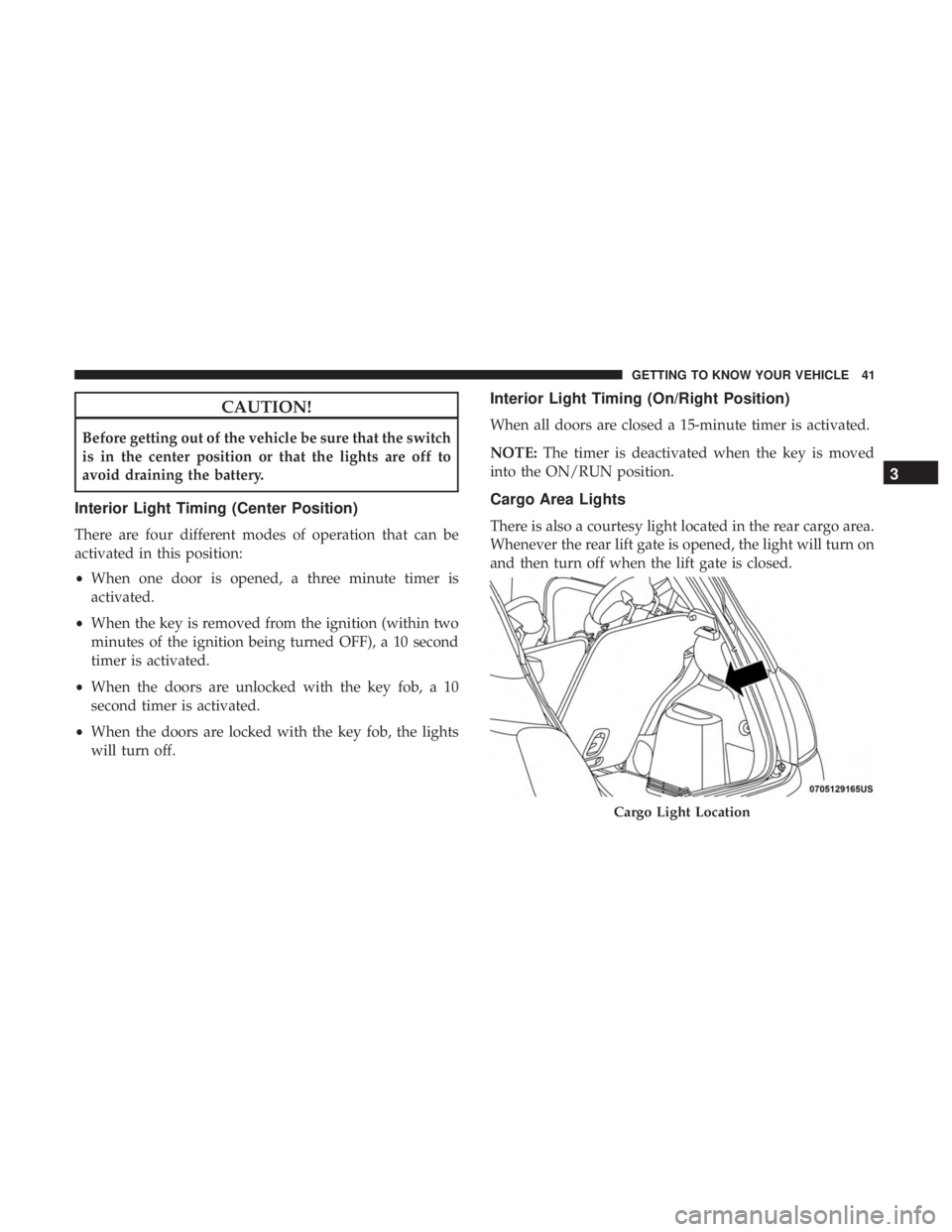
There is also a courtesy light located in the rear cargo area.
Whenever the rear lift gate is opened, the light will turn on
and then turn off when the lift gate is closed.
Cargo Light Location 3GETTING TO KNOW YOUR VEHICLE 41
Page 44 of 338
WIPERS AND WASHERS
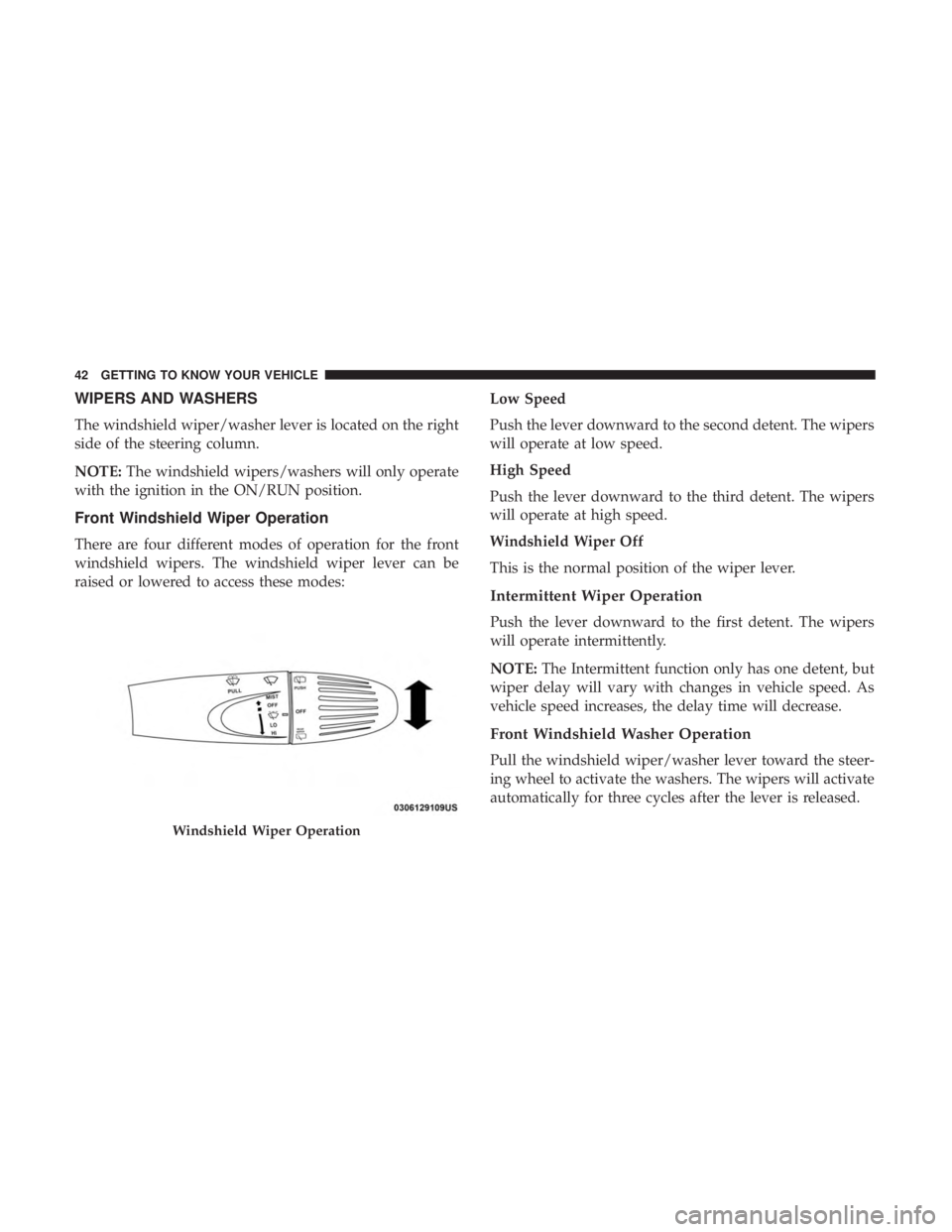
The windshield wiper/washer lever is located on the right
side of the steering column.
NOTE: The windshield wipers/washers will only operate
with the ignition in the ON/RUN position.
Front Windshield Wiper Operation
There are four different modes of operation for the front
windshield wipers. The windshield wiper lever can be
raised or lowered to access these modes: Low Speed
Push the lever downward to the second detent. The wipers
will operate at low speed.
High Speed
Push the lever downward to the third detent. The wipers
will operate at high speed.
Windshield Wiper Off
This is the normal position of the wiper lever.
Intermittent Wiper Operation
Push the lever downward to the first detent. The wipers
will operate intermittently.
NOTE: The Intermittent function only has one detent, but
wiper delay will vary with changes in vehicle speed. As
vehicle speed increases, the delay time will decrease.
Front Windshield Washer Operation
Pull the windshield wiper/washer lever toward the steer-
ing wheel to activate the washers. The wipers will activate
automatically for three cycles after the lever is released.Windshield Wiper Operation42 GETTING TO KNOW YOUR VEHICLE
Page 45 of 338
CAUTION!• Turn the windshield wipers off when driving
through an automatic car wash. Damage to the wind-
shield wipers may result if the wiper control is left in
any position other than off.
• In cold weather, always turn off the wiper switch and
allow the wipers to return to the park position before
turning off the engine. If the wiper switch is left
on and the wipers freeze to the windshield, damage
to the wiper motor may occur when the vehicle is
restarted.
• Always remove any buildup of snow that prevents
the windshield wiper blades from returning to the
off position. If the windshield wiper control is
turned off and the blades cannot return to the off
position, damage to the wiper motor may occur.
Manual High Speed/Mist
Push the lever upward from the off position. The wipers
will operate at high speed to clear off road mist or spray
from a passing vehicle. This operation will continue until
the lever is released. When the lever is released, the wipers
will return to the off position and automatically shut off. Rear Windshield Wiper
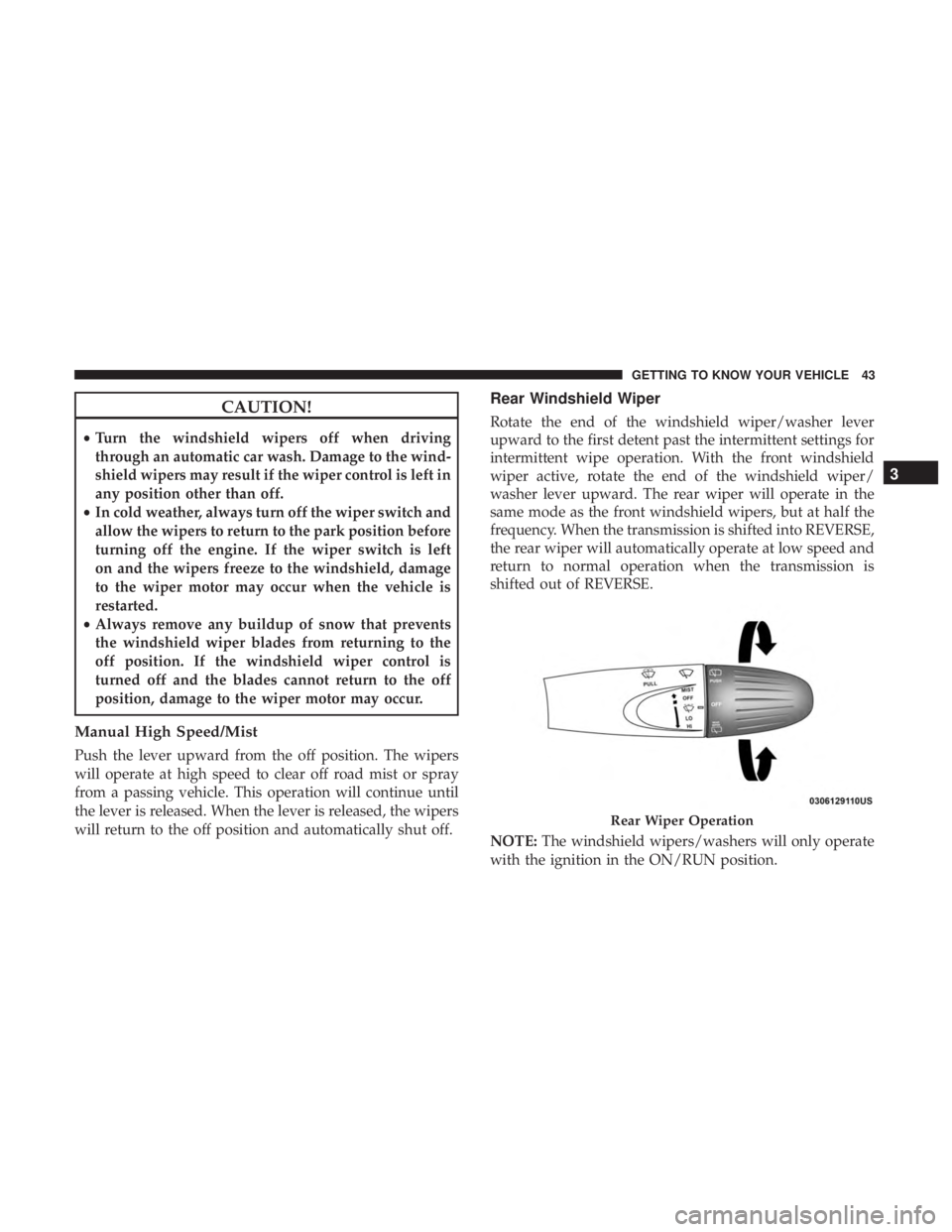
Rotate the end of the windshield wiper/washer lever
upward to the first detent past the intermittent settings for
intermittent wipe operation. With the front windshield
wiper active, rotate the end of the windshield wiper/
washer lever upward. The rear wiper will operate in the
same mode as the front windshield wipers, but at half the
frequency. When the transmission is shifted into REVERSE,
the rear wiper will automatically operate at low speed and
return to normal operation when the transmission is
shifted out of REVERSE.
NOTE: The windshield wipers/washers will only operate
with the ignition in the ON/RUN position. Rear Wiper Operation 3GETTING TO KNOW YOUR VEHICLE 43
Page 58 of 338
Operating Tips Chart WINDOWS
Power Window Controls
The power window controls are located on the shifter
bezel, below the climate controls, which operate the driver
and passenger door windows. The window controls will
operate when the ignition switch is in the MAR (ACC/
ON/RUN) position.
Power Window Switches56 GETTING TO KNOW YOUR VEHICLE
Page 62 of 338
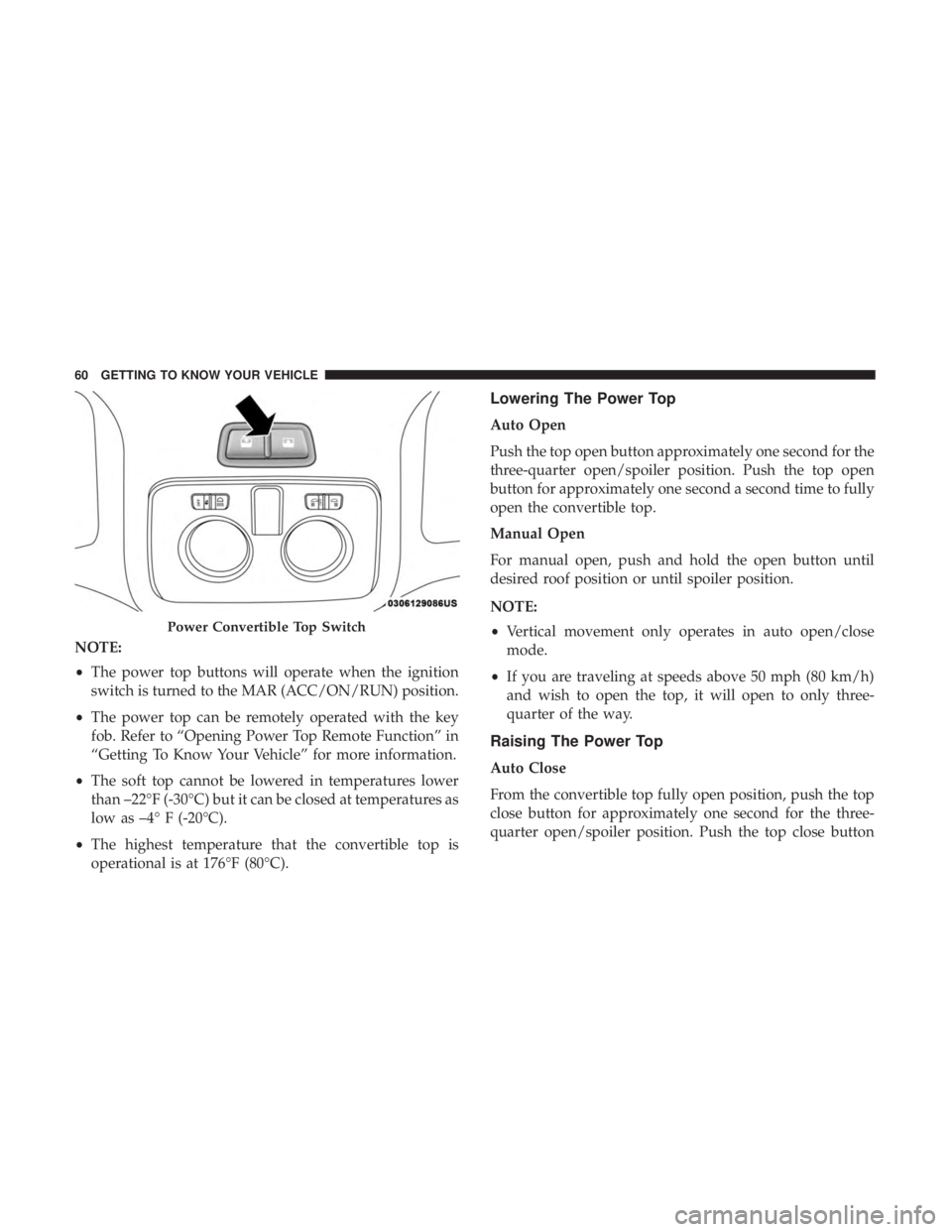
NOTE:
• The power top buttons will operate when the ignition
switch is turned to the MAR (ACC/ON/RUN) position.
• The power top can be remotely operated with the key
fob. Refer to “Opening Power Top Remote Function” in
“Getting To Know Your Vehicle” for more information.
• The soft top cannot be lowered in temperatures lower
than –22°F (-30°C) but it can be closed at temperatures as
low as –4° F (-20°C).
• The highest temperature that the convertible top is
operational is at 176°F (80°C). Lowering The Power Top
Auto Open
Push the top open button approximately one second for the
three-quarter open/spoiler position. Push the top open
button for approximately one second a second time to fully
open the convertible top.
Manual Open
For manual open, push and hold the open button until
desired roof position or until spoiler position.
NOTE:
• Vertical movement only operates in auto open/close
mode.
• If you are traveling at speeds above 50 mph (80 km/h)
and wish to open the top, it will open to only three-
quarter of the way.
Raising The Power Top
Auto Close
From the convertible top fully open position, push the top
close button for approximately one second for the three-
quarter open/spoiler position. Push the top close buttonPower Convertible Top Switch60 GETTING TO KNOW YOUR VEHICLE
Page 70 of 338
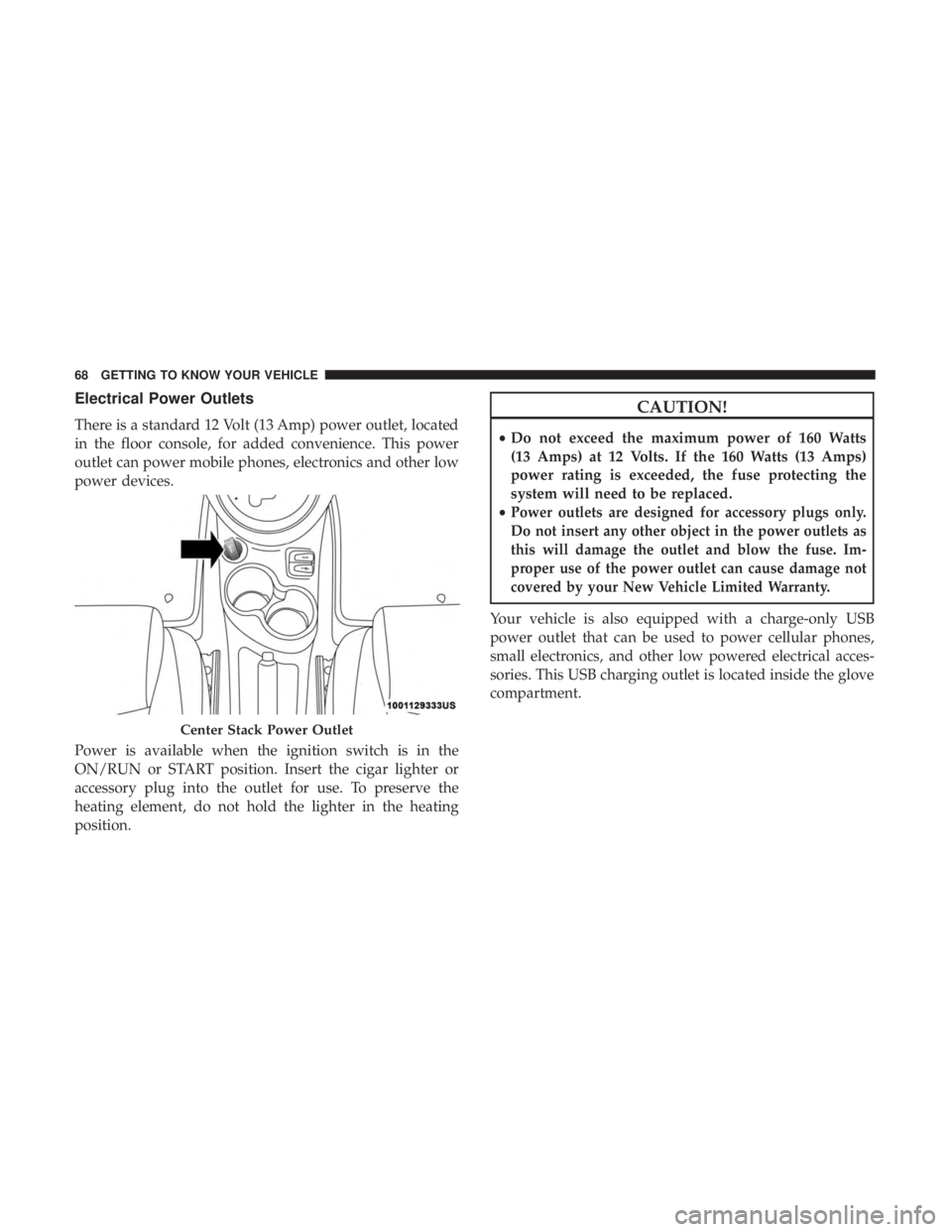
Electrical Power Outlets
There is a standard 12 Volt (13 Amp) power outlet, located
in the floor console, for added convenience. This power
outlet can power mobile phones, electronics and other low
power devices.
Power is available when the ignition switch is in the
ON/RUN or START position. Insert the cigar lighter or
accessory plug into the outlet for use. To preserve the
heating element, do not hold the lighter in the heating
position. CAUTION!• Do not exceed the maximum power of 160 Watts
(13 Amps) at 12 Volts. If the 160 Watts (13 Amps)
power rating is exceeded, the fuse protecting the
system will need to be replaced.
• Power outlets are designed for accessory plugs only.
Do not insert any other object in the power outlets as
this will damage the outlet and blow the fuse. Im-
proper use of the power outlet can cause damage not
covered by your New Vehicle Limited Warranty.
Your vehicle is also equipped with a charge-only USB
power outlet that can be used to power cellular phones,
small electronics, and other low powered electrical acces-
sories. This USB charging outlet is located inside the glove
compartment.Center Stack Power Outlet68 GETTING TO KNOW YOUR VEHICLE
Page 81 of 338
5. Base And Sport Mode Gauge Displays
Depending on what options and trim level your vehicle
may be equipped with, two gauge displays are available
with the push of the Sport Mode button.
• Instant Consumption Bar graph: This bar graph shows
the instant fuel consumption, the style changes accord-
ing to vehicle version while minimum and maximum
values change depending on selected unit. The pos-
sible labels are:
• Mpg
• Km/l
• l/100 km
• “Sport Mode” — Gas Pedal Percentage Gauge: This
gauge shows what percent the gas pedal is currently
depressed at.
• “Sport Mode” — The active instrument cluster display
screen will change to the G-Force screen.
• “Sport Turbo Mode” — This gauge shows the Turbo
boost during acceleration.
• “Turbo Pressure Gauge” — This gauge shows the level
of turbo pressure. NOTE: Different trips may have different values even if the
same driving style is maintained. Some factors that may
impact the calculated index value are:
• Traffic conditions
• Trip duration
• Temperature (engine and ambient)
6. Instrument Cluster Display
• The instrument cluster display features a driver-
interactive display. Refer to “Instrument Cluster Dis-
play” in “Getting To Know Your Instrument Panel” for
further information.
INSTRUMENT CLUSTER DISPLAY
Your vehicle may be equipped with an instrument cluster
display, which offers useful information to the driver. With
the ignition in the STOP/OFF mode, opening/closing of a
door will activate the display for viewing, and display the
total miles, or kilometers, in the odometer. Your instrument
cluster display is designed to display important informa-
tion about your vehicle’s systems and features. Using a
driver interactive display located on the instrument panel, 4GETTING TO KNOW YOUR INSTRUMENT PANEL 79
Page 84 of 338
5. Briefly push and release the MENU button to store the
new setting and go back to the previously selected
submenu option.
6. Push and hold the MENU button to return to the main
menu (short hold) or the main screen (longer hold).
Oil Change Reset
Your vehicle is equipped with an engine oil change indi-
cator system. The “Change Engine Oil” message will
appear in the instrument cluster display for approximately
5 seconds after a single chime has sounded to indicate the
next scheduled oil change interval. The engine oil change
indicator system is duty cycle based, which means the
engine oil change interval may fluctuate, dependent upon
your personal driving style.
Unless reset, this message will continue to display each
time the ignition is placed in the MAR (ACC/ON/RUN)
position. To turn off the message temporarily, push and
release the MENU button. To reset the oil change indicator
system (after performing the scheduled maintenance), refer
to the following procedure.
1. Place the ignition in the MAR (ACC/ON/RUN) posi-
tion. (Do not start the engine.) 2. Fully push the accelerator pedal slowly, three times
within 10 seconds.
3. Turn the ignition switch to the OFF position.
NOTE: If the indicator message illuminates when you
start the vehicle, the oil change indicator system did not
reset. If necessary, repeat this procedure.
TRIP COMPUTER
The Trip Computer is located in the instrument cluster. It
displays trip information such as: trip information, range,
fuel consumption, average speed, and travel time.
Trip Button
The TRIP button, located on the right steering column
stalk, can be used to display and to reset the previously
described values.
• A short button push displays the different values.
• A long button push resets the system and starts a new
trip.
Trip Functions
Both trip functions are resettable (reset — start of new trip).82 GETTING TO KNOW YOUR INSTRUMENT PANEL
Page 86 of 338
Instantaneous Fuel Economy
This indicates the fuel consumption. The value is con-
stantly updated. The message “----” will appear on the
display if the vehicle is parked with the engine running.
Average Speed
This value shows the vehicle’s average speed as a function
of the overall time elapsed since the last reset.
Travel Time
This value shows the time elapsed since the last reset.
WARNING LIGHTS AND MESSAGES
The warning/indicator lights will illuminate in the instru-
ment panel together with a dedicated message and/or
acoustic signal when applicable. These indications are
indicative and precautionary and as such must not be
considered as exhaustive and/or alternative to the infor-
mation contained in the Owner ’s Manual, which you are
advised to read carefully in all cases. Always refer to the
information in this chapter in the event of a failure indica-
tion. All active telltales will display first if applicable. The
system check menu may appear different based upon
equipment options and current vehicle status. Some tell-
tales are optional and may not appear. Red Warning Lights
— Air Bag Warning Light
This warning light will illuminate to indicate a fault with
the air bag, and will turn on for four to eight seconds as a
bulb check when the ignition is placed in the ON/RUN or
ACC/ON/RUN position. This light will illuminate with a
single chime when a fault with the air bag has been
detected, it will stay on until the fault is cleared. If the light
is either not on during startup, stays on, or turns on while
driving, have the system inspected at an authorized dealer
as soon as possible.
— Brake Warning Light
This warning light monitors various brake functions, includ-
ing brake fluid level and parking brake application. If the
brake light turns on it may indicate that the parking brake is
applied, that the brake fluid level is low, or that there is a
problem with the anti-lock brake system reservoir.
If the light remains on when the parking brake has been
disengaged, and the fluid level is at the full mark on the
master cylinder reservoir, it indicates a possible brake
hydraulic system malfunction or that a problem with the
Brake Booster has been detected by the Anti-Lock Brake
System (ABS) / Electronic Stability Control (ESC) system.84 GETTING TO KNOW YOUR INSTRUMENT PANEL
Page 87 of 338
In this case, the light will remain on until the condition has
been corrected. If the problem is related to the brake
booster, the ABS pump will run when applying the brake,
and a brake pedal pulsation may be felt during each stop.
The dual brake system provides a reserve braking capacity
in the event of a failure to a portion of the hydraulic
system. A leak in either half of the dual brake system is
indicated by the Brake Warning Light, which will turn on
when the brake fluid level in the master cylinder has
dropped below a specified level.
The light will remain on until the cause is corrected.
NOTE: The light may flash momentarily during sharp
cornering maneuvers, which change fluid level conditions.
The vehicle should have service performed, and the brake
fluid level checked.
If brake failure is indicated, immediate repair is necessary.
WARNING!Driving a vehicle with the red brake light on is
dangerous. Part of the brake system may have failed. It
will take longer to stop the vehicle. You could have a
collision. Have the vehicle checked immediately. Vehicles equipped with the Anti-Lock Brake System (ABS)
are also equipped with Electronic Brake Force Distribution
(EBD). In the event of an EBD failure, the Brake Warning
Light will turn on along with the ABS Light. Immediate
repair to the ABS system is required.
Operation of the Brake Warning Light can be checked by
turning the ignition switch from the OFF position to the
ON/RUN position. The light should illuminate for ap-
proximately two seconds. The light should then turn off
unless the parking brake is applied or a brake fault is
detected. If the light does not illuminate, have the light
inspected by an authorized dealer.
The light also will turn on when the parking brake is
applied with the ignition switch in the ON/RUN position.
NOTE: This light shows only that the parking brake is
applied. It does not show the degree of brake application.
— Battery Charge Warning Light
This warning light will illuminate when the battery is not
charging properly. If it stays on while the engine is run-
ning, there may be a malfunction with the charging system.
Contact an authorized dealer as soon as possible.
This indicates a possible problem with the electrical system
or a related component. 4GETTING TO KNOW YOUR INSTRUMENT PANEL 85