display FIAT 500L 2015 2.G Owner's Manual
[x] Cancel search | Manufacturer: FIAT, Model Year: 2015, Model line: 500L, Model: FIAT 500L 2015 2.GPages: 438, PDF Size: 12.64 MB
Page 204 of 438
During completely automatic operation (AUTO), varying
the air flow and/or distribution (which are not dis-
played) causes the AUTO function LED to disappear and
the system to operate in MANUAL mode (displaying
both the flow and distribution requested).
When the compressor is deactivated, the AUTO opera-
tion remains active only if the system can guarantee
in-car comfort. Otherwise, the system switches to
MANUAL mode (the set temperatures will flash on the
display). The fan speed is the same in all the zones of the
passenger compartment.
Adjusting The Air Temperature
Rotate the Driver Temperature Control, or the Passenger
Temperature Control, dial clockwise or anti clockwise, to
adjust the air temperature in the front left (Driver Tem-
perature Control) or right (Passenger Temperature Con-
trol) zone of the passenger compartment.
The set temperatures are shown on the displays.
Push the SYNC button to align the air temperature
between the two zones.
Turn the Passenger Temperature Control knob to return
to the separate management of air temperatures in the
two zones.
Turning the control knobs completely in one direction or
the other activates the#HI#(maximum heating) or#LO#
(maximum cooling) functions respectively.
To deactivate these functions, turn the temperature knob
to the desired temperature.
Air Distribution Selection
By pushing the Mode Control buttons (Up/Down/Right
arrows), it is possible to set one of the seven possible air
distributions manually:
•Up Arrow – Air flow to the windshield and front side
window diffusers to defrost them. Use Defrost mode
202 UNDERSTANDING YOUR INSTRUMENT PANEL
Page 206 of 438
In AUTO mode, the climate control system automatically
manages air distribution (the LEDs on the Mode Control
buttons are off ).
When set manually, the air distribution is indicated by
the LEDs on the selected buttons switching on.
In combined function mode, functions are enabled to-
gether with those already set when the relevant button is
pushed. If a button whose function is already active is
pushed, the operation is cancelled and the corresponding
LED switches off.
To restore automatic control of the air distribution after a
manual selection, push the AUTO button.
AUTO Button
When the AUTO button is pushed (LED on button lit) the
climate control system automatically adjusts the follow-
ing settings in the corresponding zones:
•quantity and distribution of the air introduced into the
passenger compartment
•climate control system compressor and
•air recirculation.
Cancelling all previous manual adjustments.
This is indicated by the LED on the AUTO button
switching on.
If the AUTO button is pushed when the AUTO LED is on,
the system switches to completely manual mode; it
displays the current flow and distribution status, which
will no longer be managed automatically.
204 UNDERSTANDING YOUR INSTRUMENT PANEL
Page 207 of 438
If a manual intervention is made on at least the air
distribution, on compressor button or on the fan speed,
the LED switches off to indicate that the system is no
longer controlling all functions automatically.
NOTE:Should the system no longer be able to guarantee
the required temperature set in various passenger com-
partment zones, the set temperature value will flash for a
few seconds on the display.
To restore automatic system control after one or more
manual adjustments, push the AUTO button.
SYNC Button
Push the SYNC button (LED on button lit) to align the
passenger side air temperature with that of the driver
side.
This function makes temperature regulation easier when
the driver is travelling alone.
Turn the Passenger Temperature Control knob to set the
passenger side temperature and return to separate air
temperature management.
Air Recirculation
The Air Recirculation is managed according to the fol-
lowing operating logics:
•forced activation (air recirculation always on): indi-
cated by the LED on the Recirculation Control button;
•forced deactivation (air recirculation always off, air
intake from the outside), signalled by the LED on the
Recirculation Control button switching off.
Forced activation/deactivation can be selected by push-
ing the Recirculation Control button.
When the On/Off button is pushed, the climate control
system automatically activates internal air recirculation
(LED on Recirculation Control button on).
4
UNDERSTANDING YOUR INSTRUMENT PANEL 205
Page 209 of 438
NOTE:With the compressor off, air cannot be introduced
to the passenger compartment with a temperature lower
than the outside temperature. Moreover, under certain
environmental conditions, windows could mist rapidly
since the air is not dehumidified.
Rapid Window Demisting (MAX-DEF function)
Push the MAX-DEF button to activate (LED on button
on) the windshield and side window demisting function.
The climate control system carries out the following
operations:
•switches on the air conditioning compressor when
environmental conditions are suitable;
•switches air recirculation off;
•sets fan speed according to the engine coolant tem-
perature;
•directs air flow to windshield and front side window
diffusers;
•activates the heated rear window;
•activates the heated windshield (if equipped);
•displays the fan speed (Blower Control Indicator LED
lit).
NOTE:The Front Defrost Control (MAX-DEF) function
remains on for about three minutes from when the engine
coolant reaches the appropriate temperature.
When the function is activated, the LED on the AUTO
button switches off. With the function activated the only
possible manual adjustments are adjusting the fan speed
and turning the heated rear window off.
When the Recirculation Control, Rear Defrost Control , or
AUTO buttons are pushed, the climate control system
will deactivate the Front Defrost (MAX-DEF) function.
4
UNDERSTANDING YOUR INSTRUMENT PANEL 207
Page 212 of 438
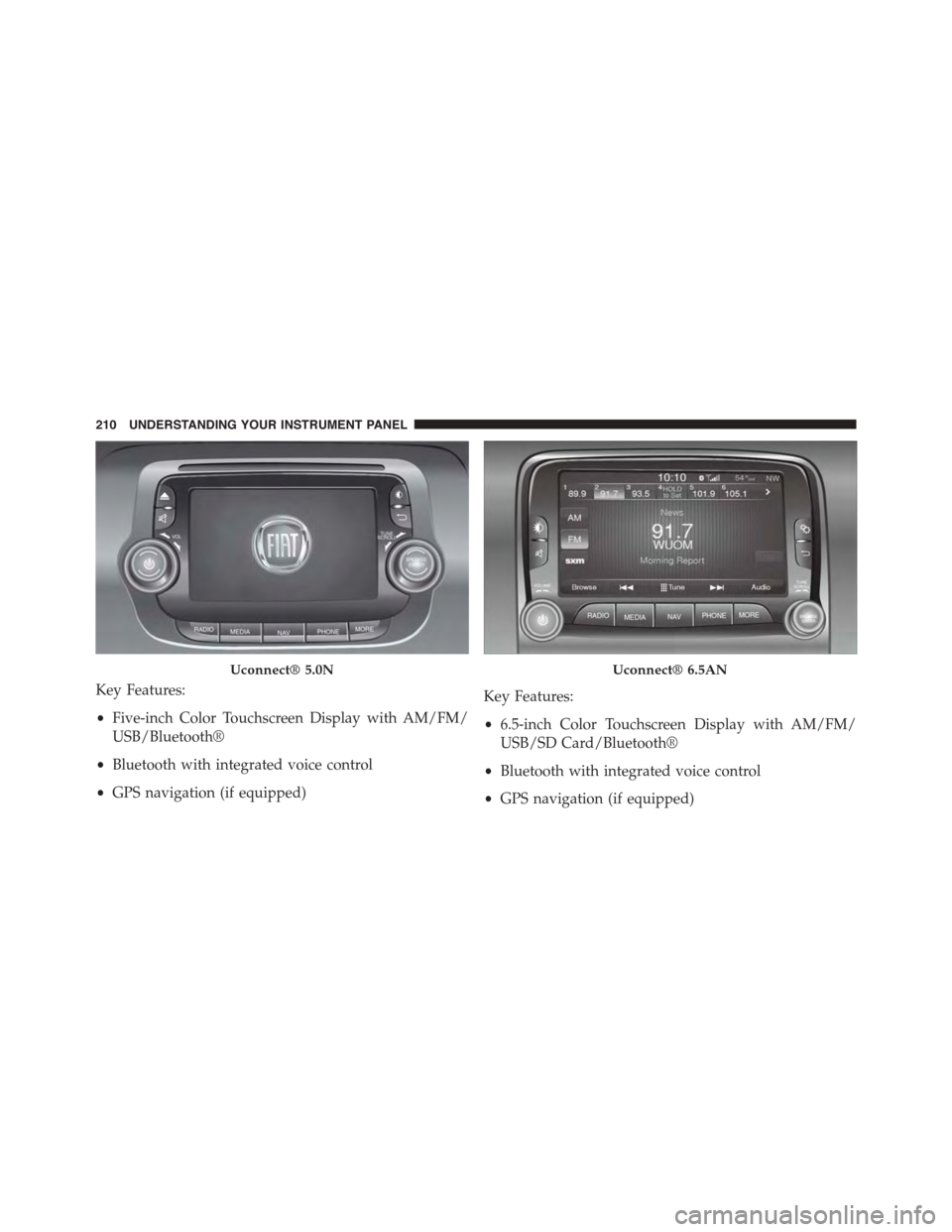
Key Features:
•Five-inch Color Touchscreen Display with AM/FM/
USB/Bluetooth®
•Bluetooth with integrated voice control
•GPS navigation (if equipped)
Key Features:
•6.5-inch Color Touchscreen Display with AM/FM/
USB/SD Card/Bluetooth®
•Bluetooth with integrated voice control
•GPS navigation (if equipped)
Uconnect® 5.0NUconnect® 6.5AN
210 UNDERSTANDING YOUR INSTRUMENT PANEL
Page 217 of 438
Media
Uconnect® offers connections via USB Port, Bluetooth®
and Auxiliary Ports (If Equipped). Voice operation is only
available for connected USB and iPod® devices. (Remote
CD player optional and not available on all vehicles.)
Push the VR button. After the beep, say one of the
following commands and follow the prompts to
switch your media source or choose an artist.
•Change sourceto Bluetooth®
•Change sourceto iPod®
•Change sourceto USB
•Play artistBeethoven;Play albumGreatest Hits;Play
songMoonlight Sonata;Play genreClassical
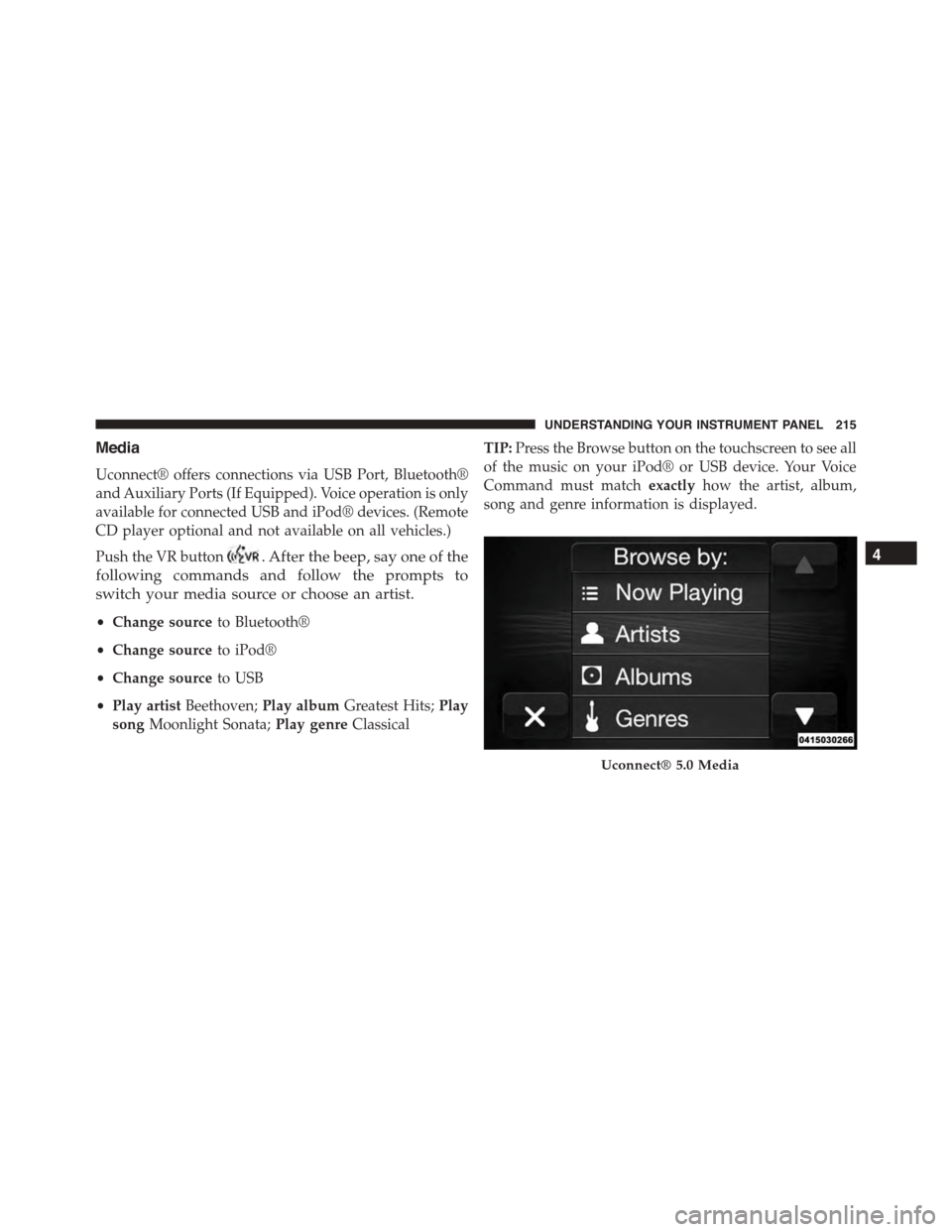
TIP:Press the Browse button on the touchscreen to see all
of the music on your iPod® or USB device. Your Voice
Command must matchexactlyhow the artist, album,
song and genre information is displayed.
Uconnect® 5.0 Media
4
UNDERSTANDING YOUR INSTRUMENT PANEL 215
Page 227 of 438
Turn the ignition switch to the AVV/ACC (START)
position and release it when the engine starts. If the
engine fails to start within 10 seconds, turn the ignition
switch to the STOP (OFF/LOCK) position, wait 10 to 15
seconds, then repeat the “Normal Starting” procedure.
Cold Weather Operation
To prevent possible engine damage while starting at low
temperatures, this vehicle will inhibit engine cranking
when the ambient temperature is less than –22° F (–30° C)
and the oil temperature sensor reading indicates an
engine block heater has not been used. An externally
powered electric engine block heater is available as a
factory installed option.
The message “plug in engine heater” will be displayed in
the instrument cluster when the ambient temperature is
below 5° F (–15° C) at the time the engine is shut off as a
reminder to avoid possible crank delays at the next cold
start.
NOTE:Use of the recommended SAE 5W-40 Synthetic oil
and adhering to the prescribed oil change intervals is
important to prevent engine damage and ensure satisfac-
tory starting in cold conditions.
Extended Park Starting
NOTE:Extended Park condition occurs when the vehicle
has not been started or driven for at least 35 days.
1. Install a battery charger or jumper cables to the battery
to ensure a full battery charge during the crank cycle.
2. Cycle the ignition in the START position and release it
when the engine starts.
3. If the engine fails to start within ten seconds, cycle the
ignition to the STOP (OFF/LOCK) position, wait five
seconds to allow the starter to cool, then repeat the
Extended Park Starting procedure.
5
STARTING AND OPERATING 225
Page 233 of 438
Key Ignition Park Interlock
This vehicle is equipped with a Key Ignition Park Inter-
lock which requires the transmission to be in PARK
before the ignition switch can be turned to the LOCK/
OFF (key removal) position. The key can only be re-
moved from the ignition when the ignition is in the
LOCK/OFF position, and once removed, the transmis-
sion is locked in PARK.
Brake/Transmission Shift Interlock System
This vehicle is equipped with a Brake Transmission Shift
Interlock System (BTSI) that holds the shift lever in PARK
unless the brakes are applied. To shift the transmission
out of PARK, the ignition switch must be turned to the
ON/RUN position (engine running or not), and the
brake pedal (and the lock button on the shift lever) must
be pressed.
Six-Speed Euro Twin Clutch Transmission — If
Equipped
The transmission gear position display (located in the
instrument cluster) indicates the transmission gear range.
You must press the brake pedal and the lock button on
the shift lever to move the shift lever out of PARK (refer
to “Brake/Transmission Shift Interlock System” in this
section). To drive, press the lock button on the front of the
shift lever and move the shift lever from PARK or
NEUTRAL to the DRIVE position.
The electronically-controlled transmission provides a
precise shift schedule. The transmission electronics are
self-calibrating; therefore, the first few shifts on a new
vehicle may be somewhat abrupt. This is a normal
condition, and precision shifts will develop within a few
hundred miles (kilometers).
5
STARTING AND OPERATING 231
Page 234 of 438
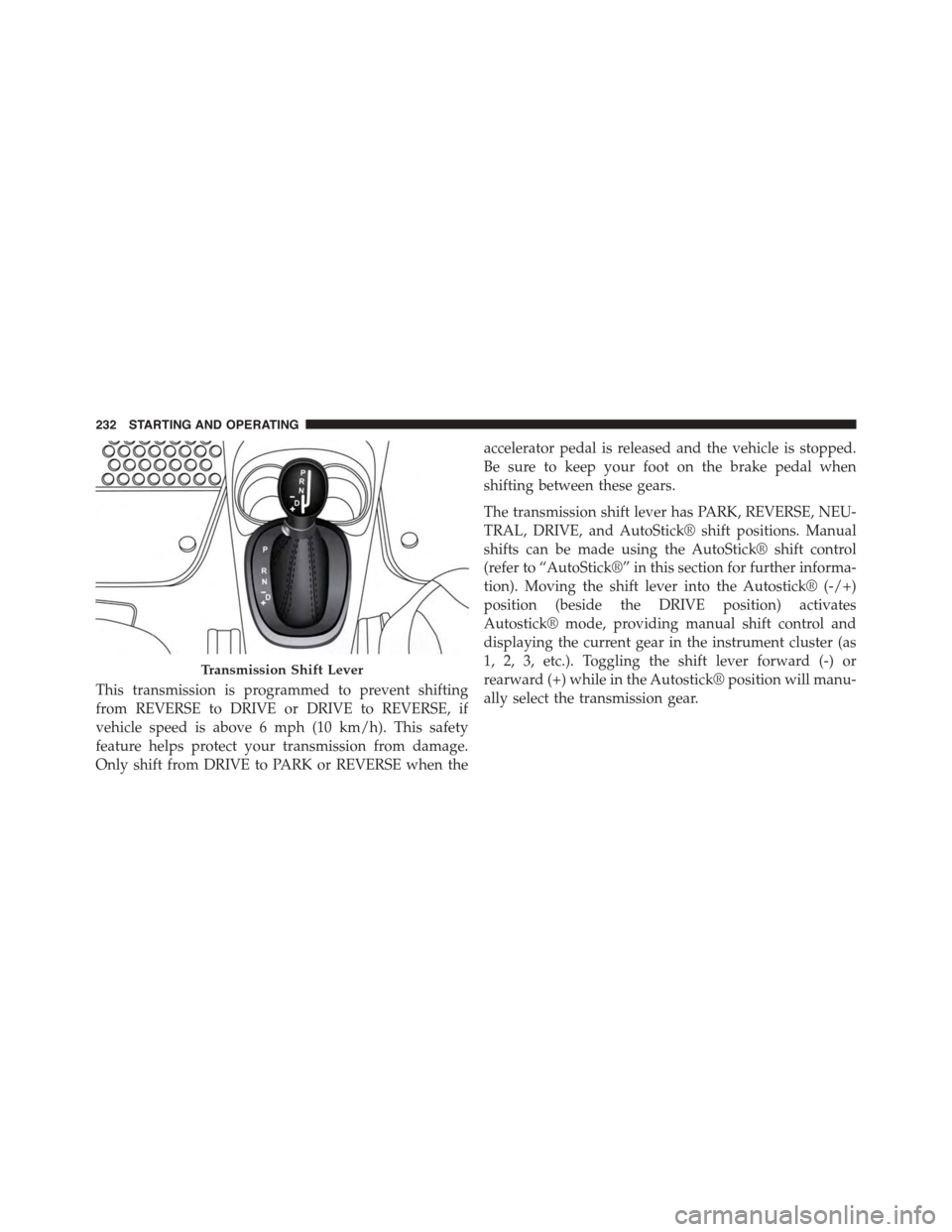
This transmission is programmed to prevent shifting
from REVERSE to DRIVE or DRIVE to REVERSE, if
vehicle speed is above 6 mph (10 km/h). This safety
feature helps protect your transmission from damage.
Only shift from DRIVE to PARK or REVERSE when the
accelerator pedal is released and the vehicle is stopped.
Be sure to keep your foot on the brake pedal when
shifting between these gears.
The transmission shift lever has PARK, REVERSE, NEU-
TRAL, DRIVE, and AutoStick® shift positions. Manual
shifts can be made using the AutoStick® shift control
(refer to “AutoStick®” in this section for further informa-
tion). Moving the shift lever into the Autostick® (-/+)
position (beside the DRIVE position) activates
Autostick® mode, providing manual shift control and
displaying the current gear in the instrument cluster (as
1, 2, 3, etc.). Toggling the shift lever forward (-) or
rearward (+) while in the Autostick® position will manu-
ally select the transmission gear.
Transmission Shift Lever
232 STARTING AND OPERATING
Page 235 of 438
NOTE:If the shift lever cannot be moved to the PARK,
REVERSE, or NEUTRAL position (when pushed for-
ward) it is probably in the AutoStick (+/-) position
(beside the DRIVE position). In AutoStick mode, the
transmission gear (1, 2, 3, etc.) is displayed in the
instrument cluster. Move the shift lever to the right (into
the DRIVE [D] position) for access to PARK, REVERSE,
and NEUTRAL.
Gear Ranges
DO NOT race the engine when shifting from PARK or
NEUTRAL into another gear range.
NOTE:After selecting any gear range, wait a moment to
allow the selected gear to engage before accelerating.
This is especially important when the engine is cold.
PARK (P)
This range supplements the parking brake by locking the
transmission. The engine can be started in this range.
Never attempt to use PARK while the vehicle is in
motion. Apply the parking brake when leaving the
vehicle in this range.
When parking on a level surface, you may shift the
transmission into PARK first, and then apply the parking
brake.
When parking on a hill, apply the parking brake before
shifting the transmission to PARK, otherwise the load on
the transmission locking mechanism may make it diffi-
cult to move the shift lever out of PARK. As an added
precaution, turn the front wheels toward the curb on a
downhill grade and away from the curb on an uphill
grade.
5
STARTING AND OPERATING 233