Rear FIAT DUCATO 2008 3.G User Guide
[x] Cancel search | Manufacturer: FIAT, Model Year: 2008, Model line: DUCATO, Model: FIAT DUCATO 2008 3.GPages: 282, PDF Size: 4.55 MB
Page 55 of 282
54
SAFETY
DEVICES
CORRECT USE
OF THE
VEHICLE
WARNING
LIGHTS AND
MESSAGES
IN AN
EMERGENCY
VEHICLE
MAINTENANCE
TECHNICAL
SPECIFICATIONS
INDEX
DASHBOARD
AND CONTROLS
After demisting/defrosting, operate the
controls to keep the required comfort.
IMPORTANT The climate control system
is very useful to speed up demisting since
it dehumidifies the air. Set controls to
demisting function and switch on the cli-
mate control system by pressing button
E; the knob led will turn on.
Window demisting
In the event of considerable outside mois-
ture and/or rain and/or considerable dif-
ferences in temperature inside and outside
the passenger compartment, perform the
following preventive demisting procedure:
❒turn slider Ato red section;
❒turn air recirculation off by turning
knob Dto
Ú;
❒turn slider Cto -or to ®if the
windows do not demist;
❒turn knob Bto 2nd speed.
fig. 49F0N0185m
IMPORTANT The climate control system
is very useful to prevent window misting
up in presence of high humidity since it de-
humidifies the air.
HEATED REAR WINDOW AND
DOOR MIRROR
DEMISTING/DEFROSTING
(where provided) fig. 50
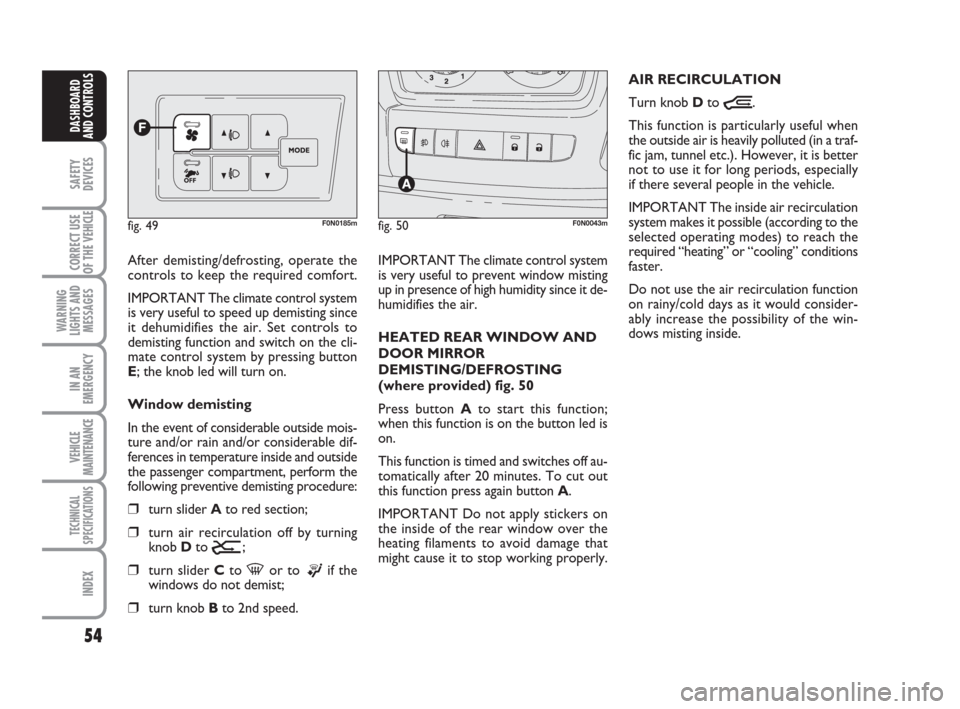
Press button Ato start this function;
when this function is on the button led is
on.
This function is timed and switches off au-
tomatically after 20 minutes. To cut out
this function press again button A.
IMPORTANT Do not apply stickers on
the inside of the rear window over the
heating filaments to avoid damage that
might cause it to stop working properly.AIR RECIRCULATION
Turn knob Dto
Ò.
This function is particularly useful when
the outside air is heavily polluted (in a traf-
fic jam, tunnel etc.). However, it is better
not to use it for long periods, especially
if there several people in the vehicle.
IMPORTANT The inside air recirculation
system makes it possible (according to the
selected operating modes) to reach the
required “heating” or “cooling” conditions
faster.
Do not use the air recirculation function
on rainy/cold days as it would consider-
ably increase the possibility of the win-
dows misting inside.
fig. 50F0N0043m
Page 58 of 282
57
SAFETY
DEVICES
CORRECT USE
OF THE
VEHICLE
WARNING
LIGHTS AND
MESSAGES
IN AN
EMERGENCY
VEHICLE
MAINTENANCE
TECHNICAL
SPECIFICATIONS
INDEX
DASHBOARD
AND CONTROLS
SWITCHING THE CLIMATE
CONTROL SYSTEM ON
The system can be started in different
ways, but it is advisable to press the AU-
TO button and then to turn the knob to
set the temperatures required on the dis-
play.
This way the system will start working
completely automatically to reach the
comfort temperature as quickly as possi-
ble. The system will set air temperature,
quantity and distribution and it will con-
trol the air recirculation function and the
activation of conditioner compressor.During fully automatic operation, the on-
ly manual settings required are the fol-
lowing:
❒Òair recirculation, to keep it always
on or off;
❒Zto speed up demisting/defrosting of
windscreen, front side windows, rear
window and door mirrors;
During full automatic system operation,
you can change at any time set tempera-
ture, air distribution and fan speed by us-
ing the relevant buttons or knobs: the sys-
tem will automatically change its settings
to adjust to the new requirements. During FULL AUTO operation, changing
air distribution and/or flow and/or com-
pressor activation and/or air recirculation
will make the FULL wording disappear. In
this way functions will pass from automatic
control to manual control until pressing
again the AUTO button. With one or
more functions engaged manually, the ad-
justment of the temperature of the air ad-
mitted to the passenger compartment
continues to be controlled automatically
by the system, except with the climate
control compressor off: under this condi-
tion in fact, the temperature of the air ad-
mitted to the passenger compartment
cannot be lower than outside air temper-
ature.
Page 60 of 282
59
SAFETY
DEVICES
CORRECT USE
OF THE
VEHICLE
WARNING
LIGHTS AND
MESSAGES
IN AN
EMERGENCY
VEHICLE
MAINTENANCE
TECHNICAL
SPECIFICATIONS
INDEX
DASHBOARD
AND CONTROLS
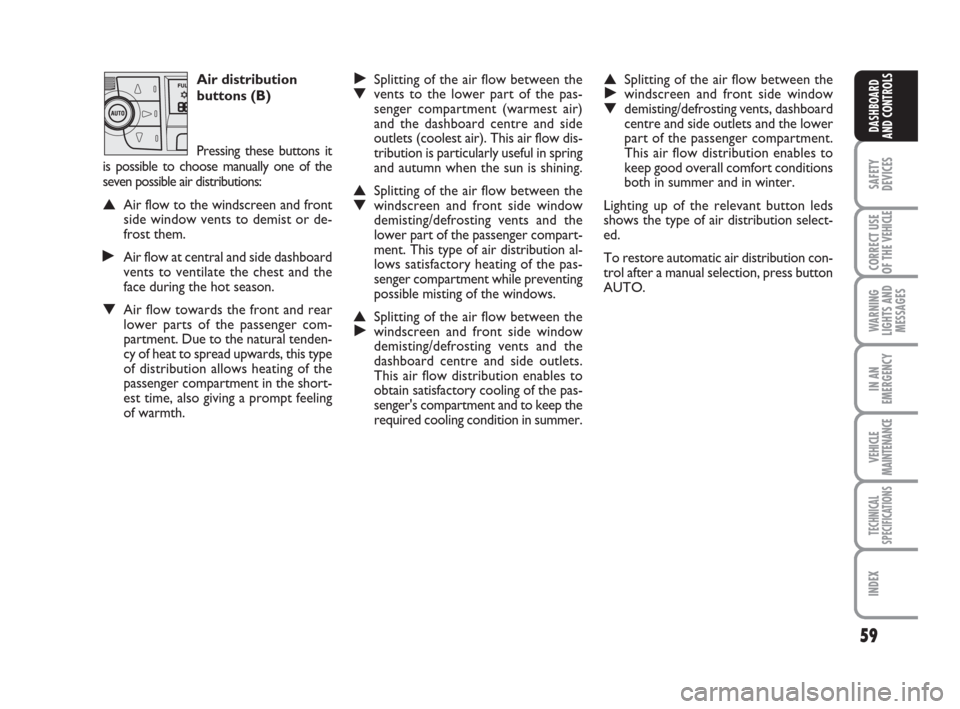
Air distribution
buttons (B)
Pressing these buttons it
is possible to choose manually one of the
seven possible air distributions:
▲Air flow to the windscreen and front
side window vents to demist or de-
frost them.
˙Air flow at central and side dashboard
vents to ventilate the chest and the
face during the hot season.
▼Air flow towards the front and rear
lower parts of the passenger com-
partment. Due to the natural tenden-
cy of heat to spread upwards, this type
of distribution allows heating of the
passenger compartment in the short-
est time, also giving a prompt feeling
of warmth.
˙Splitting of the air flow between the ▼vents to the lower part of the pas-
senger compartment (warmest air)
and the dashboard centre and side
outlets (coolest air). This air flow dis-
tribution is particularly useful in spring
and autumn when the sun is shining.
▲Splitting of the air flow between the ▼windscreen and front side window
demisting/defrosting vents and the
lower part of the passenger compart-
ment. This type of air distribution al-
lows satisfactory heating of the pas-
senger compartment while preventing
possible misting of the windows.
▲Splitting of the air flow between the ˙windscreen and front side window
demisting/defrosting vents and the
dashboard centre and side outlets.
This air flow distribution enables to
obtain satisfactory cooling of the pas-
senger's compartment and to keep the
required cooling condition in summer.
▲Splitting of the air flow between the ˙windscreen and front side window ▼demisting/defrosting vents, dashboard
centre and side outlets and the lower
part of the passenger compartment.
This air flow distribution enables to
keep good overall comfort conditions
both in summer and in winter.
Lighting up of the relevant button leds
shows the type of air distribution select-
ed.
To restore automatic air distribution con-
trol after a manual selection, press button
AUTO.
Page 64 of 282
63
SAFETY
DEVICES
CORRECT USE
OF THE
VEHICLE
WARNING
LIGHTS AND
MESSAGES
IN AN
EMERGENCY
VEHICLE
MAINTENANCE
TECHNICAL
SPECIFICATIONS
INDEX
DASHBOARD
AND CONTROLS
With the compressor off, if the outside
temperature is higher than set, the system
is not able to meet the request. This is in-
dicated by the temperature setting flash-
ing, after which the AUTO message is
turned off.
With the compressor disabled, it is pos-
sible to zero the fan speed manually (no
bars displayed).
With the compressor enabled and the en-
gine started, the fan speed may only drop
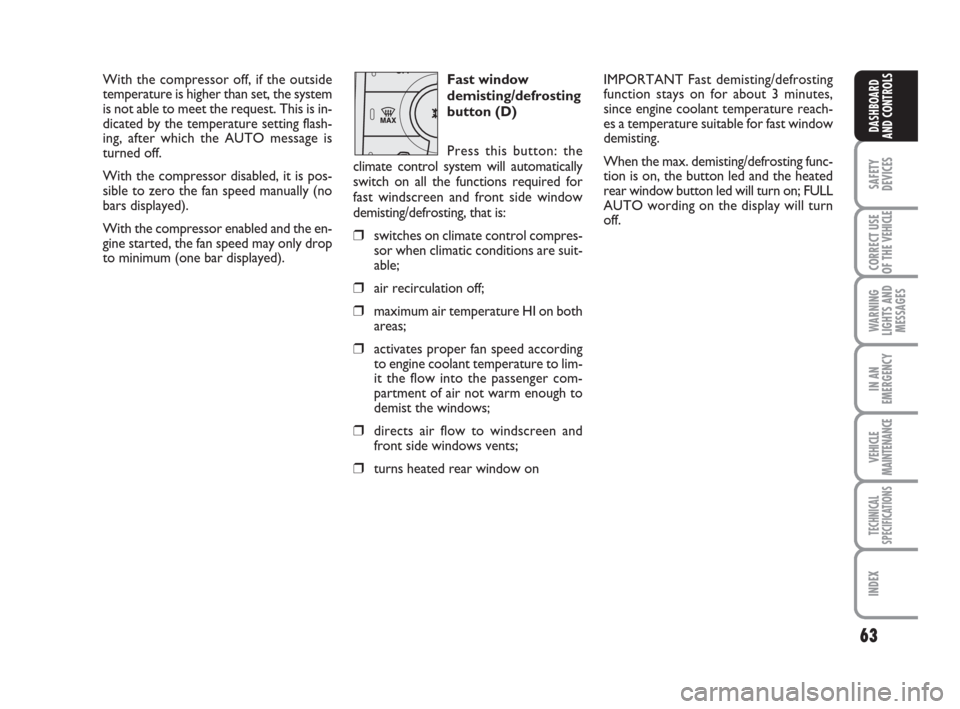
to minimum (one bar displayed).Fast window
demisting/defrosting
button (D)
Press this button: the
climate control system will automatically
switch on all the functions required for
fast windscreen and front side window
demisting/defrosting, that is:
❒switches on climate control compres-
sor when climatic conditions are suit-
able;
❒air recirculation off;
❒maximum air temperature HI on both
areas;
❒activates proper fan speed according
to engine coolant temperature to lim-
it the flow into the passenger com-
partment of air not warm enough to
demist the windows;
❒directs air flow to windscreen and
front side windows vents;
❒turns heated rear window on
IMPORTANT Fast demisting/defrosting
function stays on for about 3 minutes,
since engine coolant temperature reach-
es a temperature suitable for fast window
demisting.
When the max. demisting/defrosting func-
tion is on, the button led and the heated
rear window button led will turn on; FULL
AUTO wording on the display will turn
off.
Page 65 of 282
64
SAFETY
DEVICES
CORRECT USE
OF THE
VEHICLE
WARNING
LIGHTS AND
MESSAGES
IN AN
EMERGENCY
VEHICLE
MAINTENANCE
TECHNICAL
SPECIFICATIONS
INDEX
DASHBOARD
AND CONTROLS
When the max. demisting/defrosting func-
tion is on, the only manual operations pos-
sible are manual adjustment of the fan
speed and switching heated rear window
off.
To restore the operating conditions of the
system prior to function activation, just
press one of the following buttons: button
B, air recirculation button G, compressor
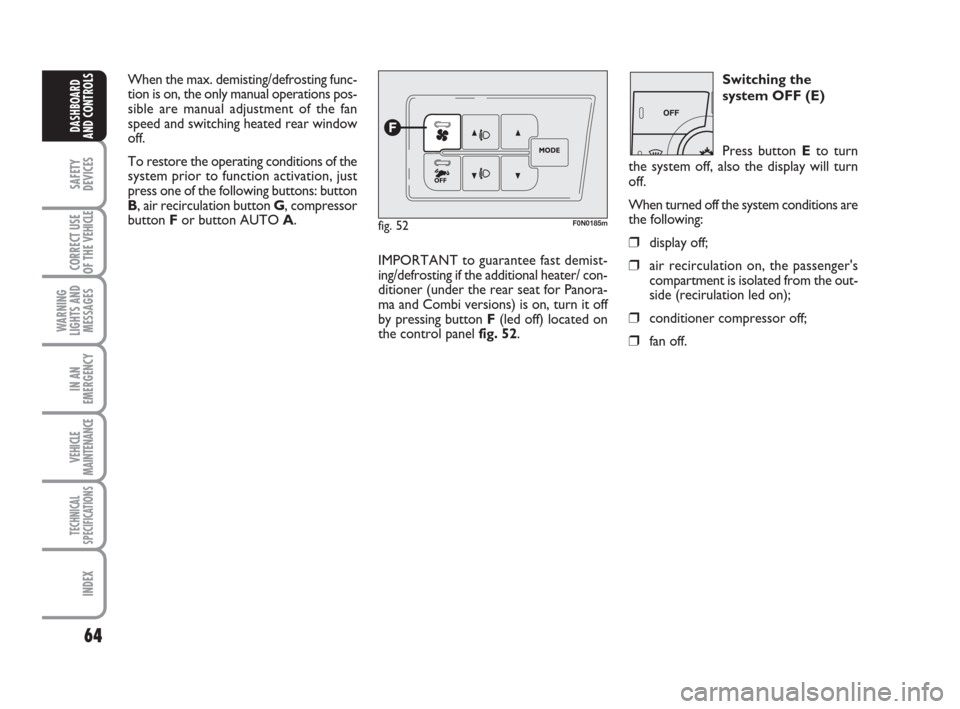
button For button AUTO A.
fig. 52F0N0185m
Switching the
system OFF (E)
Press button Eto turn
the system off, also the display will turn
off.
When turned off the system conditions are
the following:
❒display off;
❒air recirculation on, the passenger's
compartment is isolated from the out-
side (recirulation led on);
❒conditioner compressor off;
❒fan off.
IMPORTANT to guarantee fast demist-
ing/defrosting if the additional heater/ con-
ditioner (under the rear seat for Panora-
ma and Combi versions) is on, turn it off
by pressing button F(led off) located on
the control panel fig. 52.
Page 73 of 282
72
SAFETY
DEVICES
CORRECT USE
OF THE
VEHICLE
WARNING
LIGHTS AND
MESSAGES
IN AN
EMERGENCY
VEHICLE
MAINTENANCE
TECHNICAL
SPECIFICATIONS
INDEX
DASHBOARD
AND CONTROLS
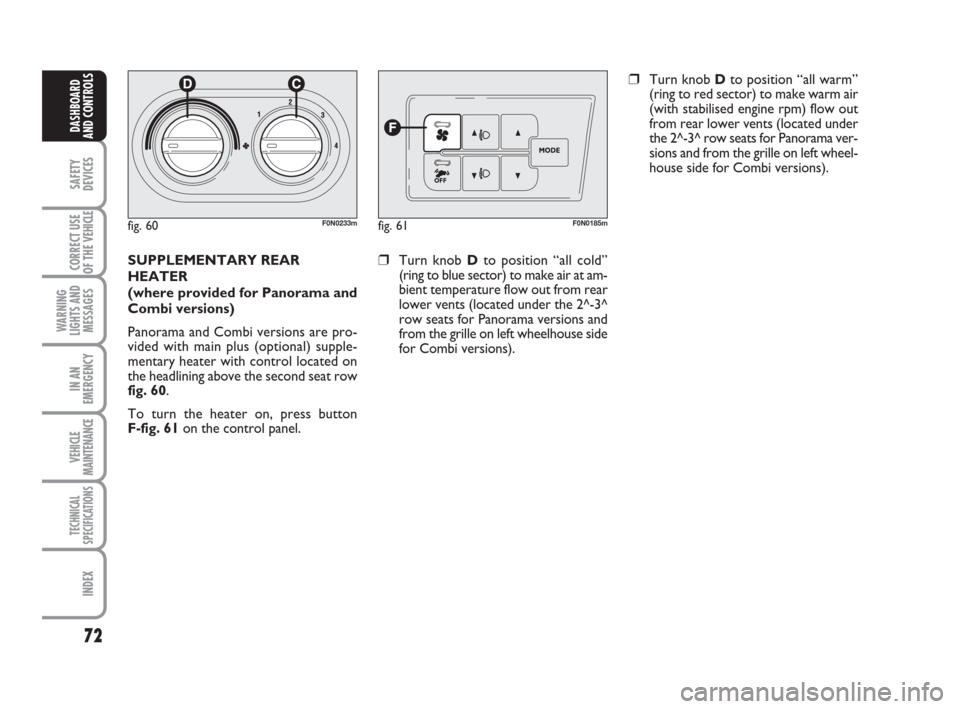
fig. 60F0N0233mfig. 61F0N0185m
SUPPLEMENTARY REAR
HEATER
(where provided for Panorama and
Combi versions)
Panorama and Combi versions are pro-
vided with main plus (optional) supple-
mentary heater with control located on
the headlining above the second seat row
fig. 60.
To turn the heater on, press button
F-fig. 61on the control panel.❒Turn knob Dto position “all cold”
(ring to blue sector) to make air at am-
bient temperature flow out from rear
lower vents (located under the 2^-3^
row seats for Panorama versions and
from the grille on left wheelhouse side
for Combi versions).
❒Turn knob Dto position “all warm”
(ring to red sector) to make warm air
(with stabilised engine rpm) flow out
from rear lower vents (located under
the 2^-3^ row seats for Panorama ver-
sions and from the grille on left wheel-
house side for Combi versions).
Page 74 of 282
73
SAFETY
DEVICES
CORRECT USE
OF THE
VEHICLE
WARNING
LIGHTS AND
MESSAGES
IN AN
EMERGENCY
VEHICLE
MAINTENANCE
TECHNICAL
SPECIFICATIONS
INDEX
DASHBOARD
AND CONTROLS
SUPPLEMENTARY REAR AIR
CONDITIONER
(where provided for Panorama and
Combi versions)
Panorama and Combi versions are pro-
vided with main plus (optional) supple-
mentary heater/air conditioner with con-
trol located on the headlining above the
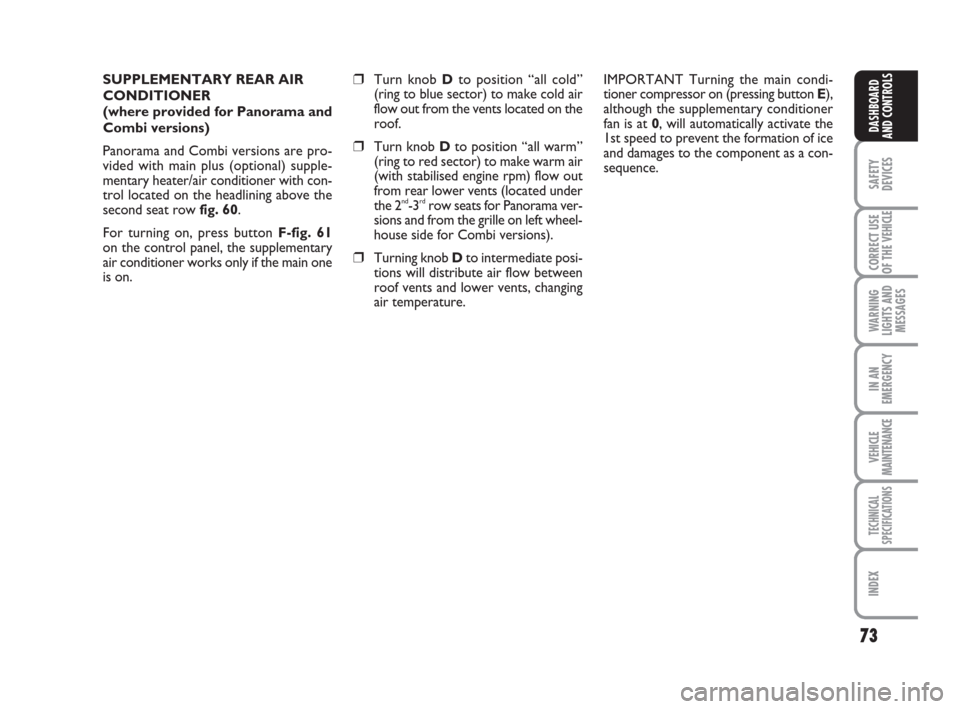
second seat row fig. 60.
For turning on, press button F-fig. 61
on the control panel, the supplementary
air conditioner works only if the main one
is on.❒Turn knob Dto position “all cold”
(ring to blue sector) to make cold air
flow out from the vents located on the
roof.
❒Turn knob Dto position “all warm”
(ring to red sector) to make warm air
(with stabilised engine rpm) flow out
from rear lower vents (located under
the 2
nd-3rdrow seats for Panorama ver-
sions and from the grille on left wheel-
house side for Combi versions).
❒Turning knob Dto intermediate posi-
tions will distribute air flow between
roof vents and lower vents, changing
air temperature.IMPORTANT Turning the main condi-
tioner compressor on (pressing button E),
although the supplementary conditioner
fan is at 0, will automatically activate the
1st speed to prevent the formation of ice
and damages to the component as a con-
sequence.
Page 82 of 282
81
SAFETY
DEVICES
CORRECT USE
OF THE
VEHICLE
WARNING
LIGHTS AND
MESSAGES
IN AN
EMERGENCY
VEHICLE
MAINTENANCE
TECHNICAL
SPECIFICATIONS
INDEX
DASHBOARD
AND CONTROLS
CEILING LIGHTS
FRONT CEILING LIGHT WITH
SPOT LIGHTS
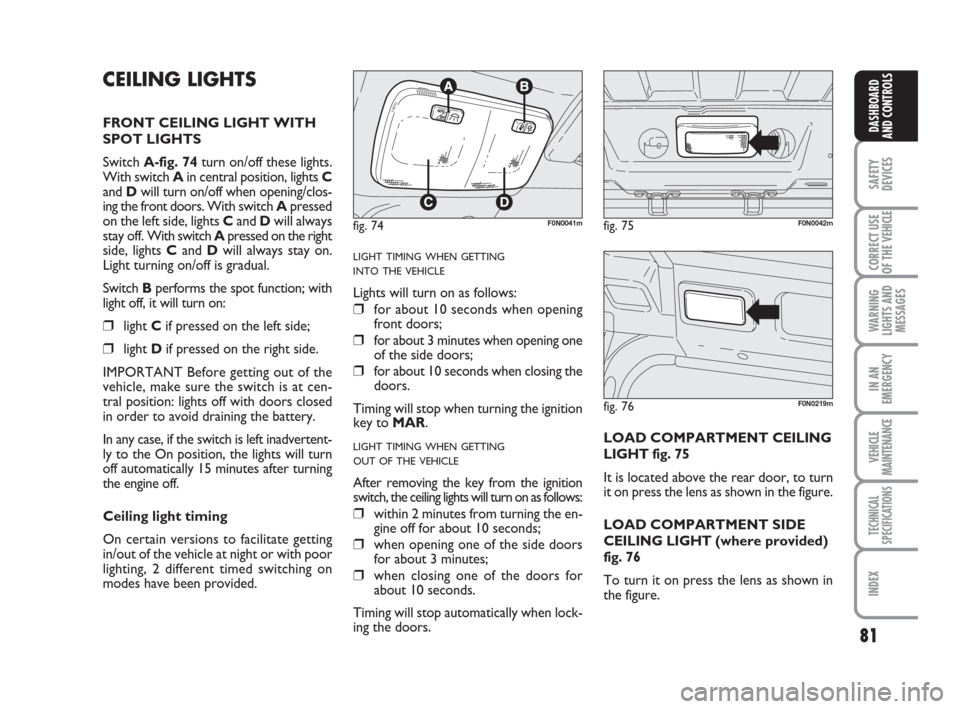
Switch A-fig. 74turn on/off these lights.
With switch A in central position, lights C
and Dwill turn on/off when opening/clos-
ing the front doors. With switch Apressed
on the left side, lights Cand Dwill always
stay off. With switch Apressed on the right
side, lights Cand Dwill always stay on.
Light turning on/off is gradual.
Switch Bperforms the spot function; with
light off, it will turn on:
❒light Cif pressed on the left side;
❒light Dif pressed on the right side.
IMPORTANT Before getting out of the
vehicle, make sure the switch is at cen-
tral position: lights off with doors closed
in order to avoid draining the battery.
In any case, if the switch is left inadvertent-
ly to the On position, the lights will turn
off automatically 15 minutes after turning
the engine off.
Ceiling light timing
On certain versions to facilitate getting
in/out of the vehicle at night or with poor
lighting, 2 different timed switching on
modes have been provided.
LIGHT TIMING WHEN GETTING
INTO THE VEHICLE
Lights will turn on as follows:
❒for about 10 seconds when opening
front doors;
❒for about 3 minutes when opening one
of the side doors;
❒for about 10 seconds when closing the
doors.
Timing will stop when turning the ignition
key to MAR.
LIGHT TIMING WHEN GETTING
OUT OF THE VEHICLE
After removing the key from the ignition
switch, the ceiling lights will turn on as follows:
❒within 2 minutes from turning the en-
gine off for about 10 seconds;
❒when opening one of the side doors
for about 3 minutes;
❒when closing one of the doors for
about 10 seconds.
Timing will stop automatically when lock-
ing the doors.LOAD COMPARTMENT CEILING
LIGHT fig. 75
It is located above the rear door, to turn
it on press the lens as shown in the figure.
LOAD COMPARTMENT SIDE
CEILING LIGHT (where provided)
fig. 76
To turn it on press the lens as shown in
the figure.
fig. 74F0N0041mfig. 75F0N0042m
fig. 76F0N0219m
Page 84 of 282
83
SAFETY
DEVICES
CORRECT USE
OF THE
VEHICLE
WARNING
LIGHTS AND
MESSAGES
IN AN
EMERGENCY
VEHICLE
MAINTENANCE
TECHNICAL
SPECIFICATIONS
INDEX
DASHBOARD
AND CONTROLS
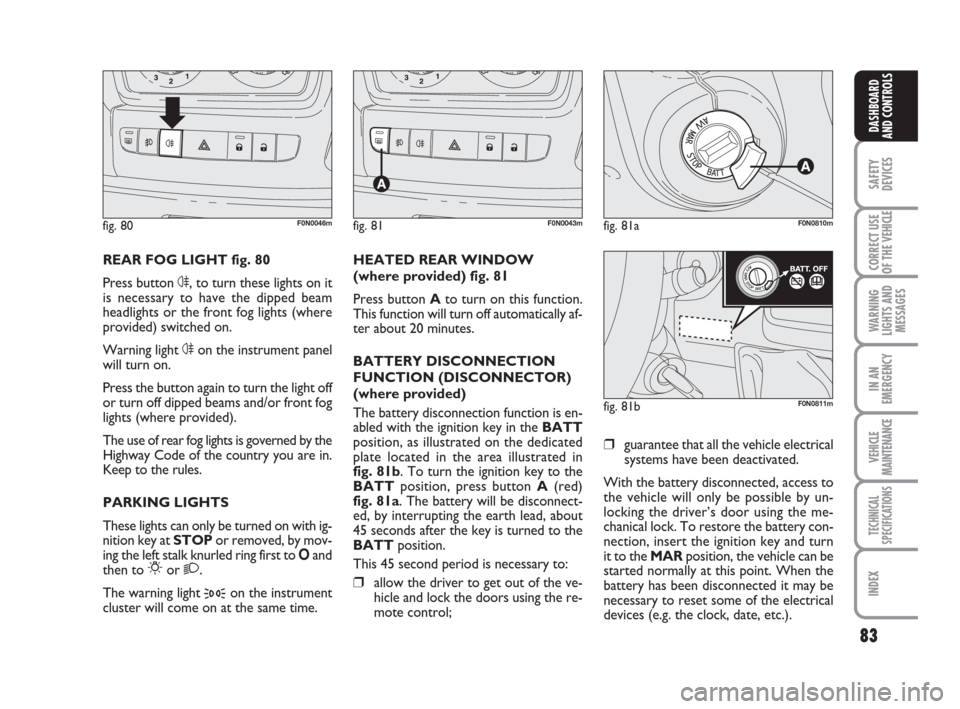
REAR FOG LIGHT fig. 80
Press button 4, to turn these lights on it
is necessary to have the dipped beam
headlights or the front fog lights (where
provided) switched on.
Warning light 4on the instrument panel
will turn on.
Press the button again to turn the light off
or turn off dipped beams and/or front fog
lights (where provided).
The use of rear fog lights is governed by the
Highway Code of the country you are in.
Keep to the rules.
PARKING LIGHTS
These lights can only be turned on with ig-
nition key at STOP or removed, by mov-
ing the left stalk knurled ring first to Oand
then to
6or 2.
The warning light
3on the instrument
cluster will come on at the same time.HEATED REAR WINDOW
(where provided) fig. 81
Press button Ato turn on this function.
This function will turn off automatically af-
ter about 20 minutes.
BATTERY DISCONNECTION
FUNCTION (DISCONNECTOR)
(where provided)
The battery disconnection function is en-
abled with the ignition key in the BATT
position, as illustrated on the dedicated
plate located in the area illustrated in
fig. 81b. To turn the ignition key to the
BATTposition, press button A(red)
fig. 81a. The battery will be disconnect-
ed, by interrupting the earth lead, about
45 seconds after the key is turned to the
BATTposition.
This 45 second period is necessary to:❒allow the driver to get out of the ve-
hicle and lock the doors using the re-
mote control;
fig. 80F0N0046mfig. 81F0N0043mfig. 81aF0N0810m
fig. 81bF0N0811m
❒guarantee that all the vehicle electrical
systems have been deactivated.
With the battery disconnected, access to
the vehicle will only be possible by un-
locking the driver’s door using the me-
chanical lock. To restore the battery con-
nection, insert the ignition key and turn
it to the MARposition, the vehicle can be
started normally at this point. When the
battery has been disconnected it may be
necessary to reset some of the electrical
devices (e.g. the clock, date, etc.).
Page 87 of 282
86
SAFETY
DEVICES
CORRECT USE
OF THE
VEHICLE
WARNING
LIGHTS AND
MESSAGES
IN AN
EMERGENCY
VEHICLE
MAINTENANCE
TECHNICAL
SPECIFICATIONS
INDEX
DASHBOARD
AND CONTROLS
fig. 90F0N0053m
fig. 89F0N0052mfig. 92F0N0134mfig. 91F0N0128m
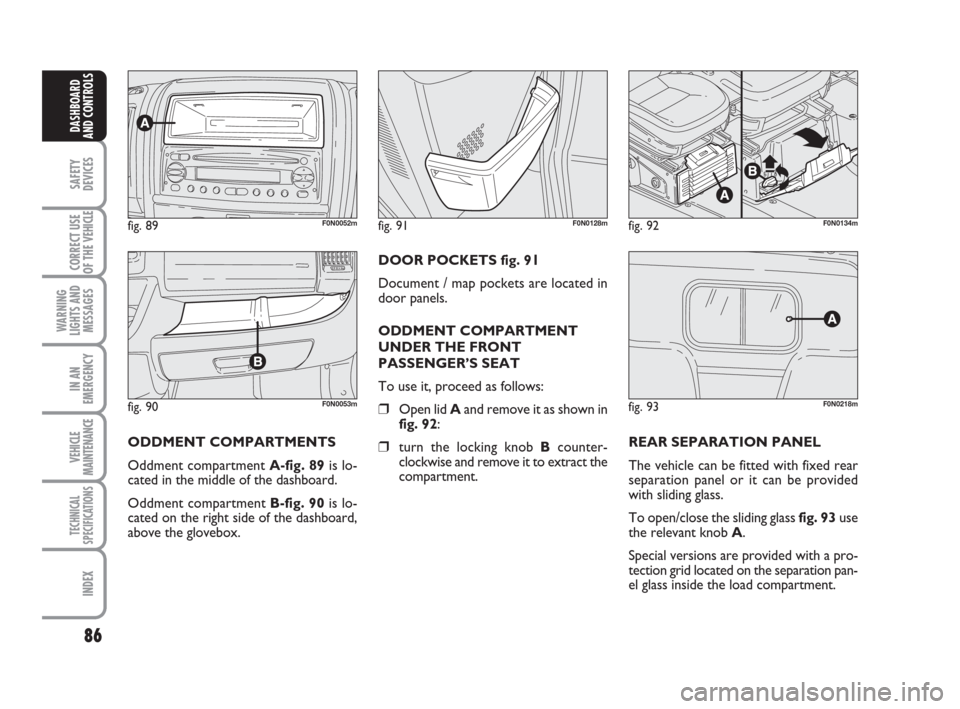
ODDMENT COMPARTMENTS
Oddment compartment A-fig. 89is lo-
cated in the middle of the dashboard.
Oddment compartment B-fig. 90is lo-
cated on the right side of the dashboard,
above the glovebox.DOOR POCKETS fig. 91
Document / map pockets are located in
door panels.
ODDMENT COMPARTMENT
UNDER THE FRONT
PASSENGER’S SEAT
To use it, proceed as follows:
❒Open lid Aand remove it as shown in
fig. 92:
❒turn the locking knob Bcounter-
clockwise and remove it to extract the
compartment.REAR SEPARATION PANEL
The vehicle can be fitted with fixed rear
separation panel or it can be provided
with sliding glass.
To open/close the sliding glass fig. 93use
the relevant knob A.
Special versions are provided with a pro-
tection grid located on the separation pan-
el glass inside the load compartment.
fig. 93F0N0218m