ignition FIAT FREEMONT 2012 Owner handbook (in English)
[x] Cancel search | Manufacturer: FIAT, Model Year: 2012, Model line: FREEMONT, Model: FIAT FREEMONT 2012Pages: 332, PDF Size: 5.61 MB
Page 84 of 332
If you activate the washer while the wiper control is in
the OFF position, the wipers will operate for two or
three wipe cycles and then turn OFF.
WARNING!
Sudden loss of visibility through the
windshield could lead to a collision. You
might not see other vehicles or other obstacles.To
avoid sudden icing of the windshield during freez-
ing weather, warm the windshield with the de-
froster before and during windshield washer use.
MIST FEATURE
Push the washer knob, located on the end of the
multifunction lever, inward to the first detent to acti-
vate a single wipe cycle to clear the windshield of road
mist or spray from a passing vehicle. The wipers will
continue to operate until you release the lever.
NOTE: The mist feature does not activate the
washer pump; therefore, no washer fluid will be
sprayed on the windshield. The wash function must be
used in order to spray the windshield with washer fluid. HEADLIGHT WASHERS (for
versions/markets, where
provided)
The Headlight Washers are recessed into the top of
the fascia, centrally located below each headlight.
The windshield wiper/washer control lever operates
the headlight washers when the ignition switch is in the
ON position and the headlights are ON. The lever is
located on the left side of the steering column.
To use the headlight washers, push the washer knob,
located on the end of the multifunction lever, inward to
the second detent to activate the windshield washers
and release it. When this is done, the two stationary
washer nozzles at each headlight spray one timed
high-pressure spray of washer fluid onto each headlight
lens. In addition, the windshield washers will spray the
windshield and the windshield wipers will cycle.
NOTE:
After turning the ignition switch and head-
lights ON, the headlight washers will operate on the
first spray of the windshield washer and then every
eleventh spray after that.
78
KNOWING YOUR
VEHICLE
SAFETY
STARTING AND
DRIVING
WARNING LIGHTSAND
MESSAGES
IN AN
EMERGENCY
SERVICING AND
CARETECHNICAL
SPECIFICATIONSCONTENTS
Page 85 of 332
REAR WINDOW FEATURES
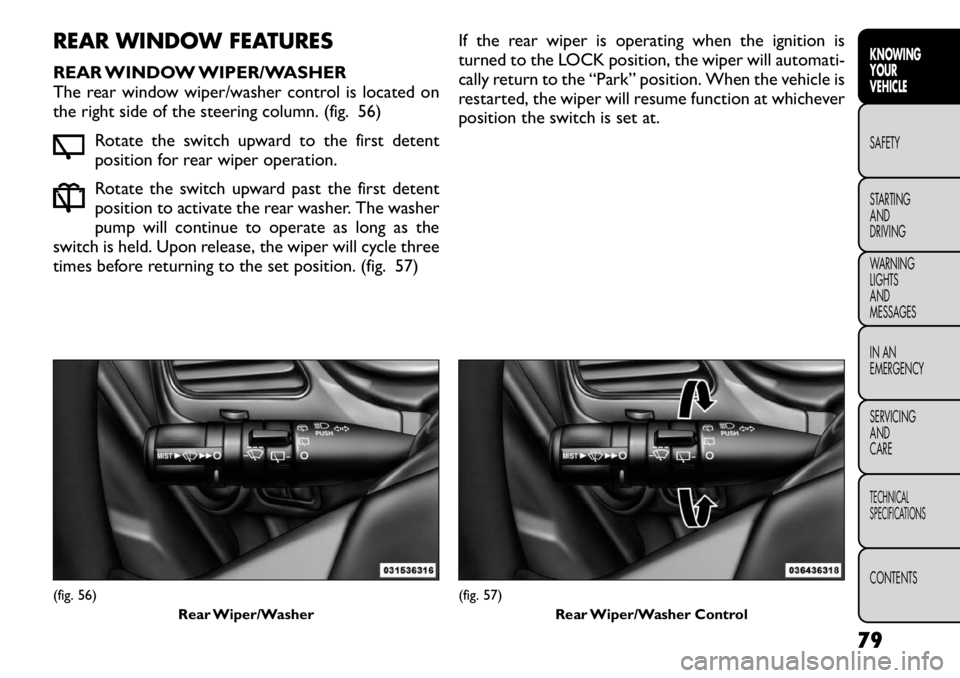
REAR WINDOW WIPER/WASHER
The rear window wiper/washer control is located on
the right side of the steering column. (fig. 56)Rotate the switch upward to the first detent
position for rear wiper operation.
Rotate the switch upward past the first detent
position to activate the rear washer. The washer
pump will continue to operate as long as the
switch is held. Upon release, the wiper will cycle three
times before returning to the set position. (fig. 57) If the rear wiper is operating when the ignition is
turned to the LOCK position, the wiper will automati-
cally return to the “Park” position. When the vehicle is
restarted, the wiper will resume function at whichever
position the switch is set at.(fig. 56)
Rear Wiper/Washer
(fig. 57)Rear Wiper/Washer Control
79
KNOWING
YOURVEHICLESAFETY
STARTING ANDDRIVING
WARNING LIGHTSAND
MESSAGES
IN AN
EMERGENCY
SERVICING AND
CARETECHNICAL
SPECIFICATIONSCONTENTS
Page 88 of 332
vehicle will deactivate Electronic Speed Control with-
out erasing the set speed memory. Pressing the ON/
OFF button or turning the ignition switch OFF erases
the set speed memory.
TO RESUME SPEED
To resume a previously set speed, push the RES (+)
button and release. Resume can be used at any speed
above 32 km/h.
TO VARY THE SPEED SETTING
When the Electronic Speed Control is set, you can
increase speed by pushing the RES (+) button. If the
button is continually pressed, the set speed will con-
tinue to increase until the button is released, then the
new set speed will be established.
Pressing the RES (+) button once will result in a 2 km/h
increase in set speed. Each subsequent tap of the
button results in an increase of 2 km/h.
To decrease speed while the Electronic Speed Control
is set, push the SET (-) button. If the button is continu-
ally held in the SET (-) position, the set speed will
continue to decrease until the button is released.
Release the button when the desired speed is reached,
and the new set speed will be established.
Pressing the SET (-) button once will result in a 2 km/h
decrease in set speed. Each subsequent tap of the
button results in a decrease of 2 km/h.TO ACCELERATE FOR PASSING
Press the accelerator as you would normally. When the
pedal is released, the vehicle will return to the setspeed.
Using Electronic Speed Control On Hills
The transmission may downshift on hills to maintain
the vehicle set speed.
NOTE:
The Electronic Speed Control system main-
tains speed up and down hills. A slight speed change on
moderate hills is normal.
On steep hills, a greater speed loss or gain may occur
so it may be preferable to drive without Electronic
Speed Control.
WARNING!
Electronic Speed Control can be danger-
ous where the system cannot maintain a
constant speed.Your vehicle could go too fast for
the conditions, and you could lose control and
have an accident . Do not use Electronic Speed
Control in heavy traffic or on roads that are
winding, icy, snow-covered or slippery.
82
KNOWING YOUR
VEHICLE
SAFETY
STARTING AND
DRIVING
WARNING LIGHTSAND
MESSAGES
IN AN
EMERGENCY
SERVICING AND
CARETECHNICAL
SPECIFICATIONSCONTENTS
Page 91 of 332
HAZARD WARNING FLASHERS
The Hazard Warning flasher switch is located in the
instrument panel switch bank, above the climate con-
trols.Press the switch to turn on the Hazard Warning
flasher. When the switch is activated, all direc-
tional turn signals will flash on and off to warn
oncoming traffic of an emergency. Press the switch a
second time to turn off the Hazard Warning flashers.
This is an emergency warning system and it should not
be used when the vehicle is in motion. Use it when your
vehicle is disabled and it is creating a safety hazard for
other motorists.
When you must leave the vehicle to seek assistance,
the Hazard Warning flashers will continue to operate
even though the ignition is placed in the OFF position.
NOTE: With extended use the Hazard Warning
flashers may wear down your battery. STORAGE
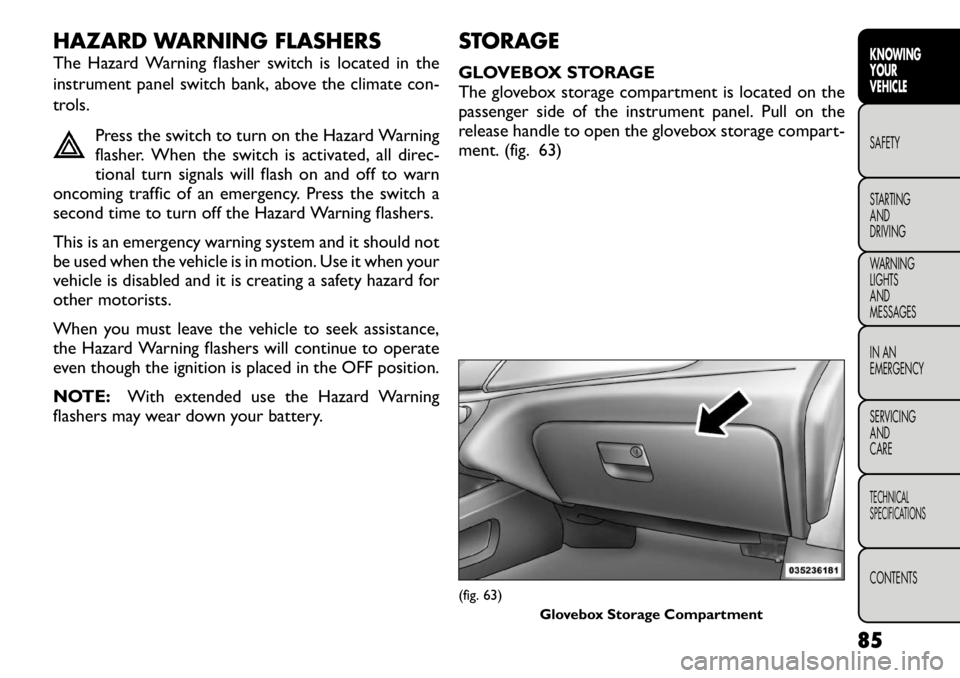
GLOVEBOX STORAGE
The glovebox storage compartment is located on the
passenger side of the instrument panel. Pull on the
release handle to open the glovebox storage compart-
ment. (fig. 63)
(fig. 63)
Glovebox Storage Compartment
85
KNOWING
YOURVEHICLESAFETY
STARTING ANDDRIVING
WARNING LIGHTSAND
MESSAGES
IN AN
EMERGENCY
SERVICING AND
CARETECHNICAL
SPECIFICATIONSCONTENTS
Page 95 of 332
ELECTRICAL POWER OUTLETS
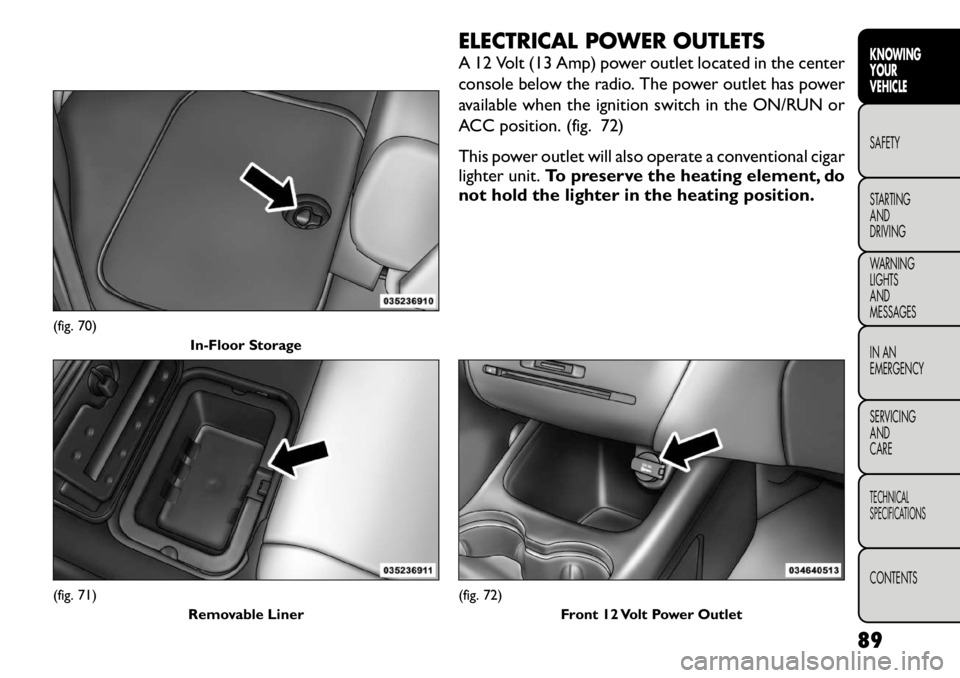
A 12 Volt (13 Amp) power outlet located in the center
console below the radio. The power outlet has power
available when the ignition switch in the ON/RUN or
ACC position. (fig. 72)
This power outlet will also operate a conventional cigar
lighter unit.To preserve the heating element, do
not hold the lighter in the heating position.
(fig. 70) In-Floor Storage(fig. 71)
Removable Liner
(fig. 72)Front 12 Volt Power Outlet
89
KNOWING
YOURVEHICLESAFETY
STARTING ANDDRIVING
WARNING LIGHTSAND
MESSAGES
IN AN
EMERGENCY
SERVICING AND
CARETECHNICAL
SPECIFICATIONSCONTENTS
Page 96 of 332
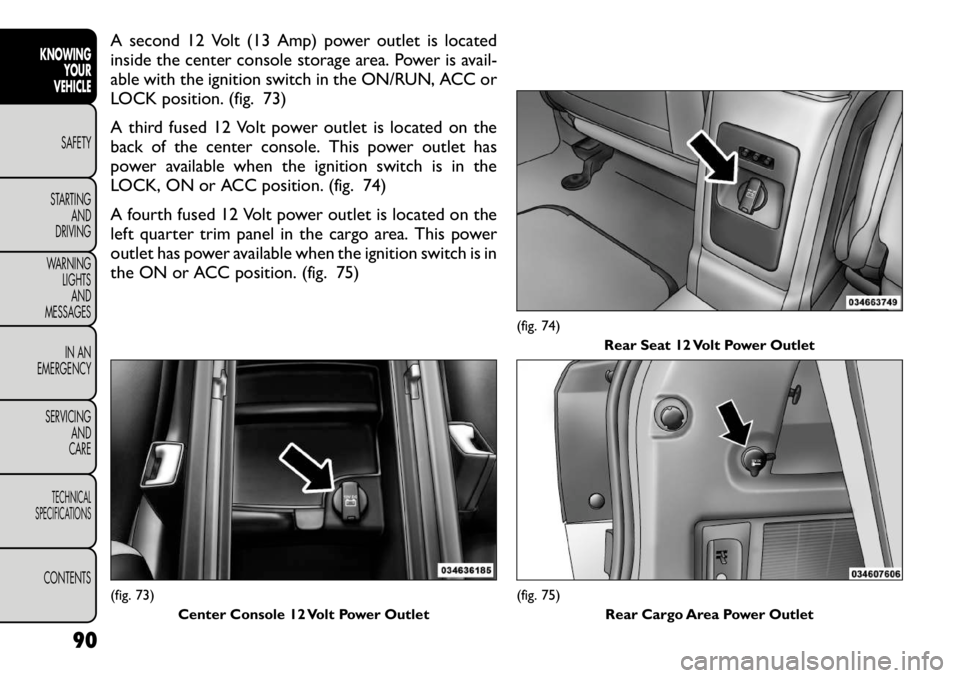
A second 12 Volt (13 Amp) power outlet is located
inside the center console storage area. Power is avail-
able with the ignition switch in the ON/RUN, ACC or
LOCK position. (fig. 73)
A third fused 12 Volt power outlet is located on the
back of the center console. This power outlet has
power available when the ignition switch is in the
LOCK, ON or ACC position. (fig. 74)
A fourth fused 12 Volt power outlet is located on the
left quarter trim panel in the cargo area. This power
outlet has power available when the ignition switch is in
the ON or ACC position. (fig. 75)(fig. 73)Center Console 12 Volt Power Outlet
(fig. 74) Rear Seat 12 Volt Power Outlet(fig. 75)
Rear Cargo Area Power Outlet
90
KNOWING YOUR
VEHICLE
SAFETY
STARTING AND
DRIVING
WARNING LIGHTSAND
MESSAGES
IN AN
EMERGENCY
SERVICING AND
CARETECHNICAL
SPECIFICATIONSCONTENTS
Page 100 of 332
POWER SUNROOF (for
versions/markets, where
provided)
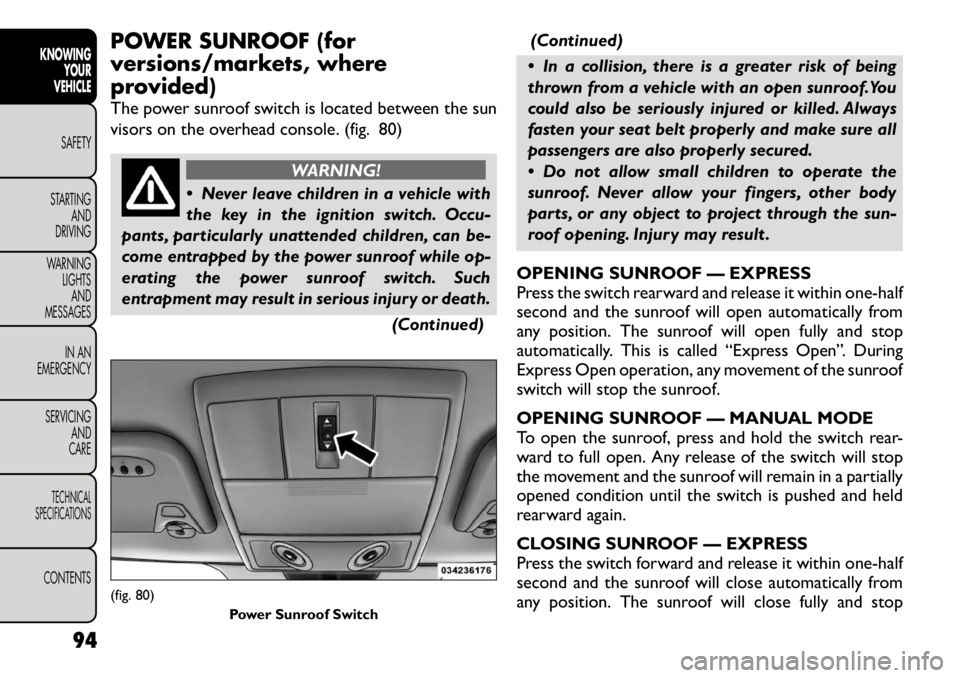
The power sunroof switch is located between the sun
visors on the overhead console. (fig. 80)
WARNING!
Never leave children in a vehicle with
the key in the ignition switch. Occu-
pants, particularly unattended children, can be-
come entrapped by the power sunroof while op-
erating the power sunroof switch. Such
entrapment may result in serious injury or death.
(Continued)(Continued)
In a collision, there is a greater risk of being
thrown from a vehicle with an open sunroof.You
could also be seriously injured or killed. Always
fasten your seat belt properly and make sure all
passengers are also properly secured.
Do not allow small children to operate the
sunroof. Never allow your fingers, other body
parts, or any object to project through the sun-
roof opening. Injury may result .
OPENING SUNROOF — EXPRESS
Press the switch rearward and release it within one-half
second and the sunroof will open automatically from
any position. The sunroof will open fully and stop
automatically. This is called “Express Open”. During
Express Open operation, any movement of the sunroof
switch will stop the sunroof.
OPENING SUNROOF — MANUAL MODE
To open the sunroof, press and hold the switch rear-
ward to full open. Any release of the switch will stop
the movement and the sunroof will remain in a partially
opened condition until the switch is pushed and held
rearward again.
CLOSING SUNROOF — EXPRESS
Press the switch forward and release it within one-half
second and the sunroof will close automatically from
any position. The sunroof will close fully and stop
(fig. 80) Power Sunroof Switch
94
KNOWING YOUR
VEHICLE
SAFETY
STARTING AND
DRIVING
WARNING LIGHTSAND
MESSAGES
IN AN
EMERGENCY
SERVICING AND
CARETECHNICAL
SPECIFICATIONSCONTENTS
Page 102 of 332
IGNITION OFF OPERATION
The power sunroof switches remain active for up to
approximately ten minutes after the ignition switch has
been turned OFF. Opening either front door will cancel
this feature.
NOTE:The delay time is programmable using the
Uconnect Touch™ system. Refer to “Uconnect
Touch™ Settings” for further information. DOOR LOCKS
MANUAL DOOR LOCKS
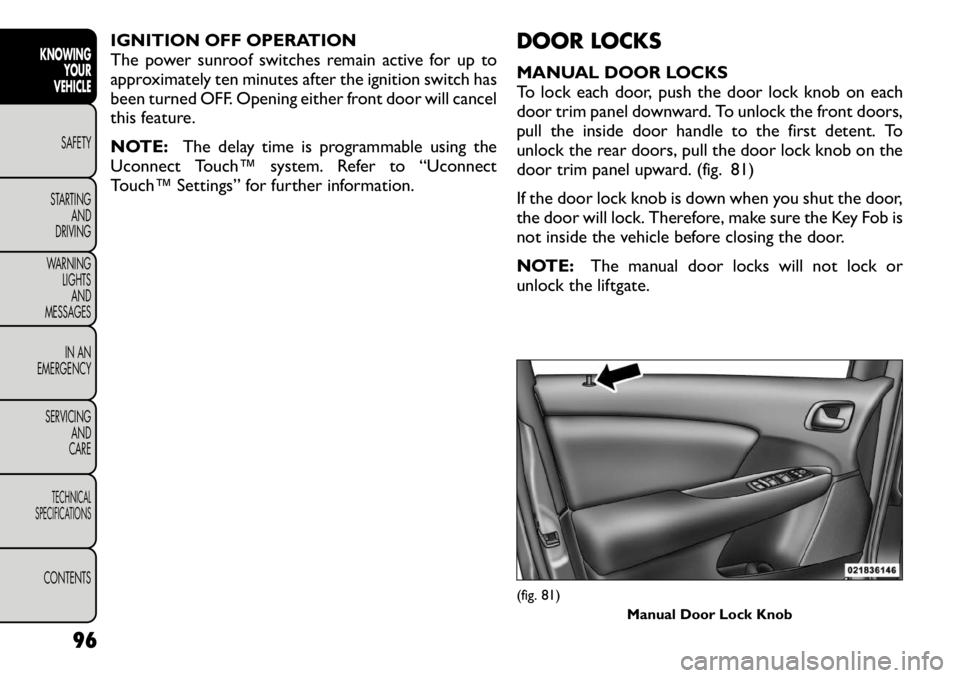
To lock each door, push the door lock knob on each
door trim panel downward. To unlock the front doors,
pull the inside door handle to the first detent. To
unlock the rear doors, pull the door lock knob on the
door trim panel upward. (fig. 81)
If the door lock knob is down when you shut the door,
the door will lock. Therefore, make sure the Key Fob is
not inside the vehicle before closing the door.
NOTE:
The manual door locks will not lock or
unlock the liftgate.
(fig. 81) Manual Door Lock Knob
96
KNOWING YOUR
VEHICLE
SAFETY
STARTING AND
DRIVING
WARNING LIGHTSAND
MESSAGES
IN AN
EMERGENCY
SERVICING AND
CARETECHNICAL
SPECIFICATIONSCONTENTS
Page 103 of 332
WARNING!
For personal security and safety in the
event of an accident , lock the vehicle
doors before you drive as well as when you park
and leave the vehicle.
When leaving the vehicle, always remove the
Key Fob from the vehicle and lock your vehicle.
Unsupervised use of vehicle equipment may
cause severe personal injuries or death.
Never leave children alone in a vehicle. Leaving
unattended children in a vehicle is dangerous for
a number of reasons. A child or others could be
seriously or fatally injured. Do not leave the Key
Fob in the ignition. A child could operate power
windows, other controls, or move the vehicle.
POWER DOOR LOCKS
A power door lock switch is on each front door trim
panel. Use this switch to lock or unlock the doors and
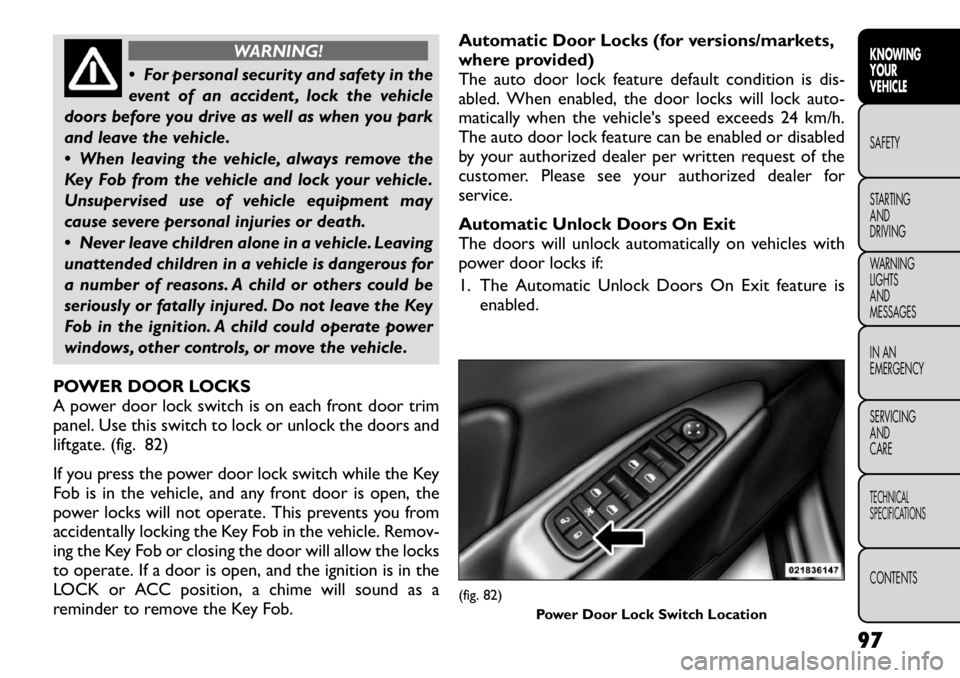
liftgate. (fig. 82)
If you press the power door lock switch while the Key
Fob is in the vehicle, and any front door is open, the
power locks will not operate. This prevents you from
accidentally locking the Key Fob in the vehicle. Remov-
ing the Key Fob or closing the door will allow the locks
to operate. If a door is open, and the ignition is in the
LOCK or ACC position, a chime will sound as a
reminder to remove the Key Fob. Automatic Door Locks (for versions/markets,
where provided)
The auto door lock feature default condition is dis-
abled. When enabled, the door locks will lock auto-
matically when the vehicle's speed exceeds 24 km/h.
The auto door lock feature can be enabled or disabled
by your authorized dealer per written request of the
customer. Please see your authorized dealer for
service.
Automatic Unlock Doors On Exit
The doors will unlock automatically on vehicles with
power door locks if:
1. The Automatic Unlock Doors On Exit feature is
enabled.
(fig. 82)
Power Door Lock Switch Location
97
KNOWING
YOURVEHICLESAFETY
STARTING ANDDRIVING
WARNING LIGHTSAND
MESSAGES
IN AN
EMERGENCY
SERVICING AND
CARETECHNICAL
SPECIFICATIONSCONTENTS
Page 104 of 332

2. The transmission was in gear and the vehicle speedreturned to 0 km/h.
3. The transmission is in NEUTRAL or PARK.
4. The driver door is opened.
5. The doors were not previously unlocked.
6. The vehicle speed is 0 km/h.
To change the current setting, refer to “Uconnect
Touch™ Settings” in “Knowing Your Vehicle” for fur-
ther information.
NOTE: Use the Automatic Unlock Doors On Exit
feature in accordance with local laws.
Automatic Unlock Doors On Exit
Programming
The Automatic Unlock Doors On Exit feature can be
enabled or disabled as follows:
• For vehicles equipped with the Uconnect Touch™,
refer to “Uconnect Touch™ Settings” in “Knowing
Your Vehicle” for further information.
• For vehicles not equipped with the Uconnect Touch™, perform the following steps:
1. Enter the vehicle and close all doors.
2. Place the Key Fob in the ignition switch.
3. Within 15 seconds, cycle the ignition switch be- tween LOCK and ON/RUN and then back to LOCK
four times ending up in the LOCK position. How-
ever, do not start the engine. 4. Within 30 seconds, press the power door unlock
switch to unlock the doors.
5. A single chime will indicate the completion of the programming.
NOTE: If you do not hear the chime, it means that
the system did not enter the programming mode and
you will need to repeat the procedure.
6. Repeat these steps if you want to return this feature to its previous setting.
NOTE: Use the Automatic Unlock Doors On Exit
feature in accordance with local laws.
CHILD-PROTECTION DOOR LOCK SYSTEM
— REAR DOORS
To provide a safer environment for small children riding
in the rear seats, the rear doors are equipped with a
Child-Protection Door Lock system.
To Engage The Child-Protection Door Lock
System
1. Open the rear door.
2. Insert the tip of the emergency key (or alike) into the child lock control and rotate it to the LOCK
position. (fig. 83) (fig. 84)
3. Repeat Steps 1 and 2 for the opposite rear door.
NOTE: When the Child-Protection Door Lock sys-
tem is engaged, the door can be opened only by using
the outside door handle even though the inside door
lock is in the unlocked position.
98
KNOWING YOUR
VEHICLE
SAFETY
STARTING AND
DRIVING
WARNING LIGHTSAND
MESSAGES
IN AN
EMERGENCY
SERVICING AND
CARETECHNICAL
SPECIFICATIONSCONTENTS