ignition FIAT FREEMONT 2012 Owner handbook (in English)
[x] Cancel search | Manufacturer: FIAT, Model Year: 2012, Model line: FREEMONT, Model: FIAT FREEMONT 2012Pages: 332, PDF Size: 5.61 MB
Page 28 of 332
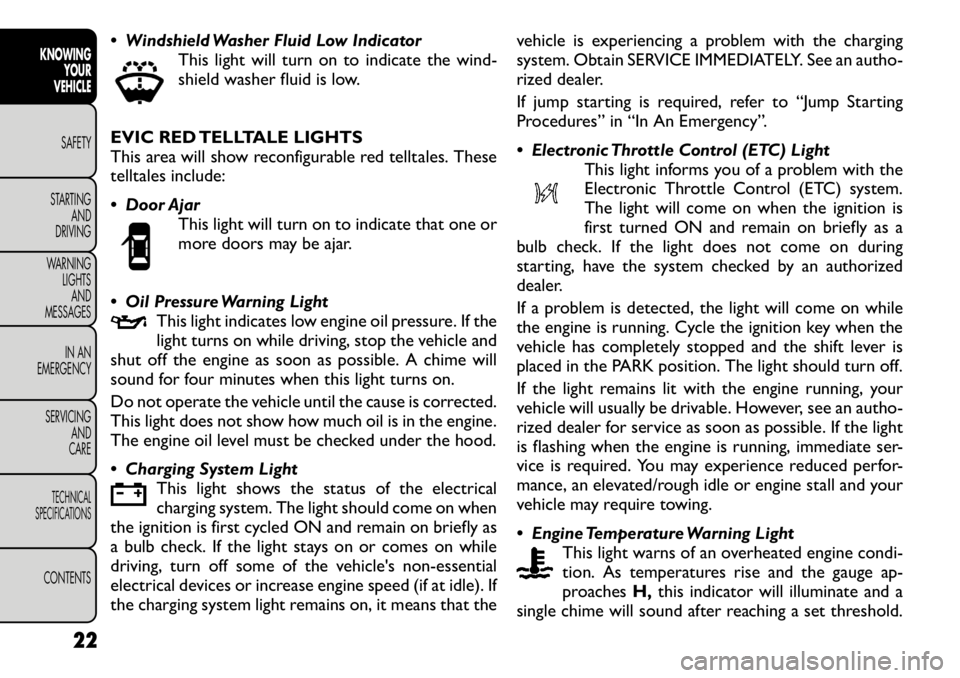
Windshield Washer Fluid Low IndicatorThis light will turn on to indicate the wind-
shield washer fluid is low.
EVIC RED TELLTALE LIGHTS
This area will show reconfigurable red telltales. These
telltales include:
Door Ajar This light will turn on to indicate that one or
more doors may be ajar.
Oil Pressure Warning Light This light indicates low engine oil pressure. If the
light turns on while driving, stop the vehicle and
shut off the engine as soon as possible. A chime will
sound for four minutes when this light turns on.
Do not operate the vehicle until the cause is corrected.
This light does not show how much oil is in the engine.
The engine oil level must be checked under the hood.
Charging System Light
This light shows the status of the electrical
charging system. The light should come on when
the ignition is first cycled ON and remain on briefly as
a bulb check. If the light stays on or comes on while
driving, turn off some of the vehicle's non-essential
electrical devices or increase engine speed (if at idle). If
the charging system light remains on, it means that the vehicle is experiencing a problem with the charging
system. Obtain SERVICE IMMEDIATELY. See an autho-
rized dealer.
If jump starting is required, refer to “Jump Starting
Procedures” in “In An Emergency”.
Electronic Throttle Control (ETC) Light
This light informs you of a problem with the
Electronic Throttle Control (ETC) system.
The light will come on when the ignition is
first turned ON and remain on briefly as a
bulb check. If the light does not come on during
starting, have the system checked by an authorized
dealer.
If a problem is detected, the light will come on while
the engine is running. Cycle the ignition key when the
vehicle has completely stopped and the shift lever is
placed in the PARK position. The light should turn off.
If the light remains lit with the engine running, your
vehicle will usually be drivable. However, see an autho-
rized dealer for service as soon as possible. If the light
is flashing when the engine is running, immediate ser-
vice is required. You may experience reduced perfor-
mance, an elevated/rough idle or engine stall and your
vehicle may require towing.
Engine Temperature Warning Light
This light warns of an overheated engine condi-
tion. As temperatures rise and the gauge ap-
proaches H,this indicator will illuminate and a
single chime will sound after reaching a set threshold.
22
KNOWING YOUR
VEHICLE
SAFETY
STARTING AND
DRIVING
WARNING LIGHTSAND
MESSAGES
IN AN
EMERGENCY
SERVICING AND
CARETECHNICAL
SPECIFICATIONSCONTENTS
Page 29 of 332
Further overheating will cause the temperature gauge
to passH,the indicator will continuously flash and a
continuous chime will occur until the engine is allowed
to cool.
If the light turns on while driving, safely pull over and
stop the vehicle. If the A/C system is on, turn it off.
Also, shift the transmission into NEUTRAL and idle the
vehicle. If the temperature reading does not return to
normal, turn the engine off immediately and call for
service.
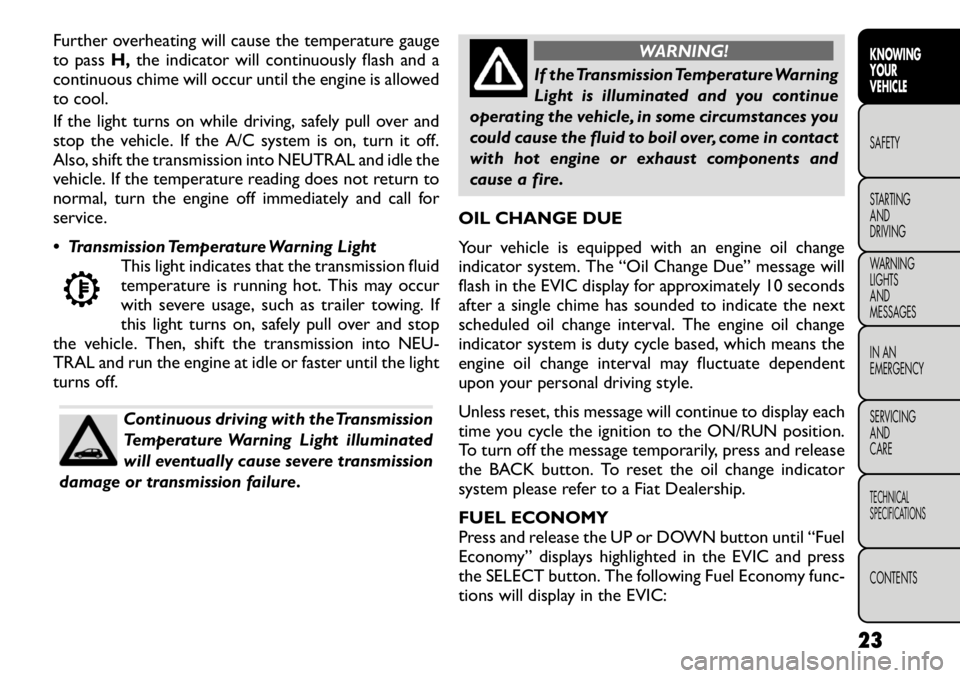
Transmission Temperature Warning Light This light indicates that the transmission fluid
temperature is running hot. This may occur
with severe usage, such as trailer towing. If
this light turns on, safely pull over and stop
the vehicle. Then, shift the transmission into NEU-
TRAL and run the engine at idle or faster until the light
turns off.
Continuous driving with the Transmission
Temperature Warning Light illuminated
will eventually cause severe transmission
damage or transmission failure.
WARNING!
If the Transmission Temperature Warning
Light is illuminated and you continue
operating the vehicle, in some circumstances you
could cause the fluid to boil over, come in contact
with hot engine or exhaust components and
cause a fire.
OIL CHANGE DUE
Your vehicle is equipped with an engine oil change
indicator system. The “Oil Change Due” message will
flash in the EVIC display for approximately 10 seconds
after a single chime has sounded to indicate the next
scheduled oil change interval. The engine oil change
indicator system is duty cycle based, which means the
engine oil change interval may fluctuate dependent
upon your personal driving style.
Unless reset, this message will continue to display each
time you cycle the ignition to the ON/RUN position.
To turn off the message temporarily, press and release
the BACK button. To reset the oil change indicator
system please refer to a Fiat Dealership.
FUEL ECONOMY
Press and release the UP or DOWN button until “Fuel
Economy” displays highlighted in the EVIC and press
the SELECT button. The following Fuel Economy func-
tions will display in the EVIC:
23KNOWING
YOURVEHICLESAFETY
STARTING ANDDRIVING
WARNING LIGHTSAND
MESSAGES
IN AN
EMERGENCY
SERVICING AND
CARETECHNICAL
SPECIFICATIONSCONTENTS
Page 31 of 332

TRIP INFO
Press and release the UP or DOWN button until “Trip
Info” displays highlighted in the EVIC and press the
SELECT button. Pressing the SELECT button with
"Trip Info" highlighted will cause the EVIC display to
show Trip A, Trip B, and Elapsed Time all in one display.
If you want to reset one of the three functions you use
the UP or DOWN buttons to highlight (select) the
feature that you want to reset. Pressing the SELECT
button will cause the selected feature to reset individu-
ally. The three features can only be reset individually.
The following Trip functions display in the EVIC:
• Trip A
• Trip B
• Elapsed Time
The Trip Functions mode displays the following infor- mation:
Trip A
Shows the total distance traveled for Trip A since the
last reset.
Trip B
Shows the total distance traveled for Trip B since the
last reset.
Elapsed Time
Shows the total elapsed time of travel since the last
reset. Elapsed time will increment when the ignition is
in the ON/RUN position.To Reset The Display
Reset will only occur while a resettable function is
being displayed. Press and release the SELECT button
once to clear the resettable function.
TIRE BAR
Press and release the UP or DOWN button until “Tire
BAR” displays highlighted in the EVIC. Press the SE-
LECT button to view a graphic of the vehicle with a tire
pressure value at each corner of the graphic.
VEHICLE INFO (CUSTOMER
INFORMATION FEATURES) (for
versions/markets, where provided)
Press and release the UP or DOWN button until
“Vehicle Info” displays in the EVIC and press the SE-
LECT button. Press the UP and DOWN button to
scroll through the available information displays that
may be equipped.
Coolant Temp
Displays the actual coolant temperature.
Oil Temperature
Displays the actual oil temperature.
Oil Pressure
Displays the actual oil pressure.
Trans Temperature
Displays the actual transmission temperature.
Engine Hours
Displays the number of hours of engine operation.
25
KNOWING
YOURVEHICLESAFETY
STARTING ANDDRIVING
WARNING LIGHTSAND
MESSAGES
IN AN
EMERGENCY
SERVICING AND
CARETECHNICAL
SPECIFICATIONSCONTENTS
Page 37 of 332

Heated Seats
Auto Heated Seats (for versions/markets, whereprovided)
Press the Auto Heated Seats soft-key to change this
display. When this feature is selected the driver's
heated seat will automatically turn on when tempera-
tures are below 4.4° C. To make your selection, press
the Auto Heated Seats soft-key, select On or Off
followed by pressing the arrow back soft-key.
Engine Off Options
Headlight Off Delay (for versions/markets, where provided)
Press the Headlight Off Delay soft-key to change this
display. When this feature is selected, the driver can
choose to have the headlights remain on for 0, 30, 60,
or 90 seconds when exiting the vehicle. To change the
Headlight Off Delay status press the 0, 30, 60 or 90
soft-key followed by pressing the arrow back soft-key.
Engine Off Power Delay (for versions/markets, where provided)
Press the Engine Off Power Delay soft-key to change
this display. When this feature is selected, the power
window switches, radio, Uconnect™ phone system
(for versions/markets, where provided), DVD video
system (for versions/markets, where provided), power
sunroof (for versions/markets, where provided), and
power outlets will remain active for up to 10 minutes
after the ignition is cycled to OFF. Opening either front vehicle door will cancel this feature. To change the
Engine Off Power Delay status press the 0 seconds,
45 seconds, 5 minutes or 10 minutes soft-key followed
by pressing the arrow back soft-key.
Compass Settings
Variance (for versions/markets, where provided)
Press the Variance soft-key to change this display.
Compass Variance is the difference between Magnetic
North and Geographic North. To compensate for the
differences the variance should be set for the zone
where the vehicle is driven, per the zone map. Once
properly set, the compass will automatically compen-
sate for the differences, and provide the most accurate
compass heading.
NOTE:
Keep magnetic materials away from the top
of the instrument panel, such as iPod's, Mobile Phones,
Laptops and Radar Detectors. This is where the com-
pass module is located, and it can cause interference
with the compass sensor, and it may give false readings.
(fig. 13)
31
KNOWING
YOURVEHICLESAFETY
STARTING ANDDRIVING
WARNING LIGHTSAND
MESSAGES
IN AN
EMERGENCY
SERVICING AND
CARETECHNICAL
SPECIFICATIONSCONTENTS
Page 44 of 332

only result in the driver’s door opening. If driver door
first is selected, once the driver door is opened, the
interior door lock/unlock switch can be used to unlock
all doors (or use RKE transmitter).
Passive Entry (for versions/markets, whereprovided)
This feature allows you to lock and unlock the vehicle’s
door(s) without having to press the RKE transmitter
lock or unlock buttons. To make your selection, press
the Passive Entry soft-key, select ON or OFF followed
by pressing the arrow back soft-key. Refer to “Keyless
Enter-N-Go” in “Knowing Your Vehicle”.
Engine Off Options
Engine Off Power Delay (for versions/markets,
where provided)
When this feature is selected, the power window
switches, radio, Uconnect™ phone system (for
versions/markets, where provided), DVD video system
(for versions/markets, where provided), power sunroof
(for versions/markets, where provided), and power
outlets will remain active for up to 10 minutes after the
ignition is cycled OFF. Opening either front vehicle
door will cancel this feature. To change the Engine Off
Power Delay status press the 0 seconds, 45 seconds,
5 minutes or 10 minutes soft-key followed by pressing
the arrow back soft-key. Headlight Off Delay (for versions/markets,
where provided)
When this feature is selected, the driver can choose to
have the headlights remain on for 0, 30, 60, or 90 sec-
onds when exiting the vehicle. To change the Headlight
Off Delay status press the 0, 30, 60 or 90 soft-key
followed by pressing the arrow back soft-key.
Compass Settings
Variance (for versions/markets, where provided)
Compass Variance is the difference between Magnetic
North and Geographic North. To compensate for the
differences the variance should be set for the zone
where the vehicle is driven, per the zone map. Once
properly set, the compass will automatically compen-
sate for the differences, and provide the most accurate
compass heading.
NOTE: Keep magnetic materials away from the top
of the instrument panel, such as iPod's, Mobile Phones,
Laptops and Radar Detectors. This is where the com-
pass module is located, and it can cause interference
with the compass sensor, and it may give false readings.
(fig. 15)
38
KNOWING YOUR
VEHICLE
SAFETY
STARTING AND
DRIVING
WARNING LIGHTSAND
MESSAGES
IN AN
EMERGENCY
SERVICING AND
CARETECHNICAL
SPECIFICATIONSCONTENTS
Page 77 of 332
LIGHTS
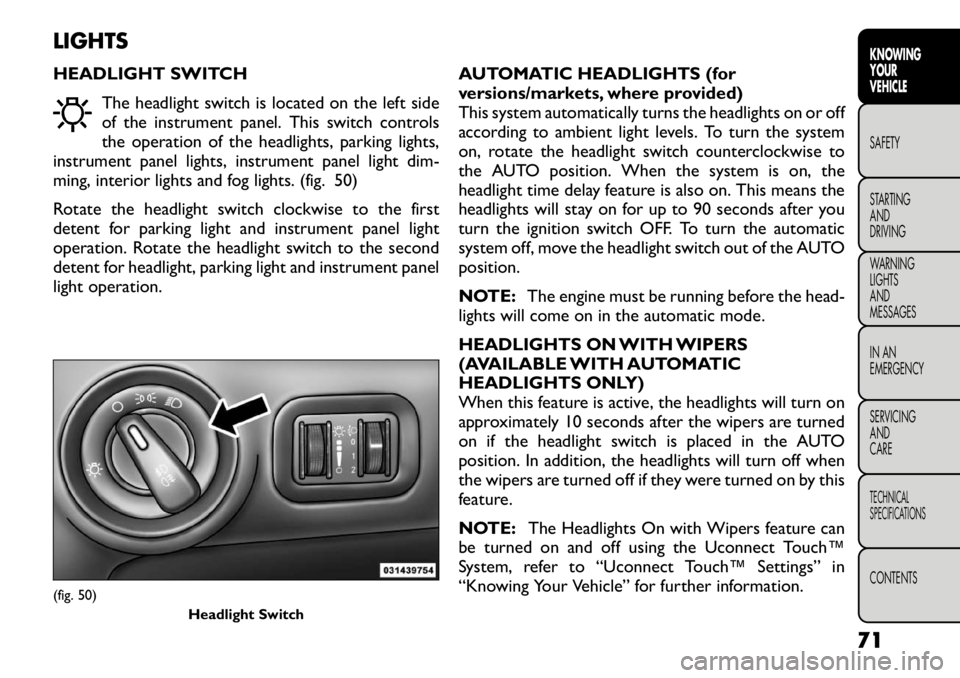
HEADLIGHT SWITCHThe headlight switch is located on the left side
of the instrument panel. This switch controls
the operation of the headlights, parking lights,
instrument panel lights, instrument panel light dim-
ming, interior lights and fog lights. (fig. 50)
Rotate the headlight switch clockwise to the first
detent for parking light and instrument panel light
operation. Rotate the headlight switch to the second
detent for headlight, parking light and instrument panel
light operation. AUTOMATIC HEADLIGHTS (for
versions/markets, where provided)
This system automatically turns the headlights on or off
according to ambient light levels. To turn the system
on, rotate the headlight switch counterclockwise to
the AUTO position. When the system is on, the
headlight time delay feature is also on. This means the
headlights will stay on for up to 90 seconds after you
turn the ignition switch OFF. To turn the automatic
system off, move the headlight switch out of the AUTOposition.
NOTE:
The engine must be running before the head-
lights will come on in the automatic mode.
HEADLIGHTS ON WITH WIPERS
(AVAILABLE WITH AUTOMATIC
HEADLIGHTS ONLY)
When this feature is active, the headlights will turn on
approximately 10 seconds after the wipers are turned
on if the headlight switch is placed in the AUTO
position. In addition, the headlights will turn off when
the wipers are turned off if they were turned on by this
feature.
NOTE: The Headlights On with Wipers feature can
be turned on and off using the Uconnect Touch™
System, refer to “Uconnect Touch™ Settings” in
“Knowing Your Vehicle” for further information.(fig. 50)
Headlight Switch
71
KNOWING
YOURVEHICLESAFETY
STARTING ANDDRIVING
WARNING LIGHTSAND
MESSAGES
IN AN
EMERGENCY
SERVICING AND
CARETECHNICAL
SPECIFICATIONSCONTENTS
Page 78 of 332
HEADLIGHT TIME DELAY
This feature provides the safety of headlight illumina-
tion for up to 90 seconds when leaving your vehicle in
an unlit area.
To activate the delay feature, turn OFF the ignition
switch while the headlights are still on. Then, turn off
the headlights within 45 seconds. The delay interval
begins when the headlight switch is turned off.
NOTE:The lights must be turned off within 45 sec-
onds of turning the ignition OFF to activate this fea-
ture.
If you turn the headlights, park lights or ignition switch
ON again, the system will cancel the delay.
If you turn the headlights off before the ignition, they
will turn off in the normal manner.
NOTE: The Headlight Time Delay is programmable
using the Uconnect Touch™ System, refer to
“Uconnect Touch™ Settings” in “Knowing Your Ve-
hicle” for further information.
DAYTIME RUNNING LIGHTS (for
versions/markets, where provided)
The Daytime Running Lights will turn ON the first time
the vehicle is shifted out of PARK, and remain ON
unless the parking brake is applied. Upon returning to
the PARK position, the DRLs will turn OFF. DRLs will
turn OFF when the ignition is switched OFF. NOTE:
The Daytime Running Lights can be turned on
and off using the Uconnect Touch™ System, refer to
“Uconnect Touch™ Settings” in “Knowing Your Ve-
hicle” for further information.
LIGHTS-ON REMINDER
If the headlights or parking lights are on after the
ignition is turned OFF, a chime will sound to alert the
driver when the driver's door is opened.
FRONT AND REAR FOG LIGHTS (for
versions/markets, where provided)
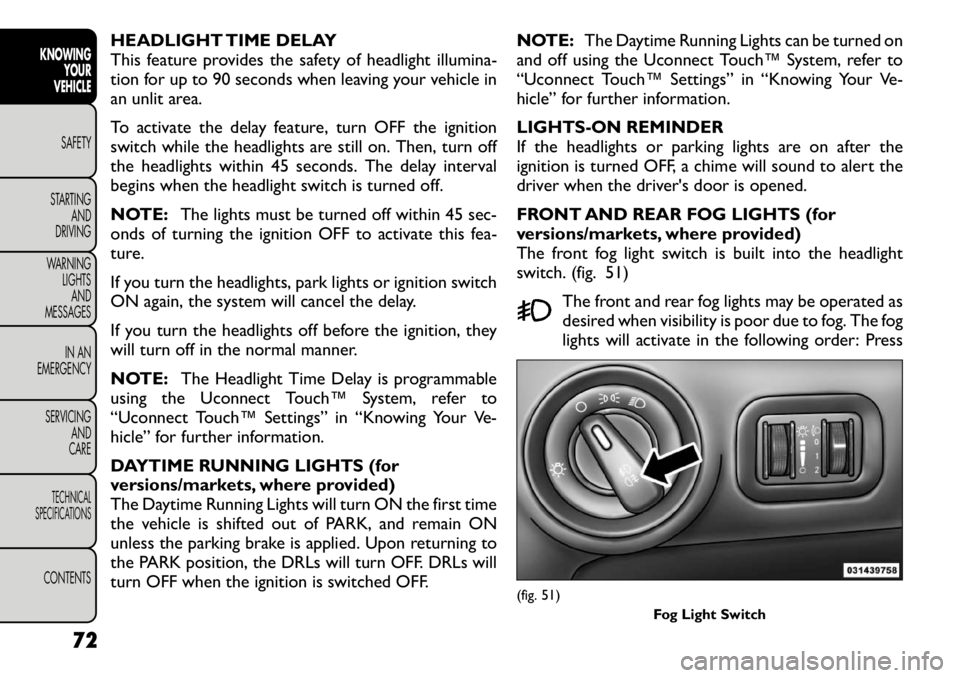
The front fog light switch is built into the headlight
switch. (fig. 51)
The front and rear fog lights may be operated as
desired when visibility is poor due to fog. The fog
lights will activate in the following order: Press
(fig. 51) Fog Light Switch
72
KNOWINGYOUR
VEHICLE
SAFETY
STARTING AND
DRIVING
WARNING LIGHTSAND
MESSAGES
IN AN
EMERGENCY
SERVICING AND
CARETECHNICAL
SPECIFICATIONSCONTENTS
Page 79 of 332

the headlight switch once and the front fog lights come
on. Press the switch a second time and the rear fog
lights will come on (front fog lights stay on). Press the
switch a third time and the rear fog lights turn off (front
fog stays on). Press the switch a fourth times and the
front fog turns off. For vehicles without front fog, rear
fog will activate on the first press.
An indicator light in the instrument cluster illuminates
when the fog lights are turned on.
NOTE:The fog lights will operate with the low beam
headlights or parking lights on. However, selecting the
high beam headlights will turn off the fog lights.
MULTIFUNCTION LEVER
The multifunction lever controls the operation of the
turn signals, headlight beam selection and passing lights.
The multifunction lever is located on the left side of the
steering column.
TURN SIGNALS
Move the multifunction lever up or down and the
arrows on each side of the instrument cluster flash to
show proper operation of the front and rear turn signallights.
NOTE:
• If either light remains on and does not flash, or there
is a very fast flash rate, check for a defective outside
light bulb. If an indicator fails to light when the lever is
moved, it would suggest that the indicator bulb is
defective. • A “Turn Signal On” message will appear in the EVIC
(for versions/markets, where provided) and a continu-
ous chime will sound if the vehicle is driven more than
1.6 km with either turn signal on.
LANE CHANGE ASSIST
Tap the lever up or down once, without moving beyond
the detent, and the turn signal (right or left) will flash
three times then automatically turn off.
HIGH/LOW BEAM SWITCH
Push the multifunction lever away from you to switch
the headlights to high beam. Pull the multifunction lever
toward you to switch the headlights back to low beam.
FLASH-TO-PASS
You can signal another vehicle with your headlights by
lightly pulling the multifunction lever toward you. This
will turn on the high beams headlights until the lever is
released.
INTERIOR LIGHTS
The interior lights come on when a door is opened.
To protect the battery, the interior lights will turn off
automatically 10 minutes after the ignition switch is
moved to the LOCK position. This will occur if the
interior lights were switched on manually or are on
because a door is open. This includes the glove box
light, but not the trunk light. To restore interior light
operation, either turn the ignition switch ON or cycle
the light switch.
73
KNOWING
YOURVEHICLESAFETY
STARTING ANDDRIVING
WARNING LIGHTSAND
MESSAGES
IN AN
EMERGENCY
SERVICING AND
CARETECHNICAL
SPECIFICATIONSCONTENTS
Page 81 of 332
2 All seating positions occupied, plus anevenly distributed load in the luggage
compartment. The total weight of
passengers and load does not exceed the
maximum load capacity of the vehicle.
Driver, plus an evenly distributed load in
the luggage compartment. The total
weight of the driver and load does not
exceed the maximum load capacity of the
vehicle.
Calculations based on a passenger weight of 75 kg.
MAP/READING LIGHTS
Refer to “Overhead Console” for further information
on Map/Reading Lights. ILLUMINATED ENTRY
The courtesy lights will turn on when you use the
Remote Keyless Entry (RKE) transmitter to unlock the
doors or open any door or liftgate.
This feature also turns on the approach lighting in the
outside mirrors (for versions/markets, where pro-
vided). Refer to “Mirrors” in “Knowing Your Vehicle”
for further information.
The interior lights will fade to off after approximately
30 seconds or they will immediately fade to off once
the ignition is cycled to the ON/RUN position from the
OFF position.
NOTE:
• The front courtesy overhead console and door cour-
tesy lights do not turn on if the dimmer control is in the
"Dome ON" position (extreme top position).
• The Illuminated Entry system will not operate if the
dimmer control is in the “Dome defeat” position (ex-
treme bottom position).
75
KNOWING
YOURVEHICLESAFETY
STARTING ANDDRIVING
WARNING LIGHTSAND
MESSAGES
IN AN
EMERGENCY
SERVICING AND
CARETECHNICAL
SPECIFICATIONSCONTENTS
Page 83 of 332
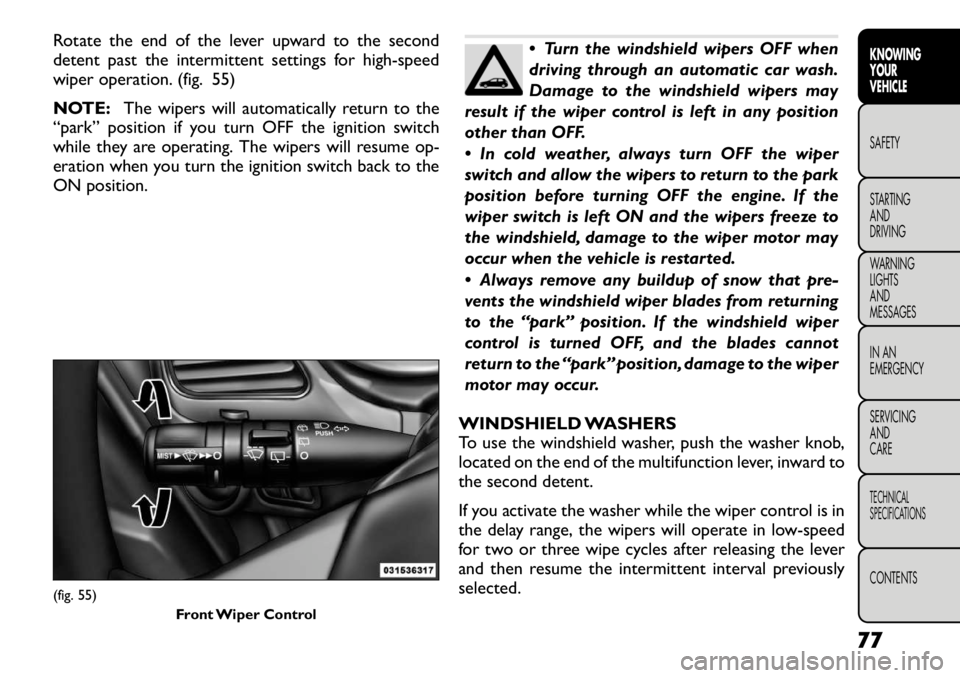
Rotate the end of the lever upward to the second
detent past the intermittent settings for high-speed
wiper operation. (fig. 55)
NOTE:The wipers will automatically return to the
“park” position if you turn OFF the ignition switch
while they are operating. The wipers will resume op-
eration when you turn the ignition switch back to the
ON position.
Turn the windshield wipers OFF when
driving through an automatic car wash.
Damage to the windshield wipers may
result if the wiper control is left in any position
other than OFF.
In cold weather, always turn OFF the wiper
switch and allow the wipers to return to the park
position before turning OFF the engine. If the
wiper switch is left ON and the wipers freeze to
the windshield, damage to the wiper motor may
occur when the vehicle is restarted.
Always remove any buildup of snow that pre-
vents the windshield wiper blades from returning
to the “park” position. If the windshield wiper
control is turned OFF, and the blades cannot
return to the “park” position, damage to the wiper
motor may occur.
WINDSHIELD WASHERS
To use the windshield washer, push the washer knob,
located on the end of the multifunction lever, inward to
the second detent.
If you activate the washer while the wiper control is in
the delay range, the wipers will operate in low-speed
for two or three wipe cycles after releasing the lever
and then resume the intermittent interval previously
selected.
(fig. 55) Front Wiper Control
77
KNOWING
YOURVEHICLESAFETY
STARTING ANDDRIVING
WARNING LIGHTSAND
MESSAGES
IN AN
EMERGENCY
SERVICING AND
CARETECHNICAL
SPECIFICATIONSCONTENTS