reset FIAT FREEMONT 2012 Owner handbook (in English)
[x] Cancel search | Manufacturer: FIAT, Model Year: 2012, Model line: FREEMONT, Model: FIAT FREEMONT 2012Pages: 332, PDF Size: 5.61 MB
Page 26 of 332
DOWN ButtonPress and release the DOWN button to
scroll downward through the main menus
and sub-menus.
SELECT Button Press and release the SELECT button for
access to main menus or sub-menus. Press
and hold the SELECT button for two seconds
to reset features.
BACK Button Press the BACK button to scroll back to a
previous menu or sub-menu.
ELECTRONIC VEHICLE INFORMATION
CENTER (EVIC) DISPLAYS
When the appropriate conditions exist, the EVIC dis-
plays the following messages:
• Turn Signal On (with a continuous warning chime if the vehicle is driven more than 1.6 km with either
turn signal on)
• Left Front Turn Signal Light Out (with a single chime)
• Left Rear Turn Signal Light Out (with a single chime)
• Right Front Turn Signal Light Out (with a single chime)
• Right Rear Turn Signal Light Out (with a single chime)
• RKE Battery Low (with a single chime) • Personal Settings Not Available – Vehicle Not in
PARK (for versions/markets, where provided)
• Left/Right Front Door Ajar (one or more doors open, with a single chime if speed is above 1.6 km/h)
• Left/Right Rear Door Ajar (one or more doors open, with a single chime if speed is above 1.6 km/h)
• Door(s) Ajar (with a single chime if vehicle is in motion)
• Liftgate Ajar (with a single chime)
• Low Washer Fluid (with a single chime)
• Ignition or Accessory On
• Vehicle Not in Park
• Key Left Vehicle
• Key Not Detected
• Low Tire Pressure (with a single chime). Refer to information on “Tire Pressure” and “Tire Pressure
Monitor” in “Starting And Operating”.
• Service TPM System (with a single chime). Refer to information on “Tire Pressure Monitor” in “Starting
And Operating”.
• Check Gascap (refer to “Adding Fuel” in “Technical Specifications”)
• Oil Change Required (with a single chime)
• Check Gascap (refer to “Adding Fuel” in “Starting And Operating”)
• Oil Change Due (with a single chime)
20
KNOWING YOUR
VEHICLE
SAFETY
STARTING AND
DRIVING
WARNING LIGHTSAND
MESSAGES
IN AN
EMERGENCY
SERVICING AND
CARETECHNICAL
SPECIFICATIONSCONTENTS
Page 29 of 332
Further overheating will cause the temperature gauge
to passH,the indicator will continuously flash and a
continuous chime will occur until the engine is allowed
to cool.
If the light turns on while driving, safely pull over and
stop the vehicle. If the A/C system is on, turn it off.
Also, shift the transmission into NEUTRAL and idle the
vehicle. If the temperature reading does not return to
normal, turn the engine off immediately and call for
service.
Transmission Temperature Warning Light This light indicates that the transmission fluid
temperature is running hot. This may occur
with severe usage, such as trailer towing. If
this light turns on, safely pull over and stop
the vehicle. Then, shift the transmission into NEU-
TRAL and run the engine at idle or faster until the light
turns off.
Continuous driving with the Transmission
Temperature Warning Light illuminated
will eventually cause severe transmission
damage or transmission failure.
WARNING!
If the Transmission Temperature Warning
Light is illuminated and you continue
operating the vehicle, in some circumstances you
could cause the fluid to boil over, come in contact
with hot engine or exhaust components and
cause a fire.
OIL CHANGE DUE
Your vehicle is equipped with an engine oil change
indicator system. The “Oil Change Due” message will
flash in the EVIC display for approximately 10 seconds
after a single chime has sounded to indicate the next
scheduled oil change interval. The engine oil change
indicator system is duty cycle based, which means the
engine oil change interval may fluctuate dependent
upon your personal driving style.
Unless reset, this message will continue to display each
time you cycle the ignition to the ON/RUN position.
To turn off the message temporarily, press and release
the BACK button. To reset the oil change indicator
system please refer to a Fiat Dealership.
FUEL ECONOMY
Press and release the UP or DOWN button until “Fuel
Economy” displays highlighted in the EVIC and press
the SELECT button. The following Fuel Economy func-
tions will display in the EVIC:
23KNOWING
YOURVEHICLESAFETY
STARTING ANDDRIVING
WARNING LIGHTSAND
MESSAGES
IN AN
EMERGENCY
SERVICING AND
CARETECHNICAL
SPECIFICATIONSCONTENTS
Page 30 of 332
• Average Fuel Economy
• Distance To Empty (DTE)
• 100L/Km
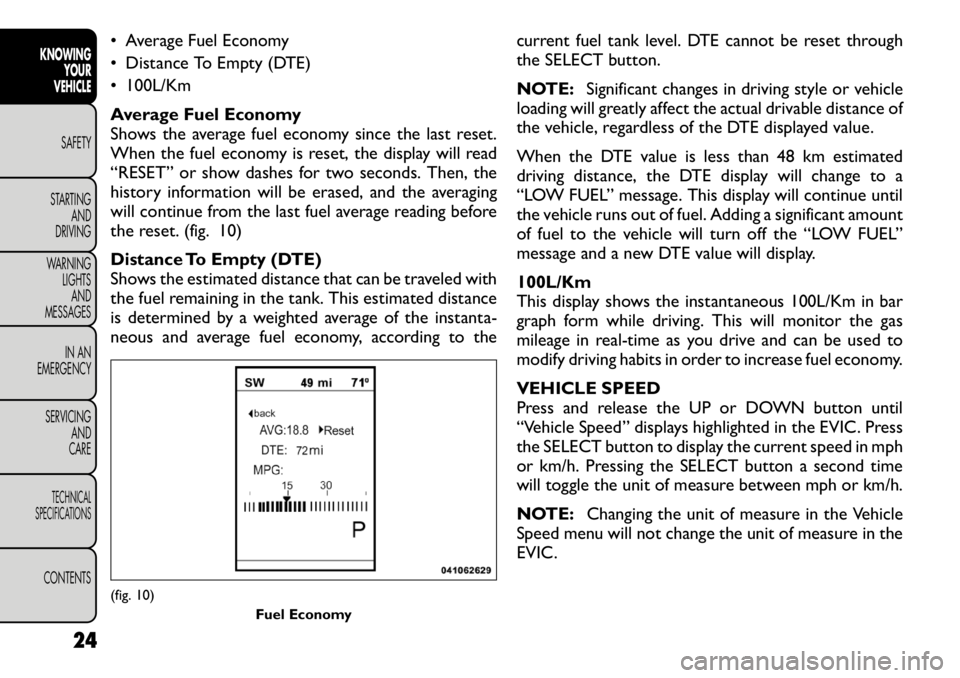
Average Fuel Economy
Shows the average fuel economy since the last reset.
When the fuel economy is reset, the display will read
“RESET” or show dashes for two seconds. Then, the
history information will be erased, and the averaging
will continue from the last fuel average reading before
the reset. (fig. 10)
Distance To Empty (DTE)
Shows the estimated distance that can be traveled with
the fuel remaining in the tank. This estimated distance
is determined by a weighted average of the instanta-
neous and average fuel economy, according to thecurrent fuel tank level. DTE cannot be reset through
the SELECT button.
NOTE:
Significant changes in driving style or vehicle
loading will greatly affect the actual drivable distance of
the vehicle, regardless of the DTE displayed value.
When the DTE value is less than 48 km estimated
driving distance, the DTE display will change to a
“LOW FUEL” message. This display will continue until
the vehicle runs out of fuel. Adding a significant amount
of fuel to the vehicle will turn off the “LOW FUEL”
message and a new DTE value will display. 100L/Km
This display shows the instantaneous 100L/Km in bar
graph form while driving. This will monitor the gas
mileage in real-time as you drive and can be used to
modify driving habits in order to increase fuel economy.
VEHICLE SPEED
Press and release the UP or DOWN button until
“Vehicle Speed” displays highlighted in the EVIC. Press
the SELECT button to display the current speed in mph
or km/h. Pressing the SELECT button a second time
will toggle the unit of measure between mph or km/h.
NOTE: Changing the unit of measure in the Vehicle
Speed menu will not change the unit of measure in the
EVIC.(fig. 10)
Fuel Economy
24
KNOWING YOUR
VEHICLE
SAFETY
STARTING AND
DRIVING
WARNING LIGHTSAND
MESSAGES
IN AN
EMERGENCY
SERVICING AND
CARETECHNICAL
SPECIFICATIONSCONTENTS
Page 31 of 332
TRIP INFO
Press and release the UP or DOWN button until “Trip
Info” displays highlighted in the EVIC and press the
SELECT button. Pressing the SELECT button with
"Trip Info" highlighted will cause the EVIC display to
show Trip A, Trip B, and Elapsed Time all in one display.
If you want to reset one of the three functions you use
the UP or DOWN buttons to highlight (select) the
feature that you want to reset. Pressing the SELECT
button will cause the selected feature to reset individu-
ally. The three features can only be reset individually.
The following Trip functions display in the EVIC:
• Trip A
• Trip B
• Elapsed Time
The Trip Functions mode displays the following infor- mation:
Trip A
Shows the total distance traveled for Trip A since the
last reset.
Trip B
Shows the total distance traveled for Trip B since the
last reset.
Elapsed Time
Shows the total elapsed time of travel since the last
reset. Elapsed time will increment when the ignition is
in the ON/RUN position.To Reset The Display
Reset will only occur while a resettable function is
being displayed. Press and release the SELECT button
once to clear the resettable function.
TIRE BAR
Press and release the UP or DOWN button until “Tire
BAR” displays highlighted in the EVIC. Press the SE-
LECT button to view a graphic of the vehicle with a tire
pressure value at each corner of the graphic.
VEHICLE INFO (CUSTOMER
INFORMATION FEATURES) (for
versions/markets, where provided)
Press and release the UP or DOWN button until
“Vehicle Info” displays in the EVIC and press the SE-
LECT button. Press the UP and DOWN button to
scroll through the available information displays that
may be equipped.
Coolant Temp
Displays the actual coolant temperature.
Oil Temperature
Displays the actual oil temperature.
Oil Pressure
Displays the actual oil pressure.
Trans Temperature
Displays the actual transmission temperature.
Engine Hours
Displays the number of hours of engine operation.
25
KNOWING
YOURVEHICLESAFETY
STARTING ANDDRIVING
WARNING LIGHTSAND
MESSAGES
IN AN
EMERGENCY
SERVICING AND
CARETECHNICAL
SPECIFICATIONSCONTENTS
Page 38 of 332
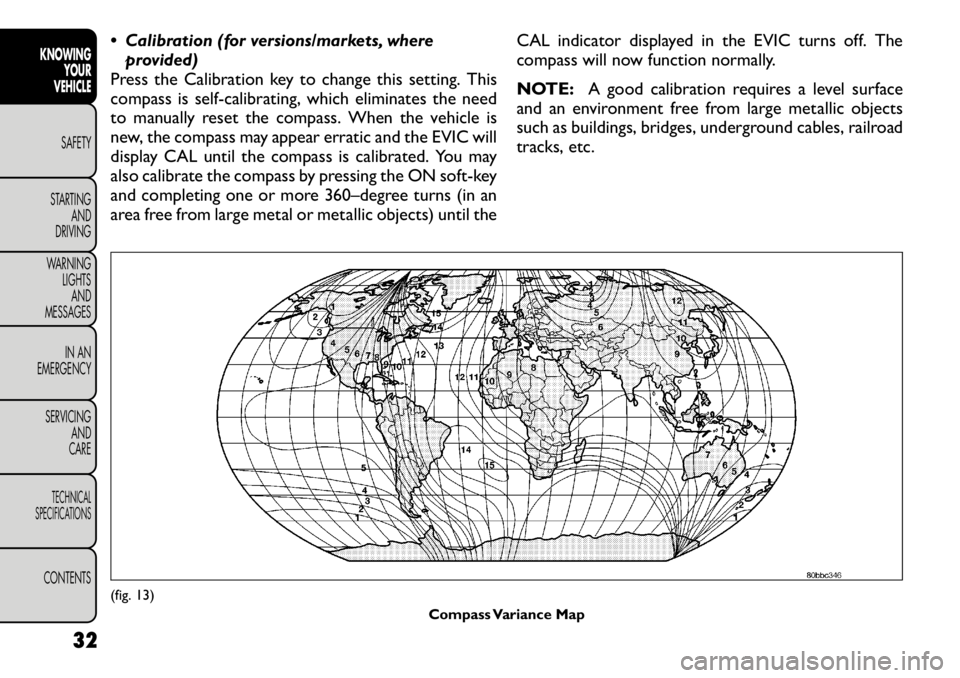
Calibration (for versions/markets, whereprovided)
Press the Calibration key to change this setting. This
compass is self-calibrating, which eliminates the need
to manually reset the compass. When the vehicle is
new, the compass may appear erratic and the EVIC will
display CAL until the compass is calibrated. You may
also calibrate the compass by pressing the ON soft-key
and completing one or more 360–degree turns (in an
area free from large metal or metallic objects) until the CAL indicator displayed in the EVIC turns off. The
compass will now function normally.
NOTE:
A good calibration requires a level surface
and an environment free from large metallic objects
such as buildings, bridges, underground cables, railroad
tracks, etc.(fig. 13)
Compass Variance Map
32
KNOWING YOUR
VEHICLE
SAFETY
STARTING AND
DRIVING
WARNING LIGHTSAND
MESSAGES
IN AN
EMERGENCY
SERVICING AND
CARETECHNICAL
SPECIFICATIONSCONTENTS
Page 45 of 332
Perform Compass Calibration (forversions/markets, where provided)
Press the Calibration key to change this setting. This
compass is self-calibrating, which eliminates the need
to manually reset the compass. When the vehicle is
new, the compass may appear erratic and the EVIC will
display CAL until the compass is calibrated. You may
also calibrate the compass by pressing the ON soft-key
and completing one or more 360–degree turns (in an
area free from large metal or metallic objects) until the CAL indicator displayed in the EVIC turns off. The
compass will now function normally. Audio
Balance/Fade (for versions/markets, where
provided)
When in this display you may adjust the Balance and
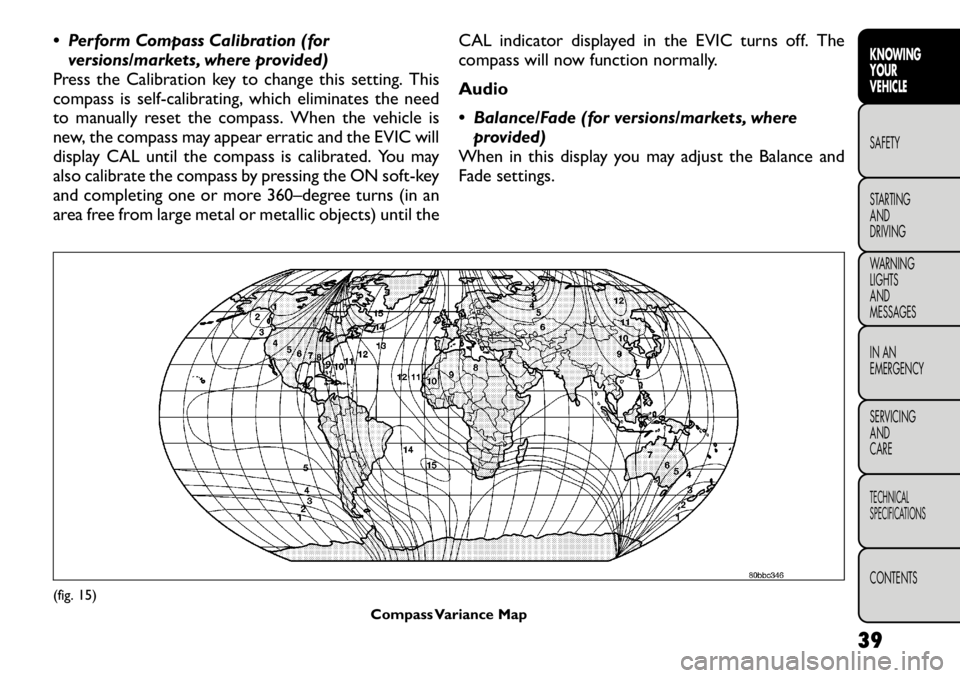
Fade settings.(fig. 15)
Compass Variance Map
39
KNOWING
YOURVEHICLESAFETY
STARTING ANDDRIVING
WARNING LIGHTSAND
MESSAGES
IN AN
EMERGENCY
SERVICING AND
CARETECHNICAL
SPECIFICATIONSCONTENTS
Page 53 of 332
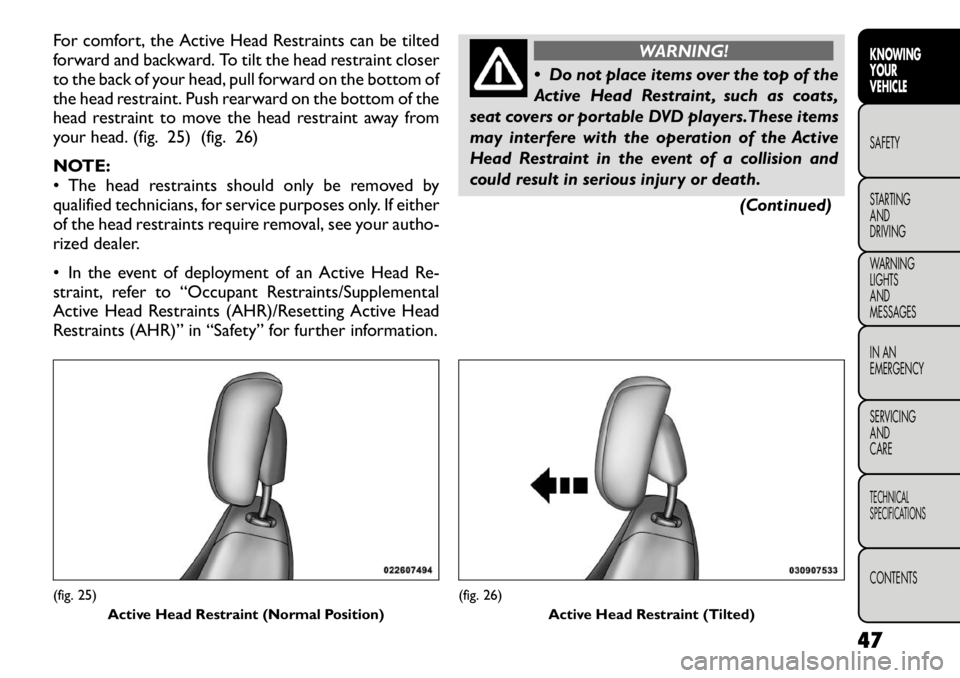
For comfort, the Active Head Restraints can be tilted
forward and backward. To tilt the head restraint closer
to the back of your head, pull forward on the bottom of
the head restraint. Push rearward on the bottom of the
head restraint to move the head restraint away from
your head. (fig. 25) (fig. 26)
NOTE:
• The head restraints should only be removed by
qualified technicians, for service purposes only. If either
of the head restraints require removal, see your autho-
rized dealer.
• In the event of deployment of an Active Head Re-
straint, refer to “Occupant Restraints/Supplemental
Active Head Restraints (AHR)/Resetting Active Head
Restraints (AHR)” in “Safety” for further information.
WARNING!
Do not place items over the top of the
Active Head Restraint , such as coats,
seat covers or portable DVD players.These items
may interfere with the operation of the Active
Head Restraint in the event of a collision and
could result in serious injury or death.
(Continued)
(fig. 25)Active Head Restraint (Normal Position)
(fig. 26) Active Head Restraint (Tilted)
47
KNOWING
YOURVEHICLESAFETY
STARTING ANDDRIVING
WARNING LIGHTSAND
MESSAGES
IN AN
EMERGENCY
SERVICING AND
CARETECHNICAL
SPECIFICATIONSCONTENTS
Page 68 of 332
4. Front Defrost Button
Press and release to change the current airflow setting
to Defrost mode. The indicator illuminates when this
feature is ON. Performing this function will cause the
ATC (for versions/markets, where provided) to switch
into manual mode. The blower speed may increase
when Defrost mode is selected. If the front defrost
mode is turned off, the climate system will return the
previous setting.
5. Rear Defrost Button
Press and release this button to turn on the rear
window defroster and the heated outside mirrors (for
versions/markets, where provided). An indicator will
illuminate when the rear window defroster is on. The
rear window defroster automatically turns off after
10 minutes.
Failure to follow these cautions can
cause damage to the heating elements:
Use care when washing the inside of
the rear window. Do not use abrasive window
cleaners on the interior surface of the window.
Use a soft cloth and a mild washing solution,
wiping parallel to the heating elements. Labels
can be peeled off after soaking with warm water.
Do not use scrapers, sharp instruments, or abra-
sive window cleaners on the interior surface of
the window.
Keep all objects a safe distance from the
window.
6. Passenger Temperature Control Up Button
Provides the passenger with independent temperature
control. Push the button for warmer temperaturesettings.
NOTE: Pressing this button while in Sync mode will
automatically exit Sync.
7. Passenger Temperature Control Down Button
Provides the passenger with independent temperature
control. Push the button for cooler temperature set-tings.
NOTE: Pressing this button while in Sync mode will
automatically exit Sync.
62
KNOWING YOUR
VEHICLE
SAFETY
STARTING AND
DRIVING
WARNING LIGHTSAND
MESSAGES
IN AN
EMERGENCY
SERVICING AND
CARETECHNICAL
SPECIFICATIONSCONTENTS
Page 69 of 332
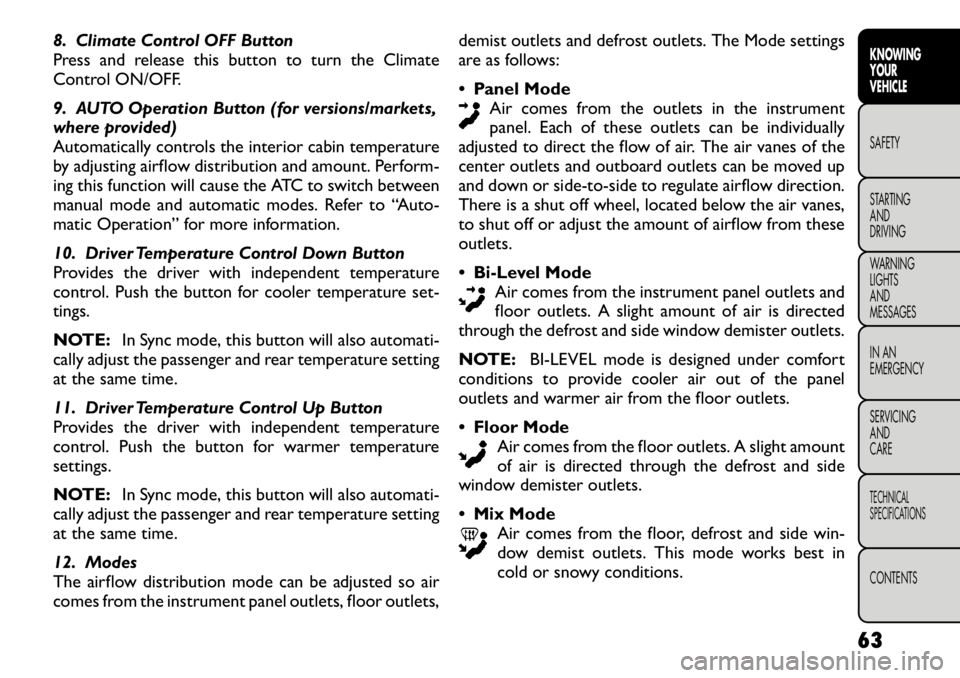
8. Climate Control OFF Button
Press and release this button to turn the Climate
Control ON/OFF.
9. AUTO Operation Button (for versions/markets,
where provided)
Automatically controls the interior cabin temperature
by adjusting airflow distribution and amount. Perform-
ing this function will cause the ATC to switch between
manual mode and automatic modes. Refer to “Auto-
matic Operation” for more information.
10. Driver Temperature Control Down Button
Provides the driver with independent temperature
control. Push the button for cooler temperature set-tings.
NOTE:In Sync mode, this button will also automati-
cally adjust the passenger and rear temperature setting
at the same time.
11. Driver Temperature Control Up Button
Provides the driver with independent temperature
control. Push the button for warmer temperaturesettings.
NOTE: In Sync mode, this button will also automati-
cally adjust the passenger and rear temperature setting
at the same time.
12. Modes
The airflow distribution mode can be adjusted so air
comes from the instrument panel outlets, floor outlets, demist outlets and defrost outlets. The Mode settings
are as follows:
Panel Mode
Air comes from the outlets in the instrument
panel. Each of these outlets can be individually
adjusted to direct the flow of air. The air vanes of the
center outlets and outboard outlets can be moved up
and down or side-to-side to regulate airflow direction.
There is a shut off wheel, located below the air vanes,
to shut off or adjust the amount of airflow from theseoutlets. Bi-Level Mode
Air comes from the instrument panel outlets and
floor outlets. A slight amount of air is directed
through the defrost and side window demister outlets.
NOTE: BI-LEVEL mode is designed under comfort
conditions to provide cooler air out of the panel
outlets and warmer air from the floor outlets. Floor Mode
Air comes from the floor outlets. A slight amount
of air is directed through the defrost and side
window demister outlets. Mix Mode
Air comes from the floor, defrost and side win-
dow demist outlets. This mode works best in
cold or snowy conditions.
63KNOWING
YOURVEHICLESAFETY
STARTING ANDDRIVING
WARNING LIGHTSAND
MESSAGES
IN AN
EMERGENCY
SERVICING AND
CARETECHNICAL
SPECIFICATIONSCONTENTS
Page 87 of 332
ELECTRONIC SPEED CONTROL (for
versions/markets, where
provided)
When engaged, the Electronic Speed Control takes
over accelerator operations at speeds greater than
40 km/h.
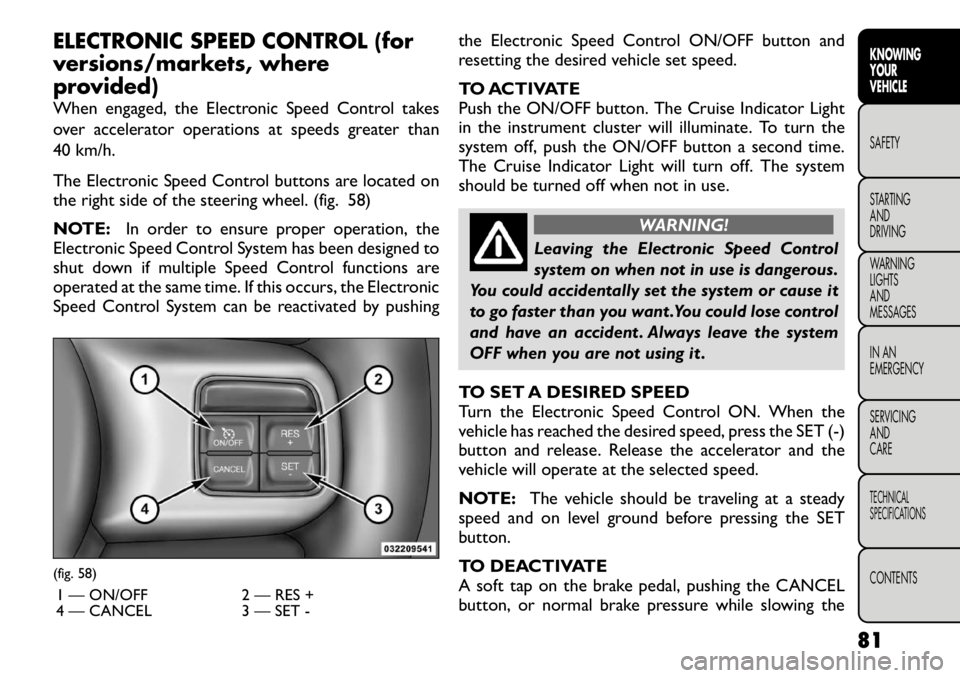
The Electronic Speed Control buttons are located on
the right side of the steering wheel. (fig. 58)
NOTE:In order to ensure proper operation, the
Electronic Speed Control System has been designed to
shut down if multiple Speed Control functions are
operated at the same time. If this occurs, the Electronic
Speed Control System can be reactivated by pushing the Electronic Speed Control ON/OFF button and
resetting the desired vehicle set speed.
TO ACTIVATE
Push the ON/OFF button. The Cruise Indicator Light
in the instrument cluster will illuminate. To turn the
system off, push the ON/OFF button a second time.
The Cruise Indicator Light will turn off. The system
should be turned off when not in use.
WARNING!
Leaving the Electronic Speed Control
system on when not in use is dangerous.
You could accidentally set the system or cause it
to go faster than you want .You could lose control
and have an accident . Always leave the system
OFF when you are not using it .
TO SET A DESIRED SPEED
Turn the Electronic Speed Control ON. When the
vehicle has reached the desired speed, press the SET (-)
button and release. Release the accelerator and the
vehicle will operate at the selected speed.
NOTE: The vehicle should be traveling at a steady
speed and on level ground before pressing the SET
button.
TO DEACTIVATE
A soft tap on the brake pedal, pushing the CANCEL
button, or normal brake pressure while slowing the
(fig. 58)
1 — ON/OFF 2 — RES +
4 — CANCEL 3 — SET -
81
KNOWING
YOURVEHICLESAFETY
STARTING ANDDRIVING
WARNING LIGHTSAND
MESSAGES
IN AN
EMERGENCY
SERVICING AND
CARETECHNICAL
SPECIFICATIONSCONTENTS