light FIAT SEDICI 2009 2.G Owner's Guide
[x] Cancel search | Manufacturer: FIAT, Model Year: 2009, Model line: SEDICI, Model: FIAT SEDICI 2009 2.GPages: 270, PDF Size: 3.44 MB
Page 82 of 270
81
MAIN BEAM (HIGH BEAM)
INDICATOR LIGHT
50G055
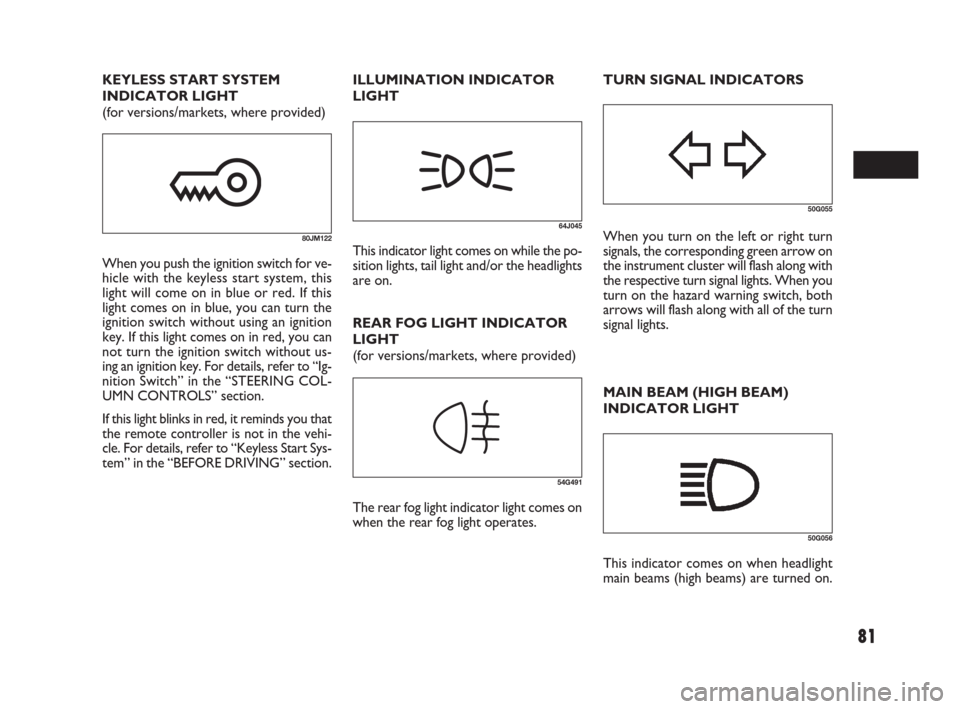
64J045When you turn on the left or right turn
signals, the corresponding green arrow on
the instrument cluster will flash along with
the respective turn signal lights. When you
turn on the hazard warning switch, both
arrows will flash along with all of the turn
signal lights.
50G056
This indicator comes on when headlight
main beams (high beams) are turned on. TURN SIGNAL INDICATORS KEYLESS START SYSTEM
INDICATOR LIGHT
(for versions/markets, where provided)
80JM122
When you push the ignition switch for ve-
hicle with the keyless start system, this
light will come on in blue or red. If this
light comes on in blue, you can turn the
ignition switch without using an ignition
key. If this light comes on in red, you can
not turn the ignition switch without us-
ing an ignition key. For details, refer to “Ig-
nition Switch” in the “STEERING COL-
UMN CONTROLS” section.
If this light blinks in red, it reminds you that
the remote controller is not in the vehi-
cle. For details, refer to “Keyless Start Sys-
tem” in the “BEFORE DRIVING” section.REAR FOG LIGHT INDICATOR
LIGHT
(for versions/markets, where provided)
54G491
The rear fog light indicator light comes on
when the rear fog light operates. ILLUMINATION INDICATOR
LIGHT
This indicator light comes on while the po-
sition lights, tail light and/or the headlights
are on.
071-128 SEDICI LUM FL GB 1E 19-06-2009 12:05 Pagina 81
Page 83 of 270
82
For details, refer to “Using the 2WD/
4WD Switch” in the “OPERATING
YOUR VEHICLE” section.
NOTE If you restart the engine, the light
will stop blinking temporarily.
NOTE When the vehicle speed is in-
creased, the “4WD LOCK” mode will be
changed to the “4WD AUTO” mode au-
tomatically. The “4WD AUTO” indicator
light will come on and stay on.
4WD LOCK INDICATOR LIGHT
(for versions/markets, where provided)
79J100
If the light and the “4WD AUTO” indi-
cator light stay on or come on simultane-
ously when driving, there may be some-
thing wrong with the 4WD system. Have
the system inspected by an authorized
Fiat Dealership.
NOTE
❒When the vehicle speed is increased,
the “4WD LOCK” mode will be
changed to the “4WD AUTO” mode
automatically. The “4WD AUTO” in-
dicator light will come on and stay on.
❒When the ignition switch is turned to
the “OFF” position, the “4WD LOCK”
mode is canceled.
For details of the “4WD LOCK” mode,
refer to “Using the 2WD/4WD Switch”
in the “OPERATING YOUR VEHICLE”
section.
IMPORTANT Do not operate your vehi-
cle in “4WD LOCK” mode on dry hard
surfaces.
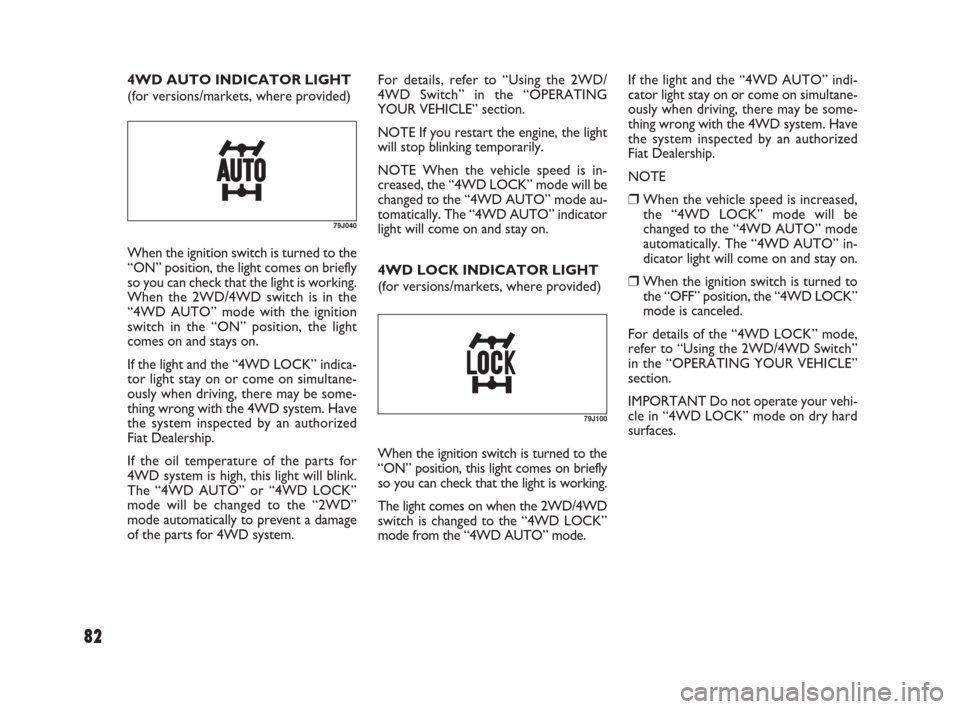
When the ignition switch is turned to the
“ON” position, this light comes on briefly
so you can check that the light is working.
The light comes on when the 2WD/4WD
switch is changed to the “4WD LOCK”
mode from the “4WD AUTO” mode.
79J040
When the ignition switch is turned to the
“ON” position, the light comes on briefly
so you can check that the light is working.
When the 2WD/4WD switch is in the
“4WD AUTO” mode with the ignition
switch in the “ON” position, the light
comes on and stays on.
If the light and the “4WD LOCK” indica-
tor light stay on or come on simultane-
ously when driving, there may be some-
thing wrong with the 4WD system. Have
the system inspected by an authorized
Fiat Dealership.
If the oil temperature of the parts for
4WD system is high, this light will blink.
The “4WD AUTO” or “4WD LOCK”
mode will be changed to the “2WD”
mode automatically to prevent a damage
of the parts for 4WD system. 4WD AUTO INDICATOR LIGHT
(for versions/markets, where provided)
071-128 SEDICI LUM FL GB 1E 19-06-2009 12:05 Pagina 82
Page 84 of 270
83
SPEEDOMETER
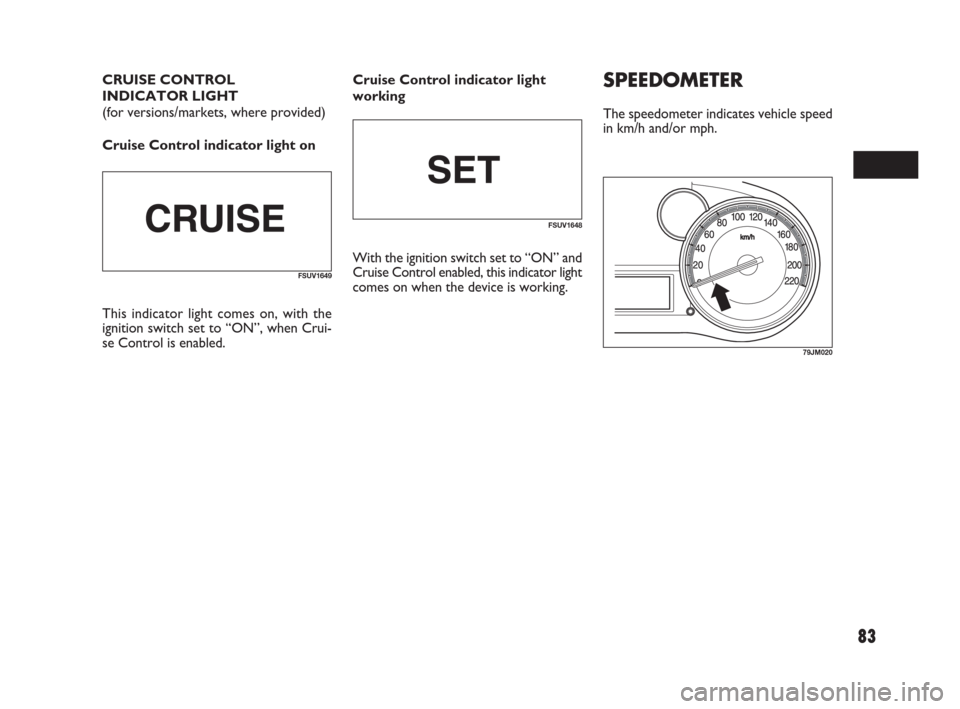
The speedometer indicates vehicle speed
in km/h and/or mph.
79JM020
CRUISE CONTROL
INDICATOR LIGHT
(for versions/markets, where provided)
Cruise Control indicator light on
FSUV1649
FSUV1648
This indicator light comes on, with the
ignition switch set to “ON”, when Crui-
se Control is enabled.Cruise Control indicator light
working
With the ignition switch set to “ON” and
Cruise Control enabled, this indicator light
comes on when the device is working.
071-128 SEDICI LUM FL GB 1E 19-06-2009 12:05 Pagina 83
Page 85 of 270
84
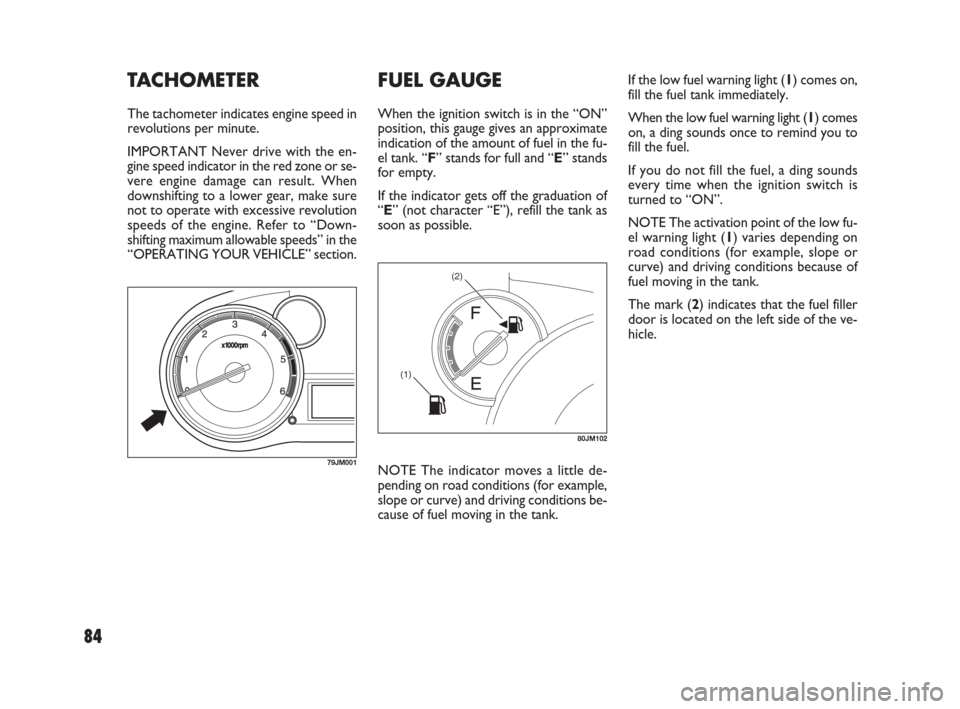
If the low fuel warning light (1) comes on,
fill the fuel tank immediately.
When the low fuel warning light (1) comes
on, a ding sounds once to remind you to
fill the fuel.
If you do not fill the fuel, a ding sounds
every time when the ignition switch is
turned to “ON”.
NOTE The activation point of the low fu-
el warning light (1) varies depending on
road conditions (for example, slope or
curve) and driving conditions because of
fuel moving in the tank.
The mark (2) indicates that the fuel filler
door is located on the left side of the ve-
hicle.TACHOMETER
The tachometer indicates engine speed in
revolutions per minute.
IMPORTANT Never drive with the en-
gine speed indicator in the red zone or se-
vere engine damage can result. When
downshifting to a lower gear, make sure
not to operate with excessive revolution
speeds of the engine. Refer to “Down-
shifting maximum allowable speeds” in the
“OPERATING YOUR VEHICLE” section.
NOTE The indicator moves a little de-
pending on road conditions (for example,
slope or curve) and driving conditions be-
cause of fuel moving in the tank.
(2)
(1)
80JM102
79JM001
FUEL GAUGE
When the ignition switch is in the “ON”
position, this gauge gives an approximate
indication of the amount of fuel in the fu-
el tank. “F” stands for full and “E” stands
for empty.
If the indicator gets off the graduation of
“E” (not character “E”), refill the tank as
soon as possible.
071-128 SEDICI LUM FL GB 1E 19-06-2009 12:05 Pagina 84
Page 86 of 270
85
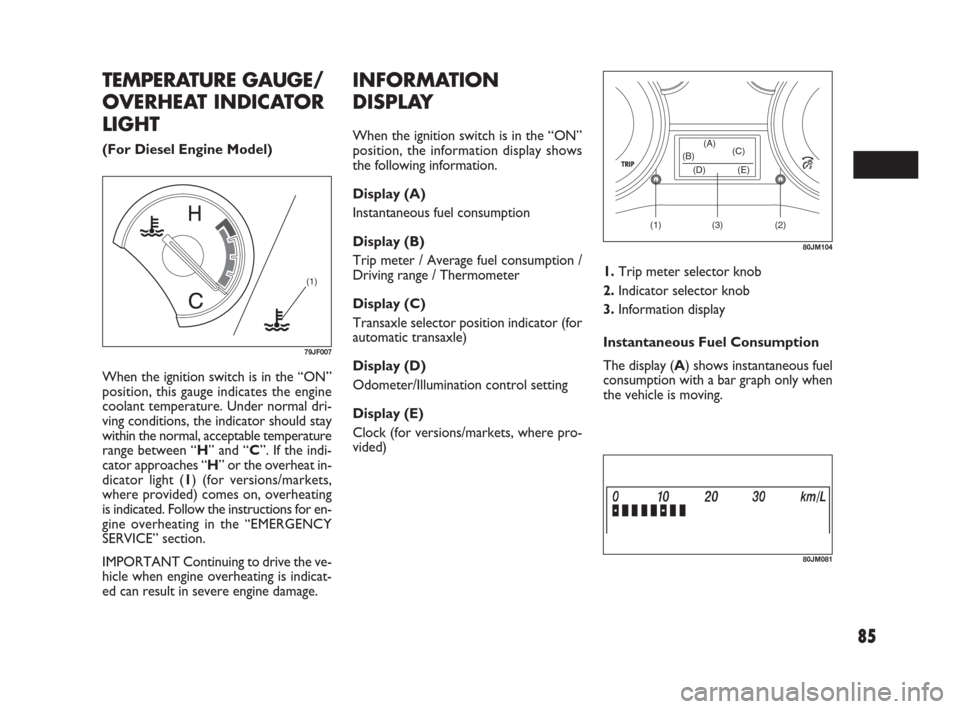
When the ignition switch is in the “ON”
position, this gauge indicates the engine
coolant temperature. Under normal dri-
ving conditions, the indicator should stay
within the normal, acceptable temperature
range between “H” and “C”. If the indi-
cator approaches “H” or the overheat in-
dicator light (1) (for versions/markets,
where provided) comes on, overheating
is indicated. Follow the instructions for en-
gine overheating in the “EMERGENCY
SERVICE” section.
IMPORTANT Continuing to drive the ve-
hicle when engine overheating is indicat-
ed can result in severe engine damage.
(1)
79JF007
(1) (2)(3) (D) (B)(A)
(C)
(E)
80JM104
TEMPERATURE GAUGE/
OVERHEAT INDICATOR
LIGHT
(For Diesel Engine Model)
INFORMATION
DISPLAY
When the ignition switch is in the “ON”
position, the information display shows
the following information.
Display (A)
Instantaneous fuel consumption
Display (B)
Trip meter / Average fuel consumption /
Driving range / Thermometer
Display (C)
Transaxle selector position indicator (for
automatic transaxle)
Display (D)
Odometer/Illumination control setting
Display (E)
Clock (for versions/markets, where pro-
vided)
80JM081
1.Trip meter selector knob
2.Indicator selector knob
3.Information display
Instantaneous Fuel Consumption
The display (A) shows instantaneous fuel
consumption with a bar graph only when
the vehicle is moving.
071-128 SEDICI LUM FL GB 1E 19-06-2009 12:05 Pagina 85
Page 89 of 270
88
Driving range
If you selected driving range the last time
you drove the vehicle, the display indicates
“---” for a few seconds and then indicates
the current driving range when the igni-
tion switch is turned to the “ON” posi-
tion.
The driving range shown in the display is
the approximate distance you can drive
until the fuel gauge indicates “E”, based on
current driving conditions.
When the remaining fuel in fuel tank
reaches a low level, the display “---” will
appear.
If the low fuel warning light comes on, fill
the fuel tank immediately regardless of the
value of driving range shown in the display.
As the driving range after refueling is cal-
culated based on the most recent driving
condition, the value is different each time
you refuel.
NOTE If you refuel when the ignition
switch is in the “ON” position, the driving
range may not indicate the correct value.
When you reconnect the negative (–) ter-
minal to the battery, the value of driving
range will be shown after driving for a
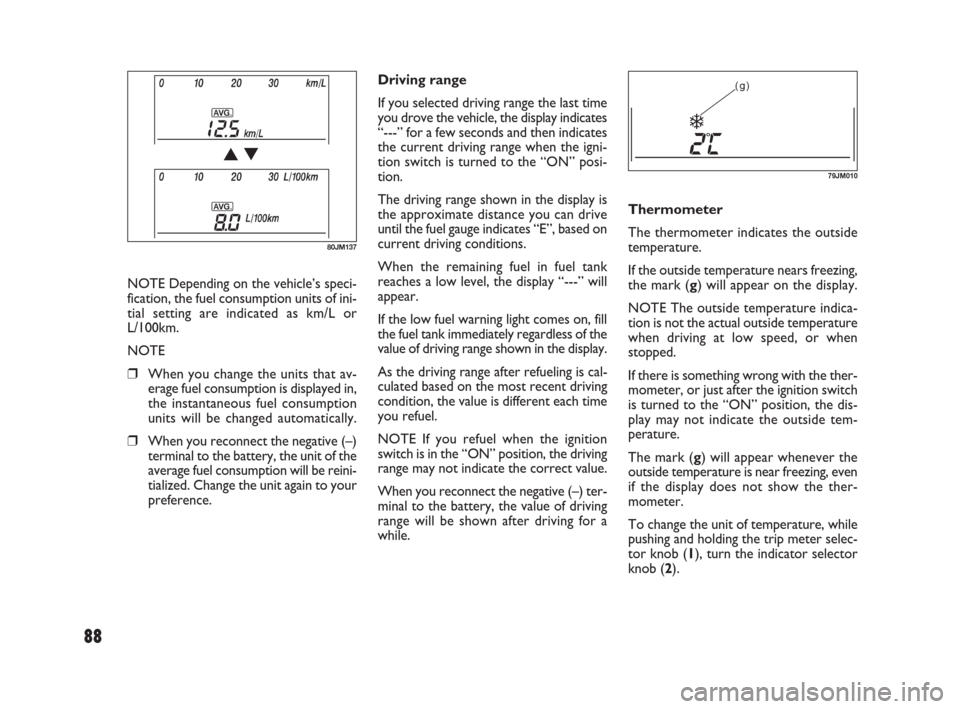
while.Thermometer
The thermometer indicates the outside
temperature.
If the outside temperature nears freezing,
the mark (g) will appear on the display.
NOTE The outside temperature indica-
tion is not the actual outside temperature
when driving at low speed, or when
stopped.
If there is something wrong with the ther-
mometer, or just after the ignition switch
is turned to the “ON” position, the dis-
play may not indicate the outside tem-
perature.
The mark (g) will appear whenever the
outside temperature is near freezing, even
if the display does not show the ther-
mometer.
To change the unit of temperature, while
pushing and holding the trip meter selec-
tor knob (1), turn the indicator selector
knob (2).(g)
79JM010
80JM137
NOTE Depending on the vehicle’s speci-
fication, the fuel consumption units of ini-
tial setting are indicated as km/L or
L/100km.
NOTE
❒When you change the units that av-
erage fuel consumption is displayed in,
the instantaneous fuel consumption
units will be changed automatically.
❒When you reconnect the negative (–)
terminal to the battery, the unit of the
average fuel consumption will be reini-
tialized. Change the unit again to your
preference.
071-128 SEDICI LUM FL GB 1E 19-06-2009 12:05 Pagina 88
Page 90 of 270
89
NOTE When you reconnect the negative
(–) terminal to the battery, the unit of
temperature will be reinitialized. Change
the unit again to your preference.
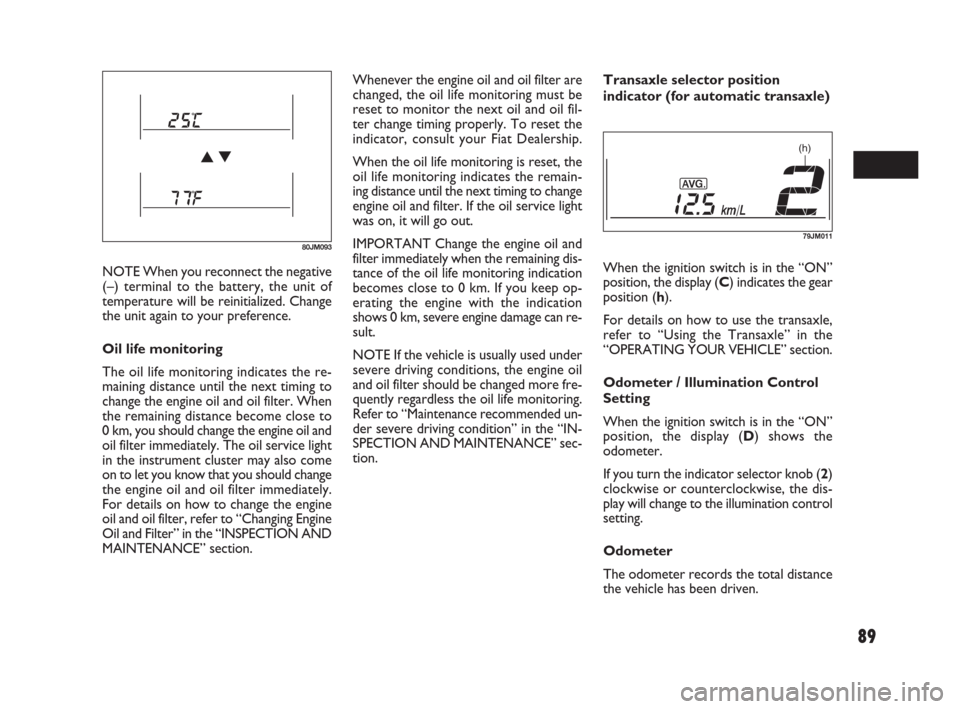
Oil life monitoring
The oil life monitoring indicates the re-
maining distance until the next timing to
change the engine oil and oil filter. When
the remaining distance become close to
0 km, you should change the engine oil and
oil filter immediately. The oil service light
in the instrument cluster may also come
on to let you know that you should change
the engine oil and oil filter immediately.
For details on how to change the engine
oil and oil filter, refer to “Changing Engine
Oil and Filter” in the “INSPECTION AND
MAINTENANCE” section.Whenever the engine oil and oil filter are
changed, the oil life monitoring must be
reset to monitor the next oil and oil fil-
ter change timing properly. To reset the
indicator, consult your Fiat Dealership.
When the oil life monitoring is reset, the
oil life monitoring indicates the remain-
ing distance until the next timing to change
engine oil and filter. If the oil service light
was on, it will go out.
IMPORTANT Change the engine oil and
filter immediately when the remaining dis-
tance of the oil life monitoring indication
becomes close to 0 km. If you keep op-
erating the engine with the indication
shows 0 km, severe engine damage can re-
sult.
NOTE If the vehicle is usually used under
severe driving conditions, the engine oil
and oil filter should be changed more fre-
quently regardless the oil life monitoring.
Refer to “Maintenance recommended un-
der severe driving condition” in the “IN-
SPECTION AND MAINTENANCE” sec-
tion.Transaxle selector position
indicator (for automatic transaxle)
When the ignition switch is in the “ON”
position, the display (C) indicates the gear
position (h).
For details on how to use the transaxle,
refer to “Using the Transaxle” in the
“OPERATING YOUR VEHICLE” section.
Odometer / Illumination Control
Setting
When the ignition switch is in the “ON”
position, the display (D) shows the
odometer.
If you turn the indicator selector knob (2)
clockwise or counterclockwise, the dis-
play will change to the illumination control
setting.
Odometer
The odometer records the total distance
the vehicle has been driven.
80JM093
(h)
79JM011
071-128 SEDICI LUM FL GB 1E 19-06-2009 12:05 Pagina 89
Page 91 of 270
90
Do not attempt to adjust the
display while driving.
If you attempt to adjust the display
while driving, you could lose control
of the vehicle.
WARNING
NOTE
❒If you push the indicator selector knob
or do not turn the knob for more than
5 seconds while activating the illumi-
nation control, the illumination con-
trol will be canceled automatically and
the display (D) will show the odome-
ter indication.
❒You can change the brightness when
the position lights or headlights are on
even if the ignition switch is in the
“ACC” or “LOCK” position.
❒When you reconnect the negative (–)
terminal to the battery, the brightness
of the instrument panel lights will be
reinitialized. Readjust the brightness
according to your preference.
NOTE If you select the highest brightness
level when the position lights or headlights
are on, the instrument panel lights are not
dimmed.
Clock (for versions/markets, where
provided)
When the ignition switch is in the “ON”
position, the display (E) shows the time.
80JM039
IMPORTANT Keep track of your odome-
ter reading and check the maintenance
schedule regularly for required services.
Increased wear or damage to certain parts
can result from failure to perform re-
quired services at the proper mileage in-
tervals.
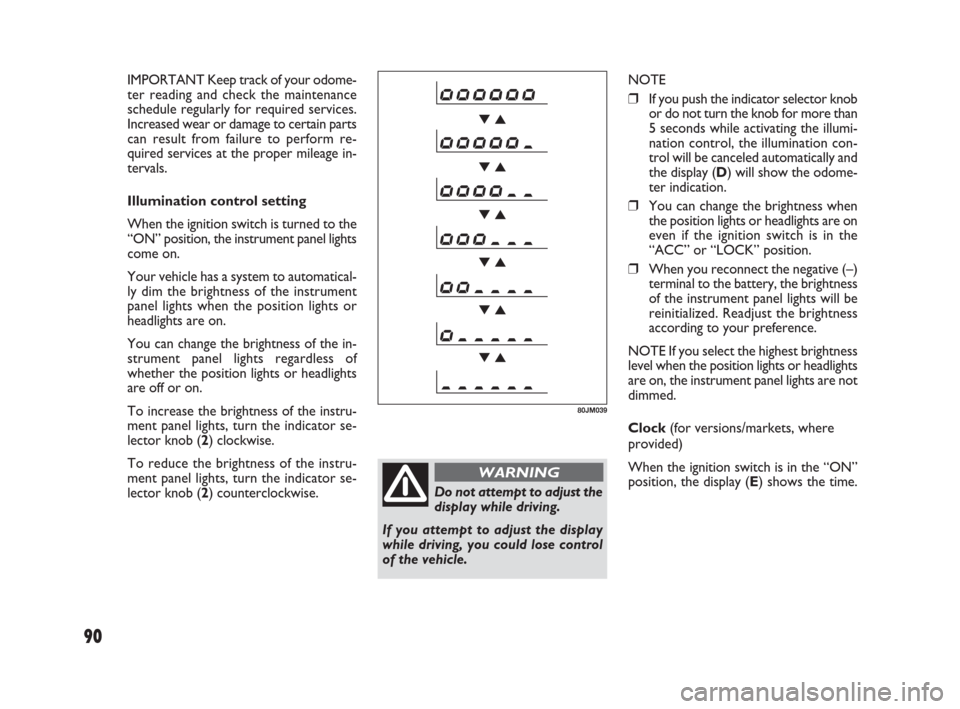
Illumination control setting
When the ignition switch is turned to the
“ON” position, the instrument panel lights
come on.
Your vehicle has a system to automatical-
ly dim the brightness of the instrument
panel lights when the position lights or
headlights are on.
You can change the brightness of the in-
strument panel lights regardless of
whether the position lights or headlights
are off or on.
To increase the brightness of the instru-
ment panel lights, turn the indicator se-
lector knob (2) clockwise.
To reduce the brightness of the instru-
ment panel lights, turn the indicator se-
lector knob (2) counterclockwise.
071-128 SEDICI LUM FL GB 1E 19-06-2009 12:05 Pagina 90
Page 92 of 270
91
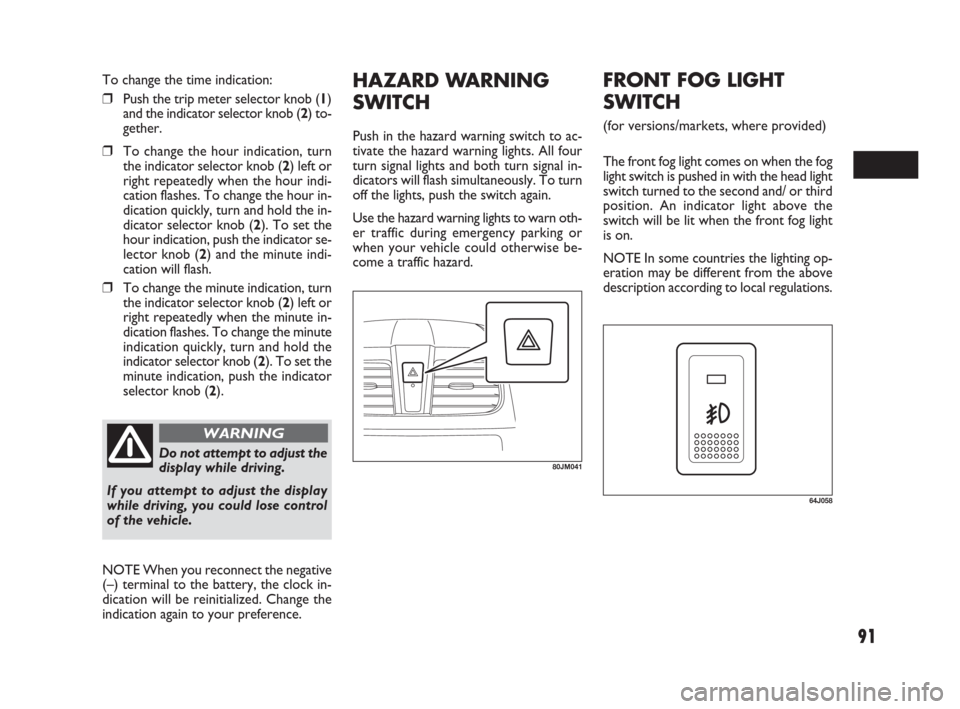
HAZARD WARNING
SWITCH
Push in the hazard warning switch to ac-
tivate the hazard warning lights. All four
turn signal lights and both turn signal in-
dicators will flash simultaneously. To turn
off the lights, push the switch again.
Use the hazard warning lights to warn oth-
er traffic during emergency parking or
when your vehicle could otherwise be-
come a traffic hazard.
80JM041Do not attempt to adjust the
display while driving.
If you attempt to adjust the display
while driving, you could lose control
of the vehicle.
WARNING
To change the time indication:
❒Push the trip meter selector knob (1)
and the indicator selector knob (2) to-
gether.
❒To change the hour indication, turn
the indicator selector knob (2) left or
right repeatedly when the hour indi-
cation flashes. To change the hour in-
dication quickly, turn and hold the in-
dicator selector knob (2). To set the
hour indication, push the indicator se-
lector knob (2) and the minute indi-
cation will flash.
❒To change the minute indication, turn
the indicator selector knob (2) left or
right repeatedly when the minute in-
dication flashes. To change the minute
indication quickly, turn and hold the
indicator selector knob (2). To set the
minute indication, push the indicator
selector knob (2).
NOTE When you reconnect the negative
(–) terminal to the battery, the clock in-
dication will be reinitialized. Change the
indication again to your preference.
64J058
FRONT FOG LIGHT
SWITCH
(for versions/markets, where provided)
The front fog light comes on when the fog
light switch is pushed in with the head light
switch turned to the second and/ or third
position. An indicator light above the
switch will be lit when the front fog light
is on.
NOTE In some countries the lighting op-
eration may be different from the above
description according to local regulations.
071-128 SEDICI LUM FL GB 1E 19-06-2009 12:05 Pagina 91
Page 93 of 270
92
79J177
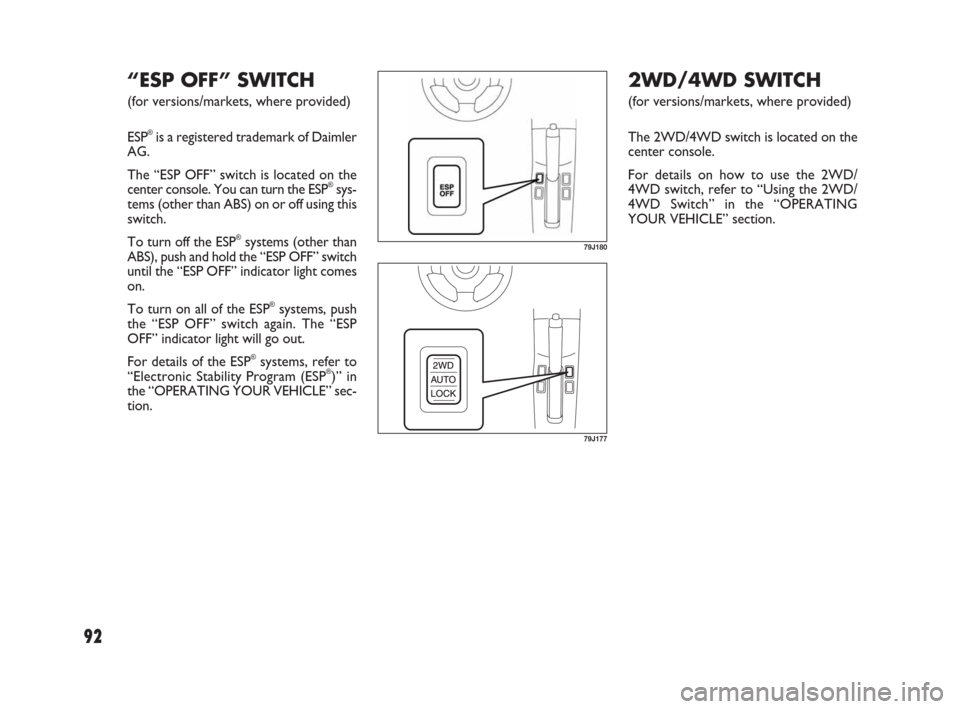
2WD/4WD SWITCH
(for versions/markets, where provided)
The 2WD/4WD switch is located on the
center console.
For details on how to use the 2WD/
4WD switch, refer to “Using the 2WD/
4WD Switch” in the “OPERATING
YOUR VEHICLE” section.
79J180
“ESP OFF” SWITCH
(for versions/markets, where provided)
ESP
®is a registered trademark of Daimler
AG.
The “ESP OFF” switch is located on the
center console. You can turn the ESP
®sys-
tems (other than ABS) on or off using this
switch.
To turn off the ESP
®systems (other than
ABS), push and hold the “ESP OFF” switch
until the “ESP OFF” indicator light comes
on.
To turn on all of the ESP
®systems, push
the “ESP OFF” switch again. The “ESP
OFF” indicator light will go out.
For details of the ESP
®systems, refer to
“Electronic Stability Program (ESP®)” in
the “OPERATING YOUR VEHICLE” sec-
tion.
071-128 SEDICI LUM FL GB 1E 19-06-2009 12:05 Pagina 92