lock FIAT SEDICI 2009 2.G Owner's Guide
[x] Cancel search | Manufacturer: FIAT, Model Year: 2009, Model line: SEDICI, Model: FIAT SEDICI 2009 2.GPages: 270, PDF Size: 3.44 MB
Page 63 of 270
62
81A297S
(1)
80JM139
Never return the ignition
switch to the “LOCK” posi-
tion and remove the ignition key
while the vehicle is moving. The steer-
ing wheel will lock and you will not be
able to steer the vehicle.
Always return the ignition switch to
the “LOCK” position and remove the
ignition key when leaving the vehicle
even if a short time. Also do not leave
children alone in a parked vehicle.
Unattended children could cause ac-
cidental movement of the vehicle or
could tamper with power windows or
power sunroof. They also could suf-
fer from heat stroke in warm or hot
weather. These could result in severe
injury or even death.
WARNING
IMPORTANT
❒Do not use the starter motor for more
than 15 seconds at a time. For diesel
engine model, do not use the starter
motor for more than 30 seconds at a
time. If the engine does not start, wait
15 seconds before trying again. If the
engine does not start after several at-
tempts, check the fuel and ignition sys-
tems or consult your Fiat Dealership.
❒Do not leave the ignition switch in the
“ON” position if the engine is not run-
ning as the battery will discharge. You can also turn the ignition switch by
inserting the ignition key into the slot.
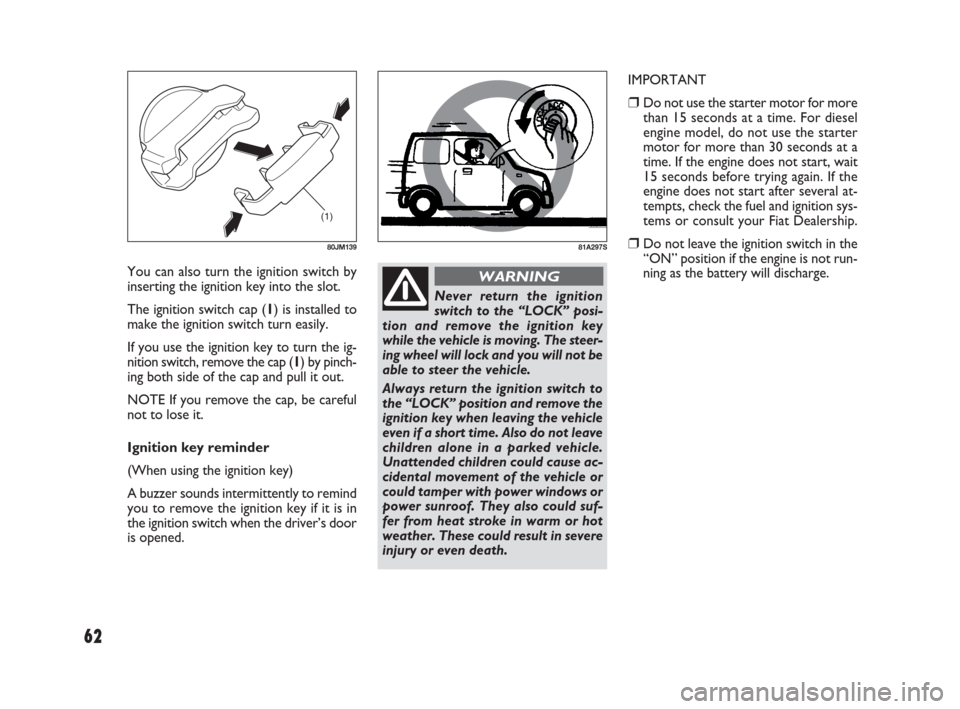
The ignition switch cap (1) is installed to
make the ignition switch turn easily.
If you use the ignition key to turn the ig-
nition switch, remove the cap (1) by pinch-
ing both side of the cap and pull it out.
NOTE If you remove the cap, be careful
not to lose it.
Ignition key reminder
(When using the ignition key)
A buzzer sounds intermittently to remind
you to remove the ignition key if it is in
the ignition switch when the driver’s door
is opened.
057-070 SEDICI LUM FL GB 1E 19-06-2009 10:32 Pagina 62
Page 68 of 270
67
TILT STEERING LOCK
LEVER
(for versions/markets, where provided)
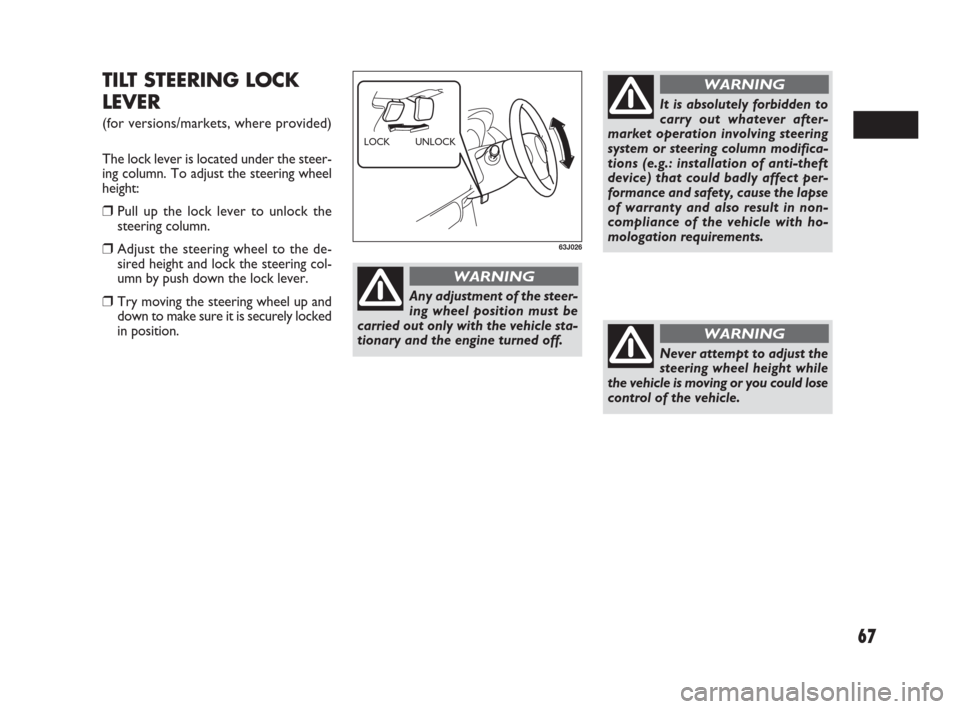
The lock lever is located under the steer-
ing column. To adjust the steering wheel
height:
❒Pull up the lock lever to unlock the
steering column.
❒Adjust the steering wheel to the de-
sired height and lock the steering col-
umn by push down the lock lever.
❒Try moving the steering wheel up and
down to make sure it is securely locked
in position.
63J026
UNLOCK LOCK
Never attempt to adjust the
steering wheel height while
the vehicle is moving or you could lose
control of the vehicle.
WARNING
Any adjustment of the steer-
ing wheel position must be
carried out only with the vehicle sta-
tionary and the engine turned off.
WARNING
It is absolutely forbidden to
carry out whatever after-
market operation involving steering
system or steering column modifica-
tions (e.g.: installation of anti-theft
device) that could badly affect per-
formance and safety, cause the lapse
of warranty and also result in non-
compliance of the vehicle with ho-
mologation requirements.
WARNING
057-070 SEDICI LUM FL GB 1E 19-06-2009 10:32 Pagina 67
Page 76 of 270
75
system. If one of these happens, have the
system inspected by your Fiat Dealership.
If the ABS becomes inoperative, the brake
system will function as an ordinary brake
system that does not have this ABS sys-
tem.
For details of ABS system, refer to “An-
ti-Lock Brake System (ABS)” in the “OP-
ERATING YOUR VEHICLE” section. ANTI-LOCK BRAKE SYSTEM
(ABS) WARNING LIGHT
65D529
52KM133
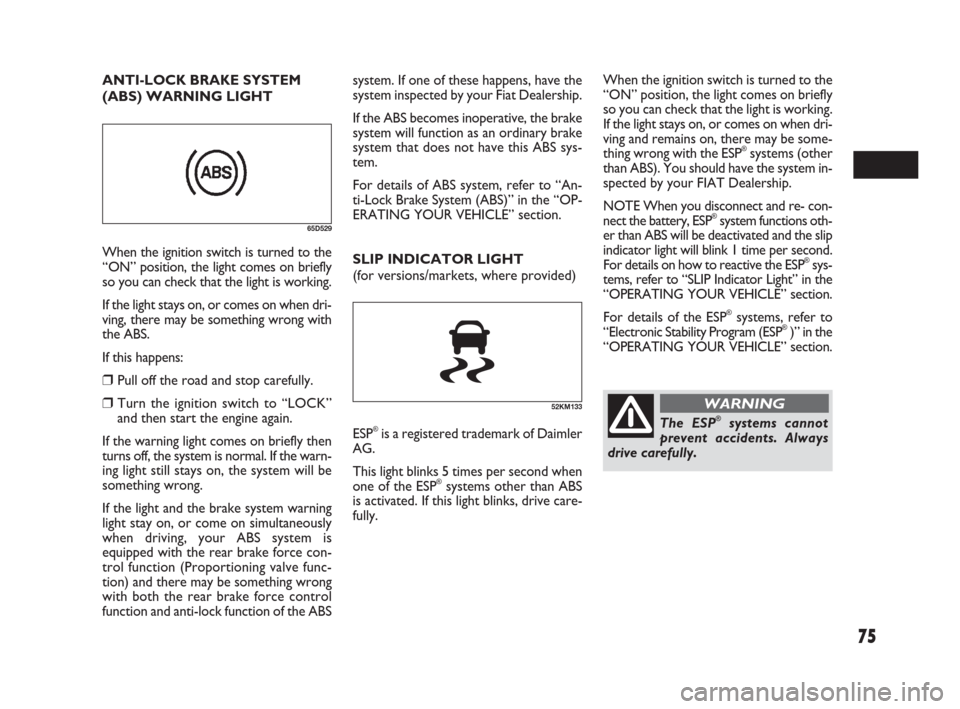
When the ignition switch is turned to the
“ON” position, the light comes on briefly
so you can check that the light is working.
If the light stays on, or comes on when dri-
ving, there may be something wrong with
the ABS.
If this happens:
❒Pull off the road and stop carefully.
❒Turn the ignition switch to “LOCK”
and then start the engine again.
If the warning light comes on briefly then
turns off, the system is normal. If the warn-
ing light still stays on, the system will be
something wrong.
If the light and the brake system warning
light stay on, or come on simultaneously
when driving, your ABS system is
equipped with the rear brake force con-
trol function (Proportioning valve func-
tion) and there may be something wrong
with both the rear brake force control
function and anti-lock function of the ABSSLIP INDICATOR LIGHT
(for versions/markets, where provided)
ESP
®is a registered trademark of Daimler
AG.
This light blinks 5 times per second when
one of the ESP
®systems other than ABS
is activated. If this light blinks, drive care-
fully. When the ignition switch is turned to the
“ON” position, the light comes on briefly
so you can check that the light is working.
If the light stays on, or comes on when dri-
ving and remains on, there may be some-
thing wrong with the ESP
®systems (other
than ABS). You should have the system in-
spected by your FIAT Dealership.
NOTE When you disconnect and re- con-
nect the battery, ESP
®system functions oth-
er than ABS will be deactivated and the slip
indicator light will blink 1 time per second.
For details on how to reactive the ESP
®sys-
tems, refer to “SLIP Indicator Light” in the
“OPERATING YOUR VEHICLE” section.
For details of the ESP
®systems, refer to
“Electronic Stability Program (ESP®)” in the
“OPERATING YOUR VEHICLE” section.
The ESP®systems cannot
prevent accidents. Always
drive carefully.
WARNING
071-128 SEDICI LUM FL GB 1E 19-06-2009 12:05 Pagina 75
Page 79 of 270
78
SERVICE VEHICLE SOON (SVS)
LIGHT (for Diesel Engine Model)
84E034
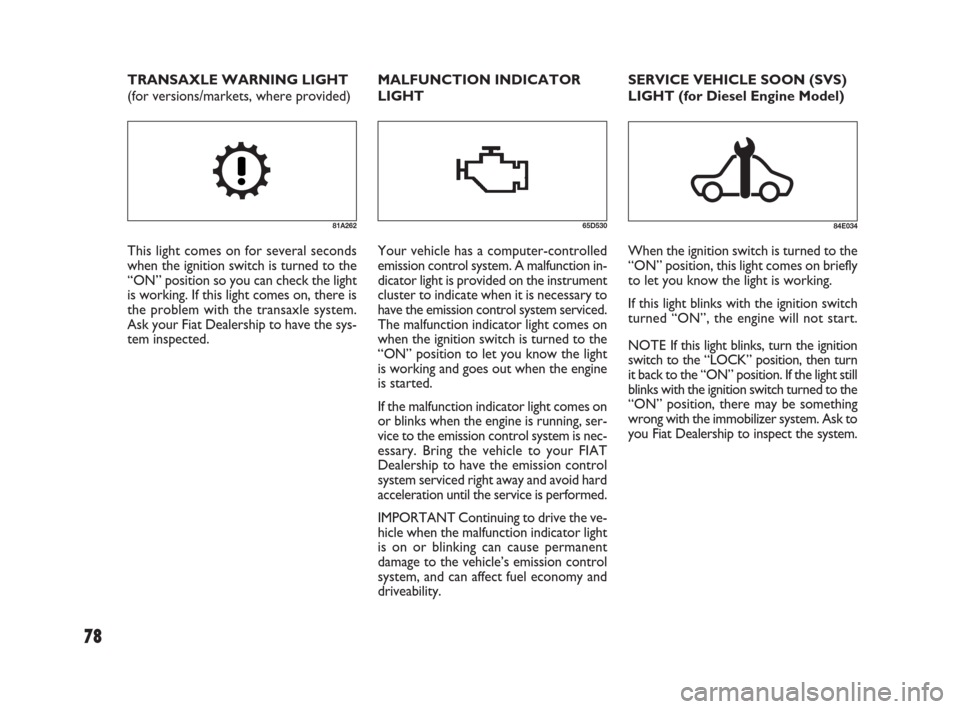
When the ignition switch is turned to the
“ON” position, this light comes on briefly
to let you know the light is working.
If this light blinks with the ignition switch
turned “ON”, the engine will not start.
NOTE If this light blinks, turn the ignition
switch to the “LOCK” position, then turn
it back to the “ON” position. If the light still
blinks with the ignition switch turned to the
“ON” position, there may be something
wrong with the immobilizer system. Ask to
you Fiat Dealership to inspect the system. MALFUNCTION INDICATOR
LIGHT
65D530
Your vehicle has a computer-controlled
emission control system. A malfunction in-
dicator light is provided on the instrument
cluster to indicate when it is necessary to
have the emission control system serviced.
The malfunction indicator light comes on
when the ignition switch is turned to the
“ON” position to let you know the light
is working and goes out when the engine
is started.
If the malfunction indicator light comes on
or blinks when the engine is running, ser-
vice to the emission control system is nec-
essary. Bring the vehicle to your FIAT
Dealership to have the emission control
system serviced right away and avoid hard
acceleration until the service is performed.
IMPORTANT Continuing to drive the ve-
hicle when the malfunction indicator light
is on or blinking can cause permanent
damage to the vehicle’s emission control
system, and can affect fuel economy and
driveability. TRANSAXLE WARNING LIGHT
(for versions/markets, where provided)
81A262
This light comes on for several seconds
when the ignition switch is turned to the
“ON” position so you can check the light
is working. If this light comes on, there is
the problem with the transaxle system.
Ask your Fiat Dealership to have the sys-
tem inspected.
071-128 SEDICI LUM FL GB 1E 19-06-2009 12:05 Pagina 78
Page 80 of 270
79
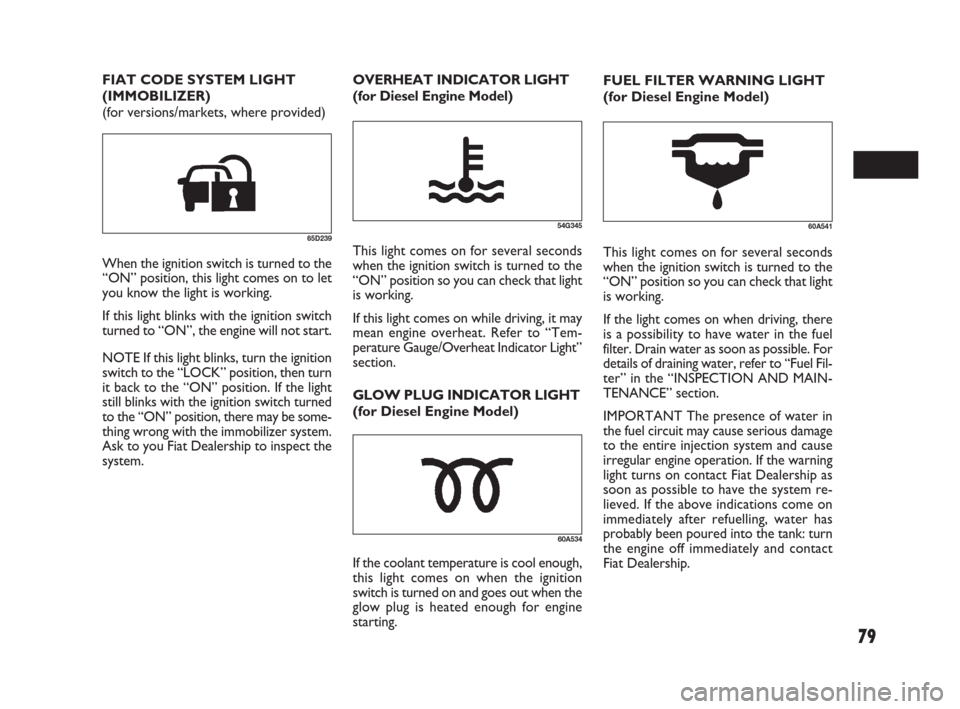
FUEL FILTER WARNING LIGHT
(for Diesel Engine Model)
60A541
This light comes on for several seconds
when the ignition switch is turned to the
“ON” position so you can check that light
is working.
If the light comes on when driving, there
is a possibility to have water in the fuel
filter. Drain water as soon as possible. For
details of draining water, refer to “Fuel Fil-
ter” in the “INSPECTION AND MAIN-
TENANCE” section.
IMPORTANT The presence of water in
the fuel circuit may cause serious damage
to the entire injection system and cause
irregular engine operation. If the warning
light turns on contact Fiat Dealership as
soon as possible to have the system re-
lieved. If the above indications come on
immediately after refuelling, water has
probably been poured into the tank: turn
the engine off immediately and contact
Fiat Dealership. FIAT CODE SYSTEM LIGHT
(IMMOBILIZER)
(for versions/markets, where provided)
65D239
When the ignition switch is turned to the
“ON” position, this light comes on to let
you know the light is working.
If this light blinks with the ignition switch
turned to “ON”, the engine will not start.
NOTE If this light blinks, turn the ignition
switch to the “LOCK” position, then turn
it back to the “ON” position. If the light
still blinks with the ignition switch turned
to the “ON” position, there may be some-
thing wrong with the immobilizer system.
Ask to you Fiat Dealership to inspect the
system.
54G345
OVERHEAT INDICATOR LIGHT
(for Diesel Engine Model)
This light comes on for several seconds
when the ignition switch is turned to the
“ON” position so you can check that light
is working.
If this light comes on while driving, it may
mean engine overheat. Refer to “Tem-
perature Gauge/Overheat Indicator Light”
section.
GLOW PLUG INDICATOR LIGHT
(for Diesel Engine Model)
60A534
If the coolant temperature is cool enough,
this light comes on when the ignition
switch is turned on and goes out when the
glow plug is heated enough for engine
starting.
071-128 SEDICI LUM FL GB 1E 19-06-2009 12:05 Pagina 79
Page 83 of 270
82
For details, refer to “Using the 2WD/
4WD Switch” in the “OPERATING
YOUR VEHICLE” section.
NOTE If you restart the engine, the light
will stop blinking temporarily.
NOTE When the vehicle speed is in-
creased, the “4WD LOCK” mode will be
changed to the “4WD AUTO” mode au-
tomatically. The “4WD AUTO” indicator
light will come on and stay on.
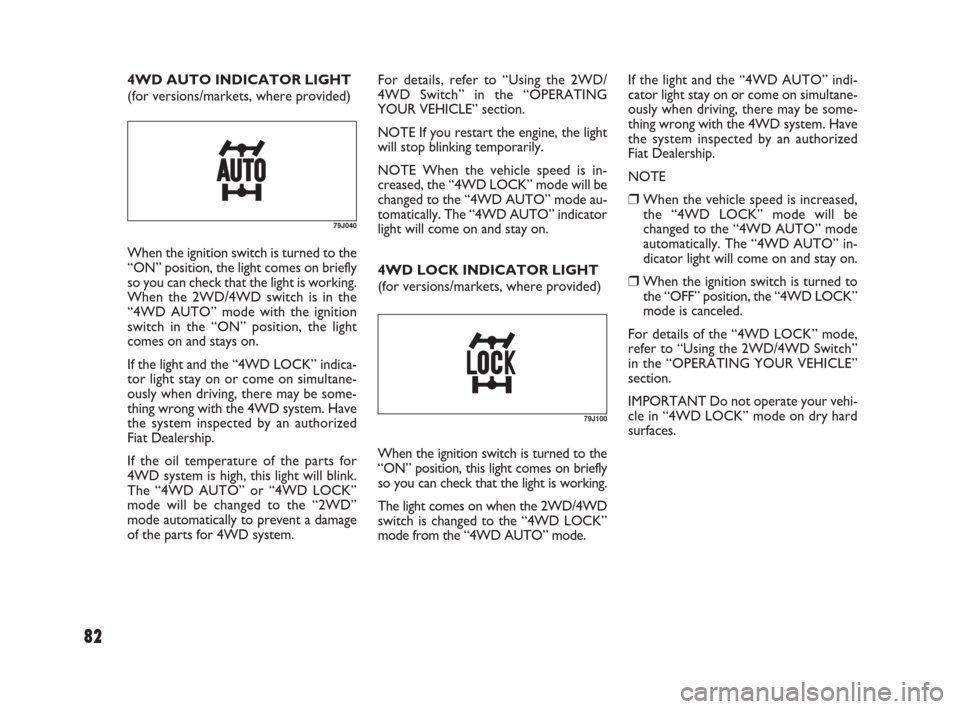
4WD LOCK INDICATOR LIGHT
(for versions/markets, where provided)
79J100
If the light and the “4WD AUTO” indi-
cator light stay on or come on simultane-
ously when driving, there may be some-
thing wrong with the 4WD system. Have
the system inspected by an authorized
Fiat Dealership.
NOTE
❒When the vehicle speed is increased,
the “4WD LOCK” mode will be
changed to the “4WD AUTO” mode
automatically. The “4WD AUTO” in-
dicator light will come on and stay on.
❒When the ignition switch is turned to
the “OFF” position, the “4WD LOCK”
mode is canceled.
For details of the “4WD LOCK” mode,
refer to “Using the 2WD/4WD Switch”
in the “OPERATING YOUR VEHICLE”
section.
IMPORTANT Do not operate your vehi-
cle in “4WD LOCK” mode on dry hard
surfaces.
When the ignition switch is turned to the
“ON” position, this light comes on briefly
so you can check that the light is working.
The light comes on when the 2WD/4WD
switch is changed to the “4WD LOCK”
mode from the “4WD AUTO” mode.
79J040
When the ignition switch is turned to the
“ON” position, the light comes on briefly
so you can check that the light is working.
When the 2WD/4WD switch is in the
“4WD AUTO” mode with the ignition
switch in the “ON” position, the light
comes on and stays on.
If the light and the “4WD LOCK” indica-
tor light stay on or come on simultane-
ously when driving, there may be some-
thing wrong with the 4WD system. Have
the system inspected by an authorized
Fiat Dealership.
If the oil temperature of the parts for
4WD system is high, this light will blink.
The “4WD AUTO” or “4WD LOCK”
mode will be changed to the “2WD”
mode automatically to prevent a damage
of the parts for 4WD system. 4WD AUTO INDICATOR LIGHT
(for versions/markets, where provided)
071-128 SEDICI LUM FL GB 1E 19-06-2009 12:05 Pagina 82
Page 86 of 270
85
When the ignition switch is in the “ON”
position, this gauge indicates the engine
coolant temperature. Under normal dri-
ving conditions, the indicator should stay
within the normal, acceptable temperature
range between “H” and “C”. If the indi-
cator approaches “H” or the overheat in-
dicator light (1) (for versions/markets,
where provided) comes on, overheating
is indicated. Follow the instructions for en-
gine overheating in the “EMERGENCY
SERVICE” section.
IMPORTANT Continuing to drive the ve-
hicle when engine overheating is indicat-
ed can result in severe engine damage.
(1)
79JF007
(1) (2)(3) (D) (B)(A)
(C)
(E)
80JM104
TEMPERATURE GAUGE/
OVERHEAT INDICATOR
LIGHT
(For Diesel Engine Model)
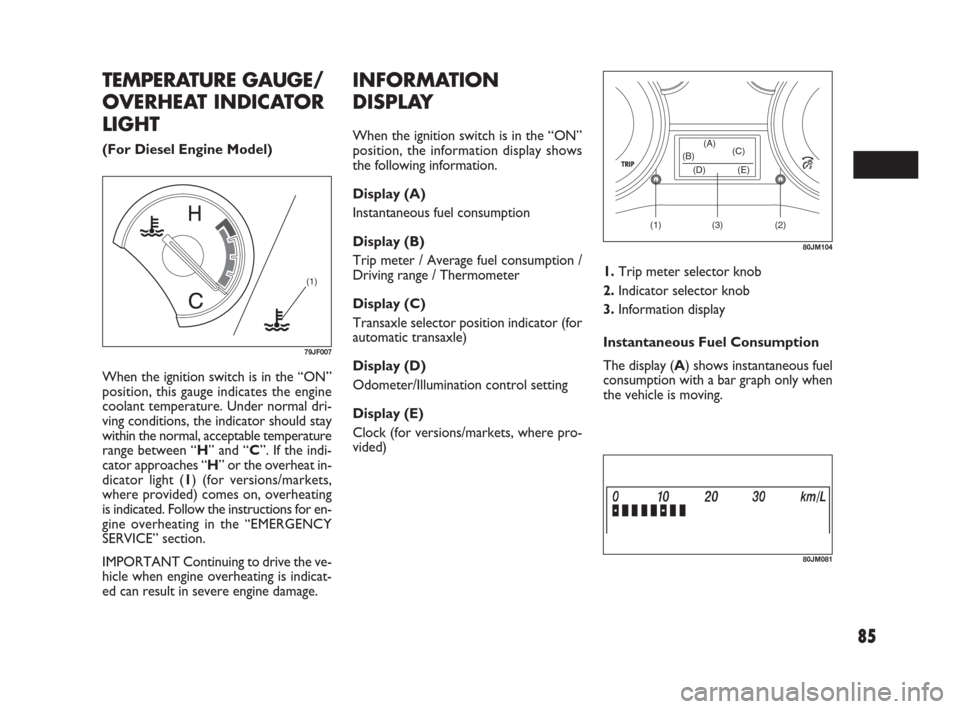
INFORMATION
DISPLAY
When the ignition switch is in the “ON”
position, the information display shows
the following information.
Display (A)
Instantaneous fuel consumption
Display (B)
Trip meter / Average fuel consumption /
Driving range / Thermometer
Display (C)
Transaxle selector position indicator (for
automatic transaxle)
Display (D)
Odometer/Illumination control setting
Display (E)
Clock (for versions/markets, where pro-
vided)
80JM081
1.Trip meter selector knob
2.Indicator selector knob
3.Information display
Instantaneous Fuel Consumption
The display (A) shows instantaneous fuel
consumption with a bar graph only when
the vehicle is moving.
071-128 SEDICI LUM FL GB 1E 19-06-2009 12:05 Pagina 85
Page 90 of 270
89
NOTE When you reconnect the negative
(–) terminal to the battery, the unit of
temperature will be reinitialized. Change
the unit again to your preference.
Oil life monitoring
The oil life monitoring indicates the re-
maining distance until the next timing to
change the engine oil and oil filter. When
the remaining distance become close to
0 km, you should change the engine oil and
oil filter immediately. The oil service light
in the instrument cluster may also come
on to let you know that you should change
the engine oil and oil filter immediately.
For details on how to change the engine
oil and oil filter, refer to “Changing Engine
Oil and Filter” in the “INSPECTION AND
MAINTENANCE” section.Whenever the engine oil and oil filter are
changed, the oil life monitoring must be
reset to monitor the next oil and oil fil-
ter change timing properly. To reset the
indicator, consult your Fiat Dealership.
When the oil life monitoring is reset, the
oil life monitoring indicates the remain-
ing distance until the next timing to change
engine oil and filter. If the oil service light
was on, it will go out.
IMPORTANT Change the engine oil and
filter immediately when the remaining dis-
tance of the oil life monitoring indication
becomes close to 0 km. If you keep op-
erating the engine with the indication
shows 0 km, severe engine damage can re-
sult.
NOTE If the vehicle is usually used under
severe driving conditions, the engine oil
and oil filter should be changed more fre-
quently regardless the oil life monitoring.
Refer to “Maintenance recommended un-
der severe driving condition” in the “IN-
SPECTION AND MAINTENANCE” sec-
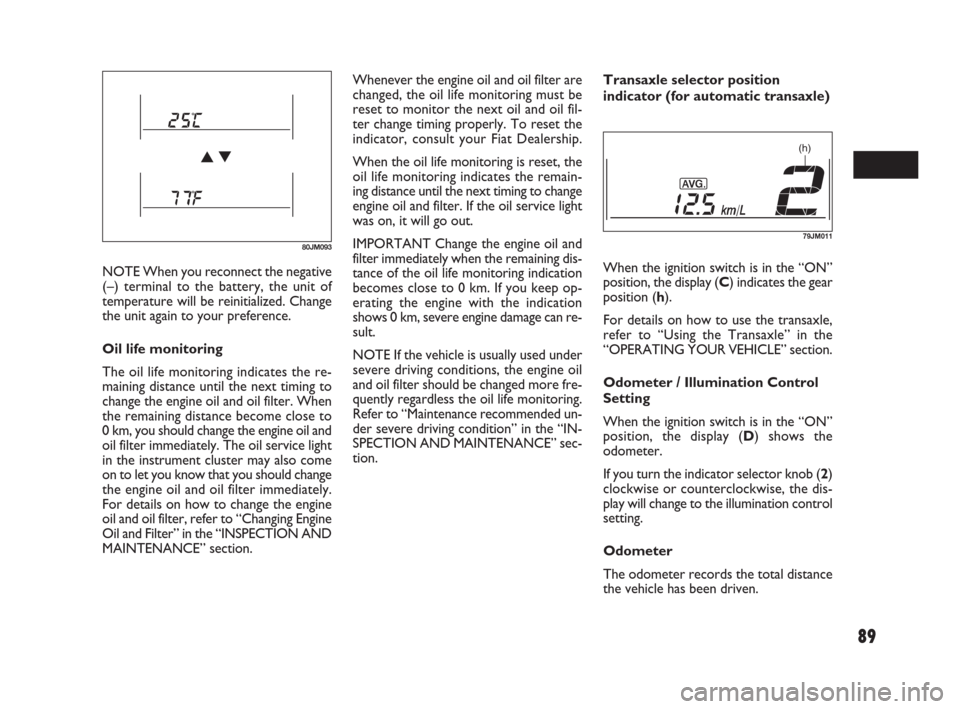
tion.Transaxle selector position
indicator (for automatic transaxle)
When the ignition switch is in the “ON”
position, the display (C) indicates the gear
position (h).
For details on how to use the transaxle,
refer to “Using the Transaxle” in the
“OPERATING YOUR VEHICLE” section.
Odometer / Illumination Control
Setting
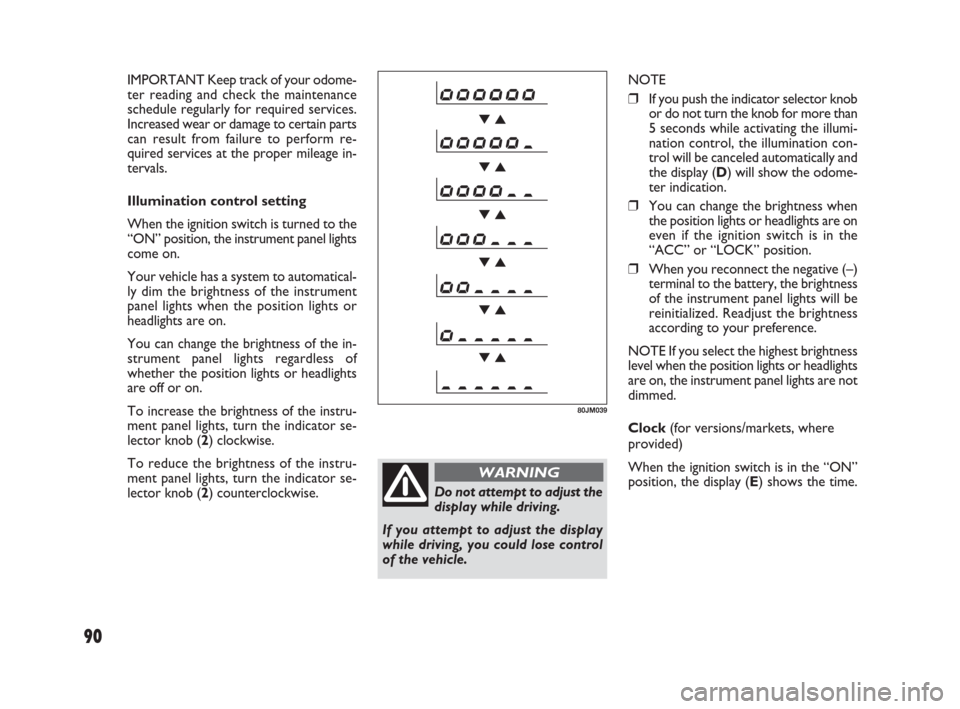
When the ignition switch is in the “ON”
position, the display (D) shows the
odometer.
If you turn the indicator selector knob (2)
clockwise or counterclockwise, the dis-
play will change to the illumination control
setting.
Odometer
The odometer records the total distance
the vehicle has been driven.
80JM093
(h)
79JM011
071-128 SEDICI LUM FL GB 1E 19-06-2009 12:05 Pagina 89
Page 91 of 270
90
Do not attempt to adjust the
display while driving.
If you attempt to adjust the display
while driving, you could lose control
of the vehicle.
WARNING
NOTE
❒If you push the indicator selector knob
or do not turn the knob for more than
5 seconds while activating the illumi-
nation control, the illumination con-
trol will be canceled automatically and
the display (D) will show the odome-
ter indication.
❒You can change the brightness when
the position lights or headlights are on
even if the ignition switch is in the
“ACC” or “LOCK” position.
❒When you reconnect the negative (–)
terminal to the battery, the brightness
of the instrument panel lights will be
reinitialized. Readjust the brightness
according to your preference.
NOTE If you select the highest brightness
level when the position lights or headlights
are on, the instrument panel lights are not
dimmed.
Clock (for versions/markets, where
provided)
When the ignition switch is in the “ON”
position, the display (E) shows the time.
80JM039
IMPORTANT Keep track of your odome-
ter reading and check the maintenance
schedule regularly for required services.
Increased wear or damage to certain parts
can result from failure to perform re-
quired services at the proper mileage in-
tervals.
Illumination control setting
When the ignition switch is turned to the
“ON” position, the instrument panel lights
come on.
Your vehicle has a system to automatical-
ly dim the brightness of the instrument
panel lights when the position lights or
headlights are on.
You can change the brightness of the in-
strument panel lights regardless of
whether the position lights or headlights
are off or on.
To increase the brightness of the instru-
ment panel lights, turn the indicator se-
lector knob (2) clockwise.
To reduce the brightness of the instru-
ment panel lights, turn the indicator se-
lector knob (2) counterclockwise.
071-128 SEDICI LUM FL GB 1E 19-06-2009 12:05 Pagina 90
Page 92 of 270
91
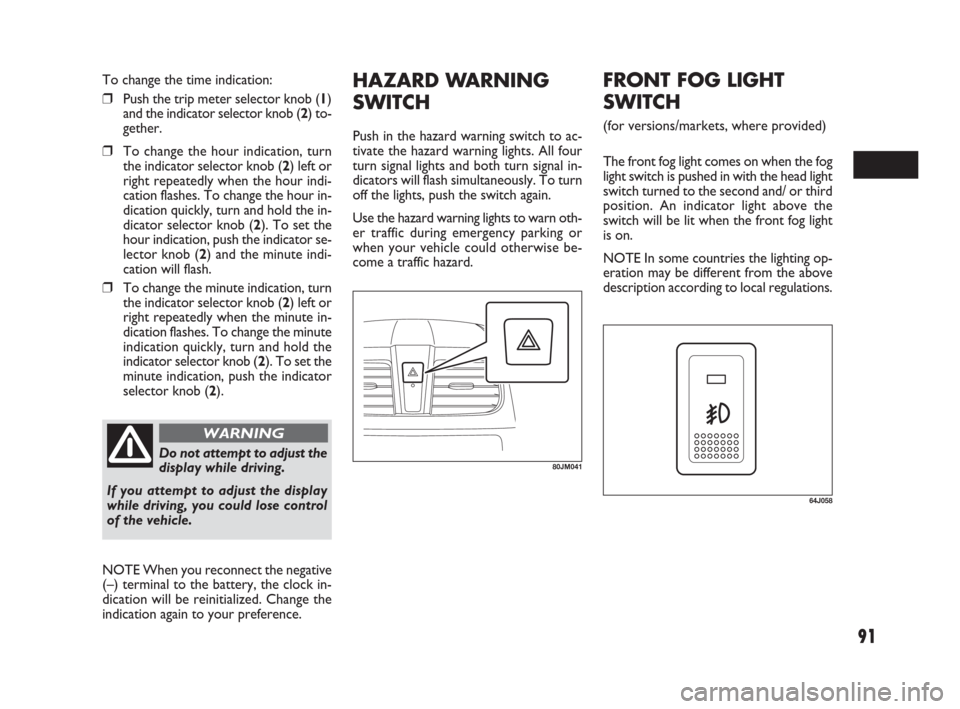
HAZARD WARNING
SWITCH
Push in the hazard warning switch to ac-
tivate the hazard warning lights. All four
turn signal lights and both turn signal in-
dicators will flash simultaneously. To turn
off the lights, push the switch again.
Use the hazard warning lights to warn oth-
er traffic during emergency parking or
when your vehicle could otherwise be-
come a traffic hazard.
80JM041Do not attempt to adjust the
display while driving.
If you attempt to adjust the display
while driving, you could lose control
of the vehicle.
WARNING
To change the time indication:
❒Push the trip meter selector knob (1)
and the indicator selector knob (2) to-
gether.
❒To change the hour indication, turn
the indicator selector knob (2) left or
right repeatedly when the hour indi-
cation flashes. To change the hour in-
dication quickly, turn and hold the in-
dicator selector knob (2). To set the
hour indication, push the indicator se-
lector knob (2) and the minute indi-
cation will flash.
❒To change the minute indication, turn
the indicator selector knob (2) left or
right repeatedly when the minute in-
dication flashes. To change the minute
indication quickly, turn and hold the
indicator selector knob (2). To set the
minute indication, push the indicator
selector knob (2).
NOTE When you reconnect the negative
(–) terminal to the battery, the clock in-
dication will be reinitialized. Change the
indication again to your preference.
64J058
FRONT FOG LIGHT
SWITCH
(for versions/markets, where provided)
The front fog light comes on when the fog
light switch is pushed in with the head light
switch turned to the second and/ or third
position. An indicator light above the
switch will be lit when the front fog light
is on.
NOTE In some countries the lighting op-
eration may be different from the above
description according to local regulations.
071-128 SEDICI LUM FL GB 1E 19-06-2009 12:05 Pagina 91