battery FIAT SPIDER ABARTH 2017 Owner's Manual
[x] Cancel search | Manufacturer: FIAT, Model Year: 2017, Model line: SPIDER ABARTH, Model: FIAT SPIDER ABARTH 2017Pages: 292, PDF Size: 9.24 MB
Page 75 of 292
The convertible top may be
constricted if it is left retracted for a
long period. Therefore, if the top has
become constricted, it may be difficult
to hook the top latch striker to the
anchor.
Make sure the convertible top is
securely locked by pushing up on it. If
it still sounds loose (rattles) after being
locked by the top latch, contact an
authorized dealer.
Convertible Top
Precautions
Remove leaves or other debris that
may accumulate on and around the
convertible top. If leaves or other debris
block the drain filter, water may enter
the vehicle. Clean the drain filter at least
once a year.
Before lowering or raising the
convertible top, stop in a safe place off
of the road and park on a level surface.
When lowering the convertible top,
make sure objects inside the vehicle are
not blown away by the wind.
Secure all loose objects inside before
driving with the convertible top down. To help prevent theft or vandalism
and to ensure that the passenger
compartment stays dry, close the
convertible top securely and lock both
doors when leaving the vehicle.
The soft top is made of high quality
material and if it is not maintained
correctly, the material could harden,
becomes stained, or have an uneven
gloss.
Lowering the convertible top while
it's wet can also cause water to drip
into the cabin.
The power windows go down
automatically in conjunction with the
convertible top opening/closing.
However, this is a function for improving
the operability, and it does not mean
there is a problem. If the vehicle battery
is disconnected for vehicle maintenance
or other reasons, the power windows
will not go down automatically. If the
power windows do not go down, the
automatic open/close mechanism for
the windows must be reset.
The windblocker reduces the amount
of wind coming into the cabin from
behind when driving with the
convertible top opened.
Before starting the vehicle make sure
the convertible top is correctly locked. Caution! Before opening the convertible top,
make sure the rear window defroster
switch is turned off. Otherwise the heat
generated from the window defroster could
damage the convertible top and the internal
material.
Make sure nothing is on the convertible
top or near the back window when raising
or lowering the convertible top. Even small
objects may interfere and cause damage.
Do not drive through an automatic car
wash; it may damage the convertible top.
Do not raise or lower the convertible top
when the temperature is below 41 °F (5 °C);
this will damage the convertible top material.
Do not lower the convertible top when
it's wet. If the convertible top dries while
folded, it will deteriorate and mold.
Do not raise or lower the convertible top
in a strong wind as it could damage the
convertible top or cause an unexpected
accident.
73
Page 79 of 292
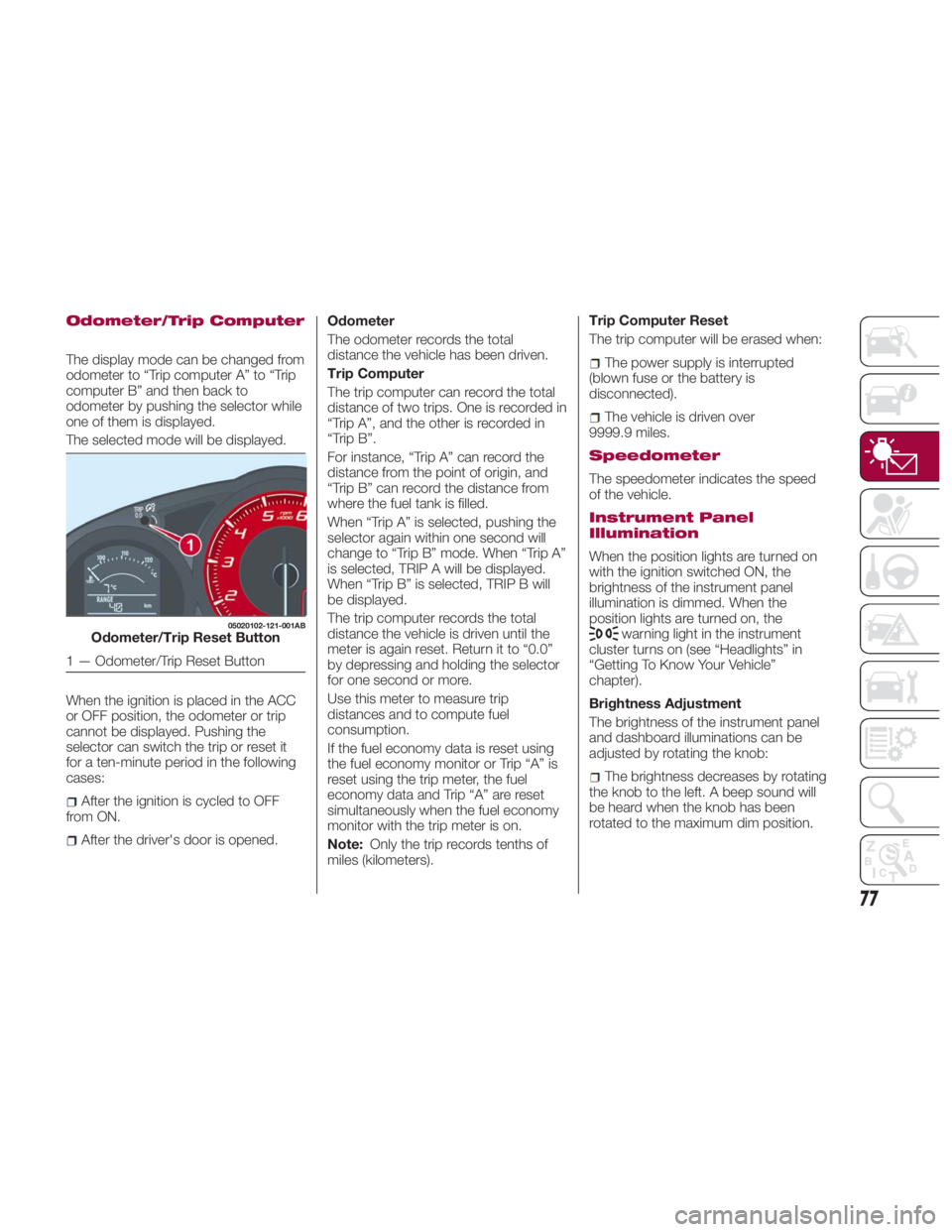
Odometer/Trip Computer
The display mode can be changed from
odometer to “Trip computer A” to “Trip
computer B” and then back to
odometer by pushing the selector while
one of them is displayed.
The selected mode will be displayed.
When the ignition is placed in the ACC
or OFF position, the odometer or trip
cannot be displayed. Pushing the
selector can switch the trip or reset it
for a ten-minute period in the following
cases:
After the ignition is cycled to OFF
from ON.
After the driver's door is opened. Odometer
The odometer records the total
distance the vehicle has been driven.
Trip Computer
The trip computer can record the total
distance of two trips. One is recorded in
“Trip A”, and the other is recorded in
“Trip B”.
For instance, “Trip A” can record the
distance from the point of origin, and
“Trip B” can record the distance from
where the fuel tank is filled.
When “Trip A” is selected, pushing the
selector again within one second will
change to “Trip B” mode. When “Trip A”
is selected, TRIP A will be displayed.
When “Trip B” is selected, TRIP B will
be displayed.
The trip computer records the total
distance the vehicle is driven until the
meter is again reset. Return it to “0.0”
by depressing and holding the selector
for one second or more.
Use this meter to measure trip
distances and to compute fuel
consumption.
If the fuel economy data is reset using
the fuel economy monitor or Trip “A” is
reset using the trip meter, the fuel
economy data and Trip “A” are reset
simultaneously when the fuel economy
monitor with the trip meter is on.
Note: Only the trip records tenths of
miles (kilometers). Trip Computer Reset
The trip computer will be erased when:
The power supply is interrupted
(blown fuse or the battery is
disconnected).
The vehicle is driven over
9999.9 miles.
Speedometer
The speedometer indicates the speed
of the vehicle.
Instrument Panel
Illumination
When the position lights are turned on
with the ignition switched ON, the
brightness of the instrument panel
illumination is dimmed. When the
position lights are turned on, the
warning light in the instrument
cluster turns on (see “Headlights” in
“Getting To Know Your Vehicle”
chapter).
Brightness Adjustment
The brightness of the instrument panel
and dashboard illuminations can be
adjusted by rotating the knob:
The brightness decreases by rotating
the knob to the left. A beep sound will
be heard when the knob has been
rotated to the maximum dim position.05020102-121-001AB
Odometer/Trip Reset Button
1 — Odometer/Trip Reset Button
77
Page 81 of 292
If there is no past fuel economy
information such as after first
purchasing your vehicle or the
information is deleted when the battery
cables are disconnected, the actual
distance-to empty/range may differ
from the amount indicated.
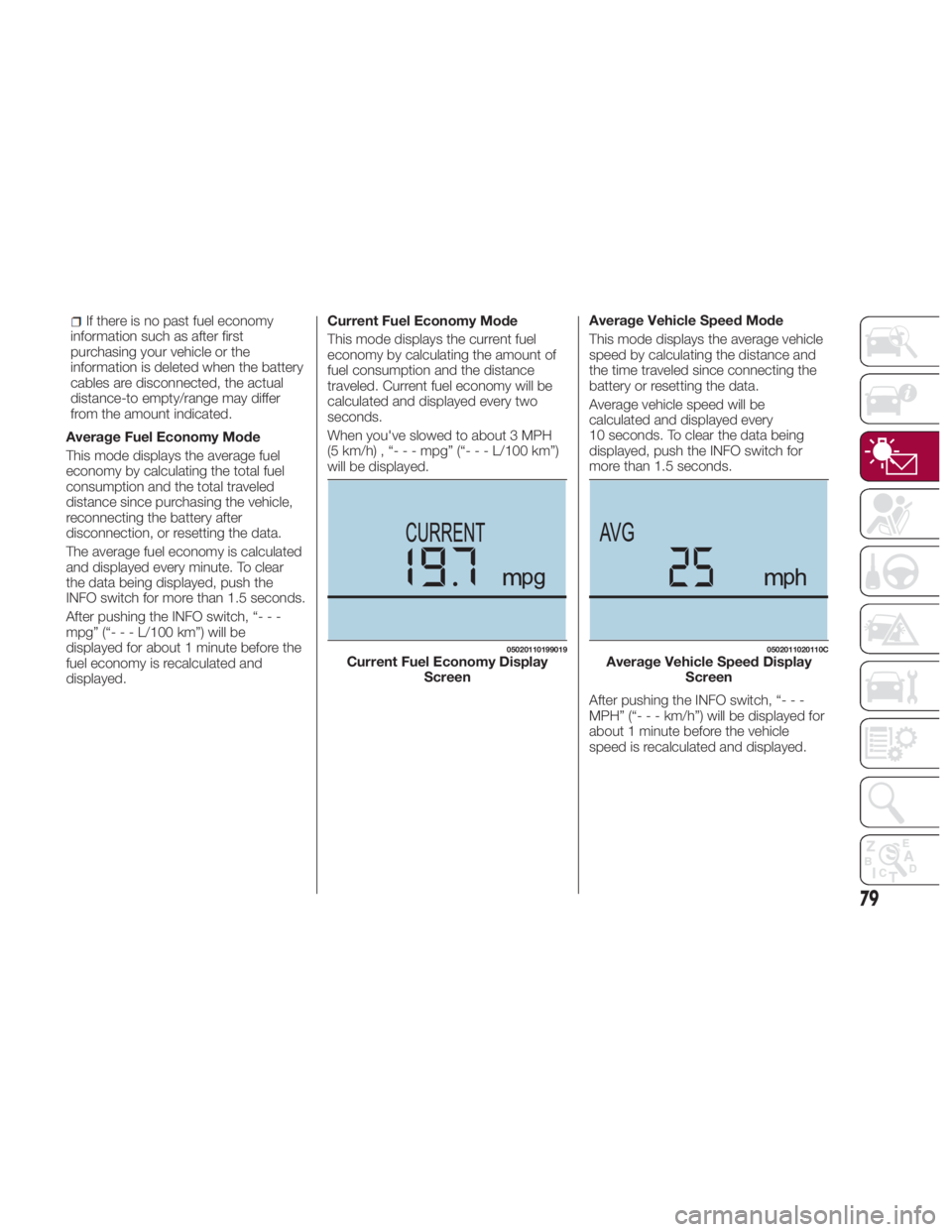
Average Fuel Economy Mode
This mode displays the average fuel
economy by calculating the total fuel
consumption and the total traveled
distance since purchasing the vehicle,
reconnecting the battery after
disconnection, or resetting the data.
The average fuel economy is calculated
and displayed every minute. To clear
the data being displayed, push the
INFO switch for more than 1.5 seconds.
After pushing the INFO switch, “- - -
mpg” (“ ---L/100km”)willbe
displayed for about 1 minute before the
fuel economy is recalculated and
displayed. Current Fuel Economy Mode
This mode displays the current fuel
economy by calculating the amount of
fuel consumption and the distance
traveled. Current fuel economy will be
calculated and displayed every two
seconds.
When you've slowed to about 3 MPH
(5 km/h) , “- - - mpg” (“- - - L/100 km”)
will be displayed. Average Vehicle Speed Mode
This mode displays the average vehicle
speed by calculating the distance and
the time traveled since connecting the
battery or resetting the data.
Average vehicle speed will be
calculated and displayed every
10 seconds. To clear the data being
displayed, push the INFO switch for
more than 1.5 seconds.
After pushing the INFO switch, “- - -
MPH” (“ ---km/h”)willbed isplayed for
about 1 minute before the vehicle
speed is recalculated and displayed. 05020110199019
Current Fuel Economy Display
Screen 0502011020110C
Average Vehicle Speed Display
Screen
79
Page 92 of 292
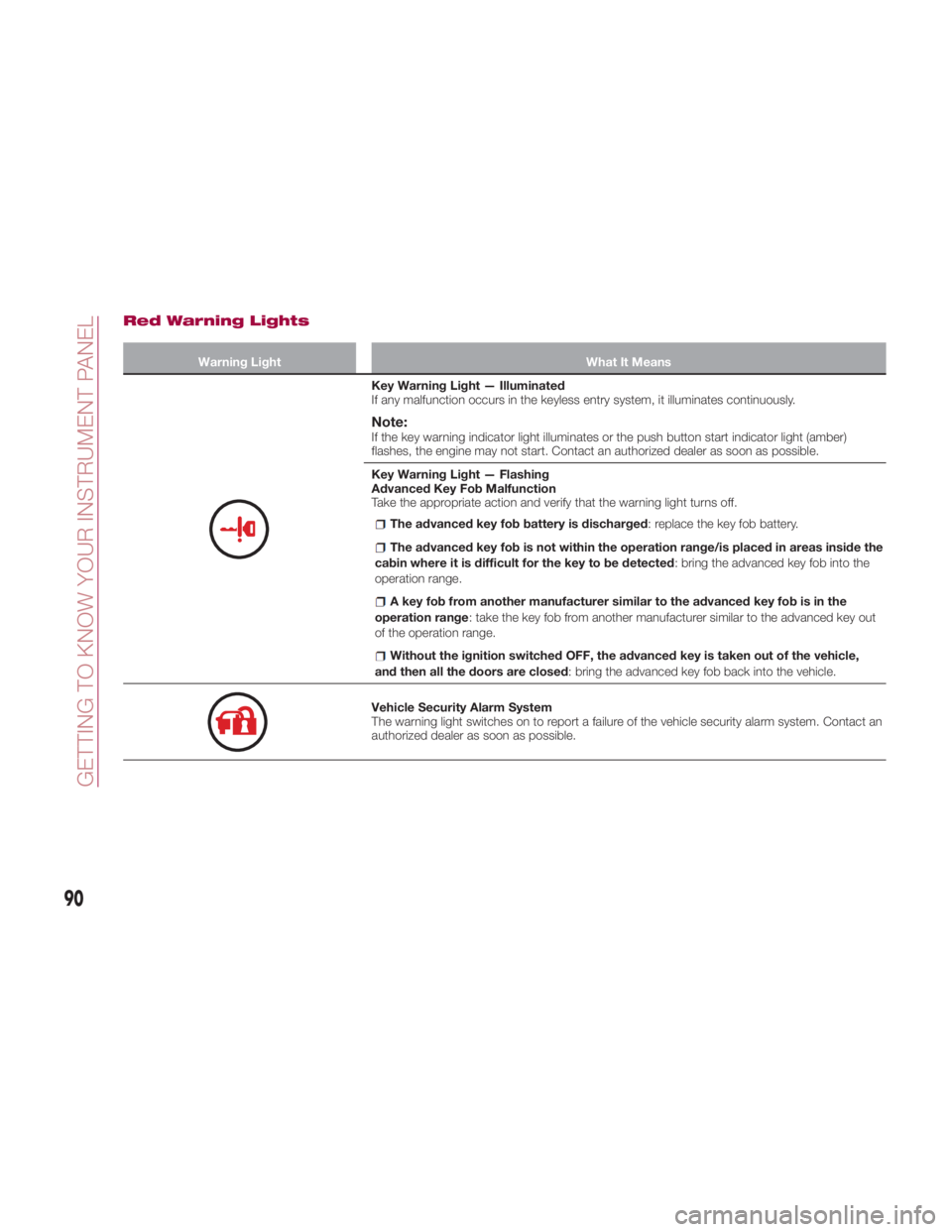
Red Warning Lights Warning Light What It Means
Key Warning Light — Illuminated
If any malfunction occurs in the keyless entry system, it illuminates continuously.
Note: If the key warning indicator light illuminates or the push button start indicator light (amber)
flashes, the engine may not start. Contact an authorized dealer as soon as possible.
Key Warning Light — Flashing
Advanced Key Fob Malfunction
Take the appropriate action and verify that the warning light turns off.
The advanced key fob battery is discharged : replace the key fob battery.
The advanced key fob is not within the operation range/is placed in areas inside the
cabin where it is difficult for the key to be detected : bring the advanced key fob into the
operation range.
A key fob from another manufacturer similar to the advanced key fob is in the
operation range : take the key fob from another manufacturer similar to the advanced key out
of the operation range.
Without the ignition switched OFF, the advanced key is taken out of the vehicle,
and then all the doors are closed : bring the advanced key fob back into the vehicle.
Vehicle Security Alarm System
The warning light switches on to report a failure of the vehicle security alarm system. Contact an
authorized dealer as soon as possible.
90
GETTING TO KNOW YOUR INSTRUMENT PANEL
Page 93 of 292
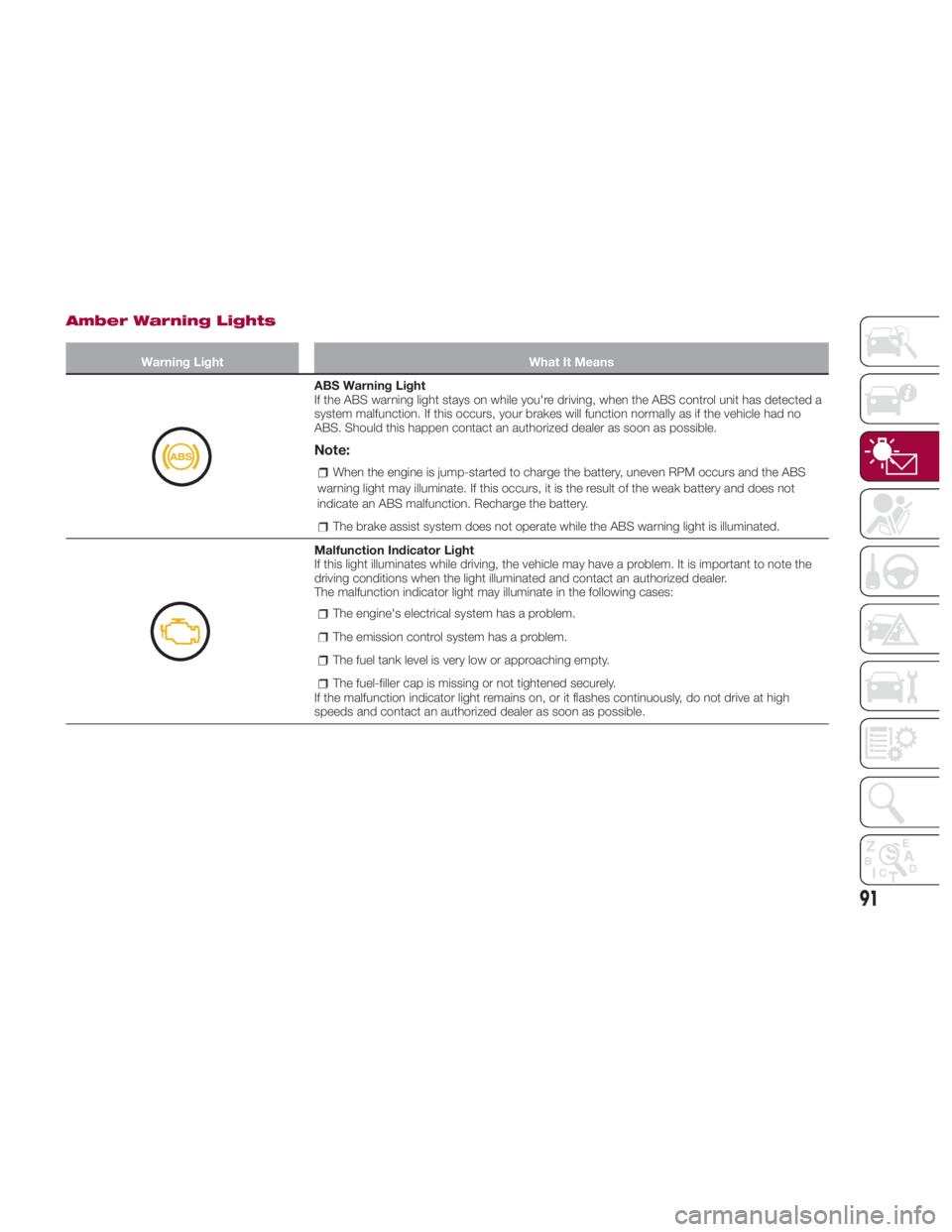
Amber Warning Lights Warning Light What It Means
ABS Warning Light
If the ABS warning light stays on while you're driving, when the ABS control unit has detected a
system malfunction. If this occurs, your brakes will function normally as if the vehicle had no
ABS. Should this happen contact an authorized dealer as soon as possible.
Note: When the engine is jump-started to charge the battery, uneven RPM occurs and the ABS
warning light may illuminate. If this occurs, it is the result of the weak battery and does not
indicate an ABS malfunction. Recharge the battery.
The brake assist system does not operate while the ABS warning light is illuminated.
Malfunction Indicator Light
If this light illuminates while driving, the vehicle may have a problem. It is important to note the
driving conditions when the light illuminated and contact an authorized dealer.
The malfunction indicator light may illuminate in the following cases:
The engine's electrical system has a problem.
The emission control system has a problem.
The fuel tank level is very low or approaching empty.
The fuel-filler cap is missing or not tightened securely.
If the malfunction indicator light remains on, or it flashes continuously, do not drive at high
speeds and contact an authorized dealer as soon as possible.
91
Page 101 of 292
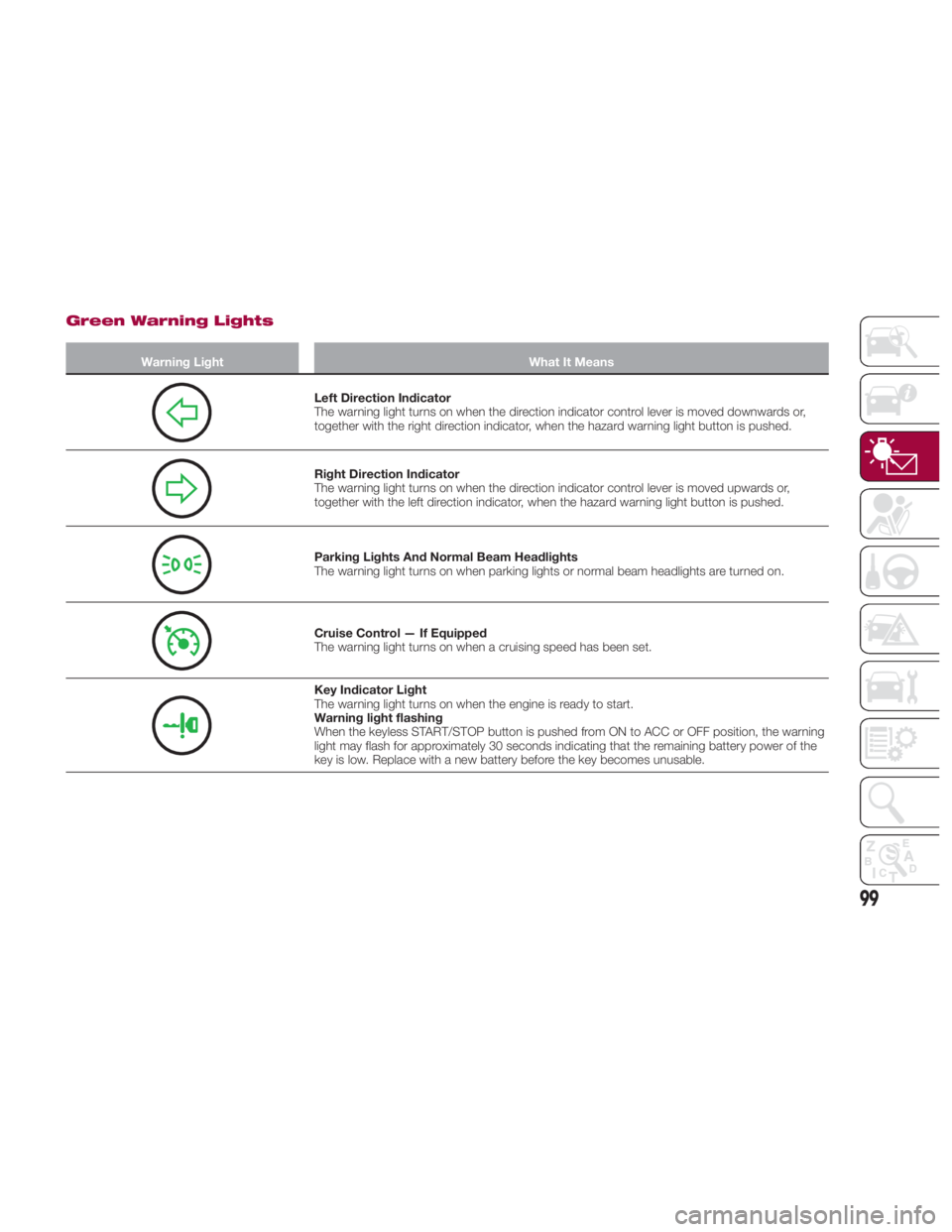
Green Warning Lights Warning Light What It Means
Left Direction Indicator
The warning light turns on when the direction indicator control lever is moved downwards or,
together with the right direction indicator, when the hazard warning light button is pushed.
Right Direction Indicator
The warning light turns on when the direction indicator control lever is moved upwards or,
together with the left direction indicator, when the hazard warning light button is pushed.
Parking Lights And Normal Beam Headlights
The warning light turns on when parking lights or normal beam headlights are turned on.
Cruise Control — If Equipped
The warning light turns on when a cruising speed has been set.
Key Indicator Light
The warning light turns on when the engine is ready to start.
Warning light flashing
When the keyless START/STOP button is pushed from ON to ACC or OFF position, the warning
light may flash for approximately 30 seconds indicating that the remaining battery power of the
key is low. Replace with a new battery before the key becomes unusable.
99
Page 105 of 292
continues for about 90 seconds. The
beep stops after the driver or
passengers seat belt is fastened.
Until a seat belt is fastened or a given
period of time has elapsed, the beep
sound will not stop even if the vehicle
speed falls below 12 MPH (20 km/h).
Warning!Placing heavy items on the front
passenger seat may cause the front
passenger seat belt warning function to
operate depending on the weight of the
item.
To allow the front passenger seat weight
sensor to function properly, do not place
and sit on an additional seat cushion on the
front passenger seat. The sensor may not
function properly because the additional
seat cushion could cause sensor
interference.
When a small child sits on the front
passenger seat, it is possible that the
warning beep will not operate. Ignition Not Switched OFF
If the driver's door is opened while the
ignition is placed in the ACC position, a
continuous beep sound will be heard to
notify the driver that the ignition has not
been placed in the OFF position.
Left in this condition, the keyless entry
system will not operate, the car cannot
be locked, and the battery power will
be depleted.
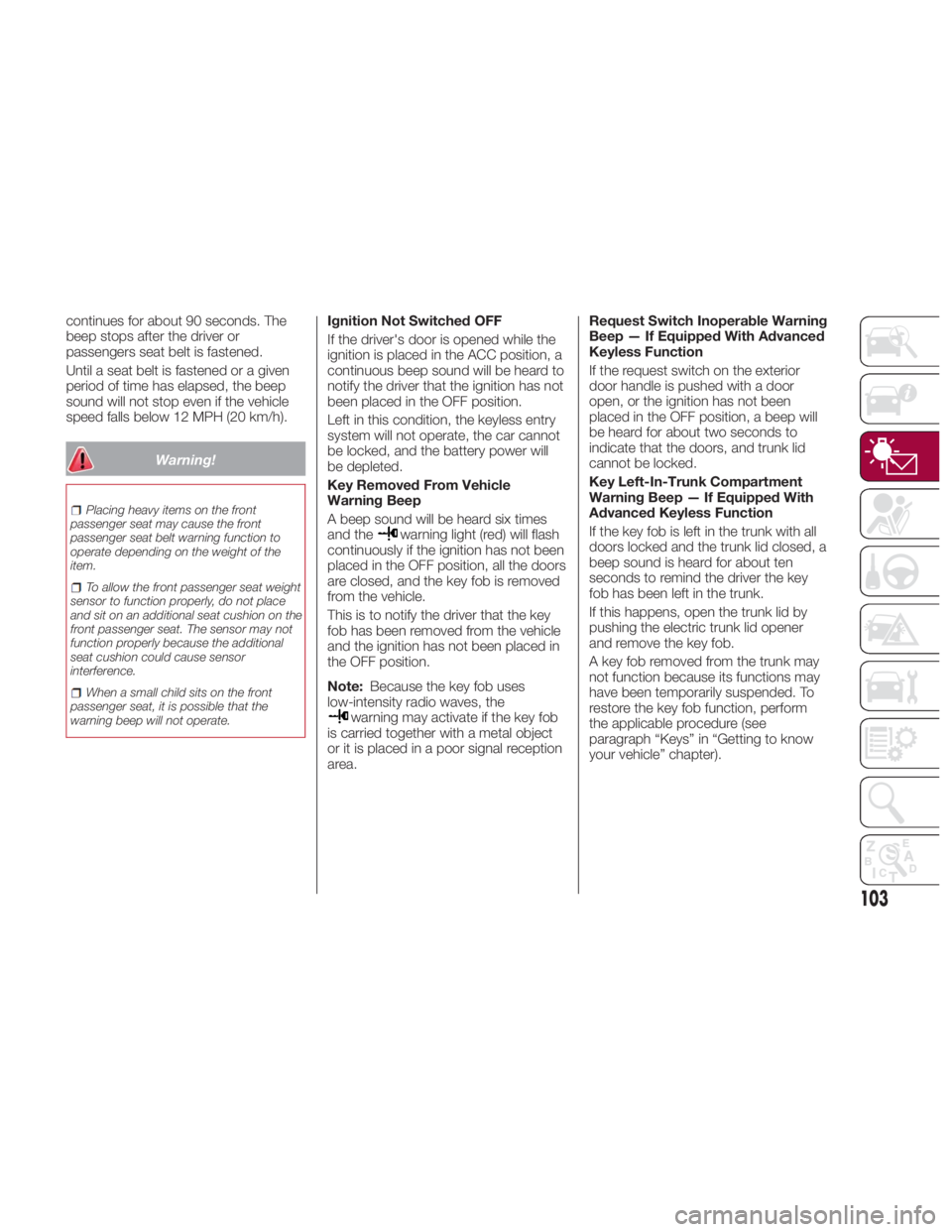
Key Removed From Vehicle
Warning Beep
A beep sound will be heard six times
and the
warning light (red) will flash
continuously if the ignition has not been
placed in the OFF position, all the doors
are closed, and the key fob is removed
from the vehicle.
This is to notify the driver that the key
fob has been removed from the vehicle
and the ignition has not been placed in
the OFF position.
Note: Because the key fob uses
low-intensity radio waves, the
warning may activate if the key fob
is carried together with a metal object
or it is placed in a poor signal reception
area. Request Switch Inoperable Warning
Beep — If Equipped With Advanced
Keyless Function
If the request switch on the exterior
door handle is pushed with a door
open, or the ignition has not been
placed in the OFF position, a beep will
be heard for about two seconds to
indicate that the doors, and trunk lid
cannot be locked.
Key Left-In-Trunk Compartment
Warning Beep — If Equipped With
Advanced Keyless Function
If the key fob is left in the trunk with all
doors locked and the trunk lid closed, a
beep sound is heard for about ten
seconds to remind the driver the key
fob has been left in the trunk.
If this happens, open the trunk lid by
pushing the electric trunk lid opener
and remove the key fob.
A key fob removed from the trunk may
not function because its functions may
have been temporarily suspended. To
restore the key fob function, perform
the applicable procedure (see
paragraph “Keys” in “Getting to know
your vehicle” chapter).
103
Page 112 of 292
EMISSIONS
INSPECTION AND
MAINTENANCE
PROGRAMS In some localities, it may be a legal
requirement to pass an inspection of
your vehicle's emissions control
system. Failure to pass could prevent
vehicle registration.
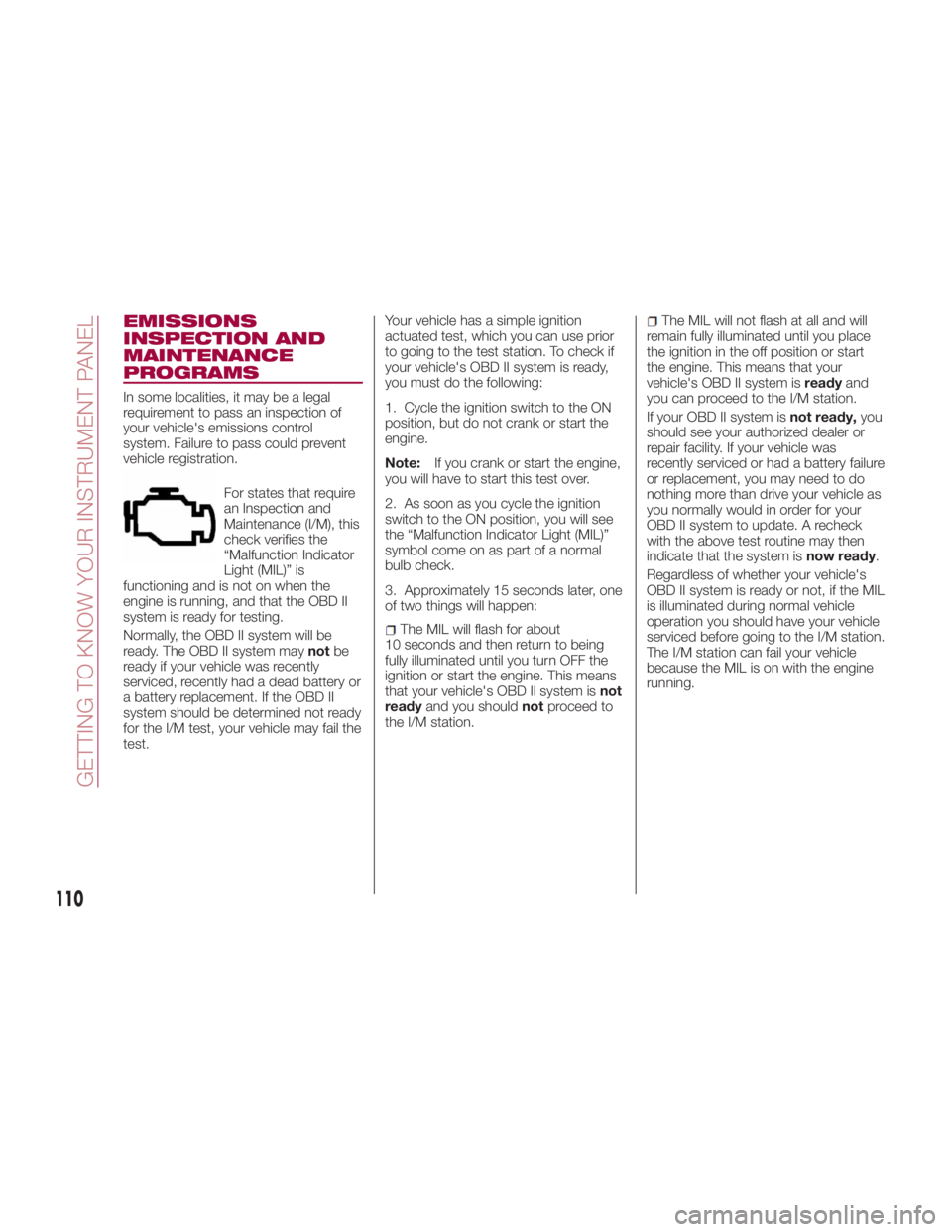
For states that require
an Inspection and
Maintenance (I/M), this
check verifies the
“Malfunction Indicator
Light (MIL)” is
functioning and is not on when the
engine is running, and that the OBD II
system is ready for testing.
Normally, the OBD II system will be
ready. The OBD II system may not be
ready if your vehicle was recently
serviced, recently had a dead battery or
a battery replacement. If the OBD II
system should be determined not ready
for the I/M test, your vehicle may fail the
test. Your vehicle has a simple ignition
actuated test, which you can use prior
to going to the test station. To check if
your vehicle's OBD II system is ready,
you must do the following:
1. Cycle the ignition switch to the ON
position, but do not crank or start the
engine.
Note: If you crank or start the engine,
you will have to start this test over.
2. As soon as you cycle the ignition
switch to the ON position, you will see
the “Malfunction Indicator Light (MIL)”
symbol come on as part of a normal
bulb check.
3. Approximately 15 seconds later, one
of two things will happen:
The MIL will flash for about
10 seconds and then return to being
fully illuminated until you turn OFF the
ignition or start the engine. This means
that your vehicle's OBD II system is not
ready and you should not proceed to
the I/M station. The MIL will not flash at all and will
remain fully illuminated until you place
the ignition in the off position or start
the engine. This means that your
vehicle's OBD II system is ready and
you can proceed to the I/M station.
If your OBD II system is not ready, you
should see your authorized dealer or
repair facility. If your vehicle was
recently serviced or had a battery failure
or replacement, you may need to do
nothing more than drive your vehicle as
you normally would in order for your
OBD II system to update. A recheck
with the above test routine may then
indicate that the system is now ready .
Regardless of whether your vehicle's
OBD II system is ready or not, if the MIL
is illuminated during normal vehicle
operation you should have your vehicle
serviced before going to the I/M station.
The I/M station can fail your vehicle
because the MIL is on with the engine
running.
110
GETTING TO KNOW YOUR INSTRUMENT PANEL
Page 117 of 292
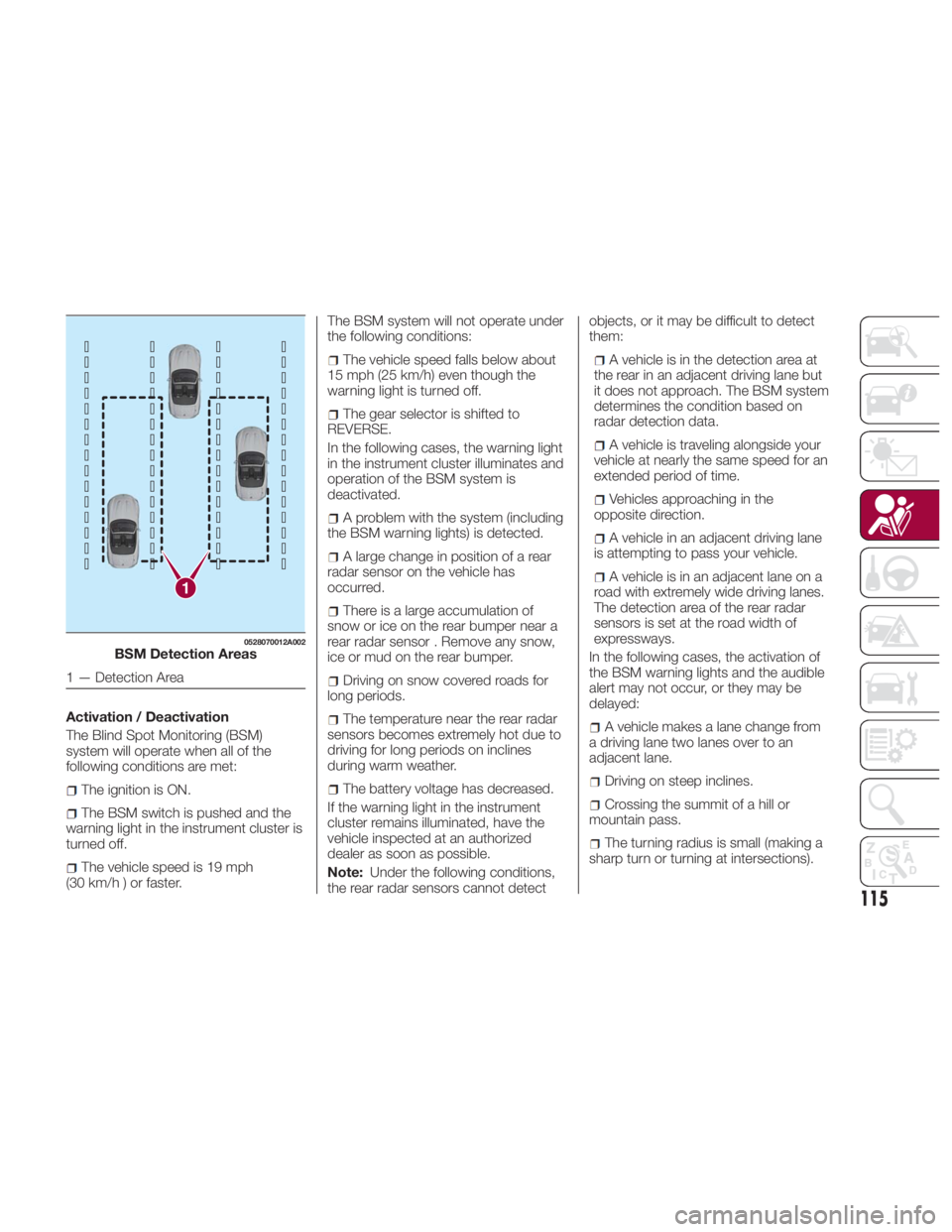
Activation / Deactivation
The Blind Spot Monitoring (BSM)
system will operate when all of the
following conditions are met:
The ignition is ON.
The BSM switch is pushed and the
warning light in the instrument cluster is
turned off.
The vehicle speed is 19 mph
(30km/h)orfaster. The BSM system will not operate under
the following conditions:
The vehicle speed falls below about
15 mph (25 km/h) even though the
warning light is turned off.
The gear selector is shifted to
REVERSE.
In the following cases, the warning light
in the instrument cluster illuminates and
operation of the BSM system is
deactivated.
A problem with the system (including
the BSM warning lights) is detected.
A large change in position of a rear
radar sensor on the vehicle has
occurred.
There is a large accumulation of
snow or ice on the rear bumper near a
rear radar sensor . Remove any snow,
ice or mud on the rear bumper.
Driving on snow covered roads for
long periods.
The temperature near the rear radar
sensors becomes extremely hot due to
driving for long periods on inclines
during warm weather.
The battery voltage has decreased.
If the warning light in the instrument
cluster remains illuminated, have the
vehicle inspected at an authorized
dealer as soon as possible.
Note: Under the following conditions,
the rear radar sensors cannot detect objects, or it may be difficult to detect
them:
A vehicle is in the detection area at
the rear in an adjacent driving lane but
it does not approach. The BSM system
determines the condition based on
radar detection data.
A vehicle is traveling alongside your
vehicle at nearly the same speed for an
extended period of time.
Vehicles approaching in the
opposite direction.
A vehicle in an adjacent driving lane
is attempting to pass your vehicle.
A vehicle is in an adjacent lane on a
road with extremely wide driving lanes.
The detection area of the rear radar
sensors is set at the road width of
expressways.
In the following cases, the activation of
the BSM warning lights and the audible
alert may not occur, or they may be
delayed:
A vehicle makes a lane change from
a driving lane two lanes over to an
adjacent lane.
Driving on steep inclines.
Crossing the summit of a hill or
mountain pass.
The turning radius is small (making a
sharp turn or turning at intersections).1 0528070012A002
BSM Detection Areas
1 — Detection Area
115
Page 119 of 292
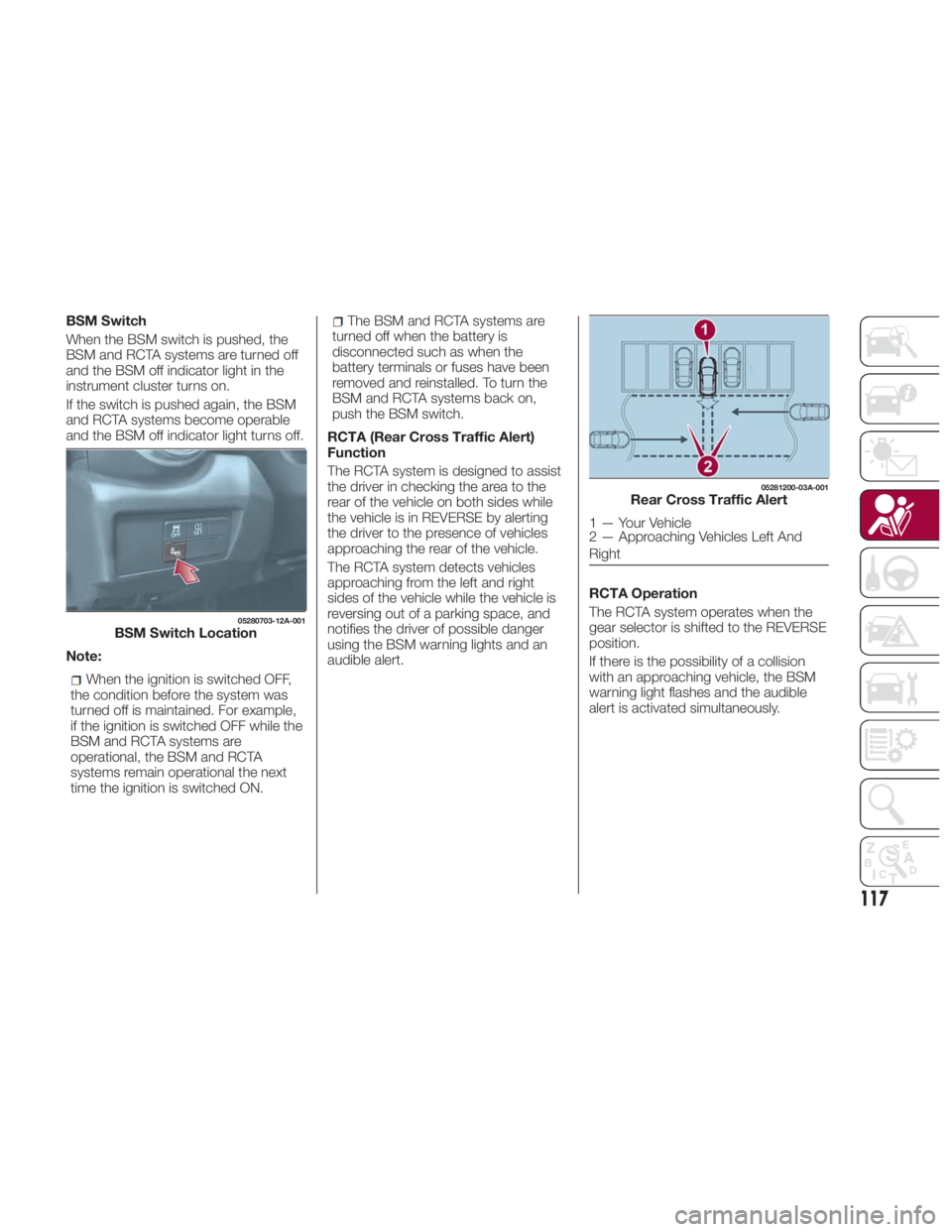
BSM Switch
When the BSM switch is pushed, the
BSM and RCTA systems are turned off
and the BSM off indicator light in the
instrument cluster turns on.
If the switch is pushed again, the BSM
and RCTA systems become operable
and the BSM off indicator light turns off.
Note:
When the ignition is switched OFF,
the condition before the system was
turned off is maintained. For example,
if the ignition is switched OFF while the
BSM and RCTA systems are
operational, the BSM and RCTA
systems remain operational the next
time the ignition is switched ON. The BSM and RCTA systems are
turned off when the battery is
disconnected such as when the
battery terminals or fuses have been
removed and reinstalled. To turn the
BSM and RCTA systems back on,
push the BSM switch.
RCTA (Rear Cross Traffic Alert)
Function
The RCTA system is designed to assist
the driver in checking the area to the
rear of the vehicle on both sides while
the vehicle is in REVERSE by alerting
the driver to the presence of vehicles
approaching the rear of the vehicle.
The RCTA system detects vehicles
approaching from the left and right
sides of the vehicle while the vehicle is
reversing out of a parking space, and
notifies the driver of possible danger
using the BSM warning lights and an
audible alert. RCTA Operation
The RCTA system operates when the
gear selector is shifted to the REVERSE
position.
If there is the possibility of a collision
with an approaching vehicle, the BSM
warning light flashes and the audible
alert is activated simultaneously.05280703-12A-001
BSM Switch Location 05281200-03A-001
Rear Cross Traffic Alert
1 — Your Vehicle
2 — Approaching Vehicles Left And
Right
117