Menu FIAT TIPO 4DOORS 2016 1.G Owners Manual
[x] Cancel search | Manufacturer: FIAT, Model Year: 2016, Model line: TIPO 4DOORS, Model: FIAT TIPO 4DOORS 2016 1.GPages: 204, PDF Size: 4.94 MB
Page 10 of 204
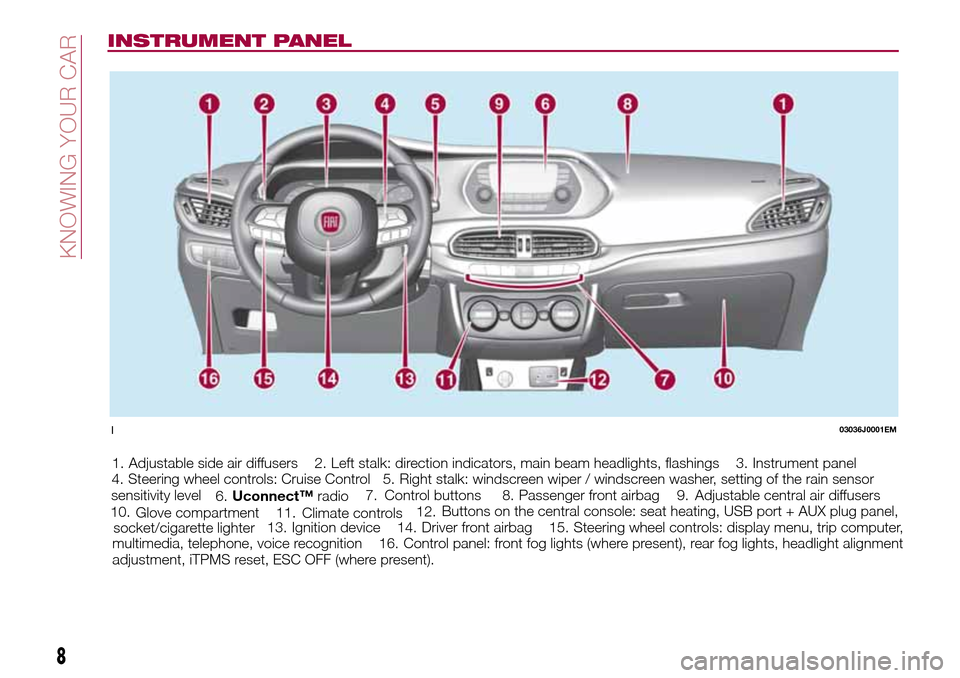
INSTRUMENT PANEL
1. Adjustable side air diffusers 2. Left stalk: direction indicators, main beam headlights, flashings 3. Instrument panel
4. Steering wheel controls: Cruise Control 5. Right stalk: windscreen wiper / windscreen washer, setting of the rain sensor
sensitivity level
6.Adjustable central air diffusers 7.
Uconnect™radio8. Passenger front airbag 9.
Glove compartment 10.Control buttons
11.Buttons on the central console: seat heating, USB port + AUX plug panel,
socket/cigarette lighter12.
Climate controls
13. Ignition device 14. Driver front airbag 15. Steering wheel controls: display menu, trip computer,
multimedia, telephone, voice recognition 16. Control panel: front fog lights (where present), rear fog lights, headlight alignment
adjustment, iTPMS reset, ESC OFF (where present).
103036J0001EM
8
KNOWING YOUR CAR
Page 13 of 204
FIAT CODE
The Fiat Code system prevents
unauthorised use of the vehicle,
disabling engine starting.
The system does not need to be
enabled/activated: operation is
automatic, regardless of the fact that
the vehicle's doors are locked or
unlocked.
When the ignition device is set to MAR,
the Fiat Code system identifies the
code transmitted by the key. If the code
is recognised as valid, the Fiat Code
system enables engine starting.
When the ignition device is brought
back to STOP, the Fiat Code system
deactivates the control unit controlling
the engine, thus preventing its starting.
For the correct engine starting
procedures, see the instructions in the
"Starting the engine" paragraph,
"Starting and driving" chapter.IRREGULAR OPERATION
If, during starting, the key code is not
correctly recognised, theicon is
displayed on the instrument panel (see
the instructions in the "Warning lights
and messages" paragraph, "Knowing
the instrument panel" chapter). This
condition leads to the engine switching
off after 2 seconds. In this case, bring
the ignition device to STOP and then to
MAR; if it is still blocked, try with the
other keys provided. If it is still not
possible to start the engine, contact a
Fiat Dealership.
If the
icon is displayed while
driving, this means that the system is
running a self-diagnosis (e.g. due to a
voltage drop). If the display persists,
contact a Fiat Dealership.
DOORS
LOCKING/UNLOCKING
DOORS FROM THE
INSIDE
Automatic locking in motion
If all doors are closed properly, they will
automatically be locked once the
vehicle has exceeded 20 km/h
("Autoclose" function). This function can
also be disabled using the menu on the
instrument panel.
Manual locking/unlocking
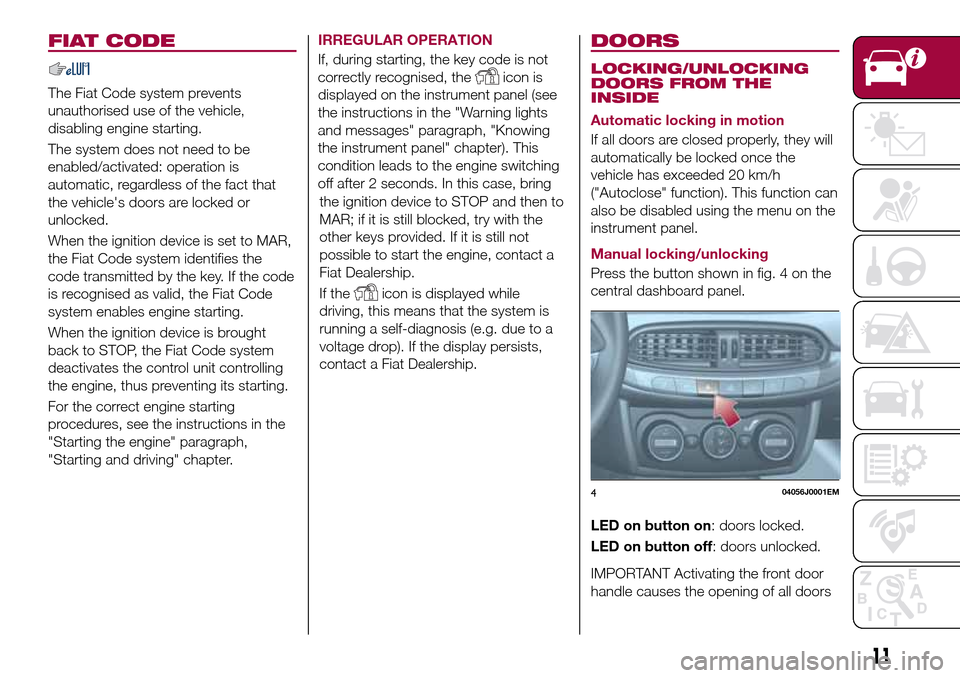
Press the button shown in fig. 4 on the
central dashboard panel.
LED on button on: doors locked.
LED on button off: doors unlocked.
IMPORTANT Activating the front door
handle causes the opening of all doors
404056J0001EM
11
Page 21 of 204
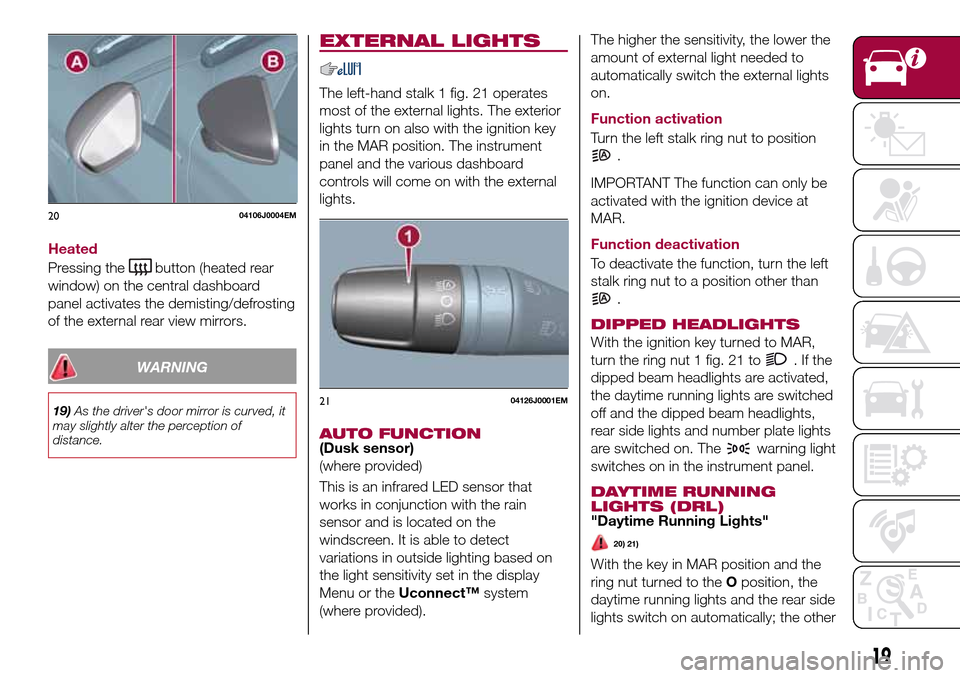
Heated
Pressing the
button (heated rear
window) on the central dashboard
panel activates the demisting/defrosting
of the external rear view mirrors.
WARNING
19)As the driver's door mirror is curved, it
may slightly alter the perception of
distance.
EXTERNAL LIGHTS
The left-hand stalk 1 fig. 21 operates
most of the external lights. The exterior
lights turn on also with the ignition key
in the MAR position. The instrument
panel and the various dashboard
controls will come on with the external
lights.
AUTO FUNCTION(Dusk sensor)
(where provided)
This is an infrared LED sensor that
works in conjunction with the rain
sensor and is located on the
windscreen. It is able to detect
variations in outside lighting based on
the light sensitivity set in the display
Menu or theUconnect™system
(where provided).The higher the sensitivity, the lower the
amount of external light needed to
automatically switch the external lights
on.
Function activation
Turn the left stalk ring nut to position
.
IMPORTANT The function can only be
activated with the ignition device at
MAR.
Function deactivation
To deactivate the function, turn the left
stalk ring nut to a position other than
.
DIPPED HEADLIGHTS
With the ignition key turned to MAR,
turn the ring nut 1 fig. 21 to
.Ifthe
dipped beam headlights are activated,
the daytime running lights are switched
off and the dipped beam headlights,
rear side lights and number plate lights
are switched on. The
warning light
switches on in the instrument panel.
DAYTIME RUNNING
LIGHTS (DRL)
"Daytime Running Lights"
20) 21)
With the key in MAR position and the
ring nut turned to theOposition, the
daytime running lights and the rear side
lights switch on automatically; the other
2004106J0004EM
2104126J0001EM
19
Page 22 of 204
lights and the internal lighting remain
off. If the daytime running lights are
deactivated (for versions/markets where
it is provided), no light comes on when
the ring nut is turned toO.
FRONT FOG LIGHTS(where provided)
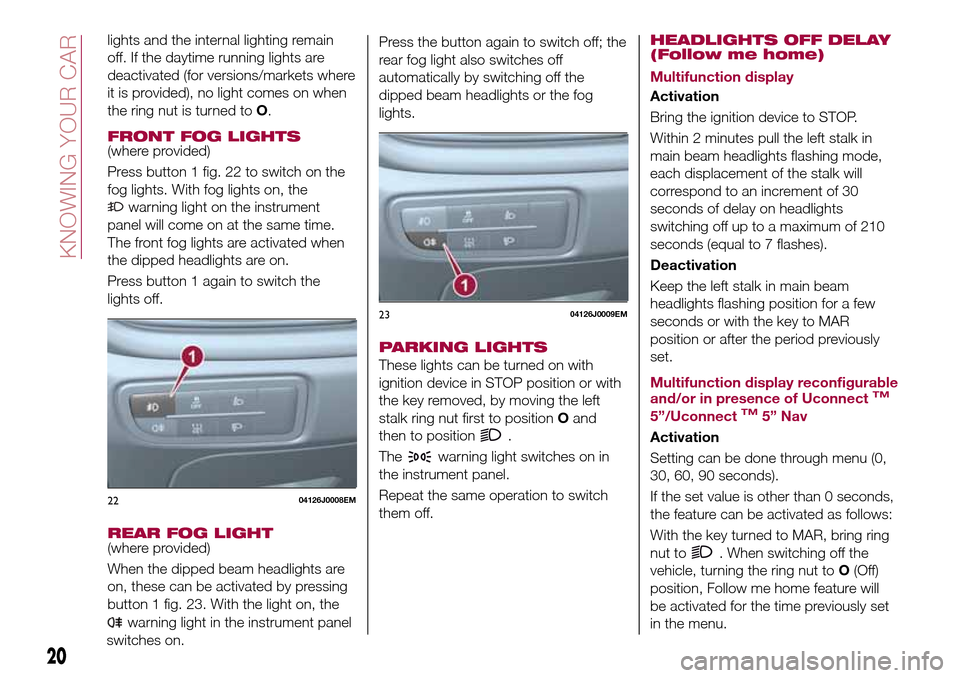
Press button 1 fig. 22 to switch on the
fog lights. With fog lights on, the
warning light on the instrument
panel will come on at the same time.
The front fog lights are activated when
the dipped headlights are on.
Press button 1 again to switch the
lights off.
REAR FOG LIGHT(where provided)
When the dipped beam headlights are
on, these can be activated by pressing
button 1 fig. 23. With the light on, the
warning light in the instrument panel
switches on.Press the button again to switch off; the
rear fog light also switches off
automatically by switching off the
dipped beam headlights or the fog
lights.
PARKING LIGHTS
These lights can be turned on with
ignition device in STOP position or with
the key removed, by moving the left
stalk ring nut first to positionOand
then to position
.
The
warning light switches on in
the instrument panel.
Repeat the same operation to switch
them off.
HEADLIGHTS OFF DELAY
(Follow me home)
Multifunction display
Activation
Bring the ignition device to STOP.
Within 2 minutes pull the left stalk in
main beam headlights flashing mode,
each displacement of the stalk will
correspond to an increment of 30
seconds of delay on headlights
switching off up to a maximum of 210
seconds (equal to 7 flashes).
Deactivation
Keep the left stalk in main beam
headlights flashing position for a few
seconds or with the key to MAR
position or after the period previously
set.
Multifunction display reconfigurable
and/or in presence of Uconnect
TM
5”/UconnectTM5” Nav
Activation
Setting can be done through menu (0,
30, 60, 90 seconds).
If the set value is other than 0 seconds,
the feature can be activated as follows:
With the key turned to MAR, bring ring
nut to
. When switching off the
vehicle, turning the ring nut toO(Off)
position, Follow me home feature will
be activated for the time previously set
in the menu.
2204126J0008EM
2304126J0009EM
20
KNOWING YOUR CAR
Page 23 of 204
If the set value is at 0 seconds, the
feature can be activated as follows:
Bring the ignition device to STOP.
Within 2 minutes pull the left stalk in
main beam headlights flashing mode,
each displacement of the stalk will
correspond to an increment of 30
seconds of delay on headlights
switching off up to a maximum of 210
seconds (equal to 7 flashes).
If the vehicle also features the dusk
sensor, it is possible to activate feature
in automatic mode - with key to MAR
bring the ring nut to
position.
Bringing the key in OFF position with
the headlights turned on, the feature
automatically activates for the time
previously set in menu.
Deactivation
If activation is done by pulling the main
beam headlight stalk, deactivate the
feature keeping the left stalk in main
beam headlights flashing position for at
least two seconds, with key to MAR or
after the set time.
If activation is done via the ring nut of
lights placed on the left stalk, it won't
be possible to disable the feature and
the switching off of the headlights will
happen at the end of the set time or
with key to MAR.
MAIN BEAM HEADLIGHTS
With ring nut in position, push the
stalk forward toward the dashboard
(stable position). The
warning light
switches on in the instrument panel.
They are switched off by pulling the
stalk towards the steering wheel.
Flashing the headlights
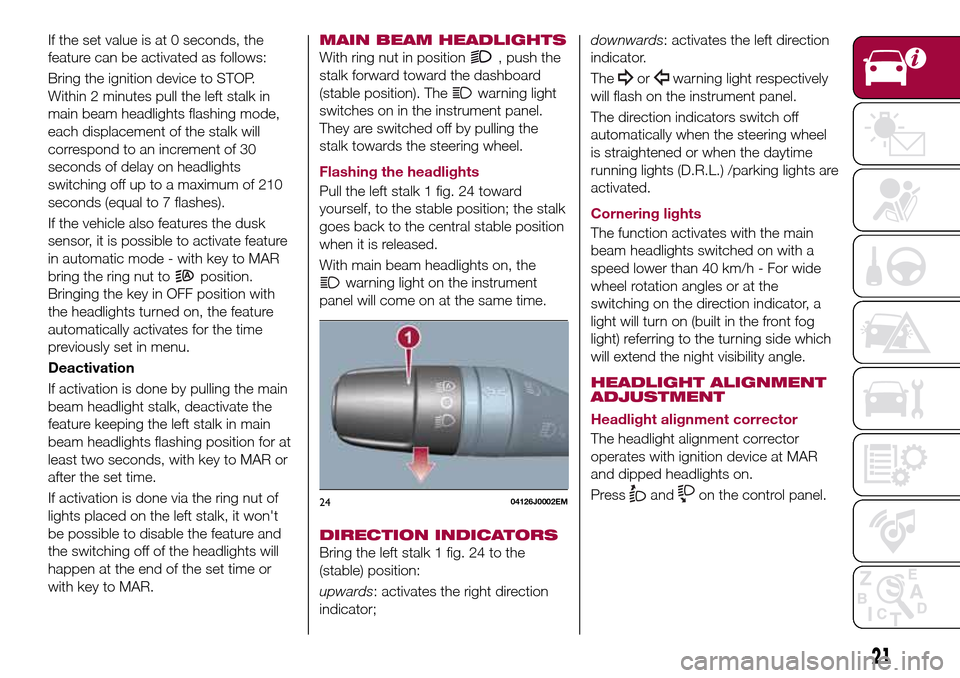
Pull the left stalk 1 fig. 24 toward
yourself, to the stable position; the stalk
goes back to the central stable position
when it is released.
With main beam headlights on, the
warning light on the instrument
panel will come on at the same time.
DIRECTION INDICATORS
Bring the left stalk 1 fig. 24 to the
(stable) position:
upwards: activates the right direction
indicator;downwards: activates the left direction
indicator.
The
orwarning light respectively
will flash on the instrument panel.
The direction indicators switch off
automatically when the steering wheel
is straightened or when the daytime
running lights (D.R.L.) /parking lights are
activated.
Cornering lights
The function activates with the main
beam headlights switched on with a
speed lower than 40 km/h - For wide
wheel rotation angles or at the
switching on the direction indicator, a
light will turn on (built in the front fog
light) referring to the turning side which
will extend the night visibility angle.
HEADLIGHT ALIGNMENT
ADJUSTMENT
Headlight alignment corrector
The headlight alignment corrector
operates with ignition device at MAR
and dipped headlights on.
Press
andon the control panel.2404126J0002EM
21
Page 24 of 204
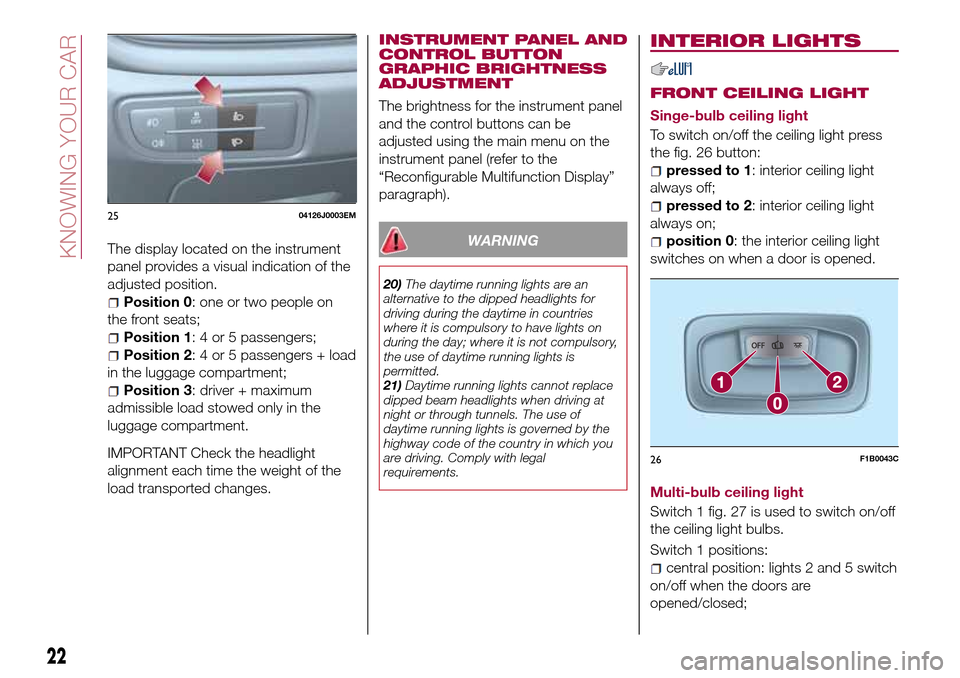
The display located on the instrument
panel provides a visual indication of the
adjusted position.
Position 0: one or two people on
the front seats;
Position 1: 4 or 5 passengers;
Position 2: 4 or 5 passengers + load
in the luggage compartment;
Position 3: driver + maximum
admissible load stowed only in the
luggage compartment.
IMPORTANT Check the headlight
alignment each time the weight of the
load transported changes.INSTRUMENT PANEL AND
CONTROL BUTTON
GRAPHIC BRIGHTNESS
ADJUSTMENT
The brightness for the instrument panel
and the control buttons can be
adjusted using the main menu on the
instrument panel (refer to the
“Reconfigurable Multifunction Display”
paragraph).
WARNING
20)The daytime running lights are an
alternative to the dipped headlights for
driving during the daytime in countries
where it is compulsory to have lights on
during the day; where it is not compulsory,
the use of daytime running lights is
permitted.
21)Daytime running lights cannot replace
dipped beam headlights when driving at
night or through tunnels. The use of
daytime running lights is governed by the
highway code of the country in which you
are driving. Comply with legal
requirements.
INTERIOR LIGHTS
FRONT CEILING LIGHT
Singe-bulb ceiling light
To switch on/off the ceiling light press
the fig. 26 button:
pressed to 1: interior ceiling light
always off;
pressed to 2: interior ceiling light
always on;
position 0: the interior ceiling light
switches on when a door is opened.
Multi-bulb ceiling light
Switch 1 fig. 27 is used to switch on/off
the ceiling light bulbs.
Switch 1 positions:
central position: lights 2 and 5 switch
on/off when the doors are
opened/closed;
2504126J0003EM
26F1B0043C
22
KNOWING YOUR CAR
Page 26 of 204
than half a second, the windscreen
wiper is moved with active control.
When the driver releases the stalk, the
windscreen wiper makes three strokes.
Afterwards, if the control is in position
O, the washing cycle is concluded by
one last stroke after a 6 second pause.
If the position isLOWorHIGH, the
washing function is not carried out.
IMPORTANT If the stalk is activated for
less than half a second, only the
windscreen washer jet is activated. Do
not prolong the activation of the "Smart
Washing" function for more than 30
seconds. Do not activate the
windscreen washer control when the
reservoir is empty.
“Service Position” function
This function makes it possible to
replace the wipers or protect them in
conditions of ice and/or snow.
It can only be activated after turning off
the vehicle.
The Service Position can be explicitly
requested by the driver within two
minutes of turning off the vehicle, when
the wipers have correctly returned to
the parking position.
The driver can enable the function by
turning the ring nut to positionOand
moving the stalk upwards, to the MIST
position, more than three times. Theactivations are used to position the
wipers as preferred. The function is
deactivated when the vehicle is turned
on, with a wiping request or when the
vehicle is moving (speed above 5
Km/h).
IMPORTANT Make sure, when turning
on the vehicle, that the windscreen is
free of snow or ice before turning the
ignition key.
RAIN SENSOR(where provided)
7) 8)
The sensor will be activated when the
ignition device is turned to MAR, and
will be deactivated in the STOP
position.
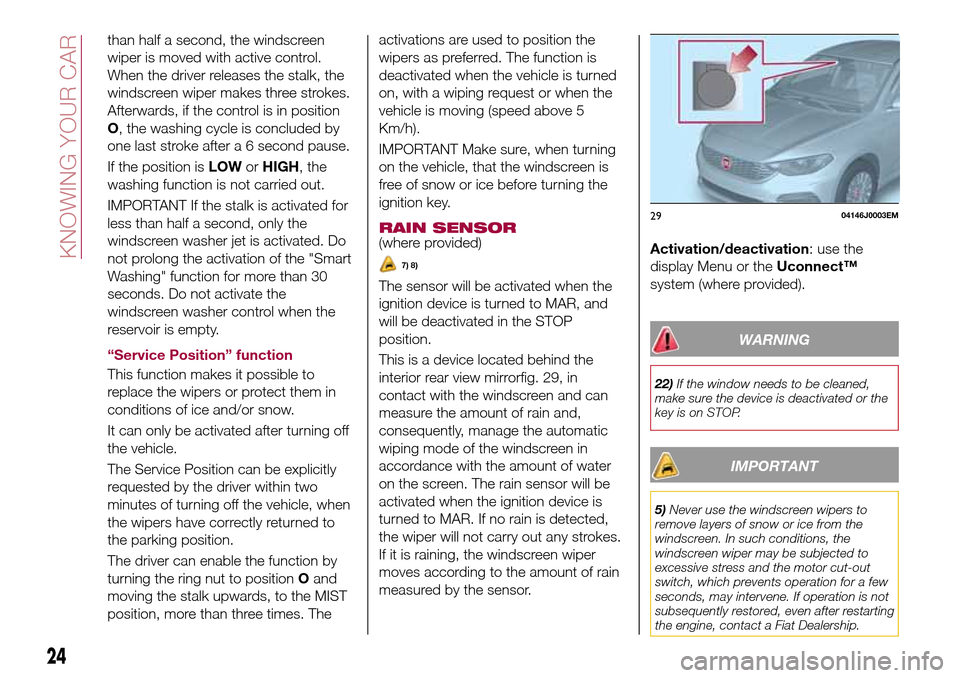
This is a device located behind the
interior rear view mirrorfig. 29, in
contact with the windscreen and can
measure the amount of rain and,
consequently, manage the automatic
wiping mode of the windscreen in
accordance with the amount of water
on the screen. The rain sensor will be
activated when the ignition device is
turned to MAR. If no rain is detected,
the wiper will not carry out any strokes.
If it is raining, the windscreen wiper
moves according to the amount of rain
measured by the sensor.Activation/deactivation: use the
display Menu or theUconnect™
system (where provided).
WARNING
22)If the window needs to be cleaned,
make sure the device is deactivated or the
key is on STOP.
IMPORTANT
5)Never use the windscreen wipers to
remove layers of snow or ice from the
windscreen. In such conditions, the
windscreen wiper may be subjected to
excessive stress and the motor cut-out
switch, which prevents operation for a few
seconds, may intervene. If operation is not
subsequently restored, even after restarting
the engine, contact a Fiat Dealership.
2904146J0003EM
24
KNOWING YOUR CAR
Page 40 of 204
DISPLAY
DESCRIPTION
The vehicle is equipped with a display
that can show useful information to the
driver while driving.
GEAR SHIFT INDICATOR
The Gear Shift Indicator (GSI) system
advises the driver to change gear
through a special indication on the
display.
Through the GSI, the driver is informed
that the gear change will allow a
reduction in fuel consumption.
When the
icon appears on the
display, the GSI suggests switching to a
higher gear, while when the
icon is
displayed, the GSI suggests changing
to a lower gear.
The indication in the display remains
until a gear is shifted or the driving
conditions go back to a situation where
gearshifting is not required to improve
consumption.
MULTIFUNCTION
DISPLAY
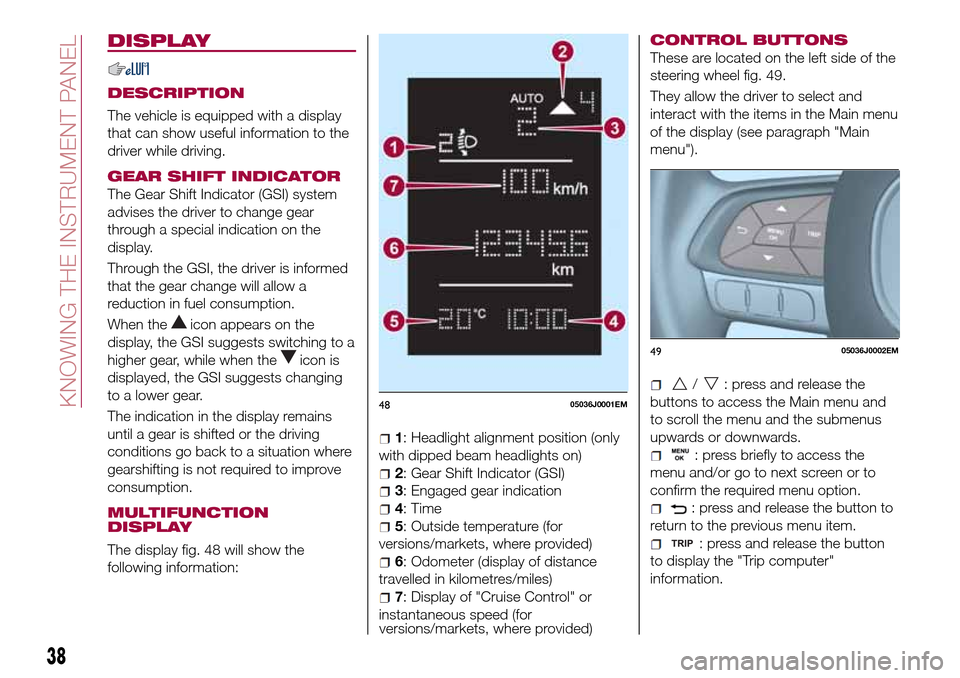
The display fig. 48 will show the
following information:
1: Headlight alignment position (only
with dipped beam headlights on)
2: Gear Shift Indicator (GSI)
3: Engaged gear indication
4: Time
5: Outside temperature (for
versions/markets, where provided)
6: Odometer (display of distance
travelled in kilometres/miles)
7: Display of "Cruise Control" or
instantaneous speed (for
versions/markets, where provided)
CONTROL BUTTONS
These are located on the left side of the
steering wheel fig. 49.
They allow the driver to select and
interact with the items in the Main menu
of the display (see paragraph "Main
menu").
/: press and release the
buttons to access the Main menu and
to scroll the menu and the submenus
upwards or downwards.
: press briefly to access the
menu and/or go to next screen or to
confirm the required menu option.
: press and release the button to
return to the previous menu item.
: press and release the button
to display the "Trip computer"
information.
4805036J0001EM
4905036J0002EM
38
KNOWING THE INSTRUMENT PANEL
Page 41 of 204
MAIN MENU
The Menu includes the following items:
“Dimmer” (lighting)
“Speed“
“Hour“ (set time)
“Buzzer“ (acoustic signal)
“Units“
“Corner“ (Cornering lights)
“Bag P“ (Passenger airbag)
“DRL“ (Daytime Running Lights) (for
versions/markets where provided)
Bag P (Passenger airbag)
This function is used to activate/
deactivate the front passenger's airbag.
Proceed as follows:
press theMENU OKbutton and,
after the displaying of the message
(Bag pass: Off, to deactivate) or the
message "Bag pass: On, to activate) by
pressing
/, press thebutton;
a confirmation request message will
appear on the display;
press buttons/to select (Yes)
(confirming activation/deactivation) or
(No) (to abort);
press theMENU OKbutton briefly; a
message confirming the selection is
displayed and you can return to the
menu screen.
WithPassenger's protection not
activethe
LED comes on
constantly in the instrument panel
dashboard.NOTE With theUconnect™system,
some Menu items are shown and
managed on the display of the latter
and not on the instrument panel display
(refer to the dedicated Multimedia
chapter or to the supplement available
online).
RECONFIGURABLE
MULTIFUNCTION
DISPLAY
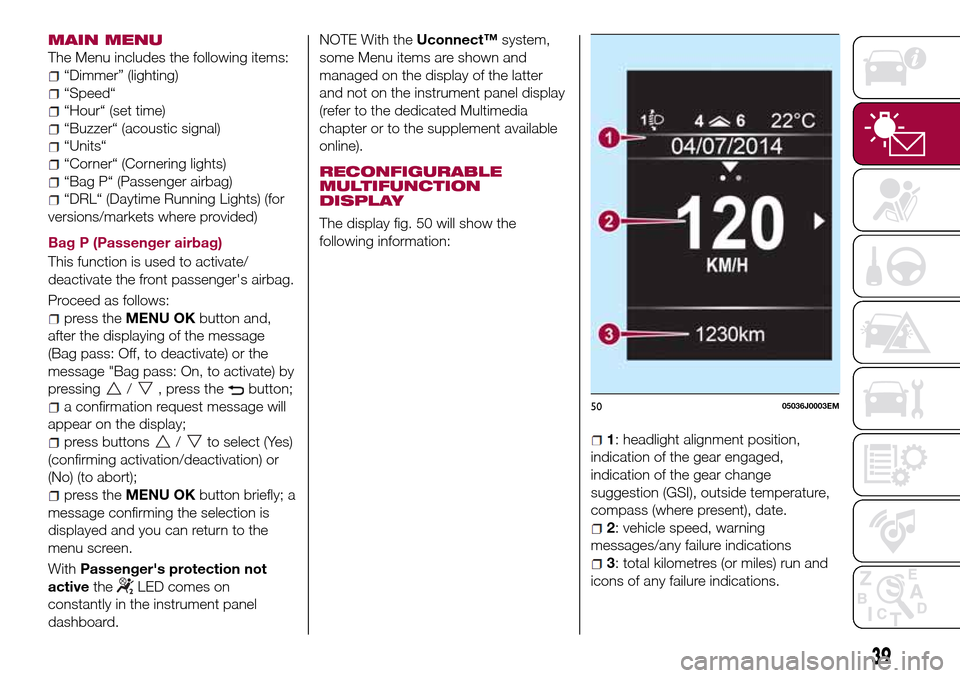
The display fig. 50 will show the
following information:
1: headlight alignment position,
indication of the gear engaged,
indication of the gear change
suggestion (GSI), outside temperature,
compass (where present), date.
2: vehicle speed, warning
messages/any failure indications
3: total kilometres (or miles) run and
icons of any failure indications.
5005036J0003EM
39
Page 42 of 204
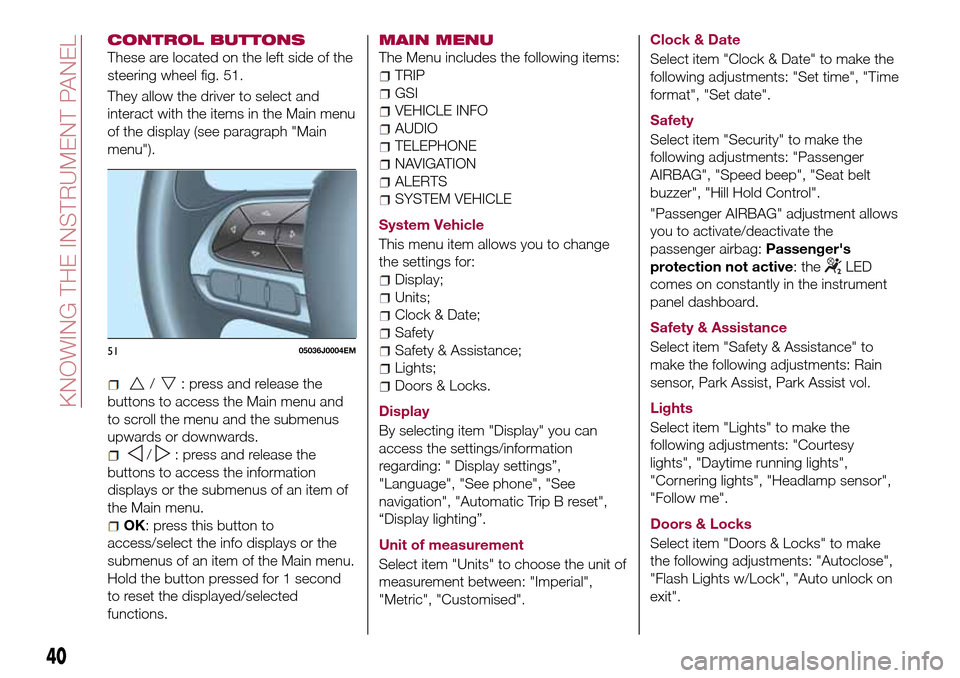
CONTROL BUTTONS
These are located on the left side of the
steering wheel fig. 51.
They allow the driver to select and
interact with the items in the Main menu
of the display (see paragraph "Main
menu").
/: press and release the
buttons to access the Main menu and
to scroll the menu and the submenus
upwards or downwards.
/: press and release the
buttons to access the information
displays or the submenus of an item of
the Main menu.
OK: press this button to
access/select the info displays or the
submenus of an item of the Main menu.
Hold the button pressed for 1 second
to reset the displayed/selected
functions.
MAIN MENU
The Menu includes the following items:
TRIP
GSI
VEHICLE INFO
AUDIO
TELEPHONE
NAVIGATION
ALERTS
SYSTEM VEHICLE
System Vehicle
This menu item allows you to change
the settings for:
Display;
Units;
Clock & Date;
Safety
Safety & Assistance;
Lights;
Doors & Locks.
Display
By selecting item "Display" you can
access the settings/information
regarding: " Display settings”,
"Language", "See phone", "See
navigation", "Automatic Trip B reset",
“Display lighting”.
Unit of measurement
Select item "Units" to choose the unit of
measurement between: "Imperial",
"Metric", "Customised".Clock & Date
Select item "Clock & Date" to make the
following adjustments: "Set time", "Time
format", "Set date".
Safety
Select item "Security" to make the
following adjustments: "Passenger
AIRBAG", "Speed beep", "Seat belt
buzzer", "Hill Hold Control".
"Passenger AIRBAG" adjustment allows
you to activate/deactivate the
passenger airbag:Passenger's
protection not active: the
LED
comes on constantly in the instrument
panel dashboard.
Safety & Assistance
Select item "Safety & Assistance" to
make the following adjustments: Rain
sensor, Park Assist, Park Assist vol.
Lights
Select item "Lights" to make the
following adjustments: "Courtesy
lights", "Daytime running lights",
"Cornering lights", "Headlamp sensor",
"Follow me".
Doors & Locks
Select item "Doors & Locks" to make
the following adjustments: "Autoclose",
"Flash Lights w/Lock", "Auto unlock on
exit".
5105036J0004EM
40
KNOWING THE INSTRUMENT PANEL