fuel FORD B MAX 2012 1.G Owner's Guide
[x] Cancel search | Manufacturer: FORD, Model Year: 2012, Model line: B MAX, Model: FORD B MAX 2012 1.GPages: 256, PDF Size: 19.67 MB
Page 157 of 256
Downloaded from www.Manualslib.com manuals search engine GENERAL INFORMATION
A decal with tyre pressure data is locatedin the driver’s door opening.
Check and set the tyre pressure at theambient temperature in which you areintending to drive your vehicle and whenthe tyres are cold.
Note:Check your tyre pressures regularlyto optimise fuel economy.
Note:Use only approved wheel and tyresizes. Using other sizes could damage yourvehicle and will make the National TypeApproval invalid.
Note:If you change the diameter of thetyres from that fitted at the factory, thespeedometer may not display the correctspeed. Take your vehicle to an authoriseddealer to have the engine managementsystem reprogrammed.
Note:If you intend to change the size of thewheels from that fitted at the factory, checkthe suitability with an authorised dealer.
TEMPORARY MOBILITY KIT
Your vehicle may not have a spare tyre.Therefore you will have an emergency kitwhich will only repair one flat tyre.
The kit is located in the spare wheel well.
General Information
WARNINGS
Depending on the type and extent oftyre damage, some tyres can only bepartially sealed or not sealed at all.Loss of tyre pressure can affect vehiclehandling, leading to loss of vehicle control.
Do not use the kit on a previouslydamaged tyre, for example when ithas been driven under inflated.
WARNINGS
Do not use the kit on run flat tyre.
Do not try to seal damage other thanthat located within the visible treadof the tyre.
Do not try to seal damage to thetyre’s sidewall.
The kit seals most tyre punctures [with adiameter of up to 1/4 inch (sixmillimetres)] to temporarily restoremobility.
Observe the following rules when using thekit:
•Drive with caution and avoid makingsudden steering or driving manoeuvres,especially if your vehicle is heavilyloaded or you are towing a trailer.
•The kit will provide you with anemergency temporary repair, enablingyou to continue your journey to the nextvehicle or tyre dealer, or to drive amaximum distance of 125 miles(200 kilometres).
•Do not exceed a maximum speed of50 mph (80 km/h).
•Keep the kit out of the reach ofchildren.
•Only use the kit when the ambienttemperature is between -22°F (–30°C)and +158°F (+70°C).
Using the Kit
WARNINGS
Compressed air can act as anexplosive or propellant.
Never leave the kit unattended whilein use.
Do not keep the compressoroperating for more than 10 minutes.
155Wheels and Tyres
Page 161 of 256
Downloaded from www.Manualslib.com manuals search engine USING WINTER TYRES
WARNING
When using winter tyres on yourvehicle, you must make sure that youfit the correct type of wheel nuts.
If winter tyres are used, make sure that thetyre pressures are correct. See TechnicalSpecifications (page 164).
USING SNOW CHAINS
WARNINGS
Do not exceed 30 mph (50 km/h).
Do not use snow chains on snow-freeroads.
Only fit snow chains to specifiedtyres. See TechnicalSpecifications (page 164).
If your vehicle has wheel trims,remove them before fitting snowchains.
Note:The anti-lock braking system willcontinue to operate normally.
Only use small link snow chains.
Only use snow chains on the front wheels.
Vehicles With Stability Control
When stability control is on, your vehiclemay exhibit some unusual drivingcharacteristics. To reduce this, switchtraction control off. See Using StabilityControl (page 103).
TYRE PRESSURE
MONITORING SYSTEM
WARNINGS
The system does not relieve you ofyour responsibility to regularly checkthe tyre pressures.
The system will only provide a lowtyre pressure warning. It will notinflate the tyres.
Do not drive on significantlyunder-inflated tyres. This may causethe tyres to overheat and fail.Under-inflation reduces fuel efficiency, tyretread life and may also affect your abilityto drive your vehicle safely.
Do not bend or damage the valveswhen you are inflating the tyres.
Have tyres installed by an authoriseddealer.
The deflation detection system will alertyou if there is a change of air pressure inany tyre. It does this by using the anti-lockbraking sensors to detect the rollingcircumference of the wheels. When thecircumference changes, this indicates lowtyre pressure. A warning message isdisplayed in the information display andthe message indicator will illuminate. SeeInformation Messages (page 62).
If a low pressure warning message isdisplayed in the information display, checkthe tyre pressures as soon as possible andinflate them to the recommendedpressure. See Technical Specifications(page 164).
If this happens frequently, have the causedetermined and rectified as soon aspossible.
159Wheels and Tyres
Page 163 of 256
Downloaded from www.Manualslib.com manuals search engine Note:Vehicles with a temporary mobilitykit do not have a vehicle jack or a wheelbrace.
It is recommended to use a workshop typehydraulic jack for changing betweensummer and winter tyres.
Note:Use a jack with a minimum liftingcapacity of 1.5 tonnes and a lifting plate witha minimum diametre of 3.1 inches (80millimetres).
Vehicles With a Spare Wheel
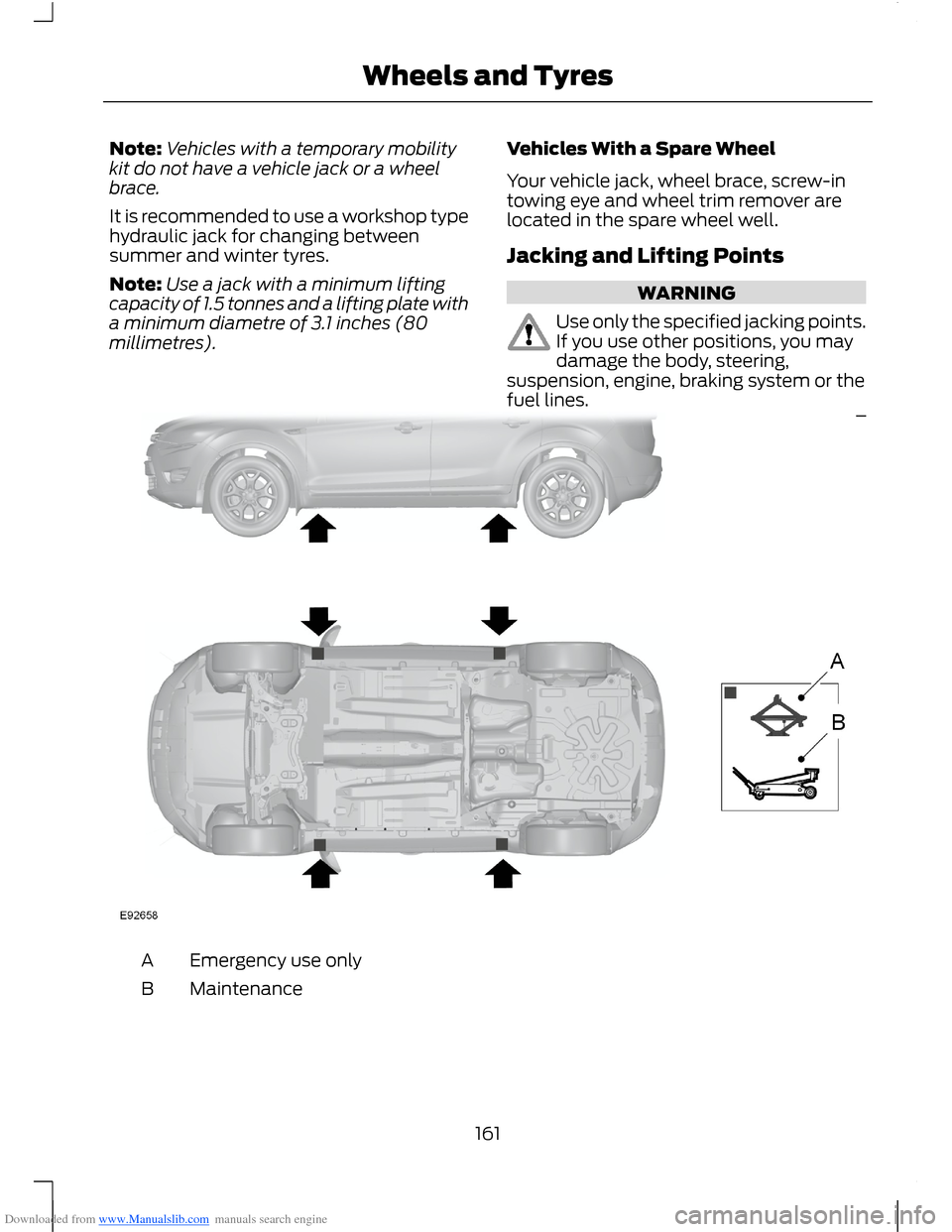
Your vehicle jack, wheel brace, screw-intowing eye and wheel trim remover arelocated in the spare wheel well.
Jacking and Lifting Points
WARNING
Use only the specified jacking points.If you use other positions, you maydamage the body, steering,suspension, engine, braking system or thefuel lines.
Emergency use onlyA
MaintenanceB
161Wheels and Tyres
Page 213 of 256
Downloaded from www.Manualslib.com manuals search engine SYNC® APPLICATIONS AND
SERVICES
1.Press the MENU button to enter thesystem's menu.
2.Scroll until SYNC-Apps is selected,then press OK.
A list of available applications will beshown. Each application might have itsown specific settings.
SYNC Emergency Assistance
WARNINGS
For this feature to work, your mobilephone must be compatible withSYNC.
Always place your mobile phone ina secure location inside your vehicle.Failure to do so may cause seriousinjury to someone or damage the phonewhich could prevent emergency assistancefrom working correctly.
Unless the emergency assistancesetting is set to on prior to a collision,the system will not attempt to placean emergency call which could delay theresponse time, potentially increasing therisk of serious injury or death. Do not waitfor emergency assistance to make anemergency call if you can do it yourself.Dial emergency services immediately toavoid a delayed response time. If you donot hear emergency assistance within fiveseconds of the collision, the system ormobile phone may be damaged or nonfunctional.
Note:Before selecting this feature, youmust read the emergency assistance privacynotice later in this section for importantinformation.
Note:When you turn emergency assistanceon or off, that setting will apply for all pairedmobile phones. If you have turnedemergency assistance off and a previouslypaired phone connects when you switch theignition on, either a voice message plays, adisplay message or icon is shown or both.
Note:Every mobile phone operatesdifferently. While SYNC emergencyassistance works with most mobile phones,some mobile phones may experiencedifficulties using this feature.
Note:For important information regardingairbag deployment: See SupplementaryRestraints System (page 22).
In the event of a collision which deploysan airbag or activates the fuel cut-offswitch, the system may contactemergency services by dialling 112 (thewireless emergency number that works inmost European countries) through a pairedand connected mobile phone. For moreinformation about SYNC and emergencyassistance visit your regional Ford website.
Setting Emergency Assistance On:
1.Press the PHONE button to enter themobile Phone menu.
2.Scroll to emergency assistance.
3.Press OK to confirm and enter theemergency assistance menu.
4.Scroll through and highlight the On orOff selection.
5.Press OK to confirm the selection.
Display options:
•In case On was selected,Set Onappears in the display as confirmation.
•In case Off was selected a dialogueappears which allows you to set a voicereminder.
211SYNC
Page 214 of 256
Downloaded from www.Manualslib.com manuals search engine •Off with voice reminder provides adisplay and voice reminder when themobile phone connects and yourvehicle starts.
•Off without voice reminder provides adisplay reminder only without a voicereminder when the mobile phoneconnects.
To Make Sure That EmergencyAssistance Works Correctly:
•SYNC must have power and be workingcorrectly at the time of the collision andduring feature activation and use.
•The emergency assistance featuremust be set to on prior to the incident.
•You must have a mobile phoneconnected to SYNC.
•In certain countries it may be necessaryto have a valid and registered SIM cardwith credit in order to place andmaintain a 112 call.
•A connected mobile phone must havethe ability to make and maintain anoutgoing call at the time of theincident.
•A connected mobile phone must haveadequate network coverage, batterypower and signal strength.
•Your vehicle must have battery powerand be located in a European countryor region where SYNC emergencyassistance can call the localemergency services. See your regionalFord website for details.
In the Event of a Collision
Note:Not every collision will deploy anairbag or activate the fuel cut-off switch(which may activate emergencyassistance). However, if emergencyassistance is triggered, SYNC tries tocontact the emergency services. If aconnected mobile phone is damaged orloses connection to SYNC, SYNC searchesfor and tries to connect to, any availablepreviously paired mobile phone and willattempt to make an emergency call to 112.
Before making a call:
•If the call has not been cancelled anda successful call is made, theintroductory message is played first forthe emergency operator, followed byhands-free communication betweenyour vehicle occupant and theoperator.
•SYNC provides a short window of time(approximately 10 seconds) to cancelthe call. If the call is not cancelledSYNC will attempt to dial 112.
•SYNC says the following, or a similarmessage: "SYNC will attempt to makean emergency call. To cancel the call,please choose cancel from the screenor press the hang up button".
During a call
•Emergency assistance uses vehicleGPS or mobile network informationwhen available to determine the mostappropriate language to alert theemergency operator of the collisionand deliver the introductory message.Which may include your vehicles GPScoordinates.
•The language used to interact with yourvehicle occupants is pre-selected bythe user for all SYNC functions andmay differ from the language used bySYNC to deliver information to theEmergency Operator.
212SYNC
Page 215 of 256
Downloaded from www.Manualslib.com manuals search engine •After the delivery of the introductorymessage the voice line will open sothat you can speak hands-free with theemergency operator.
•When the line is connected, you mustbe prepared to provide your name,phone number and locationinformation immediately.
Note:While information is being providedto the emergency operator you will hear thefollowing or similar message "Please standby while important information is beingdelivered to the emergency operator." SYNCwill say “line open” or similar at the start ofhands-free communication.
Note:During an emergency assistance call,an emergency priority screen will bedisplayed in your vehicle which containsvehicle GPS coordinates when available.These coordinates match the informationprovided to the emergency operator in theintroductory message.
Note:The emergency operator may alsoreceive information from the mobile networksuch as mobile phone number, mobilephone location and mobile phone carriername independent from SYNC emergencyassistance.
Emergency assistance may not work if:
•Your mobile phone or emergencyassistance hardware has beendamaged in a collision.
•Your vehicle's battery or the SYNCsystem has no power.
•If your phone is thrown from yourvehicle during a collision.
•You do not have a valid and registeredSIM card with credit in your phone.
•You are in a European country or regionwhere the SYNC emergency assistancecall cannot be placed. See yourregional Ford website for details.
Important Information About the FordSYNC Emergency Assistance Feature
Emergency Assistance does not currentlycall emergency services in the followingmarkets: Albania, Belarus, Bosnia andHerzegovina, Macedonia, Netherlands,Ukraine, Moldova and Russia.
See your regional Ford website for latestdetails.
Emergency Assistance Privacy Notice
Once emergency assistance is set to on, itmay disclose to emergency services thatyour vehicle has been in a collisioninvolving the deployment of an airbag oractivation of the fuel cut-off switch. Thisfeature has the capability to disclose yourlocation information to the emergencyoperator or other details about your vehicleor collision to provide the most appropriateemergency services.
If you do not want to disclose thisinformation, do not turn the feature on.
USING SYNC® WITH YOUR
MEDIA PLAYER
You can access and play music from yourdigital music player over your vehicle'sspeaker system using the system's mediamenu or voice commands. You can alsosort and play your music by specificcategories such as artists, albums, etc.
SYNC is capable of hosting nearly anydigital media player including: iPod®,Zune™, Plays from device players, andmost USB drives. SYNC also supportsaudio formats such as MP3, WMA, WAVand ACC.
213SYNC
Page 227 of 256
Downloaded from www.Manualslib.com manuals search engine ELECTROMAGNETIC
COMPATIBILITY
WARNINGS
Your vehicle has been tested andcertified to legislations relating toelectromagnetic compatibility(72/245/EEC, UN ECE Regulation 10 orother applicable local requirements). It isyour responsibility to make sure that anyequipment you have fitted complies withapplicable local legislations. Have anyequipment fitted by an authorised dealer.
WARNINGS
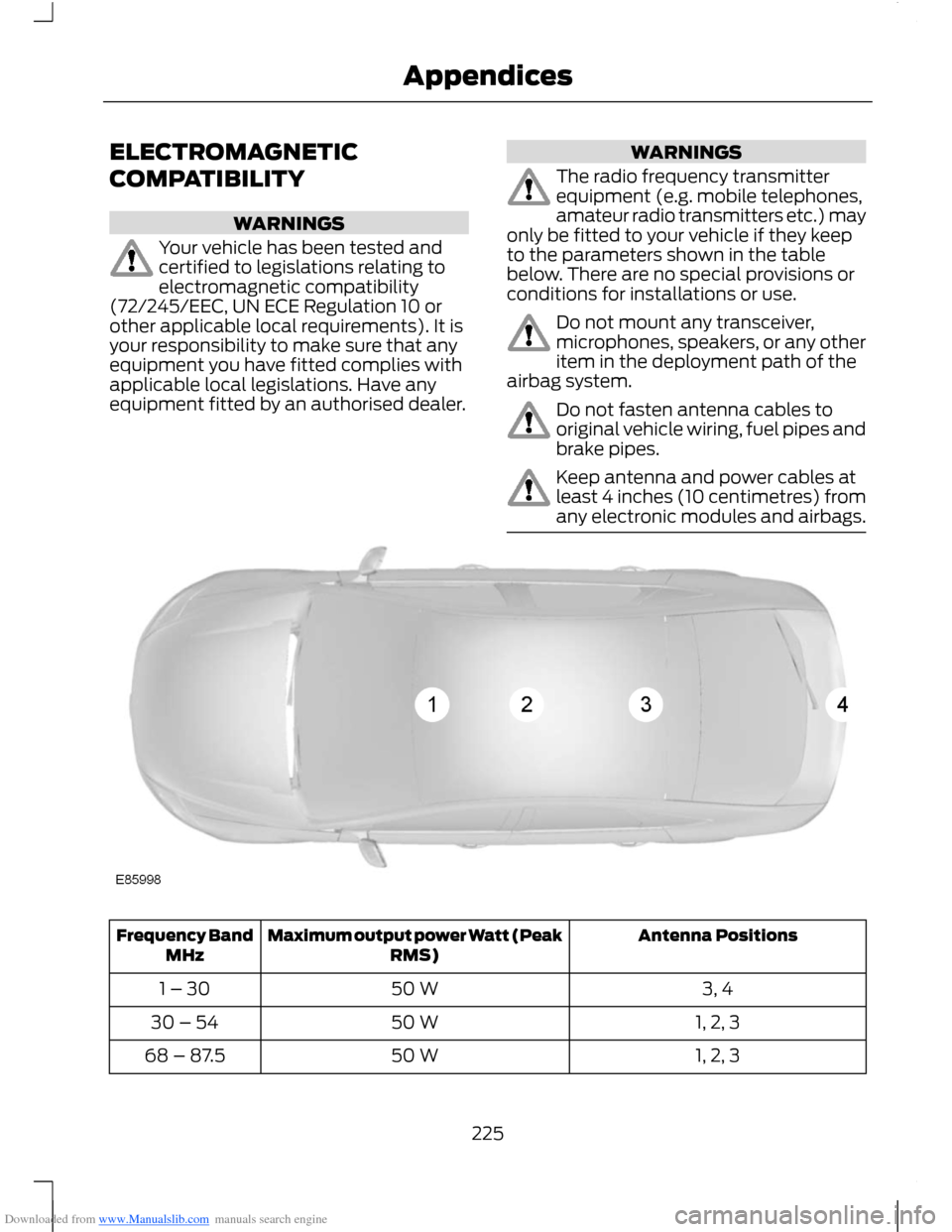
The radio frequency transmitterequipment (e.g. mobile telephones,amateur radio transmitters etc.) mayonly be fitted to your vehicle if they keepto the parameters shown in the tablebelow. There are no special provisions orconditions for installations or use.
Do not mount any transceiver,microphones, speakers, or any otheritem in the deployment path of theairbag system.
Do not fasten antenna cables tooriginal vehicle wiring, fuel pipes andbrake pipes.
Keep antenna and power cables atleast 4 inches (10 centimetres) fromany electronic modules and airbags.
Antenna PositionsMaximum output power Watt (PeakRMS)Frequency BandMHz
3, 450 W1 – 30
1, 2, 350 W30 – 54
1, 2, 350 W68 – 87.5
225Appendices
Page 245 of 256
Downloaded from www.Manualslib.com manuals search engine A
A/CSee: Climate Control..........................................68About This Manual...........................................5Protecting the Environment...............................5ABSSee: Brakes............................................................101ABS driving hintsSee: Hints on Driving With Anti-LockBrakes.................................................................101AccessoriesSee: Replacement PartsRecommendation..............................................7Active City Stop...............................................111General Information............................................111Laser Sensor Information.................................112Using Active City Stop.........................................111Adjusting the Steering Wheel...................38Air ConditioningSee: Climate Control..........................................68Air Vents............................................................68Centre Air Vents....................................................68Side Air Vent..........................................................68AlarmSee: Anti-Theft Alarm........................................35Anti-Theft Alarm............................................35Alarm System........................................................35Arming the Alarm.................................................36Disarming the Alarm............................................37Full and Reduced Guard....................................36Triggering the Alarm............................................36Appendices....................................................225At a Glance..........................................................8Front Exterior Overview........................................8Instrument Panel Overview..............................10Rear Exterior Overview........................................13Vehicle Interior Overview.....................................9Audible Warnings and Indicators.............56Automatic Transmission...................................56Headlamps On......................................................56Key Outside Car....................................................56Low Fuel...................................................................57Seat Belt Minder....................................................57Audio Control...................................................38.....................................................................................38Audio System..................................................171General Information............................................171
Audio System Security................................187Audio Troubleshooting...............................195Audio unit - Vehicles With:AM/FM/CD/Bluetooth..............................177Alternative Frequencies....................................181Automatic Volume Control............................180Autostore Control..............................................180News Broadcasts.................................................181Regional Mode......................................................181Sound Button.......................................................179Station Preset Buttons.....................................179Station Tuning Control......................................179Traffic Information Control.............................180Waveband Button..............................................179Audio unit - Vehicles With:AM/FM/CD...................................................172Alternative Frequencies....................................176Automatic Volume Control.............................175Autostore Control...............................................175News Broadcasts................................................176Regional Mode.....................................................176Sound Button.......................................................174Station Preset Buttons......................................174Station Tuning Control......................................174Traffic Information Control..............................175Waveband Button...............................................174Audio unit - Vehicles With: SonyAM/FM/CD...................................................182Alternative Frequencies...................................186Automatic Volume Control............................186Autostore Control...............................................185Digital Signal Processing.................................186News Broadcasts...............................................186Regional Mode.....................................................187Sound Button......................................................184Station Preset Buttons.....................................184Station Tuning Control.....................................184Traffic Information Control.............................185Waveband Button..............................................184Autolamps........................................................43Automatic Climate Control........................70Temperature Control...........................................72
243Index
Page 247 of 256
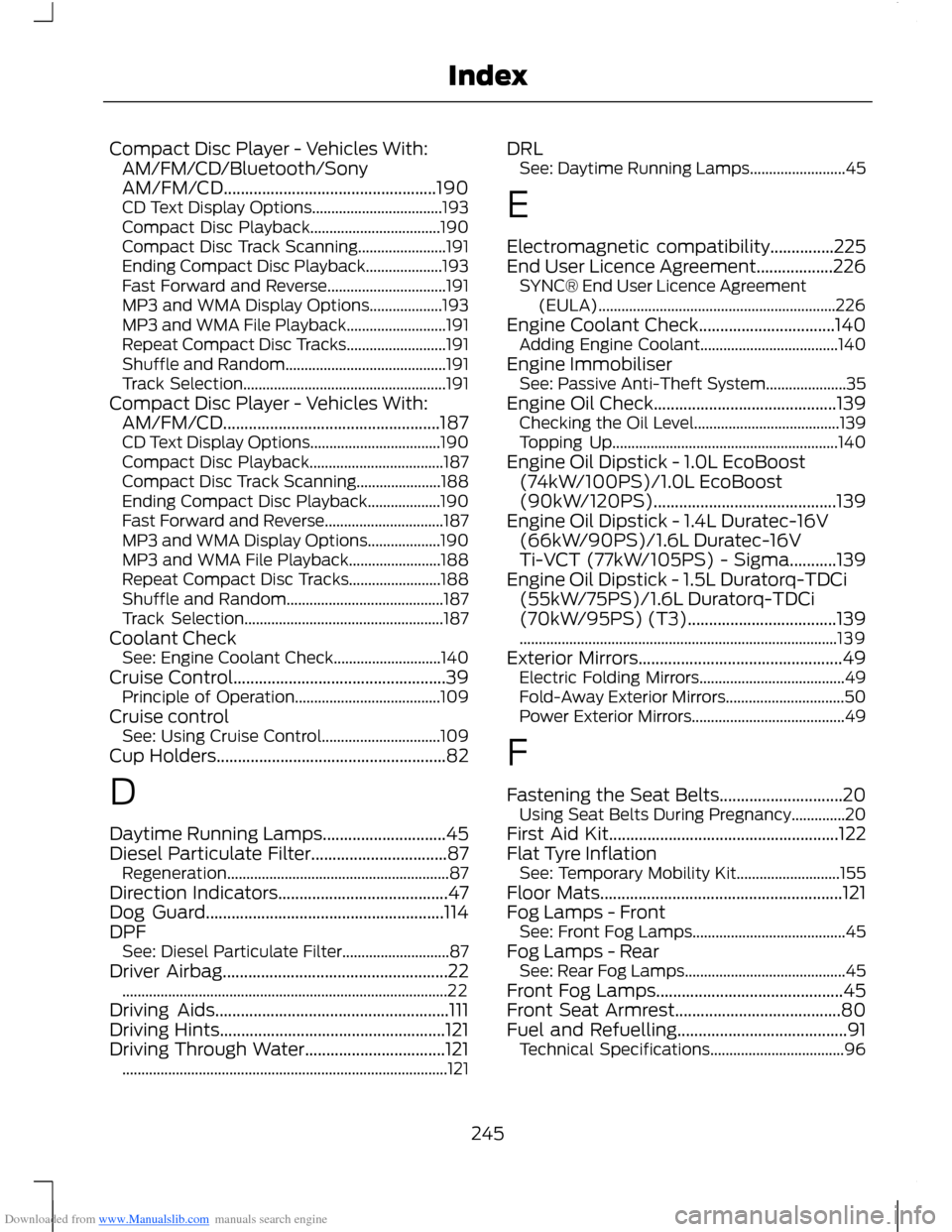
Downloaded from www.Manualslib.com manuals search engine Compact Disc Player - Vehicles With:AM/FM/CD/Bluetooth/SonyAM/FM/CD..................................................190CD Text Display Options..................................193Compact Disc Playback..................................190Compact Disc Track Scanning.......................191Ending Compact Disc Playback....................193Fast Forward and Reverse...............................191MP3 and WMA Display Options...................193MP3 and WMA File Playback..........................191Repeat Compact Disc Tracks..........................191Shuffle and Random..........................................191Track Selection.....................................................191Compact Disc Player - Vehicles With:AM/FM/CD...................................................187CD Text Display Options..................................190Compact Disc Playback...................................187Compact Disc Track Scanning......................188Ending Compact Disc Playback...................190Fast Forward and Reverse...............................187MP3 and WMA Display Options...................190MP3 and WMA File Playback........................188Repeat Compact Disc Tracks........................188Shuffle and Random.........................................187Track Selection....................................................187Coolant CheckSee: Engine Coolant Check............................140Cruise Control..................................................39Principle of Operation......................................109Cruise controlSee: Using Cruise Control...............................109Cup Holders......................................................82
D
Daytime Running Lamps.............................45Diesel Particulate Filter................................87Regeneration..........................................................87Direction Indicators........................................47Dog Guard........................................................114DPFSee: Diesel Particulate Filter............................87Driver Airbag.....................................................22.....................................................................................22Driving Aids.......................................................111Driving Hints.....................................................121Driving Through Water.................................121.....................................................................................121
DRLSee: Daytime Running Lamps.........................45
E
Electromagnetic compatibility...............225End User Licence Agreement..................226SYNC® End User Licence Agreement(EULA)..............................................................226Engine Coolant Check................................140Adding Engine Coolant....................................140Engine ImmobiliserSee: Passive Anti-Theft System.....................35Engine Oil Check...........................................139Checking the Oil Level......................................139Topping Up...........................................................140Engine Oil Dipstick - 1.0L EcoBoost(74kW/100PS)/1.0L EcoBoost(90kW/120PS)...........................................139Engine Oil Dipstick - 1.4L Duratec-16V(66kW/90PS)/1.6L Duratec-16VTi-VCT (77kW/105PS) - Sigma...........139Engine Oil Dipstick - 1.5L Duratorq-TDCi(55kW/75PS)/1.6L Duratorq-TDCi(70kW/95PS) (T3)...................................139...................................................................................139Exterior Mirrors................................................49Electric Folding Mirrors......................................49Fold-Away Exterior Mirrors...............................50Power Exterior Mirrors........................................49
F
Fastening the Seat Belts.............................20Using Seat Belts During Pregnancy..............20First Aid Kit......................................................122Flat Tyre InflationSee: Temporary Mobility Kit...........................155Floor Mats.........................................................121Fog Lamps - FrontSee: Front Fog Lamps........................................45Fog Lamps - RearSee: Rear Fog Lamps..........................................45Front Fog Lamps............................................45Front Seat Armrest.......................................80Fuel and Refuelling........................................91Technical Specifications...................................96
245Index
Page 248 of 256
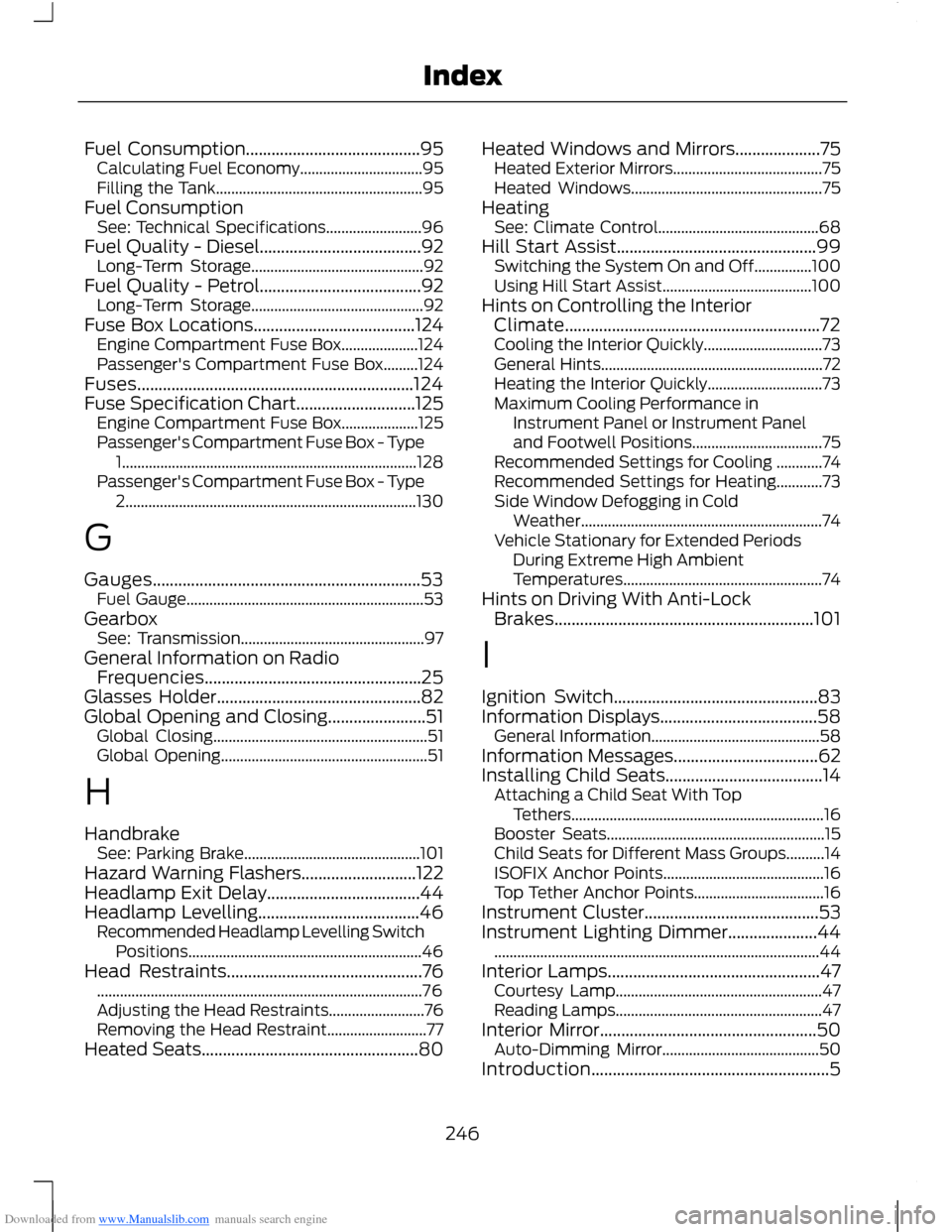
Downloaded from www.Manualslib.com manuals search engine Fuel Consumption.........................................95Calculating Fuel Economy................................95Filling the Tank......................................................95Fuel ConsumptionSee: Technical Specifications.........................96Fuel Quality - Diesel......................................92Long-Term Storage.............................................92Fuel Quality - Petrol......................................92Long-Term Storage.............................................92Fuse Box Locations......................................124Engine Compartment Fuse Box....................124Passenger's Compartment Fuse Box.........124Fuses.................................................................124Fuse Specification Chart............................125Engine Compartment Fuse Box....................125Passenger's Compartment Fuse Box - Type1.............................................................................128Passenger's Compartment Fuse Box - Type2............................................................................130
G
Gauges...............................................................53Fuel Gauge..............................................................53GearboxSee: Transmission................................................97General Information on RadioFrequencies...................................................25Glasses Holder................................................82Global Opening and Closing.......................51Global Closing........................................................51Global Opening......................................................51
H
HandbrakeSee: Parking Brake..............................................101Hazard Warning Flashers...........................122Headlamp Exit Delay....................................44Headlamp Levelling......................................46Recommended Headlamp Levelling SwitchPositions.............................................................46Head Restraints..............................................76.....................................................................................76Adjusting the Head Restraints.........................76Removing the Head Restraint..........................77Heated Seats...................................................80
Heated Windows and Mirrors....................75Heated Exterior Mirrors.......................................75Heated Windows..................................................75HeatingSee: Climate Control..........................................68Hill Start Assist...............................................99Switching the System On and Off...............100Using Hill Start Assist.......................................100Hints on Controlling the InteriorClimate............................................................72Cooling the Interior Quickly...............................73General Hints..........................................................72Heating the Interior Quickly..............................73Maximum Cooling Performance inInstrument Panel or Instrument Paneland Footwell Positions..................................75Recommended Settings for Cooling ............74Recommended Settings for Heating............73Side Window Defogging in ColdWeather...............................................................74Vehicle Stationary for Extended PeriodsDuring Extreme High AmbientTemperatures....................................................74Hints on Driving With Anti-LockBrakes.............................................................101
I
Ignition Switch................................................83Information Displays.....................................58General Information............................................58Information Messages..................................62Installing Child Seats.....................................14Attaching a Child Seat With TopTethers..................................................................16Booster Seats.........................................................15Child Seats for Different Mass Groups..........14ISOFIX Anchor Points..........................................16Top Tether Anchor Points..................................16Instrument Cluster.........................................53Instrument Lighting Dimmer.....................44.....................................................................................44Interior Lamps..................................................47Courtesy Lamp......................................................47Reading Lamps......................................................47Interior Mirror...................................................50Auto-Dimming Mirror.........................................50Introduction........................................................5
246Index